
A SaaS team that answers 1,000 tickets a month at 8 dollars of agent time per ticket spends 8,000 dollars a month on replies, and the best ai customer support tools for saas companies exist to let AI resolve the routine half while humans handle the rest. Intercom Fin leads this guide because it charges a flat 99 cents per resolved outcome and runs on top of other helpdesks, so a team can add AI without migrating tickets. The remaining 14 tools cover helpdesk-native AI, enterprise self-service, budget chat and voice, and each one bills the AI differently, which is the detail that decides the real cost.
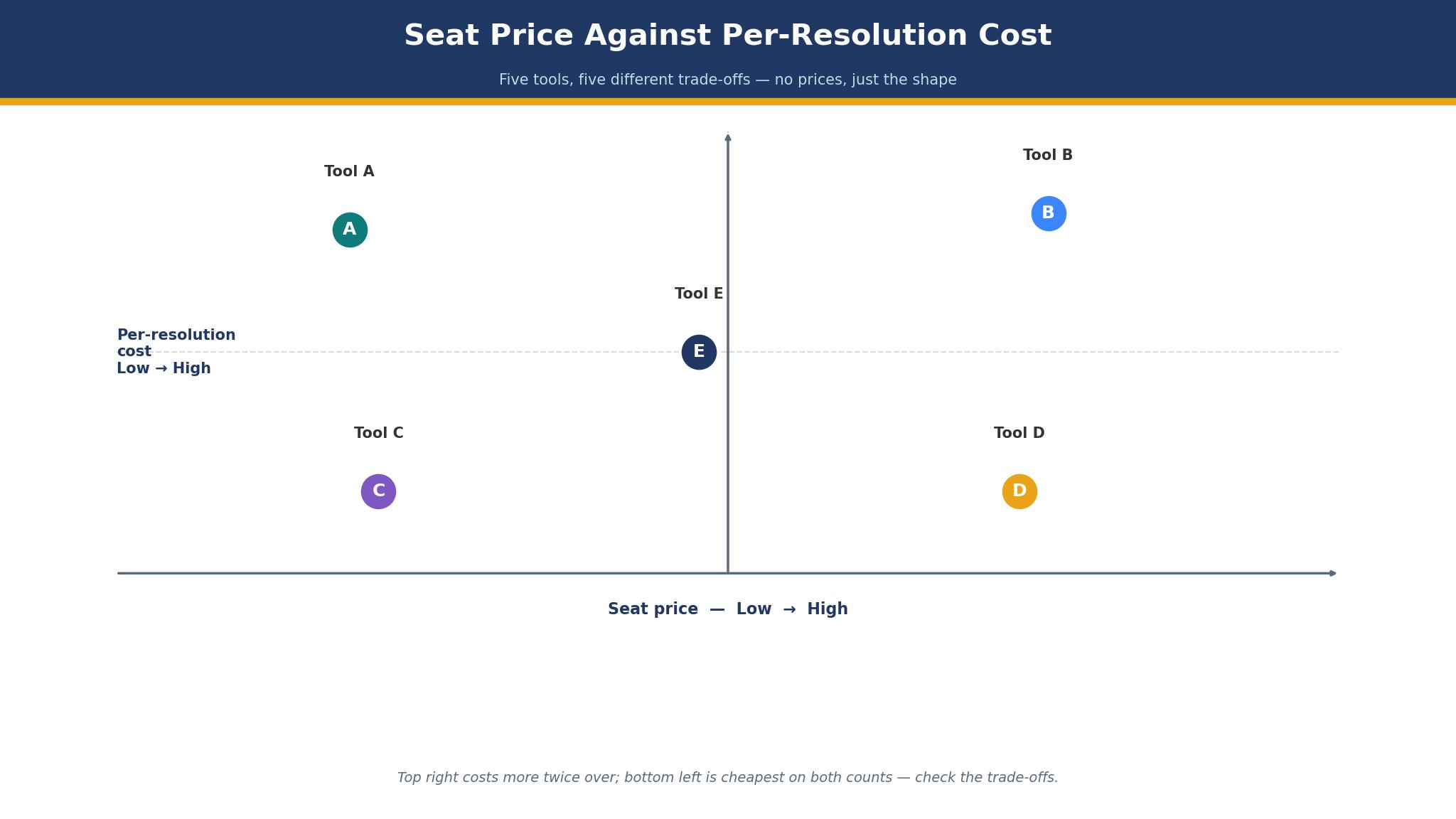
The billing unit is the trap in this category. Some tools charge per seat, some per resolution, some per session and some per ticket, and a team that compares seat prices alone will pick the wrong tool. A 19 dollar seat that adds 2 dollars per resolution can cost more than a 55 dollar seat that includes 500 sessions, and the only honest comparison is a month of real volume priced three ways. Each tool here was checked live in November 2026, and the prices quoted match vendor list prices or third-party reports noted in the text, so confirm the current number before paying.
SaaS teams differ in volume, channel mix and stack, and this guide weights those differences heavily. A startup with 300 chats a month needs different software than a scale-up with 20,000 tickets across email, chat and voice.
What a Support Ticket Really Costs a SaaS Team
The sticker price of a helpdesk is the smallest part of its cost. A 19 dollar seat looks cheap until the team adds five agents, a per-resolution AI charge and a knowledge-base add-on, and the monthly bill triples without any new ticket being answered. Teams should price a tool by the full stack, not by the headline plan, and the detail sections below call out the meter that changes the bill.
Agent time is the bigger cost. A ticket that takes six minutes of agent time costs roughly 2 dollars at a 20 dollar hourly rate, and a ticket that takes 20 minutes because the agent hunts through three systems costs nearly 7 dollars. AI that drafts the reply, pulls the account record and suggests the next step cuts that time in half.
The third cost is the ticket that waits. A customer who waits four hours for a password reset will cancel, and a customer who waits four minutes will stay.
Why AI Resolution Rates Mislead Buyers
AI resolution rates mislead in a specific way. The first problem is the definition, because one vendor counts a resolution when the customer stops replying and another counts it only when the customer confirms the fix. A 70 percent rate under the loose definition can mean 40 percent under the strict one, and the buyer who compares the two numbers directly is comparing different things. Ask every vendor what counts as resolved before trusting the rate.
The second problem is the ticket mix. A vendor that resolves 80 percent of password resets and 10 percent of billing disputes will advertise the average, and a SaaS team whose tickets are mostly billing disputes will see far less.
The 15 Tools at a Glance
| Tool | Main job | Best for | Starting price |
|---|---|---|---|
| Intercom Fin | AI-first resolution | SaaS teams, any helpdesk | 29 dollars a seat a month plus 0.99 dollars per outcome |
| Zendesk AI | Enterprise ticketing plus AI | Large support teams | 19 dollars an agent a month, AI resolutions 1.50 dollars |
| Freshdesk | Budget helpdesk plus AI | Small teams wanting value | 19 dollars an agent a month |
| HubSpot Service Hub | CRM-linked support | HubSpot shops | From 15 dollars a seat a month |
| Salesforce Agentforce | Agent AI on Salesforce | Salesforce-native teams | 25 dollars a user a month |
| Ada | Enterprise self-service | High-volume self-service | Pricing on the vendor site |
| Forethought | AI triage and resolution | Teams automating triage | Pricing on the vendor site |
| Tidio | Chat plus Lyro AI | Small teams and stores | From 24.17 dollars a month plus Lyro from 32.50 dollars |
| Help Scout | Simple shared inbox AI | Small support teams | From 50 dollars a user a month |
| Gorgias | Ecommerce support AI | Shopify and ecommerce SaaS | From 50 dollars a month |
| Kustomer | CRM-style support | Teams wanting one customer view | Pricing on the vendor site |
| LiveChat | Chat-first support AI | Small chat-first teams | From 19 dollars a user a month |
| Zoho Desk | Budget desk plus Zia AI | Zoho shops | From 7 dollars a user a month |
| Decagon | Enterprise AI agents | Large SaaS support orgs | Pricing on the vendor site |
| Sierra | Premium AI agents | Big brands, complex support | Pricing on the vendor site |
Best Pick by Job
| Job type | First pick | Second tool | Why this pair works |
|---|---|---|---|
| AI-first SaaS | Intercom Fin | Freshdesk | Fin resolves cheapest per outcome and Freshdesk adds a full desk cheap |
| Enterprise ticketing | Zendesk AI | Salesforce Agentforce | Zendesk handles volume and Agentforce adds Salesforce depth |
| Budget team | Freshdesk | Zoho Desk | Freshdesk gives most AI per dollar and Zoho Desk undercuts it |
| Chat-first small team | Tidio | LiveChat | Tidio adds Lyro cheap and LiveChat adds a clean chat desk |
| High-volume self-service | Ada | Decagon | Ada scales self-service and Decagon adds deeper agents |
Password resets and billing disputes are different jobs, and the tool that clears one fast can crawl on the other. A team drowning in resets needs autonomous resolution, while a team on billing disputes needs a strong agent copilot. A product that covers the second need adequately still fails when it fumbles the tickets filling the queue. Pick the first tool for the ticket mix that dominates the day, and keep the second on hand for the rest.
The same thinking applies to spending. A team of five agents answering 2,000 tickets a month can justify 145 dollars a month for Intercom seats plus roughly 1,000 dollars in Fin outcomes, since the AI replaces a hire. A team of two should start on Freshdesk or Zoho Desk instead, then add AI once the volume forces the issue.
How to Judge the best ai customer support tools for saas companies
Start with the 50-ticket test, because that is where support AI either earns its fee or wastes it. Take 50 real tickets from last month, half routine and half hard, and run them through the AI on a trial account. Count how many resolve without a human, how many escalate cleanly, and how many get a wrong answer. A tool that resolves 30 of the routine 25 and none of the hard ones is honest, while a tool that claims 45 is counting something else.
Next, test the billing on real volume. Take last month’s ticket count, multiply it by the per-resolution or per-session rate, add the seat cost, and compare the total against the flat-plan alternative. Look for the meter that hurts at scale, because a per-resolution charge that looks trivial at 500 tickets doubles the bill at 5,000. The best ai customer support tools for saas companies are priced on the meter the team can forecast, not the one the vendor prefers.
Then check the handoff on a live chat. Start a conversation with the AI, ask a question it cannot answer, and watch what the human receives. A good handoff passes the transcript, the account record and the attempted answer, so the agent picks up mid-sentence.
The 15 Tools in Detail
Resolution cost sets the order below, so the tool with the clearest per-outcome price leads.
1. Intercom Fin
Intercom Fin is the default AI agent for SaaS teams, and its flat 99 cent price per resolved outcome is the reason. Fin answers from the knowledge base, follows step-by-step procedures and acts in outside systems, and it runs on top of other helpdesks with a 50-outcome monthly minimum. Intercom seats start at 29 dollars a seat a month billed annually, with Advanced at 85 dollars and Expert at 132 dollars, and Copilot costs 29 dollars per agent a month.
The drawback is the meter. At 5,000 resolutions a month the Fin bill alone is 4,950 dollars, and a team with fixed budgets will find the variable cost hard to forecast. The 2026 ownership changes around Intercom add roadmap uncertainty, and a team buying Fin should confirm the current product direction before signing a long contract.
Intercom suits digital-first SaaS teams that want AI at the center of support. It fits a team with a strong knowledge base, a product with repeatable questions, and anyone who values a flat per-outcome price over a seat-only plan. Feed Fin 50 real tickets from last month and count the clean resolutions, and if the routine half resolves without a human, Fin earns its place.
2. Zendesk AI
Zendesk AI is the enterprise option, and its ticketing depth is the reason. Suite Team costs 55 dollars an agent a month billed annually, with Support Team at 19 dollars, and AI agents bill at 1.50 dollars per resolution committed or 2.00 dollars pay-as-you-go, while the Copilot add-on costs 50 dollars an agent a month. The platform handles routing, SLAs, permissions, voice and a large app marketplace.
The drawback is the stacked bill. Seats plus resolutions plus Copilot can push a five-agent team past 800 dollars a month, and the AI features that matter sit on the higher tiers.
Zendesk suits large teams with complex workflows. It fits a support org with SLAs to enforce, a team already running Zendesk, and anyone whose ticket volume justifies the depth. Run 50 real tickets through its AI agents and price the month three ways, and if the volume justifies the stack, Zendesk is the right enterprise buy.
3. Freshdesk
Freshdesk is the best value in this guide, and its price is the reason. Growth costs 19 dollars an agent a month billed annually, with Pro at 55 dollars and Enterprise at 89 dollars, and the first 500 Freddy AI Agent sessions are included before extra sessions bill at 49 dollars per 100. The platform covers email ticketing, automation, a knowledge base and reporting.
The drawback is the depth. Freshdesk is thinner than Zendesk on enterprise workflow, permissions and workforce management, and a team that grows past 50 agents will outgrow it.
Freshdesk suits budget-minded SaaS teams that want AI without a big bill. It fits a startup with 500 tickets a month, a team that wants a full desk plus AI for under 100 dollars, and anyone who values the 500 free sessions. Push 50 real tickets through Freddy on the trial and watch the session count, and if the free sessions cover the routine half, Freshdesk is the value pick.
4. HubSpot Service Hub
HubSpot Service Hub is the support tool for teams already running HubSpot, and its CRM link is the reason. Tickets sit next to the contact record, the deal history and the marketing data, so an agent sees the whole customer without switching tools. Service Hub Starter is reported from 15 dollars a seat a month, with higher tiers adding automation, AI and reporting.
The drawback is the AI depth and the price climb. The AI features that matter sit on the higher tiers, and a team that needs deep ticketing will find Service Hub thinner than Zendesk. The value depends on the HubSpot stack the team already runs, and a team without it will get less from the tool.
HubSpot suits HubSpot shops that want support inside the CRM. It fits a SaaS team selling and supporting from one system, a team that values the contact record over ticketing depth, and anyone who wants AI drafting on tickets the CRM already knows. Open a real ticket next to its contact record and draft a reply with the AI, and if the context saves the agent five minutes, Service Hub fits.
5. Salesforce Agentforce
Salesforce Agentforce is the AI layer for Salesforce-native teams, and its platform depth is the reason. Service Cloud starts at 25 dollars a user a month, and Agentforce agents handle scoring, case work and automation at a scale no other tool in this guide matches, with conversations reported around 2 dollars each. The platform covers custom objects, workflow automation and forecasting that other tools cannot match.
The drawback is the complexity and the cost. The entry tier excludes the automation and forecasting most teams need, and the practical entry point is far above 25 dollars a user a month.
Salesforce suits large SaaS teams already on Salesforce. It fits an enterprise with hundreds of agents, a company with custom objects and workflows, and anyone whose support process needs the deepest customisation available. Pilot Agentforce on one queue with real cases, and if the agents resolve the routine half without breaking the complex ones, Salesforce is the right enterprise pick.
6. Ada
Ada is the enterprise self-service platform, and its scale is the reason. It resolves 60 to 80 percent of routine contacts in vendor reports, supports more than 50 languages, and handles high-volume self-service for large SaaS brands. Ada prices by deployment, so request a written quote before you budget.
The drawback is the quote-only pricing and the setup effort. A team cannot compare Ada on price without a sales conversation, and the platform needs a strong knowledge base and a dedicated owner to reach its reported resolution rates.
Ada suits large SaaS teams with high self-service volume. It fits a company answering 20,000 contacts a month, a team with customers in many languages, and anyone whose routine questions are truly repeatable. Test Ada on your 50 most common questions and measure the clean resolution rate, and if the routine volume resolves without a human, Ada earns the quote.
7. Forethought
Forethought is the AI triage specialist, and its classification is the reason. It reads incoming tickets, classifies intent, routes to the right queue and resolves the routine ones, so agents start the day with a sorted inbox instead of a pile. Forethought quotes each deployment individually, so get the price in writing before you plan the spend.
The drawback is the narrow focus and the quote-only price. Forethought is a triage and resolution layer rather than a full helpdesk, so the team still needs a desk underneath it, and the total bill is two subscriptions instead of one. A team that buys it without a desk to sit on will pay for half a system.
Forethought suits teams whose real problem is triage, not answering. It fits a support org with messy intake, a team whose agents waste an hour a day sorting tickets, and anyone who wants AI to decide what each ticket is before a human sees it. Run a week of real tickets through its classifier and check the accuracy, and if the routing is right nine times out of ten, Forethought fixes the intake problem.
8. Tidio
Tidio is the small-team chat tool, and its Lyro AI agent is the reason. Lyro sits in the same inbox as live chat and email, and the platform starts at 24.17 dollars a month billed annually, with Lyro from 32.50 dollars a month for 50 AI conversations. The free plan covers basic chat, which makes it easy to start.
The drawback is the conversation cap. Fifty Lyro conversations a month is a small allowance, and a team with real volume will pay overages fast.
Tidio suits small SaaS teams that live on chat. It fits a startup answering chats from its pricing page, a team that wants AI chat without a helpdesk migration, and anyone who values a low entry price. Put Lyro on your live chat for a week and count the conversations it resolves, and if the routine chats clear without an agent, Tidio is the cheap chat pick.
9. Help Scout
Help Scout is the simple shared inbox, and its clean design is the reason. The platform is easy to learn, the AI features help draft replies and summarise conversations, and the interface stays out of the agent’s way. Pricing starts at 50 dollars a user a month, which is higher than the budget tools but buys a calmer inbox.
The drawback is the price and the AI depth. At 50 dollars a user a month, a five-agent team pays 250 dollars a month for a tool whose AI is lighter than Fin or Freddy, and the platform lacks the enterprise workflow of Zendesk.
Help Scout suits small teams that value simplicity. It fits a SaaS team with a handful of agents, a company that wants a shared inbox without a learning curve, and anyone who prefers a calm tool over a powerful one. Draft 20 real replies with its AI and time the agents, and if the drafts cut reply time in half, Help Scout is worth the premium.
10. Gorgias
Gorgias is the ecommerce support specialist, and its order actions are the reason. Its AI agent cancels orders, edits addresses and processes returns inside the ticket, so the customer never waits for a human to open another system. Pricing starts at 50 dollars a month for 300 tickets on the Basic plan, with AI interactions billed at 1.50 dollars each beyond the included allowance, and some listings report a lower starter tier, so confirm the current plan before budgeting.
The drawback is the fit. Gorgias is built for stores, so a B2B SaaS team with complex billing tickets will find it narrow, and the per-ticket model punishes a team whose volume spikes.
Gorgias suits SaaS teams that sell like a store. It fits a company with subscription orders and returns, a team whose tickets are mostly order changes, and anyone who wants the AI to act rather than just answer. Send 50 order-change tickets through its AI agent and count the ones it completes alone, and if the actions land without a human, Gorgias fits the order-heavy queue.
11. Kustomer
Kustomer is the CRM-style support platform, and its single customer view is the reason. Every conversation, order and event sits on one timeline, so an agent sees the whole relationship before replying, and the AI works from that full context. Pricing is on the vendor site and quoted per deployment, so ask for a written quote before budgeting.
The drawback is the quote-only pricing and the setup effort. A team cannot compare Kustomer on price without a sales conversation, and the platform needs data work to build the timeline that makes it valuable.
Kustomer suits teams that want one customer timeline. It fits a SaaS company with rich customer data, a team whose agents currently open four tabs per ticket, and anyone who values context over raw resolution speed. Open ten real tickets next to their customer timelines and time the replies, and if the context cuts the reply time, Kustomer is doing its job.
12. LiveChat
LiveChat is the chat-first tool, and its speed is the reason. The platform is built for live chat, with AI resolution included on plan limits and Copilot features that help agents reply faster. Pricing starts at 19 dollars a user a month for Essential, with Growth at 79 dollars, and AI resolutions bill at 49.50 dollars per 50 beyond the included allowance.
The drawback is the scope. LiveChat is a chat tool first and a helpdesk second, so a team with heavy email volume will need another system for tickets.
LiveChat suits small chat-first SaaS teams. It fits a startup whose customers ask on chat, a team that wants the cheapest AI chat partner, and anyone who values chat speed over ticket depth. Run LiveChat on your pricing page for two weeks and count the AI resolutions, and if the chat queue clears faster without extra hires, LiveChat is the right chat pick.
13. Zoho Desk
Zoho Desk is the budget desk, and its price is the reason. Plans start at 7 dollars a user a month, and Zia AI handles scoring, sentiment and anomaly detection across the desk. The platform covers the full Zoho suite from sales to support, which makes it cheap for teams already on Zoho.
The drawback is the AI depth. Zia is useful but less mature than Fin or Freddy, and the desk is thinner than Zendesk on enterprise workflow.
Zoho Desk suits budget teams already on Zoho. It fits a small SaaS company that wants the cheapest real desk, a team already using Zoho CRM, and anyone who wants AI assistance without a per-resolution meter. Route 50 real tickets through Zoho Desk and check Zia’s suggestions, and if the triage is honest and the price holds, Zoho Desk is the budget buy.
14. Decagon
Decagon is the enterprise AI agent platform, and its depth is the reason. Its agents handle complex multi-step support work for large SaaS companies, with deep integrations into the systems agents actually use. Decagon sells by custom quote, so ask for a written figure before you commit to the rollout.
The drawback is the enterprise-only fit. A team cannot buy Decagon without a sales conversation, and the platform needs engineering time and a strong knowledge base to ship.
Decagon suits large SaaS support orgs with complex work. It fits a company whose tickets need multi-step actions across systems, a team with engineering support for the rollout, and anyone whose routine work is genuinely complex. Pilot Decagon on your hardest repeatable workflow and measure the end-to-end completion rate, and if the agents finish the work rather than just answering, Decagon earns the enterprise price.
15. Sierra
Sierra is the premium AI agent platform, and its quality bar is the reason. Its natural audience is big brands with complex support, and its agents handle nuanced conversations and escalate gracefully when needed. Sierra prices each deployment on request, so secure a written quote before you budget for it.
The drawback is the price and the access. Sierra works with large brands and large budgets, and a small or mid-size SaaS team will find the entry point out of reach.
Sierra suits big SaaS brands where conversation quality is the product. It fits a company whose support voice matters, a team with complex billing and account questions, and anyone who needs agents that sound like the brand. Test Sierra on your hardest 20 conversations and judge the tone, and if the answers read like your best agent wrote them, Sierra is the premium pick.
The Billing Traps That Double the Support Bill
The most expensive mistake is comparing seat prices instead of total monthly cost. A 19 dollar seat with a 2 dollar per-resolution charge costs 1,019 dollars a month for a five-agent team resolving 500 tickets, while a 55 dollar seat with 500 free sessions costs 275 dollars. Price the month three ways before signing, and include the meter the vendor prefers to hide. The cheapest headline seat is often the most expensive stack, and the best ai customer support tools for saas companies are judged here on the full cost, not the entry price.
A second mistake is buying AI before fixing the knowledge base. An AI agent that answers from a stale help center will give stale answers confidently, and the team will spend more time correcting it than it saves.
Making the Final Call on Support Software
Start by listing the non-negotiables, because the list is shorter than most teams expect. Ticket mix fit, handoff quality, billing meter and channel coverage are the four that eliminate most tools quickly. Write them down and check each tool against them, because the best ai customer support tools for saas companies all pass the same four tests. A tool that fails a core requirement will be replaced within a year, and the migration cost will exceed any saving.
Next, run a trial on the top two choices with real tickets. Measure three things, the clean resolution rate on routine tickets, the handoff quality on hard ones, and the total monthly bill at last month’s volume.
Then check the human factor. Call support during the trial, ask a hard question about a resolution dispute, and judge the answer. A team that cannot reach a knowledgeable person when the AI answers wrongly will pay for that gap later, usually at renewal.

Frequently Asked Questions
How much does AI customer support cost per month for a SaaS team?
A five-agent team should expect 275 to 1,500 dollars a month depending on the meter, and the best ai customer support tools for saas companies are the ones that fit that volume. Freshdesk Growth at 19 dollars an agent a month with 500 free sessions is the cheapest real option, while Intercom Fin at 99 cents per outcome can pass 1,000 dollars a month at 1,000 resolutions. Price last month’s volume three ways before signing.
Can AI resolve support tickets without a human?
Yes, on routine tickets. Intercom Fin reports 50 to 70 percent resolution on the right ticket mix, Ada reports 60 to 80 percent, and Freshdesk reports up to 80 percent of routine tickets.
Is Intercom Fin or Zendesk AI better for SaaS?
Intercom Fin is better for SaaS teams that want AI at the center, because it charges a flat 99 cents per outcome and runs on any helpdesk. Zendesk AI is better for large teams with complex ticketing, because its routing, SLAs and marketplace go deeper.
What is the cheapest good AI support tool?
Freshdesk is the cheapest good AI support tool, with Growth at 19 dollars an agent a month and 500 free Freddy sessions. Zoho Desk at 7 dollars a user a month is cheaper still, but its AI is lighter.
Do AI agents work on email as well as chat?
Yes, on most tools in this guide. Intercom Fin, Zendesk AI and Freshdesk all handle email tickets, and the resolution rate on email is usually lower than on chat because email questions are longer and messier.
How do I stop AI from giving wrong answers?
Keep the knowledge base current, limit the AI to topics with written answers, and set a confidence threshold that escalates anything uncertain.
The Verdict on AI Support Tools for SaaS
Intercom Fin takes the top spot because it is the tool a SaaS team is least likely to regret, and the best ai customer support tools for saas companies all share its shape. The per-outcome price is transparent, the AI resolves the routine half, and it runs on the helpdesk the team already has.
Freshdesk is the pick for a tight budget, Zendesk is the pick for enterprise ticketing, and Ada is the pick for high-volume self-service. The best ai customer support tools for saas companies are not the ones with the highest resolution rate, they are the ones that resolve the routine half, hand off the hard half cleanly, and cost less than the agents they replace.
Choose by the ticket mix first, the billing meter second and the price third. Run a real trial, measure the three things that matter, and set a review date.