
A finance manager at a small nonprofit who spends nine hours a week typing receipts, chasing invoices and rebuilding grant reports by hand loses more than a full working day every single week, and the top 10 ai accounting tools for nonprofits exist to hand most of those hours back. Aplos leads this guide because it was built for fund accounting from the start, so restricted grants and general operating money sit in separate ledgers without workarounds, and its Lite plan starts at 79 dollars a month for two users.
QuickBooks Online follows for nonprofits that want the widest choice of accountants and integrations, since almost every bookkeeper in the United States already knows it, and Simple Start costs 38 dollars a month. Xero sits close behind for teams that want unlimited users and a clean bank feed at 27 dollars a month on the Early plan. The remaining seven tools cover enterprise fund accounting, free bookkeeping and multi-entity reporting, and each one earns its place by solving a specific nonprofit problem better than the generalists do.
Nonprofit finance differs from small business finance in one decisive way. A business tracks profit, while a nonprofit tracks promises, because every grant, donation and restricted gift carries conditions about how the money may be spent, and the board and the auditor both expect proof that those conditions were honoured.
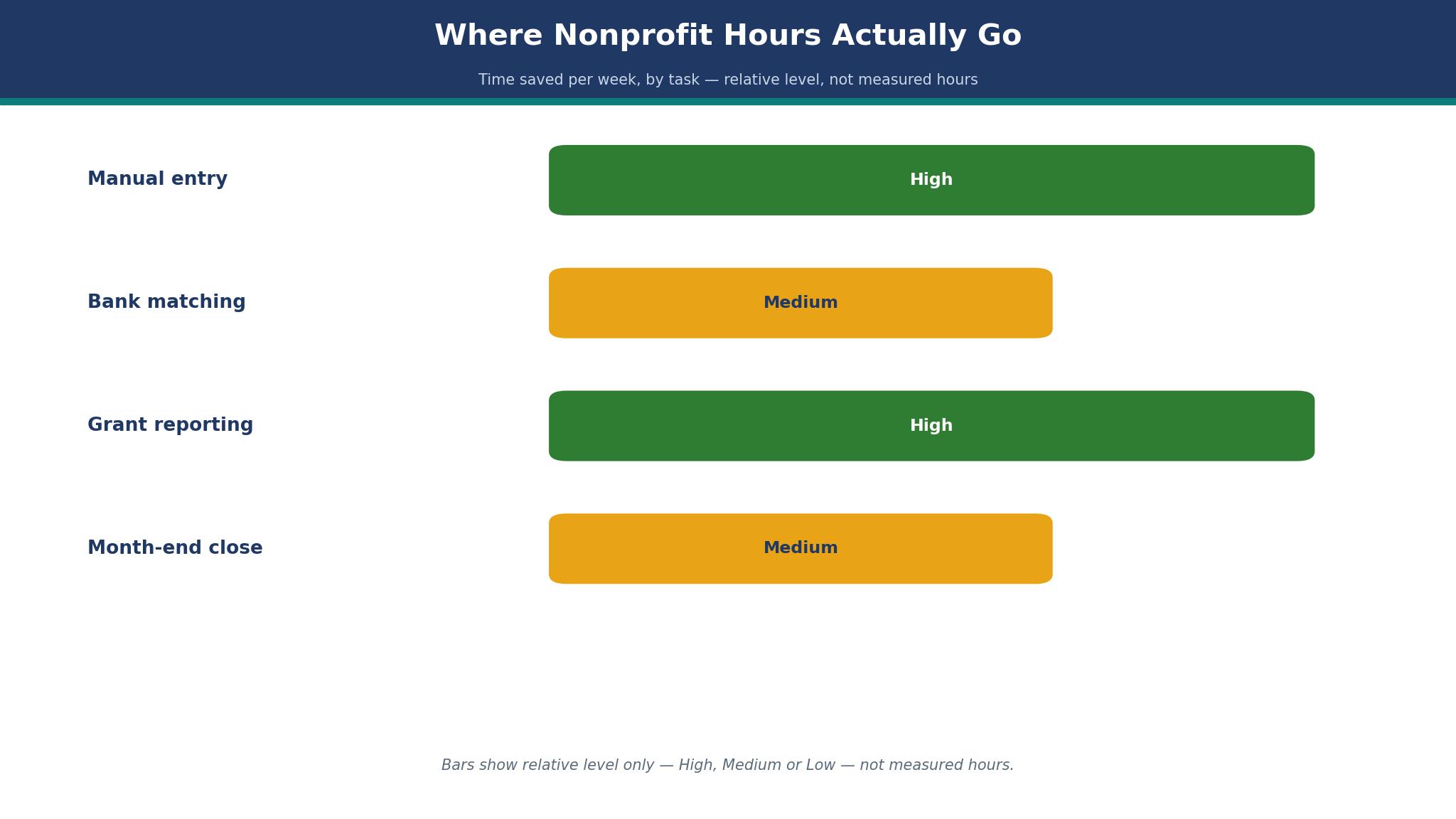
Where Nonprofit Hours Actually Go
The hours disappear in small pieces. A treasurer spends forty minutes matching bank transactions to the right fund, another half hour fixing a miscoded donation, and an hour at month end rebuilding the statement of activities because the software cannot produce it by fund. Across a month those pieces add up to two or three working days, and the work lands on the person least able to spare it, usually an executive director or a part time bookkeeper.
Automation changes the shape of that week. Bank feeds that suggest the right fund, rules that code recurring grants the same way every month, and receipt capture that reads the amount and the vendor all cut the manual steps in half. A team that moves from manual entry to a feed with rules typically reclaims four to six hours a week, and those hours go back to donor calls, program work and grant writing, which is the work a nonprofit actually exists to do.
The decision table in this guide is built around that saving, and it is how the top 10 ai accounting tools for nonprofits below are ranked. It does not rank tools by feature count. It ranks them by which job they finish fastest for which kind of nonprofit, because a food bank with two hundred monthly donors needs different automation than a housing charity with three federal grants and an annual audit.
Fund Accounting Is the Line That Matters
Fund accounting is the test that separates a nonprofit tool from a business tool wearing a nonprofit label. A real fund tool lets the finance team open a balance sheet by fund, produce an income statement by fund, and show a donor exactly what happened to their restricted gift. A business tool forces the team to fake it with classes, tags or departments, and the fake version breaks the moment an auditor asks for a fund level report.
The top 10 ai accounting tools for nonprofits in this guide were scored first on this line. Aplos, Sage Intacct, Blackbaud Financial Edge NXT and MIP Fund Accounting pass it natively, with separate ledgers for each fund. QuickBooks Online, Xero, FreshBooks, Wave and Zoho Books handle it through classes or tracking categories, which works for a small nonprofit with one or two restricted funds and fails for a larger one with dozens.
Grant reporting is the second test. A grant report needs actual spending against budget by grant, by period, and the finance team needs it without exporting to a spreadsheet. Tools that carry budgets by fund or grant, and that can print a budget against actual report in two clicks, save the finance manager an afternoon every month.
The 10 Tools at a Glance
| Tool | Main job | Best for | Starting price |
|---|---|---|---|
| Aplos | Fund accounting plus donor tracking | Small nonprofits and churches | 79 dollars a month |
| QuickBooks Online | General ledger with wide integrations | Nonprofits with an outside bookkeeper | 38 dollars a month |
| Xero | Clean ledger with unlimited users | Small teams on a budget | 27 dollars a month |
| Sage Intacct | Enterprise fund and grant accounting | Large multi-entity nonprofits | Pricing on the vendor site |
| Blackbaud Financial Edge NXT | Enterprise nonprofit finance | Large charities with complex funds | Pricing on the vendor site |
| FreshBooks | Simple invoicing and expenses | Tiny nonprofits with light books | 19 dollars a month, reported |
| Wave | Free invoicing and accounting | All-volunteer groups | Free |
| Zoho Books | Low cost ledger with automation | Small teams already using Zoho | Free, paid from 15 dollars a month |
| MIP Fund Accounting | True fund accounting for mid-size orgs | Mid-size nonprofits with audits | Pricing on the vendor site |
| Oracle NetSuite | Full ERP with fund tracking | Large nonprofits running many programs | Pricing on the vendor site |
Best Pick by Job
| Job type | First pick | Second tool | Why this pair works |
|---|---|---|---|
| Small nonprofit, first real ledger | Aplos | QuickBooks Online | Aplos separates funds natively and QuickBooks Online adds accountant choice |
| Tight budget, simple books | Xero | Wave | Xero costs little per month and Wave costs nothing to start |
| Large nonprofit with audits | Sage Intacct | Blackbaud Financial Edge NXT | Sage Intacct handles multi-entity grants and Blackbaud adds deep fund depth |
| Tiny team, invoicing only | FreshBooks | Zoho Books | FreshBooks keeps invoicing simple and Zoho Books adds automation cheap |
| Mid-size org with grant reporting | MIP Fund Accounting | Aplos | MIP Fund Accounting carries fund budgets and Aplos covers smaller funds well |
A food bank with one grant and a housing charity with forty need different ledgers. A team that buys for the grant load it actually carries will finish month end in hours, while a team that buys for the organisation it hopes to become will pay for depth it never uses. Size the first choice by the fund count and the audit load, and keep the other tool ready for the day the first runs out of room.
Weigh the fee against the revenue it serves. A nonprofit with 250,000 dollars in annual revenue can justify 79 dollars a month for Aplos Lite, because the cost is a small share of the budget and a single clean audit saves more than a year of fees. A volunteer run group with 20,000 dollars in donations cannot, and should start free on Wave, then move to Xero when the books grow past what a free tool can carry. The top 10 ai accounting tools for nonprofits are judged here on the full cost, not the entry price, and the table above shows the starting figure for each one.
How to Judge the top 10 ai accounting tools for nonprofits
Start with the fund test, because that is where a nonprofit ledger either earns its fee or wastes it. Open a balance sheet by fund, print an income statement by fund, and record a restricted donation to see whether the money stays tied to its purpose. A tool that does all three without a workaround will carry the audit, while one that needs classes or tags will force the finance team to keep a second ledger in a spreadsheet. Check whether the tool can produce a statement of functional expenses, since the Form 990 asks for it and the auditor will too.
Next, test the grant report on real numbers. Take one active grant, enter its budget, post a month of spending, and print budget against actual by grant. Look for a report that shows the remaining balance and the spending by period, because a grant manager needs both to decide whether to spend or hold. The top 10 ai accounting tools for nonprofits show the grant position in one report and let the team export it for the funder without rebuilding it by hand.
Then check the bank feed and the receipt capture. Connect the operating account, import a month of transactions, and count how many the tool codes correctly on its own. A feed that suggests the right fund and the right category will save hours every week, while one that dumps everything into uncategorised will create a new chore.
The 10 Tools in Detail
Fund accounting depth sets the order below, so the tool built for nonprofits first leads the list.
1. Aplos
Aplos is purpose built fund accounting for small nonprofits and churches, and its fund ledgers are the reason. Every gift and grant sits in its own fund from the start, so the balance sheet by fund and the income statement by fund come out of the box, and the donor tracking and online giving sit in the same system. Lite costs 79 dollars a month for two users, Core costs 129 dollars a month, and Advanced starts at 229 dollars a month, with a 15 day free trial and no card required.
The drawback is the ceiling on depth. Lite lacks partner integrations, so a team that runs a separate donor system will need Core, and budgeting by fund or grant only arrives on Advanced. Payroll runs through a Gusto integration rather than natively, and organisations with federal grant audit requirements will outgrow Aplos.
Aplos suits small to mid-size nonprofits and churches that want fund accounting without a finance background. It fits a food bank tracking three restricted funds, a church managing donations and events, and any team that wants donor management beside the ledger. The fund level reporting is the feature that matters, because a board that can see each fund clearly will trust the numbers.
Spend an afternoon entering one month of real transactions and printing the fund reports. If the board packet comes together in an hour and the restricted balances read clearly, Aplos will carry the books.
2. QuickBooks Online
QuickBooks Online is the most widely known ledger in the United States, and its accountant network is the reason. Almost every bookkeeper and CPA already works in it, so a nonprofit that hires outside help will find support fast, and the integration list covers donor systems, payroll and payment tools. Simple Start costs 38 dollars a month for one user, Essentials costs 85 dollars a month for three users, Plus costs 140 dollars a month for five users, and Advanced costs 340 dollars a month for 25 users, with 50 percent off the first three months for new customers.
The drawback is that fund accounting is a workaround, not a native feature. Classes and locations can simulate funds, but the simulation needs discipline, and a miscoded class will quietly corrupt the fund reports until the audit finds it. The price climbs steeply across the tiers, and the features a growing nonprofit needs sit on Plus or Advanced.
QuickBooks Online suits nonprofits with an outside bookkeeper and a simple fund picture. It fits a small charity with one or two restricted funds, a team that values accountant familiarity over native fund depth, and any organisation that already runs payroll through Intuit. The accountant network is the feature that matters, because a ledger the bookkeeper already knows will be kept current.
Set up classes for each fund, enter a month of donations, and print the class level reports. If the reports match the spreadsheet the treasurer already keeps, QuickBooks Online will carry the books without a migration fight.
3. Xero
Xero is the cleanest low cost ledger in this guide, and its unlimited users are the reason. Every plan allows unlimited users at no extra seat cost, so a board treasurer, an executive director and a bookkeeper can all work in the same books without a per seat bill. Early costs 27 dollars a month with a cap of 20 invoices and 5 bills a month, Growing costs 59 dollars a month with unlimited invoices, and Established costs 97 dollars a month with multi-currency and projects.
The drawback is the fund workaround and the caps on the cheapest plan. Early limits invoices and bills, so a busy nonprofit will need Growing within months, and fund tracking still relies on tracking categories rather than native ledgers. Payroll in the United States runs through Gusto, and the reporting depth is thinner than Sage Intacct or Blackbaud.
Xero suits small teams on a budget that want a clean ledger and no seat fees. It fits a volunteer led charity with three people touching the books, a team that values a simple bank feed and clear invoices, and any nonprofit that wants to start cheap and upgrade only when volume forces it. The unlimited users are the feature that matters, because a board that can look at the books directly will ask better questions.
Connect the bank account, run the feed for two weeks, and check how many transactions code themselves. If the feed stays current and the treasurer can read the dashboard without training, Xero will carry the books.
4. Sage Intacct
Sage Intacct is the enterprise fund accounting platform, and its multi-entity depth is the reason. It carries true fund accounting, grant tracking, dimensional reporting and consolidations across entities, so a large nonprofit with several programs, locations and funders can close the books without spreadsheets. Pricing is quoted by the vendor, since it depends on entities, users and modules, and a demo is the usual first step.
The drawback is the cost and the implementation load. A quote based sales process means the finance team cannot budget from a public price list, and the setup needs a trained administrator or an implementation partner. Small nonprofits will find the depth unnecessary and the onboarding heavy.
Sage Intacct suits large multi-entity nonprofits with audits and complex grants. It fits a housing charity running several programs, a foundation managing dozens of restricted funds, and any organisation that consolidates multiple entities each month. The dimensional reporting is the feature that matters, because a funder report that slices by grant, program and period in one click will save days each quarter.
Ask for a demo built around one real grant and one real audit report. If the demo produces the grant report without a spreadsheet and the price fits the budget, Sage Intacct is the right tool for the large nonprofit.
5. Blackbaud Financial Edge NXT
Blackbaud Financial Edge NXT is the enterprise nonprofit finance system, and its fund depth is the reason. It was built for charities with complex fund structures, endowments and grant portfolios, and it pairs with Blackbaud Raiser Edge for donor management, so gifts flow into the ledger with their restrictions intact. Pricing is quoted by the vendor, and the platform is sold as part of a wider Blackbaud suite.
The drawback is the price and the lock in. A quote based sale means the total cost stays unclear until late in the process, and the system works best alongside other Blackbaud products, so a team that runs a different donor tool will pay for integrations. Implementation takes time and training, and a small nonprofit will find the platform far heavier than its books require.
Blackbaud Financial Edge NXT suits large charities with complex funds and endowments. It fits a university foundation, a national charity with many chapters, and any organisation that already runs Raiser Edge and wants the ledger to match. The fund structure is the feature that matters, because an endowment with spending rules needs a ledger that enforces them.
Run a pilot with one fund and one grant cycle before committing. If the pilot closes cleanly and the donor data flows without manual fixes, Blackbaud Financial Edge NXT is the right tool for the large charity.
6. FreshBooks
FreshBooks is the simplest invoicing and expense tool in this guide, and its ease of use is the reason. A small team can send an invoice, record an expense and chase a late payment within minutes of signing up, and the interface needs almost no training. The Lite plan is reported at 19 dollars a month, with Plus reported at 33 dollars a month and Premium reported at 60 dollars a month, so confirm the current figures on the vendor site before buying, since FreshBooks changes its price page often.
The drawback is the accounting depth. FreshBooks is built for invoicing and light bookkeeping, not for fund accounting, so a nonprofit with restricted grants will need a second system for fund reporting. The double entry ledger is thinner than QuickBooks Online or Xero, and the reporting will not satisfy an auditor on its own.
FreshBooks suits tiny nonprofits with light books and a lot of invoicing. It fits a community group that bills for hall hire, a small charity that mostly needs clean invoices and expense tracking, and any team that values speed over depth. The invoicing flow is the feature that matters, because a team that sends invoices late will collect donations late too.
Send five real invoices and record a week of expenses. If the invoices go out in minutes and the expense log stays current, FreshBooks will carry the light books until the fund load grows.
7. Wave
Wave is the free accounting tool in this guide, and its price is the reason. Invoicing, accounting and receipt scanning cost nothing, so an all volunteer group can keep real books from day one without a budget line for software. Payments carry a processing fee, and payroll is an add on where available, but the core ledger, invoices and reports are free.
The drawback is the missing fund depth and the support limits. Wave has no native fund accounting, so restricted gifts need manual tracking, and the reporting is basic compared with Aplos or Sage Intacct. Support runs through online help rather than a phone line, and a team that hits a problem at month end will wait for an answer.
Wave suits all volunteer groups and brand new nonprofits with almost no budget. It fits a neighbourhood association, a small club, and any team that needs clean books and invoices for free while it grows. The free ledger is the feature that matters, because a group that cannot afford software still needs books the treasurer can trust.
Run a full month of donations and expenses through Wave, then hand the reports to the treasurer. If the treasurer can read the income statement without help, Wave will carry the books until the fund count forces an upgrade.
8. Zoho Books
Zoho Books is the low cost ledger with strong automation, and its price is the reason. The free plan covers a small team with limited transactions, and Standard starts at 15 dollars a month, with Professional and Premium above it. Bank feeds, recurring invoices, expense rules and client portals come standard, and the automation can code recurring donations without manual entry.
The drawback is the fund workaround and the ecosystem pull. Fund tracking relies on projects or custom fields rather than native ledgers, so a nonprofit with many restricted funds will need discipline to keep the reports honest. Zoho Books works best alongside other Zoho products, and a team that runs a different donor system will find the integrations thinner.
Zoho Books suits small teams already using Zoho products, and any nonprofit that wants automation at a low price. It fits a charity that invoices for services, a team that wants recurring donation invoices handled automatically, and anyone who values a free plan that can grow into a paid one. The automation rules are the feature that matters, because a recurring grant coded once and never again will save hours every month.
Set up rules for the three most common donations and run them for a month. If the rules hold and the month end close takes an evening instead of a weekend, Zoho Books will carry the books.
9. MIP Fund Accounting
MIP Fund Accounting is true fund accounting for mid-size nonprofits, and its fund budgets are the reason. It carries separate ledgers for each fund, budgets by fund and grant, and reporting built for audits, so a mid-size organisation can produce funder reports and board packets without a spreadsheet layer. Pricing is quoted by the vendor, since it depends on modules and users.
The drawback is the older interface and the quote based pricing. The platform looks dated next to cloud first tools, and the setup needs training, so a small team will find the learning curve steep. A quote based sale means the finance team cannot budget from a public price list.
MIP Fund Accounting suits mid-size nonprofits with audits and serious grant reporting. It fits a social services agency with a dozen grants, a community foundation managing many funds, and any organisation that needs fund budgets printed correctly every month. The fund budgeting is the feature that matters, because a grant manager who can see remaining balances will spend with confidence.
Ask for a demo built around the two largest grants and the annual audit schedule. If the demo prints the funder reports cleanly and the quote fits the budget, MIP Fund Accounting is the right tool for the mid-size nonprofit.
10. Oracle NetSuite
Oracle NetSuite is the full enterprise resource platform in this guide, and its scale is the reason. It combines finance, fund tracking, grants, procurement and reporting in one system, so a large nonprofit running many programs can manage the whole operation without stitching tools together. Pricing is quoted by the vendor, and implementation runs through NetSuite partners.
The drawback is the cost, the complexity and the implementation time. NetSuite is the most expensive tool in this guide, and the setup can take months, with a partner bill on top of the licence. A small or mid-size nonprofit will never use most of what it buys, and the finance team needs a trained administrator to keep it running.
Oracle NetSuite suits large nonprofits running many programs across locations. It fits a national charity with regional offices, a foundation with a large grant portfolio, and any organisation that needs finance, procurement and reporting in a single system. The unified platform is the feature that matters, because a large nonprofit that stitches five tools together will spend more on integrations than on programs.
Request a scoped quote for the finance modules only, and ask for a reference from a nonprofit of similar size. If the reference closes month end in days and the quote fits a multi year budget, Oracle NetSuite is the right tool for the large nonprofit.
Grant Audit Test
An audit exposes every shortcut a ledger took during the year. The auditor will ask for the trial balance by fund, the grant spending by period, and the trail from a donation to the bank deposit, and a tool that cannot produce those three documents will turn the audit into a spreadsheet project. The finance team should run this test before buying, not during the audit, because a ledger that fails it will cost more in accountant hours than the subscription ever saved.
The test takes one afternoon. Pick a restricted grant, follow it from the donation through the bank feed to the spending report, and print the trail. A tool that keeps the trail intact will show the fund, the date, the amount and the category at every step. A tool that breaks the trail will show gaps, and every gap is an hour of accountant time at audit rates.

Frequently Asked Questions
Which accounting tool is best for a small nonprofit?
Aplos is the best starting point among the top 10 ai accounting tools for nonprofits for a small nonprofit, because it separates funds natively and starts at 79 dollars a month for two users. QuickBooks Online is the better pick when the nonprofit already works with a bookkeeper who knows it, since Simple Start costs 38 dollars a month. A team with one or two restricted funds can start on either and upgrade when the fund count grows.
Can a nonprofit use QuickBooks Online for fund accounting?
Yes, with a workaround. QuickBooks Online uses classes and locations to simulate funds, and the reports will read correctly when every transaction is coded to the right class. The risk is discipline, because one miscoded class will quietly corrupt the fund reports until the audit finds it.
Is there a free accounting tool for nonprofits?
Yes, Wave offers free invoicing, accounting and receipt scanning, which suits an all volunteer group with simple books. Zoho Books also offers a free plan for a small team with limited transactions. Neither tool carries native fund accounting, so a nonprofit with restricted grants will need manual tracking or a paid fund tool as it grows.
How much should a nonprofit pay for accounting software?
A small nonprofit should expect to pay between 27 and 140 dollars a month for a real ledger, with Aplos at 79 dollars and Xero at 27 dollars covering most small teams. Large nonprofits with audits pay quoted prices for Sage Intacct, Blackbaud Financial Edge NXT or Oracle NetSuite, which can run into thousands of dollars a year.
Does Aplos handle donor management?
Yes, Aplos bundles donor tracking and online giving beside the fund ledger, so gifts flow into the right fund without a second system. Core at 129 dollars a month adds payables, receivables and integrations, while Advanced at 229 dollars a month adds budgeting by fund and grant. A team that already runs a separate donor system should check the integration list before buying.
What reports does a nonprofit auditor ask for?
An auditor asks for a trial balance by fund, a statement of activities by fund, a statement of functional expenses, and grant spending against budget by period. The auditor will also trace a sample of donations from the bank deposit to the fund ledger.
The Verdict on AI Accounting Tools for Nonprofits
Aplos takes the top spot among the top 10 ai accounting tools for nonprofits because it is the tool a small nonprofit is least likely to regret. The fund ledgers are native, the donor tracking sits beside the books, and the price starts at a figure a small board can approve. The ceiling on depth is real, but a team that outgrows Aplos will know it from the fund count, not from a surprise at audit time.
QuickBooks Online is the pick for nonprofits with an outside bookkeeper, Xero is the pick for a tight budget with unlimited users, and Sage Intacct is the pick for a large nonprofit with audits and many entities. Choose by the fund count first, the audit load second and the price third. Run the grant audit test on the top two choices, measure the hours each one saves, and set a review date. A nonprofit that picks this way will spend less time typing into a ledger and more time doing the work its donors paid for.