
Wix is the best squarespace alternatives pick for most site owners who want the same easy editing with more room to grow, because its Light plan starts at 17 dollars a month on annual billing and its app market covers bookings, events and stores without code. WordPress.com is the pick for owners who want full control of their content and search visibility. The ten tools below compare price, design freedom and selling power, so the switch lands on a platform that fits the site you actually run.
Squarespace earns its fans with clean templates and a calm editor. The problem starts when a site outgrows that calm. Selling needs more than a simple store, a blog needs plugins Squarespace does not offer, and a growing team needs roles and workflows the platform never built. The monthly bill also climbs once scheduling, email marketing and member areas arrive as paid add-ons.
Switching platforms feels risky because a site carries years of search rankings, photos and customer trust. The good news is that every tool in this guide imports content from Squarespace, and most offer a free plan or trial to test the move before paying. The real cost of switching is the time spent rebuilding pages, not the subscription.
The 10 Tools at a Glance
| Tool | Main job | Best for | Starting price |
|---|---|---|---|
| Wix | All round website builder | Most Squarespace switchers | 17 dollars a month |
| WordPress.com | Hosted WordPress sites | Blogs and content sites | 4 dollars a month |
| Shopify | Online stores | Shops that sell daily | 29 dollars a month |
| Webflow | Designer led websites | Custom design work | 15 dollars a month |
| Weebly | Simple small sites | Tiny budgets | 10 dollars a month |
| Duda | Client sites at scale | Agencies and teams | 19 dollars a month |
| Framer | Fast modern sites | Landing pages and startups | 5 dollars a month |
| GoDaddy | Quick business sites | Owners who want speed | 9.99 dollars a month |
| BigCommerce | Large online stores | Big catalogues | 29 dollars a month |
| Strikingly | One page sites | Single page sites | 6 dollars a month |
The table above shows the spread. Entry prices run from 4 dollars to 29 dollars a month on annual billing, and the cheapest option is not always the cheapest site once add-ons and transaction fees are counted. A store owner should weigh the selling fee on each sale, while a blogger should weigh the plugin and hosting limits instead.
Best Pick by Job
| Job type | First pick | Second tool | Why this pair works |
|---|---|---|---|
| General site, easy switch | Wix | WordPress.com | Wix edits fastest, WordPress.com scales further |
| Blog or content site | WordPress.com | Webflow | WordPress.com owns content, Webflow owns design |
| Online store | Shopify | BigCommerce | Shopify has the apps, BigCommerce has built in depth |
| Custom design | Webflow | Framer | Webflow controls every pixel, Framer ships faster |
| One page site | Strikingly | Framer | Strikingly is simplest, Framer looks sharper |
Wix wins the general switch because it matches Squarespace on ease and beats it on range. The editor is drag and drop, the template library is larger, and the app market adds bookings, restaurants, events and memberships without a developer. A site owner who edits pages alone will feel at home within an hour, and the Light plan at 17 dollars a month on annual billing keeps the bill close to Squarespace Basic.
WordPress.com wins for owners who think in content rather than pages. The Personal plan starts at 4 dollars a month on annual billing, the editor handles long articles well, and the Business plan at 25 dollars a month unlocks plugins and themes that Squarespace cannot match. That plugin access is the reason so many blogs leave Squarespace and never look back, and it is the strongest argument in any honest look at the best squarespace alternatives for a content led site.
Which Squarespace Alternative Is Best for Selling Online?
Shopify is the best pick for selling online, because it treats the store as the whole product rather than a feature inside a website builder. The Basic plan costs 29 dollars a month on annual billing, the checkout is the most tested in the industry, and the app store covers tax, shipping, subscriptions and wholesale. A shop that takes orders every day needs that depth, and Squarespace Commerce starts to strain once discount rules, multi location stock and B2B orders enter the picture.
BigCommerce is the better pick for a large catalogue. Its Core plan also starts at 29 dollars a month on annual billing, and it ships built in features that Shopify sells as apps, including complex product options, multi channel selling and stronger B2B tools. The catch is the sales cap on each plan, with Core covering up to 30,000 dollars a year in online sales before an automatic upgrade. A furniture or parts seller with hundreds of variants should test BigCommerce before Shopify.
Wix is the third option for a small shop inside a broader site. Selling starts on the Core plan at 29 dollars a month on annual billing, the editor keeps the store looking like the rest of the site, and the setup takes an afternoon. The limit is scale, because product and variant management is weaker than Shopify or BigCommerce once the catalogue passes a few hundred items with complex options.
A shop that sells services rather than goods has a fourth path. Squarespace Scheduling is a paid add-on, while Wix Bookings and WordPress.com plugins cover appointments inside the base plan or a single plugin. A salon or a clinic that books appointments should compare the scheduling cost before the store cost, because the booking tool is used every day and the store is used once a week.
How to Choose the Best Squarespace Alternatives
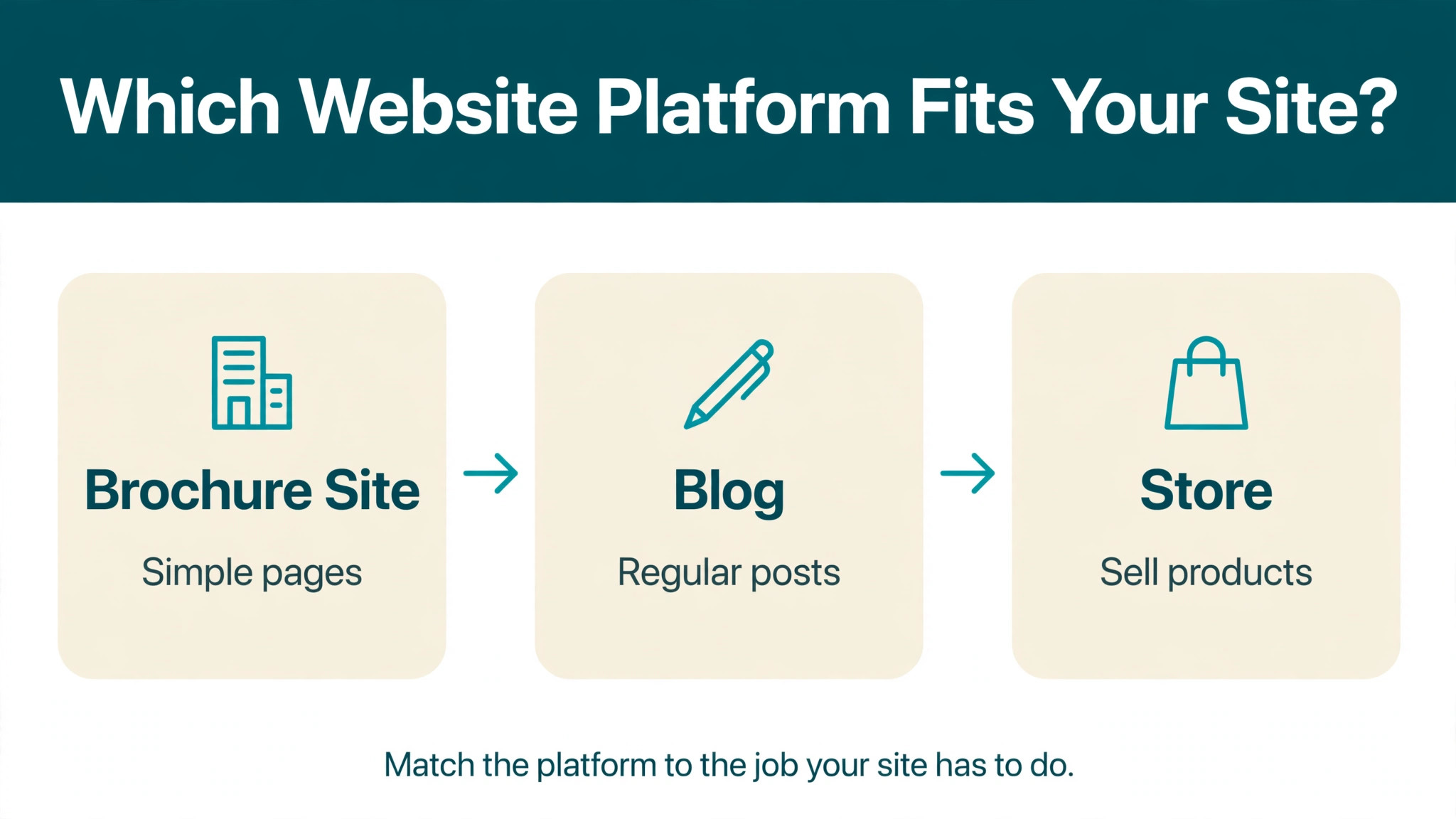
Start with the job the site does most. A brochure site needs a good editor and good templates, so Wix or Framer fits. A blog needs content tools and search control, so WordPress.com fits. A store needs checkout, tax and shipping depth, so Shopify or BigCommerce fits. Matching the platform to the main job avoids paying for power the site never uses.
Next, count the real monthly cost. The plan price is only the start, because Squarespace charges extra for scheduling and email marketing, Wix charges for apps, and Shopify charges a 2 percent fee on Basic when a payment provider other than Shopify Payments is used. Add the transaction fee on a typical month of sales to the plan price before comparing any two options, and the ranking often changes.
Then check the exit. Every platform in this guide lets content leave, but the ease differs, because WordPress.com exports cleanly to self hosted WordPress, while Wix and Squarespace exports are partial and need manual rebuilding. A site owner who may switch again should favour the platform with the cleanest export. That test matters more than a template, because templates change and locked in content does not.
Finally, test the editor with a real page. Build the homepage, add a form, and try the mobile view before paying, because a builder that feels slow on day one will feel slower in year two. The free plans and trials in this guide exist for exactly that test, and a one hour trial answers more than a week of reading reviews.
The 10 Tools in Detail
The ten tools below cover general builders, stores and design led platforms. Each one is judged on price, editing ease, selling power and the switching cost, so this roundup of the best squarespace alternatives stays honest about what each platform does well and where it falls short.
1. Wix
Wix is the closest direct replacement for Squarespace, with a drag and drop editor, hundreds of templates and an app market that covers most business needs. The Light plan costs 17 dollars a month on annual billing and suits a brochure site, while Core at 29 dollars adds online payments and Business at 39 dollars adds full store features. The editor gives more freedom than Squarespace, with elements placed anywhere on the page rather than inside fixed blocks.
The freedom has a cost, because a page can look messy if elements are placed without care, and the mobile editor needs a separate pass to keep layouts tidy. Wix sites also carry more code than Squarespace sites, which can slow load times on image heavy pages. The platform suits owners who want the same ease as Squarespace with more apps and more design freedom.
It suits most Squarespace switchers, from service businesses to small shops. Start on the free plan, rebuild the homepage, and upgrade only when the design and the apps feel right.
2. WordPress.com
WordPress.com hosts the WordPress software with hosting, security and updates handled, so the owner writes and the platform runs the site. The Personal plan costs 4 dollars a month on annual billing, Premium costs 8 dollars, and Business at 25 dollars unlocks plugins, custom themes and WooCommerce. That plugin access is the decisive feature, because it adds SEO tools, forms, memberships and analytics Squarespace cannot offer.
The trade off is design effort, because WordPress.com themes need more setup than Squarespace templates, and the best results need a theme chosen with care. The free plan shows WordPress.com branding, and the Personal plan takes an 8 percent fee on payment blocks. The platform suits bloggers, publishers and content led businesses who want their words to rank and their content to stay portable.
It suits anyone whose site lives or dies by search traffic. Start on Personal, move to Business when plugins are needed, and keep the content export habit from day one.
3. Shopify
Shopify is the store first platform in this guide, built for merchants who sell every day. The Basic plan costs 29 dollars a month on annual billing, or 39 dollars month to month, with unlimited products and up to 2,048 variants per product. The checkout converts well, the app store covers almost any selling need, and the point of sale tools connect an online store to a physical counter.
The weakness is the website around the store, because Shopify pages and blogging are thinner than Wix or WordPress.com, and design changes often need a theme or an app. The 2 percent third party transaction fee on Basic also adds up on high value orders. The platform suits shops where selling is the main job and the website exists to serve the store.
It suits growing stores, from a single product brand to a multi channel retailer. Start with the 3 day trial and the 1 dollar a month promo, then judge the app bill after a month of real sales.
4. Webflow
Webflow gives designers full control of layout, animation and responsive behaviour without writing code by hand. The Basic site plan costs 15 dollars a month on annual billing, Premium costs 25 dollars and adds the CMS, and ecommerce plans start at 29 dollars a month. The output is clean code and fast pages, and the CMS handles blogs, portfolios and directories with structured content.
The learning curve is the steepest in this guide, because Webflow expects the user to understand layout concepts like flexbox and grid. A non designer will move slower than on Wix or Squarespace, and the workspace plan is a separate cost for teams. The platform suits designers, studios and marketing teams who want a site that looks exactly as designed.
It suits design led businesses and agencies. Take the free starter plan, build one landing page, and only pay when the design system is ready to publish.
5. Weebly
Weebly is the simplest builder in this guide, with a gentle editor and honest pricing for very small sites. The Personal plan costs 10 dollars a month, Professional costs 12 dollars and Performance costs 26 dollars, with selling features arriving on the higher plans. Square owns Weebly, so the payment and point of sale connections are solid for a business that also sells in person.
The limit is ambition, because Weebly templates look dated next to Wix or Framer, the app selection is thin, and the platform has seen little new development in recent years. A site that plans to grow should look elsewhere, but a tiny site that needs to exist and stay cheap will do fine here. The platform suits hobby sites, tiny service businesses and simple shops.
It suits owners with the smallest budget and the simplest needs. Start on the free plan, and move up only when selling or a custom domain is needed.
6. Duda
Duda builds websites for agencies and teams that manage many client sites at once. The Basic plan costs 19 dollars a month, Team costs 29 dollars and Agency costs 99 dollars, with white label tools, client permissions and bulk management included. The editor is fast, the templates are clean, and the platform handles local business features like reviews and listings well.
The drawback for a single site owner is price and focus, because Duda is built for volume and the single site plans cost more than Wix for similar features. The template library is also smaller, and the brand is less known, which matters when hiring help. The platform suits agencies, freelancers and franchises that run many sites from one dashboard.
It suits teams managing ten or more sites. Ask for a demo of the client management tools before committing, because that dashboard is the reason to choose Duda.
7. Framer
Framer turns designs into live sites fast, with a modern editor, strong animation tools and AI assisted site generation. The Basic plan costs 5 dollars a month on annual billing, Pro costs 15 dollars and Scale costs 25 dollars, and every plan includes fast hosting and a free domain on the higher tiers. The output looks current, and the sites load quickly because the code is lean.
The limit is depth, because Framer has no real store, no membership system and a small plugin world compared with Wix or WordPress.com. It is a site builder for pages, not a platform for complex business systems. The platform suits startups, portfolios and landing pages that need to look sharp this week.
It suits a new brand or a product launch page. Build on the free plan, publish when the design is done, and pair it with a separate store if selling grows.
8. GoDaddy
GoDaddy sells speed above all, with an AI assisted builder that produces a finished site from a few answers in under an hour. The Basic plan costs 9.99 dollars a month on annual billing, Premium costs 13.99 dollars and Commerce starts higher, with marketing and email tools bundled. The support is phone based and available around the clock, which suits owners who want a person to call.
The trade off is design quality, because GoDaddy templates are plain next to Squarespace, and the editor offers less control than Wix or Webflow. The upsells are also frequent, with domains, email and security sold as extras. The platform suits a local business that needs a credible site live today and has no time to learn an editor.
It suits trades, clinics and local services. Use the free trial to build the site, check the mobile view carefully, and only then pay.
9. BigCommerce
BigCommerce is the enterprise leaning store platform in this guide, with deep catalogue tools built in rather than added as apps. The Core plan costs 29 dollars a month on annual billing, Growth costs 79 dollars and Scale costs 299 dollars, and none of the plans charge extra when the store uses an embedded payment provider. Product options, B2B pricing and multi channel selling arrive earlier than on Shopify.
The catch is the sales cap, because Core covers up to 30,000 dollars a year in online sales and Growth up to 100,000 dollars, with automatic upgrades beyond those limits. The theme and app world is also smaller than Shopify, so custom design needs a developer more often. The platform suits stores with large catalogues, complex variants and B2B customers.
It suits a growing store with hundreds of products. Use the 15 day trial to import the catalogue and test the variant limits before paying.
10. Strikingly
Strikingly builds one page sites in minutes, with a simple editor and a low price that suits a single purpose. The Limited plan costs 6 dollars a month on annual billing, Pro costs 12 dollars and VIP costs 49 dollars, with selling features on the higher plans. The sites are mobile friendly by default, and the setup asks for content rather than design skill.
The limit is obvious, because a one page site cannot carry a blog, a large store or a deep service menu. Strikingly suits a launch page, an event page or a personal profile, and it should not be asked to do more. The platform is the cheapest way to look professional online for a single idea.
It suits a single product, event or personal brand. Start free, publish the page, and upgrade when a custom domain or store is needed.
Wix vs WordPress.com, Head to Head
The editing experience is the first difference. Wix edits on the page, with elements dragged to their exact place and the result visible at once. WordPress.com edits in blocks, with the page assembled from text, image and layout blocks that preview well but feel less direct. A owner who edits weekly will enjoy Wix more, while a writer who publishes daily will prefer the WordPress.com block editor.
The second difference is growth. Wix grows through its app market, adding bookings, events, stores and memberships as paid apps, while WordPress.com grows through plugins, with thousands of free and paid options for SEO, forms, analytics and commerce. The plugin world is larger and cheaper, but it needs more care, because a bad plugin can slow a site or break an update.
The deciding factor is who runs the site in a year. A solo owner with no developer should take Wix, because the whole site stays inside one dashboard. A content team or a business that will hire a developer should take WordPress.com, because the platform scales from a blog to a full publishing system. That split is the cleanest way to read the best squarespace alternatives when the choice narrows to these two.
A third difference is support. Wix offers live chat and phone help on paid plans, WordPress.com offers chat and email with faster replies on higher tiers, and both have large help centres. An owner who wants a person on the phone should weigh that, because a broken checkout on a Friday night is worth more than a cheaper plan.
What Does Moving Away From Squarespace Really Cost?
The plan price is the smallest part of the move. A Wix Light plan at 17 dollars a month on annual billing replaces a Squarespace Basic plan at a similar price, so the subscription barely changes. The real costs are the rebuild time, the apps and the transaction fees on sales, and those three decide whether the switch saves money or costs more.
Rebuild time is the hidden bill. A ten page brochure site takes a weekend to rebuild, while a store with a hundred products and a blog archive takes two to four weeks. Hiring a freelancer to rebuild a small site typically costs a few hundred dollars, and a store rebuild costs more. That one off cost should be weighed against a year of savings on the new platform.
Transaction fees are the recurring bill that surprises owners. Squarespace Basic charges a 2 percent fee on product sales, Wix Core charges none on store sales, Shopify Basic charges 2 percent when a third party payment provider is used, and BigCommerce charges none on embedded payments. On 5,000 dollars of monthly sales, a 2 percent fee costs 100 dollars a month, which is more than the plan itself. The best squarespace alternatives for a seller are the ones with no percentage fee on the plan the seller actually buys.
Domain and email costs add a smaller but real line. A domain costs roughly 10 to 20 dollars a year, business email costs about 6 dollars per user per month on Google Workspace, and several platforms include a free domain for the first year on annual plans. Add those lines to the plan price before comparing, because a platform that looks cheap can cost more once email and domain renewals arrive.
How Do I Move My Site in 30 Days Without Losing Traffic?
Days one to seven are the audit. Export the Squarespace content, list every page and its search traffic, and note the pages that bring visitors from search. Set up the new platform on a free plan or trial, and import the content to see what survives the move, because the best squarespace alternatives differ in how cleanly they import a Squarespace export.
Days eight to twenty are the rebuild. Recreate the top ten pages first, because they carry most of the traffic, then rebuild the rest in traffic order. Keep the URL structure the same where the new platform allows it, and set up redirects for every URL that must change, because a missing redirect is how a switch loses search rankings.
Days twenty one to thirty are the launch. Publish the new site, test every form and checkout, and check the search console for crawl errors in the first week. Keep the Squarespace site live for a month as a backup, and cancel only when the new site has run clean for thirty days. That patience protects the traffic the old site spent years earning, and it is the step most rushed switches skip.

Frequently Asked Questions
Is Wix cheaper than Squarespace?
Yes, at the entry level. Wix Light costs 17 dollars a month on annual billing, close to Squarespace Basic, and WordPress.com Personal costs only 4 dollars a month. The saving comes from apps and add-ons, because Squarespace charges extra for scheduling and email marketing while Wix and WordPress.com cover more in the base plan.
Can I move my blog posts from Squarespace?
Yes, with limits. Squarespace exports posts, pages and comments as a file that WordPress.com imports cleanly, while Wix imports posts and pages with some formatting to fix by hand. Images usually need re-uploading, and the design must be rebuilt on every platform, because templates do not transfer.
Which alternative is best for a small shop?
Wix is the best pick for a small shop inside a broader site, because selling starts on Core at 29 dollars a month on annual billing and the store matches the site design. Shopify is the better pick once orders arrive daily, because its checkout, tax and shipping depth repay the same 29 dollars a month, and that split is the usual answer when owners compare the best squarespace alternatives for selling.
Does Webflow need coding skill?
No coding is required, but Webflow expects the user to understand layout ideas like spacing, columns and responsive breakpoints. A designer will move fast, while a complete beginner will move slower than on Wix. The free starter plan is the right way to test whether the editor suits you.
Is WordPress.com the same as self hosted WordPress?
No. WordPress.com hosts the software for you, with security and updates handled, while self hosted WordPress runs on hosting you buy and manage yourself. WordPress.com exports cleanly to self hosted WordPress, so starting hosted keeps the door open to full control later.
Will switching hurt my search rankings?
It can, but a careful switch usually recovers within weeks. Keep the URL structure the same, set up redirects for changed URLs, and keep the page titles and headings intact. The sites that lose rankings are the ones that launch with new URLs and no redirects, not the ones that plan the move.
The Switch That Fits Your Site
A general site should move to Wix, because the editor is familiar and the app market covers the growth Squarespace cannot. A content site should move to WordPress.com, because plugins and search control repay the learning curve within months. A store should move to Shopify or BigCommerce, because checkout depth matters more than template beauty once orders arrive daily.
Start with a free plan, rebuild the homepage, and test the editor with a real page before paying. The best squarespace alternatives are the ones that fit the site you run today and the site you want in two years, and the trial week is the cheapest way to find out which one that is.