
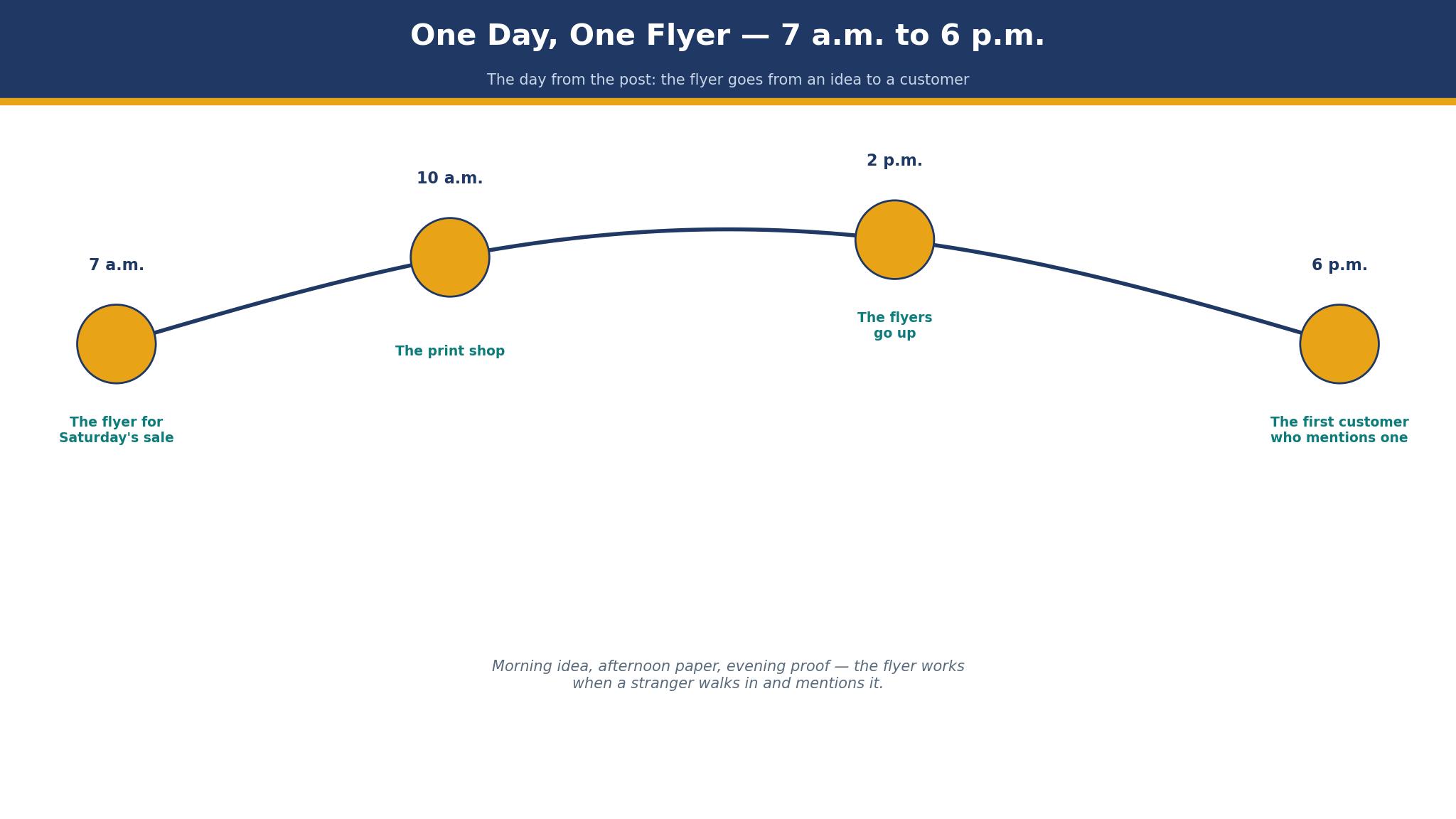
7 a.m. on a Saturday, a shop owner opens the best flyer makers for small businesses to make a flyer for the weekend sale. She has two hours before the shop opens, a phone full of product photos, and no designer on call. Canva wins for most small businesses, because its free plan covers a good flyer, its templates are plentiful, and its print partner delivers a box that looks professional.
Canva vs Adobe Express: Which One Makes the Saturday Flyer?
Canva wins on templates, and Adobe Express wins on polish, and the Saturday flyer test decides which one matters. Canva has more flyer templates than any other tool here, and a shop owner can find one that fits a sale, a launch, or a seasonal offer in minutes. Adobe Express has fewer templates, but its design tools are stronger, and a flyer made here looks like a designer touched it. The difference is small on a first flyer, and it grows with every flyer after that, because the tool you learn is the tool you use.
The price decides for most owners. Canva Pro costs $120 a year, or $10 a month, and adds brand colours, fonts, a background remover, and a million stock photos. Adobe Express Premium costs $9.99 a month, or about $120 a year, and adds similar features with Adobe’s stock library. The two cost the same, so the choice is not price. It is habit: a business that already uses Canva for social posts should stay there, and a business that already uses Adobe tools should use Express.
A worked example shows the time. A shop owner makes a flyer on Canva in 45 minutes, using a template, two product photos, and the shop’s colours. The same flyer on Adobe Express takes 60 minutes, because the owner must learn where the tools sit. The extra 15 minutes buys a slightly better flyer, and the owner must decide whether the better flyer is worth the time. For a weekly flyer, 15 minutes a week is 13 hours a year, which is a day and a half of work. Canva wins the weekly flyer on time, and Adobe Express wins the one-off flyer that must look expensive.
The print question settles the rest. Canva prints through a partner, and the quality is good. Adobe Express does not print, so the owner must export the file and order from Vistaprint or a local printer. That extra step costs ten minutes and a second login, and for a busy owner it is enough to choose Canva. A flyer that is designed and ordered in one place gets printed. A flyer that needs a second tool gets delayed, and a delayed flyer misses the sale.
The 8 Tools at a Glance
This table compares the best flyer makers for small businesses on price, templates, and the job each one does best. Prices are the entry paid plans reported in November 2026, and every tool here offers a free plan or a free trial, so a first flyer costs nothing except time.
| Tool | Entry paid plan | Free plan | Best for |
|---|---|---|---|
| Canva | $120 a year | Yes | Most small businesses |
| Adobe Express | $9.99 a month | Yes | Adobe users |
| Vistaprint | Print from $18.99 | Design free | Design and print together |
| Design.com | Free to start | Yes | Logo and flyer together |
| PosterMyWall | $9.95 a month | Yes | Posters and flyers |
| Visme | $12.25 a month | Yes | Data-led flyers |
| PicMonkey | $7.99 a month | Trial | Photo-led flyers |
| Fotor | $8.99 a month | Yes | Quick photo flyers |
The Flyer That Survived the Noticeboard
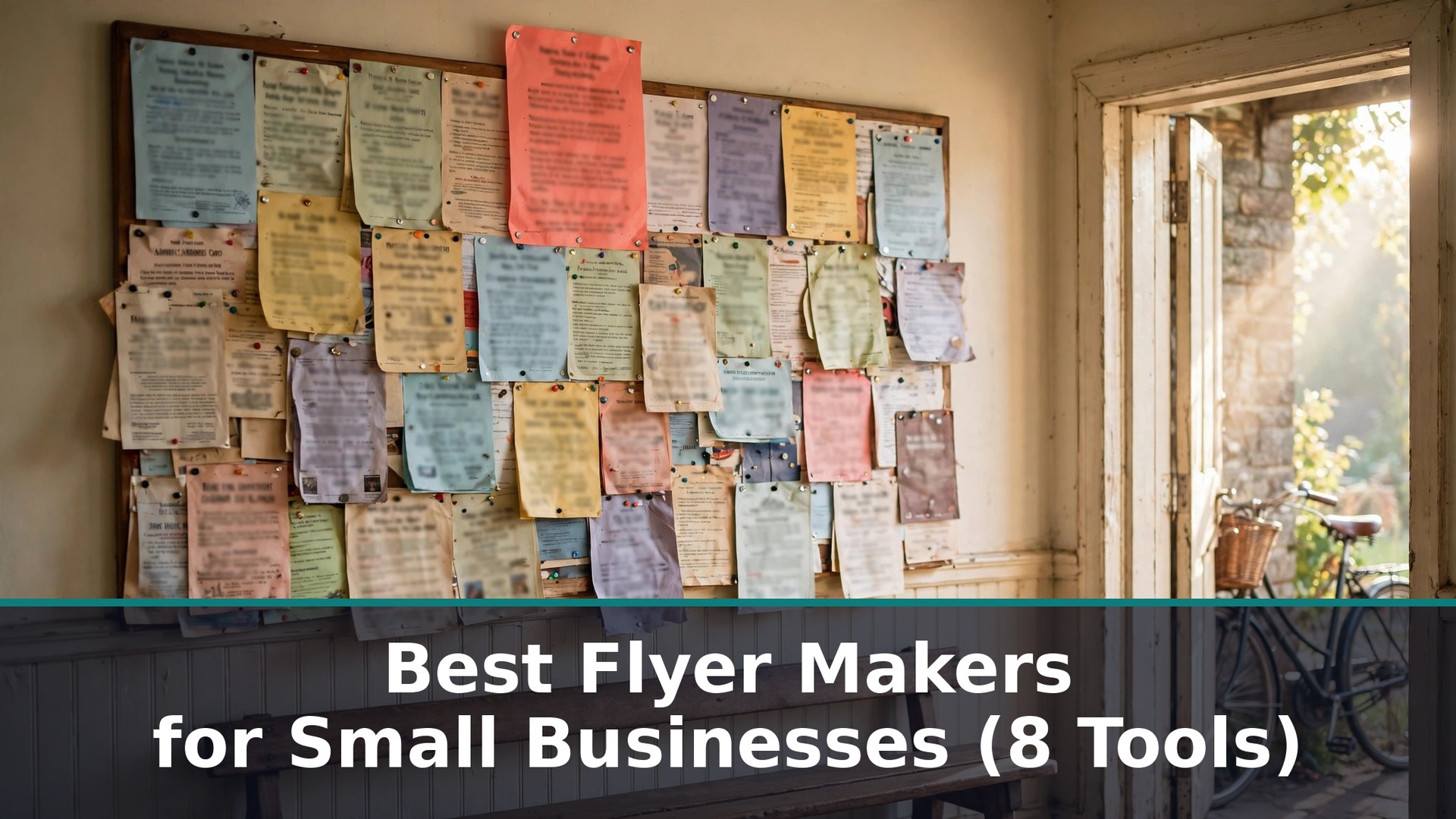
A community noticeboard holds fifty flyers, and one flyer stays up while ten come down. The survivor is rarely the prettiest. It is the flyer with one clear message, written large enough to read from two metres away, with a single image that tells the story. A flyer for a Saturday sale that says “20% off everything, Saturday only” in large type gets read. A flyer that says the shop’s name, its history, its opening hours, and its sale, all in the same size, gets ignored, because the reader cannot find the reason to stop.
Colour decides whether the flyer gets seen at all. A bright flyer on a crowded board stands out, while a pale flyer disappears beside it. That does not mean every flyer should be red. It means the flyer should use one strong colour, not five weak ones, and the colour should match the mood of the sale. A summer sale can be bright yellow. A Christmas sale can be deep red. A flyer that uses every colour in the template looks like a mistake, and a flyer that uses one colour well looks like a decision.
The paper decides whether the flyer survives the week. A thin flyer curls in the rain, and a curled flyer gets taken down. A thick flyer stays flat, and a flat flyer stays up. A flyer printed on 170gsm paper costs a little more than one on 130gsm, and the difference is a flyer that is still there on Friday against a flyer that is gone by Wednesday. Among the best flyer makers for small businesses, the winner is the one whose flyer is still on the board when the sale starts, not the one with the most templates.
The 8 Tools in Detail
This section tests the best flyer makers for small businesses one at a time, on templates, ease of use, and the flyer each one produces. A tool earns its place by making a flyer a stranger will read, at a price a small business can carry. Prices below are the entry paid plans reported in November 2026.
1. Canva
For a Saturday flyer, Canva is the easiest route from a blank page to a printed box. The free plan covers a good flyer, with hundreds of templates, a million free photos, and a design tool a beginner can learn in an hour. Pro at $120 a year adds brand colours, fonts, a background remover, and a larger photo library, which is the plan a business that makes a flyer every week should buy. A shop owner can make a flyer in 45 minutes, print it through Canva’s partner, and have a box on the counter by the weekend.
The template range is the real strength. Canva has flyers for sales, launches, events, menus, and seasonal offers, and each template is a starting point rather than a finished design. A beginner can change the words, swap the photo, and keep the layout, which is the fastest route to a flyer that looks designed. The risk is sameness: a template used by a thousand businesses will look familiar, so change the colours, the photo, and the headline before you print. A flyer that looks like every other flyer gets ignored like every other flyer.
A worked example shows the cost. A business makes one flyer a week on Pro, at $120 a year, and prints 100 copies through Canva’s partner for about $20 a run. The yearly total is $120 plus $1,040 in printing, or $1,160, which is $22 a week. A business that prints at a local shop pays a similar amount, and the convenience of ordering in one place is worth the price. The design itself costs nothing on the free plan, and the printing is the real expense, whatever tool you use.
Canva’s weakness is that it does everything, and a flyer made here can look like a social post rather than a flyer. The fix is to design for print: use large type, leave white space, and print a test copy before you order the box. A flyer that looks good on screen and bad on paper is a common failure, and a test copy catches it for the price of one sheet.
The brand kit is the reason to pay for Pro. It stores the logo, the colours, and the fonts, and every flyer starts with them in place. A business that makes a flyer every week saves ten minutes a flyer with the brand kit, which is 520 minutes a year, or nearly nine hours. Pro pays for itself in time alone, before the stock photos and the background remover are counted.
2. Adobe Express
Adobe Express is the pick for a business that wants a flyer to look designed, and it earns that place on design quality. The free plan covers a good flyer, with templates, stock photos, and a design tool that feels like a professional tool made simple. Premium at $9.99 a month adds more templates, more photos, and the brand kit, which stores the logo and colours. A business that already uses Adobe tools, or that cares about the look of its marketing, will find Express worth the learning time.
The design tools are stronger than Canva’s in the details. Text can be curved, layered, and spaced with more control, and the photo editing is better, with background removal and colour correction built in. A flyer with a product photo that has been cleaned up properly looks more expensive than a flyer with a raw phone photo, and Express makes that cleanup easy. The trade-off is time: Express takes longer to learn, and a beginner will make their first flyer slower here than on Canva.
A worked example makes the cost clear. A business makes a flyer a week on Premium, at $120 a year, and prints 100 copies at a local shop for about $20 a run. The yearly total is the same as Canva, at $1,160, because the printing dominates the cost. The difference is the ten minutes a flyer that Express adds, which is 520 minutes a year. A business that values the look over the time should pay it. A business that values the time should use Canva.
Adobe Express does not print, so the owner must export the file and order from a printer. That extra step is the main weakness, and it is enough to lose the top spot. A flyer that is designed and ordered in one place gets printed on time. A flyer that needs a second tool gets delayed, and a delayed flyer misses the sale. Use Express when the flyer must look expensive, and use Canva when the flyer must be printed by Friday.
3. Vistaprint
Vistaprint is the pick when the flyer must be designed and printed in one place, and it earns that place on the print service. The design tool is simple, the templates are plentiful, and the printing is reliable, with standard flyers from $18.99 for a small run. A business that orders flyers regularly will find the reordering easy, the file stays saved, and the delivery is predictable. The design tool is weaker than Canva, and the templates are plainer, but the print quality is good and the price is clear.
The trade-off is design against convenience. A flyer designed on Vistaprint will look professional, and it will not look distinctive. A flyer designed on Canva and printed on Vistaprint will look better, and it costs the few minutes to upload the file. Use Vistaprint’s design tool when the flyer is simple and the deadline is tight. Use Canva to design and Vistaprint to print when the flyer matters, and the extra minutes are worth it.
A worked example helps. A business orders 250 flyers at about $30, which is twelve cents each, and hands out fifty a week. The box lasts five weeks, and the cost is $6 a week. A business that prints 100 flyers at home spends more on ink and paper, and the result looks homemade. Vistaprint is the cheapest professional route to a printed flyer, and it is the pick for a business that prints in bulk.
4. Design.com
Design.com fits this list because a small business often needs a flyer that matches its logo and colours, and designing both in one place keeps the brand coherent. You can design a logo, pick a flyer template that uses the same colours, and produce a set that looks like one business made it. The flyer tool is simpler than Canva, and that simplicity suits an owner who wants a tidy flyer quickly rather than a complex design project.
The honest limit is template depth. Design.com has fewer flyer templates than Canva or PosterMyWall, and the design tools are lighter. An owner who makes a flyer every week will outgrow it, and should move to Canva. An owner who makes a flyer for a launch, a sale, or an event will find it enough, and the match to the logo is a genuine advantage. Starting costs nothing, and premium features are charged, and the exact total should be checked at checkout.
5. PosterMyWall
Among the best flyer makers for small businesses, PosterMyWall is built for posters and flyers, and it shows in the template range. The free plan covers a good flyer, with thousands of templates for sales, events, and seasonal offers, and Premium at $9.95 a month adds more templates, more stock photos, and the ability to remove the watermark. A business that makes a flyer every week, and a poster every month, will find PosterMyWall’s range hard to beat.
The design tool is simple, and the templates are the strength. The trade-off is that the free plan adds a watermark, which tells the reader the flyer was made for free, and the paid plan is needed to remove it. Pay the $9.95 if you use the tool weekly, because a watermark on a flyer is a small thing that says a lot. A business that makes a flyer once a month should use Canva’s free plan instead, and save the subscription.
6. Visme
Visme is the pick for a flyer that must carry data, such as a price list, a comparison, or a set of figures. Its charts, tables, and infographics are stronger than any other tool here, and a flyer that explains a price rise, a new service, or a comparison will look clearer on Visme. The entry plan is $12.25 a month, and the free plan covers a basic flyer with a Visme watermark.
The trade-off is that Visme is built for presentations and reports first, and flyers second. The flyer templates are fewer, and the design tool takes longer to learn. A business that makes a data-led flyer once a quarter should use Visme for that flyer, and Canva for the weekly flyer. A business that makes a simple sale flyer should not pay for Visme at all.
7. PicMonkey
PicMonkey is the pick for a photo-led flyer, and it earns that place on photo editing. The tools for cropping, retouching, and colour correction are stronger than Canva’s, and a flyer built around a product photo will look better here. The entry plan is $7.99 a month, with a trial to test it, and the templates are good, though fewer than Canva. A café, a florist, or a boutique that sells on photos should look at PicMonkey first.
The limit is templates and print. PicMonkey does not print, so the owner must export and order elsewhere, and the template range is smaller. Use PicMonkey when the photo is the flyer, and use Canva when the words are the flyer. The two tools are not rivals. They do different jobs, and a business that sells on photos will use both.
8. Fotor
Fotor is the quickest tool here for a simple flyer, with a free plan, a simple editor, and a photo tool that cleans up a phone photo in minutes. The entry paid plan is $8.99 a month, and the templates are practical, though fewer than Canva. A business that needs a flyer in twenty minutes, with a photo and three lines of text, will finish fastest on Fotor. A business that needs a flyer every week will outgrow it, and should move to Canva for the template range and the brand kit.
How to Choose the Best Flyer Makers for Small Businesses
Start with the job, not the template. A sale flyer needs one message, one price, and one date, all large enough to read from two metres away. An event flyer needs the date, the place, and the reason to come, in that order. A launch flyer needs the product, the price, and where to buy it. Write the three things the reader must learn, in order, before you open the tool. Any template that hides those three things is the wrong template, whatever it looks like.
Count the real cost, and the printing will dominate it. A flyer designed for free and printed 100 times for $20 costs $20, while a flyer designed on a $120-a-year plan and printed the same way costs $140 a year for one flyer a month. The design tool is rarely the expensive part. The printing is, and the tool that makes printing easy, by ordering in one place or exporting a clean print file, saves more than the tool that makes designing pretty.
Test the flyer on a stranger before you order the box. Among the best flyer makers for small businesses, the test matters more than the template, because a flyer that a stranger cannot read in two seconds will not be read by anyone. Hand the test copy to a neighbour, ask them what the flyer is for, and listen to the answer. If they name the sale, the price, and the date, order the box. If they hesitate, rewrite the headline until the answer is instant.
Check the print file before you order the box. Export a PDF, print one copy at home, and hold it at arm’s length. If the headline is readable, the photo is sharp, and the colours look right, order the box. If the text is small, the photo is blurry, or the colours are dull, fix the file before you pay for a hundred copies. A test copy costs one sheet of paper, and a box of bad flyers costs $20 and a week of wasted handouts.
What Would I Do With One Morning and No Designer?
If I had one morning and no designer, I would open Canva, pick a template for a sale, and change three things: the headline, the photo, and the date. I would print one copy at home, hold it at arm’s length, and ask a neighbour to read it back to me. If the neighbour reads the sale, the price, and the date correctly, I would order 100 copies and put them up by lunchtime. I would not spend the morning choosing a template, because the template is not the flyer. The message is the flyer, and the message takes ten minutes to write well.
Best Pick by Job
The table below matches each job to one of the best flyer makers for small businesses, so you can decide by the flyer you need rather than by the price list alone.
| Job | Pick | Why it wins here |
|---|---|---|
| Weekly sale flyer | Canva | Fastest templates, print in one place |
| Flyer that must look designed | Adobe Express | Strongest design tools |
| Design and print together | Vistaprint | Reliable print, clear price |
| Logo and flyer together | Design.com | Matched brand in one place |
| Poster and flyer together | PosterMyWall | Largest poster range |
| Data-led flyer | Visme | Best charts and tables |
How Much Does a Flyer Really Cost to Print?
A flyer costs about twelve to twenty cents each when printed in bulk, and the total depends on the quantity and the paper. A run of 100 flyers costs about $20, a run of 250 costs about $30, and a run of 500 costs about $50, with thicker paper adding a few dollars. A business that hands out fifty flyers a week spends $6 to $10 a week on printing, or $300 to $500 a year, which is more than the design tool costs. Budget for the printing first, because the design tool is the cheap part, and a flyer that is never printed is a flyer that never works.
Time is the second cost. A flyer takes 45 minutes to make on Canva, 60 minutes on Adobe Express, and 20 minutes on Fotor for a simple design. A business that makes a flyer every week spends 39 hours a year on Canva, or a working week, and the tool that saves ten minutes a flyer saves nearly nine hours a year. Choose the tool you will actually open on a busy morning, because a flyer made quickly and printed on time beats a flyer made slowly and printed late.
Frequently Asked Questions
How do I make a flyer that actually gets read?
Write one message, make it large, and put a single image beside it. A flyer that says one thing clearly gets read, while a flyer that says five things in small type gets ignored. Test the flyer by holding it at arm’s length and reading the headline aloud. If you cannot read it in two seconds, make it bigger. If you cannot say what the flyer is for in one sentence, rewrite it until you can.
Should I print flyers at home or use a printer?
Print one copy at home to test, and order the real box from a printer. Home printing uses thinner paper, the colours vary, and the cut edge looks homemade, which tells the reader the business did not invest in its own flyer. A printer’s flyer costs twelve to twenty cents each, looks professional, and lasts on a noticeboard. The saving from home printing is not worth the impression it leaves.
What size should a flyer be?
A5 is the standard flyer size for handouts, because it fits in a hand and a pocket. A4 suits a poster on a noticeboard, because it can be read from two metres away. A DL flyer, which is a third of A4, suits a leaflet in a shop or a menu insert. Choose the size for the place the flyer will live, not for the design you like, because a flyer that is too big for a pocket gets left behind.
How many words should a flyer have?
A flyer should have fewer than fifty words, and the headline should carry the message. A reader gives a flyer two seconds, and fifty words is already too many for that time. Write the headline, the price, the date, and the place, and leave the rest for the website. A flyer is an invitation, not a brochure, and an invitation says one thing well.
Can I use my phone photos on a flyer?
Yes, if the photo is sharp, well lit, and printed at the right size. A phone photo taken in daylight, with the product in focus and the background tidy, prints well at A5 size. A phone photo taken in a dark room, with a cluttered background, prints badly at any size. Take the photo again in daylight, crop it tightly, and use the background remover in Canva Pro or Adobe Express to clean it up. A good photo is worth more than a clever headline.
Do I need a designer for a flyer?
No, not for a first flyer. The tools in this guide are made for owners, and a careful owner can make a good flyer in an hour. A designer earns their fee when the flyer must look distinctive, when the business competes on appearance, or when the owner has no time. Hire a designer for a launch or a seasonal campaign, after the weekly flyer has proved which message works, rather than before the first flyer is printed.
The Verdict: Canva Wins the Saturday Flyer
Canva wins this list of the best flyer makers for small businesses because it makes a good flyer fastest, prints it in one place, and costs nothing to start. Adobe Express is the better pick when the flyer must look designed, Vistaprint is the better pick when design and print must happen together, and Design.com is the better pick when the logo and the flyer must match on day one. Write one message, make it large, print a test copy, and put the flyer up by lunchtime. A flyer that is read is a flyer that works, and the tool that gets it printed on time is the one to trust.