

Web design changed the day the blank page stopped being blank, and the best ai tools for web designers are the ones that help a designer after that first draft arrives. A designer used to start with an empty canvas and a brief, and now the canvas arrives with a layout, a colour palette and a headline already in place. Framer leads this list, because its canvas and its AI agents work together. Relume leads for planning, because it turns a brief into a sitemap before a pixel is placed.
How the Job Itself Changed
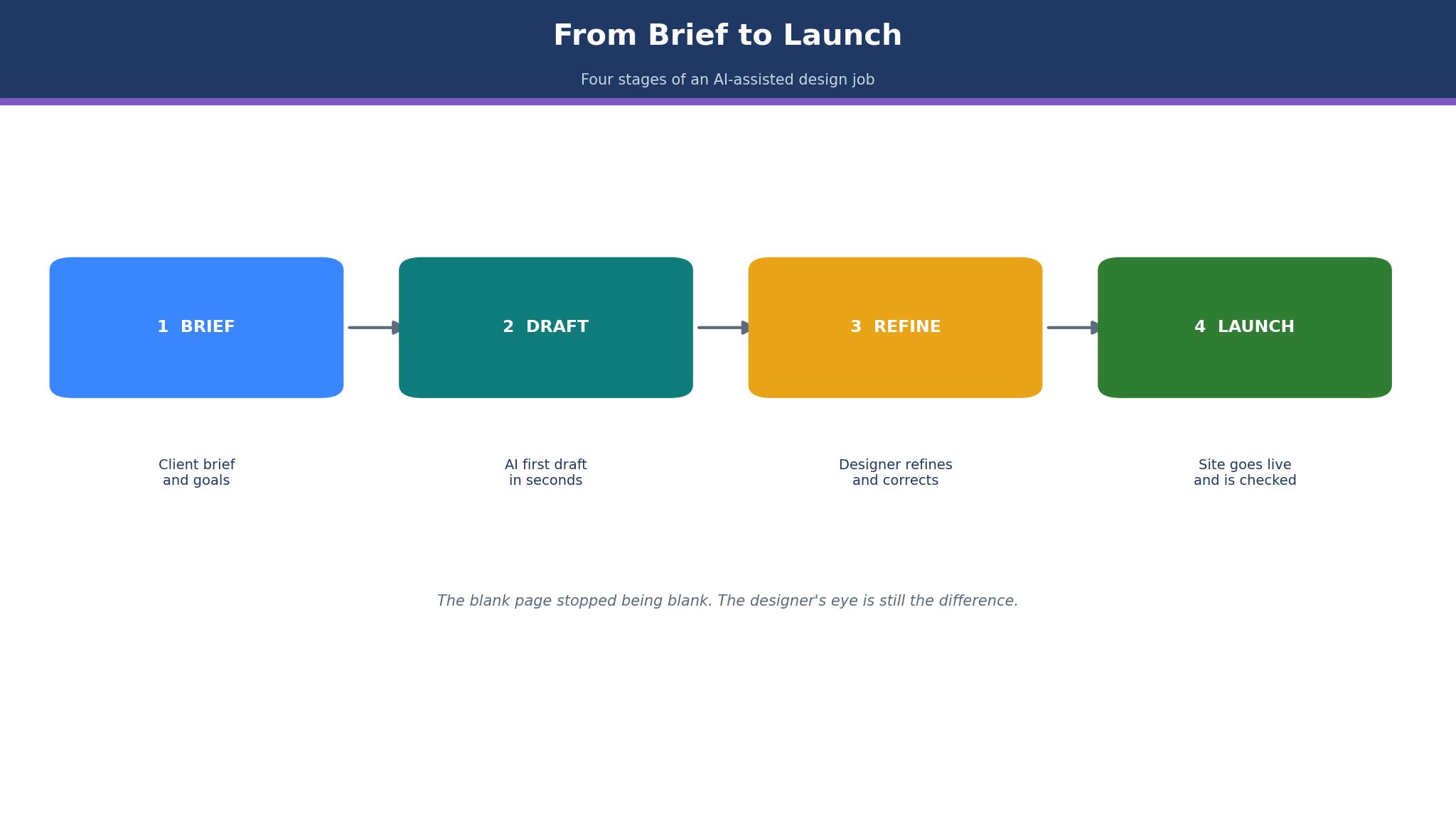
The best ai tools for web designers did not replace the designer, they moved the work. A designer who once spent a day on a first draft now spends an hour, and the saved hours go to the parts a machine cannot do, such as understanding the client, choosing the story and refining the detail. The job changed from drawing to deciding, and the tools on this list are judged on how well they support that decision.
The change also brought a new risk, which is the site that looks like every other AI site. A designer who accepts the first draft without refining it will deliver a site that a client could have made themselves, and the client will notice. The tools below are ranked on what they give a designer to work with, not on what they give a client to accept.
The 8 Tools at a Glance
A designer who reads the table will see the starting price and the best job for each tool together, which is enough to choose two finalists and study their detail before subscribing.
| # | Tool | Starting price | Best for |
|---|---|---|---|
| 1 | Framer | Free, Basic $10 a month billed yearly | Design-led marketing sites |
| 2 | Relume | Free, paid from about $12 a month per site reported | Planning sitemaps and wireframes first |
| 3 | Webflow | Free, Basic $15 a month billed yearly | CMS-heavy client and agency sites |
| 4 | Design.com | From about $5 a month reported | Quick AI-built sites for small clients |
| 5 | Wix Studio | From about $17 a month reported | Agencies that build many client sites |
| 6 | Durable | From about $22 a month reported | Small businesses that need a site in minutes |
| 7 | 10Web | From about $10 a month reported | WordPress sites built with AI |
| 8 | Uizard | Free, paid from about $12 a month reported | Turning sketches into wireframes |
Best Pick by Job
A marketing site needs a different tool from a CMS-heavy client site, and the best ai tools for web designers change with that job. A marketing site needs a different tool from a CMS-heavy client site, and the rows below match the tool to the site rather than to the name on the box.
| Job | Pick | Why |
|---|---|---|
| Design-led marketing site | Framer | Canvas plus AI agents and motion |
| Planning before building | Relume | AI sitemap and wireframes |
| CMS-heavy client site | Webflow | Pro canvas and real CMS |
| Quick draft for a small client | Design.com | AI builder with logo and brand tools |
| Agency with many sites | Wix Studio | Client management and billing |
| WordPress site | 10Web | AI builder on WordPress |
How the Tools Compare on Price and Control
Price and control pull in opposite directions here, because the best ai tools for web designers charge per site while offering different amounts of freedom. Framer and Webflow offer the most control and charge per site, while Durable and Design.com offer less control and cost less. That comparison puts the price beside the strongest feature and the limit a designer should test on a real brief.
| Tool | Price | Standout strength | Watch out |
|---|---|---|---|
| Framer | Free, Basic $10 a month billed yearly | Design canvas plus AI agents and motion | Charges per site and per editor seat |
| Relume | Free, paid from about $12 a month per site reported | AI sitemap and wireframes with 1,000+ components | Needs Webflow or Figma to publish |
| Webflow | Free, Basic $15 a month billed yearly | Pro canvas, CMS and AI tools together | Learning curve and per-site pricing |
| Design.com | From about $5 a month reported | AI website builder with logo and brand tools in one place | Less design control than Framer or Webflow |
| Wix Studio | From about $17 a month reported | Agency tools, AI builder and client billing | Less design depth than Framer or Webflow |
| Durable | From about $22 a month reported | AI builds a whole site, with CRM and invoicing | Less design control for a professional designer |
| 10Web | From about $10 a month reported | AI builder on WordPress with hosting included | WordPress maintenance follows the site |
| Uizard | Free, paid from about $12 a month reported | AI turns hand-drawn sketches into digital wireframes | A wireframe tool, not a website builder |
Two figures in that table need a note. Framer lists Basic at $10 a month billed yearly, while some sources list $15 a month, so the $10 figure is the current vendor figure and the older one is reported. Relume lists paid plans from about $12 a month per site for hosting, while other sources list $29 a month for the fuller plans, so both figures are reported as a range.
The 8 Tools in Detail
The essay continues below, tool by tool, judging each one on the draft it produces, the refinement it allows and the delivery it supports, and the best ai tools for web designers are the ones that give a designer more to decide. The prices below were checked in November 2026, and a figure that comes from a review site rather than the vendor page is labelled reported. The first two tools deserve the closest read, while the other six are worth a skim against the kind of site you build.
1. Framer
Framer is the design canvas that web designers reach for when the site must look like a designer made it, because the canvas, the motion tools and the AI agents work together. A designer can draft a landing page with AI, refine it on the canvas, and publish it without handing the file to a developer. The free plan covers a site on a Framer subdomain, Basic costs $10 a month billed yearly, Pro costs $30 and Scale costs $100, with AI credits included on every tier.
The per-site pricing is the catch. Framer charges a subscription for each custom domain, so a designer with three client sites pays three subscriptions, and each extra editor seat costs $20 a month on paid plans. A designer who manages many small sites should count the total before promising a price to a client.
Worked example. A designer with five client sites on Basic at $10 a month each pays $50 a month, or $600 a year, plus $20 a month for each extra editor. A designer with one site on Pro at $30 a month pays $360 a year, which is a fair price for a design-led marketing site. The maths is simple, yet it surprises a designer who assumed one subscription covered every site.
I would start here for a design-led marketing site, because Framer is the tool that makes a designer’s taste visible fastest. The AI draft is the starting point, not the finish, and the designer who refines it will produce a site that no template can copy. Framer wins on the canvas, and it loses only when the site needs a deep CMS or many editors.
2. Relume
Relume is the planning tool that web designers use before they build, because it turns a brief into a sitemap and a wireframe in minutes. A designer can show a client the structure of the site before a single pixel is placed, and the 1,000+ component library means the wireframe already looks like a real site. A free tier covers a few AI generations, while paid plans are reported from about $12 a month per site for hosting and from $29 a month for the fuller plans.
The publishing limit is the trade-off. Relume exports to Figma, Webflow or React, and its own publishing is newer, so a designer who wants a live site still needs another tool to host it. That is not a flaw, it is the design, because Relume is a planning accelerator rather than a host, and it should be judged as one.
Worked example. A designer who plans five sites a month and saves two hours of sitemap work on each, at $75 an hour, saves $750 a month, against a Relume plan reported from $29 a month. The saving is in the planning, not in the hosting, and a designer who skips the planning will not see it. Relume earns its keep in the first hour of a project, before the build begins.
Pick Relume when the brief is vague and the structure matters more than the pixels. It is the tool that turns a conversation into a sitemap, and the sitemap into a wireframe, before the client has changed their mind. A designer who plans well will build faster, and Relume is the fastest way to plan.
3. Webflow
Webflow is the professional canvas for designers and agencies that build CMS-heavy sites, with a visual editor, a real content system and AI tools that draft pages, write SEO checks and suggest structure. A designer can build a site with 500 CMS items, a blog and a client editor, without writing code. The free Starter plan covers a site on a webflow.io domain, Basic costs $15 a month billed yearly, and the CMS plan costs $23 or more.
The learning curve is the price of admission. Webflow is powerful, yet it asks a designer to learn its way of thinking, and a beginner will spend a week before the first good site appears. It also charges per site, so an agency with many client sites should count the total before quoting a client.
Worked example. An agency with ten client sites on Basic at $15 a month each pays $150 a month, or $1,800 a year, before the CMS plans that most clients need. A single site on the CMS plan at $23 a month costs $276 a year, which is a fair price for a content-heavy site. The maths is the same as Framer, and the choice between them turns on whether the site needs a CMS or a design canvas more.
4. Design.com
For a designer, Design.com plays a different role than it does for a shop owner. It turns a short brief into a first version of a site, complete with a logo that matches, so a designer can show a small client something real on the first call instead of a blank page and a promise. The entry price is reported from about $5 a month, and the higher tiers add a custom domain and a fuller store.
The design control is the trade-off. Design.com gives a designer less room to shape every pixel than Framer or Webflow, so a bespoke site with unusual layouts will feel constrained. It suits a designer who values speed for small clients, and it is less suited to a designer whose work is the layout itself.
Worked example. A designer who takes on five small clients a month and saves three hours of first-draft work on each, at $60 an hour, saves $900 a month, against a low monthly plan. The saving is in the draft, not in the finish, because the designer still refines the site before delivery. Design.com earns its place at number four as a fast draft tool, not as a replacement for a design canvas.
5. Wix Studio
Wix Studio is the agency version of Wix, with an AI builder, a design canvas, client management and billing tools for agencies that build many sites. A designer can manage ten client sites from one dashboard, bill each client, and reuse assets across projects. Paid plans are reported from about $17 a month, with higher tiers for more sites and features.
The design depth is the trade-off. Wix Studio is easier than Webflow, yet it offers less control to a designer who wants to shape every detail. An agency that values speed and client management over pixel control will be happy, while a designer who lives on the canvas should take Framer or Webflow instead.
Worked example. An agency with ten client sites on Wix Studio at a reported $17 a month each pays $170 a month, or $2,040 a year, before the higher tiers that most agencies need. The client billing tools can recover that cost, because the agency can charge each client for hosting and maintenance from the same dashboard. The maths works when the agency manages many sites, and it fails when the agency manages one.
6. Durable
Durable builds a whole website in minutes from a few answers, with a CRM, invoicing and AI tools attached. A small business that needs a site, a client list and an invoice system can get all three from one account, without a designer at all. Paid plans are reported from about $22 a month for the Launch plan.
The designer is the trade-off. Durable serves a business owner, not a web designer, so a professional designer will find less control than on Framer or Webflow. It suits a designer who serves small clients that want a site fast, and it is less suited to a designer whose work is bespoke.
Worked example. A small business that pays $22 a month for Durable gets a site, a CRM and invoicing for $264 a year, against $600 a year for five Framer sites. The saving is real, yet it buys a template rather than a design, and a business that needs a distinctive site should pay for a designer instead. Durable is the fast option, and fast is sometimes the right answer.
7. 10Web
10Web builds WordPress sites with AI, with hosting, a page builder and AI tools included. A designer who works in WordPress can draft a site with AI, refine it in the builder, and host it on the same platform, without stitching tools together. Paid plans are reported from about $10 a month.
The WordPress maintenance is the catch. A site on WordPress needs updates, backups and security, and 10Web helps with those, yet the owner still carries more responsibility than on a hosted builder like Framer. A designer who knows WordPress will be comfortable, while a designer who wants a platform to handle everything should look elsewhere.
The AI draft is the feature to test. 10Web can generate a site from a prompt, and the result is a real WordPress site that the designer can edit freely. A designer who builds many WordPress sites will save hours on each first draft, while a designer who builds one site a year will not see the return.
8. Uizard
Q. Does Uizard build a live website? A. No, it turns hand-drawn sketches and screenshots into digital wireframes and prototypes, which a designer can then build in Framer or Webflow. Q. Who should use it? A. A designer who sketches on paper and wants the sketch on screen in minutes. Q. What does it cost? A. A free tier covers the basics, with paid plans reported from about $12 a month.
Uizard is the sketchbook tool on this list, and it earns its place by saving the most boring hour in web design, the hour spent redrawing a sketch in a digital tool. A designer who sketches with clients will use it every week, while a designer who works straight on screen will not. It is a wireframe tool, not a website builder, and it should be bought as one.
How to Choose the Best AI Tools for Web Designers?
Start with the site. A design-led marketing site needs Framer, a CMS-heavy client site needs Webflow, and a planning-first project needs Relume. The site decides the shortlist before any feature does, because the tools are built for different kinds of work.
Then count the sites, because Framer, Webflow and Wix Studio all charge per site. Worked example. A designer with five client sites on Framer Basic at $10 a month each pays $600 a year, while a designer with one site on Pro at $30 a month pays $360 a year. The per-site model rewards a designer with few sites and punishes one with many, so an agency should count the total before quoting a client.
Check what the AI actually does, because the word covers very different work. Framer drafts and refines on the canvas, Relume plans sitemaps and wireframes, and Durable builds a whole site for a business owner. A designer should test the AI on a real brief, not on a demo, and judge it on the draft it produces, because the demo always looks better than the real brief.
What I would do is use Relume to plan, Framer to design, and a human eye to finish. The AI gives the draft, the canvas gives the refinement, and the designer gives the judgement that neither can copy. A designer who skips any of those three steps will deliver a site that looks like a machine made it, and the client will know.
Framer vs Relume: Which One Should a Designer Buy First?
Framer and Relume answer different questions, and the head-to-head turns on whether the designer needs a canvas or a plan. Framer wins on the build, because its canvas, its motion tools and its AI agents produce a live site that a designer can publish. Relume wins on the plan, because its AI sitemap and wireframes turn a brief into a structure before a pixel is placed.
The price maths is close. Framer Basic costs $10 a month billed yearly, while Relume is reported from about $12 a month per site for hosting and $29 a month for the fuller plans. The best ai tools for web designers are not the cheapest, they are the ones whose work matches the designer’s own, and a designer who plans badly will build badly whatever canvas they use.
The honest trade-off is plan against build. A designer who starts with Relume will plan faster and build with fewer revisions, while a designer who starts with Framer will build faster and plan as they go. I would buy Relume first if the briefs are vague, and Framer first if the briefs are clear, because the vague brief needs a plan more than it needs a canvas.
Worked example. A designer who plans five sites a month and saves two hours on each with Relume, at $75 an hour, saves $750 a month, against a plan reported from $29 a month. A designer who builds five sites a month on Framer and saves three hours on each, at the same rate, saves $1,125 a month, against $50 a month for five Basic sites. Both tools pay for themselves many times over, and the designer should buy the one that matches the work they do most.
The Client Who Could Tell It Was AI
A client can tell when a site was made by AI and never touched by a designer, and the best ai tools for web designers exist to prevent exactly that. The signs are small, such as a headline that says nothing, a layout that matches a thousand other sites, and a colour palette that a template chose. A client who sees those signs will ask what they paid the designer for, and the designer will not have a good answer.
The fix is refinement. A designer should take the AI draft, change the headline to say something real, move the layout to fit the story, and choose a palette that belongs to the client rather than to the template. Framer and Webflow give a designer the room to do that, while Durable and Design.com give less room, which is why they sit lower on this list for professional work.
Worked example. A designer who spends one hour refining an AI draft can turn a generic site into a client site, while a designer who spends no time will deliver a generic site and lose the client. The hour is worth $75, and the client it keeps is worth thousands. Refinement is the job now, and the tools that support it are the ones that matter.

Can a Designer Switch to AI Without Losing Clients?
Yes, if the designer sells the judgement rather than the hours. A client who paid for ten hours of drawing will not pay the same for one hour of prompting, yet a client who pays for a better site in less time will stay. The designer should show the client the plan, the draft and the refinement, so the value is visible, and price the project on the result rather than on the hours.
The risk is the client who tries the AI themselves and decides they do not need a designer. That client was never going to pay for design, and the designer should let them go. The clients who stay are the ones who know that a good site needs a human eye, and the AI tools on this list are the ones that give that eye more to work with.
Frequently Asked Questions
Can a web designer switch to AI tools without losing clients?
Yes, if the designer sells judgement rather than hours, and shows the client the plan, the draft and the refinement. A client who pays for a better site in less time will stay, while a client who only wanted cheap hours will leave. Price the project on the result, and use the AI to deliver a better result faster.
Which AI tool is best for a design-led marketing site?
Framer is the best for a design-led marketing site, because its canvas, its motion tools and its AI agents work together. Basic costs $10 a month billed yearly, and Pro costs $30. A designer who needs a deep CMS should take Webflow instead, because Framer’s strength is the canvas, not the content system.
Do AI website builders charge per site?
Yes, Framer, Webflow and Wix Studio all charge per site, so a designer with five client sites pays five subscriptions. Count the total before quoting a client, because the per-site model rewards a designer with few sites and punishes one with many.
Can AI design a whole website on its own?
AI can draft a whole site, yet the draft will look like a thousand other AI sites until a designer refines it. The headline, the layout and the palette all need a human eye, and a client can tell when they did not get one. Use the AI for the draft, and the designer for the finish.
Is Relume a website builder?
No, Relume is a planning tool that turns a brief into a sitemap and a wireframe, and it exports to Figma, Webflow or React. Its own publishing is newer, so a designer who wants a live site still needs another tool to host it. Use Relume to plan, and Framer or Webflow to build.
How much does an AI website builder cost in year one?
A designer with one site on Framer Basic pays $120 a year, while a designer with five sites pays $600 a year. Webflow Basic costs $180 a year for one site, and Relume is reported from about $12 a month per site for hosting. Count the sites first, and the year-one figure follows.
The Designer After the Draft
Framer is the pick for a design-led marketing site, Relume is the pick for planning, and Webflow is the pick for a CMS-heavy client site. Design.com sits at number four for a quick AI-built draft with a matching logo, and it earns that place on speed rather than on control. The best ai tools for web designers are the ones that give a designer more to decide, not less, because the decision is the job now.
What I would do is plan with Relume, design with Framer, and finish with a human eye. The AI gives the draft, the canvas gives the refinement, and the designer gives the judgement that neither can copy. A designer who works that way will keep clients, while a designer who accepts the first draft will lose them, and the difference is an hour of refinement on every site.