
Can I make a poster that stops people on the pavement without hiring a designer? The best poster makers for small businesses say yes, and this guide tests ten of them to find which one does it best. Canva wins for most small businesses, because its free plan covers a good poster, its templates are plentiful, and its print service delivers a poster that looks professional in the window.
Will People Actually Stop and Read It?
A café owner was asked that question, and her answer was honest. People stop for a poster when the poster says one thing, says it large, and shows one image that makes them curious. They walk past a poster that says five things in small type, because the pavement is not a reading room. Her best poster said “Live music, Friday, 7 p.m.” in type large enough to read from across the street, with a photo of a guitar beside it. That poster filled the café. Her worst poster listed the band, the menu, the opening hours, and the booking link, all in the same size, and nobody stopped to read it.
“Do I need a designer for one poster?” she was asked next. Her answer was no, not for a first poster, and yes, for a poster that must look distinctive. These tools are built for people who run the shop, and a careful owner can finish a solid poster within an hour. Bringing in a designer pays off when the poster has to look like nothing else on the street, when how the business looks decides who walks in, or when the owner simply has no spare hour. Hire a designer for a launch, she said, after the weekly poster has proved which message works, rather than before the first poster is printed.
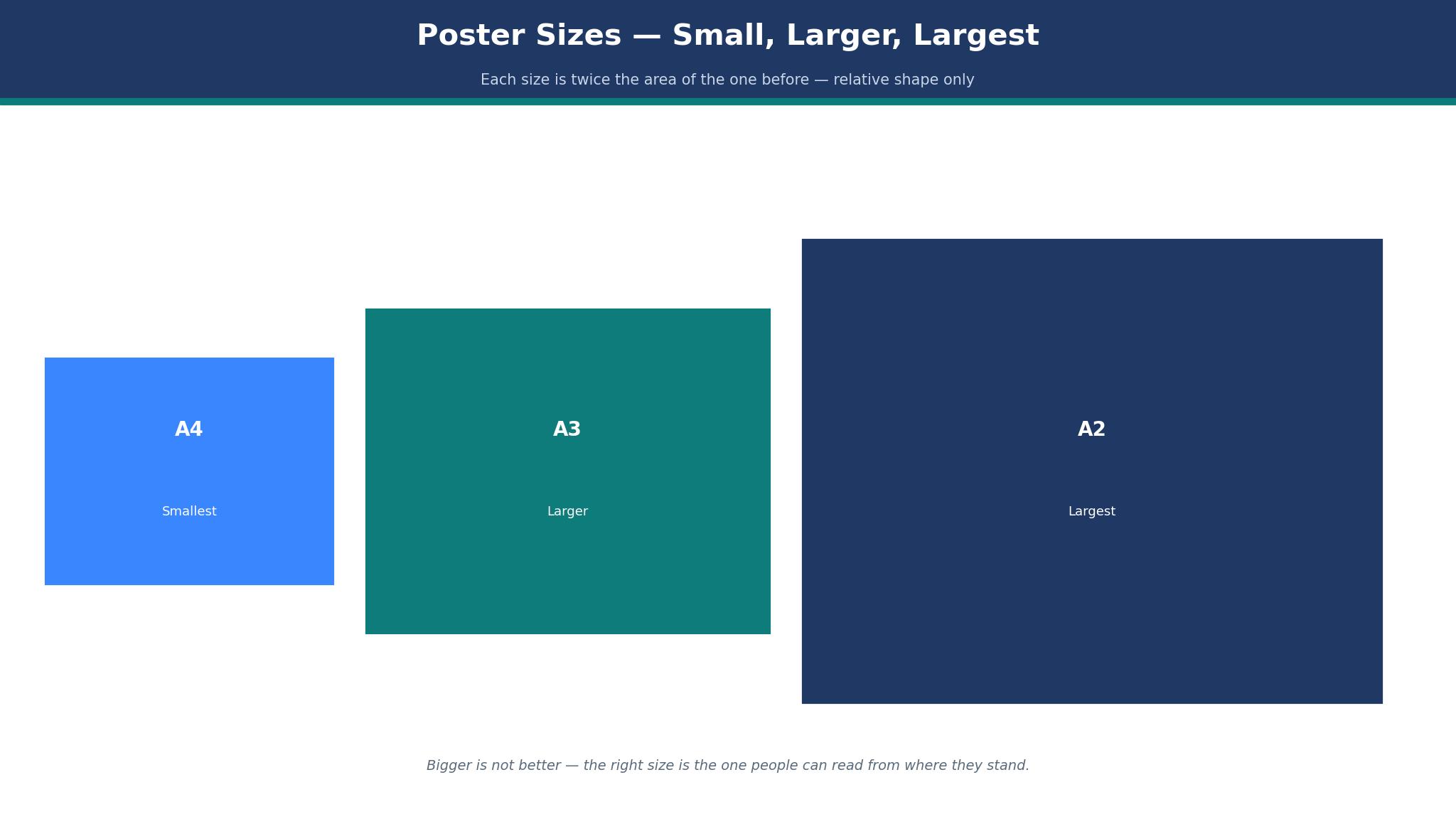
“What size should it be?” was the third question, and the answer depends on where the poster will live. For a noticeboard, A4 works well, since passers-by can make out the words from a couple of metres off. A3 suits a shop window, because it can be read from the pavement. A2 suits a wall outside, because it can be read from across the street. Choose the size for the place, not for the design, because a poster that is too small for its place gets ignored, whatever it says.
How to Choose the Best Poster Makers for Small Businesses
Start with the place, not the template. A poster for a shop window must be read from the pavement, which means the headline must be large, the image must be simple, and the words must be few. A poster for a noticeboard must be read from two metres away, which means the same rules apply at a smaller size. A poster for a wall outside must be read from across the street, which means one line and one image, nothing more. Before opening any tool, jot down the three facts a passer-by must take away, ranked by importance, and pick the layout that puts those facts where the eye lands first.
Work out what the year actually adds up to, and paper takes the biggest share. A poster drawn up for free and run off once for $10 costs $10, while the same poster on a $120-a-year plan comes to $130 a year for one a month. The software is almost never where the money goes. The paper is, and a maker that lets you order the print where you designed it, or hands you a tidy print-ready file, is worth more than one that only makes the design prettier. A café printing one poster a week spends $520 a year on paper, four times what the tool itself costs.
Check the print size before you design. A poster designed at A4 and printed at A2 will look blurry, because the image does not have enough detail for the larger size. Design at the size you will print, or larger, and use a high-resolution photo. A poster that looks sharp on screen and blurry on paper is a common failure, and a test print at the real size catches it for the price of one sheet. Print one copy, hold it where it will live, and read it from the distance a customer will stand.
The 10 Tools at a Glance
This table compares the best poster makers for small businesses on price, templates, and the job each one does best. The figures quoted are the entry paid plans as listed in November 2026, and each tool lets you try before you pay, through a free tier or a trial, so a first poster takes an evening rather than money.
| Tool | Entry paid plan | Free plan | Best for |
|---|---|---|---|
| Canva | $120 a year | Yes | Most small businesses |
| PosterMyWall | $9.95 a month | Yes | Posters and flyers |
| Adobe Express | $9.99 a month | Yes | Adobe users |
| Design.com | Free to start | Yes | Logo and poster together |
| Visme | $12.25 a month | Yes | Data-led posters |
| Fotor | $8.99 a month | Yes | Quick photo posters |
| PicMonkey | $7.99 a month | Trial | Photo-led posters |
| Venngage | $10 a month | Yes | Infographic posters |
| Snappa | $10 a month | Yes | Fast social and print |
| VistaCreate | $10 a month | Yes | Animated and print |
Canva vs PosterMyWall: Which One Wins the Window?
Canva wins on breadth, and PosterMyWall wins on poster depth, and the window test decides which one matters. Canva has more templates overall, a better brand kit, and a print service that delivers the poster in one place. PosterMyWall has more poster templates, with designs for events, sales, and seasonal offers that Canva does not match, and its tool is made for print rather than for social posts. A business that makes a poster every week should try both free plans and time the first poster on each.
The price is the same. Canva Pro costs $120 a year, and PosterMyWall Premium costs $9.95 a month, or about $119 a year. The difference is not price. It is the watermark: PosterMyWall’s free plan adds one, and Canva’s free plan does not. A business that makes a poster once a month can use Canva free and pay nothing. A business that makes a poster every week should pay for one of them, and the choice is the template range against the print service.
A worked example settles the choice for a café. The café makes a poster a week, prints one A3 poster a week for $10, and spends $520 a year on printing. On Canva Pro the total is $640 a year. On PosterMyWall Premium the total is $639 a year. The difference is a dollar, which means the decision must be made on the poster itself, not the price. Print one poster on each tool, hang them side by side, and ask five customers which one they would stop for. The answer is the right tool, and it will not be the same for every café.
The 10 Tools in Detail
This section tests the best poster makers for small businesses one at a time, on templates, ease of use, and the poster each one produces. A tool earns its place by making a poster a stranger will read from the pavement, at a price a small business can carry. The prices quoted are entry paid plans, reported in November 2026.
1. Canva
For a poster in a shop window, Canva is the easiest route from a blank page to a printed sheet. The no-cost tier already handles a proper window poster: hundreds of layouts, a million free photos, and an editor a first-timer picks up in an afternoon. Pro at $120 a year adds brand colours, fonts, a background remover, and a larger photo library, which is the plan a business that makes a poster every week should buy. A café owner can make a poster in an hour, print it through Canva’s partner, and have it in the window by the weekend.
Templates are where Canva pulls ahead. You will find layouts for events, sales, launches, and seasonal offers, and each one works as a starting point rather than a finished design. A newcomer can rewrite the wording, exchange the picture, and leave the arrangement alone, which is the quickest path to a poster that looks properly made. The drawback is familiarity: a layout that a thousand shops have used will ring a bell, so alter the colours, the picture, and the headline before printing. A poster that looks like every other poster gets ignored like every other poster.
A worked example shows the cost. A business makes one poster a week on Pro, at $120 a year, and prints one A3 poster a week for about $10, or $520 a year. The yearly total is $640, which is $12 a week. Ordering from a nearby print shop comes to much the same money, and having design and print under one roof is worth paying for. Drawing the poster costs nothing on the free tier, and the paper is where the money actually goes, whichever maker you pick.
Canva’s weakness is that it does everything, and a poster made here can look like a social post enlarged rather than a poster designed for print. The fix is to design for the distance: use large type, leave white space, and print a test copy at the real size before you order the final print. A design that shines on a laptop and disappoints on paper trips up plenty of owners, and a single trial print at full size catches the problem for pennies.
The saved brand kit is what makes Pro worth buying. It holds the logo, the colours, and the fonts, so every poster opens with them ready to use. A shop putting out a poster each week banks ten minutes a poster from the kit, which adds up to 520 minutes a year, close to nine hours. The hours saved cover the subscription on their own, ahead of the stock photos and the background remover.
2. PosterMyWall
Among the best poster makers for small businesses, PosterMyWall is built for posters, and it shows in the template range. The free plan covers a good poster, with thousands of templates for events, sales, and seasonal offers, and Premium at $9.95 a month adds more templates, more stock photos, and the ability to remove the watermark. A business that makes a poster every week, and a flyer every month, will find PosterMyWall’s range hard to beat, and the tool is made for print rather than for social posts.
The editor stays out of the way, and the sheer number of layouts does the heavy lifting. The catch is the watermark on the free tier, which tells anyone looking that the poster cost nothing to make, and only the paid tier takes it off. Pay the $9.95 if you use the tool weekly, because a watermark on a poster in a shop window is a small thing that says a lot. A shop that only needs a poster once a month is better off on Canva’s free tier, and keeps the subscription money.
A worked example makes the cost clear. A business makes a poster a week on Premium, at about $120 a year, and prints one A3 poster a week for $10, or $520 a year. The yearly total is $640, the same as Canva, because the printing dominates the cost. The difference is the template range for posters, which is larger on PosterMyWall, and the print service, which is stronger on Canva. Choose PosterMyWall when the poster is the main job, and Canva when the poster is one job among many.
3. Adobe Express
Adobe Express suits a business that wants a poster with a designed feel, and it holds its place on craft alone. The free tier handles a decent poster, with layouts, stock images, and an editor that behaves like a professional tool with the sharp edges filed off. Premium at $9.99 a month adds more templates, more photos, and the brand kit. An owner already working in Adobe’s apps, or one who cares how the marketing looks, will find the learning curve worth climbing.
Where Express pulls clear of Canva is in the fine work. Lettering can be bent, stacked, and spaced with a precision Canva does not offer, and the photo tools go further, with background removal and colour correction ready to use. A poster whose product shot has been tidied properly reads as a dearer piece of work than one carrying a raw phone snap, and Express makes that tidy-up straightforward. The price is time: Express takes longer to pick up, and a first-timer will finish a first poster more slowly here than on Canva.
There is no print service inside Express, so the owner has to save the file out and send it to a printer. That second errand is the real drawback, and it costs Express the top spot. A poster that is designed and ordered in one place gets printed on time. A poster that needs a second tool gets delayed, and a delayed poster misses the event. Use Express when the poster must look expensive, and use Canva when the poster must be in the window by Friday.
4. Design.com
Design.com belongs here because a shop often wants its poster to echo the logo and colours it already uses, and building both under one roof keeps the brand looking like one business. A logo can be drawn here, a poster layout chosen in the same colours, and the pair put out as a matching set. The poster maker is plainer than Canva, and that plainness fits an owner who wants a neat poster in a hurry rather than a deep design project.
The honest limit is how deep the library goes. Design.com carries fewer poster layouts than Canva or PosterMyWall, and the editing tools are thinner. An owner putting out a poster every week will grow past it, and should switch to Canva. An owner making a poster for a launch, a sale, or an event will find it plenty, and the logo match is a real plus. The first steps cost nothing, the paid extras are there if you want them, and the final bill is worth confirming at checkout.
5. Visme
When the poster has to carry figures, Visme is the one to reach for: a price list, a side-by-side comparison, or a page of numbers. Its charts, tables, and infographics beat every other tool in this list, and a poster explaining a price rise, a new service, or a comparison reads more clearly there. The entry plan is $12.25 a month, and the free plan covers a basic poster with a Visme watermark.
The trade-off is that Visme is built for presentations and reports first, and posters second. The poster templates are fewer, and the design tool takes longer to learn. Save Visme for the quarterly poster that runs on numbers, and keep Canva for the one that goes up every week. A business that makes a simple event poster should not pay for Visme at all.
6. Fotor
For a plain poster in a hurry, nothing here beats Fotor: a free tier, a straightforward editor, and a photo tool that tidies a phone snap in minutes. The entry paid plan is $8.99 a month, and the templates are practical, though fewer than Canva. A shop that needs a poster inside twenty minutes, with a photo and three lines of wording, will get done quickest on Fotor. A shop that needs a poster every week will grow past it, and should switch to Canva for the wider layouts and the brand kit.
7. PicMonkey
PicMonkey wins the photo-led poster, and it earns that on the strength of its photo editing. Cropping, retouching, and colour correction all go further than on Canva, and a poster built around a product shot comes out looking better here. The entry plan is $7.99 a month, with a trial to test it, and the templates are good, though fewer than Canva. A café, a florist, or a boutique that lives off its photos should try PicMonkey before anything else.
The limit is templates and print. PicMonkey has no print service, so the owner saves the file out and orders it somewhere else, and the layout range is narrower. Reach for PicMonkey when the photograph carries the poster, and Canva when the wording does. The two tools are not rivals. Each covers a different job, and a shop that lives off its photos will keep both open.
8. Venngage
Among the best poster makers for small businesses, Venngage is the pick for an infographic poster, with charts, icons, and layouts that make data readable at a glance. A business that needs a poster explaining a process, a price, or a comparison will find Venngage’s templates clearer than Canva’s. The entry plan is $10 a month, and the free plan covers a basic poster. The trade-off is that Venngage is built for infographics first, and a simple event poster will take longer here than on Canva. Use Venngage for the poster that must explain, and Canva for the poster that must invite.
9. Snappa
Snappa is the fastest tool here for a poster that must also work online, with templates sized for print and for social posts in one place. The entry plan is $10 a month, and the free plan covers a basic poster. A business that makes a poster for the window and the same design for Instagram will save time on Snappa, because the resize is built in. The template range is smaller than Canva, and the print tools are lighter, so a business that only needs print should use Canva or PosterMyWall instead.
10. VistaCreate
VistaCreate, formerly Crello, offers a large template library with animated designs as well as print, and its entry plan is $10 a month. A business that wants a poster for the window and an animated version for social media will find VistaCreate’s range useful, and the design tool is simple enough for a beginner. The trade-off is that the print templates are fewer than Canva’s, and the brand kit is lighter. Use VistaCreate when the poster must move as well as print, and use Canva when the poster only needs to hang in the window.
The Poster People Read From Across the Street
A poster that can be read from across the street has one line, one image, and nothing else. The line is the reason to come, written in type large enough to read at five metres, and the image is the thing that makes the reader curious. A poster for live music needs the words “Live music, Friday” and a photo of a guitar. A poster for a sale needs the words “Sale, Saturday, 20% off” and a photo of the product. A poster that adds the menu, the hours, and the booking link has stopped being a poster and started being a leaflet, and a leaflet on a wall gets ignored.
The eye catches contrast first, and colour second. A dark headline on a light background can be read from further away than a light headline on a dark background, and a single strong colour stands out further than five colours competing for attention. Test the poster by standing across the street and reading it aloud. If you cannot read the headline, make it bigger. If you cannot say what the poster is for in one sentence, remove a line. Among the best poster makers for small businesses, the winner is the one whose poster is read from across the street, not the one with the most templates.
The paper decides whether the poster survives the week. A poster in a window needs no weatherproofing, and a poster outside needs a laminated print or a frame. A poster printed on thin paper curls in the sun, and a curled poster gets taken down. A poster printed on thick paper stays flat, and a flat poster stays up. The extra few dollars for thicker paper is the cheapest insurance a poster can buy.
What Would I Do for a Café Window This Weekend?
If I had a café window this weekend, I would open Canva, pick a poster template for an event, and change three things: the headline, the photo, and the date. I would print one A3 copy at a local shop, hang it in the window, and stand across the street to read it. If I could read the headline and say what the poster was for in one sentence, I would leave it up. If I could not, I would make the headline bigger and remove a line. I would not spend the morning choosing a template, because the template is not the poster. The message is the poster, and the message takes ten minutes to write well.
Best Pick by Job
The table below matches each job to one of the best poster makers for small businesses, so you can decide by the poster you need rather than by the price list alone.
| Job | Pick | Why it wins here |
|---|---|---|
| Weekly event poster | Canva | Fastest templates, print in one place |
| Poster-first business | PosterMyWall | Largest poster template range |
| Poster that must look designed | Adobe Express | Strongest design tools |
| Logo and poster together | Design.com | Matched brand in one place |
| Data-led poster | Visme | Best charts and tables |
| Photo-led poster | PicMonkey | Best photo editing |
How Much Does a Poster Maker Cost a Small Business?
A poster maker costs nothing on a free plan, $120 a year on a paid plan, and $520 a year on printing for one poster a week. Paper takes the bigger share, and a shop printing one poster a week spends four times as much on paper as on the tool. A shop printing one poster a month spends $120 a year on printing, which matches the tool, and the total is $240 a year. Sort the paper budget before anything else, because the maker is the cheap part of the job, and a poster that stays on the laptop helps nobody.
Time is the second cost. A poster takes an hour to make on Canva, longer on Adobe Express, and twenty minutes on Fotor for a simple design. A business that makes a poster every week spends 52 hours a year on Canva, or a working week and a half, and the tool that saves ten minutes a poster saves nearly nine hours a year. Pick the maker you will genuinely reach for on a hectic morning, because a poster finished fast and hung on time does more than a poster finished slowly and hung late.
Frequently Asked Questions
How much does a poster maker cost a small business?
A poster maker costs nothing on a free plan and about $120 a year on a paid plan, with printing adding $10 per A3 poster. A business that makes one poster a week spends about $640 a year in total, while a business that makes one poster a month spends about $240 a year. The printing is the larger cost, so budget for paper before you budget for the tool, and use a free plan until the poster starts winning customers.
What size should a poster be for a shop window?
A3 fits a shop window, since it reads clearly from the pavement. A4 fits a noticeboard, since it reads clearly from two metres away. A2 fits a wall outside, since it reads clearly from across the street. Set the size to match where the poster will hang, and work at that size, because a small design blown up large turns blurry.
Can I print a poster at home?
You can print a test copy at home, and you should, to check the words and the colours. You should not print the final poster at home, because home printers use thinner paper, the colours vary, and the size is limited to A4. A printer’s A3 poster costs about $10, looks professional, and lasts on a wall. The few pounds saved at home are not worth how homemade the result looks.
How many words should a poster have?
A poster should have fewer than twenty words, and the headline should carry the message. A reader gives a poster two seconds, and twenty words is already too many for that time. Write the headline, the date, and the place, and leave the rest for the website or the flyer. A poster is an invitation, not a brochure, and an invitation says one thing well.
Do I need a designer for a poster?
No, not for a first poster. These tools are built for people who run the business, and a careful owner can finish a solid poster within an hour. Bringing in a designer pays off when the poster has to look unlike any other, when how the business looks decides who walks in, or when the owner simply has no spare hour. Hire a designer for a launch, once the weekly poster has shown which message works, rather than before the first poster is printed.
Can I use the same design for a poster and for social media?
Yes, and most tools in this guide make it easy, with templates sized for print and for social posts. Design the poster first, at print size, then resize it for social media, and check that the headline is still readable at the smaller size. A poster designed for a window will look crowded on a phone, so remove a line or two for the social version. The message stays the same, and the layout changes for the place.
The Verdict: Canva Wins the Window
Canva wins this list of the best poster makers for small businesses because it makes a good poster fastest, prints it in one place, and costs nothing to start. PosterMyWall is the better pick when posters are the main job, Adobe Express is the better pick when the poster must look designed, and Design.com is the better pick when the logo and the poster must match on day one. Write one line, make it large, print a test copy at the real size, and hang it where customers will see it. A poster that is read from across the street is a poster that works, and the tool that gets it printed on time is the one to trust.