

A customer picks up a product, turns it over, and looks for a reason to buy it. The shelf edge is small, the packaging is crowded, and the story that would close the sale does not fit on either. The best qr code generators for retail solve that exact problem. They put a code on the shelf, the pack or the receipt that opens a page with the story, the reviews, the size guide or the discount, and they tell the shop which codes get scanned and which ones get ignored. A code that nobody scans is decoration. A code that gets scanned and tracked is a salesperson who works every hour the shop is open.
The 12 Tools at a Glance
This table compares the best qr code generators for retail on the facts that decide a purchase. The figures in this guide were gathered from vendor pages and recent roundups during November 2026. When a vendor page and a roundup gave different prices, the guide points out the mismatch instead of papering over it.
| Tool | Entry paid plan | Free option | Best for |
|---|---|---|---|
| QRCode Monkey | Free | Yes | Free static codes with a logo |
| QR Tiger | $7 a month | Yes | Cheapest dynamic codes |
| Uniqode | $9 a month | 14-day trial | Multi-store compliance |
| Flowcode | Check at checkout | Yes | Branded codes for campaigns |
| Design.com | Free to start | Yes | Fast start with a matching logo |
| Bitly | From about $10 a month | Yes | Short links plus codes |
| Scanova | Check at checkout | Trial | Bulk codes for catalogues |
| QRCodeChimp | $6.99 a month | Yes | Generous free dynamic tier |
| ME-QR | From about $17 a month | Yes | Simple codes with ads removed |
| QR Stuff | Check at checkout | Yes | Quick one-off codes |
| GoQR.me | Free | Yes | A free code in seconds |
| Canva | Free, Pro about $120 a year | Yes | Codes inside posters and shelf signs |
Static or Dynamic: How the Best QR Code Generators for Retail Differ
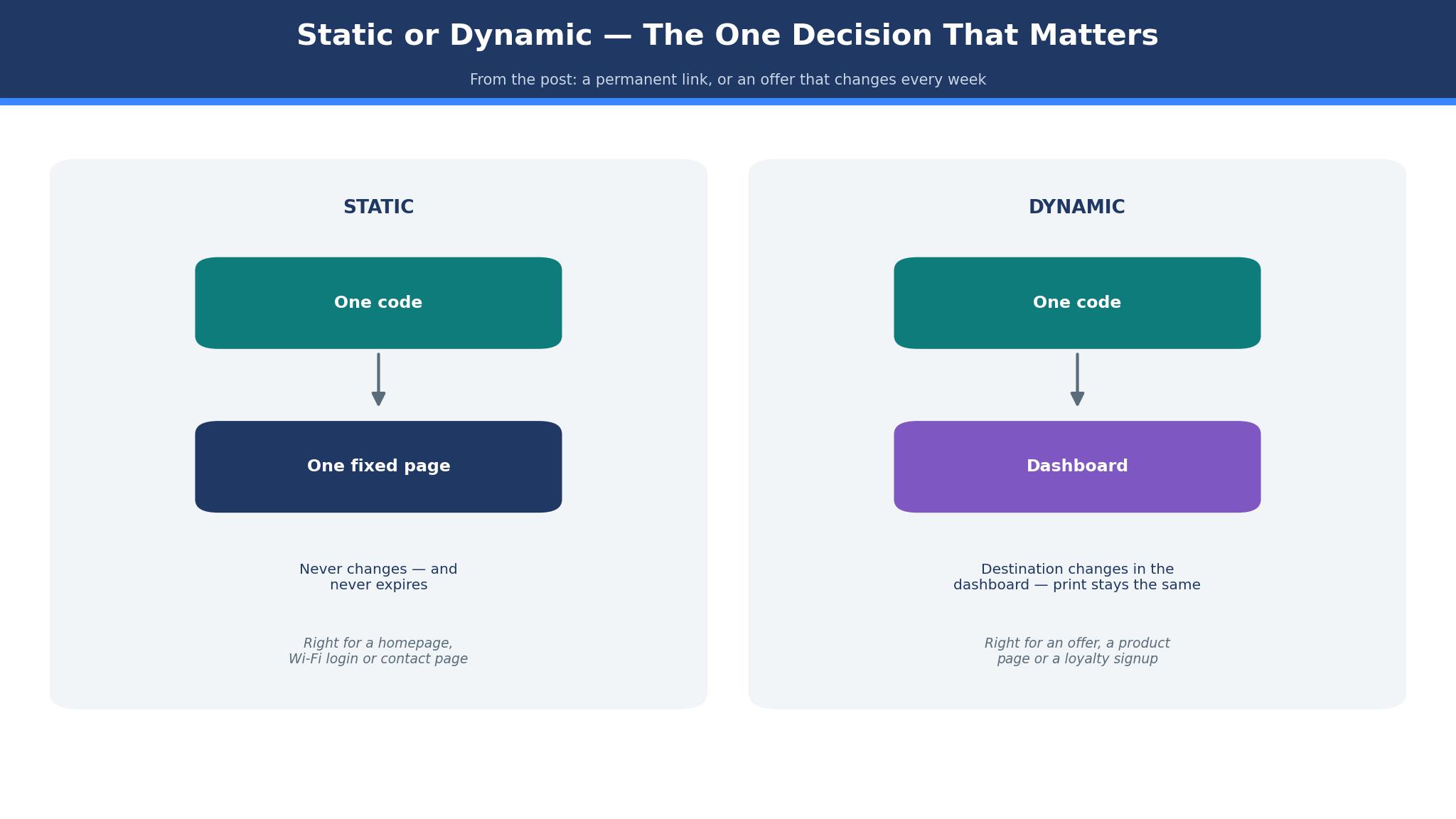
A static code bakes its destination into the pattern itself. It costs nothing, it never expires, and it cannot be changed. Print it on a shelf sign and it will work in five years, pointing at the same page it pointed at on day one. That permanence is a strength for a code that links to a homepage or a contact page, and a weakness for a code that links to a sale, because the sale ends and the code keeps pointing at a dead offer.
A dynamic code points at a dashboard instead of a page. Change the destination in the dashboard and every printed code updates at once, without reprinting a single shelf sign. That is the feature that pays for a subscription in retail. A shop that runs a weekly offer, a seasonal menu or a changing product range cannot reprint its shelf signs every week. A dynamic code lets the offer change while the print stays the same. Dynamic codes also report scans, so a shop can see which shelf, which product and which town gets attention, and which codes are ignored.
The rule is simple. Use a free static code for anything permanent, such as a homepage, a Wi-Fi login or a contact page. Pay for a dynamic code for anything that changes, such as an offer, a product page, a review link or a loyalty signup. A shop that pays for dynamic codes on permanent links wastes money. A shop that prints static codes on changing offers wastes print.
The best qr code generators for retail also make the shop think about what happens when a code outlives its offer. A dynamic code can be pointed at a new page in a minute, but a static code printed on a thousand shelf signs cannot, so the shop needs a list of every printed code, where it sits and what it points at, before the first print run. Keep that list in a single sheet, check it when an offer ends, and retire any code that points at a dead page the same week, because a customer who scans a code and lands on a finished sale will not scan the next one.
The 12 Tools in Detail
This section tests the best qr code generators for retail one at a time, against the same three tests. A tool earns its place by printing cleanly, scanning reliably on a phone held at arm’s length, and reporting which codes get used. Every price quoted below was checked in November 2026.
1. QRCode Monkey
QRCode Monkey is the best free option in this list, and it earns the top spot for static codes by doing the simple job well. You can create a static code, add a logo, change the colours, pick a shape, and download a print-ready file at high resolution, all without paying or even creating an account. For a shop that needs a code on a shelf sign, a window sticker or a business card, that is the whole job.
The strength is print quality. A code downloaded from QRCode Monkey at high resolution stays sharp when it is printed large, and the logo in the middle does not break the scan, provided the logo stays small and the code keeps enough contrast. The weakness is tracking. A static code reports nothing, so a shop cannot tell whether the code on the shelf gets ten scans a day or none. A shop that needs that answer should pair QRCode Monkey with a dynamic tool for its changing offers, and keep QRCode Monkey for the permanent links.
Pricing is free for static codes, and that is the honest price. There is no paid tier to misunderstand, no trial that stops working, and no surprise renewal. For a small shop with a tight budget, QRCode Monkey is the right first tool, and it may be the only tool the shop ever needs for its permanent codes.
2. QR Tiger
QR Tiger is the value pick for dynamic codes, and it leads this list on price. The free tier gives you three dynamic codes with 500 scans each, which is enough to test a dynamic code on a real shelf before paying. The Regular plan costs $7 a month on annual billing, or $9.99 monthly, and includes 12 dynamic codes with unlimited scans. Advanced at $16 a month adds bulk generation and deeper analytics, up to Professional at $89 a month for larger teams.
The strength is transparency. The pricing is published, the limits are stated, and the free tier is genuinely usable rather than a demo that stops after a week. A shop can start on the free tier, learn which codes get scanned, and then pay $7 a month once the test proves the idea. The weakness is the free tier cap. A free dynamic code stops after 500 scans and shows a QR Tiger popup, which is a poor look on a shop shelf. Do not leave a free dynamic code in print for a busy product. Pay the $7 before the code goes on the shelf.
A ten-product shop’s yearly bill shows what dynamic codes really cost. A shop with ten products on dynamic codes pays $84 a year on Regular, or about 70 cents a code per month. If those codes bring in one extra sale a week, the subscription pays for itself many times over. If the codes bring in nothing, the analytics will show it, and the shop can stop paying with a clear conscience.
3. Uniqode
Uniqode, formerly Beaconstac, is the platform for shops where compliance is not optional. It brings SOC 2, HIPAA and GDPR compliance, bulk creation, custom domains, single sign-on, and detailed analytics, and it is built for teams that run codes across many stores. The Essential plan costs $9 a month billed yearly only, so a $108 commitment, and Core is $49 a month. Some roundups list higher entry figures, so confirm the checkout price before you buy.
What sets it apart is the command it gives head office. A retail chain can set brand templates, lock the colours and logo, and let each store generate codes that still look like the brand. The analytics go deeper than a scan count, with location, device and time data that a head office can use to compare stores. The weakness is the annual commitment and the trial. Trial codes stop when the trial ends, and a code printed during a trial that stops working is a broken promise on a shop shelf. Never print a trial code.
Uniqode suits a chain, a franchise, or a shop that handles sensitive data. A single independent shop will find QR Tiger cheaper and simpler, and will never use the compliance features that justify the Uniqode price.
4. Flowcode
Flowcode is the branded campaign tool, and it suits a shop that treats its codes as part of a marketing campaign rather than a utility. Its codes carry strong branding, its dashboard tracks scans by campaign, and its design tools make a code look like it belongs on a poster rather than bolted onto one. A shop running a launch, a seasonal promotion or a loyalty drive will get more from Flowcode than from a plain generator.
Pricing should be checked at checkout, because Flowcode sells by campaign and by volume rather than a single published list price. The value is in the campaign reporting and the design, not in the cheapest code. A shop that only needs a code on a shelf sign should not pay for Flowcode. A shop that needs to know whether a poster in the window beats a sign on the shelf will find the answer in its dashboard.
Flowcode also suits a shop that runs the same campaign across several places at once, such as a window poster, a receipt, and a social post, because the dashboard compares those places side by side instead of reporting one total. That comparison is the part a plain generator cannot give, and it is what turns a code from a link into a test of which placement earns its print.
5. Design.com
A code on its own rarely helps a shop, it needs the shelf sign beside it, and Design.com belongs here because the mark, the sign and the code all begin in one account. A shop can shape its own mark, match the colours to the shelves, and print a code in them that carries the brand, with no designer and no design software to learn. The generator is simpler than QR Tiger or Uniqode, and that simplicity is the point for a shop that wants a tidy code rather than a complex platform.
What it cannot do is the real limit. Design.com handles a simple code with a logo, but it does not match QR Tiger on dynamic editing or Uniqode on analytics. A shop that outgrows it will move to a bigger platform, and that move means regenerating the codes. Think of it as a quick way onto the shelf, not the system the shop grows old with. When the shop’s look is still coming together, one account for the mark, the sign and the code saves more than time. If your job list is long, start with QR Tiger instead.
The generator opens free, and the paid tiers unlock the extras, so look at the checkout page first, because the tiers and their prices move. The saving comes from getting the mark, the sign and the code together, not from any one of them. A new shop that needs a logo, a sign and a code from one account will save time, and time is the resource a new shop has least of.
6. Bitly
Bitly is the short link company, and its QR codes come with the link management that made it famous. A shop that already shortens links for social media, email and print can generate a code for the same link, track clicks and scans in one dashboard, and change the destination without reprinting. That pairing is what makes it worth paying for. The code is not the product. The link is.
Pricing starts from about $10 a month billed annually on the Core plan, with higher tiers adding more links, more codes and deeper analytics. A shop that only needs codes will find QR Tiger cheaper. A shop that already pays for Bitly gets the codes at no extra cost, which makes it the cheapest option in practice for many retailers.
The weakness is design. Bitly codes are plain, and a shop that wants a heavily branded code with a logo and custom colours will find QR Tiger or Flowcode better. Bitly is the pick for tracking and link management. It is not the pick for the prettiest code on the shelf.
7. Scanova
Scanova is the bulk tool, and it suits a shop with a catalogue. It generates many codes at once from a spreadsheet, which is the only sane way to put a code on a hundred products. A shop that codes one product at a time will spend a day on the job. A shop that uploads a list will finish before lunch.
Pricing should be checked at checkout, because Scanova sells by volume and by features rather than a single list price. The value is in the bulk generation, the spreadsheet upload and the campaign management, not in a single code. A shop with five products should not pay for Scanova. A shop with five hundred products should not use anything else.
8. QRCodeChimp
QRCodeChimp is the generous free tier in this list. It offers 10 free dynamic codes, which is more than QR Tiger, and its entry paid plan costs $6.99 a month. A shop that wants to test dynamic codes across a whole shelf, rather than on one or two products, can do it here without paying first.
The strength is the free tier size. Ten codes cover a small shop’s best sellers, and the analytics on those codes will show whether dynamic codes earn their keep. The weakness is that the free tier, like every free dynamic tier, has limits that should be checked before the codes go into print. Confirm the scan cap and the expiry rules on the pricing page, and pay the $6.99 before a code that matters goes on a shelf.
9. ME-QR
ME-QR is the simple option, and it suits a shop that wants a code without learning a platform. It creates codes for links, Wi-Fi, menus and payments, and its paid plans remove the ads that appear on free codes. The entry paid plan is listed from about $17 a month for a single ad-free code, with higher tiers adding more codes and features.
The strength is honesty about ads. ME-QR states plainly that free codes show ads, and that paid codes do not. A shop should never print a free code that shows an ad, because the ad sits between the customer and the product. Pay to remove the ads, or use a free static tool that shows none. The sting is the monthly rate. At about $17 a month for a single code, ME-QR costs more than QR Tiger for a shop with several products, and the arithmetic should be done before you buy.
10. QR Stuff
QR Stuff is the quick one-off tool. You can create a code in a minute, download it, and print it, with no account and no learning curve. A shop that needs a code for a one-day event, a market stall or a temporary sign will find QR Stuff the fastest route from idea to print.
The limit is management. QR Stuff is built for single codes, not for a shelf of fifty, and it has no bulk tools, no campaign dashboard and no brand templates. A shop that uses it for a permanent code should check the terms, because some one-off codes are tied to a subscription or a trial. For a temporary job, it is ideal. For a permanent shelf, it is the wrong tool.
11. GoQR.me
GoQR.me is the free code in seconds. It creates a static code, lets you download it, and asks for nothing in return. A shop that needs a code for a homepage, a contact page or a Wi-Fi login can have it before the kettle boils.
The limit is the same as the strength. A free static code reports nothing and cannot be changed, so a shop should only use GoQR.me for permanent links. It is the right tool for a code that never changes. It is the wrong tool for a code that carries an offer.
12. Canva
Canva is the tool most shops already have open, and its QR codes come inside the posters, shelf signs and social posts the shop already makes. A shop can design a shelf sign, add a code, and print both in the same account, without exporting a file from one tool to another. That integration is the strength.
Pricing is free for a basic code, and Pro costs about $120 a year, or about $10 a month on annual billing, with more design tools and brand controls. A shop that already pays for Pro for its posters and social posts gets the codes at no extra cost. The limit is tracking. Canva codes are static, so a shop that needs scan data should generate the code in QR Tiger and place it in the Canva design, rather than using the built-in code alone.
Best Pick by Job
The table below matches each job to one of the best qr code generators for retail, so you can skip the full comparison once you know your job.
| Job | Pick | Why it wins here |
|---|---|---|
| Free static codes | QRCode Monkey | Print-ready, logo, no account |
| Cheapest dynamic codes | QR Tiger | $7 a month, 12 codes, unlimited scans |
| Multi-store chain | Uniqode | Brand control and compliance |
| Branded campaign | Flowcode | Design and campaign reporting |
| Short links plus codes | Bitly | One dashboard for links and scans |
| Hundreds of products | Scanova | Bulk codes from a spreadsheet |
| Testing dynamic free | QRCodeChimp | 10 free dynamic codes |
| Codes inside posters | Canva | Design and code in one account |
What Retail QR Codes Really Cost in a Year
Add the numbers before you choose from the best qr code generators for retail, because the headline price is never the whole bill. A shop on QR Tiger Regular pays $84 a year for 12 dynamic codes, or about 70 cents a code per month. A shop on Uniqode Essential pays $108 a year for its entry plan. A shop on QRCode Monkey pays nothing for static codes, and a shop on Canva Pro pays about $120 a year for the design tools with codes included. Those totals differ by $120, and the difference buys either a print run of shelf signs or a month of analytics, depending on the job.
Reprinting is the second cost, and it outweighs the subscription. Creating a code takes a minute, and reprinting a shelf sign takes an hour. A dynamic code that avoids one reprint a month saves twelve hours a year, which is worth more than the subscription. A static code that forces a reprint every time an offer changes costs the shop in print and in labour, and the cost is easy to miss because it arrives as a small job rather than a bill.
Print is the third cost. A code printed too small, in low contrast, or on a glossy surface that reflects light will not scan, and the shop will pay for a reprint anyway. Print a test code at real size, scan it from arm’s length in the shop light, and only then print the run. That test costs five minutes and saves a wasted print run.
Staff time is a fourth cost that QR code pricing pages rarely mention. A code that opens a page nobody in the shop has seen will send customers to the till with questions the staff cannot answer, so walk the team through every live code before it goes on the shelf, show them the page it opens and the offer it carries, and agree who updates the destination when the offer changes. A shop where the staff know the codes will sell from them, and a shop where the codes are a mystery to the team will watch customers scan and walk away.

A Retail QR Checklist Before You Print
Use this checklist before a code goes on a shelf, because a code that does not scan is worse than no code at all. Check the code size, and print it at least 2 centimetres across for a shelf sign, larger for a window. Check the contrast, and keep the code dark on a light background, never reversed on a busy photo. Check the quiet zone, the blank margin around the code, and keep it clear of text and edges.
Check the destination, and open the page on a phone to confirm it loads fast and reads well on a small screen. Check the scan, and scan the printed code from arm’s length, in the shop light, with a phone that has never scanned it before.
Then check the offer. The page the code opens should answer the question the customer asked when they scanned it, and it should do so in the first screen. A code on a product should open the product page, not the homepage. A code on a shelf sign should open the offer, not the shop’s about page. A code that opens the wrong page teaches the customer not to scan the next one.
That first screen is where a code earns its keep or wastes it. A page that loads slowly, asks for an email before showing the price, or hides the size guide behind a menu will lose the customer the code just won, so test the page on an old phone over the shop Wi-Fi, not on a fast office connection, and fix anything that takes more than a few seconds to appear. The scan is only the start of the sale, and a page that respects the customer’s time is what turns a scan into a purchase.
Frequently Asked Questions
How much should a retail shop pay for a QR code generator?
Most retail shops should pay between $0 and $9 a month for the codes themselves, plus print costs. A static code sits at the low end, a dynamic code at the high end. If the total passes $50 a month before print, check whether the extra features match a job you actually do, because many shops pay for tools they never open.
Do QR codes expire?
A static code never expires, because the destination is baked into the pattern. A dynamic code can stop working if the subscription ends, and some free dynamic codes stop after a scan cap or a trial period. Check the expiry rules before you print, and never print a trial code or a free dynamic code on a permanent shelf sign.
Can I track how many people scan my QR codes?
Yes, with a dynamic code. The dashboard reports scans by time, location and device, and some tools report the store and the campaign as well. A static code reports nothing. If tracking matters, pay for a dynamic plan, and check the analytics before you renew, because a code nobody scans is a sign to change the offer, not the tool.
What size should a QR code be on a shelf sign?
Print the code at least 2 centimetres across for a shelf sign, and larger for a window or a poster. The rule is simple. The further away the customer stands, the bigger the code must be. Test the printed code from the distance a customer will stand, and enlarge it if the phone struggles to lock on.
Is a free QR code generator good enough for a retail shop?
A free generator is good enough for permanent static codes, and not good enough for changing offers. Free static codes from QRCode Monkey or GoQR.me are print-ready and never expire. Free dynamic codes carry caps, popups or ads, and should not go on a shop shelf. Pay for the cheapest dynamic plan that covers your products, then upgrade when the range grows.
Which QR code generator is easiest for a complete beginner?
GoQR.me gets a code finished fastest, because it asks the fewest questions and charges nothing. QRCode Monkey is easiest to make print-ready, because its files and logo tools cover the shelf job. QR Tiger is easiest to grow with, because its dynamic codes and analytics cover the jobs that follow. Match the tool to the part you struggle with: finishing the code, printing it well, or growing the range.
The Verdict: QR Tiger Takes It for Most Retail Shops
QR Tiger wins this list of the best qr code generators for retail because it gives a shop dynamic codes, unlimited scans and clear analytics for $7 a month, with a free tier that lets the shop test the idea first.
QRCode Monkey is the better pick for free static codes, and Uniqode is the better pick for a multi-store chain that needs compliance and brand control. Scanova is the pick when the catalogue runs to hundreds of products, and Canva is the pick when the code lives inside a poster. Start with the static or dynamic decision, count the real year cost, and print a test code before the run. A code that scans, tracks and updates will beat a prettier code that only works on a screen, every time.