

Squarespace wins on polish and Wix wins on freedom, and the best website builders for photographers split on that exact line. A photographer who wants a portfolio that looks finished in an afternoon will pick Squarespace. A photographer who wants to shape every page will pick Wix. The other thirteen tools on this list earn their places on the work a portfolio has to do after it looks good, which is delivering galleries, selling prints and booking clients.
Squarespace vs Wix for Photographers
Squarespace and Wix are the two leaders a photographer meets first, and they are built for different photographers. Squarespace offers the most visually refined portfolio templates on this list, with a design system that keeps every page looking deliberate, and it starts at $16 a month with yearly billing. Wix offers a free plan, a drag-and-drop editor with more freedom, and a starting paid price of about $17 a month, with photo albums, bookings and print sales handled through apps.
On templates, Squarespace pulls ahead, because its portfolio layouts are made for large images and white space, and a photographer can publish a finished site in an afternoon. On freedom, Wix pulls ahead, because the editor lets a photographer place anything anywhere, and the app market adds client galleries, bookings and stores that Squarespace handles through its own narrower set of tools.
The best website builders for photographers are judged on what happens after the portfolio is published, and that is where the two leaders split again. Squarespace has no native client proofing galleries, so a wedding photographer who needs clients to mark favourites will need a second tool. Wix has photo albums and a bookings app, though the gallery workflow is less smooth than a specialist like Format or Pixieset. A photographer who only needs a portfolio will pick Squarespace, and a photographer who needs galleries and bookings in one bill will look further down this list.
What Makes a Portfolio Site Sell the Shoot?
A portfolio site sells the shoot when it does three things in under a minute. It shows the best work first, it makes the next step obvious, and it loads fast on a phone. A guest who lands on a portfolio and sees a wall of average work will leave, and a guest who sees ten strong images and a clear booking button will enquire. The tools on this list differ in how well they support that minute, and the difference is not the template. It is the speed, the image quality and the path to contact.
Speed matters more than most photographers expect, because a portfolio full of full-size images loads slowly on a phone, and a slow site loses guests before the work is seen. The builders that compress images automatically and serve them from a fast network will keep the portfolio quick, and the builders that leave image size to the owner will punish a photographer who uploads raw files straight from the camera. A portfolio site should load its first image in about two seconds, and any builder that cannot do that is the wrong builder.
The path to contact matters just as much. A portfolio with no booking button, no enquiry form and no prices will get compliments and no bookings, because the guest does not know what to do next. The builders that put a booking or enquiry button on every page will earn more work than the builders that hide contact behind a menu, and that is a feature worth paying for.
How to Choose the Best Website Builders for Photographers
Start with the galleries, because a photographer who delivers client work needs private galleries, proofing and file delivery, and a photographer who only shows work does not. Format, Pixpa, Pixieset and ShootProof all offer client galleries with favourites and approvals, while Squarespace and Wix handle galleries through weaker built-in tools or apps. A wedding photographer who skips this question will end up paying for a second tool within a month.
Then check print sales, because a photographer who sells prints needs a lab, a store and a commission rate that leaves money on the table. Lab fulfilment comes from both SmugMug and Zenfolio, Pixpa offers a zero-commission store, and Squarespace charges a transaction fee on its lower tiers. The commission rate matters more than the monthly price, because a 15 percent cut on print sales will cost more in a year than the subscription saves.
Finally, check storage and image quality, because a portfolio is only as good as the images it shows. Unlimited storage sounds generous, and it is, though the real question is whether the builder compresses images and whether the full-resolution file is kept for delivery. A builder that shrinks every image to a small size will make the portfolio look soft, and a builder that keeps the originals will make delivery easy. The right tool is the one that matches the photographer’s actual work, which is portfolios for some, galleries for others, and print sales for a third group.
The 15 Tools at a Glance
The fifteen tools below cover each route a photographer can build a website, from a general builder to a gallery specialist. The best website builders for photographers were judged on template quality, client galleries, print sales, storage, ease of use, and what a year of real use costs.
| Tool | Best for | Starting price | Free plan | Watch out |
|---|---|---|---|---|
| Squarespace | Polished portfolio | $16 a month | Trial | No native proofing |
| Wix | Flexible portfolio | About $17 a month | Yes | Galleries need apps |
| Format | Client proofing | From $7 a month | Trial | Image caps on Basic |
| Design.com | Portfolio plus brand kit | Subscription from about $3 a month | Yes | Less depth per tool |
| Pixpa | Budget all-in-one | From about $5.40 a month | Trial | Smaller template range |
| SmugMug | Print fulfilment | From $13 a month | Trial | 15 percent print cut |
| Zenfolio | Business tools | From $5 a month | Trial | 7 percent on lower tiers |
| WordPress.com | Full control | From about $4 a month | Yes | Needs more setup |
| Adobe Portfolio | Adobe users | Included with Creative Cloud | Trial | Basic selling tools |
| PhotoShelter | Image delivery | From about $10 a month | Trial | Dated design |
| ShootProof | Client galleries | From about $30 a month | Trial | Dear for beginners |
| Pixieset | Free galleries | From about $8 a month | Yes | Website costs extra |
| Cargo | Design-led portfolios | From about $9 a month | Trial | Thin business tools |
| Webflow | Custom design | From $14 a month | Yes | Steep learning curve |
| Weebly | Simple portfolio | Free | Yes | Very basic |
Squarespace heads the glance table on polish, and Format tops it on proofing, since every plan includes client galleries. Pixpa is the call for a photographer who wants a portfolio, galleries and a store on one cheap bill, and SmugMug is the tool for a photographer who sells prints at volume.
Best Pick by Job
For each common job, the table below names a single choice from the best website builders for photographers; find your work in the rows and start there.
| Job | Pick | Why it wins here |
|---|---|---|
| Polished portfolio | Squarespace | Best templates, fast setup |
| Flexible portfolio | Wix | Free plan, drag-and-drop freedom |
| Client proofing | Format | Galleries on every plan |
| Portfolio plus brand kit | Design.com | One account, shared brand kit |
| Budget all-in-one | Pixpa | Portfolio, galleries, store, low price |
| Print sales | SmugMug | Unlimited storage, lab fulfilment |
| Business tools | Zenfolio | Booking, galleries, print sales |
| Full control | WordPress.com | Themes, plugins, ownership |
| Adobe workflow | Adobe Portfolio | Free with Creative Cloud |
| Image delivery | PhotoShelter | Fast delivery, archive tools |
| Wedding galleries | Pixieset | Free galleries, clean delivery |
| Design-led portfolio | Cargo | Distinctive layouts |
| Custom design | Webflow | Full design control |
| Simple free site | Weebly | Free, easy, basic |
The 15 Tools in Detail
Judged on what a working photographer actually demands, the best website builders for photographers are the fifteen tools below. Squarespace leads on polish and Wix on freedom, Format and Pixpa follow on proofing and value, and the rest hold their spots on single jobs, not overall power.
1. Squarespace
Squarespace is the best website builder for a photographer who wants a polished portfolio with minimal effort, and the lead rests on the templates. The portfolio layouts are the most visually refined on this list, with large images, white space and type that stays out of the way, and a photographer can publish a finished site in an afternoon. The price is Basic at $16 a month, Core at $23, Plus at $39 and Advanced at $99, all billed annually, with a 14-day free trial and a free custom domain for the first year.
The gap is client proofing, because Squarespace has no native galleries where clients mark favourites and approve selections. A wedding photographer who needs that workflow will need a second tool, which adds a second bill. The beauty is the whole site, because the portfolio, the blog, the store and the booking tool all live in one account, and the design stays consistent across every page.
2. Wix
Wix is the best website builder for a photographer who wants freedom, and it comes in second on the editor. The drag-and-drop builder lets a photographer place anything anywhere, and the free plan means the site can be built before any money is spent. Paid plans start at about $17 a month, and the app market adds photo albums, bookings and print sales, though the gallery workflow is less smooth than a specialist.
The magic is the range, because Wix covers a portfolio, a store, a blog and bookings in one account, and the template shelf is large. Its shortfall is the same range, because a photographer who wants a clean portfolio can end up with a site that looks busy, and the apps add cost and complexity. A photographer who likes to shape every page will find Wix the most flexible tool on this list.
3. Format
Format is the best website builder for a photographer who needs client proofing, and it earns third place by building every feature around the portfolio. Client proofing galleries where clients mark favourites and approve selections come on every plan, along with branded file delivery, hosted video and an online store with zero commission. Plans start at $7 monthly with annual billing for the Basic tier, with Pro near $8 and Pro Plus near $13.
The Basic tier caps the number of images, which is the first thing to check, because a photographer with a large archive will need a higher tier. The power is the focus, because every feature orbits the portfolio, and the downside is the range, because a photographer who wants a full marketing site will find Format thinner than Squarespace or Wix. For working photographers, the proofing alone justifies the price.
4. Design.com
Design.com is fourth on this list, as a photography website is the seed of the brand, and the subscription extends the remaining pieces from it. One subscription payment unlocks a logo, a kit, a website and a business card, plus a portfolio template set, one shared palette and typeface running through each piece, so the site, the card and the gallery match from the start. A photographer who is launching and building an identity within a week squeezes more from that one bill than from a builder-only tool at double the cost.
The website builder itself is serviceable rather than stunning. It builds a clean portfolio from a template and a handful of choices, offers designs that suit visual work, and publishes quickly. Squarespace designs better and Format proves better, so expect neither strength from Design.com. The shared kit behind every piece is the point, and the price starts from about $3 a month with annual billing for the Starter tier, with higher tiers adding the website builder and more tools.
5. Pixpa
Pixpa is the budget all-in-one pick, and it takes fifth place on value. The platform packs a portfolio, client proofing, ecommerce and a blog into one subscription, starting at about $5.40 a month under annual billing for the Basic tier, with Creator near $9, Professional near $12 and Advanced near $15. A 15-day free trial needs no card, and the store charges zero platform commission, which matters for a photographer who sells prints.
The template range is smaller than Squarespace, and the design is less refined, though the features are stronger where it counts. Client galleries, proofing and print sales through WHCC all come in the same account, and the business tools are the equal of tools that cost three times as much. A photographer on a tight budget will find Pixpa the best value on this list.
6. SmugMug
SmugMug claims sixth place on fulfilment as the print pick. The platform offers unlimited photo storage and integrated print lab fulfilment through Bay Photo, WHCC and Loxley, so a photographer can sell prints without handling the printing or the shipping. Plans start from about $13 a month on older pages, with current plans listed from $20 a month, so check the vendor page before paying.
The catch is the commission, because SmugMug takes 15 percent of the markup on every print sale, on top of the monthly subscription. The design is dated beside Squarespace, and the business tools are thinner than Zenfolio. The value is the volume, because a photographer with a large library and steady print sales will find the unlimited storage and the lab network hard to replace.
7. Zenfolio
Zenfolio lands seventh on the full workflow, which makes it the business-tools pick. The platform combines a portfolio, galleries, booking, email marketing and print sales in one account, so a photographer can run the whole business without a second tool. Plans start from about $5 a month on older pages, with current plans from $7 a month, and a 14-day free trial is offered.
The lower tiers take a 7 percent commission on sales, which is the first thing to check, because the commission will cost more in a year than the subscription saves. The design is less refined than Squarespace, and the learning curve is longer than Pixpa. The appeal is the breadth, and a photographer who wants booking and studio management in the same bill will find Zenfolio the most complete tool on this list.
8. WordPress.com
WordPress.com ranks eighth on ownership and takes the full-control slot. The platform offers themes, plugins and a level of control no other builder on this list matches, with a free plan and paid plans from about $4 a month. A photographer who wants a portfolio, a blog, a store and a custom gallery can build all of it, and the site belongs to the photographer in a way a hosted builder never quite does.
The flaw is the setup, because WordPress.com needs more time and more decisions than Squarespace or Wix, and the gallery and proofing tools come through plugins rather than built-in features. The genius is the ceiling, because no other tool on this list can be extended as far. A photographer who likes to build will find WordPress.com the most capable tool here.
9. Adobe Portfolio
Adobe Portfolio sits ninth on the workflow as the Adobe pick. The tool is included with a Creative Cloud subscription, so a photographer already paying for Lightroom or Photoshop gets a portfolio site at no extra cost. The templates are clean, the Lightroom integration is the best on this list, and a photographer can publish a portfolio from a Lightroom collection in minutes.
The selling tools are basic, and there are no native client galleries or print labs, so a photographer who sells prints will need a second tool. The price for Adobe users is the attraction, and everything else is the compromise, because a portfolio that cannot sell or deliver is a portfolio that needs help. For a photographer already inside Adobe, it is the cheapest good portfolio on this list.
10. PhotoShelter
PhotoShelter comes in tenth on archive and delivery, the delivery pick here. The platform is built for photographers who deliver large volumes of images, with fast delivery, archive tools and a store, and plans start from about $10 a month. The design is dated beside Squarespace, and the portfolio templates are plainer than the leaders, though the delivery workflow is stronger than any general builder.
The edge is the back end, because a photographer who shoots events and delivers thousands of images will find PhotoShelter faster and more reliable than a portfolio-first tool. The gap is the front end, because the public portfolio will not win a design award. A photographer who values delivery over display will find PhotoShelter the right tool.
11. ShootProof
ShootProof is the gallery pick for working photographers, and it claims eleventh place on the client experience. The platform offers clean client galleries, proofing, contracts and invoicing in one account, and plans start from about $30 a month. The galleries are the best on this list for client delivery, with favourites, approvals and a checkout that feels professional rather than bolted on.
The price is dear for a beginner, and the portfolio tools are thinner than Squarespace, so a photographer who only needs a portfolio will find ShootProof expensive. Its standout is the business, because the contracts and invoicing save a working photographer hours every week. A wedding or portrait photographer with steady bookings will find the price easy to justify.
12. Pixieset
Pixieset earns twelfth place on client delivery as the free-gallery choice. The platform offers a free plan with 3GB of storage, clean client galleries and print sales through WHCC, Miller’s and Loxley, and paid plans start from about $8 a month. The galleries are the cleanest single-purpose tool on this list, and the Studio Manager adds booking and invoicing on the higher tiers.
The website costs extra, because Pixieset is a gallery tool first and a website builder second, so a photographer who wants a full site will pay for the Suite. What shines is the gallery, and its downside is the site, because the portfolio templates are limited beside Squarespace. A wedding photographer who needs galleries more than a site will find Pixieset the right pick.
13. Cargo
Cargo holds thirteenth place on distinctive layouts and keeps the design-led slot. The platform is built for visual creatives who want a portfolio that looks different, with layouts that break the grid and type that leads the design. Plans start from about $9 a month, with a free trial, and the templates suit fine-art and commercial photographers who want their site to stand out.
The business tools are thin, with no native client galleries or print labs, so a photographer who sells prints will need a second tool. The highlight is the look, and the snag is the workflow, because a portfolio that looks distinctive but cannot deliver is a portfolio that needs help. A photographer who values design above all else will find Cargo the most interesting tool on this list.
14. Webflow
Webflow takes fourteenth place on control as the custom-design choice. The platform offers full design control, with a visual editor that can build almost any layout, and plans start from $14 a month, with a free plan for testing. A photographer who wants a portfolio that no template can produce will find Webflow the most capable tool on this list, and the CMS handles large image libraries well.
The learning curve is steep, and a photographer who wants a site in an afternoon will find Webflow slow. What leads is the ceiling, because no other builder on this list can be shaped as far, and what lags is the floor, because the first site takes real time to learn. A photographer with design skills will find Webflow the most rewarding tool here.
15. Weebly
Weebly rounds out the list as the simple free pick, and it holds fifteenth place on ease. The platform offers a free plan, a simple drag-and-drop editor and a portfolio that can be published in an hour, with paid plans from about $10 a month. The templates are basic, and the gallery and selling tools are thinner than every other tool on this list, though the price and the simplicity are the argument.
What wins is the start, because a photographer on a zero budget can publish a portfolio today. The shortfall is the ceiling, because a working photographer will outgrow Weebly within a year. For a beginner who needs a site now and a better tool later, Weebly is the right first step, and the free price is impossible to beat.
Do Client Galleries Change How Much a Photographer Earns?
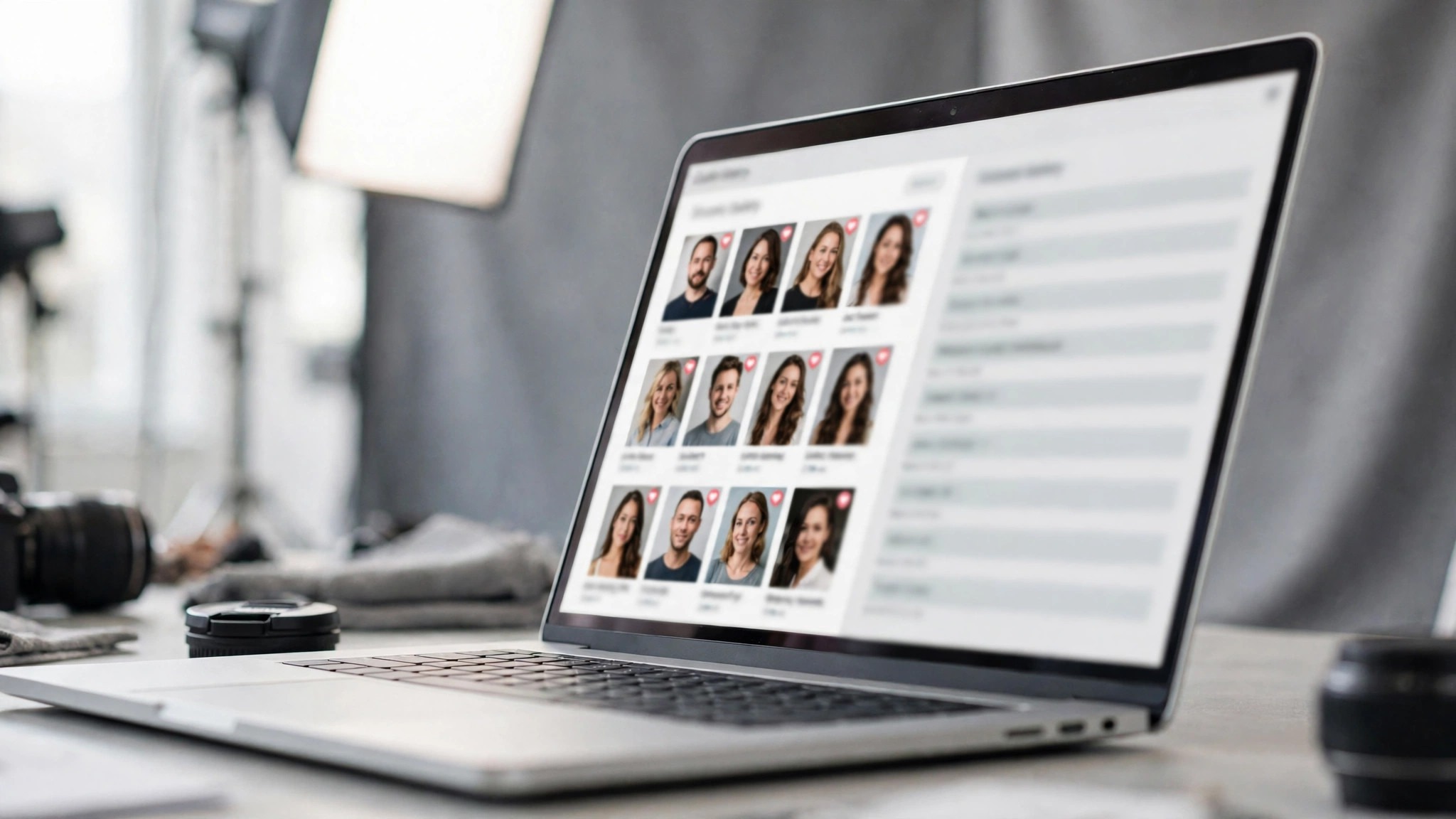
Client galleries change how much a photographer earns, because they change how a client buys. A gallery where a client marks favourites, approves selections and orders prints in one place will sell more than a gallery where a client downloads files and emails a list. The best website builders for photographers all agree on this point, which is that the gallery is a sales tool, not a delivery tool, and the builders that treat it as a sales tool will earn a photographer more money.
The numbers are simple. A wedding gallery with 800 images and a proofing workflow will lead to print orders, because the client is looking at the work in a place built for buying. A Dropbox link with 800 images will lead to downloads and silence, because the client is looking at the work in a place built for storage. The difference is not the images, it is the room they are shown in, and the room is the gallery.
What About Print Sales and Storage Limits?
Print sales and storage limits decide the real cost of a builder, because the monthly price is the smallest part of the bill. A builder that charges 15 percent on print sales will cost a photographer thousands a year on steady sales, while a builder that charges zero commission will cost only the subscription. SmugMug takes 15 percent, Zenfolio takes 7 percent on lower tiers, and Pixpa takes zero, so the same $10,000 of print sales costs $1,500, $700 or nothing depending on the builder.
Storage limits decide the other half of the bill, because a photographer with a large archive will outgrow a capped plan fast. Unlimited storage sounds generous, and it is, though the real question is whether the builder keeps the full-resolution file. A builder that shrinks every image will make the portfolio look soft, and a builder that keeps the originals will make delivery easy. Check both numbers before paying, because the monthly price is the least important figure on the page.
Frequently Asked Questions
Do photographers need a website builder with client galleries?
A photographer who delivers client work needs one, and a photographer who only shows work does not. Wedding, portrait and event photographers all need private galleries where clients mark favourites, approve selections and order prints, and Format, Pixpa, Pixieset and ShootProof all offer that workflow. A fine-art photographer who only shows work can use Squarespace or Wix and never miss the galleries, because the portfolio is the whole job.
How much does a photography website cost per year?
From $0 to about $400 a year, depending on the tool and the plan. Weebly and Wix offer free plans, Pixpa starts at about $65 a year, and Squarespace at $16 a month costs about $192 a year. ShootProof at about $30 a month costs about $360 a year, and the print commission on top of that can cost more than the subscription, so check the commission rate before paying.
Can I sell prints from my photography website?
Yes, and most of the tools on this list offer a store, though the commission rate decides whether it is worth it. SmugMug and Zenfolio both handle lab fulfilment, Pixpa offers a zero-commission store, and Squarespace charges a transaction fee on its lower tiers. A photographer who sells prints at volume should pick the builder with the lowest commission, not the lowest monthly price.
Will my photos look good on a phone?
They will if the builder compresses images well and serves them fast, and the test takes two minutes. Open the portfolio on a phone, on a slow connection, and look at the first image. If it loads in about two seconds and looks sharp, the builder passes. If it loads slowly or looks soft, the builder is shrinking the images too far, and the portfolio will lose guests before the work is seen.
Do I need a blog on my photography website?
A blog helps a photographer rank in search and show recent work, though it is not required. Squarespace, Wix, Pixpa and WordPress.com all offer a blog in the same account, and a photographer who posts one shoot a month will rank for local search terms that a portfolio alone will not reach. A photographer who never posts should not pay for a blog feature.
Can I move my photography website to another builder later?
Yes, though the move costs more than it seems. The images move easily, and the design does not, because every builder uses its own templates. A photographer who moves from Squarespace to Wix will rebuild every page by hand, and the galleries will need rebuilding too. Pick the builder for the next three years, not the next three months, because moving is a real project.
The Ranked Shortlist: Our Verdict in Order
The ranked shortlist below is the verdict, in order, for photographers who want a decision rather than a debate.
- Squarespace, for the most polished portfolio, at $16 a month on a yearly bill, with the best templates on this list and the fastest setup.
- Format, for the best client proofing, from $7 a month, with galleries on every plan and a store that takes zero commission.
- Pixpa, for the best value, from about $5.40 a month, with a portfolio, galleries and a store on one cheap bill.
- Wix, for the most freedom, from about $17 a month, with a free plan and a drag-and-drop editor that shapes every page.
- SmugMug, for the best print sales, from about $13 a month, with unlimited storage and lab fulfilment for photographers who sell at volume.
The best website builders for photographers all point to the same decision, which is to match the builder to the work. A photographer who only needs a portfolio should pick Squarespace, a photographer who delivers client work should pick Format or Pixpa, and a photographer who sells prints should pick SmugMug or Pixpa. Start with a free trial, publish ten of your best images, and open the site on a phone before you pay, because the portfolio that loads fast and reads clearly on a small screen is the portfolio that books work.