
Verdict first: if you need realistic corporate training videos at scale, Synthesia is the strongest of these HeyGen alternatives for most teams. If you need fast social clips, personalised outreach, or a lower cost way to test avatar video, several smaller tools below will serve you better and cost less. HeyGen alternatives matter because HeyGen itself is strong, but it is not the best fit for every job. Some teams need stricter brand control, more natural voices in a specific language, better lip sync for long scripts, or a simpler editor for short videos. Others need personalised video at scale, where one template becomes hundreds of versions with different names, companies and offers. This guide compares 14 tools on realism, voice quality, languages, editing workflow, and pricing notes for October 2026. Check checkout before you pay, because avatar minutes, voice cloning and team seats are the costs that change most often.
What makes a good HeyGen alternative
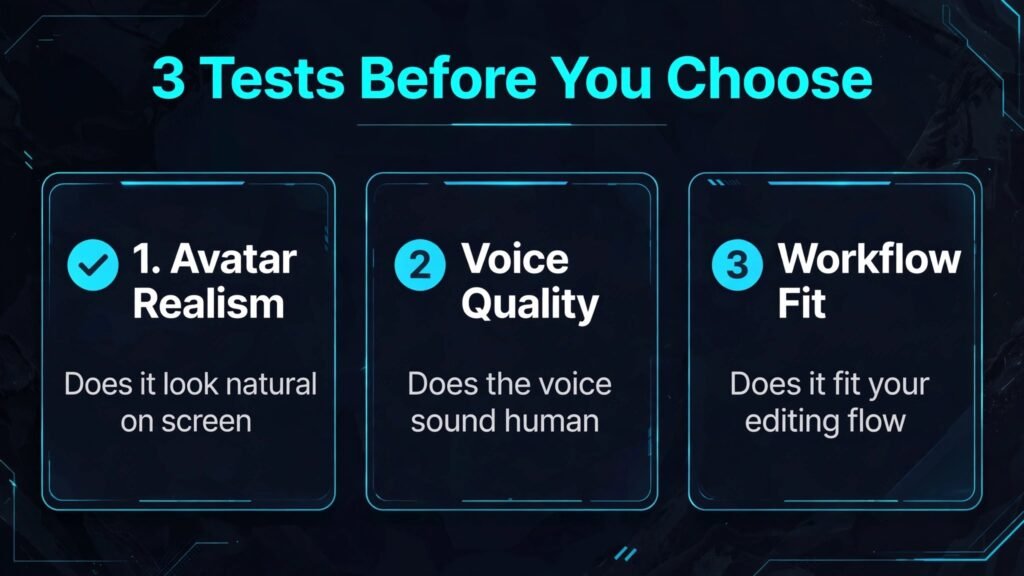
A good avatar tool must pass three tests. First, the avatar must look believable for the full length of your video, not just in a 10 second demo. Watch the hands, the eyes and the mouth during longer sentences. Small errors become obvious after 30 seconds, and they undermine trust in training, sales and customer education videos. Second, the voice must match the avatar and the audience. A clear voice in the wrong accent, or a flat delivery for an enthusiastic message, will hurt the result more than a slightly less polished avatar. Test voices in your target language with your own script, not with the vendor demo script.
Third, the workflow must fit how you actually make video. Some tools are full studios with scenes, templates and brand kits. Others are simple text to video generators that are fast but limited. If you make one video a month, simplicity wins. If you make 50 training videos a quarter, templates, bulk generation and review workflows matter more. Pricing follows the same logic. Most tools charge by video minutes, by credits, or by seat, and some charge extra for custom avatars and voice cloning. Always check checkout for minute limits, renewal terms and what counts as a billable minute.
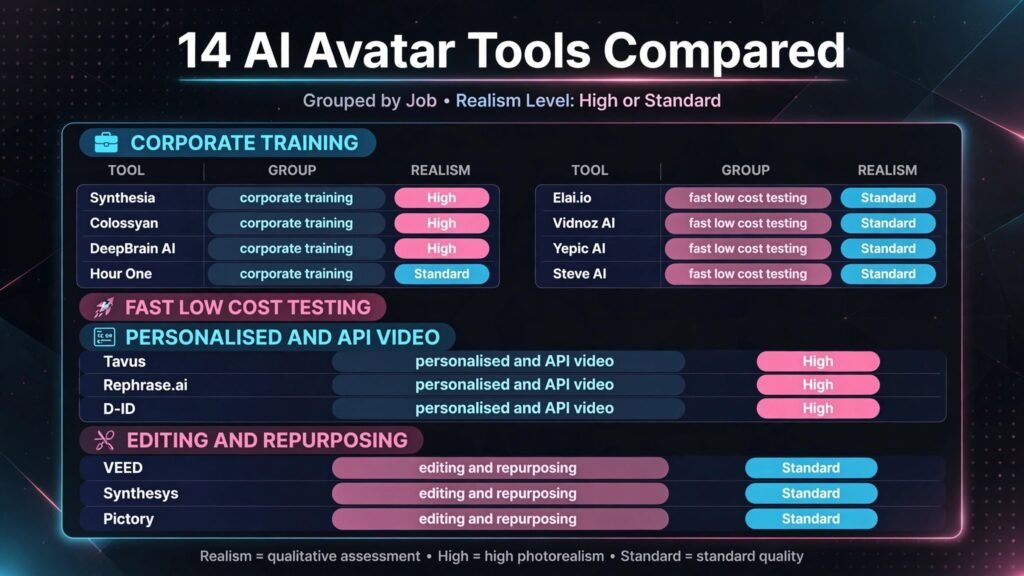
The 14 best HeyGen alternatives at a glance
| Tool | Best for | Free option | Key strength |
|---|---|---|---|
| Synthesia | Corporate training at scale | Demo only | Realistic studio avatars and 140 plus languages |
| Colossyan | Workplace learning | Trial | Scenario based learning templates |
| Elai.io | Fast text to video | Limited | Quick generation from articles and URLs |
| D-ID | Talking head and photo animation | Limited credits | Photo to video and API flexibility |
| DeepBrain AI | Broadcast style presenters | Trial | Studio quality presenters |
| Vidnoz AI | Low cost testing and social | Free tier | Many free avatars and templates |
| Tavus | Personalised video at scale | Trial | Personalised replicas and API |
| Hour One | Professional presenters | Trial | Realistic human presenters |
| VEED | Editing plus avatars | Free tier | Full video editor in one place |
| Synthesys | Voice led video | Trial | Strong AI voices and avatars |
| Rephrase.ai | Personalised marketing video | Trial | Personalised campaigns |
| Yepic AI | Studio avatars on a budget | Trial | Affordable studio style avatars |
| Steve AI | Script to video for creators | Free tier | Fast creator workflow |
| Pictory | Repurposing text into video | Trial | Text and article to video |
Best for corporate training and internal communication
1. Synthesia
Synthesia is the most established corporate avatar platform in this list, and it shows in the details. Avatars look professional, voices are clear across many languages, and the editor supports scenes, templates and brand assets. Large teams use it for onboarding, compliance training, product updates and internal announcements, because one script can become a polished video without booking a studio or a presenter. Translation is a major advantage. You can create a training video in one language and produce versions in other languages without re-recording, which saves weeks for global teams.
Synthesia pricing is higher than most tools here, with plans for individuals, teams and enterprises. Check checkout for video minutes per month, because that limit determines the real cost for a training library. Custom avatars and advanced collaboration sit on higher plans. If your videos are short and frequent, the minute limit matters more than the headline monthly price.
Watch out for: realism is strong but not perfect. Long, emotional or highly conversational scripts can still sound scripted. Keep sentences short and test with real learners before a full rollout.
2. Colossyan
Colossyan is built for workplace learning, with templates and interactions designed for training rather than marketing. It supports scenario based learning, quizzes and branching, which helps when the goal is retention, not just views. The avatars are professional and the interface is easier for non video specialists than a full studio tool. Learning teams that need to produce many short modules will appreciate the template structure.
Pricing includes a trial and paid plans for individuals and businesses. Check checkout for video minutes, avatar options and collaboration limits. Colossyan is less suited to high end marketing video, where a more cinematic style may be needed. For internal learning, that trade off is often acceptable.
Watch out for: creative flexibility is narrower than a general editor. If you need complex motion graphics, plan to finish those elsewhere.
3. DeepBrain AI
DeepBrain AI focuses on broadcast quality presenters for news style updates, corporate announcements and customer facing explainers. Its avatars are designed to look like professional presenters, with stable framing and clear delivery. That style suits finance updates, product news and formal announcements where a casual creator look would feel wrong.
Pricing is aimed at professional and enterprise users, with trials and custom plans. Check checkout for presenter options, minute limits and API access, because those features drive cost. DeepBrain is less suited to quick social clips, where speed and low cost matter more than presenter polish.
Watch out for: presenter style can feel formal for a friendly brand. Match the avatar tone to your audience, not just to production quality.
4. Hour One
Hour One offers realistic human presenters for business video, with a focus on professional delivery and brand consistency. It works well for sales enablement, training and executive style updates. The platform supports custom presenters and templates, which helps teams keep a consistent look across many videos.
Pricing includes a trial and paid plans based on minutes and features. Check checkout for custom presenter pricing, because that is often a separate cost. Hour One is a strong choice when presenter credibility matters, and a less obvious choice for casual social content.
Watch out for: rendering and review time can be longer than a simple generator. Build review time into your production schedule.

Best for fast creation and low cost testing
5. Elai.io
Elai.io is a fast text to video tool that turns articles, scripts and URLs into avatar videos with little setup. That speed makes it useful for content teams that need to test avatar video before investing in a premium platform. You can turn a blog post into a short explainer, a product update into a video summary, or a training note into a watchable module in a short session.
Pricing is more accessible than enterprise platforms, with a free or trial experience and paid plans based on minutes. Check checkout for avatar quality tiers, because lower plans may offer fewer premium avatars. Elai.io is less suited to a large corporate library where brand governance and review workflows are essential.
Watch out for: fast generation can tempt you to skip editing. Always review pronunciation, pacing and on screen text before publishing.
6. Vidnoz AI
Vidnoz AI is a popular low cost entry point, with a free tier, many avatars and templates, and tools for talking photos, translation and video editing. For creators and small businesses testing avatar video for the first time, it lowers the risk. You can try different avatars, voices and formats without a large subscription, and then upgrade only if avatar video works for your audience.
The trade off is polish. Free and low cost avatars may look less realistic than premium studio avatars, and some features are limited on lower plans. Pricing includes a free tier and paid plans. Check checkout for daily limits, watermark rules and minute allowances, because those details change the value of the free tier.
Watch out for: do not judge all avatar video by a free tier avatar. If the audience is professional, test a paid avatar before you decide the format does not work.
7. Yepic AI
Yepic AI offers studio style avatars at a more accessible price, with support for multiple languages and simple video creation. It suits small teams, educators and creators who want a professional look without enterprise pricing. The interface is straightforward, which reduces the learning time for a first project.
Pricing includes a trial and paid plans based on minutes and features. Check checkout for language coverage and avatar options on your chosen plan. Yepic is less suited to complex interactive training, where a learning focused platform may be stronger.
Watch out for: test lip sync in your target language. Avatar quality can vary by language and voice pairing.
8. Steve AI
Steve AI is built for creators who need script to video quickly, with avatars, templates and stock visuals in one workflow. It suits social content, explainers and short marketing videos where speed matters more than studio realism. The tool helps turn a script into scenes, visuals and voiceover without manual editing for every clip.
Pricing includes a free tier and paid plans. Check checkout for export quality, watermark rules and monthly video limits. Steve AI is less suited to formal corporate training, where a dedicated learning platform will give better structure and review controls.
Watch out for: template driven video can look similar across creators. Customise visuals and voice to keep your brand distinct.
Best for personalised and API driven video
9. Tavus
Tavus is the standout in this list for personalised video at scale. Instead of making one video for everyone, Tavus lets you create a replica and generate many personalised versions with different names, companies, locations or offers. That approach suits sales outreach, onboarding, customer success and fundraising, where a personal touch improves response rates. The API is a core strength, so developers can connect Tavus to a CRM or outreach tool and automate personalised video creation.
Pricing is usage based and aimed at teams that need scale. Check checkout and the API pricing page for replica creation costs and per video pricing, because those costs add up quickly at scale. Tavus is less suited to a one off training video, where a simpler studio tool will be faster and cheaper.
Watch out for: personalisation must feel genuine. Use real data accurately and avoid personalised claims that are not true for that recipient.
10. Rephrase.ai
Rephrase.ai focuses on personalised marketing video, with tools to create campaigns where the avatar addresses each viewer by name or references their company. It suits product launches, sales campaigns and customer onboarding at scale. The platform is designed for marketers, not just video editors, so campaign structure and personalisation fields are central to the workflow.
Pricing is business focused, with trials and custom plans. Check checkout for campaign volume limits and personalisation field limits. Rephrase.ai is less suited to long form training, where learning structure matters more than personalisation.
Watch out for: personalised video works only if the underlying offer is relevant. A personalised greeting does not fix a generic pitch.
11. D-ID
D-ID is best known for turning photos into talking videos, and for an API that developers can build on. That flexibility makes it useful for apps, chatbots, customer service avatars and creative projects where a standard studio avatar is not enough. You can animate a photo, create a talking agent, or embed video generation into another product. For developers and product teams, that API access is the main reason to choose D-ID.
Pricing includes limited free credits and paid plans based on credits and API use. Check checkout for credit consumption per video length and resolution, because short tests can use credits faster than expected. D-ID is less suited to a non technical team that wants a simple training studio out of the box.
Watch out for: photo animation raises consent and likeness issues. Only animate photos you have the right to use, and be clear when a video uses an AI presenter.

Best for editing, voice and repurposing
12. VEED
VEED is a full video editor that also offers AI avatars, which makes it a practical choice if you already edit video. You can generate an avatar clip, add captions, cut scenes, add music and export for social or web, all in one place. That combined workflow saves time compared with generating an avatar in one tool and editing it in another. For creators and marketers who publish frequently, VEED reduces tool switching.
Pricing includes a free tier and paid plans. Check checkout for avatar minutes, export quality and watermark rules on each plan. VEED avatars are useful, but they may not match the realism of a dedicated corporate studio for formal training. Readers building short form content may also find best AI tools for TikTok useful for distribution and format ideas.
Watch out for: a full editor can tempt you to over edit. Keep avatar videos short, clear and focused on one message.
13. Synthesys
Synthesys combines AI voices and avatars, with a strong focus on voice quality for narration, explainer video and elearning. If voice matters more than avatar realism for your project, Synthesys deserves a test. It offers many voices, languages and tones, and it can be used for voiceover without an avatar when that fits better.
Pricing includes a trial and paid plans based on credits and features. Check checkout for commercial use terms, because voice licensing matters if you publish client work. Synthesys is less suited to a large enterprise training library that needs strict governance and review workflows.
Watch out for: voice variety is large, so test several voices with your real script. A voice that sounds good in a demo may not suit a technical topic.
14. Pictory
Pictory is included here for a different job: turning text, articles and long videos into short, shareable video. It is not primarily an avatar studio, but it helps teams repurpose content into video quickly, with captions, stock visuals and voiceover. For a team that already has blog posts, webinars or training notes, Pictory can turn that material into video without starting from scratch.
Pricing includes a trial and paid plans based on video length and features. Check checkout for monthly video allowances and stock library limits. Pictory is less suited to a presenter led training video where a realistic avatar is the main requirement. For repurposing, it is a strong companion tool rather than a direct HeyGen replacement.
Watch out for: repurposed video still needs a human edit. Check captions, scene choices and factual accuracy before publishing.
Best pick by job
| Your job | Best pick | Why it fits |
|---|---|---|
| Corporate training at scale | Synthesia | Realistic avatars, languages and templates |
| Workplace learning modules | Colossyan | Learning focused structure and interactions |
| Broadcast style announcements | DeepBrain AI or Hour One | Professional presenter style |
| Fast testing on a budget | Vidnoz AI or Elai.io | Low cost entry and quick generation |
| Personalised outreach at scale | Tavus | Replica and API driven personalisation |
| Editing plus avatars in one place | VEED | Full editor with avatar generation |
| Voice led explainer video | Synthesys | Strong voices and avatar options |
| Repurposing text into video | Pictory | Article and long video to short video |
How to choose among HeyGen alternatives
Start with the video length and audience. A 60 second social clip, a 10 minute training module and a personalised sales video are different products. For short social video, speed and cost matter most. For training, realism, language coverage and review workflow matter most. For sales, personalisation and CRM integration matter most. Choosing by length and audience will remove half the list quickly.
Next, run a realistic test. Use a script of at least 200 words in your target language, with names, numbers and technical terms your audience will hear. Watch the full video, not just the first 10 seconds. Listen for mispronounced terms, unnatural pauses and lip sync drift. If the tool cannot handle your real script, it will not improve with a larger subscription.
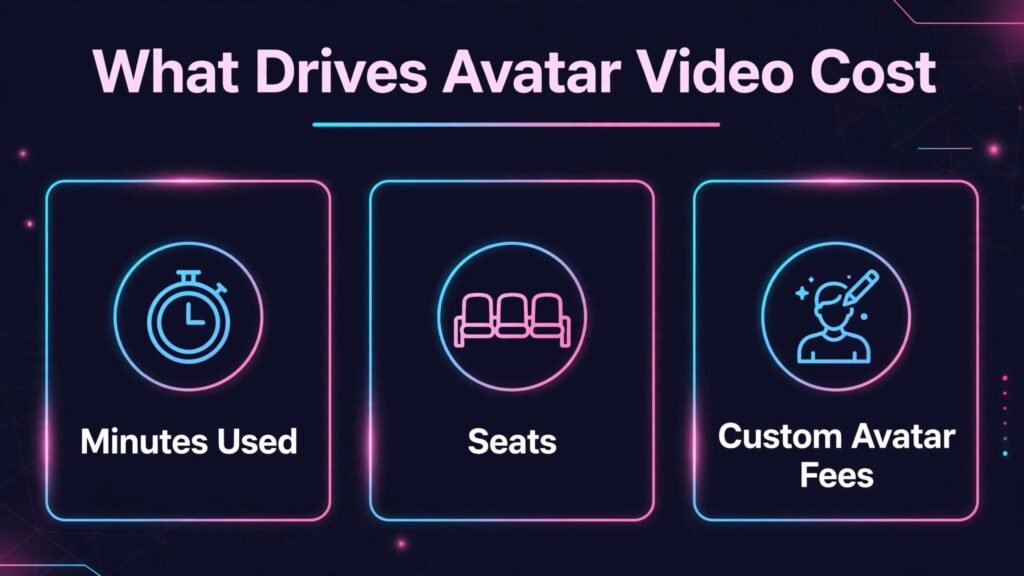
Then check the total cost for your volume. Count minutes per month, number of seats, custom avatar fees and voice cloning fees. A tool that looks cheap for one video can be expensive for 100 videos. Check checkout for minute bundles, overage pricing
and renewal terms. If you plan to scale, ask sales for a volume estimate in writing before you commit to an annual plan.
Mistakes to avoid with AI avatar video
The biggest mistake is using avatar video where a real human is expected. Customer apologies, sensitive announcements and high trust messages often need a real person. Avatar video works best for repeatable, instructional and informational content, where consistency and scale matter more than personal presence.
Another mistake is hiding the fact that a video uses AI. Be transparent where it matters, especially for customer facing and educational content. A simple note that a video was created with an AI presenter builds trust and avoids confusion. It also protects you if a viewer recognises the avatar style.
A third mistake is overusing avatars. If every video on your channel uses the same avatar and voice, audiences may disengage. Mix formats. Use avatar video for training and updates, and use screen recordings, real footage or slides for variety. Readers planning a broader video workflow may also benefit from best free AI video generators, which covers non avatar video options.
A fourth mistake is ignoring accessibility. Add captions, provide a transcript, and ensure the video works without sound. Many viewers watch training and social video muted, so captions are not optional. Check contrast and font size for on screen text, and test playback on mobile.
Frequently asked questions
Which HeyGen alternative is most realistic?
Synthesia and DeepBrain AI are generally regarded as the most realistic for corporate and broadcast style video, but realism depends on avatar, voice and script. Test your own script in both before you decide, because a voice pairing that works for one topic may sound less natural for another.
Can I clone my own voice and face?
Several tools offer custom avatars and voice cloning, including Synthesia, Tavus, Hour One and D-ID, usually on higher plans. Cloning requires consent, verification and often a recording session. Check the vendor process and pricing, and never clone another person without clear permission.
They can be, especially for explainers, tutorials and faceless channels, but platform rules and audience expectations matter. Use original scripts, add value beyond the avatar, and avoid low effort mass produced video. Social audiences respond to useful content, not just to an avatar talking.
How much does avatar video cost per month?
Costs vary widely. Free and low cost tools start with limited minutes, while corporate platforms can cost hundreds per month for teams. The key cost drivers are video minutes, custom avatars, voice cloning and seats. Always check checkout for the plan that matches your monthly volume.
Do I need video editing skills to use these tools?
No, most tools in this list are designed for non editors. VEED and Pictory add more editing control if you want it, while Synthesia, Colossyan and Elai.io focus on script to video simplicity. Choose the level of control that matches your team, not the longest feature list.
Can avatar tools translate videos into other languages?
Yes, many tools support translation and multilingual voices, including Synthesia, Colossyan, Vidnoz AI and Yepic AI. Translation quality varies by language, so have a native speaker review important training or customer videos before release.
Is personalised avatar video effective for sales?
It can improve open and reply rates when the personalisation is accurate and the offer is relevant. It does not replace a good pitch. Test personalised video with a small list first, measure replies, and scale only if the results beat your current outreach.
Language, voice and realism: what to test before you scale
Language coverage is often listed as a single number, such as 140 languages, but that number hides important differences. Some languages have many voices and strong lip sync, while others have one voice and weaker sync. If your audience is global, test the three languages that matter most to your business, not just English. Pay attention to names, places and technical terms, because those are the words that reveal a weak voice model. A tool that handles English perfectly can still struggle with a product name in another language, and that error will be noticed by native speakers.
Voice tone is equally important. A training video needs a calm, clear delivery. A sales video needs energy without sounding pushy. A customer support video needs warmth and patience. Most tools let you adjust speed and pause, but few let you fully control emphasis. Test the same script with two or three voices and ask a colleague who matches the target audience to listen without watching the avatar. If the voice alone sounds wrong, the avatar will not fix it. Also test longer scripts. A voice that sounds natural for 30 seconds can become flat over five minutes, especially if the script has long sentences and lists.
Realism has a practical limit that teams should respect. Current avatars work well for structured, informational delivery. They work less well for humour, sarcasm, strong emotion, or unscripted conversation. If your script relies on a joke, a pause for laughter, or a spontaneous reaction, a real presenter will still do it better. Plan avatar video for the content it handles well, and keep real presenters for moments where emotion and trust are the message. That division will make your avatar videos look stronger, because you are not asking the technology to do a job it is not ready for.
Finally, think about updating. Training content changes. Product names change, policies change, and prices change. Avatar video makes updates easier than re-recording a human presenter, but only if your workflow supports version control. Check whether you can edit a script and regenerate a single scene without rebuilding the whole video, and whether old versions remain available for audit. For compliance training, that ability is not a nice extra. It is the reason many teams choose avatar video in the first place, because an update that used to take a studio day can now take an afternoon.
Closing note
HeyGen set a high bar for avatar video, but the best alternative is the tool that fits your audience, your volume and your budget. For corporate training, Synthesia leads. For learning design, Colossyan is a strong specialist. For personalised outreach, Tavus changes what is possible at scale. For low cost testing, Vidnoz AI and Elai.io let you learn without a large commitment. For editing and repurposing, VEED and Pictory round out a practical workflow. Test two tools with a real script, check the full cost at checkout, and choose the one your team will actually use every week. That practical test matters more than any demo, because avatar video succeeds when it becomes a repeatable part of your content workflow, not a one time experiment.