
Gamma alternatives have moved from a curiosity to a serious choice for teams that need a deck fast without starting from a blank slide. The reason is easy to see in the numbers. Presentations remain one of the most common work documents, yet most people still spend hours on layout, alignment and formatting before they get to the message itself. A 2024 survey of knowledge workers by presentation platform Visme found that a large share of respondents spent more than two hours building a single deck, and many said design was the slowest part. That gap is exactly what AI presentation tools promise to close. Gamma made the idea popular by turning a prompt or a set of notes into a clean, scrollable deck in minutes. The tools below do the same job in different ways, and the differences matter more than the headline promise.
This guide compares 10 Gamma alternatives on what they actually do well, where they fall short, and who should pick each one. You will find pricing notes for October 2026, with a reminder to check checkout before you pay, because AI tool pricing changes often and annual billing, seat counts and credit limits can change the real cost. You will also find a glance table, a best pick by job table, and per tool warnings, so you can avoid a tool that looks perfect in a demo and frustrates you in week two. If you only need one line of advice, start here. If you want a fast, modern deck from a prompt, Gamma itself is still hard to beat. If you want strict brand control, a traditional design workflow, or a deck that must work perfectly in PowerPoint, one of the alternatives below will serve you better.
Why people look beyond Gamma
Gamma is strong at speed and visual polish. It is weaker in three specific places, and those three places explain most searches for Gamma alternatives. First, brand control is limited compared with tools built for design teams. Gamma gives you themes and some customisation, but it does not give you the pixel level control of a dedicated design platform. Second, export can be a friction point. A deck that looks great in Gamma can need tidying after export to PowerPoint or Google Slides, especially when fonts, charts and embedded media are involved. Third, pricing and limits matter at scale. Free plans are useful for trying a tool, but export limits, AI credit limits and collaboration features often sit behind paid plans. None of this makes Gamma a bad tool. It means the right choice depends on your job. A founder pitching investors, a teacher preparing a lesson, and a marketing team building a sales deck do not need the same tool, even if they all type the same prompt.
The 10 best Gamma alternatives at a glance
| Tool | Best for | Free plan | Standout strength |
|---|---|---|---|
| Gamma style AI generation | Pitch decks and fast first drafts | Yes, limited | Prompt to deck speed |
| Beautiful.ai | Business decks that must stay on brand | Limited trial | Automatic design rules |
| Pitch | Teams that collaborate on decks | Yes, limited | Real time collaboration |
| Canva | All round design plus presentations | Yes | Templates and brand kit |
| Prezi | Non linear, story driven talks | Limited | Zooming canvas |
| Tome | Narrative decks and AI storytelling | Limited | Story structure |
| SlidesAI | Google Slides users who want AI help | Limited | Slides add on workflow |
| Plus AI | Google Slides and PowerPoint power users | Limited trial | Editing inside familiar tools |
| Slidebean | Startup pitch decks | Limited | Pitch focused templates and analytics |
| Decktopus | Simple decks without design skill | Yes, limited | Guided, form based creation |
Pricing in this table and in the tool sections below reflects October 2026 list pricing as published by vendors at the time of research. Always check checkout for the current price, because discounts, annual rates and AI credit bundles change frequently. A plan that looks cheap per month on an annual plan can cost much more if you pay monthly or add seats.
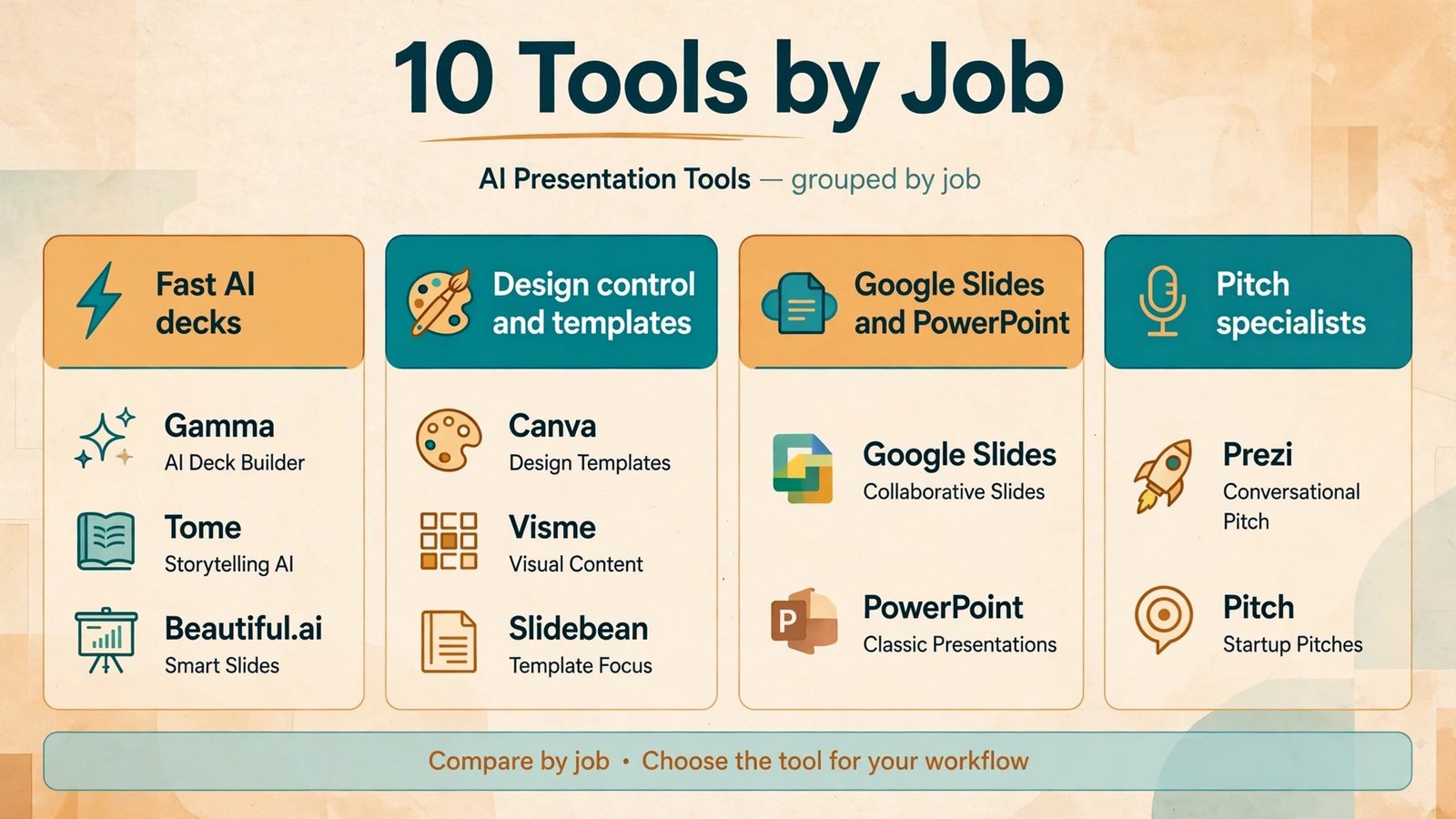
Tools for fast AI generated decks
1. Beautiful.ai
Beautiful.ai is a good first stop if you like the idea of AI generation but want more discipline in the result. The platform uses design rules to keep slides consistent. When you add content, the layout adjusts automatically, which stops the common problem of a deck that slowly falls apart as slides are added. For business decks, sales updates and board summaries, that consistency is a real advantage. You spend less time fixing alignment and more time checking the argument.
Beautiful.ai works best for corporate and professional decks. Its templates are clean and restrained, which suits finance, consulting and internal reporting. It is less suited to a highly creative pitch where you want an unusual visual idea on every slide. Pricing sits in the mid range for presentation tools, with a Pro plan for individuals and team plans for larger groups. Check checkout for the current monthly and annual rates, and for limits on slides, exports and AI features. The free experience is limited, so treat it as a preview rather than a long term free tool.
Watch out for: template discipline can feel restrictive if you want a custom layout on a single slide. If you often break the grid for a dramatic visual, you may fight the tool.
2. Pitch
Pitch is built for teams. If several people edit the same deck, comment on slides, and present from one shared library, Pitch is often the most pleasant option in this list. Collaboration is fast, permissions are clear, and the design system features help a team keep decks on brand without a designer checking every slide. Pitch also handles analytics, so you can see how a shared deck is viewed, which is useful for sales and investor updates.
For a solo user who only needs a quick AI draft, Pitch can feel heavier than Gamma. Its strength shows when a deck is a team product. Pricing includes a free plan with limits and paid plans for Pro and Business users. Check checkout for seat pricing, because team costs rise with each added member. If your team already uses Slack, Notion or similar collaboration tools, Pitch fits that workflow well.
Watch out for: AI generation is present but it is not the whole product. If you want a one prompt deck and nothing else, a more generation focused tool may be faster.
3. Tome
Tome takes a different angle. It focuses on narrative first, with AI helping to shape a story, not just fill slides. That makes it useful for product stories, company updates and creative pitches where the order of ideas matters as much as the visuals. Tome decks can feel more like a flowing document than a traditional slide deck, which suits online sharing and async reading. Readers can scroll through the story at their own pace.
The trade off is control. Tome is less suited to a formal board deck that must follow a strict corporate template, and export to PowerPoint is not its strongest area. If your main delivery format is a live talk in a meeting room, test the presentation mode before you commit. Pricing includes a limited free tier and paid plans for heavier use. Check checkout for AI credit limits and collaboration limits, because those determine whether Tome works as a daily tool or only for occasional stories.
Watch out for: the scrolling format can confuse audiences who expect classic slides. Use it where async reading is the goal, not where a printed handout matters.

Tools for design control and templates
4. Canva
Canva is the most versatile tool in this list, and for many readers it will be the safest Gamma alternative. It offers a huge template library, a brand kit for colours, fonts and logos, and Magic Design features that generate slides from a prompt or an outline. Unlike a pure AI deck generator, Canva also lets you design social posts, documents, videos and print materials in the same account. That breadth matters if you want one subscription to cover more than presentations.
Canva is a strong choice for small businesses, creators and marketing teams. It is less strong if you need deep data visualisation or a deck that must be edited in PowerPoint by a client who does not use Canva. Export is good, but complex animations and interactive elements may not transfer perfectly. Pricing includes a generous free plan and a Pro plan that is widely used by small teams. Canva for Teams adds brand controls and collaboration. Check checkout for the current Pro and Teams rates, because Canva adjusts pricing by region and plan. Readers who already use Canva alternatives for other design work will find the presentation workflow familiar.
Watch out for: template abundance can lead to generic looking decks. Pick a template, then change the images, colours and type to make it yours, rather than publishing the default.
5. Prezi
Prezi is the best choice in this list if your talk is a story, not a list of points. Instead of moving from slide to slide in a straight line, Prezi lets you zoom in and out of a large canvas. That visual movement helps audiences follow a journey, a map, a process or a comparison. Teachers, trainers and conference speakers often get strong feedback with Prezi because the format itself signals that this talk will be different.
Prezi is weaker for dense business decks. Tables, detailed charts and long text blocks do not suit a zooming canvas, and some corporate audiences prefer a familiar slide format. Pricing includes a limited free tier and paid plans for individuals, educators and businesses. Check checkout for the plan that includes offline presenting and analytics, because those features matter for professional speakers.
Watch out for: the zoom effect can distract if overused. Use it to show structure, not as a trick on every transition.
6. Figma Slides
Figma Slides, from the team behind Figma, is a strong option if design quality and collaboration matter more than one click AI generation. It brings Figma design tools into a presentation format, with live collaboration, shared libraries and precise control over layout. Design teams that already use Figma will feel at home, and product teams can reuse components from their design system directly in a deck.
AI features in Figma Slides are useful but they are not the main reason to choose it. Choose it for control, consistency and team workflow. Pricing follows Figma pricing, with starter and professional tiers, so check checkout and your existing Figma plan before adding a separate subscription. Readers comparing design tools may also want to read Figma alternatives for a wider view.
Watch out for: non designers may find Figma Slides more complex than Gamma. If your team has no design experience, the learning curve is real.

Tools for Google Slides, PowerPoint and pitch specialists
7. SlidesAI
SlidesAI is an add on for Google Slides that turns text into a presentation inside the tool you already use. That is its main advantage. If your school or company runs on Google Workspace, you do not need to learn a new platform or worry about export. You paste text or an outline, pick a theme, and SlidesAI builds slides in Google Slides where you can edit them normally.
The result is usually clean but not as visually striking as a dedicated AI deck platform. Think of SlidesAI as a time saver for routine decks, lesson summaries and internal updates, not as a replacement for a designer on a high stakes pitch. Pricing includes a limited free tier and paid plans based on presentations per month and AI features. Check checkout for the current limits, because the number of presentations allowed per month is the key cost driver.
Watch out for: image selection can be generic. Replace stock images with your own photos, charts or screenshots for important decks.
8. Plus AI
Plus AI works inside Google Slides and PowerPoint, which makes it a practical choice for professionals who cannot switch platforms. A consultant, analyst or sales manager who must deliver a PowerPoint file to a client can generate a draft, edit it in PowerPoint, and send the native file without an export step. That workflow saves a surprising amount of time and avoids formatting surprises.
Plus AI also helps rewrite and improve existing slides, which is useful when you inherit a messy deck. Pricing is subscription based, with a free trial and paid plans for individuals and teams. Check checkout for the plan that includes PowerPoint support, because some tiers are Google Slides only. If you work in a regulated industry, check data handling and admin controls before using AI generation on sensitive content.
Watch out for: output quality depends heavily on your prompt and outline. A vague prompt gives a vague deck, so spend five minutes on structure before you generate.
9. Slidebean
Slidebean is built for startup founders. Its templates, content guidance and analytics are tuned for pitch decks, investor updates and fundraising. That focus is valuable. A generic deck tool gives you slides. Slidebean helps you think about the story investors expect: problem, solution, market, business model, traction and ask. For a first time founder, that structure is worth more than a prettier template.
Slidebean is less useful as a general purpose presentation tool. If you need weekly team updates or classroom lessons, a broader tool will serve you better. Pricing includes a limited free option and paid plans for pitch deck creation and design services. Check checkout carefully, because Slidebean also offers done for you design services at a higher price, which is a different product from the software subscription.
Watch out for: do not let a template replace your numbers. Investors check traction, pricing and market size closely, so verify every figure before you present.
10. Decktopus
Decktopus is the simplest tool in this list, and simplicity is its selling point. It asks you questions about your topic, audience and goal, then builds a deck from your answers. You do not need design skill, and you do not need to write a detailed prompt. For students, small business owners and anyone who dreads a blank slide, that guided flow removes the hardest step.
The trade off is depth. Decktopus decks are clean and usable, but they are not as flexible as Canva or as polished as Beautiful.ai for a high stakes presentation. Pricing includes a free plan with limits and paid Pro plans. Check checkout for export limits and AI generation limits, because those decide whether the free plan is enough for regular use.
Watch out for: guided creation can produce similar looking decks across users. Customise images and wording, especially for a public or client facing deck.

Best pick by job
| Your job | Best pick | Why it fits |
|---|---|---|
| Fast first draft from a prompt | Beautiful.ai or Tome | Strong generation with a clear structure |
| Team deck with shared brand | Pitch or Figma Slides | Collaboration and design system control |
| All round design plus slides | Canva | Templates, brand kit and broad design tools |
| Story driven talk | Prezi | Zooming canvas shows structure visually |
| Google Slides workflow | SlidesAI or Plus AI | Works inside the tool you already use |
| Startup pitch deck | Slidebean | Pitch structure and investor focused guidance |
| Simplest possible deck | Decktopus | Guided questions, no design skill needed |
How to choose the right Gamma alternative
Start with delivery format, not with features. Ask where the deck will be seen. If it will be presented live in PowerPoint, choose a tool with strong PowerPoint export or native PowerPoint support, such as Plus AI. If it will be read online by investors or clients, a scrolling or shared link format like Tome or Pitch may be better. If it will be printed, test print output early, because colours and fonts can shift.
Next, check your real workflow. A tool that generates a beautiful deck in two minutes but forces you to rebuild charts by hand is not saving time. List the three tasks you do most often: writing content, adding data, and sharing or presenting. Pick the tool that handles those three tasks best, even if another tool has a longer feature list. For example, a sales team that shares decks daily should weight collaboration and analytics more than a solo creator should.
Then test with a real deck, not a demo topic. Use your own content, your own images and your own numbers. Generate the same deck in two tools and compare editing time, not just first impression. Pay attention to how long it takes to fix a slide, change a chart, and export a final file. The tool that is fastest on the first draft is not always fastest on the final version.
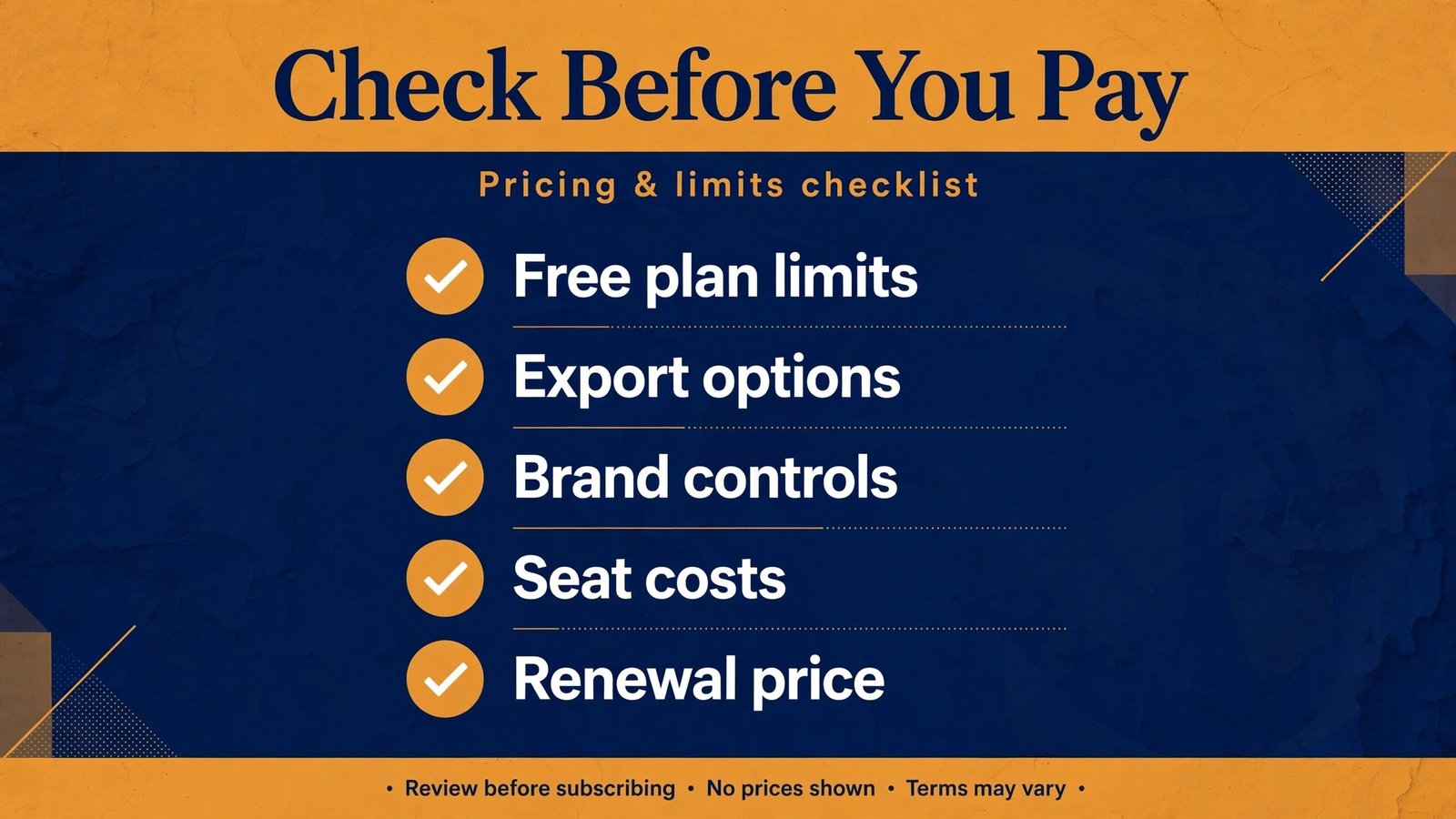
Finally, check pricing in full. Look at monthly versus annual billing, seat counts, AI credit limits, export limits and storage. A low headline price can hide a limit that forces an upgrade after a few decks. Always check checkout and read the plan comparison page before you commit to an annual plan.
Mistakes to avoid with AI presentation tools
The most common mistake is publishing the first draft. AI decks are starting points, not finished work. Check every fact, number and quote. AI tools can invent statistics, mislabel a chart, or use an outdated figure. If a slide makes a claim about your business, verify it against your own data before you present it.
Another mistake is using the same template for every audience. A deck for investors, a deck for new hires and a deck for customers should not look identical. Change the opening, the level of detail and the call to action for each audience. A good tool makes this easy, but only if you take the time to do it.
A third mistake is overloading slides with text. AI generators often produce dense paragraphs because they try to include everything from your prompt. Edit ruthlessly. One idea per slide, a short headline, and a visual or a number that supports it will hold attention far better than a wall of text.
A fourth mistake is ignoring accessibility. Use high contrast colours, readable font sizes, and alt text for images where the platform supports it. If you present to a large room, test readability from the back of the room, not just on your laptop.
A fifth mistake is forgetting licensing. Stock images and AI generated images have different rules. If you use a deck commercially, check image licensing and avoid using a competitor logo or a trademarked image without permission. When in doubt, use your own screenshots, product photos or charts built from your own data.

Frequently asked questions
Is there a free Gamma alternative that is actually useful?
Yes, but with limits. Canva has the most generous free plan in this list, and Decktopus offers a usable free tier for simple decks. Beautiful.ai, Pitch and SlidesAI offer limited free experiences that are good for testing. For regular professional use, expect to pay for export, AI credits or collaboration features. Test the free plan with a real deck before you decide.
Which Gamma alternative exports best to PowerPoint?
Plus AI is the strongest choice if PowerPoint is your delivery format, because it works inside PowerPoint and Google Slides. Canva and Pitch also export to PowerPoint, but you should test a complex deck before relying on export for a client meeting. Always check fonts, charts and animations after export.
Which tool is best for pitch decks?
Slidebean is the most pitch focused tool here, with structure and guidance for fundraising. Beautiful.ai and Pitch are also strong for polished investor decks, especially if you need team collaboration. The best pitch deck is still the one with verified numbers and a clear story, whatever tool you use.
Do AI presentation tools replace designers?
No, they replace the blank page and the routine layout work. A designer still adds value on brand, storytelling and high stakes decks. AI tools are best for speed, consistency and first drafts. For a major launch, a board presentation or a brand refresh, a designer review will improve the result.
Can I use these tools for classroom teaching?
Yes. Canva, Prezi and SlidesAI are widely used in education. Check your school plan and student privacy rules before using AI generation with student data. For classroom use, Prezi works well for visual lessons, while SlidesAI suits quick summaries inside Google Slides.
What should I check before paying for an annual plan?
Check AI credit limits, export limits, seat pricing, and whether the plan includes the features you actually use. Generate at least three real decks on a monthly plan or trial first. An annual plan only saves money if you use the tool weekly. Check checkout for renewal terms and cancellation rules.
How do I make an AI deck look less generic?
Change the images, use your own data in charts, rewrite headlines in your own words, and adjust colours to your brand. Avoid publishing the default template unchanged. Small changes to the opening slide and the closing slide have a large effect, because those are the slides audiences remember most.
Pricing, limits and the true cost of an AI deck tool
Headline pricing rarely tells the full story. Most AI presentation tools charge in three places at once: the subscription, the AI credits, and the seats. A plan can look affordable for one person and become expensive for a team of five, especially when each seat needs a Pro plan to export without a watermark or to use brand controls. Before you compare prices, write down how many decks you make per month, how many people edit them, and whether you need PowerPoint export, analytics or a brand kit. Those three answers will narrow the list faster than any feature comparison.
AI credit limits deserve special attention. Some tools count each generation, each rewrite and each image as credits. If you regenerate a deck three times to get the structure right, you may use a large share of a monthly allowance in one afternoon. Other tools limit the number of presentations per month, which is a different kind of limit and can be more restrictive for a teacher or a content team. Check the plan page for both types of limit, and check checkout for the cost of extra credits if you expect heavy use in a launch week or a fundraising round.
Free plans are useful, but they are best treated as trials. A free plan that blocks high resolution export, adds a watermark, or limits you to a small number of slides will not reflect daily work. Use the free plan to test generation quality and editing speed, then move to a short monthly plan for a real project. That approach costs a little more in the first month and saves you from an annual plan that does not fit. If a vendor offers a discount for annual billing, confirm the renewal price and the cancellation terms in writing at checkout, because the first year price and the renewal price are not always the same.
Conclusion
The best Gamma alternative depends on the job, not on a single ranking. For a fast, disciplined business deck, start with Beautiful.ai. For team collaboration, try Pitch or Figma Slides. For all round design value, Canva is hard to beat. For a story driven talk, Prezi offers something no slide list can match. For Google Slides or PowerPoint workflows, SlidesAI and Plus AI keep you in familiar tools. For a startup pitch, Slidebean gives structure that generic tools miss. For the simplest start, Decktopus removes the blank page entirely.
Whichever tool you choose, treat AI as a drafting partner. Verify facts, edit for your audience, and test export before the meeting that matters. Do that, and any of these 10 tools will save you hours without making your decks look like everyone else. Readers building a wider creative workflow may also find value in best AI tools for content agencies and best free AI video generators, which cover related production needs.