
Framer alternatives are worth comparing because website building has changed faster than most people realise. A decade ago, a professional looking website needed a developer or a steep learning curve. Today, no code builders let a founder, designer or small team publish a polished site in days, not months. Industry reports on website builder adoption consistently show that small businesses now launch sites with builders and templates rather than custom code, especially for marketing sites, portfolios and landing pages. Framer made that shift attractive for designers, with smooth animations, modern templates and a canvas that feels like a design tool. The tools below offer different trade offs. Some give more control over ecommerce. Some give a stronger content system. Some are simpler for beginners. Some are better for SEO, blogging, or client work. This guide compares 11 tools on design control, content management, ecommerce, SEO, and pricing notes for October 2026. Check checkout before you pay, because site limits, CMS items and ecommerce fees are the costs that change most often.
What Framer does well, and where alternatives win
Framer excels at visual design and motion. Sites built in Framer often look modern and feel smooth, with animations and interactions that are hard to achieve in a basic builder. It also offers AI generation for first drafts, templates for common site types, and publishing without code. For a designer led marketing site or a portfolio, Framer is a strong choice.
Alternatives win in four specific areas. First, ecommerce: Framer can sell products, but dedicated ecommerce builders offer deeper product, checkout and fulfilment features. Second, content at scale: if you publish many blog posts, case studies or listings, a stronger CMS matters more than animation. Third, blogging and SEO: some builders offer better blogging tools, URL control and SEO settings out of the box. Fourth, simplicity and price: some builders are easier for a non designer, or cheaper for a simple site that does not need advanced motion. Your choice should follow your site type, not a general ranking.
The 11 best Framer alternatives at a glance
| Tool | Best for | Free option | Key strength |
|---|---|---|---|
| Webflow | Design control plus CMS | Free starter | Visual design with powerful CMS |
| Wix Studio | Agency and client sites | Trial | Advanced design for professionals |
| WordPress | Blogging and content at scale | Free software | Huge ecosystem and CMS flexibility |
| Squarespace | Beautiful simple sites | Trial | Polished templates and all in one tools |
| Webstudio | Open source visual building | Free tier | Webflow style building, open source |
| Dora AI | AI generated 3D style sites | Free tier | AI generation with 3D and animation |
| Durable AI | Fast small business sites | Trial | AI site in minutes for local business |
| 10Web | AI WordPress building | Trial | AI WordPress sites with hosting |
| Readymag | Portfolio and editorial sites | Free tier | Editorial design and visual storytelling |
| Typedream | Simple beautiful pages | Free tier | Minimal, fast pages and docs |
| Relume | Webflow site structure | Free tier | Sitemap and wireframe to Webflow |
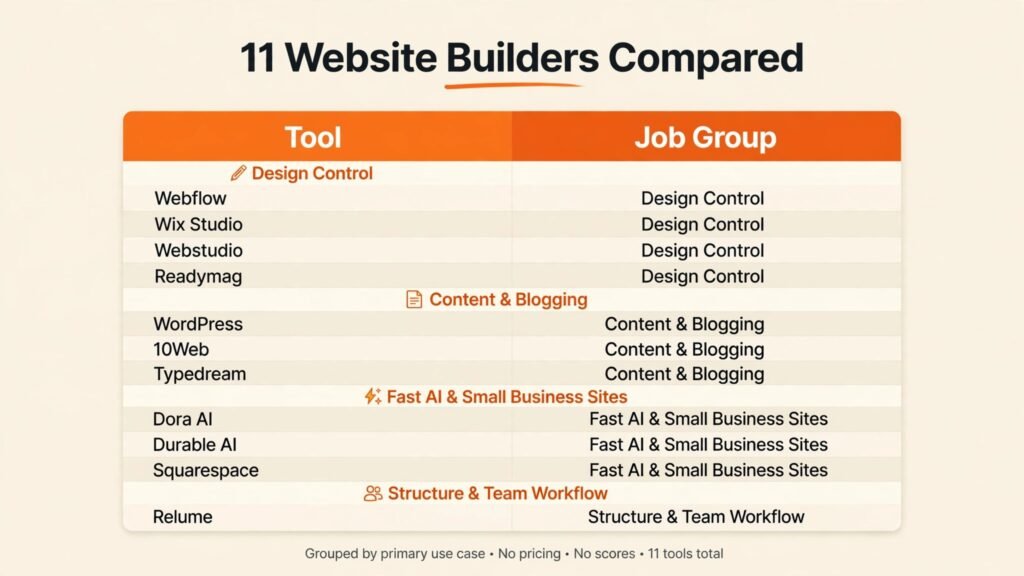
Best for design control and professional sites
1. Webflow
Webflow is the most powerful design focused alternative in this list. It gives visual control over layout, interactions and animations, combined with a CMS for blogs, case studies, portfolios and directories. Designers who want a custom site without writing code often choose Webflow, because it does not force you into a rigid template. You can build a unique layout, control responsive behaviour, and publish a site that looks bespoke rather than templated.
Webflow pricing includes a free starter plan and paid site plans plus workspace plans for teams and agencies. Check checkout carefully, because site plans and workspace plans are separate costs, and CMS item limits vary by plan. Webflow has a learning curve, especially for beginners, but for a professional marketing site or a content driven site, that learning pays off in control and quality. Readers comparing builders may also want to read Wix vs Squarespace for a different comparison angle.
Watch out for: Webflow ecommerce is capable but not as deep as a dedicated ecommerce platform for large stores. For a large catalogue, compare a dedicated store builder before committing.
2. Wix Studio
Wix Studio is Wix professional platform for agencies, freelancers and advanced users. It offers responsive AI, advanced design tools, and client management features that the standard Wix builder does not. If you build sites for clients, Wix Studio helps with handover, collaboration and reusable assets. It also offers a large app market, which adds booking, ecommerce, events and membership features without custom code.
Pricing is subscription based, with plans for individuals, teams and agencies. Check checkout for site limits, storage and app costs, because apps can add to the monthly total. Wix Studio is less suited to a developer who wants full code control, but for a professional no code workflow it is a strong Framer alternative, especially for client work.
Watch out for: advanced design freedom can lead to inconsistent responsive behaviour if you do not test on mobile and tablet. Preview every breakpoint before publishing.
3. Webstudio
Webstudio is an open source visual builder with a Webflow style approach. It offers design control, CMS features and hosting, with the benefit of open source transparency and self hosting options for technical users. For designers and developers who like visual building but want more control over code and hosting, Webstudio is an interesting alternative. It is newer than Webflow, so its template and plugin ecosystem is smaller, but its core building experience is strong.
Pricing includes a free tier and paid plans for hosting and team features. Check checkout and the hosting page for limits, because self hosting changes the cost calculation. Webstudio suits users who are comfortable with a newer tool and who value openness. For a non technical beginner who wants a large template library, a more established builder may be easier.
Watch out for: ecosystem size matters for client work. Check that Webstudio supports the integrations your site needs before you promise a client a feature.
4. Readymag
Readymag is built for editorial and portfolio sites where visual storytelling matters. It offers precise layout control, animation, and a design experience that suits portfolios, lookbooks, campaign pages and creative presentations. If your site is a visual statement, Readymag will feel more natural than a generic business builder. It is popular with designers, photographers and creative studios for that reason.
Pricing includes a free tier and paid plans based on projects and features. Check checkout for project limits and publishing options. Readymag is less suited to a large ecommerce store or a content site with hundreds of blog posts, where a stronger CMS will be more efficient.
Watch out for: editorial freedom can hurt usability if layout becomes too experimental. Keep navigation clear and test with real visitors, not just designers.

Best for content, blogging and SEO
5. WordPress
WordPress powers a large share of the web, and for content driven sites it remains the most flexible option. It offers a powerful CMS, thousands of themes and plugins, and strong SEO control through plugins and settings. If you plan to publish many blog posts, build a membership site, or grow a content business, WordPress gives you room to scale without rebuilding later. It also works well with AI writing and SEO tools, which many Stratilyze readers already use for content workflows.
WordPress software itself is free, but you pay for hosting, themes, plugins and maintenance. That total cost varies widely. Managed WordPress hosting can be simple and fast, while cheap shared hosting can be slow and require more maintenance. Check checkout for hosting renewal prices, because first year discounts often rise on renewal. Readers weighing ecommerce options may also find Shopify alternatives and WordPress alternatives useful for related decisions.
Watch out for: plugin overload slows sites and creates security risks. Use only plugins you need, keep them updated, and choose reputable themes and hosts.
6. 10Web
10Web builds AI powered WordPress sites with hosting, optimisation and management tools in one platform. It suits users who want WordPress flexibility without managing hosting and performance manually. You can generate a site with AI, edit it in WordPress, and benefit from speed optimisation and security features included in the platform. For small businesses and agencies that build many WordPress sites, 10Web reduces setup time.
Pricing is subscription based, with a trial and paid plans based on sites and features. Check checkout for site limits, storage and AI generation limits. 10Web is less suited to a user who wants a simple drag and drop builder with no WordPress learning at all, because WordPress concepts still apply.
Watch out for: AI generated WordPress sites still need human review for content, SEO settings and plugin choices. Do not publish an AI draft without checking pages, menus and forms.
7. Typedream
Typedream is a minimal builder for beautiful simple pages, docs and small sites. It is based on a Notion like editing experience, which makes it fast to create a landing page, a personal site, a product page, or a simple company site. For a solo founder or creator who needs a clean site quickly, Typedream removes friction. It is not trying to be a full CMS or ecommerce platform, and that focus is its strength.
Pricing includes a free tier and paid plans based on sites and features. Check checkout for custom domain, SEO and analytics limits on each plan. Typedream is less suited to a large site with complex navigation, ecommerce, or hundreds of pages, where a stronger CMS will be better.
Watch out for: simplicity can become a limit as a business grows. If you expect to add a blog, a store and memberships within a year, choose a platform that supports that growth from the start.
Best for fast AI sites and small business
8. Dora AI
Dora AI generates websites with AI, with a focus on 3D, animation and modern visual style. It suits creators and startups who want a striking landing page or portfolio without design skill. You describe your site, Dora AI generates a draft, and you edit text, images and layout in a visual editor. The result can look more distinctive than a standard template, especially for creative and tech focused brands.
Pricing includes a free tier and paid plans based on sites and AI features. Check checkout for site limits, custom domain and export options. Dora AI is newer than established builders, so check template quality and support for the site type you need. For a simple business site that must be reliable and easy to maintain, a more established builder may be safer.
Watch out for: AI generated 3D and animation can slow a site if overused. Test loading speed on mobile, and keep animations purposeful rather than decorative on every section.
9. Durable AI
Durable AI is built for small and local businesses that need a website fast. It generates a site, business name ideas, marketing copy and basic business tools from a few answers about your business. For a tradesperson, consultant, restaurant or local service, Durable AI can produce a usable site in minutes, with contact forms, services and location information included. That speed matters when a business has no site at all and needs one this week.
Pricing includes a trial and paid plans based on features. Check checkout for custom domain, SEO and invoicing features, because some business tools sit on higher plans. Durable AI is less suited to a designer led brand site or a complex ecommerce store, where design control and product features matter more than speed.
Watch out for: AI copy needs a human edit. Check services, prices, hours and location details carefully, because an error on a business site can cost real customers.
10. Squarespace
Squarespace is a strong all in one choice for beautiful, simple sites. It offers polished templates, built in blogging, ecommerce, scheduling and marketing tools, without needing many plugins. For photographers, restaurants, consultants and small brands, Squarespace delivers a professional site with less setup than WordPress and less design complexity than Webflow. Templates are consistently high quality, which helps a site look good even with minimal customisation.
Pricing is subscription based, with a trial and paid plans for personal, business and commerce sites. Check checkout for transaction fees on ecommerce plans, because those fees affect profit on every sale. Squarespace is less suited to a highly custom design or a large content site with complex CMS needs, where Webflow or WordPress will give more flexibility.
Watch out for: template polish can make sites look similar. Customise images, copy and sections to reflect your brand, rather than publishing a template unchanged.

Best for structure and team workflow
11. Relume
Relume is a different kind of tool in this list, because it focuses on site structure first. It helps you generate a sitemap, wireframes and copy structure, then build the site in Webflow or export components for development. For agencies and product teams that plan sites before designing them, Relume saves time in the planning phase and improves client approval. It is best used as a companion to Webflow, not as a standalone site host for most users.
Pricing includes a free tier and paid plans based on projects and exports. Check checkout for project limits and Webflow integration details. Relume is less suited to a solo user who wants a one click published site, because its value is in planning and structure, not in hosting alone.
Watch out for: a good sitemap does not guarantee a good site. Test navigation with real users and check that key pages are reachable in two clicks from the homepage.

Best pick by job
| Your job | Best pick | Why it fits |
|---|---|---|
| Professional design plus CMS | Webflow | Visual control with a powerful CMS |
| Client and agency sites | Wix Studio | Client management and advanced design |
| Blogging and content at scale | WordPress | Flexible CMS and large ecosystem |
| Beautiful simple site | Squarespace | Polished templates and all in one tools |
| Open source visual building | Webstudio | Webflow style building with openness |
| Striking AI landing page | Dora AI | AI generation with 3D and animation |
| Fast local business site | Durable AI | AI site plus business tools in minutes |
| Simple personal or product page | Typedream | Minimal, fast, Notion like editing |
| Portfolio and editorial site | Readymag | Editorial layout and visual storytelling |
| AI WordPress site with hosting | 10Web | WordPress plus hosting and optimisation |
| Site planning for Webflow | Relume | Sitemap and wireframe to build workflow |
Templates versus custom design: what to choose and when
Templates are the fastest route to a good looking site, and for most small businesses they are the right choice. A well made template gives you proven layout, spacing and navigation, so you can focus on copy, images and offers instead of design decisions. The risk is not using a template. The risk is using a template unchanged. When many sites use the same template with similar stock photos, visitors may not remember your site, even if it looks professional. Customise the hero section, the colours, the photography and the wording to reflect your brand, and the template becomes a foundation rather than a copy.
Custom design is worth the extra time when your brand is a core differentiator, when your site has an unusual structure, or when you need a layout that templates cannot support. A design studio, a SaaS product with a complex pricing story, or a campaign site with a specific interactive idea may benefit from custom work in Webflow, Webstudio or Wix Studio. Custom design also helps when you have strong brand guidelines that a template cannot follow closely, such as specific type, spacing or motion rules. In those cases, the extra design time pays for itself in brand consistency and conversion.
A practical middle path works for many teams. Start with a template or an AI generated draft, then customise the top of the homepage, the key landing pages and the conversion sections, while leaving lower priority pages closer to the template. That approach gives you speed where it matters less and distinctiveness where it matters most. It also keeps maintenance easier, because future updates follow a consistent structure. Whichever path you choose, test the result with real visitors. Ask five people to find your main offer and complete your main action. If they struggle, the design needs simplification, whether it came from a template or from custom work.
Maintenance is the hidden cost of custom design. A custom site needs someone who understands its structure to update it safely. A template site is usually easier for a non designer to update, because sections follow a predictable pattern. Before you commit to custom design, confirm who will update the site in six months, and whether that person can do so without breaking layout. If no one on your team can maintain a custom build, choose a simpler structure or budget for ongoing design support. A site that cannot be updated will quickly become outdated, and an outdated site hurts trust more than a simple but current site.
How to choose the right Framer alternative
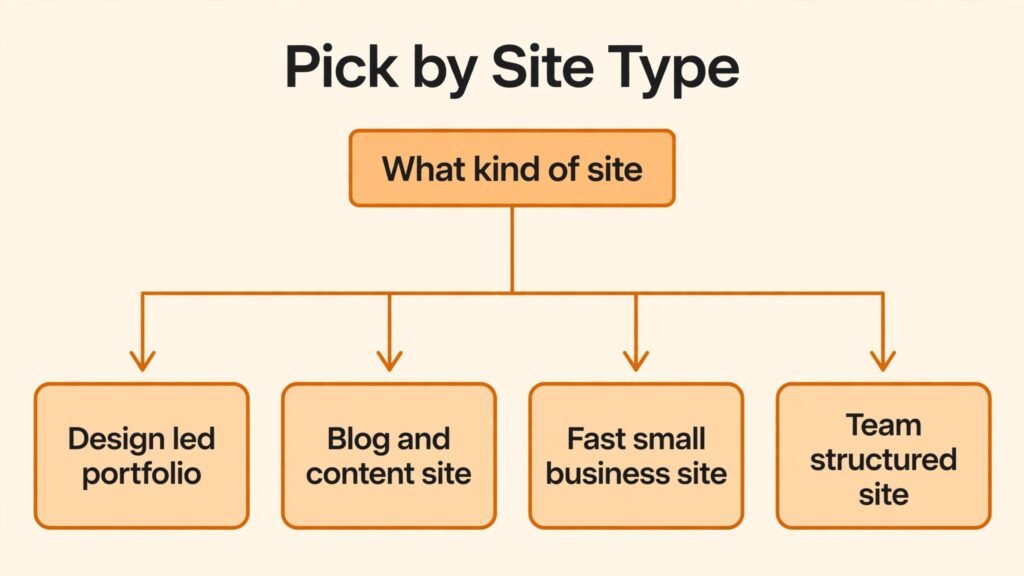
Start with site type, not with design features. A portfolio, a blog, a store, a SaaS marketing site and a local business site have different requirements. Write down the five pages your site must have, the actions visitors must take, and the content you will publish in the first six months. That list will reveal whether you need a strong CMS, ecommerce, booking, blogging, or simply a beautiful landing page. A builder that is perfect for a portfolio can be a poor choice for a store, even if both sites look similar.
Next, test the editor with your real content. Import your own text, images and logo, and build one key page in two builders. Check how long it takes to get a page you would be proud to publish, not just a template preview. Pay attention to mobile editing, because many visitors will see your site on a phone first. A builder that is easy on desktop but awkward on mobile responsive settings will cost you time on every page.
Then check SEO and performance basics. Test page speed, check URL control, meta titles and descriptions, image alt text, and sitemap generation. For a content site, check blogging tools, categories, and internal linking. For a local business, check map, hours, contact and review integration. These basics matter more for ranking and conversions than advanced animation, and they are harder to fix after launch if the platform limits them.
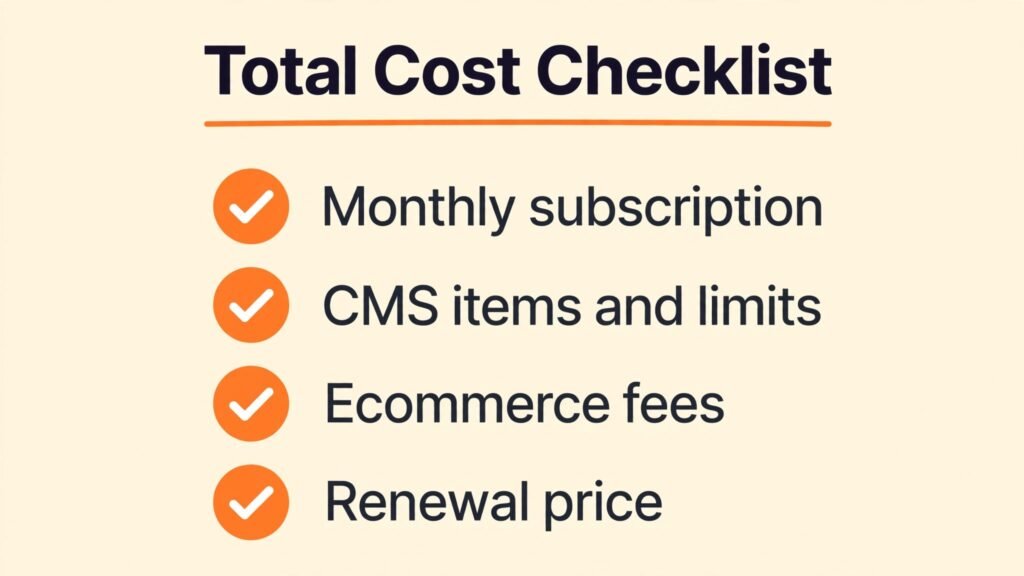
Finally, check total cost and lock in. Count sites, CMS items, ecommerce transaction fees, app costs, and team seats. Check checkout for renewal prices and for what happens if you cancel. Can you export content? Can you keep your domain? Can you move your site elsewhere? A builder that makes exit hard should offer clear value to justify that lock in. For a business site, that question is as important as design quality.
Mistakes to avoid with no code builders
The most common mistake is choosing by template beauty alone. A template looks good with professional photos and placeholder copy. Your content will look different. Test templates with your own images and text, and check readability, loading speed and mobile layout. A template that only looks good with stock photos will disappoint with real content.
Another mistake is adding too many animations and effects. Motion can guide attention, but excess motion slows a site, distracts visitors, and can cause accessibility issues. Use animation to highlight a key action, such as a signup button or a product feature, not on every section. Test with reduced motion settings and on a mid range phone, not just a fast desktop.
A third mistake is neglecting SEO from day one. Set page titles, descriptions, headings and alt text as you build, not as an afterthought. Create a clear site structure with internal links between related pages. For a business site, add local SEO details, contact information and a sitemap. These steps take little time during building and are painful to retrofit later.
A fourth mistake is forgetting conversion. A beautiful site that does not guide visitors to contact, buy, book or sign up will not grow a business. Every key page needs one clear primary action, visible without scrolling on mobile. Test that action yourself on a phone, and ask a friend who has never seen the site to complete it. If they hesitate, simplify the page.
Frequently asked questions
Which Framer alternative is best for SEO?
WordPress offers the most SEO control through plugins and settings, while Webflow offers strong technical SEO control for designers. Squarespace and Wix Studio also offer solid SEO tools for most small business sites. The best SEO choice depends on content volume and technical comfort, not just on a feature list.
Can I build a website without any code?
Yes, all tools in this list are no code or low code. Webflow and Webstudio offer more design control and a steeper learning curve, while Squarespace, Durable AI and Typedream are simpler for beginners. Choose the level of control that matches your time and design skill.
Which tool is best for ecommerce?
For a small store, Squarespace and Wix Studio are strong all in one options. For a larger store, a dedicated ecommerce platform may be better than a general builder. Check transaction fees, product limits, checkout options and fulfilment tools at checkout before choosing a builder for a store.
Is WordPress still a good choice in 2026?
Yes, especially for blogging, content sites and businesses that need flexibility. WordPress requires hosting and maintenance, but it offers unmatched ecosystem depth. Managed hosting and AI tools like 10Web reduce the maintenance burden for users who want WordPress without manual setup.
How much does a no code website cost per month?
Costs vary from free tiers for simple sites to higher plans for CMS, ecommerce and team features. A typical small business site costs a monthly subscription plus domain costs, while a professional agency site may cost more for CMS items and team seats. Always check checkout for renewal prices and add on costs.
Can I migrate from Framer to another builder?
You can migrate content, but design and animations usually need rebuilding. Export text, images and media, and plan to rebuild layout in the new builder. That is normal for website builders, so choose a platform you expect to keep for at least two years, unless your site is a short term campaign page.
Which builder is best for a portfolio?
Readymag and Webflow are strong for portfolios, with editorial layout and visual control. Framer itself is also strong for portfolios. Choose Readymag for editorial storytelling, Webflow for custom design plus CMS, and Squarespace for a fast polished portfolio with less setup.
Our closing recommendation
Framer remains a strong choice for designer led sites, but the alternatives above cover jobs Framer handles less well. For professional design and content, start with Webflow. For client work, try Wix Studio. For blogging and scale, WordPress is still the most flexible foundation. For a beautiful simple site, Squarespace is hard to beat on ease and polish. For a fast business site, Durable AI gets you live this week. For a striking AI landing page, Dora AI offers a different visual style. For a simple page, Typedream is refreshingly fast. For editorial work, Readymag shines. For AI WordPress, 10Web combines flexibility with managed hosting. For open source building, Webstudio is worth watching. For planning, Relume improves the Webflow workflow. Test two builders with your real content, check total cost at checkout, and choose the one that makes publishing easy, not just designing impressive. A website succeeds when it is live, fast, clear and easy to update, and the best builder is the one your team will actually maintain after launch.