
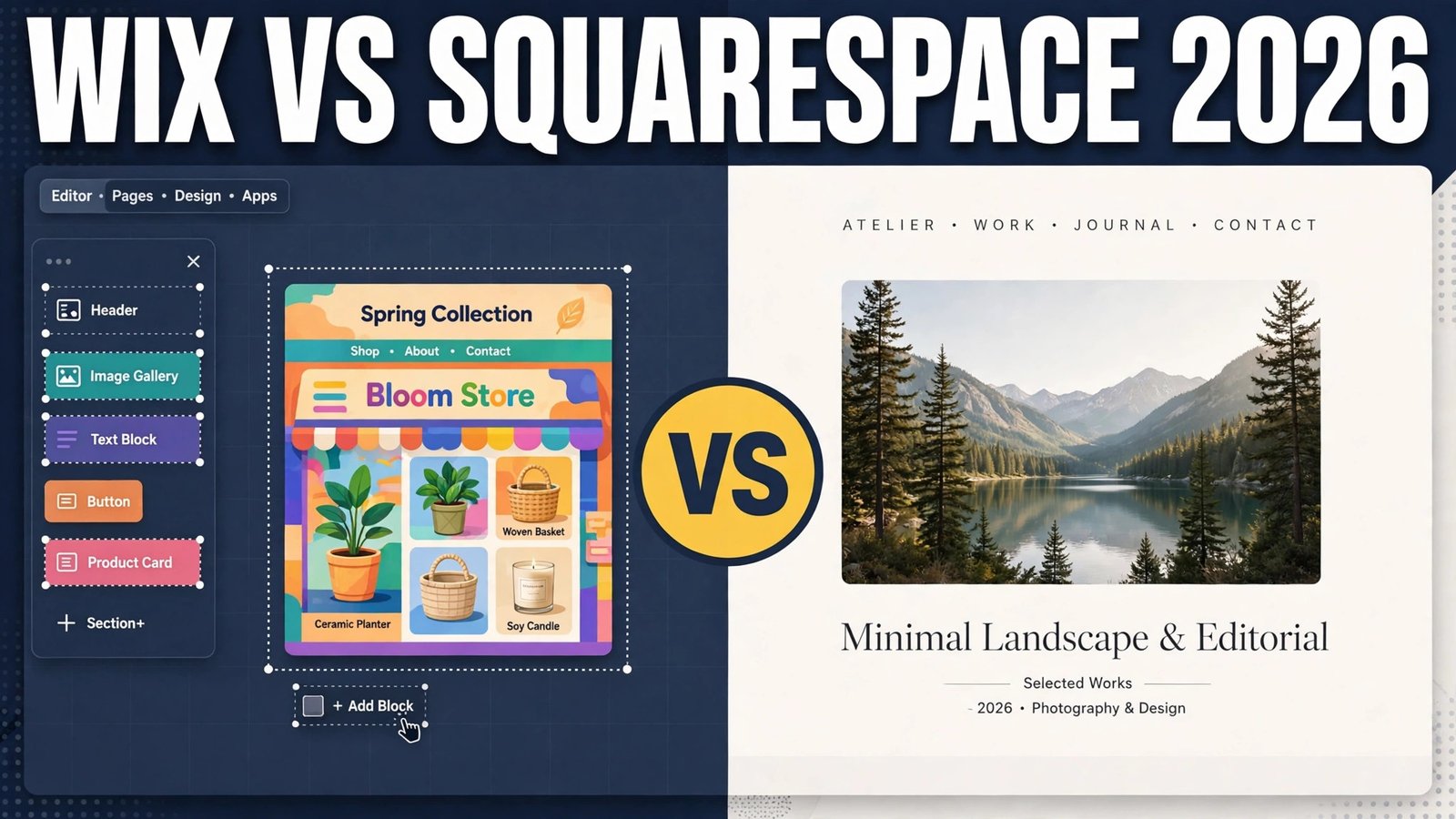
Wix vs Squarespace is the comparison most small business owners actually need in 2026, because both builders promise the same outcome and deliver it in very different ways. Wix gives you more freedom, more apps, and more ways to bend a page to your will. Squarespace gives you fewer choices, tighter design control, and pages that tend to look finished with less effort. Neither approach is wrong. The right pick depends on what kind of site you are building, how much control you want, and how much design work you are willing to do yourself.
This guide tests both builders on the same four jobs: build a homepage, add a shop, publish a blog post, and make the site work well on a phone. It compares templates, the editor, ecommerce, blogging, SEO tools, support, and price models. It also names the trade offs plainly, so you can choose once and avoid rebuilding the site six months later.
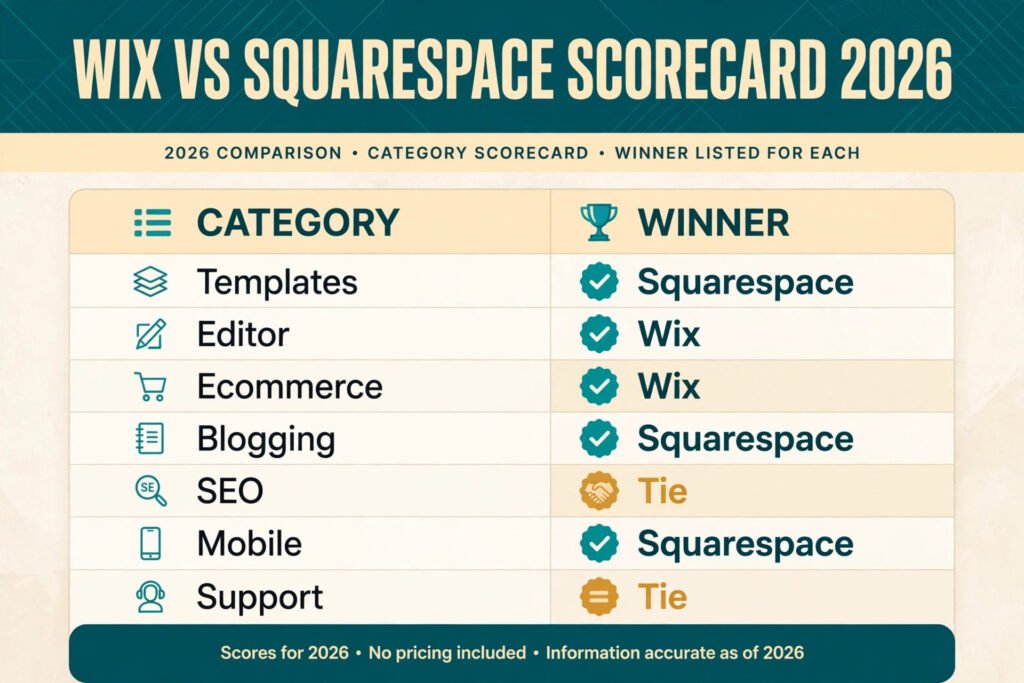
Quick verdict: Wix vs Squarespace at a glance
| Question | Winner | Why it wins |
|---|---|---|
| Easiest first homepage | Squarespace | Templates look polished out of the box, with less fiddling |
| Most design freedom | Wix | Drag elements anywhere, add apps, change layouts freely |
| Best for selling online | Wix | Wider ecommerce features and more selling apps |
| Best for a design led portfolio | Squarespace | Gallery and image layouts are stronger and more consistent |
| Best for blogging | Squarespace | Cleaner writing view and better post presentation |
| Best value for a simple site | Tie | Both charge by plan tier, so check checkout for current rates |
| Best if you hate design decisions | Squarespace | Fewer options means fewer chances to make a messy page |
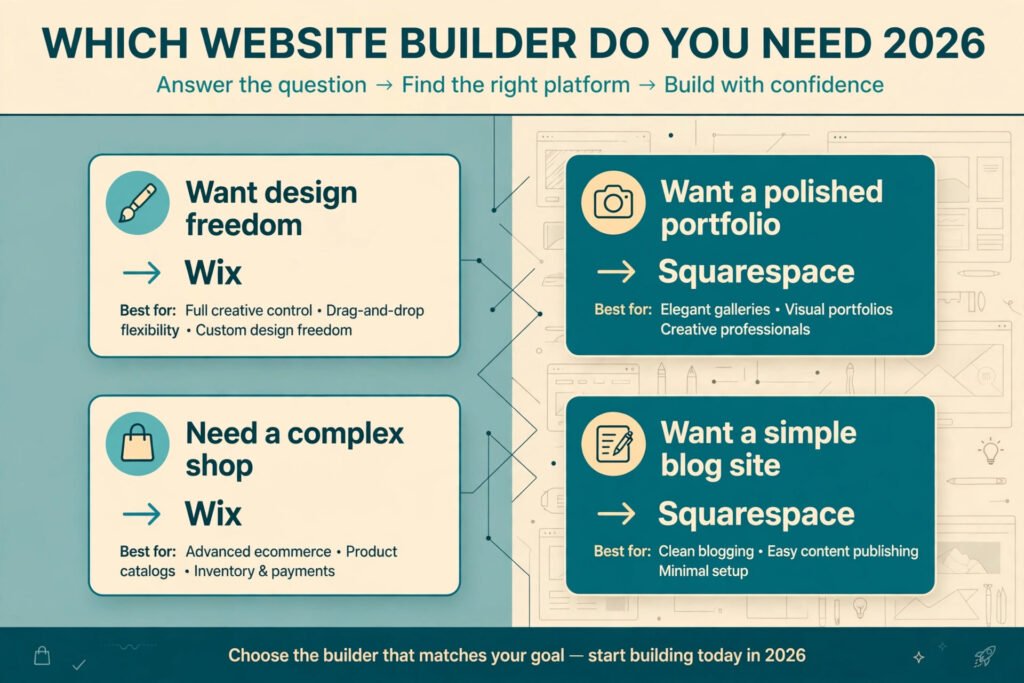
The short version is simple. Pick Wix if you want control and room to grow into selling, bookings, memberships, or unusual layouts. Pick Squarespace if you want a beautiful site fast and you are happy to work inside a cleaner, more guided system.
Wix vs Squarespace head to head
| Feature | Wix | Squarespace |
|---|---|---|
| Templates | Hundreds of templates across many industries | Fewer templates, more consistent visual quality |
| Editor | Free drag and drop, place items anywhere | Section based editor, guided and tidy |
| Design control | Very high, including custom code on higher plans | High within sections, less free placement |
| Ecommerce | Strong, with many product, booking, and payment options | Good for simple shops, less depth for complex selling |
| Blogging | Solid, with scheduling, categories, and SEO fields | Stronger presentation, cleaner reader experience |
| SEO tools | Built in SEO setup, sitemap, and page controls | Built in SEO fields, sitemap, and clean URLs |
| Apps and integrations | Large app market for bookings, forms, chat, and marketing | Smaller set of built in features and selected integrations |
| Mobile editing | Separate mobile view to adjust layout | Automatic responsive layouts with some mobile controls |
| Support | Help centre, chat, and callback options vary by plan | Help centre, email, and live chat during set hours |
| Price model | Subscription by plan tier, check checkout | Subscription by plan tier, check checkout |
Wix in depth
Wix is the builder for people who want to shape every part of a page. You start with a template or with a short setup flow, then you drag text, images, buttons, galleries, forms, and video into place. If an element is in the wrong spot, you move it. If a section needs a different background, you change it. If you need bookings, a restaurant menu, a membership area, or a chat box, you add it from the app market.
That freedom is the main reason to choose Wix. It is also the main risk. A page with total freedom can end up crowded, uneven, or hard to read on a phone if you keep adding sections without a plan. Wix gives you a mobile editor view to fix that, but you have to use it. The best Wix sites are the ones where the owner picks a template, changes the words and images, and resists the urge to add every available feature on day one.
Wix suits service businesses, restaurants, sellers with varied products, and anyone who expects the site to grow into new jobs over time. A coach can start with a homepage and booking page, then add a course area later. A shop can start with ten products, then add subscriptions, discounts, and local pickup without moving to a new platform.
Pricing: Wix charges a monthly subscription by plan tier, with higher tiers adding more storage, ecommerce features, and advanced tools. Check checkout for current rates, because plan names and limits change over time.
Best for: owners who want control, sellers with complex needs, and sites that will grow into bookings, memberships, or varied products.
Watch out for: clutter. Freedom without restraint makes pages that look busy. Keep sections short, use one clear call to action per page, and check the mobile view before you publish.
Try it at: Wix
Squarespace in depth
Squarespace is the builder for people who want a site that looks considered without hiring a designer. Templates are built around strong type, generous spacing, and large images. You work in sections rather than dragging items anywhere on the page, which keeps spacing consistent and stops layouts from drifting into a mess. For portfolios, studios, photographers, restaurants with a strong visual identity, and small brands, that restraint is a feature, not a limit.
The writing and gallery experience is where Squarespace earns its reputation. Blog posts look clean, images sit well in grids and slideshows, and pages keep a consistent rhythm from top to bottom. If your site is mainly a showcase with a contact form, a booking link, or a small shop attached, Squarespace gets you to a finished result faster than most builders.
The trade off is flexibility. You cannot place elements with the same freedom as Wix, and some advanced selling or booking setups need workarounds or outside tools. That matters less if your site has a clear job and a modest product list. It matters more if you plan to sell many product types, run complex discounts, or build a membership area with many tiers.
Pricing: Squarespace charges a monthly subscription by plan tier, with higher tiers adding ecommerce features, advanced analytics, and promotional tools. Check checkout for current rates, because plan names and limits change over time.
Best for: portfolios, studios, photographers, designers, restaurants, and brands that value visual polish and a fast path to a finished site.
Watch out for: outgrowing the shop. If your product catalogue, discount rules, or booking needs get complex, test those exact jobs on a trial before you commit to a yearly plan.
Try it at: Squarespace
Side by side tests: the same four jobs on both builders
A feature list can hide how a builder feels in daily use. These four tests use the same job on both platforms, so the comparison stays fair.
Test 1: Build a homepage
On Squarespace, building a homepage feels like filling in a well designed frame. Pick a template close to your industry, swap in your headline, add your services in the existing sections, and replace the images. The result usually looks good after an hour, because spacing, type sizes, and button styles already work together. The limit appears when you want a layout the template did not plan for, such as a split section with a form on one side and a price list on the other. You can often get close, but not always exactly what you pictured.
On Wix, building a homepage takes more decisions but gives a closer match to a specific idea. You can place a headline, a booking button, a testimonial strip, and an image gallery in any order you like. That is useful when your homepage has to do several jobs at once, such as explain a service, show proof, and collect enquiries. The cost is time. You will spend longer aligning elements, checking spacing, and testing the mobile view. If you enjoy that control, Wix wins this test. If you want a strong homepage with the least design work, Squarespace wins it.
Winner: Squarespace for speed and polish, Wix for exact control.

Test 2: Add a shop
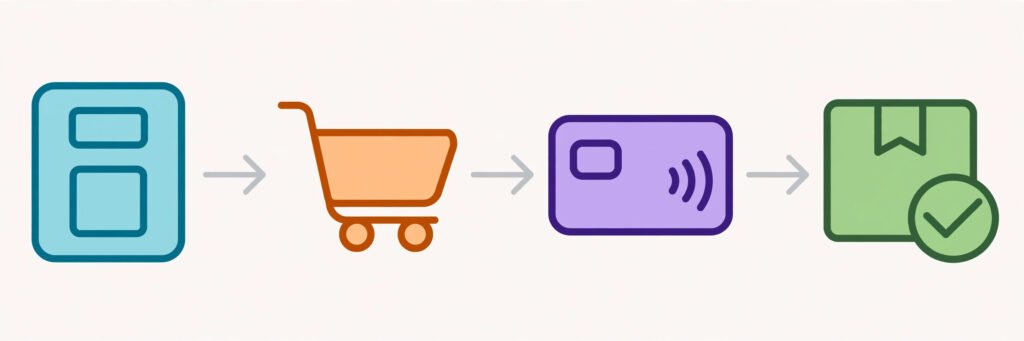
Adding a shop shows the clearest gap between the two builders. On Wix, you can add products with variants, set shipping rules, offer pickup, add discount codes, and connect common payment providers. The app market adds extra selling tools for subscriptions, print on demand, and bookings tied to products. That depth helps when a shop is the main business, not a side feature.
On Squarespace, adding a shop is simpler and tidier. Products, variants, and checkout work well for a small catalogue, and the product pages look excellent. The friction appears with complex needs: many product options, detailed shipping rules by region, or advanced discount logic. Some of that is possible, but it takes more setup and sometimes a higher plan. For a maker selling twenty products, Squarespace is often enough. For a store with hundreds of items, varied shipping, and frequent promotions, Wix is the safer pick.
Winner: Wix for selling depth, Squarespace for a small, beautiful shop.
Test 3: Publish a blog post
Blogging matters because it brings search traffic and answers customer questions before they contact you. On Squarespace, the writing view is calm and the published post looks refined, with clean headings, images, and spacing. Categories, tags, and scheduling cover the basics well. Writers who publish regularly tend to like how little formatting work a Squarespace post needs after drafting.
On Wix, blogging covers the same basics with a different feel. The editor gives more layout options inside a post, which helps when a post needs embedded products, forms, or varied media blocks. The published result can look just as good, but it may need more checking, because extra layout choices can break the reading flow. For freelance writers building a portfolio and a blog together, the writing workflow matters as much as the design, and both builders can support it. See the related guide on AI tools for freelance writers if writing is a core part of your site plan.
Winner: Squarespace for presentation, Wix for flexible post layouts.

Test 4: Go mobile
Most visitors will meet your site on a phone first, so the mobile test matters more than the desktop test. Squarespace layouts adapt well, because sections are built to stack in a sensible order. You still need to check long headlines, large images, and button sizes, but the baseline is usually clean. Squarespace also gives some mobile controls, though not the same separate mobile editor that Wix offers.
Wix gives you a dedicated mobile view where you can hide elements, resize text, and reorder sections for phones. That control is powerful when a desktop layout does not translate well, such as a wide gallery or a multi column price table. It also adds a job to your launch checklist: if you skip the mobile pass, a free form desktop page can look crowded on a phone. Test on a real phone, not only in the preview, and check your main call to action on the first screen. If your traffic comes mainly from social, that first screen matters even more, and a quick look at AI tools for Instagram can help you plan posts that send people to the right page.
Winner: Squarespace for a clean default, Wix for control when the default needs fixing.

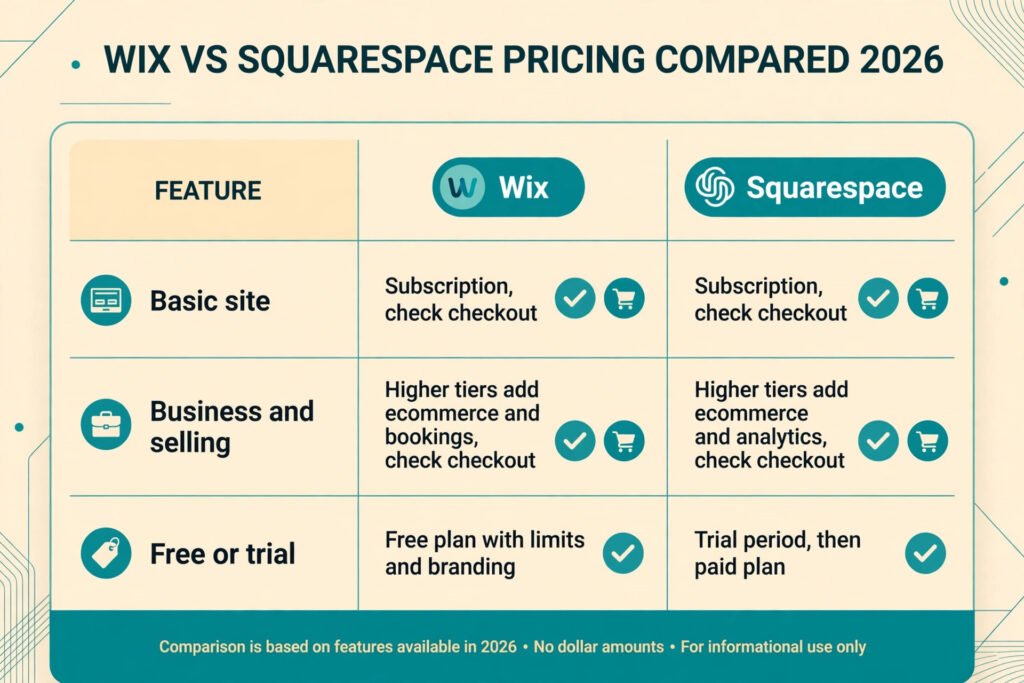
Pricing compared
| Plan level | Wix | Squarespace |
|---|---|---|
| Basic site | Subscription for a simple site with a custom domain, check checkout | Subscription for a simple site with a custom domain, check checkout |
| Business and selling | Higher tiers add ecommerce, bookings, and advanced features, check checkout | Higher tiers add ecommerce, promotions, and advanced analytics, check checkout |
| Free option | Free plan exists with limits and Wix branding | Trial period, then a paid plan is needed |
| What to check before paying | Storage, ecommerce limits, booking features, and renewal rate | Ecommerce limits, transaction fees by plan, and renewal rate |
Price alone should not decide this comparison, because the cheapest plan that lacks the feature you need is not cheap. List the three jobs your site must do in the first year, then pick the lowest plan on each builder that covers all three. If one builder needs a higher tier for a core job, such as selling or bookings, that difference is the real price gap. Also check renewal rates, not only the first year rate, and check whether transaction fees apply on your plan.
How to Choose: who should pick which
Pick Wix if any of these describe you. You want to place elements freely and you enjoy shaping a layout. Your shop, booking system, or membership area will grow more complex over time. You need many apps or integrations. You have varied services that do not fit a single neat template. You are willing to spend extra time on the mobile view in return for exact control.
Pick Squarespace if any of these describe you. You want a polished site quickly and you value visual consistency. Your site is mainly a portfolio, studio page, restaurant site, or small shop. You publish blog posts often and want them to look refined with little formatting work. You prefer fewer choices and a guided editor. You are happy to adapt your layout to the template rather than forcing the template to match a sketch.
Pick both in sequence only if you have a clear reason. Some owners start on Squarespace for a fast launch, then move to Wix when selling or booking needs grow. That move costs time, because templates, apps, and settings do not transfer cleanly. It is better to test your hardest job on a trial of each builder before you commit. Build one real page, add one real product, publish one real post, and open the result on your phone. That one hour of testing tells you more than any feature list.
A one hour trial checklist
Use one focused hour on each builder before you pay. First, build a homepage with your real headline, your real services, and your real contact details, then open it on your phone. Second, add one real product with a variant, a shipping option, and a discount code, then run a test checkout if the trial allows it. Third, publish a short post with a heading, an image, and a link, then read it on a phone to check spacing and readability. Fourth, set up your domain connection steps and check what the plan includes for email, analytics, and support. Fifth, write down the plan you would need for each job and the renewal rate, not only the first year price. If one builder passes all five checks with less friction, that result matters more than any demo video or template gallery. Keep your notes from both trials side by side, because memory fades fast once you start comparing marketing pages instead of real pages.
Mistakes to avoid
Choosing on templates alone is the most common mistake. A template looks good with professional photos and short demo text. It looks different with your real headlines, your real prices, and your real images. Test with your own content, not the demo content.
Skipping the mobile check is the second mistake. A homepage that looks balanced on a laptop can bury the booking button on a phone. Check every key page on a phone before launch, and again after any major edit.
Buying the yearly plan before testing selling or bookings is the third mistake. Trials exist for a reason. Run your hardest job on the trial, including checkout, booking confirmation, and email delivery, before you pay for a year.
Adding too many features on day one is the fourth mistake, and it hits Wix owners hardest. Every app, pop up, and section adds load time and visual noise. Launch with the core pages, then add features when a real visitor need appears.
Ignoring ownership and exit costs is the fifth mistake. Both builders host your site, so moving later means rebuilding pages. Keep your domain, your customer list, and your key content backed up outside the builder, so a future move is painful but not disastrous.
Forgetting SEO basics is the sixth mistake. Both builders cover titles, descriptions, and sitemaps, but neither writes your content for you. Give each key page one clear topic, a plain headline, and a short description that matches what a searcher would type.
Frequently asked questions
Is Wix or Squarespace better for a small business?
Wix is better when the business needs varied features such as bookings, many products, or memberships. Squarespace is better when the business needs a polished brochure site, portfolio, or small shop with little design effort. Test your hardest job on both before you choose.
Can I sell products on both builders?
Yes. Both support product pages, variants, and checkout. Wix offers more depth for complex shops, while Squarespace suits smaller catalogues with strong product presentation. Check transaction fees and plan limits on checkout for your exact setup.
Which builder is easier for a beginner?
Squarespace is easier for a beginner who wants a finished look fast, because the editor guides spacing and layout. Wix is easy to start too, but its freedom means a beginner must make more design decisions. A guided template on either builder keeps the first build simple.
Can I change my template later?
On Wix, changing templates usually means rebuilding pages, so pick a template you can live with. On Squarespace, newer template families allow more switching, but content and styling may still need checking. Treat template choice as a medium term decision, not a daily experiment.
Do both builders handle SEO?
Yes, both provide page titles, descriptions, clean URLs, sitemaps, and mobile friendly pages. SEO results still depend on your content, your page topics, and your site speed. Neither builder replaces clear writing and honest, useful pages.
Can I move my site from one builder to the other later?
You can move your domain and export some content, but pages, design settings, and apps do not transfer cleanly. Expect to rebuild the design on the new builder. Keep copies of your text, images, and customer list outside the platform to make any future move easier.
Final Verdict
Wix vs Squarespace comes down to control against polish. Wix wins when your site must do many jobs, grow into complex selling or bookings, and match a specific layout idea. Squarespace wins when you want a beautiful, consistent site fast, with strong blogging and portfolio presentation and less design work.
If you are still unsure, run the four tests from this guide on a trial of each builder. Build a homepage with your real words, add a real product, publish a real post, and open the site on your phone. The builder that makes that sequence feel easiest, while still covering your hardest job, is the right pick for your site in 2026.