
Browser based coding has moved from a novelty to a daily workspace for learners, freelancers, and whole product teams. Replit alternatives now number in the dozens, and surveys of developer tooling in 2025 and 2026 repeatedly show that most developers already code in a browser or cloud workspace at least part of the week. That shift makes the choice less about whether to code online, and more about which environment fits your language, project size, and budget.
The trap is picking a demo friendly tool for a serious project, or a serious cloud IDE for a five minute snippet. Replit alternatives in this guide are grouped by job: learning and snippets, serious browser development, and AI assisted building and shipping. That grouping saves time, because a learner needs instant feedback and a low learning curve, while a team needs reproducible environments, repo integration, and cost control.
Pricing needs care in October 2026. Some tools are free for public snippets and charge for private projects or compute time. Others charge by usage, seat, or workspace hours. Treat price notes as a starting point and check checkout for your expected hours, storage, and team size, because a cheap hobby plan can turn costly on a team project.
If this guide connects to other work you already do, these related guides help you compare nearby choices: AI tools for learning to code, AI tools for course creators, Notion alternatives. Use them after you shortlist a tool here, not as a substitute for testing the tool itself.
Why Replit alternatives matter in 2026
Buyers rarely switch tools because of one feature. They switch because a daily friction adds up: slow sharing, weak audio, messy editing, lost context, or a bill that grows with the team. A good alternative removes that friction without adding a new one, such as a steep learning curve, a narrow integration list, or a privacy trade off you did not expect. Judge each option on the friction it removes, the friction it adds, and the cost of leaving later, including exported files, hosted links, and team habits.

At a glance
| Tool | Best for | Starting point |
|---|---|---|
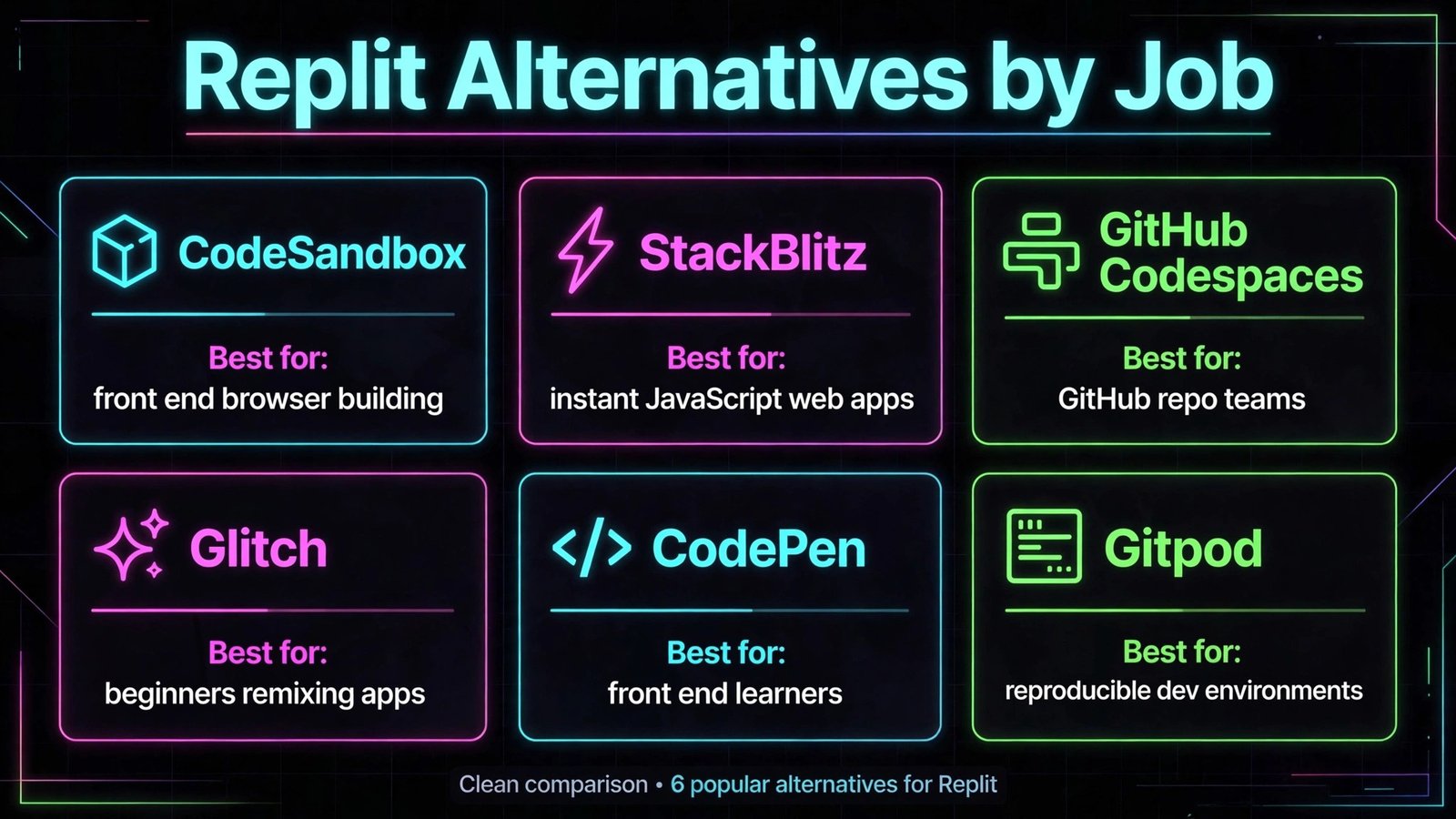
| CodeSandbox | front end developers building in the browser | Free or trial available; check checkout for current paid plans |
| StackBlitz | JavaScript developers who want instant web apps | Free or trial available; check checkout for current paid plans |
| GitHub Codespaces | teams already working in GitHub repositories | Free or trial available; check checkout for current paid plans |
| Glitch | beginners and hobby builders who remix apps | Free or trial available; check checkout for current paid plans |
| CodePen | front end learners sharing demos and experiments | Free or trial available; check checkout for current paid plans |
| JSFiddle | developers testing a quick front end snippet | Free or trial available; check checkout for current paid plans |
| Gitpod | teams that want reproducible dev environments | Free or trial available; check checkout for current paid plans |
| PaizaCloud | learners who want a browser Linux environment | Free or trial available; check checkout for current paid plans |
| PythonAnywhere | Python learners and small web apps | Free or trial available; check checkout for current paid plans |
| Bolt.new | non developers turning a prompt into a working web app | Free or trial available; check checkout for current paid plans |
| Project IDX | Google stack developers building web and mobile apps | Free or trial available; check checkout for current paid plans |
| Codeanywhere | developers who want a cloud IDE on any device | Free or trial available; check checkout for current paid plans |
| JSitor | developers sharing runnable code snippets | Free or trial available; check checkout for current paid plans |
| Replit Agent style tools in Windsurf | developers who want AI coding in a desktop editor | Free or trial available; check checkout for current paid plans |
| Deno Deploy | JavaScript developers shipping small APIs and sites | Free or trial available; check checkout for current paid plans |
The table above is a starting filter only. Prices, limits, and feature tiers change, so use it to build a shortlist of three tools, then test those three with the same real task and compare the outputs side by side.
For learning and snippets
For serious browser development
For AI assisted building and shipping
The full shortlist, tool by tool
1. CodeSandbox
CodeSandbox is best for front end developers building in the browser. Its main strength is fast templates, preview, and sharing for web projects. In daily use, that strength shows up as less manual work: fewer re recordings, fewer format conversions, and fewer follow up messages asking for a link, a file, or a clearer version. Teams that match the best for description usually get value fastest, because the tool was built around their workflow rather than adapted to it.
For a fair test, run the same task you do every week and compare time, output quality, and sharing steps against your current tool. Check official documentation at codesandbox.io for current features, and check checkout for the plan that actually includes the features you tested, because free plans often exclude the exact feature that made the demo feel good. Also check export, privacy, and permission controls before you move team content into a new workspace.
Watch out for: large back end workloads are better on a full cloud environment. If that limit touches your core job, shortlist a different tool even if the rest of the feature list looks strong.
2. StackBlitz
StackBlitz is best for JavaScript developers who want instant web apps. Its main strength is WebContainers run Node in the browser with very fast startup. In daily use, that strength shows up as less manual work: fewer re recordings, fewer format conversions, and fewer follow up messages asking for a link, a file, or a clearer version. Teams that match the best for description usually get value fastest, because the tool was built around their workflow rather than adapted to it.
For a fair test, run the same task you do every week and compare time, output quality, and sharing steps against your current tool. Check official documentation at stackblitz.com for current features, and check checkout for the plan that actually includes the features you tested, because free plans often exclude the exact feature that made the demo feel good. Also check export, privacy, and permission controls before you move team content into a new workspace.
Watch out for: non JavaScript stacks need a different environment. If that limit touches your core job, shortlist a different tool even if the rest of the feature list looks strong.
3. GitHub Codespaces
GitHub Codespaces is best for teams already working in GitHub repositories. Its main strength is full VS Code in the cloud tied to repos, branches, and pull requests. In daily use, that strength shows up as less manual work: fewer re recordings, fewer format conversions, and fewer follow up messages asking for a link, a file, or a clearer version. Teams that match the best for description usually get value fastest, because the tool was built around their workflow rather than adapted to it.
For a fair test, run the same task you do every week and compare time, output quality, and sharing steps against your current tool. Check official documentation at github.com for current features, and check checkout for the plan that actually includes the features you tested, because free plans often exclude the exact feature that made the demo feel good. Also check export, privacy, and permission controls before you move team content into a new workspace.
Watch out for: usage based cost needs monitoring on large teams. If that limit touches your core job, shortlist a different tool even if the rest of the feature list looks strong.
4. Glitch
Glitch is best for beginners and hobby builders who remix apps. Its main strength is friendly remixing, instant hosting, and a welcoming community. In daily use, that strength shows up as less manual work: fewer re recordings, fewer format conversions, and fewer follow up messages asking for a link, a file, or a clearer version. Teams that match the best for description usually get value fastest, because the tool was built around their workflow rather than adapted to it.
For a fair test, run the same task you do every week and compare time, output quality, and sharing steps against your current tool. Check official documentation at glitch.com for current features, and check checkout for the plan that actually includes the features you tested, because free plans often exclude the exact feature that made the demo feel good. Also check export, privacy, and permission controls before you move team content into a new workspace.
Watch out for: not built for heavy production workloads. If that limit touches your core job, shortlist a different tool even if the rest of the feature list looks strong.
5. CodePen
CodePen is best for front end learners sharing demos and experiments. Its main strength is instant pens, a huge public gallery, and easy embedding. In daily use, that strength shows up as less manual work: fewer re recordings, fewer format conversions, and fewer follow up messages asking for a link, a file, or a clearer version. Teams that match the best for description usually get value fastest, because the tool was built around their workflow rather than adapted to it.
For a fair test, run the same task you do every week and compare time, output quality, and sharing steps against your current tool. Check official documentation at codepen.io for current features, and check checkout for the plan that actually includes the features you tested, because free plans often exclude the exact feature that made the demo feel good. Also check export, privacy, and permission controls before you move team content into a new workspace.
Watch out for: back end work needs a separate service. If that limit touches your core job, shortlist a different tool even if the rest of the feature list looks strong.
6. JSFiddle
JSFiddle is best for developers testing a quick front end snippet. Its main strength is minimal, fast snippet testing with no account friction. In daily use, that strength shows up as less manual work: fewer re recordings, fewer format conversions, and fewer follow up messages asking for a link, a file, or a clearer version. Teams that match the best for description usually get value fastest, because the tool was built around their workflow rather than adapted to it.
For a fair test, run the same task you do every week and compare time, output quality, and sharing steps against your current tool. Check official documentation at jsfiddle.net for current features, and check checkout for the plan that actually includes the features you tested, because free plans often exclude the exact feature that made the demo feel good. Also check export, privacy, and permission controls before you move team content into a new workspace.
Watch out for: project structure and collaboration are limited. If that limit touches your core job, shortlist a different tool even if the rest of the feature list looks strong.
7. Gitpod
Gitpod is best for teams that want reproducible dev environments. Its main strength is automated workspaces from a repo with prebuilds. In daily use, that strength shows up as less manual work: fewer re recordings, fewer format conversions, and fewer follow up messages asking for a link, a file, or a clearer version. Teams that match the best for description usually get value fastest, because the tool was built around their workflow rather than adapted to it.
For a fair test, run the same task you do every week and compare time, output quality, and sharing steps against your current tool. Check official documentation at gitpod.io for current features, and check checkout for the plan that actually includes the features you tested, because free plans often exclude the exact feature that made the demo feel good. Also check export, privacy, and permission controls before you move team content into a new workspace.
Watch out for: setup effort pays off most on team projects, not one off snippets. If that limit touches your core job, shortlist a different tool even if the rest of the feature list looks strong.
8. PaizaCloud
PaizaCloud is best for learners who want a browser Linux environment. Its main strength is browser terminal and editor with language support. In daily use, that strength shows up as less manual work: fewer re recordings, fewer format conversions, and fewer follow up messages asking for a link, a file, or a clearer version. Teams that match the best for description usually get value fastest, because the tool was built around their workflow rather than adapted to it.
For a fair test, run the same task you do every week and compare time, output quality, and sharing steps against your current tool. Check official documentation at paiza.cloud for current features, and check checkout for the plan that actually includes the features you tested, because free plans often exclude the exact feature that made the demo feel good. Also check export, privacy, and permission controls before you move team content into a new workspace.
Watch out for: interface feels dated next to newer IDEs. If that limit touches your core job, shortlist a different tool even if the rest of the feature list looks strong.
9. PythonAnywhere
PythonAnywhere is best for Python learners and small web apps. Its main strength is simple Python hosting with notebooks and scheduled tasks. In daily use, that strength shows up as less manual work: fewer re recordings, fewer format conversions, and fewer follow up messages asking for a link, a file, or a clearer version. Teams that match the best for description usually get value fastest, because the tool was built around their workflow rather than adapted to it.
For a fair test, run the same task you do every week and compare time, output quality, and sharing steps against your current tool. Check official documentation at pythonanywhere.com for current features, and check checkout for the plan that actually includes the features you tested, because free plans often exclude the exact feature that made the demo feel good. Also check export, privacy, and permission controls before you move team content into a new workspace.
Watch out for: Python focus means other stacks need another tool. If that limit touches your core job, shortlist a different tool even if the rest of the feature list looks strong.
10. Bolt.new
Bolt.new is best for non developers turning a prompt into a working web app. Its main strength is prompt to app generation with preview and deploy in the browser. In daily use, that strength shows up as less manual work: fewer re recordings, fewer format conversions, and fewer follow up messages asking for a link, a file, or a clearer version. Teams that match the best for description usually get value fastest, because the tool was built around their workflow rather than adapted to it.
For a fair test, run the same task you do every week and compare time, output quality, and sharing steps against your current tool. Check official documentation at bolt.new for current features, and check checkout for the plan that actually includes the features you tested, because free plans often exclude the exact feature that made the demo feel good. Also check export, privacy, and permission controls before you move team content into a new workspace.
Watch out for: generated code still needs review before production use. If that limit touches your core job, shortlist a different tool even if the rest of the feature list looks strong.
11. Project IDX
Project IDX is best for Google stack developers building web and mobile apps. Its main strength is cloud workspaces with templates, AI help, and emulator support. In daily use, that strength shows up as less manual work: fewer re recordings, fewer format conversions, and fewer follow up messages asking for a link, a file, or a clearer version. Teams that match the best for description usually get value fastest, because the tool was built around their workflow rather than adapted to it.
For a fair test, run the same task you do every week and compare time, output quality, and sharing steps against your current tool. Check official documentation at idx.dev for current features, and check checkout for the plan that actually includes the features you tested, because free plans often exclude the exact feature that made the demo feel good. Also check export, privacy, and permission controls before you move team content into a new workspace.
Watch out for: Google ecosystem fit is strongest for Firebase and Android work. If that limit touches your core job, shortlist a different tool even if the rest of the feature list looks strong.
12. Codeanywhere
Codeanywhere is best for developers who want a cloud IDE on any device. Its main strength is cloud editor, terminal, and containers from a browser or tablet. In daily use, that strength shows up as less manual work: fewer re recordings, fewer format conversions, and fewer follow up messages asking for a link, a file, or a clearer version. Teams that match the best for description usually get value fastest, because the tool was built around their workflow rather than adapted to it.
For a fair test, run the same task you do every week and compare time, output quality, and sharing steps against your current tool. Check official documentation at codeanywhere.com for current features, and check checkout for the plan that actually includes the features you tested, because free plans often exclude the exact feature that made the demo feel good. Also check export, privacy, and permission controls before you move team content into a new workspace.
Watch out for: smaller community than the largest cloud IDEs. If that limit touches your core job, shortlist a different tool even if the rest of the feature list looks strong.
13. JSitor
JSitor is best for developers sharing runnable code snippets. Its main strength is live collaboration and embedding for demos and interviews. In daily use, that strength shows up as less manual work: fewer re recordings, fewer format conversions, and fewer follow up messages asking for a link, a file, or a clearer version. Teams that match the best for description usually get value fastest, because the tool was built around their workflow rather than adapted to it.
For a fair test, run the same task you do every week and compare time, output quality, and sharing steps against your current tool. Check official documentation at jsitor.com for current features, and check checkout for the plan that actually includes the features you tested, because free plans often exclude the exact feature that made the demo feel good. Also check export, privacy, and permission controls before you move team content into a new workspace.
Watch out for: not a full project IDE for multi file apps. If that limit touches your core job, shortlist a different tool even if the rest of the feature list looks strong.
14. Replit Agent style tools in Windsurf
Replit Agent style tools in Windsurf is best for developers who want AI coding in a desktop editor. Its main strength is AI agent workflows, codebase context, and fast editing. In daily use, that strength shows up as less manual work: fewer re recordings, fewer format conversions, and fewer follow up messages asking for a link, a file, or a clearer version. Teams that match the best for description usually get value fastest, because the tool was built around their workflow rather than adapted to it.
For a fair test, run the same task you do every week and compare time, output quality, and sharing steps against your current tool. Check official documentation at windsurf.com for current features, and check checkout for the plan that actually includes the features you tested, because free plans often exclude the exact feature that made the demo feel good. Also check export, privacy, and permission controls before you move team content into a new workspace.
Watch out for: desktop install and AI plan decisions add setup choices. If that limit touches your core job, shortlist a different tool even if the rest of the feature list looks strong.
15. Deno Deploy
Deno Deploy is best for JavaScript developers shipping small APIs and sites. Its main strength is fast deploy for Deno and web standard code with edge hosting. In daily use, that strength shows up as less manual work: fewer re recordings, fewer format conversions, and fewer follow up messages asking for a link, a file, or a clearer version. Teams that match the best for description usually get value fastest, because the tool was built around their workflow rather than adapted to it.
For a fair test, run the same task you do every week and compare time, output quality, and sharing steps against your current tool. Check official documentation at deno.com for current features, and check checkout for the plan that actually includes the features you tested, because free plans often exclude the exact feature that made the demo feel good. Also check export, privacy, and permission controls before you move team content into a new workspace.
Watch out for: Deno specific APIs need care when porting Node code. If that limit touches your core job, shortlist a different tool even if the rest of the feature list looks strong.
Best pick by job
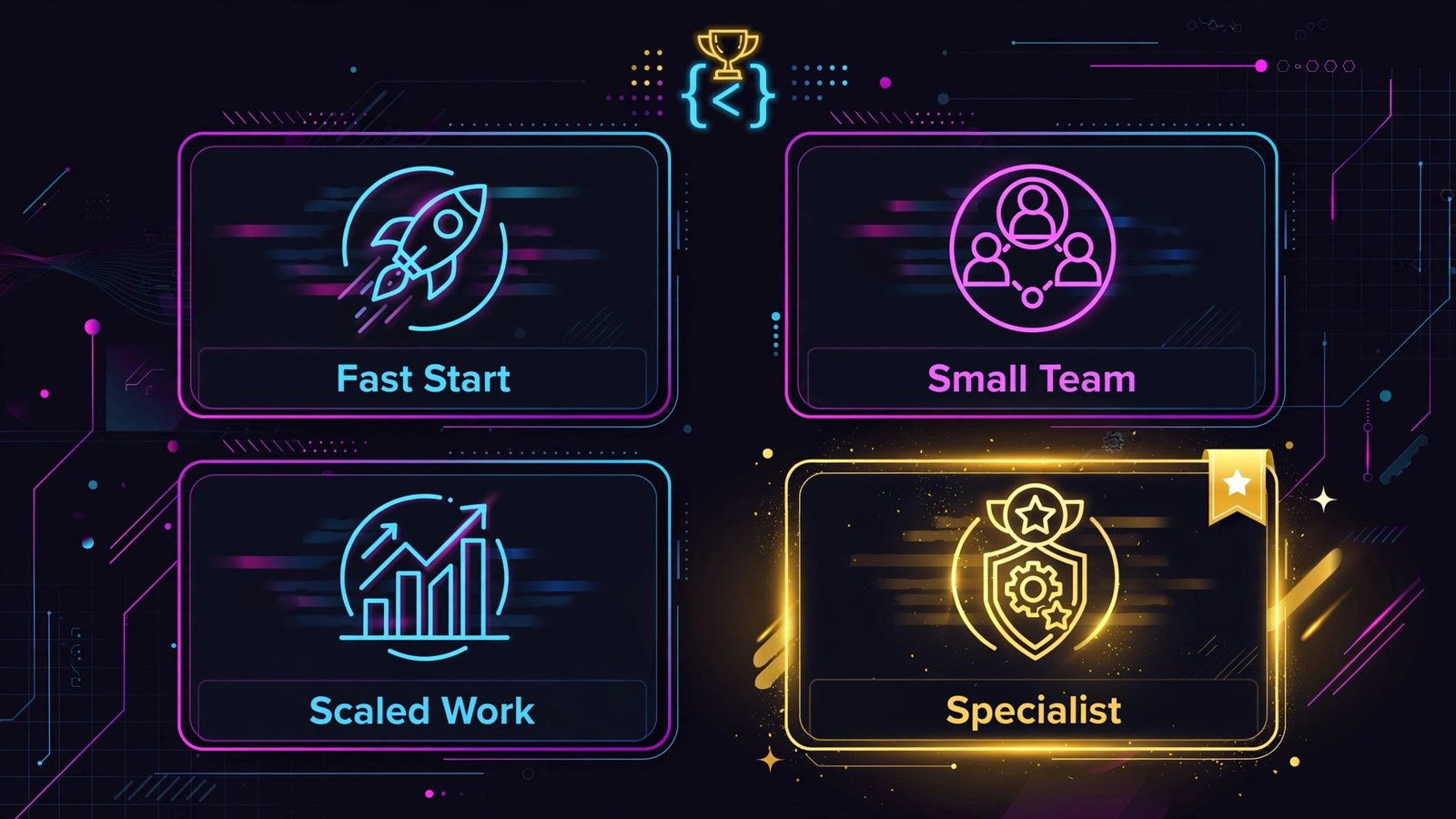
| Job | Pick | Why it fits |
|---|---|---|
| Fastest to start | CodeSandbox | Low setup time and a familiar sharing flow |
| Best value for a small team | StackBlitz | Strong core features without enterprise complexity |
| Best for serious or scaled work | GitHub Codespaces | Depth, controls, and room to grow with the team |
| Best for a specialist job | Deno Deploy | Built around one workflow rather than every workflow |
How to pick an online coding workspace
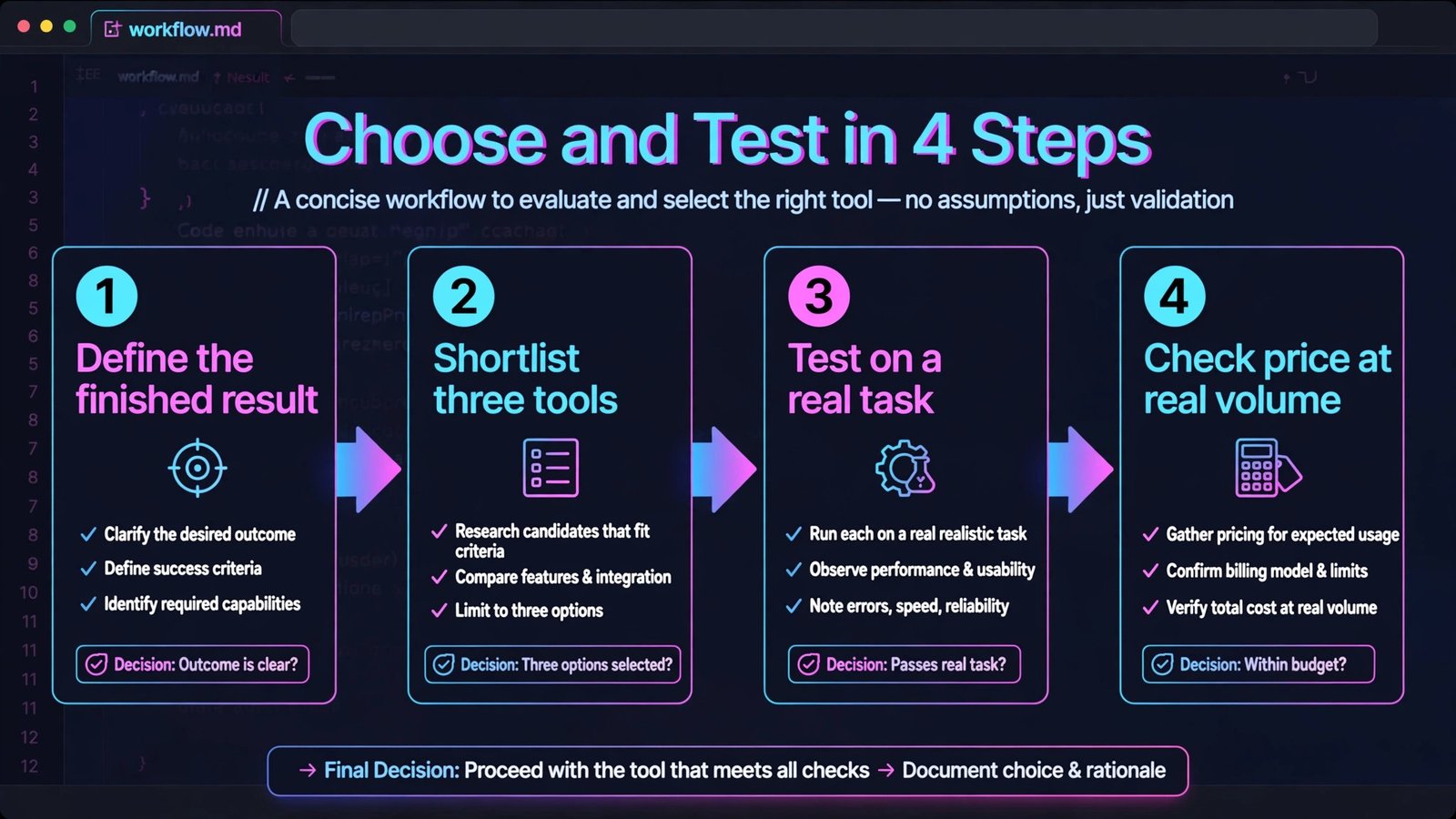
Start from the output, not the feature list. Define the finished result you need, such as a shared clip a client can watch without an account, a clean podcast episode, a working prototype, a translated help center, or a flow that runs without daily checks. Then list the must have inputs, outputs, and integrations for that result. Any tool missing a must have should leave the shortlist, even if it wins on price or design.
Next, check ownership and maintenance. Who will build, fix, and update this work in three months? A tool that needs a developer for every change is a poor fit for a solo creator, and a simple tool that cannot handle branching logic is a poor fit for an operations team. Ask for a trial that covers a full work cycle, including an error, a revision, and a share to an outside viewer.
Finally, check cost at your real volume, data control, and exit path. Count seats, tasks, minutes, words, or runs for a typical month, then compare the plan that covers that volume, not the headline starter price. Confirm who owns the content, how exports work, and what happens to shared links if you cancel. A clear exit path is a sign of a confident vendor, not a weakness.
Mistakes to avoid
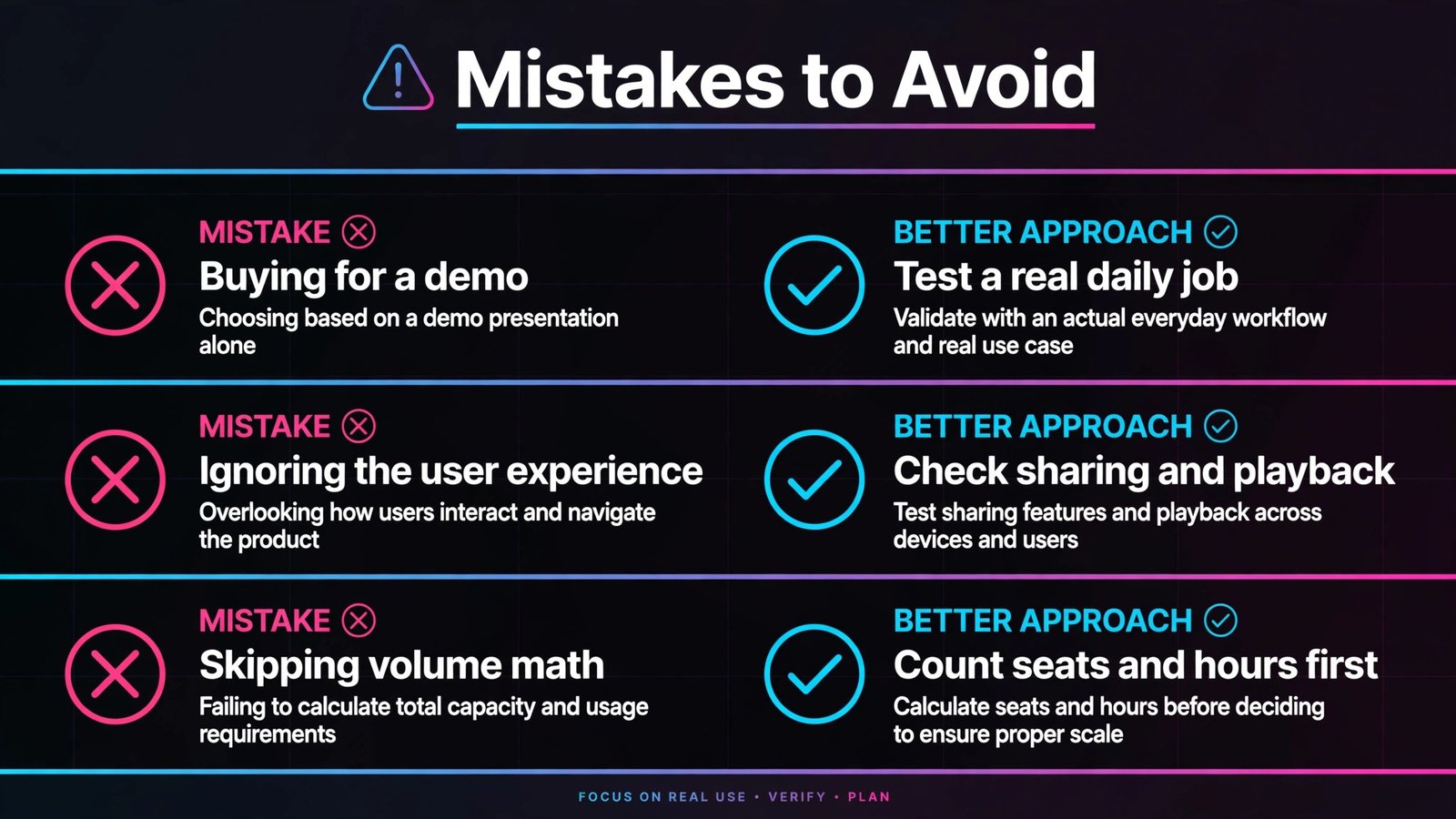
The most common mistake is buying for a demo instead of a daily job. A polished demo hides slow exports, weak search, missing permissions, and support gaps that only appear under real load. The second mistake is ignoring the viewer or listener experience: a tool that is easy for the creator but hard for the audience will quietly reduce adoption. The third mistake is skipping the volume math, then facing an upgrade bill in month two.
Frequently asked questions
Do I need to pay to get value from Replit alternatives?
No, in most cases a free plan or trial is enough to test the core job, but paid plans usually remove limits on length, volume, storage, or team features. Test the exact limit that matters for your work before you pay.
How long should I test Replit alternatives before deciding?
One full work cycle is a good minimum: a real project from start to shared result, including a revision and an outside viewer. A single afternoon test often misses export, permission, and volume issues.
Can I switch later without losing my work?
In most cases yes for files you own, but shared links, hosted pages, and workspace history may not move cleanly. Export early, keep originals, and check the exit path before you build a large library.
Which option is best for a small team?
The best small team pick is usually the tool with the shortest setup, clear sharing, and a plan that covers your monthly volume without constant upgrades. Start simple, then move to a deeper tool only when a specific limit blocks you.
Should I pick the cheapest tool?
Only if it covers every must have for your real job. A cheap tool that needs extra editing, manual sharing, or a second app often costs more in time than a slightly higher priced tool that finishes the job in one place.
Do I need technical skills to use these tools?
Most tools in this guide are built for non technical users for the core job, but deeper features such as custom logic, code steps, or self hosting need technical help. Match the depth to the person who will actually maintain the work.
Conclusion: pick the workspace you will open daily
Shortlist three tools from the group that matches your job, test them on the same real task, and pick the one with the clearest output, the fewest extra steps, and a price that still makes sense at your real volume. That test will tell you more than any feature comparison, because the right tool is the one that makes the finished work easier for both the creator and the audience.
When you have a winner, set up sharing defaults, permissions, and exports before you move a large library into it. Document the workflow in one place, so a new team member can repeat it without asking for help. That small setup step is what turns a good tool trial into a reliable daily habit.