

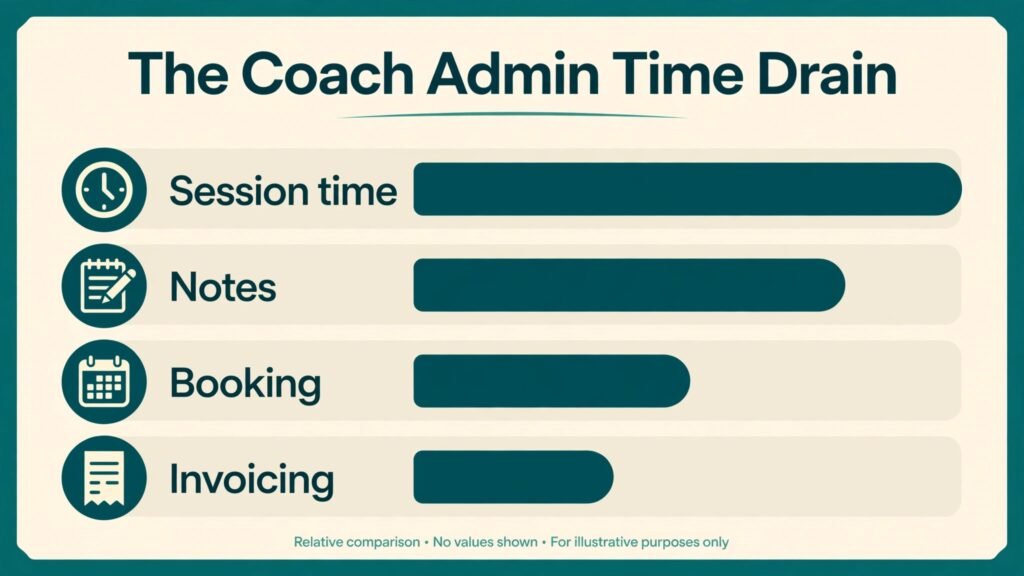
Do the time math before you buy anything. A coach who runs 25 sessions in a week, spends 20 minutes on notes and follow up after each one, and answers booking messages in batches will lose more than eight hours a week to work that is not coaching. Add invoicing, intake forms, content planning and rescheduling, and the admin load can quietly eat a full working day. That is why the best AI tools for life coaches matter in 2026. They do not replace your judgment, your listening, or your relationship with a client. They take the repeatable parts of the practice off your plate so the session itself gets your full attention.
This guide covers 13 tools, grouped by the job they actually do. Some are built for coaches and carry the whole practice in one place. Others are general tools that coaches have adapted well, from scheduling to transcription to design. The right stack is usually small: one system for clients and payments, one for scheduling, one for notes, and one or two for content and marketing. Buying five overlapping systems is the most common mistake in this category, and it costs more in confusion than in subscription fees.
A note on pricing and claims before we start. Vendor pricing changes during the year, free tiers come and go, and AI features are updated without a press release. Treat every price note here as a prompt to check the vendor checkout page on the day you buy. The same applies to feature claims. If a feature is central to your practice, test it on a free trial with a real client workflow, not a demo account, before you move your whole practice onto it.
The best AI tools for life coaches at a glance
| Tool | Best for | Main job | Watch out for |
|---|---|---|---|
| CoachAccountable | Full practice management | Clients, programs, billing | Setup takes time |
| Paperbell | Solo coaches starting out | Booking, payments, packages | Fewer deep program features |
| Satori | Packages and onboarding | Client flow, contracts | Learning curve on automations |
| Delenta | Coaching businesses with teams | Client management, white label | More than a solo coach needs |
| UpCoach | Program delivery | Courses, habits, group coaching | Less suited to pure one to one work |
| Simply.Coach | Structured programs | Goals, sessions, assessments | Smaller integration list |
| Practice | All in one admin | Scheduling, forms, payments | Template setup still needs care |
| Calendly | Booking without back and forth | Scheduling | No client program features |
| Otter.ai | Session notes and transcripts | Transcription, summaries | Always get client consent first |
| Notion | Content and program library | Notes, templates, planning | Easy to overbuild |
| ChatGPT | Drafting and brainstorming | Writing, outlines, scripts | Outputs need checking and editing |
| Canva | Marketing visuals | Social posts, worksheets | Brand discipline still matters |
| Mailchimp | Email marketing | Newsletters, sequences | Costs rise with list size |
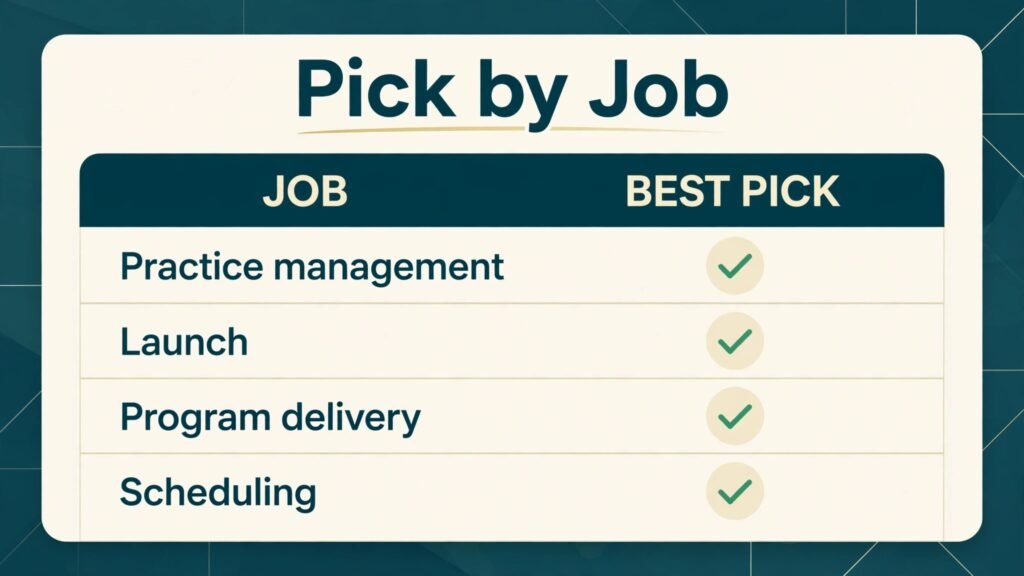
The pattern to notice is that no single tool wins every job. CoachAccountable wins on depth for a coaching practice. Paperbell wins on speed to launch. Calendly wins on pure scheduling simplicity. Your pick should follow the bottleneck in your week, not the longest feature list.
Client management and program delivery
This is the core of the stack. If you only fix one area, fix this one, because it touches intake, sessions, billing and follow up at the same time.

1. CoachAccountable
CoachAccountable is built specifically for coaches, and it shows. You can manage clients, sessions, programs, worksheets, metrics and billing from one dashboard. Clients get their own portal where they can see assignments, track metrics and message you between sessions. For a coach who runs structured programs with homework and accountability check ins, that portal does real work. It reduces the “where is that worksheet” messages and keeps progress visible between sessions.
AI in this context is practical rather than flashy. Use it to draft session summaries from your notes, turn a rambling follow up into a clear action list, and prepare a review of a client’s metrics before a session. The value is time saved on documentation, not a machine deciding what a client needs.
Best for: coaches with structured programs and regular accountability work.
Watch out for: the setup is the cost. If you import a messy set of spreadsheets and old documents without cleaning them first, you will carry that mess into a nicer system. Plan one afternoon to define your program structure, your intake questions and your standard worksheets before you invite clients in.
2. Paperbell
Paperbell is the fast start option. It combines scheduling, payments, packages and a simple client page, and it is designed for a solo coach who wants to sell sessions without building a website first. You can set up a package, link it to a booking page, take payment at booking, and send intake forms in the same flow. That single flow matters because every extra step between interest and payment loses clients.
Paperbell works well for coaches who sell a small number of clear offers. If you have one signature package and a handful of single sessions, it is hard to beat on simplicity. The trade off is depth. It is not trying to be a full program delivery platform with complex courses and habit systems, and coaches who need that depth will outgrow it.
Best for: solo coaches launching or simplifying their offer.
Watch out for: keep your offer count tight. Paperbell rewards clarity. If you list nine packages with overlapping names, clients will stall. Pick two or three offers, name them by outcome, and let the booking page do the explaining.
3. Satori
Satori focuses on the client journey from first enquiry to ongoing engagement. It handles packages, scheduling, contracts, intake and payments, and it gives you automations for onboarding steps that coaches often forget when they are busy. A new client can book, sign, pay and complete intake without you chasing each step by email.
The strength here is consistency. Every client gets the same professional start, which matters for referrals. A client who had a smooth onboarding is more likely to recommend you than a client who had a great session after a chaotic booking process. Satori also suits coaches who sell packages rather than single sessions, because it tracks package usage and renewals clearly.
Best for: package based coaches who want polished onboarding.
Watch out for: automations need testing. Send yourself through the full flow as a test client, including a reschedule and a missed payment step, before you switch live clients over. A broken automation is worse than no automation, because the client assumes you are ignoring them.
4. Delenta
Delenta is a coaching platform with white label options, which makes it relevant for coaches who run a branded practice or manage other coaches. It covers client management, scheduling, billing, programs and communication, and it lets a practice present its own branding rather than the vendor brand. For a solo coach that may be overkill. For a small coaching business with associates, it solves a real problem: clients stay inside one branded experience even when different coaches deliver sessions.
Use AI features here for drafting and summarising, and keep human review on anything that goes to a client. Delenta is strongest when the practice has repeatable programs that every coach delivers in a similar way. If every engagement is fully custom and improvised, a lighter tool may fit better.
Best for: coaching businesses and branded practices.
Watch out for: do not buy team features for a solo practice on the promise that you might hire later. Buy for the practice you run now, and upgrade when the team actually exists.
5. UpCoach
UpCoach is built around program delivery, habits and group coaching. If your model mixes one to one sessions with a group program, a course, or daily habit tracking, UpCoach keeps those pieces together. Clients can follow a program, complete tasks, track habits and join group sessions without jumping between four apps. That matters for completion rates. Clients finish programs they can see, and they drift from programs that live in scattered emails and PDFs.
For a life coach, the habit and task features are the point. A goal set in a session becomes a visible daily action, and the next session starts from evidence rather than memory. That changes the conversation from “how did the week go” to “here is what actually happened, and here is where you got stuck.”
Best for: coaches who sell programs, groups or habit based work.
Watch out for: group features need a group. If you have no group offer yet, test UpCoach with your one to one program first and add the group layer only when you have real demand for it.
6. Simply.Coach
Simply.Coach takes a structured approach to coaching work: goals, sessions, assessments, notes and client progress in one place. It suits coaches who use assessments and formal goal tracking, and who want a clear record of how a client moved over time. That record is useful at renewal time. Instead of asking a client to remember the change, you can show the goals, the scores and the session history.
The platform is less about marketing and more about delivery. Pair it with a separate scheduling or email tool if you need strong marketing automation, and judge it on whether it makes your sessions better prepared, not on whether it also sends newsletters.
Best for: coaches who use goals and assessments heavily.
Watch out for: check the integration list against the tools you already use before committing. A structured system that does not connect to your calendar or payment tool will create manual copying, which defeats the purpose.
7. Practice
Practice is an all in one client management tool for service businesses, including coaches. It covers scheduling, intake forms, contracts, payments and messaging, and it is a good fit for a coach who wants one admin home without a coaching specific program system. The interface is clean, and the client experience is simple, which helps for coaches whose clients are not technical.
Practice is a good middle path. It is more complete than a booking link alone, and less specialised than CoachAccountable or UpCoach. If your practice is mostly one to one sessions with standard intake and payment, Practice may be all you need, plus a notes tool and a content tool.
Best for: one to one coaches who want simple all in one admin.
Watch out for: templates still need your words. A generic intake form will collect generic answers. Rewrite the questions in your own voice, and ask for one specific example per question, so the first session starts with real material.
Scheduling, notes and content
Once the client system is settled, the next three jobs decide how much of your week you get back: booking, notes and content.
8. Calendly
Calendly remains the simplest answer to scheduling. You set your availability, your session lengths and your buffer times, and clients book a slot that already fits your calendar. It connects to common calendars, sends reminders, and reduces no shows when you add a short confirmation step. For coaches who do not need a full practice platform, Calendly plus a payment link can be enough to start.
The risk with Calendly is that it solves only scheduling. It does not manage programs, track goals or store session history. That is fine if you pair it deliberately with a notes tool and a client record. It becomes a problem only when a coach expects a booking link to run the whole practice.
Best for: coaches who need clean booking without a full platform.
Watch out for: set buffers and daily limits. A calendar that allows back to back sessions with no break will look efficient on Monday and feel exhausting by Thursday. Protect at least 15 minutes between sessions for notes, and cap the number of sessions per day at a level you can sustain.

9. Otter.ai
Otter.ai transcribes meetings and conversations and produces searchable summaries. For coaches, the use case is careful and specific: with explicit client consent, record a session or dictate your post session notes, then use the transcript to build a clean summary and action list. That summary becomes the next session starting point, and the client gets a clear record of what was agreed.
Consent and privacy come first here. Tell the client what is recorded, where it is stored, who can see it, and how long you keep it. Get that consent in writing as part of intake, and do not record a session on the assumption that consent is implied. Some clients will prefer notes only, and that preference should be respected without pressure. Also remember that a transcript is not a coaching record on its own. Edit it, remove anything irrelevant, and keep only what helps the client.
Best for: coaches who want accurate session summaries without retyping notes.
Watch out for: AI summaries can smooth over nuance. Read the summary before you send it, and check names, dates, commitments and emotional tone. A summary that misstates a commitment will damage trust faster than no summary at all.

10. Notion
Notion is a flexible workspace for notes, templates, program libraries and planning. Coaches use it to build a reusable library: session templates, worksheets, program outlines, content calendars and resource lists. Once built, that library saves hours. A new program becomes a copy of a proven template with new client details, rather than a fresh document every time.
Notion is also where many coaches overbuild. It is tempting to create a dashboard with 40 linked databases before you have a single paying client in the system. Resist that. Start with four pages: a session template, a client notes template, a program outline template and a content calendar. Add more only when a repeated task proves you need it.
Best for: coaches who want a reusable content and program library.
Watch out for: keep client data in your main client system, not scattered across Notion pages, unless you have a clear privacy plan for it. Use Notion for templates and resources, and keep sensitive client records in the system designed for them.
11. ChatGPT
ChatGPT is the drafting assistant in this stack, not the coach. Use it to turn a rough idea into a worksheet outline, brainstorm 20 post topics from one client question, rewrite a confusing email in plain language, or draft a follow up sequence you then edit in your own voice. The output is a starting point, and the value comes from your editing. A coach who publishes raw AI output will sound like every other coach publishing raw AI output, and clients notice.
Set boundaries for its use. Do not paste confidential client details into a general chat tool without checking your privacy obligations and the tool terms. Use anonymised examples for drafting, keep client specifics in your secure client system, and never let an AI tool give direct advice to a client in your name without your review. The same rule applies to scripts and assessments. Draft with AI, decide as the coach.
Best for: drafting, brainstorming and first drafts of content.
Watch out for: factual claims need checking. If ChatGPT suggests a statistic, a study or a legal point, verify it from a primary source before it reaches a client or a public post. For coaches who also write about tools, the best AI tools for freelance writers guide covers drafting workflows in more depth, and the best AI tools for therapists guide is useful on the privacy side of client work.
12. Canva
Canva covers the visual side of a coaching practice: social posts, quote graphics, worksheets, slide decks and lead magnets. For a coach, the win is consistency. A small set of branded templates for posts, worksheets and program covers makes the practice look professional without hiring a designer for every piece. Canva AI features can help resize a design, remove a background or generate a first draft image, but the brand rules still come from you.
The risk is visual clutter. A coach who uses a different template every day will look scattered, even if each design is good on its own. Pick two fonts, three colours and three post formats, and repeat them. Repetition builds recognition, and recognition builds trust over months.
Best for: consistent marketing visuals and client worksheets.
Watch out for: do not let design time replace coaching time. Set a weekly content block, batch four posts in one sitting, and stop. A beautiful feed with no booked sessions is not a business.

13. Mailchimp
Mailchimp handles email marketing for coaches who build a list: newsletters, welcome sequences, workshop invitations and program launches. Email still converts better than social posts for many coaches, because it reaches people who already asked to hear from you. A simple welcome sequence that explains your approach, shares one useful exercise and invites a discovery call will do more than a month of random posts.
Mailchimp is also where costs creep up. As your list grows, the plan price rises, and coaches who never clean their list pay for subscribers who never open anything. Review your list every quarter, remove or re engage inactive contacts, and keep your sequences short. Three useful emails beat ten forgettable ones.
Best for: newsletters, welcome sequences and launch emails.
Watch out for: do not buy a large list or add people without permission. Permission based email is not just a legal point, it is a trust point. A coach who spams a cold list will damage the reputation the practice depends on.
Best pick by job
| Job | Best pick | Runner up | Why this pick wins |
|---|---|---|---|
| Full practice management | CoachAccountable | Satori | Deepest coaching structure |
| Fastest solo launch | Paperbell | Practice | Booking plus payment in one flow |
| Package onboarding | Satori | Paperbell | Consistent client journey |
| Program and group delivery | UpCoach | Simply.Coach | Habits and tasks stay visible |
| Structured goal tracking | Simply.Coach | CoachAccountable | Goals and assessments in one record |
| Branded team practice | Delenta | CoachAccountable | White label and team structure |
| Simple all in one admin | Practice | Paperbell | Clean client experience |
| Pure scheduling | Calendly | Satori booking | Fastest to set up, fewest errors |
| Session notes | Otter.ai | Notion dictation | Searchable summary from real conversation |
| Reusable library | Notion | CoachAccountable templates | Templates you can copy and adapt |
| Drafting and ideas | ChatGPT | Notion AI | Fastest first draft, needs editing |
| Visuals and worksheets | Canva | Notion exports | Brand templates in minutes |
| Email marketing | Mailchimp | Practice messaging | Sequences that reach warm contacts |
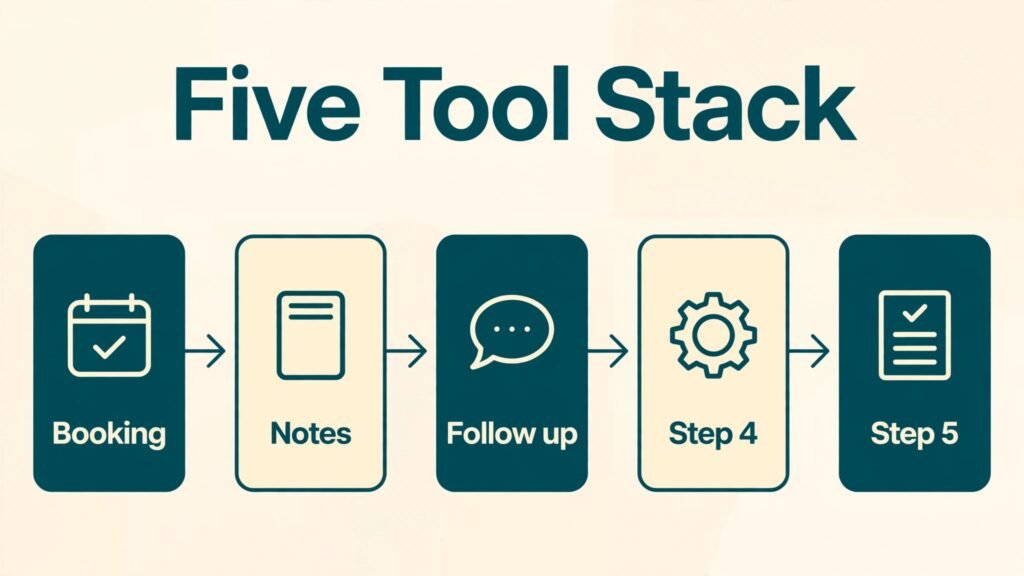
If you are starting from zero, the simplest credible stack is Paperbell or Practice for clients and booking, Otter.ai for notes with consent, Notion for templates, ChatGPT for drafts and Canva for visuals. That is five tools, and you can run a real practice on it. Add CoachAccountable or UpCoach only when your program model needs that depth.
How to choose the right tools for your practice
Start from your bottleneck, not from a feature list. Track one normal week and mark every task that is not coaching. If booking and payment chase you, fix scheduling and packages first. If notes eat your evenings, fix transcription and templates first. If clients drift between sessions, fix program visibility and accountability first. The tool that solves your largest time loss is the right first purchase, even if another tool has a longer feature page.
Second, test with a real workflow. A free trial that you click around in for ten minutes tells you nothing. Run one real client through intake, booking, payment, a session, notes and follow up on the trial. Note every step where you had to copy data by hand, every email you had to write manually, and every place the client looked confused. Those friction points are your buying criteria.
Third, check privacy and data control. Ask where client data is stored, how you export it, and what happens when you cancel. A tool that locks your client history inside its system is a long term risk. Export a test client record before you commit, and make sure you can leave with your data intact.
Fourth, count total cost, not headline price. Add the base plan, the per client or per seat cost, the email or transcription add on, and the time cost of setup. A cheap tool that needs three hours of manual work a week is more expensive than a pricier tool that runs itself. Also check what happens at renewal. Some vendors change tiers quietly, so set a calendar reminder to review the stack every six months.
Fifth, keep the client experience simple. A client should be able to book, pay, join a session and find their homework without a tutorial. If you need to explain the system in a long email, the system is too complex for that client. Simplicity is a feature, and it is the one clients remember.
Mistakes to avoid
Buying overlapping tools is the first mistake. Two booking tools, two email tools and three note apps will not make you more productive. They will make you unsure where the truth lives. Pick one system per job and retire the rest.
Skipping consent for recording is the second mistake. It is a trust issue and a privacy issue. Build consent into intake, explain storage clearly, and offer a notes only option without making the client feel difficult.
Publishing unedited AI content is the third mistake. Clients hire a coach for judgment and voice, not for generic advice they could get anywhere. Use AI for drafts, then add your examples, your phrasing and your point of view. If a post could have been written by any coach, rewrite it until only you could have written it.
Overbuilding templates before you have clients is the fourth mistake. A Notion workspace with 60 pages and no clients is procrastination in a productive costume. Build the template you need for the next client, use it, improve it, and repeat.
Ignoring renewal and churn signals is the fifth mistake. If a client stops completing tasks, misses sessions or goes quiet on messages, that is data. A good client system surfaces it early. Check your client list weekly for quiet clients, and reach out before a quiet client becomes a lost client.
Frequently asked questions
Do life coaches really need AI tools, or is this just extra software?
You do not need AI to be a good coach. You need systems to run a sustainable practice. AI tools help when they remove repeatable admin, draft faster, or surface a pattern in client progress. If a tool does not save time or improve the client experience, drop it. The test is simple: does this tool give you back hours or help a client stay on track. If the answer is no after a real trial, cancel it.
Which single tool should a new life coach start with?
Start with a client and booking system, not a content tool. Paperbell or Practice will let you sell and deliver sessions cleanly. Add a notes tool next, then content tools once you have steady clients. Content without a booking flow is attention without income.
Is it safe to record coaching sessions with AI transcription?
It can be, with consent and clear storage rules. Get written consent, explain where the recording and transcript live, set a retention period, and delete recordings when that period ends. Offer a notes only alternative. If you work with sensitive topics, check your local rules and your professional obligations before recording anything.
Can AI write my coaching content for me?
AI can draft, outline and brainstorm, but it should not publish in your name without editing. Your examples, your language and your stance are what make content credible. Use AI to get to a first draft faster, then rewrite the parts that matter: the opening, the examples and the call to action.
How much should a solo coach budget for tools each month?
Budget by value, not by a fixed number. A solo coach can run on a small stack with one client system, one notes tool and one design tool, and add email marketing when the list grows. Check the checkout page for current pricing, watch for per client fees, and review the stack every six months. Cancel tools you have not used in 30 days.
Should I use a coaching specific platform or general tools?
Use a coaching specific platform when you run structured programs, packages or group work, because the program features save real time. Use general tools when your practice is simple one to one work and you prefer flexibility. Many coaches start general and move to a coaching platform when program delivery becomes the bottleneck.
How do I avoid sounding generic when I use AI for content?
Start from a real client question, add one specific example from your work with details changed for privacy, and end with a clear opinion. Generic content avoids opinions. Strong content takes a position, names a trade off, and tells the reader what to do next. Edit until the piece sounds like you in a session, not like a summary of the internet.
Conclusion
The best stack for a life coach is the smallest stack that covers clients, booking, notes and content without duplication. For most coaches that means one client system, one scheduling flow, one notes method and one or two content tools. CoachAccountable suits structured practices, Paperbell suits fast solo launches, Satori suits package onboarding, and UpCoach suits program and group work. Around them, Calendly keeps booking clean, Otter.ai keeps notes accurate with consent, Notion keeps templates reusable, ChatGPT speeds drafting, Canva keeps visuals consistent, and Mailchimp keeps email warm.
Start with the bottleneck in your week, test one real client through the full flow, and keep only the tools that give time back or help clients stay on track. A practice built on that rule will feel calmer for you and clearer for your clients, and that clarity is what turns a first session into a long engagement.