

A therapy practice runs on trust, slow to build and fast to lose. That is the test every tool here has to pass. A note writer saving an hour a week is not worth it if a client wonders where a recording went. A chatbot keeping a client engaged is not worth it if it gives vague reassurance when a person needs a human. The best AI tools for therapists in 2026 are judged differently from general productivity tools: speed matters, but privacy, accuracy, and clinical control matter more.
This guide looks at 12 tools in four parts of a practice: session notes, scheduling and communication, billing, and support between sessions. Prices are October 2026 figures in US dollars where a vendor publishes them. Where pricing is custom, bundled through a plan, or not published, the guide says check checkout rather than guessing. That matters, because a headline price often excludes the plan a solo clinician actually needs.
One point runs through this guide. AI can draft, remind, organise, and track, but it cannot hold clinical responsibility. A therapist still has to read, correct, and sign every note, decide when a message needs a same day reply, and decide when a client needs a referral or a crisis response no app can provide. These tools help when they protect that responsibility, and cause problems when they blur it.
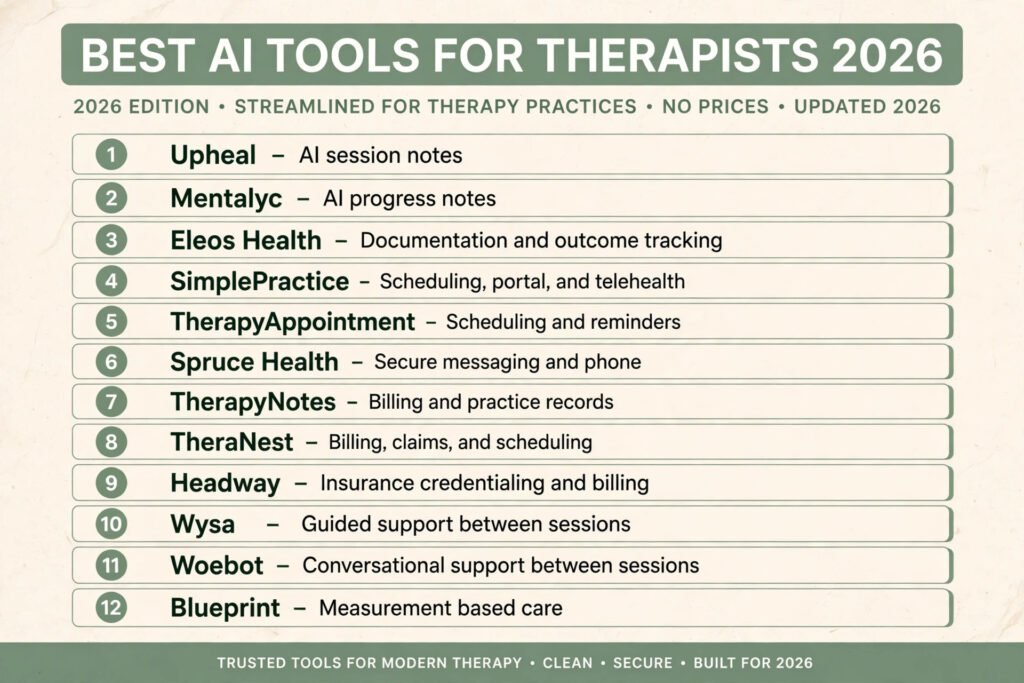
The 12 best AI tools for therapists at a glance
| Tool | Best job | Free option | Paid model |
|---|---|---|---|
| Upheal | AI session notes | Free trial | Subscription, check checkout |
| Mentalyc | AI progress notes | Free trial | Subscription, check checkout |
| Eleos Health | Documentation and outcome tracking | Demo, no public free tier | Custom, check checkout |
| SimplePractice | Scheduling, portal, and telehealth | Free trial | Subscription, check checkout |
| TherapyAppointment | Scheduling and reminders | Free trial | Subscription, check checkout |
| Spruce Health | Secure messaging and phone | Free trial | Subscription, check checkout |
| TherapyNotes | Billing and practice records | Free trial | Subscription, check checkout |
| TheraNest | Billing, claims, and scheduling | Free trial | Subscription, check checkout |
| Headway | Insurance credentialing and billing | No public free tier | Percentage based, check checkout |
| Wysa | Guided support between sessions | Free app tier | Subscription or plan based, check checkout |
| Woebot | Conversational support between sessions | Free app tier | Subscription or plan based, check checkout |
| Blueprint | Measurement based care | Free trial | Subscription, check checkout |
Pick by the job you need done
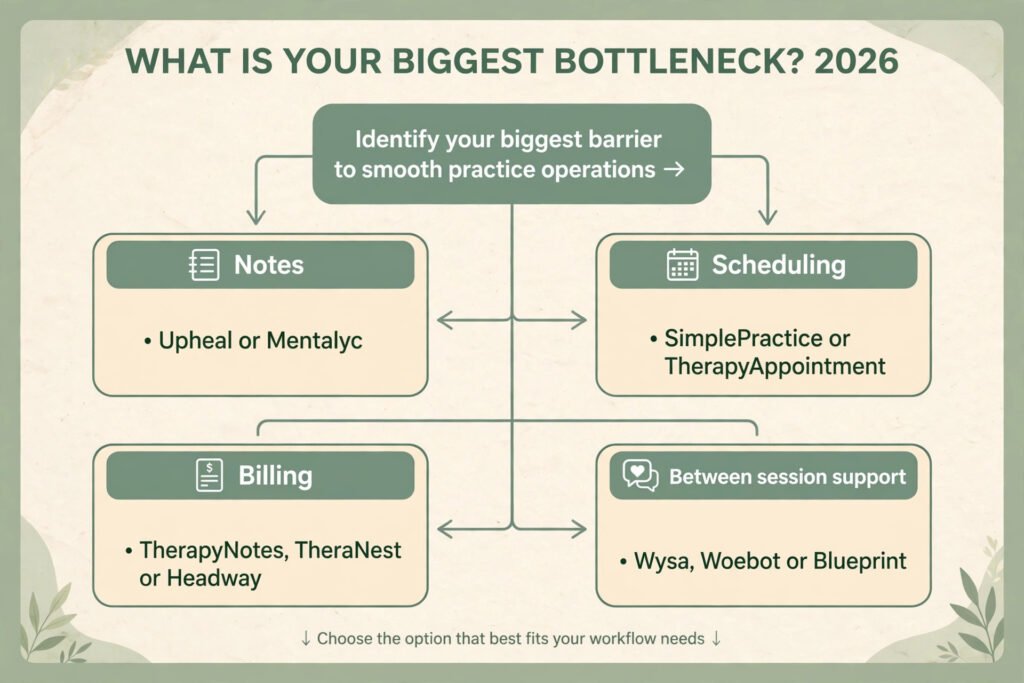
| Your job | Start with | If that fails, try |
|---|---|---|
| Cut note writing time after sessions | Upheal | Mentalyc |
| Notes plus outcome tracking for a clinic | Eleos Health | Upheal |
| One system for scheduling, portal, and video | SimplePractice | TherapyAppointment |
| Secure messaging without a personal phone number | Spruce Health | SimplePractice |
| Billing and claims in one record | TherapyNotes | TheraNest |
| Get on insurance panels and get paid | Headway | TheraNest |
| Guided exercises between sessions | Wysa | Woebot |
| Track symptoms and progress over time | Blueprint | Eleos Health |
Notes that write themselves, with a clinician still in charge
Notes are where AI saves the most time, and where it creates the most risk. A good note tool captures a session, drafts a structured note, and leaves the therapist in control of the record. A poor one produces fluent text that looks complete while missing a risk note or a change in presentation. That is why tools here are judged on editing, audit, and privacy controls, not only on speed.
1. Upheal
Upheal records a session, with client consent, and turns it into a structured therapy note, including progress notes, treatment plans, and summaries. It is built for individual therapists and small practices. The value is practical: a clinician who sees six clients in a day can finish notes the same day.
Pricing: A free trial is offered. Paid plans are subscription based. Check checkout for current per clinician pricing, because plan limits on session minutes and note types change.
Best for: Solo therapists and small practices wanting fast progress notes and a simple post session workflow.
Watch out for: Consent and recording rules vary by state and client. The therapist still has to get clear consent, explain what is recorded, and check every draft before signing. A note that reads well is not automatically accurate.
Try it at: upheal.io

2. Mentalyc
Mentalyc focuses on progress notes and treatment plans, with templates for common note formats. It can transcribe a session or work from a therapist dictated summary, which suits clinicians who do not want to record every session, and clients uneasy about recording.
Pricing: A free trial is offered. Paid plans are subscription based. Check checkout for current pricing and for limits on notes per month.
Best for: Therapists who want structured progress notes and treatment plans without recording every session.
Watch out for: Notes from a summary are only as good as the summary. If a detail is left out of dictation, it will not appear in the note. Mentalyc needs the same careful review as any AI draft, especially for risk, safety, and changes in presentation.
Try it at: mentalyc.com
3. Eleos Health
Eleos Health is aimed at behavioural health organisations rather than solo practices. It combines AI documentation with measurement based care, so a clinic can see symptom scores, attendance, and documentation quality across clinicians. Notes alone do not show whether treatment is working, but notes plus tracked outcomes start to show it.
Pricing: Pricing is custom and sold to organisations. Check checkout or request a quote for current terms, because public per clinician pricing is not the model here.
Best for: Group practices and clinics needing documentation, supervision, and outcome data in one system.
Watch out for: Eleos is heavier to set up than a solo note tool, and too much for a single therapist who only needs notes. Clinics should check how Eleos handles consent, data retention, and access controls before rolling it out. For the wider clinic picture, see our AI scribe tools for clinics guide.
Try it at: eleos.health
Scheduling and messages that do not leak into personal life
Therapists lose time and boundaries in the same place: the phone. Clients text a personal number, a session moves, and a clinician ends the day answering messages that should have gone through a practice system. Tools here are judged on whether they protect a boundary while keeping a client informed.
4. SimplePractice
SimplePractice is the all in one practice system most therapists compare everything else against. It covers scheduling, a client portal, intake forms, telehealth, notes, and billing. A client books, completes forms, joins video, and pays in one place, so fewer details fall between systems.
Pricing: A free trial is offered. Paid plans are subscription based, with higher tiers adding features such as telehealth and Wiley treatment planners. Check checkout for current per clinician pricing.
Best for: Solo therapists and small practices that want one system for scheduling, portal, video, notes, and billing.
Watch out for: All in one systems are convenient until a therapist needs a specialist tool. SimplePractice notes and billing are solid, but a clinician who wants the fastest AI notes or deepest outcome tracking may still add a specialist tool. Price also rises as features and clinicians are added, so price the tier you will actually use.
Try it at: simplepractice.com

5. TherapyAppointment
TherapyAppointment is a long running practice system for mental health professionals, with scheduling, reminders, notes, and billing. It is less flashy than newer tools, but that stability appeals to practices whose staff already know it. Its strength is routine: appointments, reminders, and records that work the same way every week.
Pricing: A free trial is offered. Paid plans are subscription based. Check checkout for current pricing and for what is included at each tier.
Best for: Established practices wanting reliable scheduling, reminders, notes, and billing without frequent system changes.
Watch out for: The interface feels older than SimplePractice, and practices wanting modern messaging or advanced AI notes may find it limited. It is a good core system, not a specialist AI tool.
Try it at: therapyappointment.com
6. Spruce Health
Spruce Health gives a practice a business phone number, secure messaging, and telehealth in one app. A therapist can text, call, and video chat without sharing a personal number, and messages stay in a practice record rather than a personal inbox. For therapists across locations, or sharing on call duties, that separation is a real privacy gain.
Pricing: A free trial is offered. Paid plans are subscription based. Check checkout for current pricing and for limits on team members and message volume.
Best for: Therapists and small teams needing secure messaging, a business phone line, and telehealth without sharing a personal number.
Watch out for: Spruce is a communication tool, not a full practice system. It does not replace notes, billing, or a portal on its own, so most practices pair it with SimplePractice or TherapyNotes. Response expectations also need a clear policy, or clients will assume instant replies at all hours.
Try it at: sprucehealth.com
Billing that pays, without turning a clinician into an administrator
Billing is where many therapists lose money quietly. Claims are denied for small errors, insurance panels take months, and a clinician spends Friday afternoons chasing payments. Tools here are judged on whether they reduce avoidable denials and show where money is stuck.
7. TherapyNotes
TherapyNotes combines scheduling, notes, billing, and a client portal, with a strong focus on insurance claims for mental health practices. It is widely used, so billing staff, supervisors, and new hires are more likely to know it already. That familiarity matters when a practice grows and cannot afford long retraining for every new clinician.
Pricing: A free trial is offered. Paid plans are subscription based. Check checkout for current per clinician pricing and for claim submission terms.
Best for: Therapy practices that want scheduling, notes, and insurance billing in one familiar system.
Watch out for: TherapyNotes is a full practice system, so a solo therapist who only needs billing may pay for unused features. Its AI capabilities are also more limited than specialist note tools, so a clinician wanting AI notes may still add Upheal or Mentalyc alongside it.
Try it at: therapynotes.com

8. TheraNest
TheraNest covers scheduling, notes, billing, and client management, with tools for claims, invoicing, and reporting. It suits practices that want to see clearly which claims are outstanding, which clients have balances, and which clinicians have open notes, so a manager can spot problems before they become a cash flow problem.
Pricing: A free trial is offered. Paid plans are subscription based. Check checkout for current pricing and for limits on active clients or claims.
Best for: Small and mid sized practices wanting billing, claims, and reporting in one system.
Watch out for: TheraNest is a general practice system, not a specialist billing service. Practices with complex insurance mixes or high denial rates may still need a billing specialist or Headway for panel and payment work. Setup also takes time, especially when importing clients and claims history.
Try it at: theranest.com
9. Headway
Headway helps therapists get credentialed with insurance companies, handles billing, and pays the therapist while it collects from the insurer. For a therapist who wants to accept insurance but does not want to learn credentialing, claims, and denial management, that service can be the difference between taking insurance and turning clients away.
Pricing: Headway takes a percentage of collected payments rather than a flat subscription. Check checkout for current terms, because the percentage and the services included can change by plan and by state.
Best for: Therapists wanting to accept insurance without building a credentialing and billing operation.
Watch out for: A percentage model costs more as a practice grows, and a therapist gives up some control over billing and communication. Headway also works within its own network and processes, so a therapist wanting a fully independent system may prefer TherapyNotes or TheraNest and a separate billing specialist.
Try it at: headway.co
Support between sessions, with clear limits
Between session support is the most sensitive category here. A client who practises a skill or tracks a mood between sessions often does better than one who only thinks about therapy for one hour a week. But an app that talks like a therapist can create false confidence. Tools below are guided support and tracking, not a replacement for therapy, and must be introduced that way.
10. Wysa
Wysa is an AI chatbot and self help app built around cognitive behavioural techniques, mood tracking, and guided exercises. It is used by individuals and through employers and health plans, and has been studied in research settings more than many chatbot apps. Its strength is structure: a client works through a short exercise, logs a mood, and returns to a pattern over time, rather than chatting without direction.
Pricing: A free tier is available in the app. Paid access is subscription based or provided through an employer or health plan. Check checkout for current direct pricing.
Best for: Clients wanting guided exercises, mood tracking, and structured support between sessions, reviewed by a therapist.
Watch out for: Wysa is not a therapist, and should never be presented as one. Crisis handling, risk assessment, and complex presentations still need a human. Therapists should agree how Wysa data will be discussed in session, and what happens if a client reports distress in the app.
Try it at: wysa.com

11. Woebot
Woebot is a conversational app based on cognitive behavioural therapy, with daily check ins, guided conversations, and mood tracking. It is designed for regular short sessions, which suits clients who will not open a long workbook but will answer a few prompts on a phone. Its tone is conversational, but its content is structured, an important distinction here.
Pricing: A free tier is available in the app. Paid access is subscription based or provided through a partner. Check checkout for current direct pricing.
Best for: Clients who benefit from short, regular check ins and CBT based exercises between sessions.
Watch out for: Regular check ins can create an expectation of constant availability. A therapist should set clear expectations about when Woebot is used, when a message to the practice is needed instead, and what to do in a crisis. Woebot data also needs the same privacy conversation as any health app, including storage and access.
Try it at: woebothealth.com
12. Blueprint
Blueprint focuses on measurement based care: clients complete brief symptom measures between sessions, and therapists see progress over time in a dashboard. Instead of asking how the last two weeks went and relying on memory, a therapist can see which symptoms improved, which stayed flat, and where treatment may need to change. For practices that want to show outcomes, that record is valuable.
Pricing: A free trial is offered. Paid plans are subscription based. Check checkout for current pricing and for which measures and integrations are included.
Best for: Therapists and practices that want to track symptoms, show progress, and adjust treatment based on measured change.
Watch out for: Measures only help if clients complete them. A practice needs a simple routine for sending measures and reviewing results, or completion rates will fall and the dashboard will show gaps. Blueprint also needs to fit with the note system, or a therapist ends up checking two systems for one client.
Try it at: blueprinthealth.com
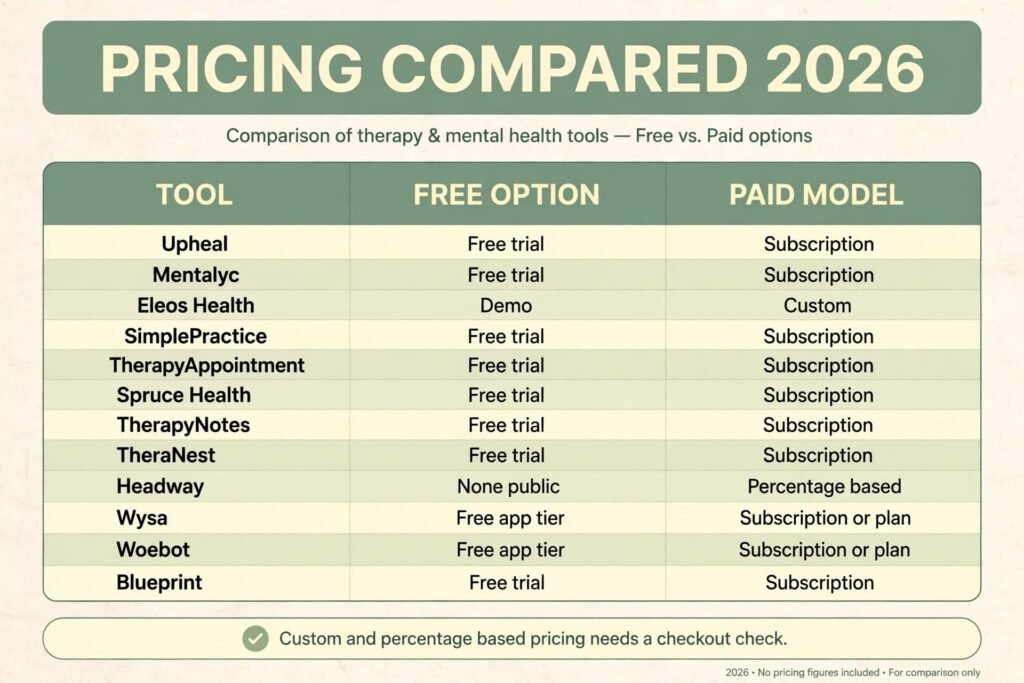
Pricing compared: what a therapy practice really pays
| Tool | Free option | Paid model | Pricing note |
|---|---|---|---|
| Upheal | Free trial | Subscription | Check checkout for session limits |
| Mentalyc | Free trial | Subscription | Check checkout for note limits |
| Eleos Health | Demo | Custom | Organisation pricing, request a quote |
| SimplePractice | Free trial | Subscription | Higher tiers add telehealth and planners |
| TherapyAppointment | Free trial | Subscription | Check checkout for tier inclusions |
| Spruce Health | Free trial | Subscription | Check checkout for team limits |
| TherapyNotes | Free trial | Subscription | Check checkout for claim terms |
| TheraNest | Free trial | Subscription | Check checkout for client limits |
| Headway | None public | Percentage based | Percentage of collected payments |
| Wysa | Free app tier | Subscription or plan | Often provided through a plan |
| Woebot | Free app tier | Subscription or plan | Often provided through a partner |
| Blueprint | Free trial | Subscription | Check checkout for measures included |
A solo therapist can run a practice on one all in one system plus one specialist note tool, with between session apps often free to the client or provided through a plan. A group practice will pay more, mainly because per clinician pricing, outcome tracking, and billing support add up. The hidden cost is usually setup, training, consent processes, and proper review of AI drafts. A tool that saves an hour of note writing but adds an hour of checking has saved nothing.
How to choose without breaking client trust
Start with the problem that costs the most time or risk. If notes run into evenings, start with a note tool and a clear review routine. If missed appointments and late messages cause the most friction, start with scheduling and secure messaging. If unpaid claims are the problem, start with billing. Buying every category at once leaves four systems, four logins, and no time to learn any well.
Next, check privacy in writing, not in marketing copy. Ask whether the vendor will sign a business associate agreement, where data is stored, how long recordings and transcripts are kept, who can access them, and how data can be deleted. A tool that cannot answer clearly is not ready for therapy work, however good its demo looks. HIPAA compliance is a set of safeguards and agreements, not a badge on a website, and a vendor that will not sign an agreement or explain retention has not met the test.
Then test with real sessions, not demo data. Run a note tool for two weeks with a small number of clients, with consent, and compare drafts against your own notes, checking for missing risk information, wrong attributions, and confident statements about details you did not state. Test scheduling and messaging with staff, not only yourself. Finally, write the client facing explanation before you buy: if you cannot explain in plain language what a tool records, where it goes, and how a client can opt out, it is not ready for your practice yet.
Mistakes to avoid
The first mistake is letting an AI draft become the record without a full read. Fluency is not accuracy. A draft can invent a timeline, soften a risk statement, or miss a change in condition, and a signature turns it into a clinical record. The second mistake is recording without clear consent, which is a conversation about what is recorded, why, where it is stored, and how a client can change their mind, not a checkbox at intake.
A third mistake is giving a between session app a job it cannot do. A chatbot can guide an exercise and track a mood. It cannot assess risk, hold a therapeutic alliance, or respond to a crisis with human judgement. Clients need to hear that limit from their therapist, not discover it in a difficult moment. A fourth mistake is buying for features instead of workflow: a practice struggling with notes will not be helped by a billing tool, and a practice with a full calendar will not be helped by another client portal to learn.
Finally, do not ignore the end of a tool relationship. Ask how notes, measures, and messages can be exported if you leave, and how long a vendor keeps data after cancellation. A tool that makes export hard is making a claim on your practice records, and that should be understood before any client data goes in.
Frequently Asked Questions
Is AI allowed in therapy notes?
AI can help draft notes, but rules depend on location, professional guidance, and client consent. A therapist must review, correct, and sign every note.
Which tool is best for a solo therapist?
SimplePractice for the core system, plus Upheal or Mentalyc for notes, is a strong start for solo therapists. Headway helps with insurance, and Spruce helps with messaging boundaries.
Do these tools replace therapy?
No. Tools here support therapy, they do not replace it. Clinical judgement, alliance, risk assessment, and crisis response remain human work.
What should I ask about HIPAA and privacy?
Ask for a business associate agreement, storage and retention details, access controls, deletion terms, and whether client data trains models. A clear written answer matters more than a sales page claim.
Can clients use Wysa or Woebot instead of therapy?
They can support clients between sessions, but they are not a substitute for therapy, especially for moderate to severe conditions, trauma, or risk. A therapist should introduce them and review progress in session.
How much should a therapist budget for AI tools?
A solo therapist can often start with one core system and one note tool, with between session apps free or plan provided. Group practices should budget per clinician, plus setup and training.
Conclusion
The best AI tools for therapists do not try to automate therapy. They remove the admin work around therapy. Upheal and Mentalyc cut note time. Eleos adds outcome data for clinics. SimplePractice, TherapyAppointment, and Spruce protect time and boundaries. TherapyNotes, TheraNest, and Headway help a practice get paid. Wysa, Woebot, and Blueprint support clients between sessions and show whether progress is real.
Start with one problem, check privacy in writing, test with real sessions, and keep clinical control in human hands. A tool that passes those tests will earn its place in a practice. A tool that fails them, however fast or impressive its demo, should not be near a client record.