
The best AI tools for catering businesses solve a very specific problem: a catering job is not one sale, it is dozens of moving parts that all have to land on the same day. Menus change, guest counts change, dietary notes arrive late, staff call in sick, rentals are counted twice, and the client still expects a calm, polished event. When any one of those parts slips, margin slips with it, because food cost, labour and last minute rentals are hard to recover after the event. This guide compares nine tools that help catering teams plan faster, price more accurately and follow up more reliably, without pretending that software alone can cook the food or run the room.
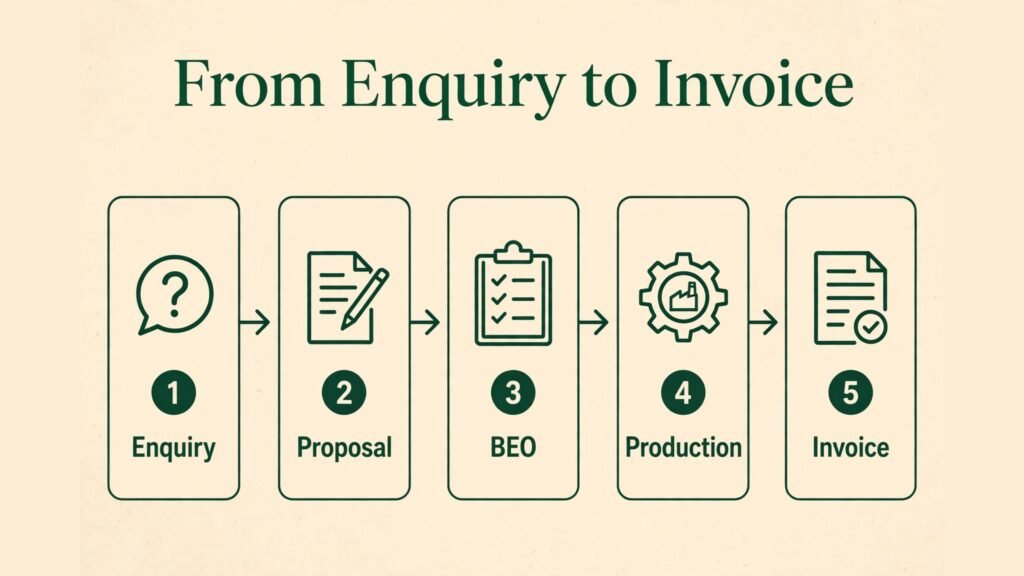
Catering is different from a restaurant. A restaurant repeats the same menu in the same room. A caterer rebuilds the operation for every client, often in a venue it does not control. That is why the tools below are grouped by the job they actually do, not by brand size. Some handle the full event from enquiry to invoice. Others do one job well, such as recipe costing, menu writing or client communication. The right stack for a small team is usually one core event platform plus one or two specialist tools, not nine separate subscriptions that nobody opens on event day.
Before the reviews, it helps to be clear about what AI can and cannot do here. AI can draft a menu from a brief, turn a long email thread into a proposal outline, flag a recipe that is priced below cost, suggest a staffing level from guest count and service style, and write a follow up message that sounds human. It cannot taste a sauce, check that a venue kitchen has enough power, or know that a client meant gluten free when they wrote wheat free in a hurry. Every tool below still needs a human check on allergens, quantities and final pricing. Treat AI output as a first draft, never as a final order.
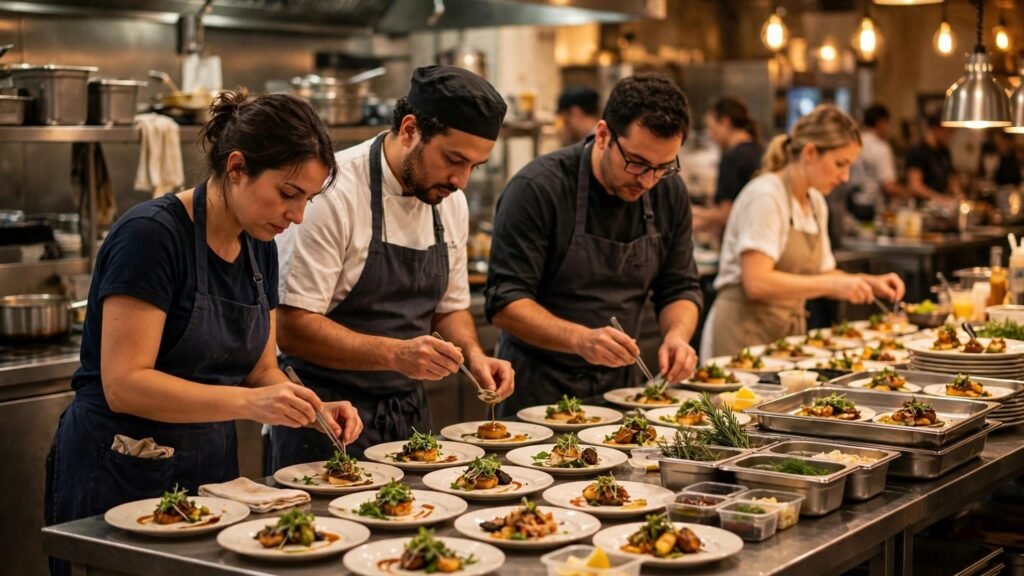
Why the best AI tools for catering businesses matter in 2026
At a glance: the 9 tools compared
| Tool | Best for | Core strength | Pricing note |
|---|---|---|---|
| Caterease | Full event management | Proposals, BEOs and kitchen reporting in one place | Paid plans, check vendor checkout for current pricing |
| Tripleseat | Venue and event sales teams | Lead tracking and event documents | Paid plans, check vendor checkout for current pricing |
| Total Party Planner | Small catering teams | Simple event workflow from enquiry to invoice | Paid plans, check vendor checkout for current pricing |
| HoneyBook | Client communication | Contracts, invoices and client portals | Paid plans, check vendor checkout for current pricing |
| Curate | Proposal design | Beautiful proposals and rental tracking | Paid plans, check vendor checkout for current pricing |
| Goodshuffle Pro | Rental heavy caterers | Rental inventory and pull sheets | Paid plans, check vendor checkout for current pricing |
| FoodStorm | Production planning | Orders, production sheets and labelling | Paid plans, check vendor checkout for current pricing |
| meez | Recipe costing | Recipe costs, yields and margins | Paid plans, check vendor checkout for current pricing |
| Galley | Food cost control | Inventory, purchasing and recipe costing | Paid plans, check vendor checkout for current pricing |
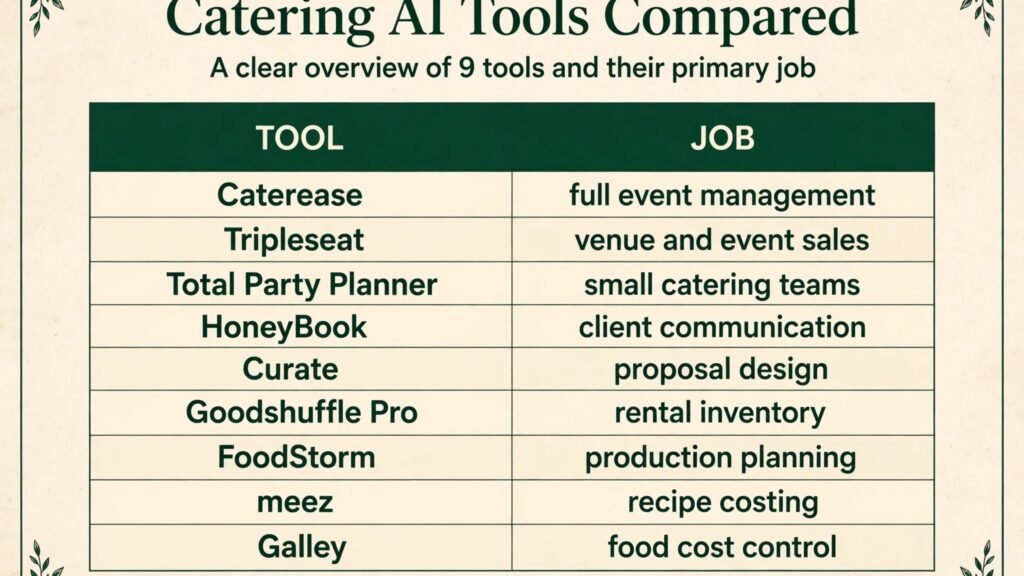
Best pick by job
| Job to be done | Best pick | Why it wins for that job |
|---|---|---|
| Run the whole event from enquiry to BEO | Caterease | Deepest catering specific workflow in this list |
| Win venue and corporate work | Tripleseat | Strong lead and document flow for sales teams |
| Keep a small team organised | Total Party Planner | Easiest to adopt without a long setup project |
| Look professional to clients | HoneyBook | Clean contracts, payments and client portal |
| Sell with visual proposals | Curate | Proposal presentation that helps close higher value jobs |
| Manage rentals without chaos | Goodshuffle Pro | Inventory and pull sheets built for rentals |
| Plan production accurately | FoodStorm | Order to production sheet flow that kitchen teams can follow |
| Know your true dish cost | meez | Recipe costing that exposes margin problems early |
| Control food cost across sites | Galley | Purchasing and inventory tied to recipes |
If you run a catering business and also serve walk in guests, the operations overlap with restaurant tools. See our guide to the best AI tools for restaurants for front of house and marketing options that pair well with the event tools here.
Tools that run the whole event
1. Caterease
Caterease is the most catering specific platform in this guide. It covers enquiries, proposals, banquet event orders, staffing, rentals and invoicing, so a team can follow one event from first call to final payment without rebuilding the same details in spreadsheets. For teams that run weddings, corporate events and private parties in parallel, that single record matters. When a guest count changes, the change flows through to staffing notes, rental quantities and the kitchen report, instead of living only in an email.
The AI value here is mostly practical rather than flashy. Teams use AI writing help to draft proposal language, turn client notes into a structured event brief, and clean up long email threads into action items. The platform value is structure: menus, packages, pricing rules and client history stay in one place, so a new coordinator is not starting from a blank document every time.
Watch out for: setup takes real time. Menus, packages, tax rules and report templates need to be entered carefully before the system saves time. Small teams that only run a handful of events per month may find the depth more than they need, and should test whether they will actually use the reporting features or just the proposals.
Best for: established caterers running many events per month who need one system of record.
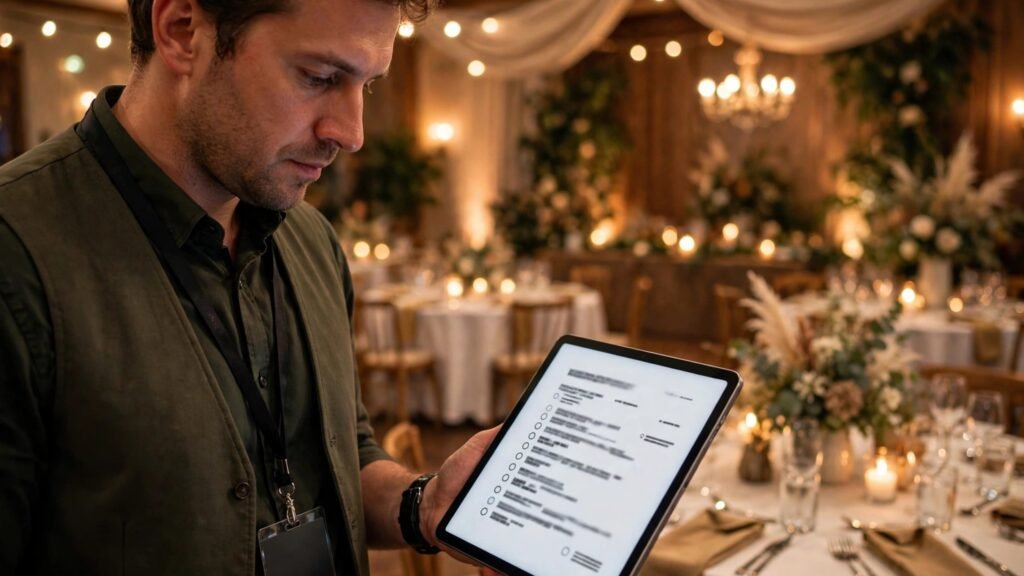
2. Tripleseat
Tripleseat is built for venues and catering sales teams that live on leads. It tracks enquiries, follows up automatically, stores client details and produces event documents that sales staff can send without waiting for operations. For a caterer that depends on venue partnerships and corporate repeat work, speed of response is often the difference between winning and losing a date. Tripleseat helps a team reply fast, with consistent documents, even when the lead arrives on a weekend.
AI helps most in the early stage: drafting follow up messages, summarising enquiry details, and keeping the pipeline tidy so no lead sits untouched. The platform is less about kitchen production than Caterease, so teams often pair it with a production tool rather than expecting it to do everything.
Watch out for: if you do not have a steady flow of venue or corporate leads, the sales pipeline features may feel underused. Check that your team will work the pipeline daily, because a CRM only helps if leads are updated.
Best for: caterers and venues with high enquiry volume and a sales led workflow.
3. Total Party Planner
Total Party Planner suits small catering teams that want order without enterprise complexity. It handles events, proposals, contracts, invoices and client communication in a workflow that is easier to learn than the larger platforms. For an owner operator who is also the salesperson, chef contact and delivery lead, simplicity is not a minor benefit, it is the reason the tool gets used at all.
AI use here is mainly drafting and organisation: turning a client brief into a proposal outline, writing a clear follow up, and keeping event details in one timeline. The trade off is depth. Larger teams with complex rental inventories or multi site production may outgrow it and need a specialist tool alongside it.
Watch out for: check rental and production reporting before you commit if rentals are a large part of your revenue. Some teams keep a separate rental sheet even after adopting a core event tool, which defeats the purpose.
Best for: small teams that need a clean, affordable event workflow they will actually use every week.
Tools that win clients and present well
4. HoneyBook
HoneyBook is not catering specific, but it is very good at the client facing part of the job: enquiries, contracts, invoices, payments and a client portal where clients can see what they owe and what happens next. Many caterers lose work not because the food is weak, but because the booking experience feels messy. A late contract, a confusing invoice or a missing payment link creates doubt. HoneyBook removes much of that friction.
AI features help draft messages, summarise client requests and automate routine follow ups, such as a reminder to sign a contract or pay a deposit. That matters in catering, where the gap between enquiry and event can be months long and clients need reassurance without a coordinator chasing them manually.
Watch out for: HoneyBook does not replace a catering BEO or kitchen production system. If you adopt it, plan how event details move from HoneyBook into your production plan, or you will end up copying details by hand.
Best for: caterers who want a polished booking experience and reliable payments, especially for private events.
If your events include weddings, the client experience matters even more. Our guide on how to use AI for wedding planning covers planning workflows that pair with a strong booking tool.
5. Curate
Curate focuses on proposals that look like they belong to a premium caterer. It lets teams build visual proposals with menu items, rentals, staffing and pricing, and track what clients actually open and approve. In a competitive bid, presentation is not vanity. A clear proposal helps a client compare options, approve faster and feel confident about a large spend.
AI helps draft proposal copy, suggest menu descriptions and tidy up package language. The rental tracking is also useful: when a proposal includes chargers, glassware and linen, Curate helps keep those quantities tied to the event rather than floating in a separate list.
Watch out for: Curate is strongest at the front end. Teams that need deep kitchen production sheets or inventory control will still need another tool for the back end. Price it as a sales tool, not as a full operations replacement.
Best for: caterers competing on presentation for weddings and corporate events.
6. Goodshuffle Pro
Goodshuffle Pro is built for rental inventory, which is a common pain point for caterers that also supply tables, chairs, glassware and decor. It tracks availability, builds quotes, creates pull sheets and manages delivery and pickup. When rental counts are wrong, the cost is immediate: a missing item on event day, or a warehouse team pulling the wrong stock.
AI and automation help with quote drafting, availability checks and client follow up, but the core value is inventory accuracy. A team can see what is booked, what is available and what needs to be pulled, without relying on memory or a whiteboard.
Watch out for: if rentals are only a small part of your work, a dedicated rental system may be overkill. It earns its place when rental revenue and warehouse work are large enough that errors cost real money.
Best for: caterers with a serious rental operation alongside food service.

Tools that protect margin in the kitchen
7. FoodStorm
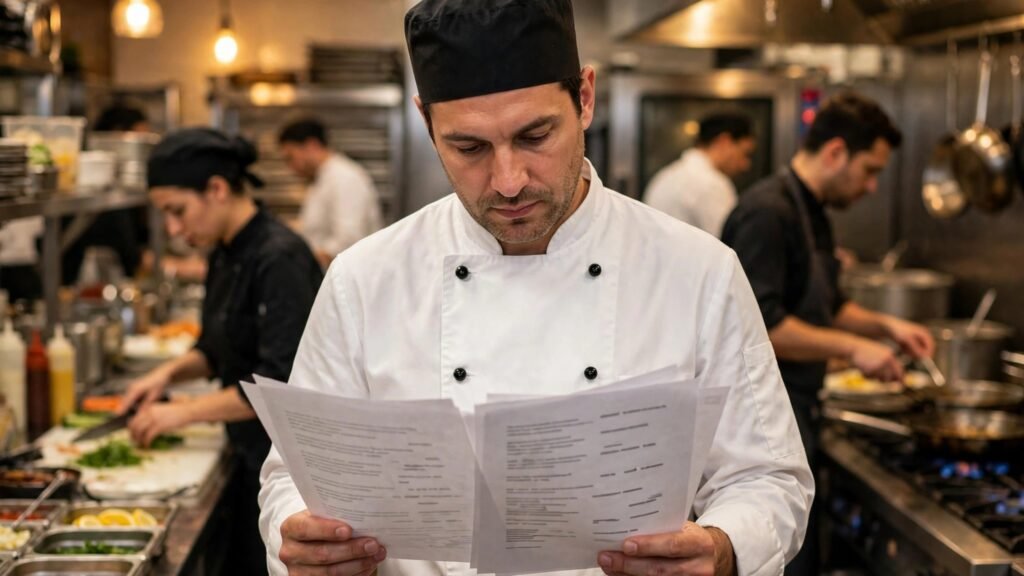
FoodStorm connects customer orders to production. It helps teams manage catering orders, production sheets, labelling and delivery planning, so the kitchen knows exactly what to make, in what quantity, for which event. That sounds basic, yet it is where many catering kitchens lose money: overproduction, missed dietary items and unclear labels that cause rework.
AI can help by turning order patterns into production forecasts, drafting clear production notes and flagging unusual orders for review. For example, if a regular corporate client suddenly orders double the usual quantity, a forecast check prompts a human to confirm before the kitchen commits ingredients and labour.
Watch out for: FoodStorm works best when order data is clean. If orders arrive by phone, text and email with no standard format, the team needs a discipline for entering them consistently, or production sheets will still contain errors.
Best for: caterers with high volume production, repeat corporate orders or multiple delivery drops.
8. meez
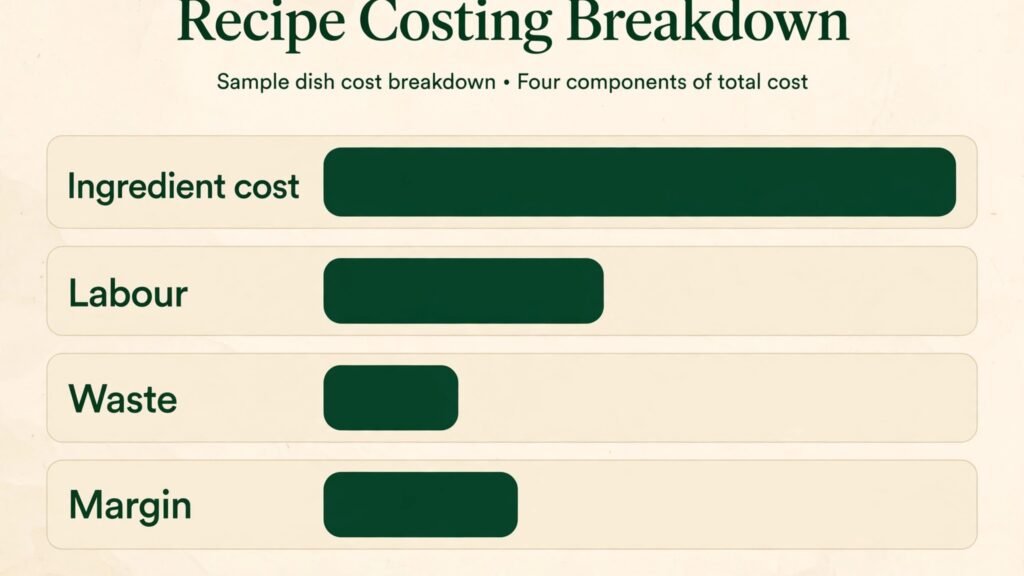
meez is a recipe costing and culinary operations tool. Teams enter recipes, yields, ingredient prices and prep steps, and meez calculates cost per portion and margin. For catering, this is essential because menu prices are often set from habit or competitor pricing, not from true cost. A dish that looks profitable can lose money once labour, waste and rental delivery are included, and meez makes that visible before a menu is quoted.
AI helps by suggesting recipe structure, converting quantities and helping teams document recipes that previously lived only in a head chef’s memory. That documentation also protects the business when a key cook is absent. A new cook can follow a costed, tested recipe instead of guessing.
Watch out for: recipe costing only helps if ingredient prices are updated. A recipe costed six months ago with old prices will mislead pricing today. Assign one person to update prices on a regular cycle, ideally monthly for volatile items such as proteins and dairy.
Best for: caterers that want to price menus from real costs, not guesses, and protect margin on large events.
9. Galley
Galley ties inventory, purchasing and recipe costing together. It helps food businesses track what is in stock, what was ordered, what was used and what each recipe actually costs at current prices. For a caterer operating across venues, that link between purchasing and recipes is where waste hides. Without it, a team can buy the same ingredient twice, miss a delivery shortage, or discover a cost overrun only after the event invoice is sent.
AI features support forecasting, waste tracking and purchasing suggestions based on upcoming events. The practical benefit is fewer surprises: a purchasing list that reflects real upcoming menus, not a generic order from last month.
Watch out for: Galley requires disciplined stock counts and purchasing entry. Teams that skip counts will get clean looking reports that do not match the walk in fridge. Start with one site and one category, prove the workflow, then expand.
Best for: larger caterers and multi site operators that need food cost control across locations.
For teams that also run a venue or hotel kitchen, inventory discipline overlaps with hospitality operations. See our guide to the best AI tools for hotels for related guest and operations tools.
How catering teams actually use AI day to day
The most useful AI workflows in catering are unglamorous, and that is why they work. A coordinator pastes a long client email into an AI draft tool and asks for a structured brief: date, venue, guest count, service style, dietary notes, budget signals and open questions. The coordinator then checks each point against the original email before sending a proposal. That check takes five minutes and prevents the classic error of quoting for 120 guests when the client meant 120 plus staff.
Menu writing is another strong use. A team can give AI the brief, such as a summer corporate lunch for 200 people, with vegetarian, vegan and gluten free options, a two hour service window and a set budget per head, and ask for three menu structures at different price points. The chef then edits for seasonality, kitchen capacity and true cost. The AI draft saves writing time, but the chef still decides what can actually be executed in a venue kitchen with limited ovens.
Staffing is a third use. AI can suggest a staffing ratio from guest count, service style and event length, then a manager adjusts for venue layout, bar service and setup complexity. A plated dinner needs more servers than a buffet, a venue with a long carry distance needs more hands, and a late night event needs a different shift plan. Use AI as a starting ratio, not as a final roster.
Client follow up is the fourth use, and often the most profitable. Many caterers lose repeat work simply because nobody follows up after a successful event. AI can draft a thank you note, a feedback request and a seasonal offer, tailored to the event type. A corporate client who booked a summer party is a strong candidate for a holiday event, but only if someone contacts them at the right time with a relevant idea.
Pricing is where caution matters most. AI does not know your supplier prices, delivery costs or labour rates unless you give it accurate inputs. Always run a final margin check in meez or Galley before sending a large quote.
What to check before you buy
Start with your bottleneck, not with a feature list. If you lose leads because replies are slow, fix sales and follow up first with Tripleseat or HoneyBook. If you lose margin because menus are priced by guesswork, fix costing first with meez or Galley. If kitchen chaos on event day is the problem, fix production first with FoodStorm. Buying a full platform when your real problem is recipe costing will not solve the costing problem, it will only add a subscription.
Check integration in a real test, not in a demo. Import five real past events, including one messy one with a guest count change, a dietary note and a rental change. See whether the tool keeps those changes consistent across proposal, BEO and kitchen report. If you have to retype the change in three places, the tool is not saving time.
Check mobile use on event day. Coordinators work from venues, car parks and kitchens, not from a desk. A tool that is excellent on desktop but painful on a phone will be ignored when it matters most. Test the BEO view, the guest count edit and the client message flow on a phone before you sign.
Check who owns the data. Can you export client lists, menus and past events if you leave? Can you export in a usable format, not just a PDF? A catering business builds value in its client history and menu library. Do not lock that value into a system you cannot leave.
Check training and support in your busy season. A tool that offers onboarding in January is less useful if your peak is December and your team is too busy to learn then. Ask what support looks like during a live event problem, not just during setup.
How to choose the right stack for your size
For a solo caterer or a two person team, keep it simple. One core tool for events and client communication, plus a recipe costing sheet or meez if menu pricing is a problem, is enough. HoneyBook plus meez, or Total Party Planner plus a costing tool, covers most needs without overwhelming a small team. Add tools only when a specific pain appears repeatedly.
For a growing team with five to twenty staff and regular weddings and corporate work, a core event platform becomes worth it. Caterease or Tripleseat as the system of record, Curate for high value proposals if presentation wins work, and meez or Galley for costing, is a strong stack. The key is to assign one owner per tool, so data stays clean.
For a large caterer with rental inventory, multiple kitchens or venue partnerships, the stack needs to be more complete. Goodshuffle Pro for rentals, FoodStorm for production, Galley for purchasing and inventory, plus Caterease or Tripleseat for events, can work, but only with clear rules about which system is the source of truth for each data type. Without those rules, teams duplicate work and blame the software.
For a caterer that mainly does drop off and corporate lunch delivery, the priorities shift. Production accuracy, labelling and delivery routing matter more than proposal design. FoodStorm and a costing tool matter more than Curate. Do not buy a wedding proposal tool for a drop off business just because it looks impressive in a demo.
Budget guidance is straightforward: start with one paid tool, prove it saves time or margin for sixty days, then add the next tool. Paying for nine tools at once is the fastest way to create a stack nobody uses. Most caterers in this guide get more value from using two tools well than from owning six tools poorly. Check vendor checkout for current pricing before you commit, because catering software pricing changes with user count and add on modules, and a quoted price from a blog post can be out of date by the time you buy.
Mistakes to avoid
The first mistake is copying AI menu copy without checking allergens. AI can write a beautiful menu description that omits a nut, dairy or gluten warning, or that describes a dish as vegan when the sauce contains butter. Always have a chef review every menu description for allergens and ingredients before it reaches a client. This is a safety issue, not just a style issue.
The second mistake is quoting from an AI draft without a margin check. AI does not know your waste rate, your delivery distance or your staff pay rates unless you tell it. Run every large quote through a costing check, and build a buffer for last minute changes. Clients change guest counts, and a quote with no buffer turns a good event into a loss.
The third mistake is letting AI write client messages that sound generic. A thank you note that could have been sent to any client will not win repeat work. Add one specific detail from the event: the dish guests asked about, the moment the room changed, the client preference you remembered. Specificity is what makes a message feel personal, and AI cannot invent that detail honestly.
The fourth mistake is buying software and skipping setup. A catering platform with empty menus, no pricing rules and no templates will not save time, it will create extra work. Block time for setup, import real menus and past events, and train the team on one workflow at a time. Setup is not overhead, it is the work that makes the tool useful.
The fifth mistake is ignoring the venue. AI and software cannot check power supply, kitchen size, access times, parking or noise rules. Always confirm venue constraints in person or by phone for a new venue. A menu that works in your kitchen may fail in a venue with two domestic ovens and no holding equipment.
The sixth mistake is forgetting dietary data. Dietary notes arrive in emails, texts, calls and forms. If they are not entered into the event record and the production sheet, they will be missed. Make one person responsible for dietary data on every event, and check it again on the day, not just at proposal stage.
Frequently asked questions
What are the best AI tools for catering businesses for a small team?
For a small team, Total Party Planner or HoneyBook plus a costing tool such as meez is usually the best start. The combination covers events, client communication and pricing without a long setup project. Add a specialist tool only when a repeated pain appears, such as rental errors or production mistakes.
Yes, AI can draft menu structures, descriptions and package options from a brief, but a chef must edit for seasonality, kitchen capacity, allergens and true cost. Use AI for the first draft and for variation, such as three price points for the same event, and keep final menu decisions with the culinary team.
How do catering tools help with pricing?
Event tools help by keeping menus, packages and pricing rules consistent, so quotes do not depend on memory. Costing tools such as meez and Galley go further by calculating cost per portion at current ingredient prices. The combination prevents the common error of quoting a menu that was profitable last year but is not profitable today.
Do I need a separate rental tool?
If rentals are a small part of revenue, a core event tool may be enough. If rentals involve warehouse picking, delivery and pickup, a dedicated tool such as Goodshuffle Pro reduces errors and saves warehouse time. The test is simple: if rental mistakes cost you money or event day stress more than once a month, a specialist tool is worth it.
How much should a caterer spend on software?
Start with one core tool and prove value for sixty days before adding more. Most small caterers can run well on one event tool plus one costing tool. Larger teams with rentals and multi site production will spend more, but should still add tools one at a time, with a clear owner and a clear job for each tool.
Can AI help win more catering work?
AI helps most by speeding up replies, improving proposal quality and automating follow up. Faster, clearer proposals win work when dates are competitive. AI does not replace tasting, venue visits or relationships with planners and venues, which remain the strongest sources of repeat catering work.
What should I check on event day, even with good software?
Check guest count, dietary notes, rental counts, delivery times and venue access one final time on the day. Software helps, but event day changes happen by phone and in person, and they need to reach the kitchen and the floor team immediately. A short event day briefing with the final numbers prevents most last minute errors.
Conclusion: start with margin, then scale
The best AI tools for catering businesses are the ones that protect margin and reduce event day chaos, not the ones with the longest feature list. For most caterers, that means a core event platform for proposals and BEOs, a costing tool for real menu pricing, and a client tool that makes booking feel easy. Add rental and production specialists when those parts of the business are large enough to justify them.
Start by fixing your biggest bottleneck, test with real past events, and check pricing at vendor checkout before you buy. Use AI to draft, summarise and follow up, but keep allergen checks, margin checks and venue checks firmly with humans. A catering business that prices accurately, replies fast and delivers calmly on event day will win repeat work, and the right tools make that consistency possible without adding chaos of their own.
If you plan events as well as cater, our guide to the best AI tools for event planners covers planning workflows that complement the catering tools above.