
The problem with screenwriting software is not writing, it is everything around writing that steals time from writing. A writer needs correct formatting, a clear outline, a way to track character arcs, a revision system that does not lose a good draft, and a clean PDF to send to a producer or a competition. When any of those parts is messy, the writer spends an evening fixing margins instead of fixing a scene. The best AI screenwriting tools solve that surrounding work, and they help with drafting and revision, without turning a script into a generic AI script.
That problem is sharper for screenwriters than for many other writers, because format is not optional. A screenplay that is formatted incorrectly will be judged before it is read, by readers, producers and competition judges who expect industry standard layout. A tool that formats automatically, so the writer can focus on story, dialogue and structure, is therefore not a luxury, it is a basic requirement. AI adds a second layer: outlining help, dialogue alternatives, scene summaries, character tracking and revision notes, all of which can speed up a rewrite if the writer stays in control.
The best AI screenwriting tools in this guide are judged on format accuracy first, then on outlining and collaboration, then on AI quality. A tool with impressive AI drafting but poor formatting is not a screenwriting tool, it is a general writing tool with a screenplay skin. A tool with perfect formatting but no way to outline, revise or collaborate will slow a professional workflow. The fourteen tools below cover both ends: industry standard formatters, modern collaboration platforms, and AI first drafting tools for writers who need help getting from idea to first draft.

The best AI screenwriting tools at a glance
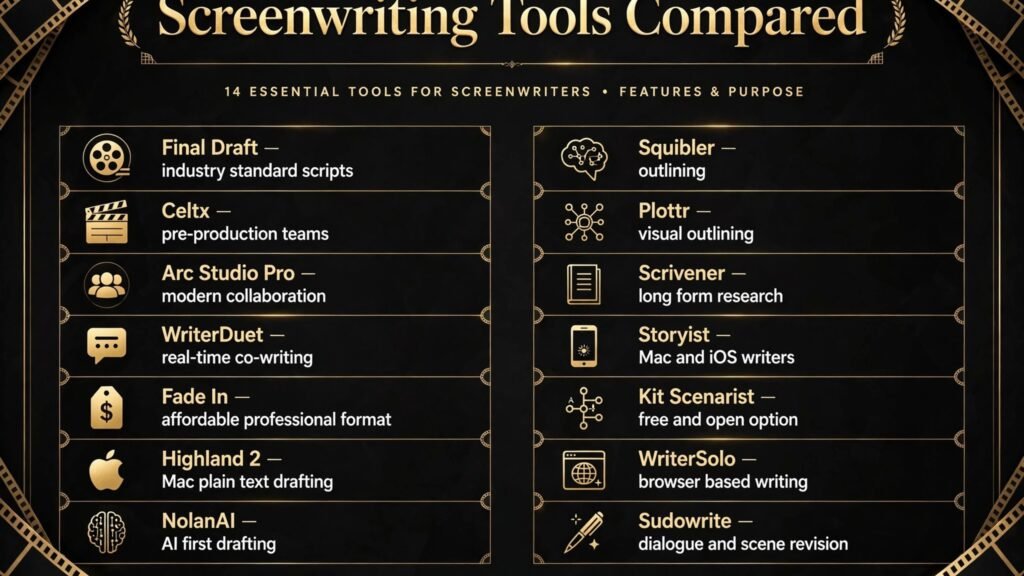
| Tool | Best for | Core strength | Pricing note |
|---|---|---|---|
| Final Draft | Industry standard scripts | Formatting, production features, wide acceptance | Paid, check vendor checkout for current pricing |
| Celtx | Pre production teams | Script plus breakdown, scheduling and storyboards | Paid plans, check vendor checkout for current pricing |
| Arc Studio Pro | Modern collaboration | Clean editor, outlining and real time collaboration | Paid plans, check vendor checkout for current pricing |
| WriterDuet | Real time co writing | Collaboration, revision history and outlining | Free tier and paid plans, check vendor checkout for current pricing |
| Fade In | Affordable professional format | Accurate formatting at lower cost | Paid, check vendor checkout for current pricing |
| Highland 2 | Mac writers who draft in plain text | Fountain format, clean writing environment | Paid, check vendor checkout for current pricing |
| NolanAI | AI first screenplay drafting | AI outline, scene and dialogue generation | Paid plans, check vendor checkout for current pricing |
| Squibler | Novel and script outlining | Story structure and AI drafting help | Paid plans, check vendor checkout for current pricing |
| Plottr | Visual outlining | Timeline, character arcs and story structure | Paid plans, check vendor checkout for current pricing |
| Scrivener | Long form research and drafting | Research, structure and version management | Paid, check vendor checkout for current pricing |
| Storyist | Mac and iOS writers | Script plus novel tools in one app | Paid, check vendor checkout for current pricing |
| Kit Scenarist | Free and open option | Full screenwriting features at low cost | Free and paid options, check vendor site for current terms |
| WriterSolo | Browser based writing | Free browser editor with formatting | Free tier, check vendor site for current terms |
| Sudowrite | Dialogue and scene revision | AI revision, description and dialogue help | Paid plans, check vendor checkout for current pricing |
Which tool for which writer
| Writer type | Best pick | Why |
|---|---|---|
| Working professional sending to producers | Final Draft | Widest industry acceptance and production tools |
| Team in pre production | Celtx | Script plus breakdown and scheduling in one place |
| Modern collaborative team | Arc Studio Pro or WriterDuet | Real time collaboration and clean outlining |
| Writer on a budget | Fade In or Kit Scenarist | Professional formatting without Final Draft price |
| Writer who needs AI help to start | NolanAI | AI outline and drafting for first drafts |
| Writer who outlines visually | Plottr | Timeline and arc tools that clarify structure |
| Writer with heavy research | Scrivener | Research and long form organisation |
| Writer revising dialogue and scenes | Sudowrite | AI revision help for scenes and dialogue |
Writers who also work in other formats will find overlapping tools useful. See our guide to the best AI story generators for story and narrative tools, and our guide to the best AI tools for freelance writers for editing and client workflows.
Industry standard formatters
1. Final Draft
Final Draft is the industry standard screenwriting software, and for many professional writers that fact alone decides the choice. Producers, agents, managers and competitions expect Final Draft files or PDFs produced to its standard, and Final Draft handles formatting, pagination, title pages, revisions, production features such as scene numbering and coloured revision pages, and collaboration tools. A writer who sends a Final Draft PDF does not need to explain the format, because the reader already trusts it.
AI features in Final Draft have grown, with tools for outlining, story structure and writing assistance, but the core value remains format and production readiness. For a writer working on a feature or a television pilot that will go into production, features such as locked pages, revision tracking and production reports matter more than AI drafting speed.
Watch out for: Final Draft is the most expensive tool in this list, and its full feature set can feel overwhelming for a beginner who just needs to write a short script. Beginners should use a trial or a cheaper formatter first, then move to Final Draft when they are sending work professionally or entering production.
Best for: professional screenwriters, television writers and writers entering production.
2. Fade In
Fade In offers professional screenwriting formatting at a lower price than Final Draft, with support for industry formats, revisions, and export to PDF and Final Draft format. For a writer who needs correct format and a clean writing environment, without paying for production features they will not use yet, Fade In is a strong choice.
Fade In is also cross platform, which matters for writers who work on different machines or collaborate with writers on other systems. A script written in Fade In can be exported and opened in Final Draft workflows, so a writer is not locked out of professional pipelines by choosing a cheaper tool.
Watch out for: Fade In has fewer production and collaboration features than Final Draft or Celtx. A team that needs scheduling, breakdowns and production reports will need another tool alongside Fade In, or should choose Celtx or Final Draft instead.
Best for: writers who want professional formatting on a budget, especially for features and shorts.
3. Highland 2
Highland 2 is a Mac focused screenwriting tool built around Fountain, a plain text screenplay format. Writers can draft in plain text, in a clean, distraction free environment, then export to PDF or Final Draft format with correct screenplay layout. For writers who like to draft fast, without menus and formatting distractions, Highland 2 feels lighter than larger platforms.
Highland 2 also helps with revision and analysis, such as word counts, scene summaries and dialogue checks. That analysis is useful in a rewrite, when a writer needs to see whether a character disappears for thirty pages, or whether a scene runs too long.
Watch out for: Highland 2 is Mac only, so Windows writers and mixed platform teams will need another tool. It is also less suited to large production teams that need scheduling and breakdown features, which are better handled by Celtx or Final Draft.
Best for: Mac writers who prefer plain text drafting and a clean writing environment.
4. Kit Scenarist
Kit Scenarist, also known as STARC, is a free and open source screenwriting tool with a full feature set: formatting, outlining, character and location tracking, research organisation and export to industry formats. For students, beginners and writers on a tight budget, it removes the cost barrier to professional formatting.
The open source model means the tool is developed by a community, and updates and support differ from commercial tools. For a writer who is comfortable with that model, Kit Scenarist offers remarkable value, especially for features, shorts and television scripts that need correct format without a large upfront cost.
Watch out for: support and polish can vary, and collaboration features are less developed than Arc Studio Pro or WriterDuet. Test export to PDF and Final Draft format with a real script before sending work to a producer, to confirm pagination and title page layout.
Best for: students, beginners and budget conscious writers who need full formatting.
5. WriterSolo
WriterSolo is a free browser based screenwriting editor that formats automatically as you type, with outlining, scene navigation and export options. For a writer who wants to start immediately, without installing software or paying, WriterSolo is the fastest entry point in this list. It works in a browser, so a writer can work on different computers without carrying files, though regular backup and export remain essential.
WriterSolo is best for shorts, specs and first drafts, where the goal is to get a script written and formatted correctly. It is less suited to large production workflows, but for many writers, that is not the goal yet.
Watch out for: browser tools need a backup habit. Export your script regularly to PDF and to a screenplay format file, and keep a local copy. A browser tool is convenient, but your script is too valuable to exist only in one online account.
Best for: beginners, short script writers and writers who want a free browser editor.
Collaboration and pre production
6. Celtx
Celtx goes beyond script formatting into pre production: storyboards, shot lists, breakdowns, scheduling and call sheets, alongside the script itself. For a writer director, a small production team or a film school project, that integration saves time, because script changes can flow into breakdowns and schedules without retyping details in separate tools.
Celtx also supports collaboration, so a writer, director and producer can work on the same project with comments and version control. For a team moving from script to shoot, that shared project view prevents the classic problem of different team members working from different script versions.
Watch out for: Celtx is a pre production platform, not just a writing app, so its interface and pricing reflect that scope. A solo writer who only needs formatting may find it more complex than Fade In or Highland 2. Choose Celtx when production planning is part of the job, not just writing.
Best for: writer directors, production teams and film projects moving toward a shoot.
7. Arc Studio Pro
Arc Studio Pro is a modern screenwriting platform with a clean editor, visual outlining, character and plot tracking, and real time collaboration. It is designed for writers who want a contemporary interface without sacrificing industry format, and for teams that collaborate online. Writers can outline with cards, track arcs, and write in a distraction free editor that still produces a correct screenplay PDF.
AI features in Arc Studio Pro help with outlining, brainstorming and revision notes, while keeping the writer in control of the script. The platform also handles version history, so a writer can compare drafts and recover an earlier version after a rewrite goes wrong, which happens to every writer at some point.
Watch out for: Arc Studio Pro is subscription based, so long term cost should be compared with a one time purchase tool such as Fade In. Writers who prefer to own software outright may prefer Fade In or Highland 2, even if collaboration is less polished.
Best for: modern writers and teams that collaborate online and outline visually.
8. WriterDuet
WriterDuet is built for real time collaboration, with multiple writers able to work on the same script at once, with revision history, outlining and commenting. For co writing teams, television writers rooms and student collaborations, that real time editing is the main benefit. A writing partner can see changes as they happen, leave notes on a scene, and track who changed what.
WriterDuet also offers a free tier, which makes it accessible for students and emerging writers, and it exports to industry formats. Its outlining tools help a team agree on structure before drafting, which prevents the common co writing problem of two writers drafting in different directions.
Watch out for: real time collaboration needs clear rules, or two writers can overwrite each other’s work in a fast rewrite. Agree who owns which scenes, use comments for major changes, and check revision history after a joint session, especially before sending a draft out.
Best for: co writers, writers rooms and collaborative student projects.

AI drafting, outlining and revision
9. NolanAI
NolanAI is an AI first screenwriting tool that helps writers go from idea to outline to draft. It can generate a logline, outline, character profiles, scene breakdowns and draft scenes from a concept, then let the writer edit those drafts in a screenplay editor. For a writer facing a blank page, or a producer who needs a first draft to react to, NolanAI can produce a structured starting point quickly.
The value is in structure, not just text generation. A NolanAI outline forces a writer to decide on acts, turning points and character goals before drafting scenes, which is a useful discipline even if the AI draft itself is heavily rewritten. Many writers use NolanAI for the outline, then write scenes themselves, which keeps the voice human while saving outlining time.
Watch out for: NolanAI drafts can be generic, with predictable dialogue and familiar plot beats. Do not submit an unedited NolanAI draft as finished work, especially to a competition or a producer. Use it to start, then rewrite dialogue in your own voice, add specific details, and check story logic scene by scene. Also check current terms for ownership and commercial use before relying on NolanAI for a commercial project.
Best for: writers who need AI help to outline and draft a first version quickly.
10. Squibler
Squibler is a writing platform for novels and scripts that combines outlining, story structure tools and AI drafting help. Writers can organise chapters or scenes, track characters, and use AI to generate or expand passages, then edit them in the same workspace. For a writer who works across prose and screenwriting, Squibler offers a single place for story development.
Squibler’s strength is organisation: a writer can keep research, outlines, character notes and drafts together, rather than spreading them across documents and apps. That organisation helps in a long rewrite, when a writer needs to find a character detail or a plot note quickly.
Watch out for: Squibler is not as industry focused as Final Draft or Arc Studio Pro for final screenplay formatting. Use it for development and drafting, then export to a dedicated screenwriting tool for final formatting and PDF delivery to producers.
Best for: writers developing stories across prose and script, and writers who need strong outlining.
11. Plottr
Plottr is a visual outlining tool for writers, with timelines, story arcs, character tracking and scene cards. It is not a full screenwriting editor on its own, but it is excellent for planning a screenplay before drafting, or for fixing a script whose structure is unclear. A writer can see the whole story on a timeline, spot a sagging second act, and check whether each character has a clear arc.
Plottr supports common story structures, such as three act and hero’s journey templates, but it works best when a writer adapts a template to their story, rather than forcing a story into a template. Use it to test structure, then draft in a screenwriting tool.
Watch out for: Plottr adds a step to the workflow, and some writers will outline in Plottr and never draft. Set a deadline for outlining, then move to drafting, even if the outline is not perfect. A script is finished by drafting and rewriting, not by perfecting an outline.
Best for: writers who think visually and need to fix story structure before drafting.
12. Scrivener
Scrivener is a long form writing tool that many screenwriters use for research, development and drafting, especially for features with heavy research. It organises research documents, notes, outlines and drafts in one project, with corkboard outlining, snapshots for version comparison, and flexible export. A writer adapting a book, writing a historical script or managing a complex ensemble can keep all research in the project, rather than in separate folders.
Scrivener also handles screenplay formatting, though final delivery usually still goes through a dedicated screenwriting tool for precise pagination. Many writers draft and research in Scrivener, then export to Final Draft or Fade In for final formatting.
Watch out for: Scrivener has a learning curve, and its many features can distract from writing if a writer spends too much time organising. Learn the core workflow first: research, outline, draft, snapshot, export. Add advanced features only when they solve a real problem.
Best for: research heavy writers, adapters and writers managing complex projects.
13. Storyist
Storyist is a Mac and iOS writing app for screenplays and novels, with formatting, outlining, character sheets and story development tools in one place. For writers who work on a Mac and an iPad, Storyist offers a consistent workflow across devices, with cloud sync and export to industry formats.
Storyist is particularly useful for writers who move between prose and script, because it handles both formats in the same app, with templates for each. A writer developing a novel adaptation can keep both versions in one project and track changes across formats.
Watch out for: Storyist is Apple focused, so Windows and Android writers will need another tool. Check sync and export with a real project before relying on it for a deadline, especially if you collaborate with writers on other platforms.
Best for: Mac and iOS writers who work across novels and screenplays.
14. Sudowrite
Sudowrite helps screenwriters with dialogue, description and scene revision. A writer can ask Sudowrite to rewrite a scene in a different tone, suggest dialogue alternatives, expand a description, or help fix a scene that feels flat. That revision help is often more valuable than full draft generation, because rewriting is where most screenwriting time goes.
Sudowrite also helps with brainstorming: generating character traits, scene ideas and plot twists that a writer can accept, reject or adapt. Used that way, it functions as a brainstorming partner, not as an author, and the writer remains responsible for story choices.
Watch out for: Sudowrite output can be wordy or overly literary for screenwriting, where economy matters. A screenplay description should be visual and concise, not a prose paragraph. Always cut Sudowrite drafts down to screenplay length, and read dialogue aloud to check that it sounds like speech, not like writing.
Best for: writers revising dialogue, description and scenes, and writers who need brainstorming help.
How to choose without breaking your workflow
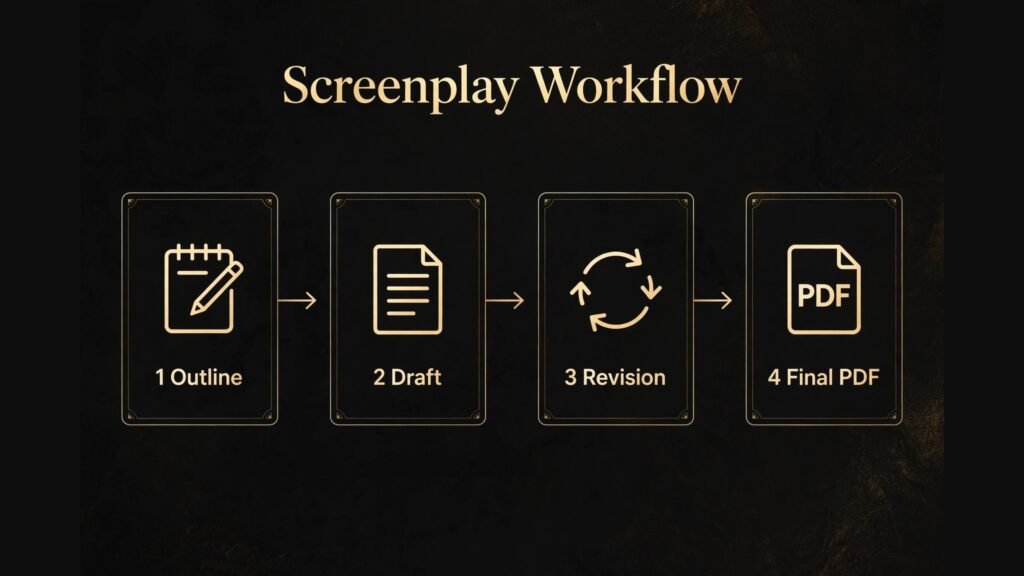
Start with format and delivery. If you are sending work to producers, agents or competitions, choose a tool that produces a trusted PDF: Final Draft, Arc Studio Pro, Fade In or Highland 2. If you are still learning or writing shorts, Fade In, Kit Scenarist or WriterSolo will cover format at lower cost. Do not choose an AI tool first and discover later that its PDF is not accepted.
Then add outlining or AI help as a second layer. If you outline visually, add Plottr. If you need AI drafting help, add NolanAI for outlines or Sudowrite for revision, while keeping your main script in a formatter. That two tool approach often works better than expecting one tool to do everything perfectly, because formatting and AI drafting are different jobs.
Check collaboration needs honestly. Solo writers do not need real time co writing, and paying for it adds complexity. Co writers and rooms do need it, and WriterDuet or Arc Studio Pro will save more time than any AI feature. Choose collaboration tools based on how you actually work, not on how you wish you worked.
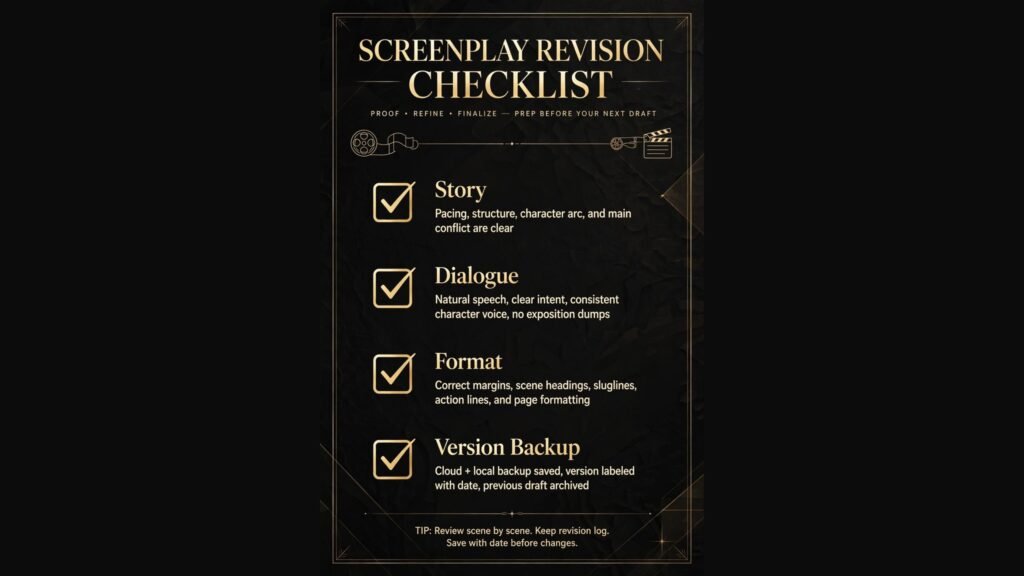
Check export and backup before you commit. Can you export to PDF, Final Draft format and plain text? Can you keep a local copy? A script is a writer’s main asset, and it should not exist only inside one subscription account. Export regularly, keep dated backups, and test that an exported file opens correctly in another tool.
Check pricing at vendor checkout, because screenwriting tools use different models: one time purchase, subscription, free tier with paid upgrades, and per project pricing. A subscription that looks cheap monthly can cost more over two years than a one time purchase. Calculate total cost for your actual use, including collaboration seats if you co write.
Mistakes to avoid
The first mistake is submitting an unedited AI draft. AI drafts tend toward generic dialogue, predictable beats and familiar characters. A reader, producer or judge can often tell, and even if they cannot, a generic script will not stand out in a competitive pile. Rewrite dialogue in your own voice, add specific details, and check every scene for story logic.
The second mistake is letting format distract from story. A perfectly formatted script with a weak story will not sell, while a strong story in a slightly imperfect format can still be read if the format is close. Spend most of your time on story, character and structure, and let the tool handle format. Do not spend a rewrite fixing margins while a second act sags.
The third mistake is outlining forever. Outlining tools such as Plottr and NolanAI can make outlining feel like progress, but a script is not finished until it is drafted and rewritten. Set an outlining deadline, draft, then revise. Structure problems are easier to see in a full draft than in an outline.
The fourth mistake is losing versions. A rewrite that goes wrong should not destroy a good earlier draft. Use snapshots in Scrivener, version history in WriterDuet and Arc Studio Pro, and dated backups in every tool. Save a version before a major rewrite, with a clear name, so you can return to it if needed.
The fifth mistake is writing dialogue that reads well but does not sound like speech. Read dialogue aloud, act it if you can, and cut lines that sound written rather than spoken. AI dialogue often sounds polished and unnatural at the same time, because it lacks hesitation, interruption and subtext. Human editing restores those qualities.
The sixth mistake is ignoring the reader. A screenplay is written to be read quickly by a busy reader, not to be admired on the page. Keep action lines short, visual and present tense, break up long blocks, and make sure each scene has a clear purpose. A reader who can follow your story easily is more likely to finish your script, and finishing is the first step to recommending it.
Frequently asked questions
What are the best AI screenwriting tools for professionals?
Final Draft remains the professional standard for formatting and production, with Arc Studio Pro and WriterDuet strong for modern collaboration. NolanAI and Sudowrite add AI drafting and revision help, but most professionals keep the final script in a dedicated formatter for delivery.
Can AI write a full screenplay?
AI can generate a full draft, but that draft usually needs substantial rewriting for dialogue, character, story logic and originality. Use AI for outlines, first drafts and revision help, then rewrite in your own voice. A script that is mostly unedited AI output is unlikely to stand out or to reflect a writer’s unique perspective.
Is Final Draft worth the price?
For writers sending work professionally or entering production, Final Draft’s industry acceptance and production features often justify the price. For beginners, students and short script writers, Fade In, Kit Scenarist or WriterSolo offer professional formatting at lower cost, and a writer can move to Final Draft later.
Which tool is best for co writing?
WriterDuet is built for real time co writing, with revision history and commenting. Arc Studio Pro also offers strong collaboration with a modern editor and outlining. Choose based on whether your team needs real time editing, visual outlining, or both, and test with a real scene before committing.
How do I choose between Fade In and Final Draft?
Choose Fade In if you need professional formatting at lower cost and do not need extensive production features. Choose Final Draft if you are working professionally, need production reports, locked pages and revision colours, or if producers and collaborators expect Final Draft files.
Can I use Plottr with Final Draft?
Yes. Many writers outline in Plottr, then draft in Final Draft, Fade In or Arc Studio Pro, and use Plottr again to check structure during revision. Plottr is a planning tool, not a replacement for a screenwriting formatter, so plan for a two tool workflow if you use it.
How do I protect my script when using AI tools?
Keep dated backups and exports outside the AI tool, check the vendor’s terms for ownership and data use, and do not paste unpublished work into a tool whose terms you have not checked. For high value projects, seek advice on AI use and ownership before relying on AI drafting, and keep records of your own writing and edits.
Conclusion: format first, AI second, story always
The best AI screenwriting tools in 2026 help writers spend less time on format and admin, and more time on story, character and dialogue. Final Draft leads for professional delivery, Fade In and Kit Scenarist lead for budget formatting, Arc Studio Pro and WriterDuet lead for collaboration, and NolanAI and Sudowrite lead for AI drafting and revision help. The right choice depends on where you are in your career, how you collaborate, and whether you need production features or just a clean script.
Start with a formatter you trust, add outlining or AI help as a second layer, back up every version, and rewrite AI drafts until they sound like you. A screenplay succeeds because its story is clear, its characters are specific, and its dialogue sounds human. Tools can help you get there faster, but they cannot replace the writer who makes those choices, scene by scene, draft by draft.