

Most email tool comparisons fail at 10,000 subscribers for a simple reason. They compare entry prices, and entry prices describe a list of 500 people. A tool that looks cheap at 500 subscribers can cost three times as much at 10,000, while a tool that looks expensive at the start can stay flat because it charges for sends rather than for contacts. That gap is why this guide holds one number fixed and prices everything against it. If you want the best email tool for 10000 subscribers, the honest question is not which tool has the lowest advertised price.
It is which tier, on which billing basis, gives you the sends, automations and support you will actually use at this exact list size.
This guide answers that question with tier prices checked against vendor pricing pages and current pricing coverage in October 2026. Prices change often, and beehiiv and MailerLite both changed plan names and prices during 2026, so treat every figure here as a planning figure and confirm it at checkout before you pay. The comparison covers creators, newsletters, small businesses, stores and sales led teams, because a 10,000 subscriber list means something different in each of those jobs. A weekly newsletter sender, a store sending four campaigns a month plus abandoned cart flows, and a sales team running lead nurture sequences will not get the same value from the same tier, even at the same subscriber count.
The Price at Exactly 10,000 Subscribers
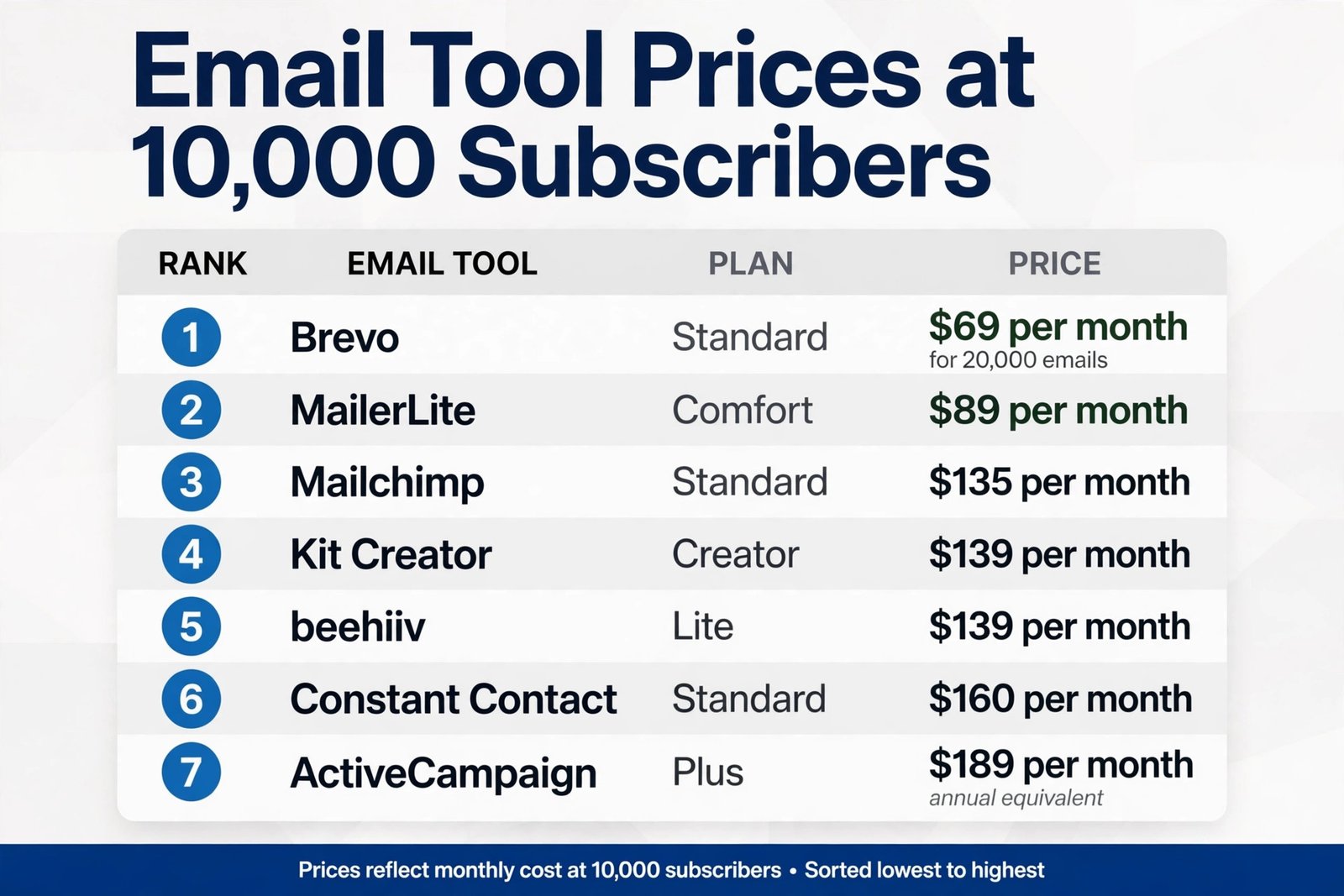
The table below is the core of this guide. All prices are in US dollars per month. Where a vendor bills monthly, the monthly figure is shown. Where the clearest published figure is an annual equivalent, that is labelled, because mixing monthly and annual figures in one table would hide a real price difference. Send limits matter as much as the subscription price, so they are shown in the same row. A cheap plan with a tight send cap can become an expensive plan once overage fees or a forced upgrade arrive.
| Tool and plan | Price per month at 10,000 | Billing basis | Monthly sends at this tier |
|---|---|---|---|
| MailerLite Comfort | $89 | Active subscribers | 100,000, or 10 times the list |
| MailerLite Power | $129 | Active subscribers | Unlimited, subject to fair use |
| Mailchimp Essentials | $110 | All contacts, including unsubscribed | 100,000, or 10 times contacts |
| Mailchimp Standard | $135 | All contacts, including unsubscribed | 120,000, or 12 times contacts |
| Mailchimp Premium | $350 | All contacts, including unsubscribed | 150,000, or 15 times contacts |
| Kit Creator | $139 | Subscribers | Unlimited broadcasts on paid plans |
| Kit Creator Pro | $189 | Subscribers | Unlimited broadcasts on paid plans |
| beehiiv Lite | $139 | Subscribers | Newsletter sending on the plan |
| beehiiv Pro | $239 | Subscribers | Newsletter sending on the plan |
| Brevo Starter, 20,000 emails | $32 | Emails sent, not contacts | 20,000, enough for 2 sends to 10,000 |
| Brevo Standard, 20,000 emails | $69 | Emails sent, not contacts | 20,000, enough for 2 sends to 10,000 |
| ActiveCampaign Starter | $149 annual equivalent | Contacts | Plan send limit applies, check at checkout |
| ActiveCampaign Plus | $189 annual equivalent | Contacts | Plan send limit applies, check at checkout |
| Constant Contact Lite | $120 | Contacts | 100,000, or 10 times contacts |
| Constant Contact Standard | $160 | Contacts | 120,000, or 12 times contacts |
| Constant Contact Premium | $275 | Contacts | 240,000, or 24 times contacts |
| Substack | $0 platform fee | Share of paid revenue | Publishing at any list size |
Read that table in tiers, not as a single ranking, because the best email tool for 10000 subscribers changes with the sender type. At the budget end, Brevo wins on subscription price for a sender who mails twice a month, because it does not charge for storing 10,000 contacts. MailerLite Comfort at $89 is the cheapest full contact based plan in the table that still includes solid automation and landing pages. Mailchimp Essentials at $110 and Standard at $135 sit in the middle, and they buy the largest integration library in this group.
Kit Creator at $139 and beehiiv Lite at $139 cost the same on monthly billing, but they buy very different products, one built for creator sales and sequences, the other built for newsletter publishing and monetisation. ActiveCampaign Plus at $189 on an annual equivalent and Constant Contact Premium at $275 are premium buys, and they only make sense when the team will use the CRM, reporting or support that comes with them.
How Pricing Basis Changes the Answer
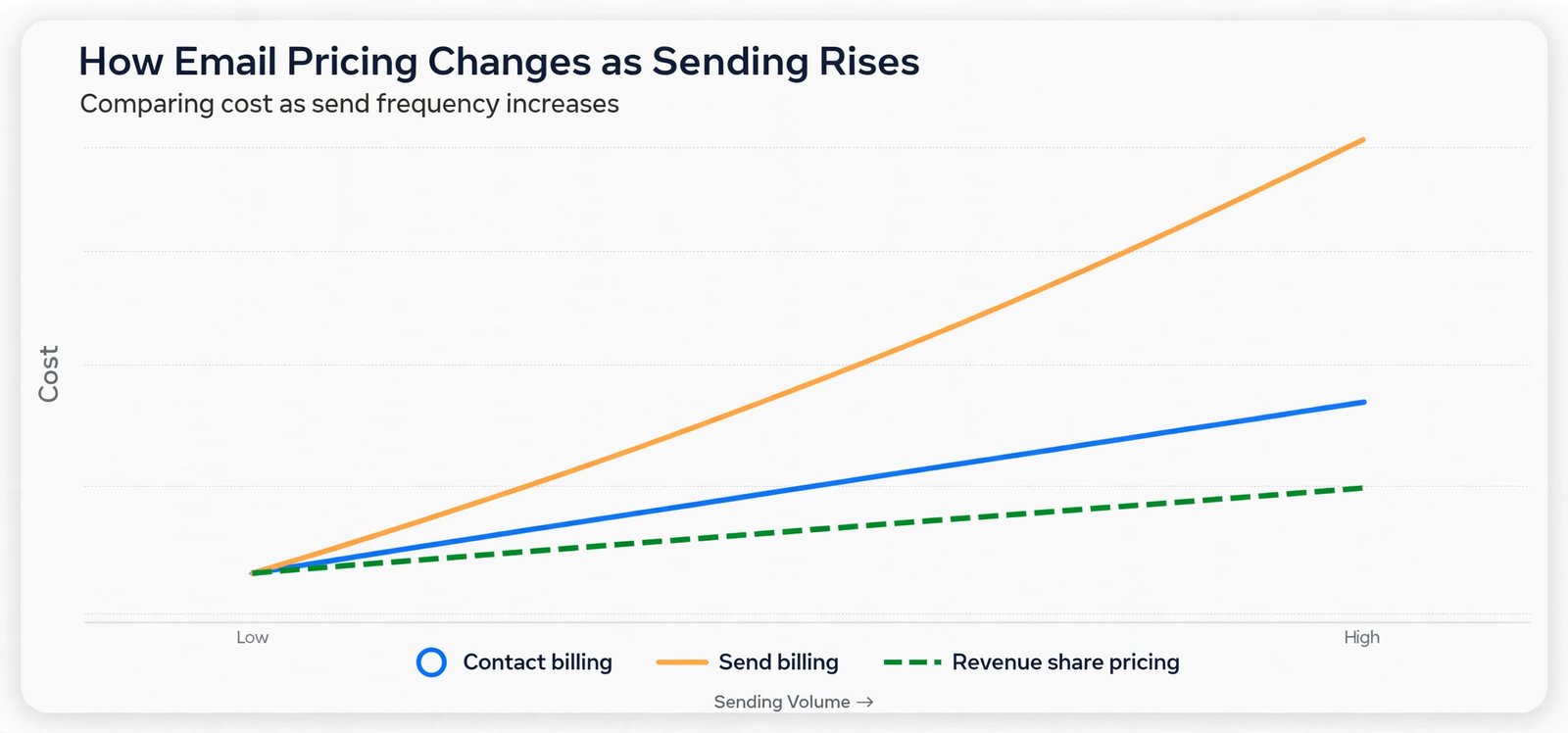
Contact based pricing, send based pricing and revenue share pricing reward different sending habits, and that difference decides the best email tool for 10000 subscribers for each sender. Contact based tools, including Mailchimp, MailerLite, Kit, beehiiv, ActiveCampaign and Constant Contact, charge more as the list grows, even in a month when you send nothing. That model suits a sender who mails often, because the marginal cost of one more campaign is zero up to the send cap. It punishes a sender who stores a large list and mails rarely, because the bill arrives every month regardless of use.
Send based pricing, which Brevo uses, flips that trade. Contacts are unlimited on paid plans in the usual Brevo structure, and the bill follows email volume. A 10,000 subscriber list mailed twice a month needs 20,000 emails, which is why the Brevo rows in the table use the 20,000 email band. Mail the same list weekly and you need about 40,000 emails, and the Brevo price rises with that volume. Mail it daily and Brevo stops looking cheap at all. Before choosing Brevo, count your real monthly sends, including automations, resends to non openers and transactional style messages that count against the allowance.
A sender who guesses at two sends a month but actually sends six will under budget by a wide margin.
Revenue share pricing, which Substack uses, is a third model entirely. There is no platform subscription at any list size, and Substack keeps 10 percent of paid subscription revenue plus card processing fees. For a free newsletter with 10,000 readers and no paid tier, the platform cost is zero, which no subscription tool can match. For a paid newsletter, the maths turns at a clear point. Divide the flat monthly price of a rival by 0.10 to find the monthly paid revenue at which the rival costs less on platform charges alone. At beehiiv Lite at $139, that break even is $1,390 in monthly paid revenue. Below that figure, Substack takes less in platform charges.
Above it, beehiiv Lite takes less, before Stripe fees, taxes and the cost of any extra tools are counted. That single calculation should decide the Substack question for most paid newsletters, and it is far more useful than any general claim about which platform is cheaper.
MailerLite at 10,000 Subscribers
MailerLite Comfort at $89 a month on monthly billing is the value pick, with figures at MailerLite pricing for many buyers searching for the best email tool for 10000 subscribers for a small business or creator who wants a capable editor, landing pages, forms and automation without paying for a CRM they will not use. Annual billing lowers the effective monthly figure by about 10 percent, to roughly $80. Comfort includes 100,000 monthly emails at this tier, which covers ten full list sends, and it counts only active unique subscribers, so a subscriber in several segments is still counted once.
That counting rule matters for a sender who segments heavily, because some rivals count duplicates or count unsubscribed contacts, and the difference can push a list into a higher band for no extra reach.
Mailchimp at 10,000 Subscribers
Mailchimp Essentials at $110 and Standard at $135 are the familiar middle of this market, and familiarity is part of the value. Confirm figures at Mailchimp pricing. More than 300 native integrations are commonly cited for Mailchimp, and for a store or small business that relies on one specific integration, that library can settle the choice before price is considered. Essentials includes simple automation flows of up to four steps, A/B testing and abandoned cart emails. Standard adds multi step journeys, advanced segmentation and up to 200 automation flows, plus five users and five audiences against three on Essentials.
For a 10,000 contact list, Standard is the tier most growing businesses land on, because the journey builder and segmentation are the features that turn a broadcast list into a programme that earns its fee.
Kit at 10,000 Subscribers
Kit, formerly ConvertKit, is built for creators, and for a creator led list it is a strong candidate for the best email tool for 10000 subscribers who sell expertise, courses and digital products to a tagged list. The free Newsletter plan covers up to 10,000 subscribers, which looks unbeatable until the automation limit is read. The free plan allows only one automation, so a creator who needs a welcome sequence, a launch sequence and a re engagement sequence cannot run a real programme on free. Creator at $139 a month on monthly billing removes that limit, adds unlimited visual automations and sequences, removes Kit branding, and includes free migration help on paid plans.
Creator Pro at $189 a month adds advanced reporting, subscriber scoring, the referral system and the sponsor network, which suit a creator whose growth comes from recommendations and paid partnerships.
beehiiv at 10,000 Subscribers
beehiiv is a newsletter platform first, and at 10,000 subscribers that focus shows in both the price and the product. Confirm the renamed plans at beehiiv pricing. Lite at $139 a month on monthly billing, under the plan names introduced on 1 October 2026, covers a publication of this size with newsletter sending, growth tools and the ad network on paid plans. Pro at $239 a month adds branding removal, unlimited automations in the fuller sense, more publications and priority support. The free plan caps at 2,500 subscribers, so a 10,000 subscriber publication cannot stay free, and the jump from free to Lite is the real decision point for a growing newsletter.
Brevo, ActiveCampaign and Constant Contact at 10,000 Subscribers
Brevo is the outlier in this guide, and that is its strength for the right sender. Starter at about $32 a month for 20,000 emails and Standard at about $69 a month for the same volume, on figures published in 2026, cover two full sends to a 10,000 subscriber list. Standard is the tier most businesses will actually need, because Starter excludes marketing automation, and a list of this size without automation is leaving its best return on the table. Brevo sources vary slightly on exact volume bands, with some tables quoting $29 for Starter at 20,000 emails and others quoting $32, so treat the Brevo figures as a range and confirm the live calculator at checkout.
The structural point does not change with a few dollars of difference. Brevo bills for sends, so a low frequency sender saves a lot, while a high frequency sender should price the 40,000 or 100,000 email band before deciding. Check the live figures at Brevo pricing.
ActiveCampaign is the premium automation buy. Starter at about $149 a month on an annual equivalent and Plus at about $189 a month on the same basis cover 10,000 contacts, with monthly billing roughly 20 percent higher. Starter caps automations and includes one user, while Plus removes the automation cap, adds CRM deal pipelines, landing pages, lead scoring and three users. For a sales led business with a longer cycle, lead scoring, site tracking and deal stages can justify Plus, because email is only one part of a pipeline that the tool manages end to end.
For a newsletter or a simple store programme, Plus is overbuying, and the same money buys MailerLite Power plus a separate CRM with change left over. ActiveCampaign has no permanent free plan, only a 14 day trial, so budget from day one. Confirm the current ladder at ActiveCampaign pricing.
Constant Contact Lite at $120, Standard at $160 and Premium at $275 on monthly billing cover 10,000 contacts with send allowances of 10, 12 and 24 times contacts. Standard is the realistic tier for most small businesses, because it adds subject line testing, scheduling, automatic resend to non openers, more automation templates and deeper reporting. Premium adds unlimited automation templates, custom automations, unlimited segments and 500 SMS messages, plus ads integration. The case for Constant Contact rests on support and simplicity, with live phone and chat support on every paid plan, and on event and small business tools that some rivals lack. The case against it is price.
Standard at $160 costs $71 a month more than MailerLite Comfort and $25 a month more than Mailchimp Standard for a broadly comparable broadcast programme, so the support and event features need to be worth that gap to your team. Check the live ladder at Constant Contact pricing.
Switching Costs That Do Not Show in the Price Table
Switching email tools at 10,000 subscribers costs more than the new subscription, and that cost belongs in any verdict on the best email tool for 10000 subscribers, and the hidden costs fall into five groups. First, list hygiene and import. A clean import needs duplicate removal, suppression list transfer, bounce and complaint history review, and a confirmed opt in record for every subscriber you intend to mail. Importing a dirty list into a new tool can damage sender reputation in the first two sends, and a damaged reputation takes months to repair. Budget a full working day for hygiene, plus a test send to your most engaged segment before any full list campaign.
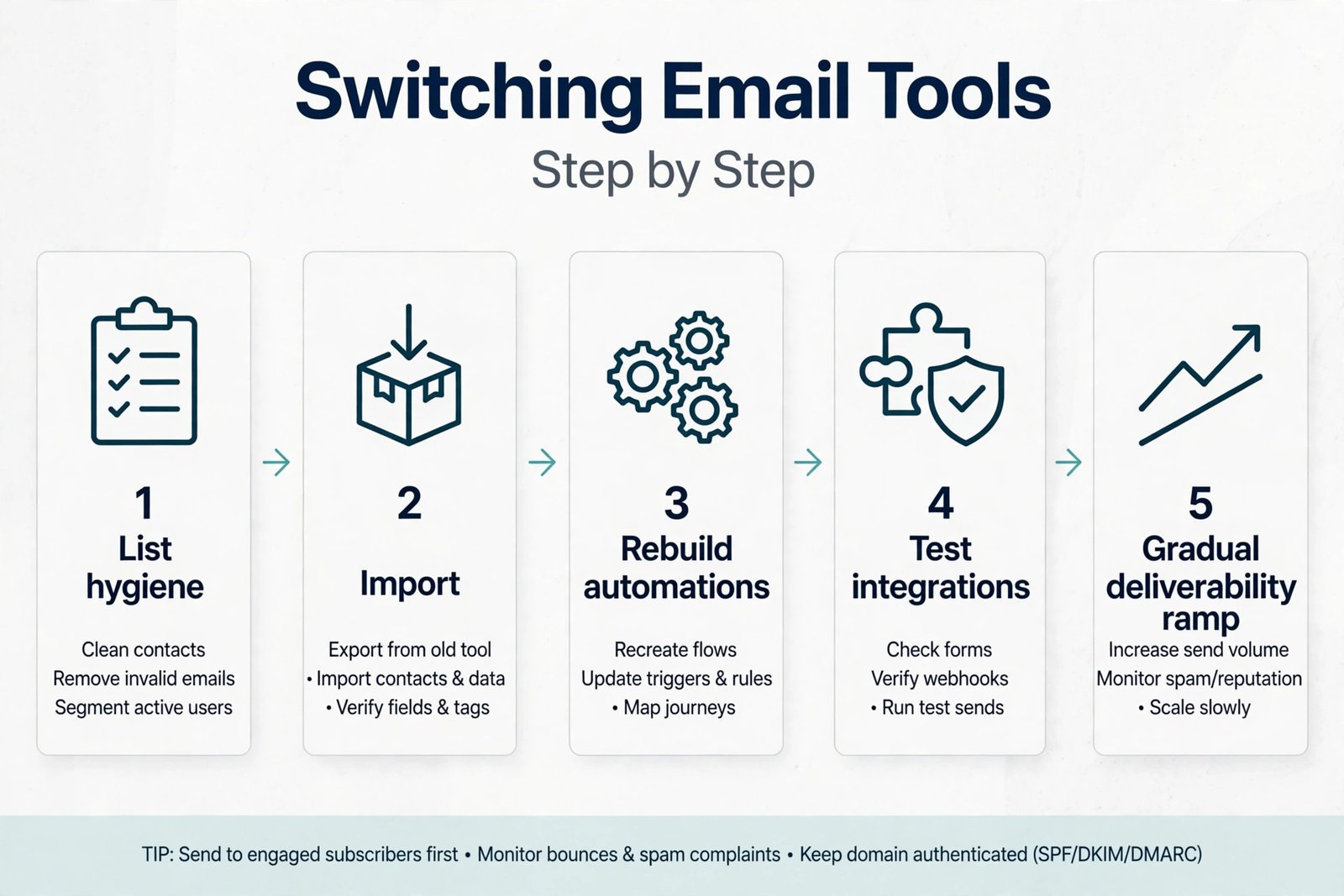
Second, automations and templates must be rebuilt. No migration moves automations perfectly between tools, even when a vendor offers free migration help. Welcome sequences, abandoned cart flows, post purchase series and re engagement flows need to be rebuilt, tested and re timed, and every template needs checking for fonts, mobile layout and broken links. A programme with five automations can take a week of part time work to rebuild properly, and a programme with twenty automations can take a month. Count that labour at your real hourly cost before calling a cheaper tier a saving.
Third, integrations and forms must be reconnected. Signup forms, checkout integrations, CRM sync, landing pages and analytics links all break or need re pointing during a move. A store that forgets to reconnect its checkout form can lose new subscribers for days without noticing, because the old tool keeps reporting normally while the new tool receives nothing. Make a checklist of every form, integration and webhook before migration, and test each one with a live signup after the move.
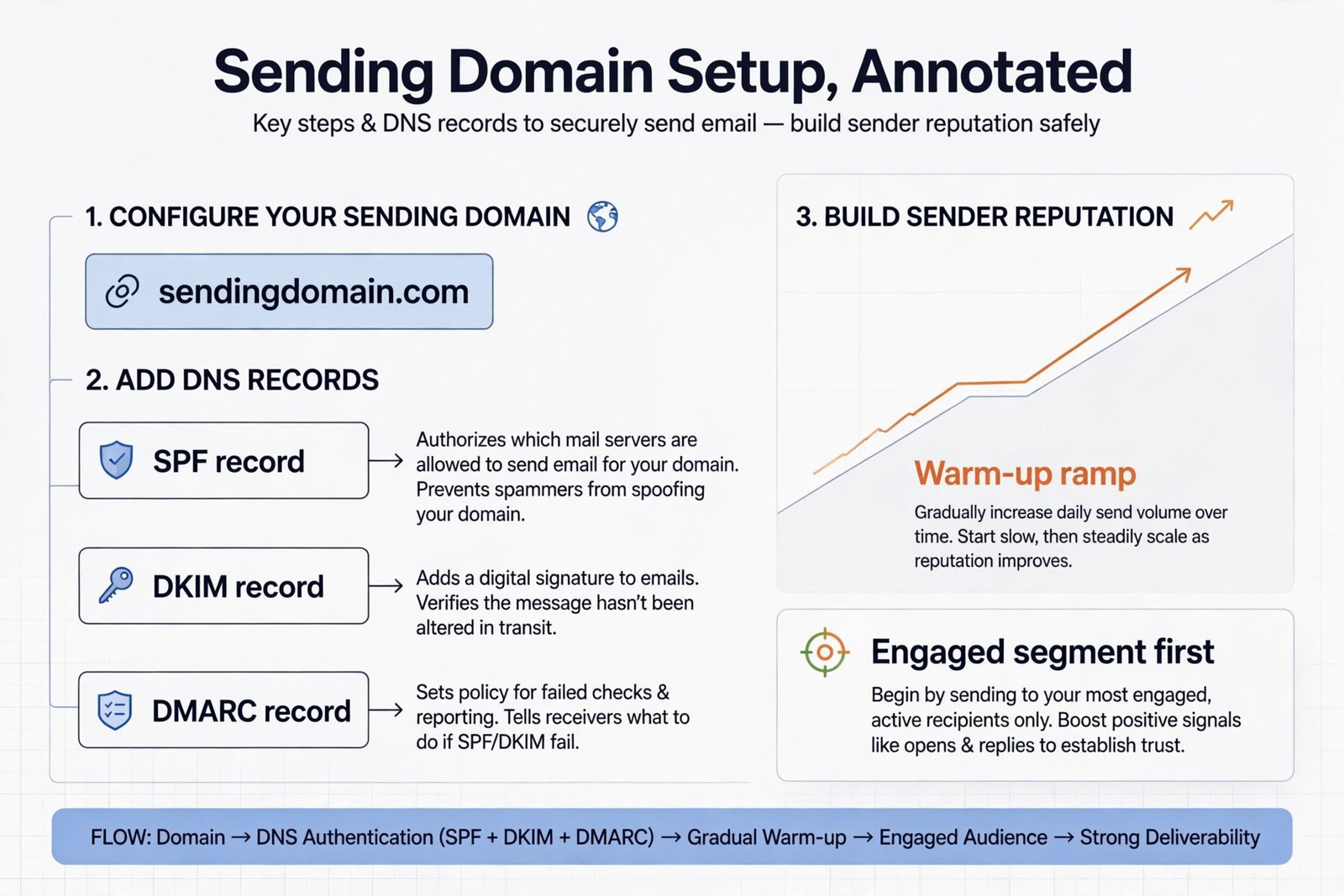
Fourth, deliverability must be rebuilt. A new sending domain needs authentication with SPF, DKIM and DMARC records, a warmed sending reputation, and a gradual ramp from the most engaged subscribers upward. Sending a full 10,000 subscriber campaign on day one from a cold domain is the fastest way to land in spam folders, and it can undo the benefit of a better tool. Plan two to four weeks of gradual ramp, and keep the old tool available for urgent sends during that period rather than cancelling it on migration day.
Fifth, team habits and reporting must be relearned. Open rates, click rates and automation reports are defined slightly differently in every tool, so month on month comparisons break during a switch. Export a full reporting snapshot from the old tool before cancelling, including campaign history, automation performance and list growth by month, so future comparisons have a baseline. Keep the old account in read only form for at least one billing cycle after migration, and confirm that billing, seats and data export terms allow that before you start.
How to Pick the best email tool for 10000 subscribers
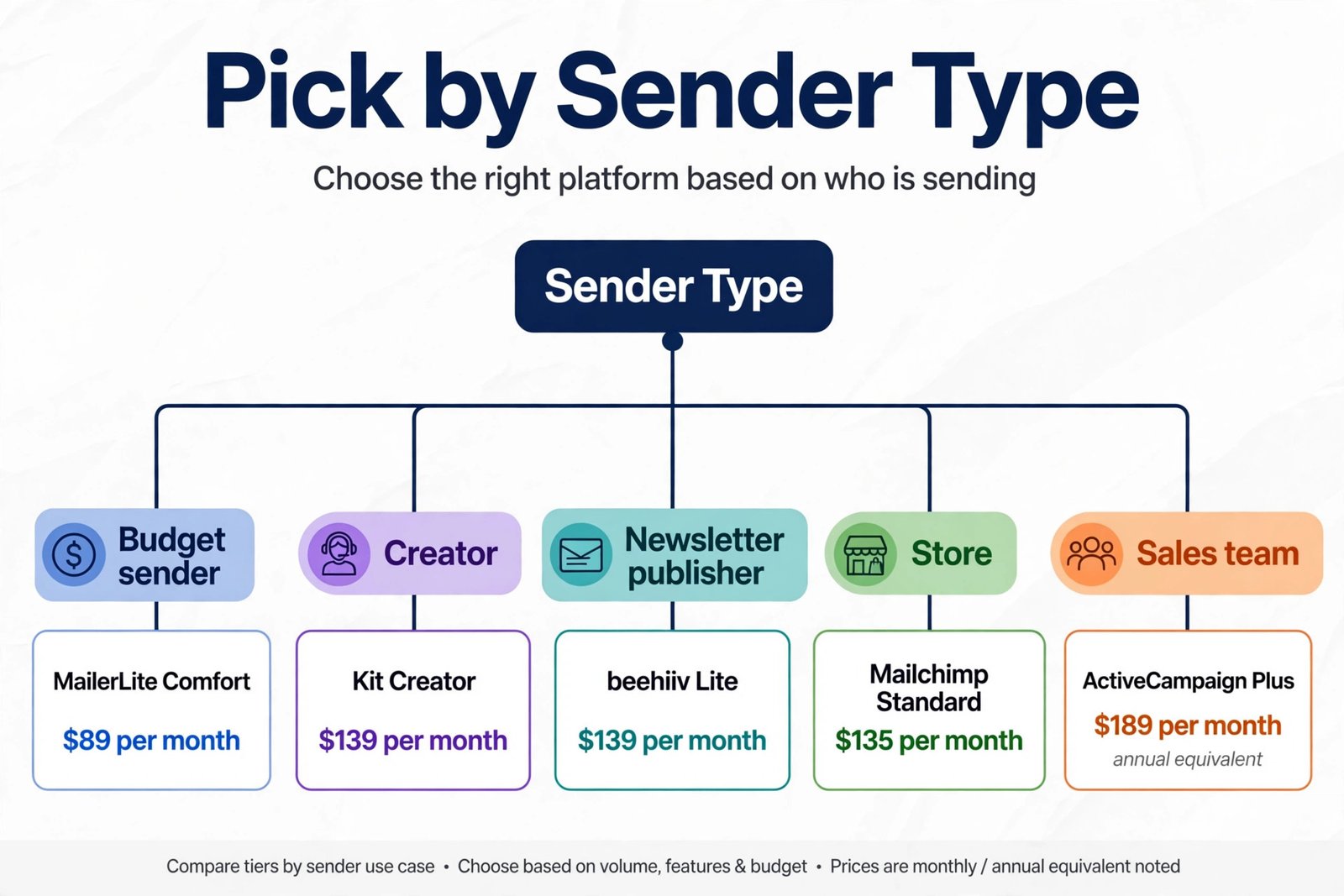
Start with the job, not the logo. Write one sentence that describes what email must do for your business in the next twelve months. A creator might write that email must sell a course to a tagged list through sequences. A newsletter publisher might write that email must grow a publication and earn from sponsors and paid readers. A store might write that email must recover carts, repeat purchases and win back lapsed buyers. A sales team might write that email must nurture leads into booked calls with scoring and pipeline visibility. That sentence eliminates half the table at once, and it prevents a price comparison from crowning a tool that does the wrong job well.
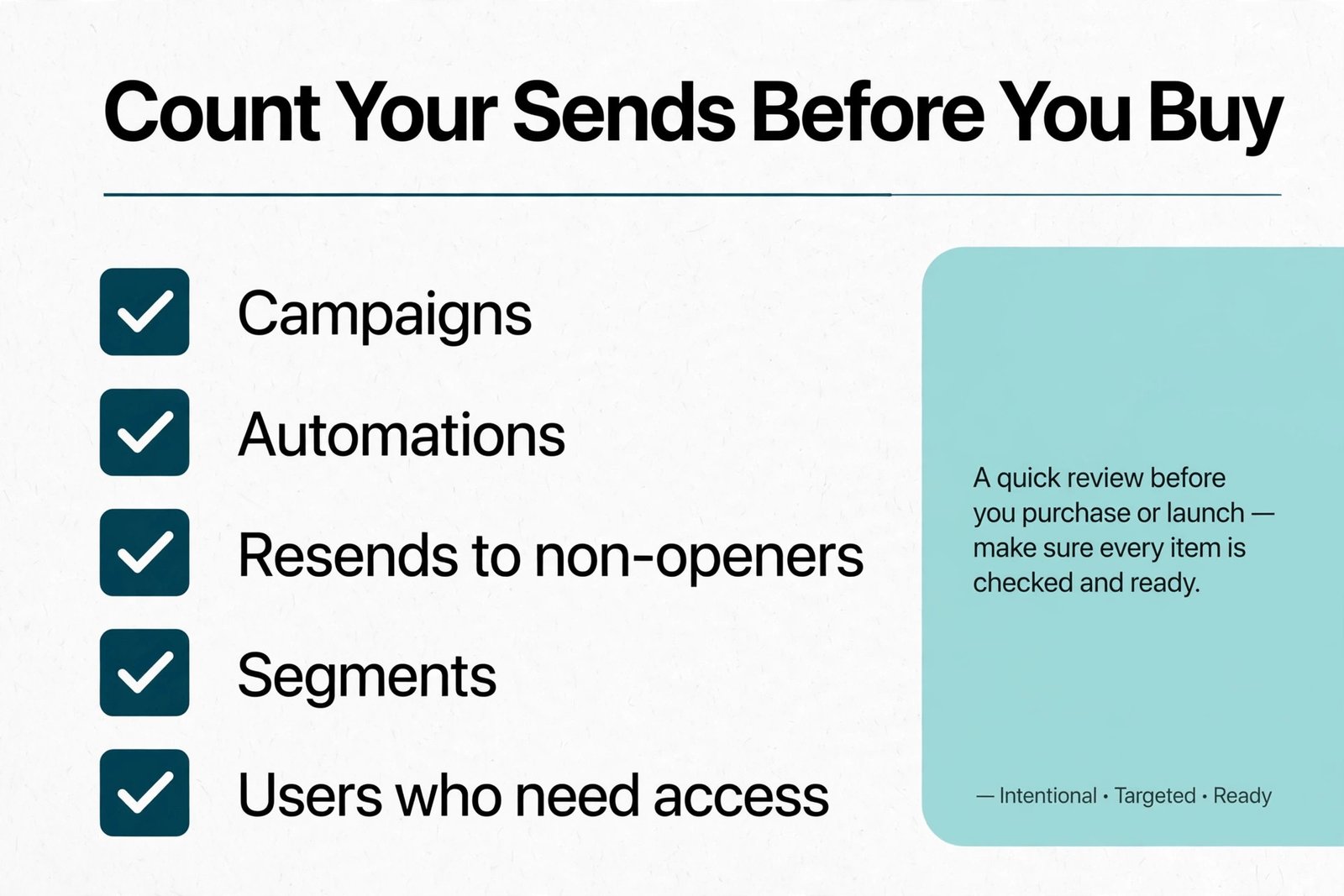
Next, count your real sends and your real team. Count campaigns, automations, resends and segments for a typical month, and multiply by list size where a full send is involved. Count users who need access, because seat limits and extra user fees change the bill on several tools. Count the features you will use weekly, not the features that look good on a pricing page. A tool with fifty features you never open is not better than a tool with twenty features you use daily, and the tier that includes your weekly features is the tier to price, even if a cheaper tier looks close.
Next, run a two week trial with real work, not a demo list. Import a segment of engaged subscribers, rebuild one automation, send two campaigns, and check deliverability, reporting and support response time. Test the editor on mobile, test a form signup end to end, and test an export, because export quality is your freedom to leave later. A trial that only sends a test email to yourself proves nothing about automation, integration or reporting, and it is the most common reason a team picks a tool it regrets.
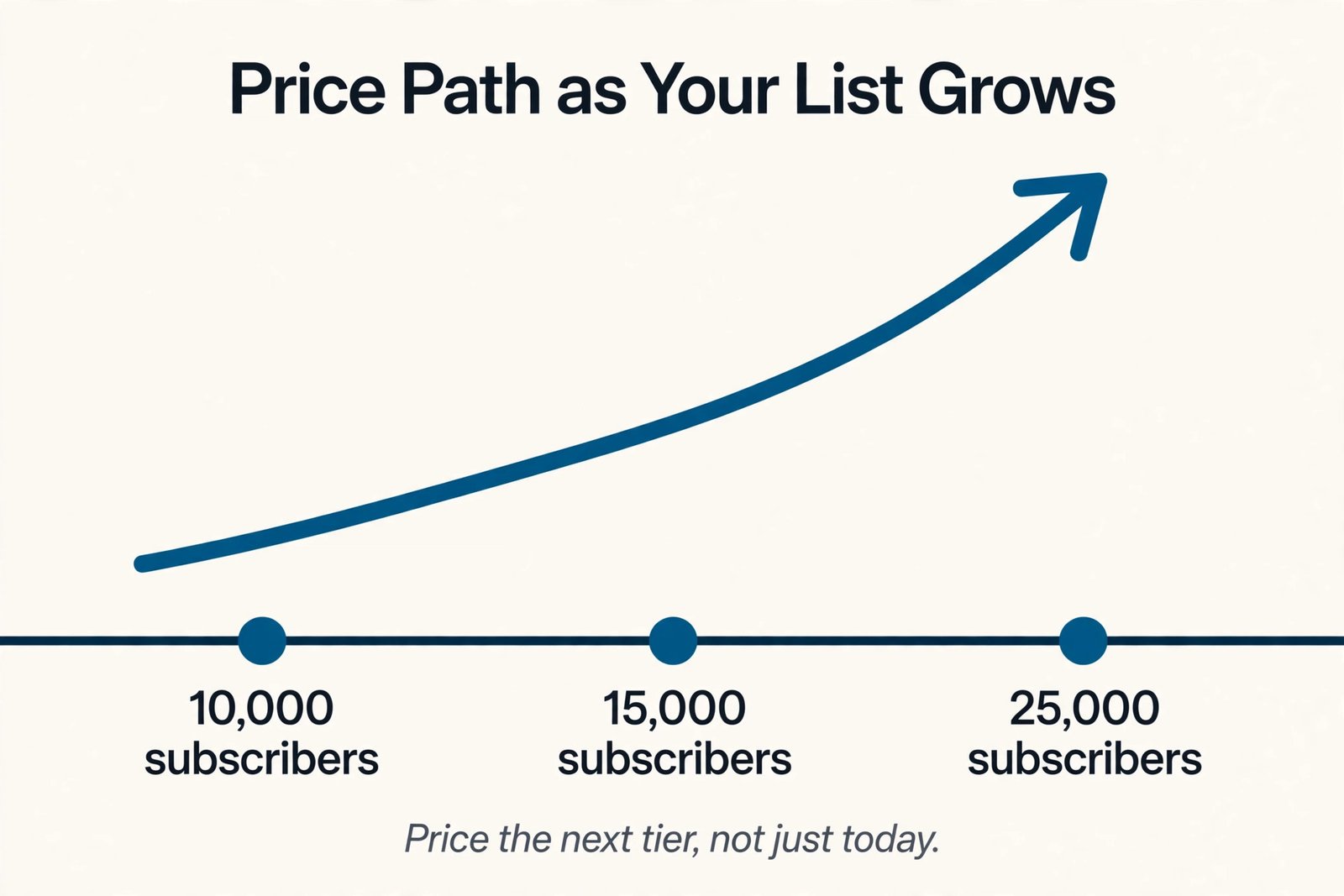
Next, price the next tier, not just the current tier. A list at 10,000 subscribers today will be at 12,000 or 15,000 within a year if growth is working, and the price at the next band is the price you will actually pay for most of the year. Kit jumps sharply past 10,000 on the free plan, Mailchimp and Constant Contact step up by contact band, and Brevo steps up by send volume. A tool that is cheapest at 10,000 but jumps hardest at 15,000 can be the wrong buy for a growing list, while a tool that is slightly dearer now but flatter later can be cheaper over two years.
Ask each vendor for the price at 15,000 and 25,000 before signing an annual plan.
The Tier Verdict by Sender Type
For a budget conscious small business mailing weekly, MailerLite Comfort at $89 is the strongest default, with Brevo Standard as the alternative for a sender mailing twice a month or less. For a creator selling courses and digital products, Kit Creator at $139 is the strongest default, because tagging, sequences and commerce are built for that job. For a newsletter publisher earning from readers and sponsors, beehiiv Lite at $139 is the strongest default, with Substack as the alternative until paid revenue passes the $1,390 monthly break even. For a store that needs deep integration and journey building, Mailchimp Standard at $135 is the strongest default, with MailerLite Power at $129 as the lower cost challenger.
For a sales led team that needs CRM, scoring and pipeline, ActiveCampaign Plus at $189 on an annual equivalent is the strongest default, and no cheaper tool in this guide replaces its pipeline depth. For a small business that values phone support and event tools above the lowest price, Constant Contact Standard at $160 is a defensible buy, provided the support value is real for your team and not just a comfort feature.
Mistakes That Make a 10,000 Subscriber Tool Expensive
The first mistake when judging the best email tool for 10000 subscribers is pricing the entry tier instead of the tier you will use. A tool advertised from $12 or $15 a month rarely costs that at 10,000 subscribers, and the tier with your automations, segments and users is the only tier worth comparing. The second mistake is ignoring send caps. A programme that sends weekly campaigns plus three automations can exceed a 10 times cap in a busy month, and overage fees or a forced upgrade will erase a headline saving. The third mistake is keeping unsubscribed contacts on a contact billed tool. On Mailchimp and Constant Contact, hygiene is not housekeeping.
It is a monthly bill reduction, and skipping it is paying for readers who cannot receive your mail.
The fourth mistake is buying automation depth you will not build. ActiveCampaign Plus and Mailchimp Premium are powerful, but power unused is money wasted, and a team that sends only broadcasts will get the same result from a cheaper tier with less to learn. The fifth mistake is migrating without a deliverability plan. A cold domain, a full list blast on day one and missing authentication records will cost more in lost inbox placement than any subscription saving. The sixth mistake is signing an annual plan before a real trial. A discount that locks you into the wrong tier for twelve months is not a discount, and monthly billing for a quarter is cheap insurance against a year of frustration.
For related reading, best AI tools for email marketing covers the wider email field, best AI email management tools helps with inbox and workflow around campaigns, and best AI cold email tools is useful if outreach is a separate programme from your subscriber list. If you are weighing a move away from one incumbent, mailchimp alternatives and mailchimp vs klaviyo give a narrower comparison, while substack vs beehiiv tests the newsletter decision in depth and how to start a newsletter with AI covers the early growth stage before a list reaches this size.
Frequently Asked Questions
What is the cheapest paid email tool at 10,000 subscribers?
On subscription price alone for a low frequency sender, Brevo Standard at about $69 a month for 20,000 emails is cheapest in this guide, because it bills for sends rather than contacts. For a contact based plan with solid automation, MailerLite Comfort at $89 a month is cheapest. The cheapest label depends on send frequency, so count monthly sends before choosing on price alone.
Is Kit really free at 10,000 subscribers?
Kit free covers up to 10,000 subscribers with unlimited broadcasts, forms and landing pages, but it allows only one automation. A creator who needs a welcome sequence plus other sequences will need Creator at $139 a month on monthly billing. Free is a genuine runway for broadcast only newsletters, and a cliff for automation led creators at subscriber 10,001.
Why does beehiiv cost $139 now when older guides quote $109?
beehiiv renamed its plans on 1 October 2026 and raised prices for new customers. The old Scale plan at $109 for 10,000 subscribers became Lite at $139, and the old Max plan at $219 became Pro at $239. Existing customers kept old rates until their first renewal on or after 1 November 2026, so guides written before October 2026 describe a retired price.
Does Brevo really cost less than Mailchimp at 10,000 subscribers?
For a sender mailing twice a month, yes by a wide margin, because Brevo at 20,000 emails costs far less than Mailchimp Standard at $135. For a sender mailing weekly plus automations, the gap narrows, because Brevo volume rises with sends while Mailchimp Standard allows 120,000 emails at this tier. Price Brevo by your monthly email total, not by subscriber count.
Should a sales team pick ActiveCampaign Plus over MailerLite Power?
Pick ActiveCampaign Plus when lead scoring, deal pipelines, site tracking and sales visibility are core to the job, because MailerLite Power does not replace that CRM depth. Pick MailerLite Power when email campaigns, landing pages and automations are the whole job and sales tracking lives elsewhere, because it costs less and is simpler to run.
How long does switching email tools at 10,000 subscribers take?
Allow two to four weeks for a careful switch. Hygiene and import take days, rebuilding automations and templates takes a week or more depending on programme size, and deliverability warm up needs a gradual ramp from engaged subscribers. Keep the old tool available for urgent sends during that period and do not cancel it on migration day.
The Tier Verdict for a 10,000 Subscriber List
There is no single best email tool for 10000 subscribers in the abstract, because the best tier depends on the job, the send frequency and the team. The table in this guide gives you the fixed point to decide from. A budget sender mailing twice a month should start with Brevo Standard and test whether its automation depth fits. A small business mailing weekly should start with MailerLite Comfort and upgrade to Power only for volume or team size. A creator selling through sequences should start with Kit Creator. A newsletter publisher earning from readers and sponsors should start with beehiiv Lite, unless paid revenue is still below the Substack break even.
A store needing journeys and integrations should start with Mailchimp Standard. A sales led team needing pipeline should start with ActiveCampaign Plus. A team that values phone support and event tools should test Constant Contact Standard and decide whether that support is worth the premium over MailerLite and Mailchimp.
Whatever tier you pick, price it at 15,000 subscribers as well as 10,000, trial it with real automations and a real segment, and plan the switch around deliverability rather than around a launch date. A tool chosen on a fixed price at a fixed list size, with switching costs counted honestly, will still look like the right tool in twelve months. A tool chosen on an entry price, without counting sends, seats or migration labour, will look expensive by the second invoice. Start from the tier, not the hype, and let the numbers at 10,000 subscribers do the deciding.