

HomeGuide puts a home lockout service at 75 to 200 dollars or more, and Yelp puts emergency lockout service at 150 to 250 dollars. One late night call can therefore cost more than a set of fresh batteries, a spare key safe and a year of good habits combined. When you set up smart lock rental property access properly, most of those calls never happen, because guests get a code that works only for their stay, cleaners get a code that works only in their window, and you can check the door from anywhere instead of driving across town.
This guide covers the whole job, from choosing a lock, to building a code system you can run for dozens of guests, to handling the night a guest phones at 1 am and says the code does not work. It also covers tenant privacy. A lock that logs entries is a security tool, not a surveillance tool, and the lease and the way you handle the log should show that difference.
Why Keys Keep Failing Rental Properties
A physical key is a copy problem. Every handover creates another object that can be lost, copied at a hardware store or simply never returned. A lockbox moves the problem rather than solving it, because the box code is shared, remembered and rarely changed between guests. A cleaner who keeps the same code for a year has, in effect, a permanent key, even if nobody ever handed one over.
The cost is not only the rekey. It is the drive to meet a guest, the wait while a locksmith is found, the night a property sits empty because check-in failed, and the review that follows. A smart lock replaces that chain with a single decision made in an app. You create a code, you set its start and end, you send it once, and you delete it when the stay ends.
That control is also why a smart lock suits rentals better than a single family home. In your own home, you might create five codes and never touch them again. In a rental, you might create five codes in a single week. The lock has to make creation, naming, expiry and deletion fast, with a clear record of which code opened the door and when.

Pick the Right Lock Type for a Rental
Start with the door, not the brand. Measure the door thickness, the backset, which is the distance from the edge of the door to the centre of the bore hole, and the size of the existing deadbolt. Most smart locks fit standard United States doors, but older doors, mortise locks and doors that stick in summer can all cause trouble. A door that needs a push or a lift to latch will defeat even a good motor. Fix alignment first, then buy.
Then choose between three broad types.
A retrofit lock replaces only the inside of the deadbolt. The outside hardware stays the same, the existing key still works, and installation is usually a screwdriver job. This is the least disruptive choice where you do not want to change the look of the door. August is the best known retrofit option. Its Smart Lock plus Connect bundle is listed at 199.99 dollars on the August site, with guest keys that can be set for minutes, hours or days, plus an activity feed. The trade-off is that a retrofit lock is only as strong as the deadbolt already on the door, and it has no keypad unless you add one.
A full replacement lock replaces the whole deadbolt, inside and outside, and usually includes a touchscreen or keypad. This is the better choice when the existing lock is worn, when you want guests to enter with a code rather than an app, and when you want a clean, modern front door. Schlage Encode Plus is a strong example. Schlage lists it at a 329 dollar manufacturer suggested price, with built-in Wi-Fi, up to 100 access codes, Apple home key support and a physical key backup. Yale Assure Lock 2 is the other major option.
Its line is listed at roughly 179 to 259 dollars depending on finish and connectivity, with up to 250 unique PIN codes through the Yale app in review summaries, plus fingerprint, touchscreen and key-free models.
A keypad-only or key-free lock suits short stays where guests should never need an app. They type a code and walk in. The risk is that a key-free lock has no mechanical backup, so battery planning matters more. If you choose a key-free model, keep a charged 9 volt battery on site for Yale style jump start contacts, or keep a physical key for a different door, such as a side entrance.
Connectivity is the next decision. A lock with built-in Wi-Fi can be managed from anywhere without extra hardware, which matters when a guest phones from the driveway. A lock that needs a bridge or a hub, such as some Yale models with a Yale Connect Wi-Fi Bridge or an older August lock with a Connect bridge, needs that bridge plugged in, near the door and on a stable network. If the bridge is unplugged during cleaning, remote access stops. Bluetooth-only control works only when you are near the door, which defeats the purpose for a rental you manage from another city.
| Lock type | Best for | Watch out for |
|---|---|---|
| Retrofit, such as August | Quick install, keeping existing keys | No keypad unless you add one, strength limited by the old deadbolt |
| Full replacement with keypad, such as Schlage Encode Plus | Short stays, code entry, high traffic doors | Higher price, full install, check door fit carefully |
| Full replacement with keypad or fingerprint, such as Yale Assure Lock 2 | Many codes, families and cleaners | Bridge needed on some models, battery plan needed for key-free versions |
| Key-free only | Guests who should never install an app | No mechanical backup, so battery and jump start planning is essential |
If you run several properties, standardise on one brand and one model. When you set up smart lock rental property access across more than one door, one app, one code routine and one spare battery type will save more time than any single feature. Mixed fleets mean mixed instructions, mixed guest messages and mixed troubleshooting at midnight.

How to set up smart lock rental property access in one afternoon
Set aside a quiet afternoon and do the whole job in order, rather than fitting the lock one weekend and figuring out codes the next. A half finished setup is how guests end up with a code that works but no instructions, or instructions that point to an app nobody has tested.
First, prepare the door. Remove the old deadbolt, clean the bore hole and check alignment with the door closed. Test the bolt by hand. If it sticks, fix it now. Take a photo of the old lock and the door measurements, and keep the old hardware in a labelled bag in case a future tenant or owner wants it back.
Second, fit the lock exactly as the maker directs, and run the calibration step in the app. Calibration teaches the lock how far the bolt must travel and lets it detect a jam. Test the lock ten times from inside and outside before you move on. Open and close the door between tests, because a lock that works with the door open and fails with it closed has an alignment problem, not a software problem.
Third, connect the lock to Wi-Fi and to the app on the account you will actually use for management. Do not set it up on a personal phone that a cleaner or a co-host also uses. Create a dedicated rental email for the property if you do not already have one, turn on two factor authentication, and store the recovery details somewhere safe.
Fourth, set auto-lock and test it with the door genuinely closed. Yale models with DoorSense detect when the door is shut and then lock. August models offer a timer from instant to 30 minutes. Pick a short delay, around 30 seconds to one minute, for a rental. That is long enough for a guest carrying bags to get inside, and short enough that a departing guest cannot leave the door unlocked for long.
Fifth, create your permanent codes before any guest code. You need an owner code, a co-host or manager code if you have one, and a cleaner code with a recurring window. Test each one, then write them into your property manual. Do not use obvious numbers, such as a birth year or four identical digits, and do not reuse a code from another property.
Sixth, write the guest message template before the first booking. It should include the code, the check-in time it becomes active, the check-out time it stops working, the exact steps to enter it, what to do if the keypad does not respond, and a phone number that is actually answered. Send it on the day of arrival, not a week earlier.
Seventh, test the whole guest journey yourself. Stand outside, enter the code, open the door, lock it behind you and check that the activity log shows your entry. Then delete the test code and confirm it no longer works.
The Code Management Workflow
This workflow is the system to use when you set up smart lock rental property codes for every stay. Follow it in the same order each time, and the lock will stay secure even when bookings pile up.
Step 1. When a booking confirms, create a guest code named for that booking, not for the person alone. A name such as the booking dates plus the platform is easier to audit than a first name. Set the start time to the check-in time and the end time to the check-out time, with a small buffer of 30 minutes on each side if your turnover allows it. A code with no buffer will fail the guest who arrives ten minutes early.
Step 2. Send the code only through the booking platform message thread and, if you use one, your property management message. Do not send codes by public social media, do not post them in a listing, and do not put them on a printed sheet left in the property. If a guest asks you to send the code elsewhere, confirm the change inside the booking thread first.
Step 3. On arrival day, check the lock status in the app before the guest arrives. Confirm the lock is online, the battery is above 30 percent and the code is listed as active. If the lock is offline, fix the Wi-Fi or the bridge before the guest gets there, not after.
Step 4. After check-in, check the activity log once. Confirm the guest code was used at a plausible time. One confirmation tells you the code works, the guest is inside and the system is recording correctly.
Step 5. At check-out, end the code. Do not wait until the next booking. If the lock supports scheduled expiry, let the schedule do the work, but still verify that the code shows as expired or deleted. For early departures, end the code as soon as the guest confirms they have left. For extensions, extend the code in the app and send a short confirmation.
Step 6. Between stays, run a code audit. Open the code list and delete anything that is not a permanent owner, manager or cleaner code. If the count keeps growing, your expiry step is failing.
Step 7. Once a month, rotate the cleaner and maintenance codes, and rotate your own owner code once a quarter. Rotation limits the damage if a code was seen over a shoulder or shared with a friend. Tell cleaners about the new code before their next visit, not after they arrive.
A simple naming system makes the audit possible. Use a fixed pattern for every code, such as the check-in date plus a short booking reference, and keep a private log outside the app. Use Airtable for rental property management to track codes, stays and cleaner visits in one place. The log should record the booking, the code name, the start and end times and the date it was deleted. Never store the actual code digits in a shared spreadsheet or a document a guest can see.

Cleaner and Maintenance Access Without Giving Away the Property
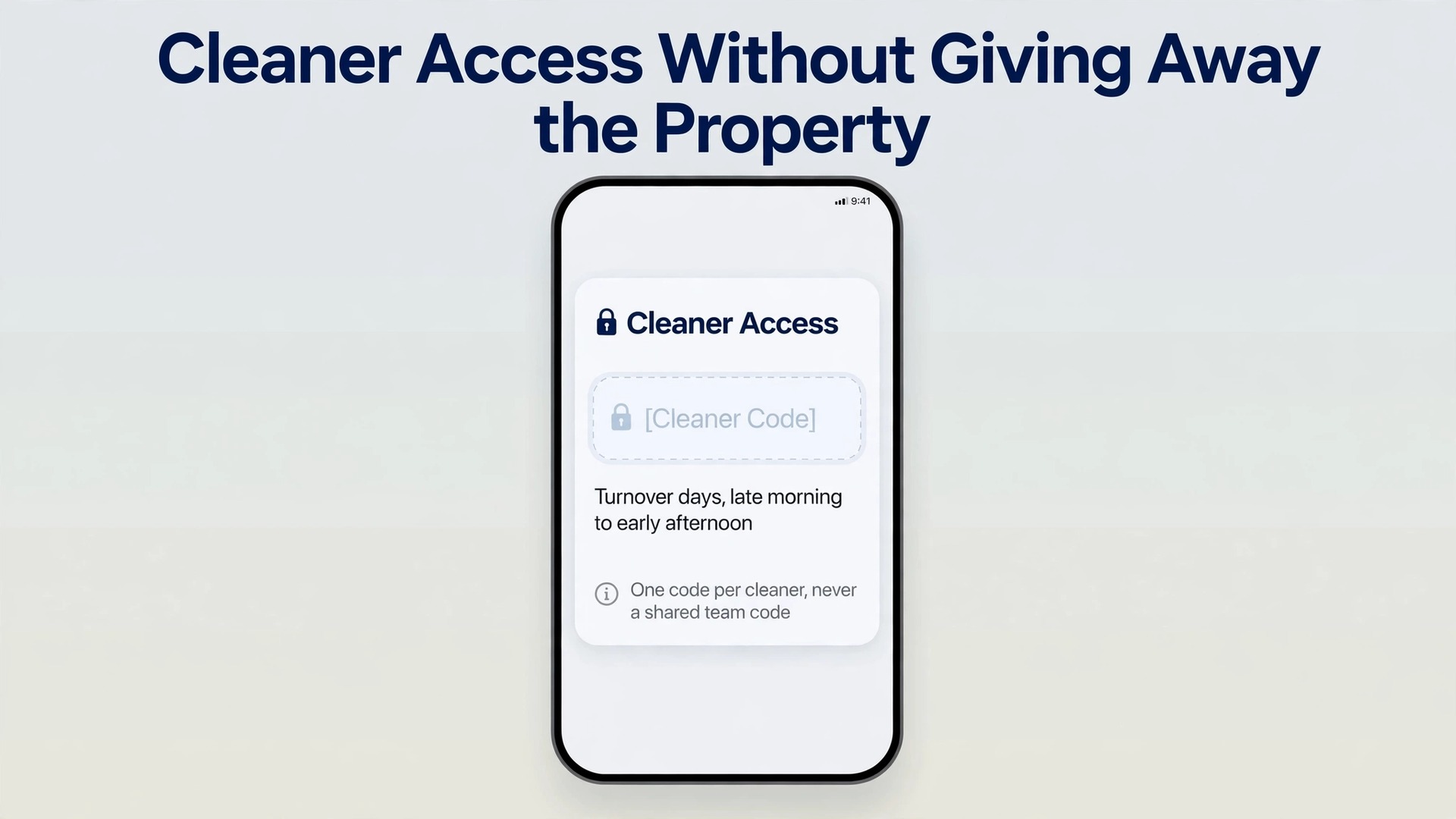
Cleaners and maintenance workers need reliable access, but they do not need the same access as you. Give each person or each company their own code, never a shared team code. A shared code cannot tell you who entered, and it cannot be revoked for one person without locking out the whole team.
When you set up smart lock rental property access for cleaners, use a recurring window rather than a permanent code. A window that runs from late morning to early afternoon on turnover days matches the real job and limits risk if the code is shared. If your lock does not support recurring windows, create a fresh code for each turnover and delete it when the clean is confirmed.
For maintenance, use one-time or short window codes tied to a specific job. A plumber booked for a Tuesday morning does not need access on Friday. Send the code on the morning of the job, ask the worker to confirm when they arrive and when they leave, and delete the code that evening. If the job runs over, extend it.
Never give a cleaner or a contractor the owner code, the app login or the ability to create codes. Use a limited user role in the app where one exists. If none exists, keep code creation on your own phone. Also, never hide a physical key in the property as a backup for cleaners. A key hidden in a drawer or a garden pot will be found, and it will not appear in any log.
Lockouts, Batteries and Offline Behaviour
Lockouts still happen with a smart lock, but they happen for different reasons. The code is wrong, the battery is flat, the Wi-Fi is down, the door has swollen, or the lock has entered a delay after too many wrong entries. Part of learning to set up smart lock rental property access is making each cause easy to diagnose from the guest message alone.
Start with the guest message. Ask three questions, in this order. First, what does the keypad show when you enter the code. Second, does the lock make a sound or flash a light. Third, is the door fully closed. Those three answers separate a wrong code from a dead battery and from a jammed bolt.
Battery planning is the cheapest insurance in this guide. Most smart locks run on four AA batteries. Yale and Schlage models commonly last many months, while August Wi-Fi models are often quoted at three to six months depending on use. Wi-Fi locks use more power than Bluetooth locks, and a door used dozens of times a day will drain batteries faster than a door used twice a day. Check the battery level at every turnover. Replace batteries when the app shows 30 percent or less. Keep a labelled set of fresh AA batteries in the property, such as in a kitchen drawer with a short note, so a guest can fix a low battery without waiting for you.
Offline behaviour matters just as much. A code stored on the lock itself still works when Wi-Fi is down, which is why scheduled guest codes are safer than remote unlock as the only entry method. Test this before you rely on it. Turn off the property Wi-Fi, or unplug the bridge, and confirm the guest code still opens the door.
For a keyed lock, keep one physical backup key with a trusted local person, not in a lockbox on the same door. For a key-free lock, keep a 9 volt battery on site for jump start contacts where the model supports it, and keep a second entry route, such as a side door with its own code. Tell guests in advance where the backup battery lives and how to use it, in plain steps.
The Lockout Checklist
Keep this checklist in your property manual and send the guest version, not the owner version, to guests at check-in.
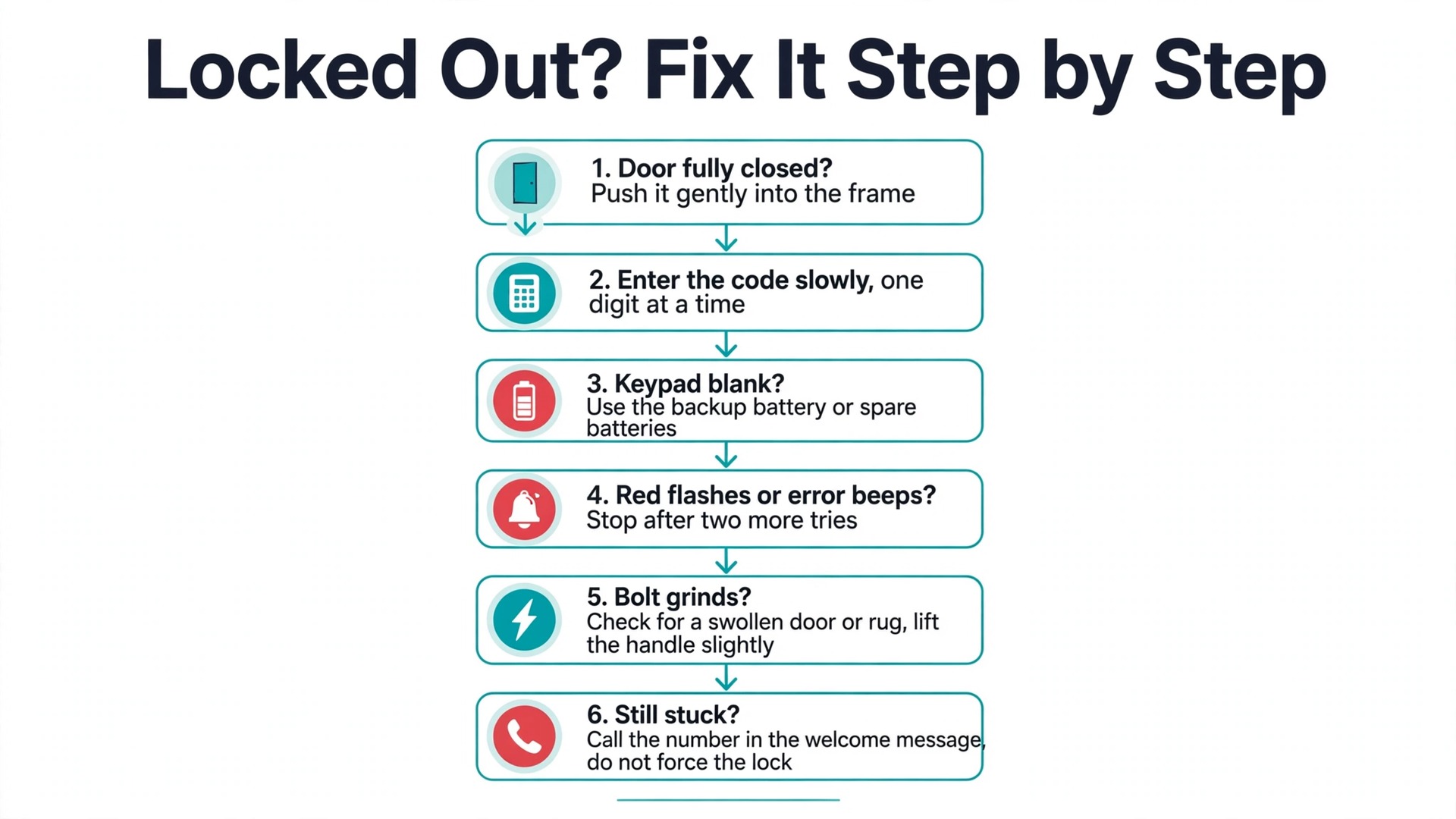
- Stay calm and check the door is fully closed, then push it gently into the frame while entering the code.
- Enter the code slowly, one digit at a time, and wait for the confirmation light or sound before touching the handle.
- Check the code message again for the exact digits, and confirm you are using the code for this stay, not a code from a previous visit.
- If the keypad shows nothing at all, use the backup battery or the spare batteries in the kitchen drawer, following the note left with them.
- If the lock flashes red three times or beeps an error, stop after two more tries. Repeated wrong entries can trigger a delay that locks everyone out for several minutes.
- If the bolt grinds or clicks without moving, check for a swollen door or a rug caught in the frame, and try lifting the handle slightly while entering the code.
- If none of those steps work, call the number in the welcome message and stay at the door. Do not try to force the lock, remove the battery cover with tools or climb through a window.
- If you feel unsafe, move to a public place nearby and call the same number, then call local emergency services if there is a genuine safety concern.
For owners, the matching checklist is shorter. Verify the code is active in the app, check the lock is online and the battery level, and check the activity log for recent failed entries. Only then drive out or call a locksmith. Most lockouts are solved by one of those checks, without a callout.
Tenant Privacy Rules and What to Put in the Lease
A smart lock is not a camera, but it still creates data. It records when a code was used, and by naming codes after bookings, you can infer who entered and when. That is useful for security, and it is sensitive enough to need clear rules. Tenant privacy rules are part of how you set up smart lock rental property access responsibly, not an afterthought. Treat the activity log as a security record, not a behaviour record. Use it to confirm check-in, to investigate a reported incident and to audit codes.
Do not use it to track how often a long term tenant comes and goes, to check whether a tenant is home, or to time visits around a tenant movements.
For short stays, tell guests in the listing or the welcome message that the lock records entry times for security. One sentence is enough. For long term tenants, put the lock in the lease addendum. The addendum should name the lock, explain that codes are personal and should not be shared, explain that entry times are logged for security, state who can see the log and how long logs are kept, and state that the landlord will not use the log to monitor daily life. It should also state that the tenant will receive their own code and can ask for it to be changed.
Local law varies, and this guide is not legal advice. In California, for example, landlords generally cannot place cameras inside a unit, secret audio recording is restricted, and entry outside emergencies generally requires 24 hours written notice. Other states have different notice periods and rules for audio. Check the rules for your state and city before you install.
A few privacy rules apply everywhere. Do not install a camera inside a rental unit. Do not point an exterior camera into a window in a way that captures the inside of the home. Do not record audio in common areas without checking consent rules, because audio is treated far more strictly than video in many places. Do not share the log with other tenants, cleaners or contractors. When a tenant moves out, delete their code that day and remove their app access if they had any.
The goal is a tenant who feels safer because of the lock, not watched because of it.

Costs and What to Budget
The lock itself is only part of the budget. Budgeting to set up smart lock rental property access means counting the lock, installation if you hire it, batteries, a backup key arrangement and your time for code management. Prices below are based on vendor listings checked at draft time, so confirm the current price before you buy.
Schlage Encode Plus is listed at a 329 dollar manufacturer suggested price. Yale Assure Lock 2 models are listed at roughly 179 to 259 dollars depending on finish and connectivity. August Smart Lock plus Connect is listed at 199.99 dollars. Professional installation, where Yelp cost guides put keyless lock installation at 100 to 350 dollars installed, is worth paying for if the door needs new holes, if the deadbolt is a mortise type, or if you manage from far away and cannot test the door yourself.
| Item | Typical range | Notes |
|---|---|---|
| Smart lock with keypad | 179 to 329 dollars | Price depends on brand, finish and whether a bridge is included |
| Professional installation | 100 to 350 dollars | Skip it for a standard retrofit on a well aligned door |
| Batteries for a year | 10 to 30 dollars | Four AA batteries per change, more often for high traffic Wi-Fi locks |
| Backup key and local holder | 0 to 50 dollars | A trusted neighbour or manager is cheaper than a lockbox habit |
| Emergency locksmith callout | 75 to 250 dollars | The cost you avoid most often with a working code system |
The return is not only the avoided callout. It is the avoided rekey after every stay, the avoided drive to hand over keys, and the ability to accept a last minute booking without being in town. For a property that turns over weekly, those savings can repay the lock within a few months.

Mistakes That Undo a Good Setup
The most common mistake is reusing one guest code for every stay. It feels efficient, and it destroys the audit trail. The second is sharing the owner code with a cleaner or a co-host because it is faster than creating a proper code. The third is leaving expired codes in the app. A code list with 40 old entries is a list nobody audits, and an old code that was never deleted is a live key.
Other mistakes are quieter. Fitting a lock to a sticking door and blaming the app when it jams. Putting the Wi-Fi bridge in a cupboard that gets unplugged during cleaning. Sending the code a week early so it is lost in a long message thread. Forgetting to test the code after creating it.
The landlords who set up smart lock rental property access well all share one habit, which is routine. One lock model, one naming system, one workflow for every stay, one audit between stays, and one monthly battery and code check.
Related reading can help you build that routine into a wider system. Best smart home devices for 2026 covers devices that pair well with a lock, from doorbells to sensors, while how to automate your rental business with AI shows how code messages and turnover reminders can run on a schedule rather than on memory. If your lock keeps dropping offline, set up a home Wi-Fi mesh network for a small house explains placement and dead zones in plain terms.
Frequently Asked Questions
Can a guest still get in if the Wi-Fi goes down?
In most cases, yes, if the code is stored on the lock itself. A stored guest code does not need Wi-Fi, because the lock checks the code locally. Remote unlock does need the lock online, so do not rely on it as the only entry method.
Should I give a long term tenant a code or a physical key?
Give both where the lock allows it. A code gives the tenant easy entry and gives you an easy change between tenancies. A physical key gives the tenant a backup they control and avoids a dispute about app access. Put both in the lease addendum, explain the log in plain language, and delete the tenant code on the day they move out.
How often should I change guest codes?
Change the code for every stay, without exception. Even a trusted repeat guest should get a fresh code for a new stay, because an old code may have been shared, seen or written down. Set the code to expire at check-out so the change happens even if you forget the manual step.
The risk is limited if the code expires at check-out and the activity log shows entries. You cannot stop a guest from telling someone the code, but you can limit the damage by using a short window, by checking the log after check-in and by ending the code early if a guest leaves early.
Do smart locks work on all doors?
No. Most fit standard doors with a single cylinder deadbolt, but mortise locks, integrated handle sets, very thick doors and doors that stick can all cause problems. Measure the door thickness and the backset, check the deadbolt type, and fix alignment before you buy.
Is it legal to log entry times in a rental?
Logging entry times for security is common, but the rules depend on your state and on whether the stay is short term or long term. Tell guests and tenants that entry times are logged, limit access to the log to yourself and a named manager, and never use the log to monitor a tenant daily life. Check local entry notice rules before you install.
Your Door, Ready for the Next Guest
A smart lock earns its place in a rental when it makes the boring parts disappear. No key handover, no lockbox code that never changes, no drive across town to let in a cleaner, no late night locksmith bill for a problem a code would have solved. The lock itself is a one afternoon job. The system around it, which is the naming, the expiry, the audit, the battery check and the privacy rules, is what keeps it working for the fiftieth guest as well as it worked for the first.
Start with one door, one lock model and one workflow. Test the guest journey yourself, write the guest message template, and run the code audit between the first few stays until it feels automatic. Then roll the same setup out to the next property.