

A tracker changes marathon training in one specific way. It turns vague effort into numbers you can repeat, compare and correct. When you use fitness tracker for marathon training, you stop guessing whether an easy run was truly easy or whether a hard week was actually harder than the last one. That clarity is valuable. It is not magic. A watch cannot build fitness for you, fix poor sleep on its own or decide your race pace. It can only show you the evidence, and the value comes from what you do with it week after week.
This guide treats the tracker as a training instrument, not a cheerleader. You will set it up once, build a weekly structure around it, read heart rate zones with care and watch recovery signals before they become injuries. Examples use real features from Garmin, Coros and Apple Watch.
What a Tracker Actually Changes
The biggest change is honesty about easy running. Most marathon runners fail not because their hard sessions are too soft, but because their easy runs are too fast. Without a watch, an easy run drifts upward on good days, on group runs and on hilly routes. With a watch, you can set a heart rate alert, a pace ceiling or both, and hold the effort where it belongs. Over 16 weeks, that discipline protects the long run.
The second change is load tracking across weeks, and it is a core reason to use fitness tracker for marathon training. A tracker adds up distance, time, elevation and time in each heart rate zone, so you can see a 30 mile week next to a 38 mile week instead of relying on memory. When a week jumps too far, the numbers show it before your knees do.
What a tracker cannot do deserves equal weight. It cannot confirm a pace is right if you entered a wrong maximum heart rate, and it cannot judge hills, heat or altitude the way your body feels them. A tracker cannot replace a coach or a doctor. If pain changes how you run, or if you feel dizzy or unwell, stop and get checked rather than trusting a readiness score.

How to use fitness tracker for marathon training in the First Two Weeks
The first two weeks are setup weeks, not fitness weeks. Do the setup properly now and the next 14 weeks run on rails. Skip it and you will spend the whole block second guessing numbers that were wrong from day one.
- Enter honest profile data. Age, height, weight and resting heart rate feed the zone calculations on Garmin, Coros and Apple Watch. A guessed maximum heart rate is the most common source of wrong zones. Garmin lets you enter a maximum and a resting heart rate, and it can auto detect a maximum during hard efforts. Apple Watch calculates zones from your health data and lets you enter manual ranges for zones 2, 3 and 4. Use a value from a hard race finish if you have one, not the rough 220 minus age estimate.
- Set running specific zones. Garmin allows separate heart rate zones for running, cycling and swimming, which matters because running zones and cycling zones are not the same. If your tracker offers percent of maximum heart rate, percent of heart rate reserve or percent of lactate threshold, choose percent of heart rate reserve once resting heart rate is accurate.
- Choose the run screen you will actually read. Pick four fields and no more. Distance, elapsed time, current pace and heart rate cover almost every marathon session. A screen crowded with ten fields is unreadable at mile 16. Keep a second screen for lap pace and average pace if you like split checks. Turn on auto lap at each mile or each kilometre, whichever unit your race uses, so long run splits are comparable from week to week.
- Set alerts for the sessions that need them. An easy run needs a heart rate ceiling alert. A tempo run needs a pace or heart rate range alert. An interval session needs work and recovery alerts. Set these before you leave the house, because fumbling through menus mid run usually ends with alerts turned off altogether.
- Wear it for sleep from night one. Recovery data needs a baseline of at least a week of nights. Wear the tracker snugly, one finger width above the wrist bone, and charge it while you shower or eat so the battery never forces a missed night. Coros Pace 3 is rated for up to 38 hours of full GPS use and 24 days of daily use, which makes overnight wear easy, but any watch can cover sleep if charging becomes a daily habit.
- Do one test week before you trust anything. Run easy, run a tempo effort and run a long run, then compare the watch numbers with how each run felt. If zone 2 feels like a tempo effort, your zones are wrong. If wrist heart rate jumps 20 beats on a downhill, the strap is loose or the sensor is struggling. Fix fit, fix zones or add a chest strap for key sessions before judging training by the numbers.

Weekly Mileage Structure That Holds Up for 16 Weeks
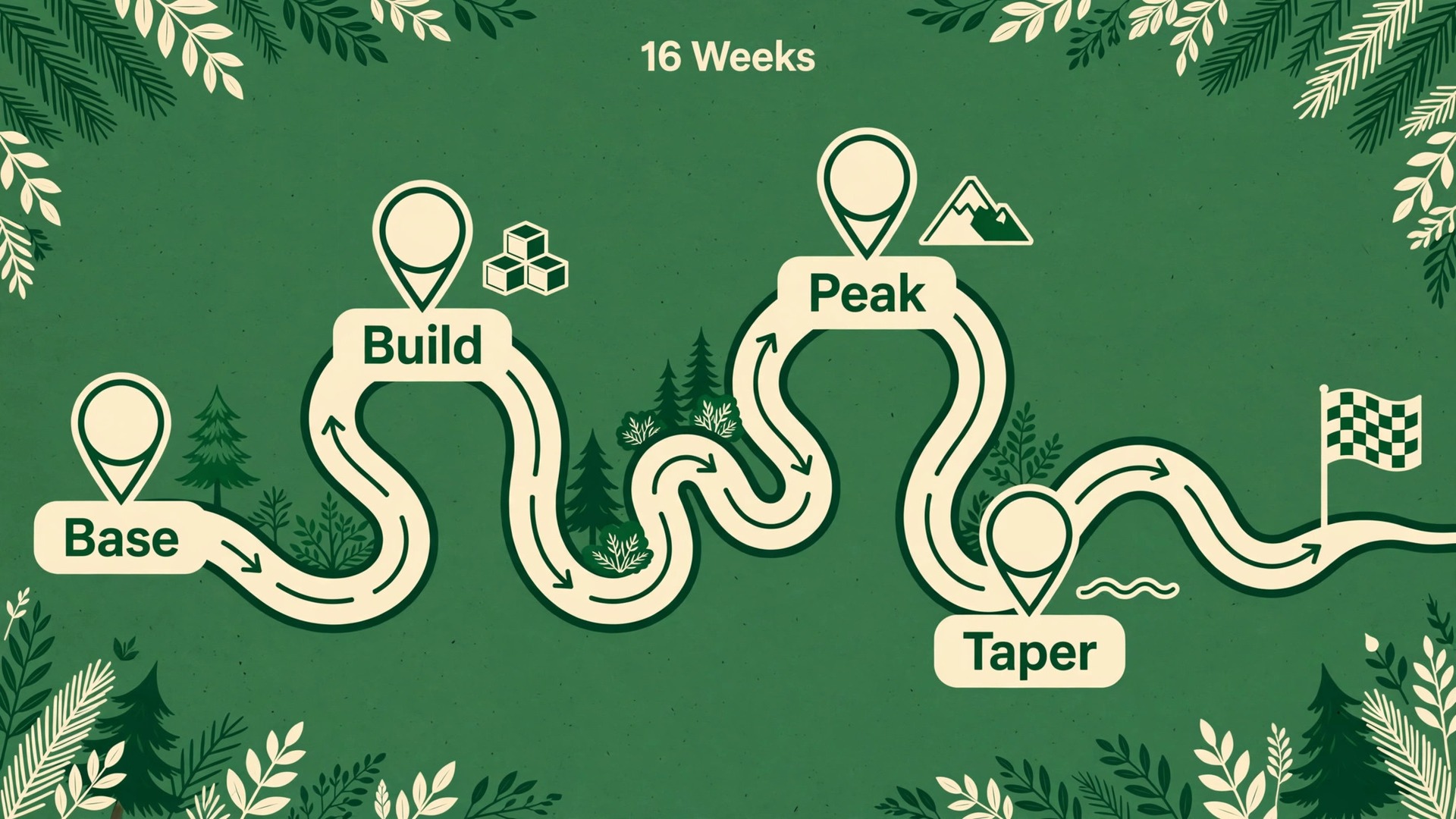
A marathon plan is a mileage plan first and a workout plan second, which is why runners who use fitness tracker for marathon training can check the plan against reality every week. The tracker makes that plan visible, but the structure still has to be sound. A useful 16 week shape has four phases. Base weeks build easy volume. Build weeks add a quality session and a longer long run. Peak weeks hold the highest volume for two or three weeks. Taper weeks cut volume while keeping some sharpness. Runners who skip the base and jump straight to peak mileage usually pay for it in the second half of the block.
The practical rule for growth is simple. Increase weekly mileage by no more than about 10 percent over the previous week, and insert a step down week every third or fourth week in which mileage drops back by roughly a fifth. The step down week is not lost training. It is when the body absorbs the work. Check the weekly total on Sunday night. If the planned week is more than 10 percent above last week, trim an easy run, not the long run and not the quality session.
A sample week for a runner building toward 40 miles per week shows how the pieces fit together. The long run carries about a third of the weekly total, and easy running carries most of the rest. Quality work is one session, sometimes two at peak.
| Day | Session | Purpose |
|---|---|---|
| Monday | Rest or a short walk | Recovery after the long run |
| Tuesday | Easy run, 5 to 6 miles | Aerobic volume at a conversational effort |
| Wednesday | Quality session, 6 to 7 miles including warm up and cool down | Tempo, intervals or hills |
| Thursday | Easy run, 4 to 5 miles | Volume without added strain |
| Friday | Rest or easy cross training | A buffer before the weekend |
| Saturday | Easy run with strides, 5 miles | Light leg speed without fatigue |
| Sunday | Long run, 14 to 16 miles in peak weeks | Endurance, fuel practice and pacing practice |
Long runs deserve a cap as well as a target. For most first time marathon runners, a long run beyond three hours gives diminishing returns and rising injury risk, even if the distance target has not been reached. Treat a 20 mile run completed in just over three hours as a finished job, not a failure, and judge the session by the metric you set before you started, not by whichever number looks better afterward.
Watch the shape of the week, not just the total. A long run that keeps growing while weekday mileage stays flat loads one day too heavily, and a quality session followed by a hard long run with no easy day between them leaves no recovery. Any one warning is a reason to hold mileage flat. Two together are a reason to cut back.
Heart Rate Zones Without the Guesswork
Heart rate zones turn effort into five bands, from light to maximum. Garmin describes five commonly accepted zones numbered from 1 to 5 by increasing intensity, generally calculated as percentages of maximum heart rate. Boundaries vary by brand and by method, so the table below is a practical guide, not a medical standard. Set your own numbers in the watch from a tested maximum and a measured resting heart rate.
| Zone | Effort | Typical use in marathon training |
|---|---|---|
| Zone 1 | Very light, easy conversation | Recovery runs and warm ups |
| Zone 2 | Light, full sentences possible | Most easy runs and most of the long run |
| Zone 3 | Moderate, shorter sentences | Steady state running and some tempo work |
| Zone 4 | Hard, few words at a time | Tempo runs and threshold intervals |
| Zone 5 | Very hard, talking stops | Short intervals and race finishes |
Zone 2 is where marathon fitness is built, and it is also the zone runners most often get wrong. If your zone 2 upper limit is set too high, every easy run becomes a moderate run. Test it directly. Run 30 minutes at a pace where you can speak in full sentences, then check the average heart rate for the middle 20 minutes. If that average sits well above your zone 2 ceiling, either your ceiling is too low or your easy pace is too fast. Repeat the test on a flat route in cool conditions before changing anything.
Wrist sensors have real limits for zone training. They are most reliable on steady efforts and least reliable during short intervals, when heart rate changes faster than the optical sensor can follow. They can also read high when the watch is loose or when cold reduces blood flow to the wrist. For tempo runs and intervals, a chest strap gives cleaner data and is worth the small cost if zone accuracy drives your decisions. For easy and long runs, wrist data is usually good enough with a snug fit above the wrist bone.
Set one alert per session and respect it. This discipline is easier when you use fitness tracker for marathon training with alerts set before the run, not improvised during it. On an easy run, set an upper alert at the top of zone 2 and slow down or walk a hill when it sounds. On a tempo run, set a range alert around zone 4. On intervals, judge the set by average heart rate per repetition and by recovery speed. A heart rate that stays high deep into recovery usually means the session is harder than planned.
A Weekly Training Workflow You Can Repeat
This workflow is the overview proof core of the plan. It is the same loop every week, and it turns tracker data into decisions instead of decoration. Runners who use fitness tracker for marathon training get the most from it by running it on the same evening every week. Run the loop on Sunday evening, when the week is complete and next week is still adjustable.
- Review the week in numbers. Total mileage, total time, long run distance, time in each zone and average resting heart rate. Write these five numbers in one place. A written weekly line makes trends visible in a way that scrolling through daily graphs does not.
- Compare with last week and with the plan. Did mileage rise by more than 10 percent. Did zone 4 and zone 5 time double without a planned quality increase. Did the long run take a bigger share of the week than intended. Mark any line that moved sharply and ask why.
- Plan next week from the evidence. Set the long run distance, the quality session and the easy mileage first, then check that the total sits within the 10 percent band. Load the quality session onto the watch as a structured workout. Garmin Connect and Coros Training Solutions both send planned workouts to the watch, so pacing and interval alerts run automatically.
- Rehearse one race specific detail each week. Practise fuel at long run pace one week, drinking from a cup while moving another week, and race day shoes, socks and the watch screen a third week. Small rehearsals remove race day surprises.
- Adjust once, then commit. Change one variable at a time. If you cut mileage, do not also add a second quality session. If you add hill work, do not also extend the long run. Single changes make cause and effect readable next Sunday. Stacked changes make every trend ambiguous.

Recovery and Sleep Signals Worth Trusting
Recovery is where marathon plans are saved or lost, and it is where tracker data earns its keep. The habit to use fitness tracker for marathon training as a recovery check, not just a pace check, is what separates a durable block from a fragile one. The signals that matter most are simple and work best as a group. Resting heart rate, sleep duration and a readiness score each tell part of the story. No single number should cancel a run on its own, but a group of signals pointing the same way deserves respect.
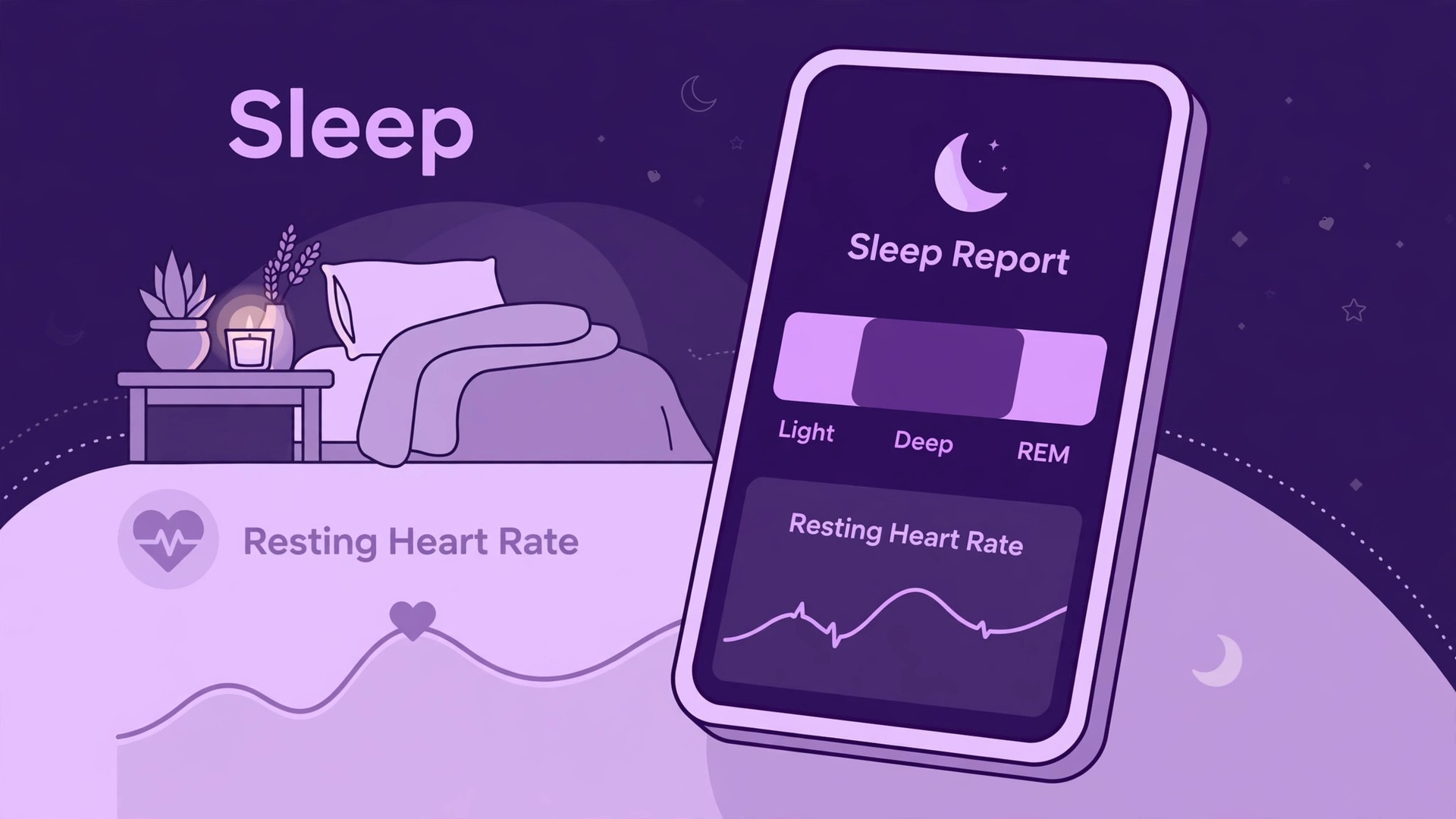
Start with resting heart rate, measured overnight when the body is still and the reading is cleanest. Establish a baseline over two calm weeks, then watch for drift. A rise of 5 to 7 beats per minute sustained over two or three mornings, especially alongside poor sleep or a sore throat, is a common early sign of illness or heavy fatigue. A single high morning after a hard long run means less. Trend beats snapshot, every time.
Sleep duration is the next signal, and it is the one runners most often sacrifice. Marathon training increases sleep need, and a tracker that records sleep stages and duration makes the shortfall visible. Coros Pace 3 tracks awake, light, deep and REM sleep and calculates resting heart rate overnight, and Apple Watch and Garmin watches record comparable data. The useful question is not whether you reached eight hours once. It is whether your weekly average is falling while mileage is rising. If it is, fix bedtime and training load together.
Readiness scores need a cautious reading. Garmin training readiness, Coros recovery and similar scores combine sleep, resting heart rate, recent load and stress data into one number. They are helpful as a summary, but they are estimates built from inputs you can already read. When a score says you are ready but your legs feel heavy and resting heart rate is up, trust the body and the raw numbers. When a score says you are low but you feel fresh, an easy run with a heart rate ceiling is a reasonable test. Scores guide the question. They do not answer it.
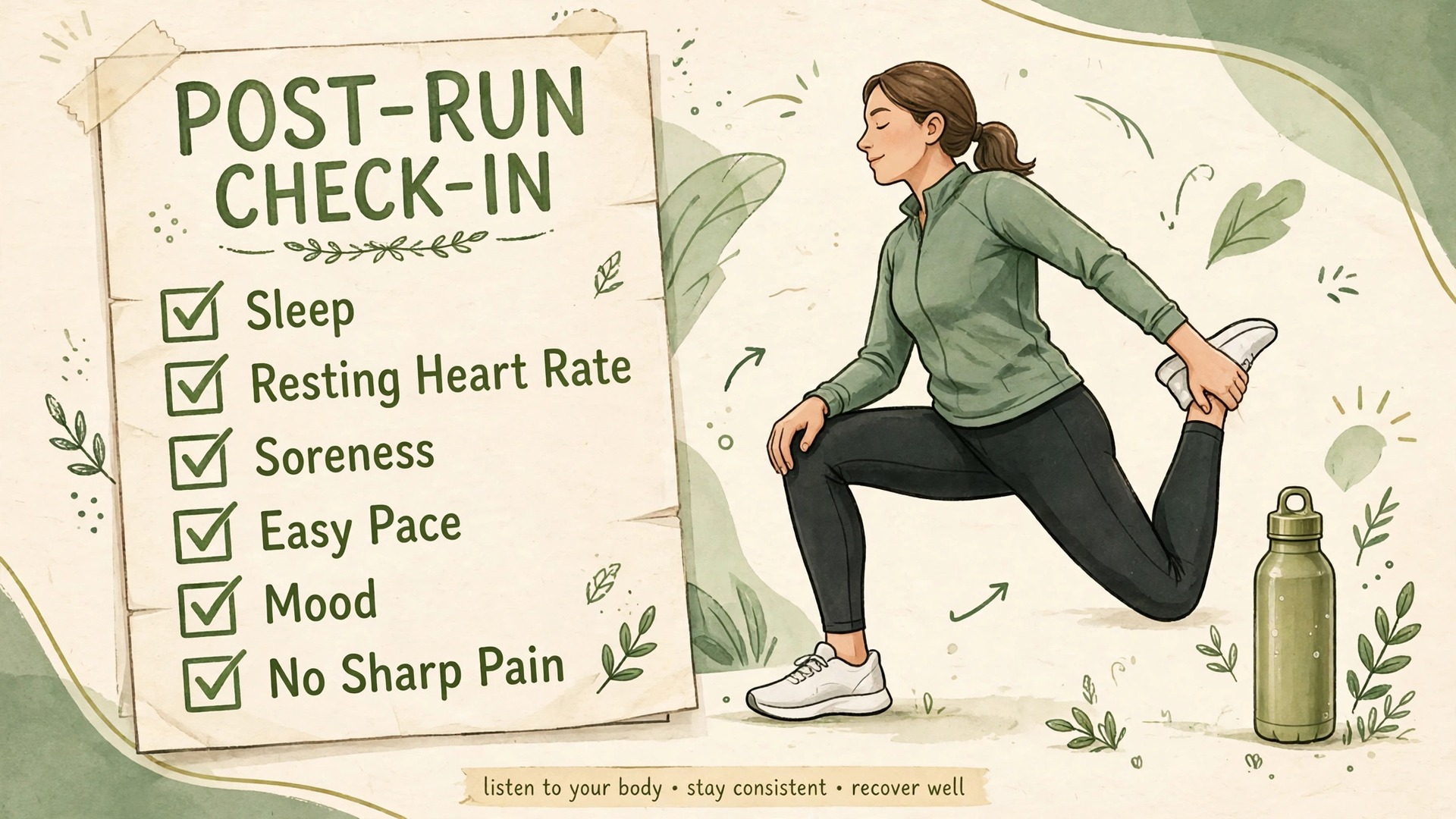
Use the recovery checklist below every Sunday and after every long run. It takes two minutes, and it prevents the most common marathon mistake, which is training hard through a recovery week that the body needed.
The Recovery Checklist
- Resting heart rate is within 3 beats of baseline, or the rise has a clear single cause such as heat or a late night.
- Sleep averaged at least 7 hours across the last three nights, with no night below 5 hours.
- Muscle soreness has eased from the long run, and normal walking feels normal.
- Easy pace at zone 2 heart rate is close to its usual range, not markedly slower for the same effort.
- Mood, appetite and motivation are normal, not flat for two days in a row.
- No sharp pain, no pain that changes how you run and no illness symptoms.
- The next hard session is at least one easy day away from the last hard session.
- Fuel and water for the next long run are planned, not improvised on the morning.
If three or more boxes fail, replace the next quality session with an easy run and hold mileage flat. If five or more fail, take an extra rest day and cut the week. This rule feels conservative in the moment and looks wise in hindsight, because a week of easy running costs little fitness while a forced injury break costs weeks.
Choosing a Tracker for Marathon Training
You do not need the most expensive watch to train for a marathon, and the choice matters less than how you use fitness tracker for marathon training day after day. You need reliable GPS, a readable run screen, heart rate alerts, structured workouts and battery life that covers your longest run with charge to spare. Everything else, including maps, music storage and smart features, is a bonus that should not decide the purchase.
Coros Pace 3 is the value reference point. Coros lists it at 199 dollars on its own product page, with free training plans and workouts through Coros Training Solutions at no extra cost, dual frequency GPS, breadcrumb navigation and sleep tracking. At 30 grams with a nylon band it is easy to forget on a long run, and its GPS battery rating covers even a slow marathon several times over. The trade off is a simpler smartwatch experience and a less vivid display.
Garmin Forerunner 265 is the mid range reference point. Garmin lists it at 449.99 dollars, with an AMOLED display, multi band GPS, training readiness, a morning report and music storage. Garmin Connect carries no subscription for its core training features. The Forerunner line also offers structured workouts and PacePro pacing strategies. The trade off is price, and for runners who only need distance, pace and heart rate, much of that depth will go unused.
Apple Watch suits runners who already live in the Apple system and want one device for training and daily life. It offers heart rate zones, custom workouts, running power and running form metrics on recent models, plus race route comparisons on the same route. The limits are battery life on very long runs, dependence on an iPhone and a zone system that defaults to a percentage of maximum heart rate unless you enter manual ranges. Test a full long run on the watch before race day, not after.
Buy for the block you are actually running. A first time marathon runner on a budget gets everything needed from the Coros option. A runner who wants training readiness, music on the wrist and a brighter display has a clear reason to pay more for the Garmin option. A runner who will wear the watch all day may reasonably choose Apple Watch despite the battery trade off. What matters in all three cases is daily wear, reliable charging and correct zones.
Taper and Race Week Plan
The taper is the most misunderstood phase of marathon training, and tracker data makes it easier to get wrong if you watch the wrong numbers. Total mileage falls, so a runner who judges fitness by weekly distance can feel unfit exactly when fitness is peaking. Runners who use fitness tracker for marathon training should judge the taper by sharpness, sleep and resting heart rate instead of weekly distance. The work is done. The taper protects it.
A full taper runs about three weeks. Three weeks out, cut total mileage by 10 to 15 percent from peak and cut the long run by 10 to 20 percent, while keeping intensity the same. Two weeks out, cut mileage further and shorten the long run again, but keep a short quality session so the legs stay sharp. Race week is mostly easy running, rest and rehearsal, with a few minutes at goal marathon effort so race pace feels familiar.
| Phase | Mileage change | Long run | Quality work |
|---|---|---|---|
| 3 weeks out | Down 10 to 15 percent from peak | Down 10 to 20 percent | Keep intensity the same |
| 2 weeks out | Down again, roughly a third below peak | Short, 10 to 12 miles at most for most runners | One short sharp session |
| Race week | Mostly easy, small total | None, apart from a short shakeout | A few minutes at goal effort only |
Race week has a tracker checklist of its own. Charge the watch fully two nights before the race, not on race morning. Set the race screen to distance, elapsed time, current pace and heart rate, and turn off any alert that will nag you over every hill. Test the screen and alerts on a short shakeout run, check GPS locks quickly outdoors, and confirm auto pause is set the way you want it.
Sleep in race week deserves the same attention as mileage. Keep a consistent bedtime and a dark, cool room, and do not chase a perfect night before the race itself. The night two nights before the race matters more than race eve, when nerves often cut sleep short. One short night rarely ruins a marathon after a good taper.
Race Day Tracker Use
On race day, the tracker has one job, and runners who use fitness tracker for marathon training should give it that job alone. It keeps you honest in the first 10 kilometres, when excitement makes goal pace feel too easy. Start the watch at the start line if your race uses chip timing from the line, or at the gun and accept the first seconds include the walk to the line. Decide before the race and judge splits by the same method you used in training.
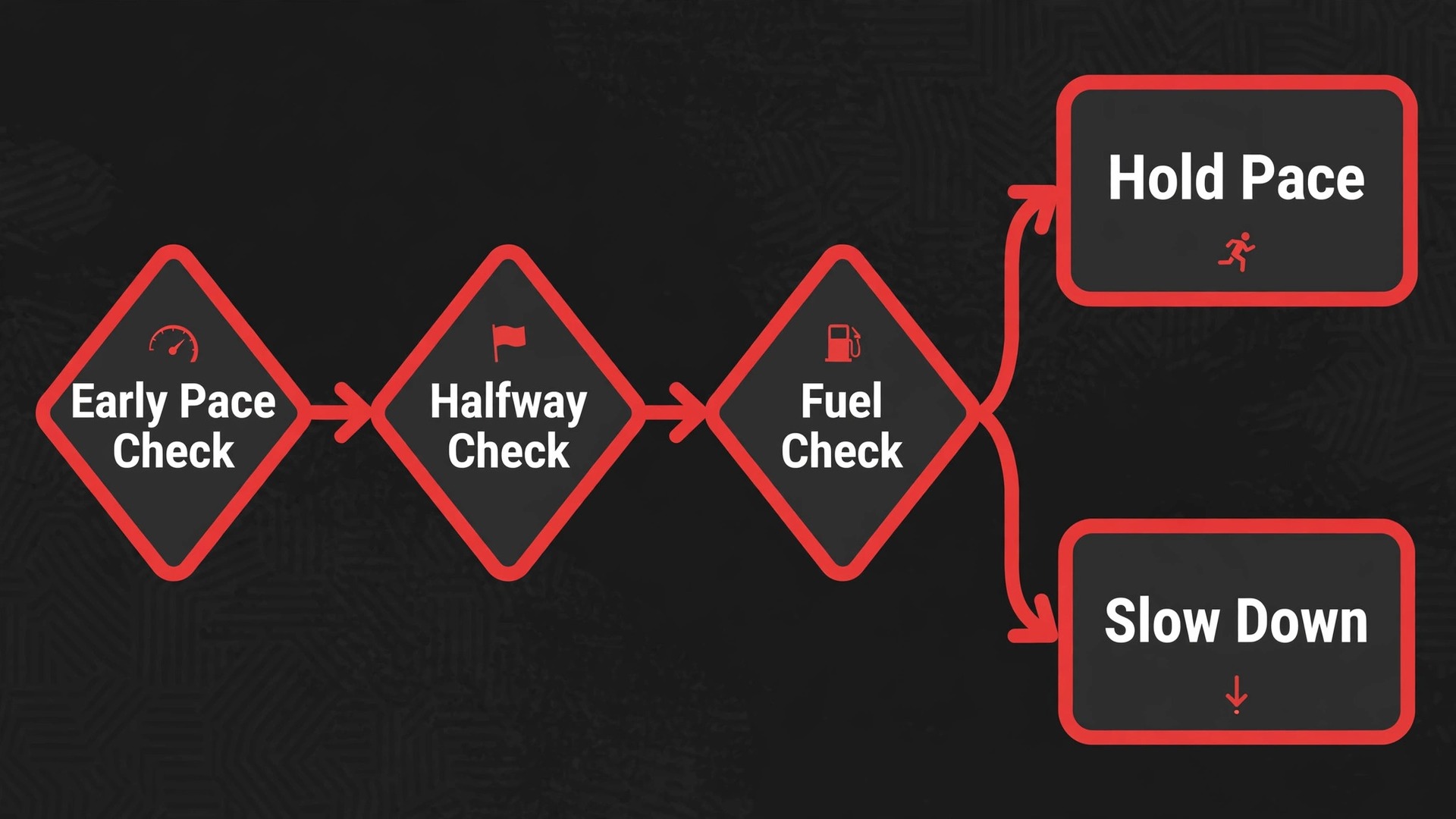
Use lap pace and average pace together. Lap pace tells you how the current mile is going. Average pace tells you whether the race as a whole is on plan. If heart rate sits in zone 4 in the first 5 kilometres, slow down even if pace looks perfect, because early heart rate drift is a warning.
Set only two alerts for race day. A heart rate ceiling for the first half, set near the top of zone 3, stops early overexertion. A pace range alert around goal marathon pace keeps you from drifting in the middle miles. Turn off other alerts.
Treat the second half as a fuel and effort check, not a pace chase. At halfway, check average pace, heart rate trend and how you feel in one glance. If pace is on plan and heart rate has drifted upward by 5 to 10 beats at the same pace, that drift is normal in a marathon, especially in heat. Hold pace and focus on fuel and water. If heart rate has jumped sharply and pace is falling, slow down, walk a water station if needed and reset.
After the finish, save the activity before you do anything else, then walk, drink and eat. Look at the data the next day, not in the finish area. Compare first half and second half pace, heart rate drift and fuel timing. That comparison becomes the starting point for the next block.
For runners who also track sleep and daily activity, companion guides on this site cover the wider setup. One explains how to set up an Apple Watch for fitness tracking from the start, which helps if your marathon watch is also your daily watch. Another covers smartwatch sleep tracking accuracy, which matters when recovery decisions rest on overnight data. A third guide on AI tools for fitness coaches shows how coaches use training data with athletes.
Frequently Asked Questions
Do I need a chest strap for marathon training
No, not for most runners. Wrist heart rate is good enough for easy runs, long runs and general load tracking, provided the watch fits snugly above the wrist bone. A chest strap earns its place for tempo runs and intervals, where heart rate changes fast and wrist readings can lag.
How long should I wear a tracker before trusting its recovery data
Give it at least one full week, and two weeks is better. Resting heart rate and sleep baselines need several calm nights to settle, and a week with a long run, a hard session and a rest day gives a fairer picture than three easy days.
What weekly mileage should a first time marathon runner target
There is no single number that fits every runner, because goal time, running history and injury history all matter. Many first time plans peak between 35 and 50 miles per week, with a long run of 18 to 20 miles. What matters more than the peak is the build. Grow by no more than about 10 percent per week, insert a step down week every third or fourth week and cap very long runs by time as well as distance.
Why does my heart rate run high on a hot day at the same pace
Heat raises heart rate because the body sends more blood to the skin to cool itself, leaving less for working muscles at the same pace. Hills, altitude, dehydration and poor sleep push heart rate up the same way. On hot days, judge easy runs by heart rate and effort rather than pace.
Should I follow a readiness score or my own judgment on race week
Use both, with judgment in charge. A readiness score summarises sleep, resting heart rate and recent load, and it is useful when it agrees with how you feel. When it disagrees, trust the raw signals and your body. If resting heart rate is up, sleep has been short and legs feel heavy, take the easier option. Race week is the wrong week to argue with fatigue.
Can I run a marathon with an Apple Watch battery
Yes for many runners, but test it first. A full marathon plus warm up and post race activity can last five hours or more for slower runners, and GPS, heart rate and screen use all drain battery. Do your longest training run with the exact race day settings and check the remaining charge at the end.
Race Day Is a Test, Not a Gamble
A marathon rewards the runner who arrives with evidence, not hopes. The tracker gives you that evidence in weekly mileage you can defend, zones you have tested, recovery patterns you have respected and a taper you did not sabotage with extra miles. None of that guarantees a personal best. What the evidence guarantees is that you will not lose a race in the first 10 kilometres to excitement, or in week 12 to a training jump you could have seen coming.
Start with setup, build with patience and let recovery data veto ambition when the two disagree. Wear the watch daily, charge it as a habit and review the week every Sunday. Do those things for 16 weeks and race day becomes a test of fitness you have already built, not a gamble on fitness you hope is there.