
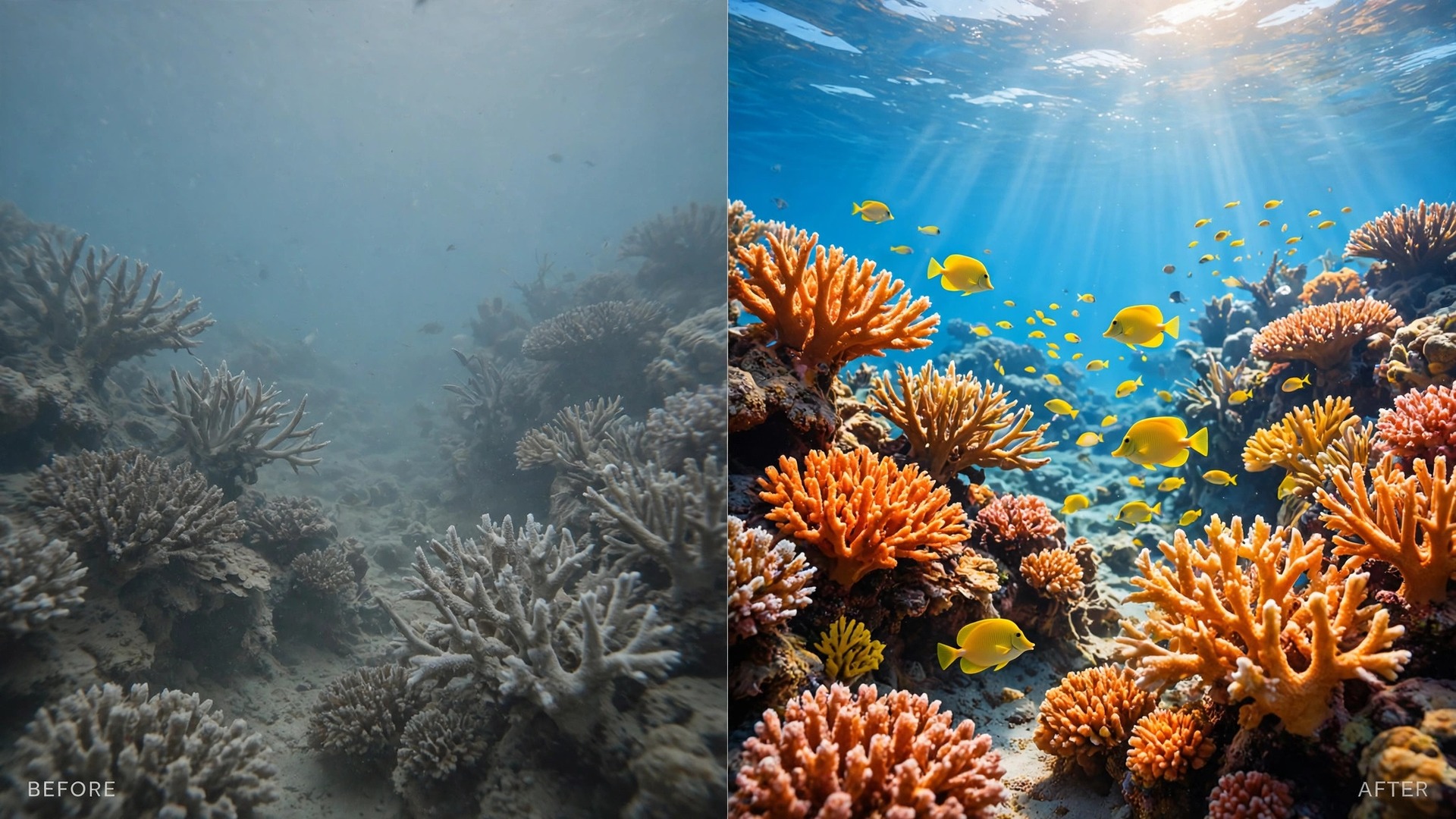
Most first underwater photos come back blue, soft and murky, even when the water looked clear from the surface. The reef that glowed turquoise through a mask turns into a flat blue wash on screen, fish lose their reds and yellows, and the shot you planned feels like it was taken through tinted glass. If you want to use GoPro for underwater photography beginner results that actually hold up, the fix is rarely a better camera. It is a small set of choices made before you get in the water, about housing, colour, light and distance, and this guide puts those choices in the order you will use them.
This workflow assumes a recent GoPro, a snorkel or an easy recreational dive, and no studio lighting rig. You will learn how deep you can go with and without a housing, which settings hold colour, when a filter helps and when a light does the job better, how to frame shots that survive the water, and how to look after the camera once you are back on dry land.
Why Your Underwater Photos Come Out Blue
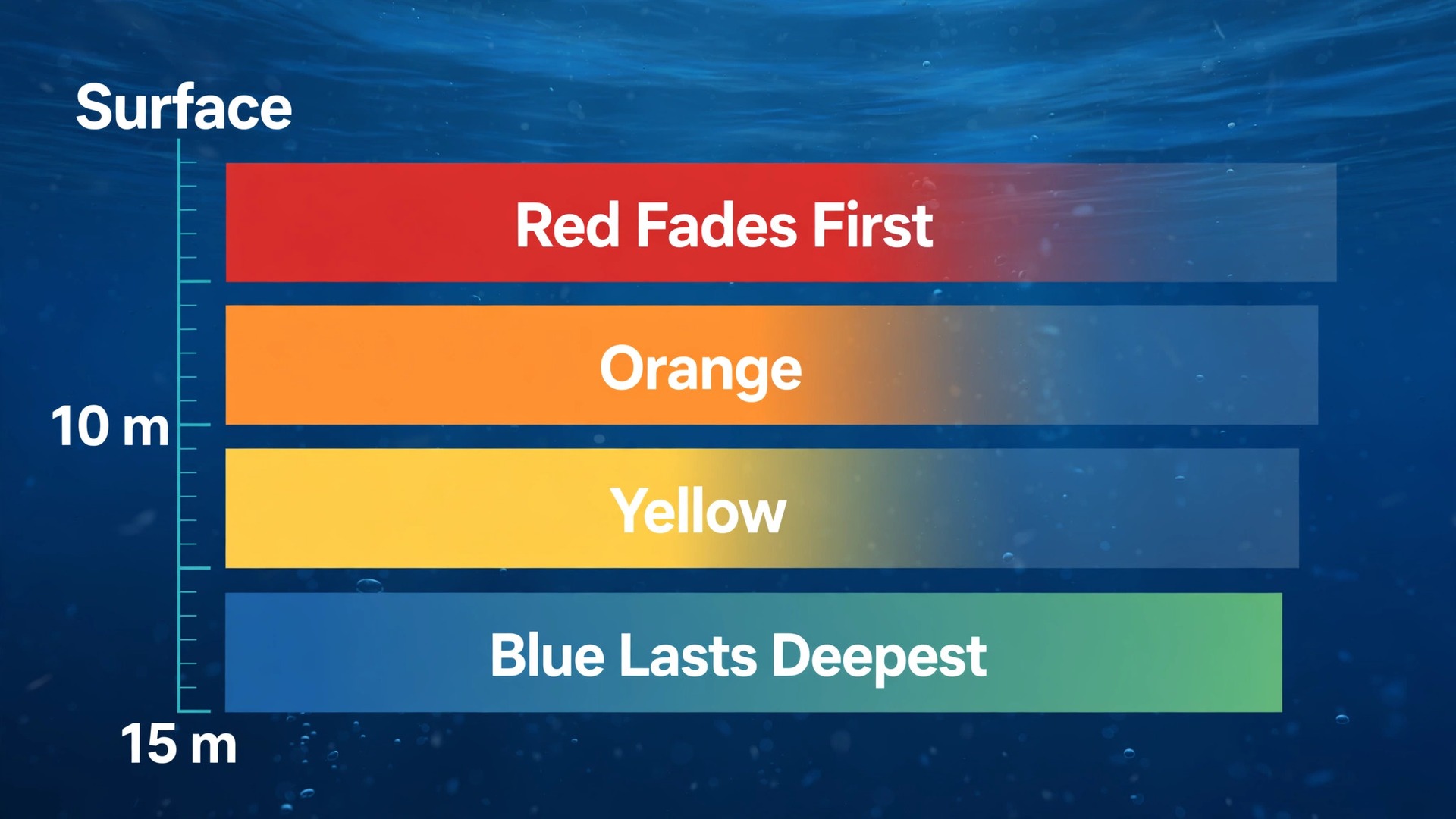
Water steals colour in a fixed order, and that order explains almost every disappointing first dive album. Red light fades first, within the first few metres, followed by orange and then yellow. By the time you are at 10 metres, much of the warm end of the spectrum is gone, and by about 15 metres the scene is dominated by blue and green. Your eyes adjust without you noticing, because your brain corrects the cast in real time. A camera sensor does not. It records what is actually there, which is a scene lit mostly by blue-green light.
Depth is only half the story. Distance matters just as much, because every metre of water between the lens and the subject filters light twice, once on the way down to the subject and once on the way back to the sensor. A fish photographed from 3 metres away sits behind 3 metres of water, even in a shallow lagoon. That is why a close, slightly imperfect shot of a turtle often looks far better than a distant, perfectly framed shot of a whole reef wall. Getting closer is the single cheapest colour fix available, and it costs nothing.
Particles make the third problem. Tiny specks of sand, plankton and bubbles scatter light back toward the lens, and a camera flash or video light pointed straight ahead lights those particles up like dust in a headlight beam. Photographers call this backscatter. It shows up as white spots and haze, and it gets worse when the light sits right beside the lens and when the water is stirred up.
One more beginner trap deserves a mention, which is the screen. A GoPro rear screen looks bright and punchy in sunlight on a boat, and it hides colour problems that become obvious on a larger display at home.
Housing and Depth Ratings Come First
A GoPro is a tough camera, but toughness is not the same as a depth rating, and the rating is the number that decides whether your camera comes home working. The HERO13 Black, the current flagship at the time of writing, is waterproof to 10 metres or 33 feet without any extra case. That covers snorkelling, surface swimming, pool work and shallow reef play. It does not cover a recreational scuba dive, which routinely goes to 18 metres and can reach 30 metres or more. The bare camera rating is a limit, not a suggestion, and pushing past it risks a flooded camera that no warranty treats kindly.
The standard fix is the GoPro Protective Housing, which fits the HERO9 through HERO13 Black models and is rated to 60 metres or 196 feet. Retail listings put it at about 54.99 dollars, though prices move with sales and region, so check the current listing before you buy. Sixty metres is deeper than recreational diving limits, which means the housing is not the weak point on a normal dive. Your certification, your air supply and your dive plan set the real limit long before the housing does. Buy the housing for the seal, the lens protection and the mounting options, not because you plan to test its maximum depth.
Housings fail for boring reasons, and almost all of them are preventable. The most common is a hair, a grain of sand or a salt crystal trapped in the O-ring groove. The second is a latch closed over a fold of the wrist strap. The third is an O-ring that has dried out, cracked or been pinched after months in a drawer. Inspect the O-ring every time you open the case. It should look smooth, even and lightly greased, with no nicks, flat spots or debris. If it looks damaged, replace it before the dive, not after the flood. A spare O-ring and a small tube of silicone grease cost very little and belong in every dive bag.
Test the empty housing before the camera goes anywhere near water. Seal it empty, hold it under water in a sink or a bucket for a few minutes, and check the inside for any dampness. This two minute habit catches latch problems and tired seals on dry land, where they are an annoyance, instead of at depth, where they are a disaster.
Fogging is the quieter housing problem. Warm, humid air sealed inside a case meets cold water, and condensation forms on the inside of the lens port. The result is a soft, hazy patch that ruins the middle of a dive. Anti-fog inserts, small moisture absorbing pads that sit inside the housing, help a great deal.
Mounts and safety gear matter as much as the case itself. A floaty grip keeps a dropped camera at the surface instead of sending it to the seabed, and it is cheap insurance for snorkellers. A wrist strap or a tether does the same job for divers, who cannot chase a sinking camera.
| Setup | Depth rating | Best for |
|---|---|---|
| Bare HERO13 Black | 10 metres or 33 feet | Snorkelling and shallow reef play |
| GoPro Protective Housing | 60 metres or 196 feet | Recreational scuba and deeper snorkel dives |
| Bare camera plus floaty grip | 10 metres or 33 feet | Surface swimming where drops are likely |
| Housing on a tray with lights | 60 metres or 196 feet | Divers who want steady, well lit close shots |
The HERO13 Black itself lists at about 429.99 dollars in current retail listings, with 5.3K video at 60 frames per second, 4K at 120 frames per second, 27 megapixel photos and HyperSmooth 6.0 stabilisation.

Settings to Use GoPro for Underwater Photography Beginner Trips
The goal of underwater settings is not to impress anyone with numbers. It is to give the camera the best chance of recording colour and detail in low, blue shifted light, while leaving you free to watch your buoyancy, your buddy and your air. Start simple, lock a preset before you get in, and change as little as possible underwater. Fiddling with menus at depth wastes dive time and attention, and touchscreens inside housings are awkward at the best of times.
Resolution and frame rate are the first choice. For photos, shoot at the highest still resolution your camera offers, and shoot in RAW as well as JPEG if your model supports it, because RAW files hold far more colour information for editing later. For video, 4K at 60 frames per second is a strong beginner default. It looks smooth, it crops well for social cuts, and it keeps file sizes manageable.
Field of view shapes the whole look. Wide captures the reef scene and the sense of scale, and it forgives imperfect aiming, which matters when you and the subject are both moving. Linear or narrow fields reduce the fisheye bend at the edges and suit a single fish or a diver portrait, but they demand more precise aiming. Beginners should default to Wide for scenic shots and switch to Linear only for a deliberate close subject. Digital zoom is a trap underwater. It crops the sensor and magnifies haze and particles, so swim closer instead of zooming whenever safety allows.
White balance is the setting that most directly fights the blue cast. Without a filter, a manual white balance around 4500K to 5500K compensates for the blue shift in shallow to mid depth water, and many experienced shooters settle near 5000K for snorkelling. With a red filter fitted, switch white balance back to Auto or Native and let the filter do the colour work, because stacking a manual shift on top of a filter can push skin and sand toward orange.
ISO, exposure and colour profile complete the setup. Cap ISO Max at 800 for bright shallow work, and allow up to 1600 in darker or deeper water, accepting that higher values add grain, especially in the blue channel. Set exposure compensation to minus 0.5 as a starting point, because the bright surface and pale sand fool the meter into overexposing the subject. For colour profile, choose GoPro Colour if you want finished looking files straight from the camera, or Flat if you plan to grade in editing and want the most room to adjust.
Save the whole setup as a custom preset named for the job, such as a shallow preset and a deep preset, so you can switch with two taps instead of rebuilding menus on a rocking boat. When you use GoPro for underwater photography beginner dives, the preset is your safety net. It removes decisions from the dive itself and leaves your attention for the water, which is where it belongs.
| Setting | Beginner starting point | Why it helps |
|---|---|---|
| Video resolution | 4K at 60 frames per second | Smooth, detailed, manageable file size |
| Photos | Highest resolution, RAW plus JPEG if offered | Maximum colour room in editing |
| Field of view | Wide for scenes, Linear for close subjects | Forgiving aim versus cleaner edges |
| White balance without filter | Around 4500K to 5500K | Counters the blue shift directly |
| White balance with filter | Auto or Native | Avoids double correction and orange casts |
| ISO Max | 800 shallow, up to 1600 deeper | Limits grain while allowing darker water |
| Exposure compensation | Minus 0.5 | Protects highlights from bright surface and sand |
| Colour profile | GoPro Colour for straight files, Flat for grading | Finished look versus editing room |
| Stabilisation | On, Boost for rough water | Smooths surge and fin movement |
Filters by Depth and Water Colour
A filter is a piece of tinted plastic or glass that sits in front of the lens and blocks some of the excess blue and green light before it reaches the sensor. It does not add red light. It rebalances what is already there, which is why filters work best in a middle band of depths where sunlight is still plentiful but warm colours have started to fade.
The standard three filter set covers most beginner diving. A light pink filter suits snorkelling and shallow water from about the surface to 7.5 metres, where colour loss is mild. A red filter suits blue water from about 7.5 metres downward, where red loss is obvious. A magenta filter suits green water from about the same depth, which includes many lakes, rivers and coastal sites where algae and sediment shift the cast toward green. Match the filter to the water you are actually in, not the water in the product photo. Green water with a red filter looks muddy, and blue water with a magenta filter looks cold.
Flip style filter systems, which hinge in front of the housing lens, are worth the small extra cost for beginners. They let you swing the filter away for a shallow shot or a lit close up, then swing it back for a deeper scenic shot, without opening the housing or handling loose parts with wet hands.
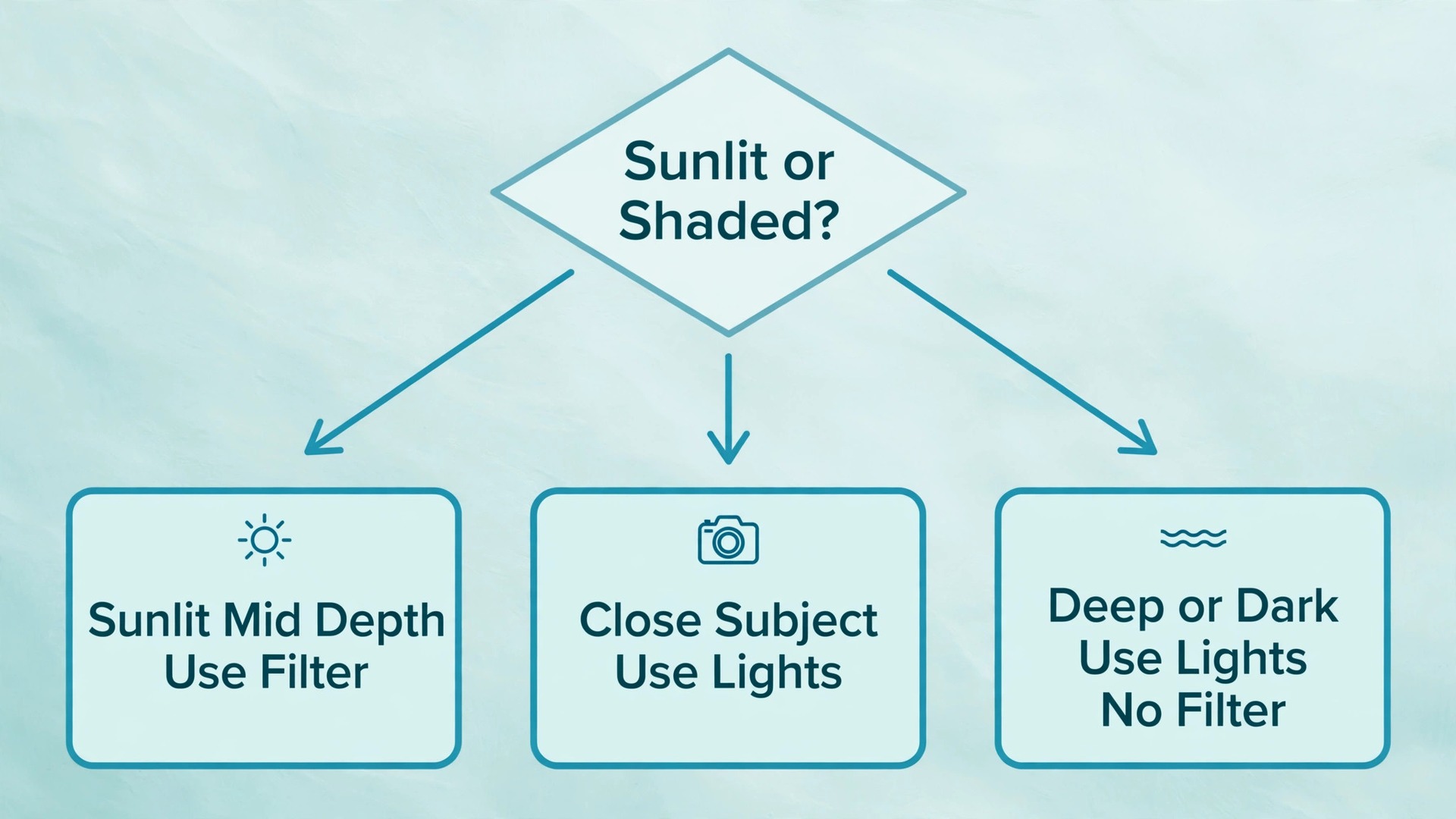
Filters have clear limits, and knowing them prevents disappointment. A filter blocks light, so images get darker and grainier in dim conditions. A filter does nothing for a subject sitting in shade under an overhang, where sunlight barely reaches at all. A filter used together with a video light can push the lit area toward red, because the light already restores warm colour and the filter then adds more. The rule is simple. Use a filter for sunlit scenes at mid depth, and take it away when you switch on lights or move into shade.
| Water and depth | Filter choice | Notes |
|---|---|---|
| Snorkelling, surface to 7.5 metres | Light pink | Gentle correction, keeps skin tones natural |
| Blue water, deeper than 7.5 metres | Red | Restores warm tones in clear ocean water |
| Green water, deeper than 7.5 metres | Magenta | Counters the green cast of lakes and coasts |
| Lit close up at any depth | No filter | The light already restores colour |
| Deep, dark or shaded scenes | No filter, add lights | Too little sunlight left for a filter to work with |
Natural Light Versus Video Lights
Sunlight is free, powerful and beautifully soft underwater, but it comes with strict conditions. It is strongest near the surface, near midday, and when the sun is behind you. It falls off fast with depth, it disappears in shade, and it changes colour as it passes through water. A beginner plan built on sunlight should therefore favour shallow dives, morning to early afternoon timing, and subjects in open water rather than inside wrecks, caves or under ledges.
Video lights solve the problems sunlight cannot, but only at close range. Water absorbs light quickly, so a video light is effective for subjects within about a metre, useful to about 2 metres, and mostly decorative beyond that. Two lights, one on each side of a tray, beat one bright light, because a pair can be angled outward to light the subject while keeping particles out of the beam path. A single light mounted beside the lens produces the worst backscatter, since the beam and the lens look along the same line through the same particles.
Light power is quoted in lumens, and bigger numbers look tempting, but beam angle and colour temperature matter just as much. A wide, even beam suits GoPro wide angle work, while a narrow spot creates a harsh pool of light with dark edges.
The GoPro Light Mod is a useful reference point for a compact starter light. Retail listings put it near 59.99 dollars, with a waterproof rating of 10 metres, which suits snorkelling and shallow work but not scuba depth. Dedicated dive video lights from dive brands cost more and go deeper, with sealed designs rated far beyond recreational limits. Match the light rating to the dive, not just to the camera, and never take a 10 metre rated light on a 25 metre dive on the assumption that it will probably survive.
A practical lighting plan for a first dive trip looks like this. Snorkelling in bright shallow water needs no light at all, just a pink filter or a manual white balance. Scuba diving in clear water to about 15 metres works well with a red or magenta filter and sunlight, plus a small light for close subjects and shade. Diving deeper, diving in green or murky water, or shooting inside structures calls for real video lights and no filter, with the subject kept close.
Composition That Survives the Water
Underwater composition rewards simplicity. The water itself adds haze, particles and colour shift, so a busy frame falls apart faster than the same frame on land. Pick one clear subject, get close, and let the water become a clean blue background instead of a cluttered midground.
Get low and shoot slightly upward whenever the subject allows it. A subject photographed from above, against sand, looks flat and documentary. The same subject photographed from below or level, against blue water, gains depth and separation.
Leave space in the direction the subject faces or moves. A fish swimming toward the right edge of the frame with no space ahead of it feels trapped, while the same fish with open water ahead of it feels like it has somewhere to go. The same rule applies to a diver finning across the frame. Frame a little wider than you think you need, since water movement and subject movement both shift the composition between the moment you aim and the moment you press the shutter. A small crop in editing is free. A clipped fin or a cut off tail is not.
Shoot in short bursts rather than single frames. A fish turns, a ray banks, a bubble crosses the lens, and the best frame is often the second or third in a burst.

The Beginner Shot List
Work through this list in order on a dive or snorkel session, and you will come home with a complete set instead of 200 near identical frames. Tick shots off mentally as you go, and stop repeating a shot once you have a good version of it.
- One wide scenic frame of the reef, the drop off or the bay, taken from slightly below with open water behind it.
- One diver or snorkeller in the scene for scale, positioned against blue water rather than against the reef.
- One close portrait of a single fish, taken from within a metre, with the fish facing into open space in the frame.
- One macro style close up of coral texture, an anemone, a nudibranch or a small creature, taken steady and close.
- One sunburst or light ray shot in shallow water, with the sun behind you or just out of frame.
- One over under shot at the surface, half above and half below the waterline, if conditions are calm.
- One silhouette of a diver, a ray or a school against the bright surface, exposed for the surface light.
- One behaviour shot, such as feeding, cleaning, schooling or a turtle surfacing, held as a steady five second video clip.
- One detail shot of dive gear, a compass, a slate or hands on a line, which tells the story of the dive itself.
- One closing wide shot as you ascend or head back, showing where the dive ended and how the light changed.
If a subject does not cooperate, move on to the next item rather than burning air on one uncooperative fish.
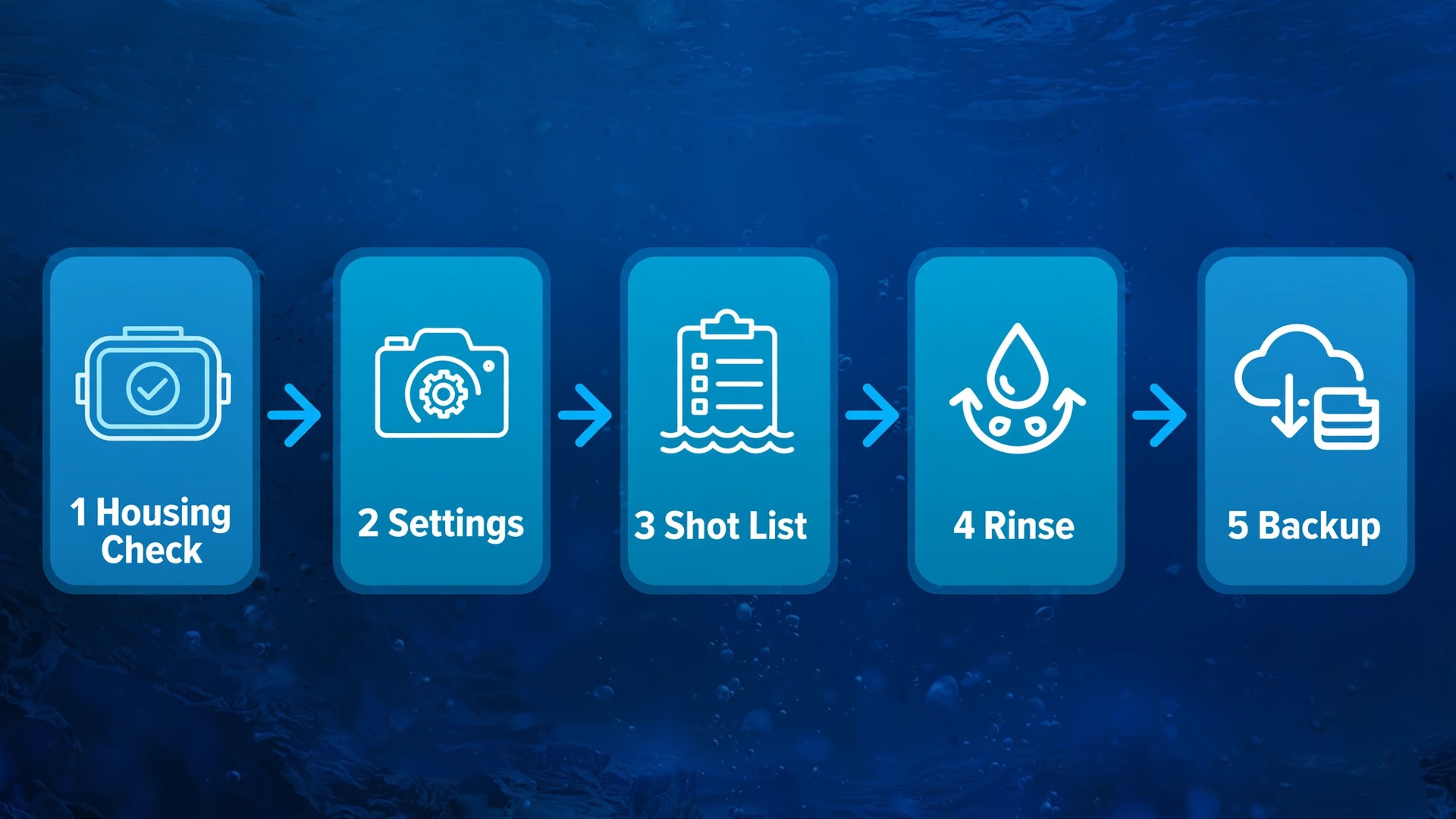
The Housing and Light Checklist
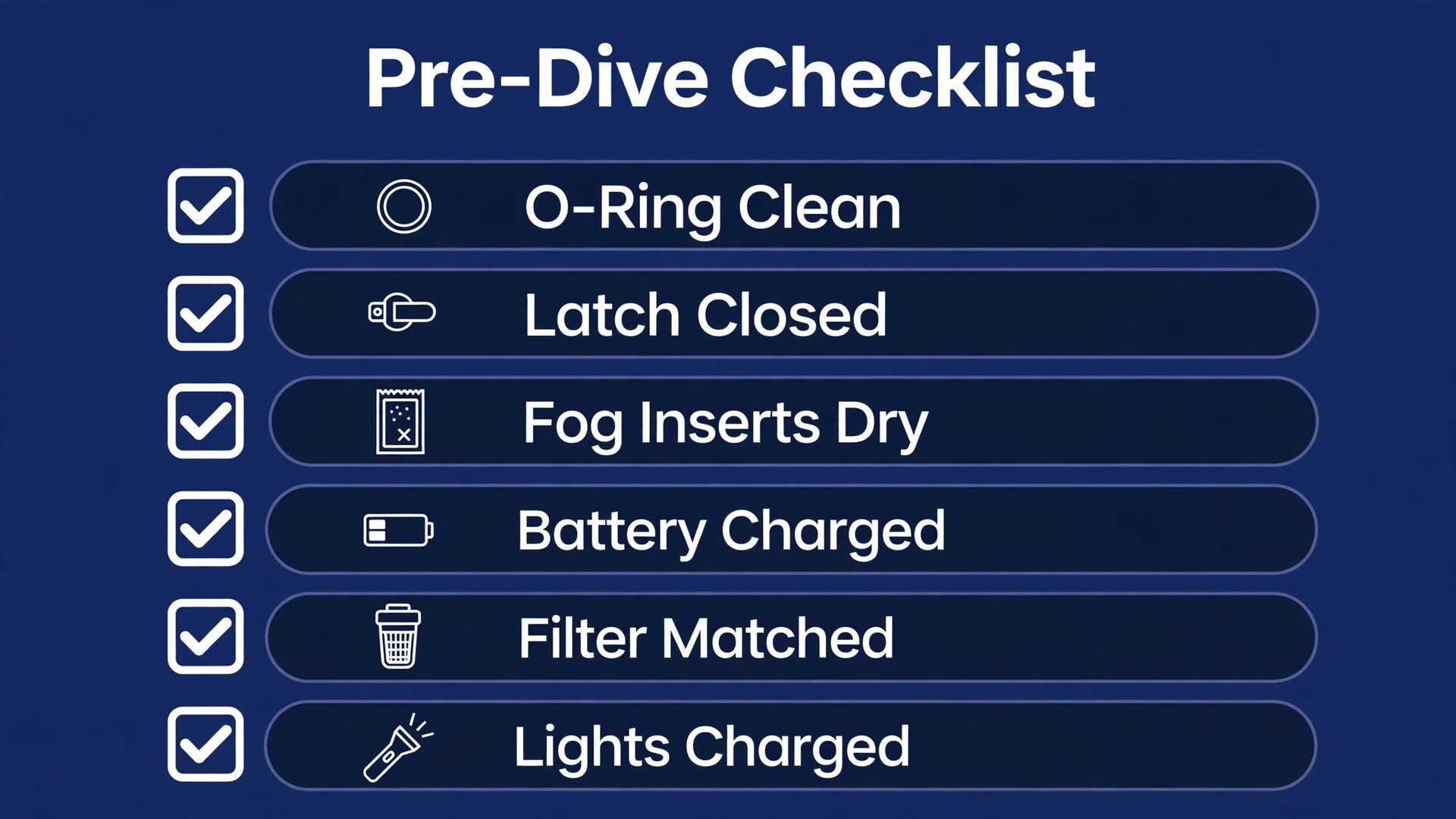
Print this checklist or save it on your phone, and run it before every entry. It is the overview proof heart of this workflow, because it turns the whole guide into a single pass or fail test at the water edge.
- Housing O-ring inspected, clean, lightly greased and free of hair, sand and nicks.
- Housing latch closes fully, with no strap or cloth caught in the seal.
- Empty housing seal tested in water, or tissue test completed after storage or a knock.
- Lens port clean inside and out, with no fingerprints, salt marks or scratches in the centre.
- Anti-fog inserts fitted and dry, and housing assembled in a cool, dry place.
- Camera battery charged, memory card formatted, and preset selected for the planned depth.
- Filter matched to water colour and depth, fitted correctly, or deliberately left off for lit close ups.
- Floaty grip, wrist tether or tray thumbscrews checked and tight.
- Video lights charged, O-rings checked, beam tested in a bucket, and spare batteries packed.
- Sun position noted, with the plan to keep the sun behind you for sunlit shots.
- Shot list reviewed, with the first three shots decided before entry.
- Buddy aware of the camera plan, so photography never overrides safety, air checks or the dive plan.
If any item fails, fix it on land, where it is an annoyance instead of a disaster.
Post-Dive Care and Backup That Protect the Whole Trip
The dive is not over when you climb back on the boat. Salt water keeps working after you leave the sea, and it attacks seals, metal contacts, threads and lens coatings quietly over hours. The post-dive routine takes ten minutes, and it decides whether your camera survives the season or slowly corrodes between trips. When you use GoPro for underwater photography beginner trips, this routine matters more than any accessory, because beginners lose more cameras to skipped rinsing than to floods at depth.
Rinse everything in fresh water as soon as practical, while the housing is still sealed. Soak the sealed housing, the mounts, the tray and the lights in a bucket of fresh water for several minutes, and work the buttons and latches gently under water to flush salt out of the moving parts. Dry the outside with a soft towel before you open the case, and only then remove the camera.
Inspect the O-ring again after the dive, and clean the groove with a soft cloth and fresh water. Salt crystals left in the groove harden and can nick the seal on the next closure. Wipe the lens port with fresh water and a microfibre cloth, never with a dry towel on a sandy port, since a single grain dragged across the port leaves a scratch that shows up in every bright shot afterward.
Backup is the second half of post-dive care, and it should happen the same day, not at the end of the trip. Copy the card to two places before you format it, such as a laptop and a portable drive, or a laptop and cloud upload where the connection allows. A single card holds the whole trip until you copy it, and cards fail, get lost and get formatted by mistake. When you use GoPro for underwater photography beginner holidays, a nightly copy habit is the difference between losing one dive and losing the holiday.
Editing starts with selection, not with filters. Pick the ten best frames from the shot list first, and delete or archive the rest before you edit anything. For colour, start with white balance and tint, then lift shadows slightly, then add a small amount of contrast.
For related reading, this site guide to best AI tools for photographers covers editing and planning tools that pair with a new camera workflow, best AI photo enhancers looks at cleanup tools for shots that need rescue work, and best AI video editing tools helps when your underwater clips need cutting into a short shareable film. Read those guides alongside this one when you move from shooting to editing and publishing.
Frequently Asked Questions
Do I need a housing for snorkelling with a GoPro?
No, not for shallow snorkelling, because the HERO13 Black is waterproof to 10 metres without a case. A housing still helps, since it protects the lens from knocks, adds mounting options for filters and lights, and removes any worry about the depth limit if you duck dive. For a first snorkel trip in calm shallow water, the bare camera with a floaty grip is enough.
What depth can a GoPro go to without a housing?
The HERO13 Black and the recent models before it are rated to 10 metres or 33 feet without a housing. If your diving regularly passes 10 metres, buy the Protective Housing, which is rated to 60 metres, and treat the bare rating as a snorkelling limit. When you use GoPro for underwater photography beginner dives that stay shallow, the bare rating is plenty, but the housing is still the safer default.
Why do my underwater photos look blue even in clear water?
Clear water still absorbs warm light, and red fades within the first few metres regardless of visibility. Your eyes correct the cast automatically, so the water looks natural to you while the camera records the blue shifted reality. Fix it by getting closer to the subject, setting white balance manually around 4500K to 5500K, fitting the right filter for the depth and water colour, or adding a light for close subjects.
Should I use a red filter or a video light?
Use a filter for sunlit scenes at mid depth, and use a light for close subjects, shade, murky water and deeper dives. A filter rebalances sunlight and costs little, but it needs sunlight to work with and it darkens the image slightly. A light restores colour directly and works in the dark, but only within about a metre or two. Do not use both on the same lit subject, since the combination pushes warm tones too far toward red.
What is the best GoPro setting for underwater photos?
There is no single perfect setting, but a strong beginner starting point is the highest photo resolution with RAW plus JPEG if offered, Wide field of view, white balance near 5000K without a filter or Auto with a filter, ISO Max capped at 800 in bright shallow water, and exposure compensation at minus 0.5. Save those values as a custom preset before the dive, take a test shot at depth, and adjust white balance first if the colour looks wrong.
How do I stop my GoPro housing fogging up?
Assemble the housing in a cool, dry place, fit fresh anti-fog inserts, and keep the sealed housing out of direct sun before the dive. Fog forms when warm humid air trapped inside meets cold water, so the goal is to trap as little warm moist air as possible. Avoid opening the housing on a humid beach, avoid breathing on the lens port while assembling it, and replace inserts once they feel damp or saturated.
Make the Next Dive the One You Actually Keep
A good underwater album is not a lucky accident. It is a dry housing, a colour plan matched to the depth, a light used at close range, and ten deliberate shots instead of a card full of hopeful frames. If you use GoPro for underwater photography beginner trips with that order in mind, housing first, colour second, light third and composition last, the blue wash that ruined your first attempts starts to disappear. The sea will still surprise you, with current, with cloud, with a subject that turns away at the wrong moment, but a prepared shooter adapts while an unprepared one just records the surprise.
Start with one shallow session and the full checklist. Test the empty housing, pick a preset, shoot the ten shot list, rinse and back up the same day. Review the results on a large screen, note which shots held colour and which went blue, and change one variable next time, not five. When you use GoPro for underwater photography beginner dives in this measured way, progress is visible within two or three sessions, and the camera stops being the excuse and starts being the tool it was meant to be.