
The best AI PDF summarizers all promise the same thing: upload a document, get a summary you can trust, and ask follow-up questions without reading all 40 pages. The problem is that “trust” is doing a lot of work in that sentence. Some tools quietly drop the numbers that matter, some invent figures that were never in the document, and some give you a summary with no way to check where any of it came from.
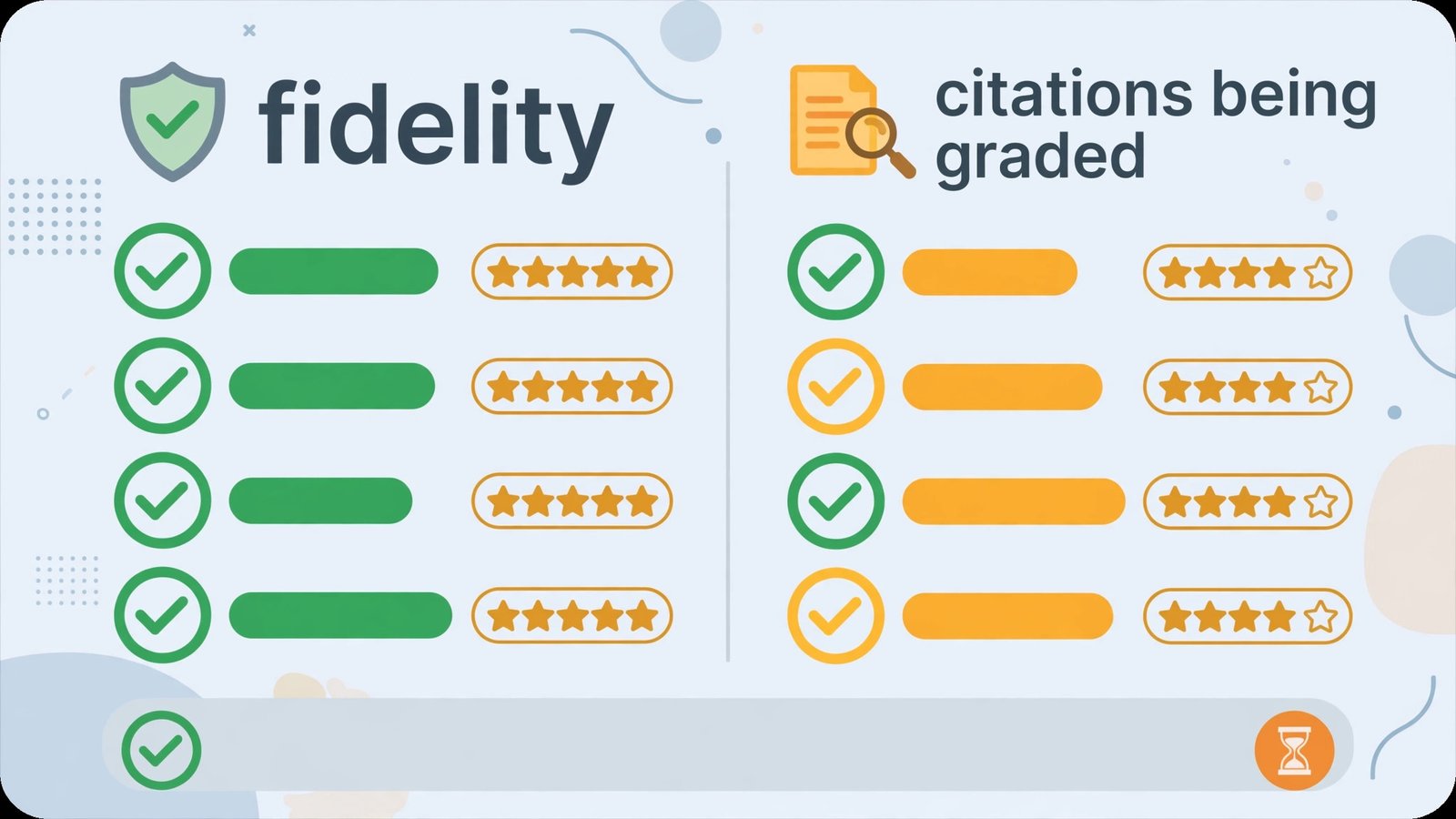
So we ran a controlled test. We took one real 40-page market research report — executive summary, methodology, twelve data tables, and a recommendations section with specific revenue figures — and fed the identical file to six tools: ChatPDF, Humata, SciSpace, AskYourPDF, plus the file Q&A built into ChatGPT and Claude. Every tool got the same summary request and the same five follow-up questions. We graded each one on summary fidelity (did the key figures and caveats survive?) and citation quality (can you click through and verify the claim?). Here’s what we found.
Quick Answer
Bottom line: For a summary you can defend in a meeting, Claude produced the most faithful text and ChatPDF produced the most verifiable one. If you read academic papers, SciSpace is the specialist pick. If your main constraint is the free tier, ChatPDF’s two-documents-a-day allowance is the most usable of the group.
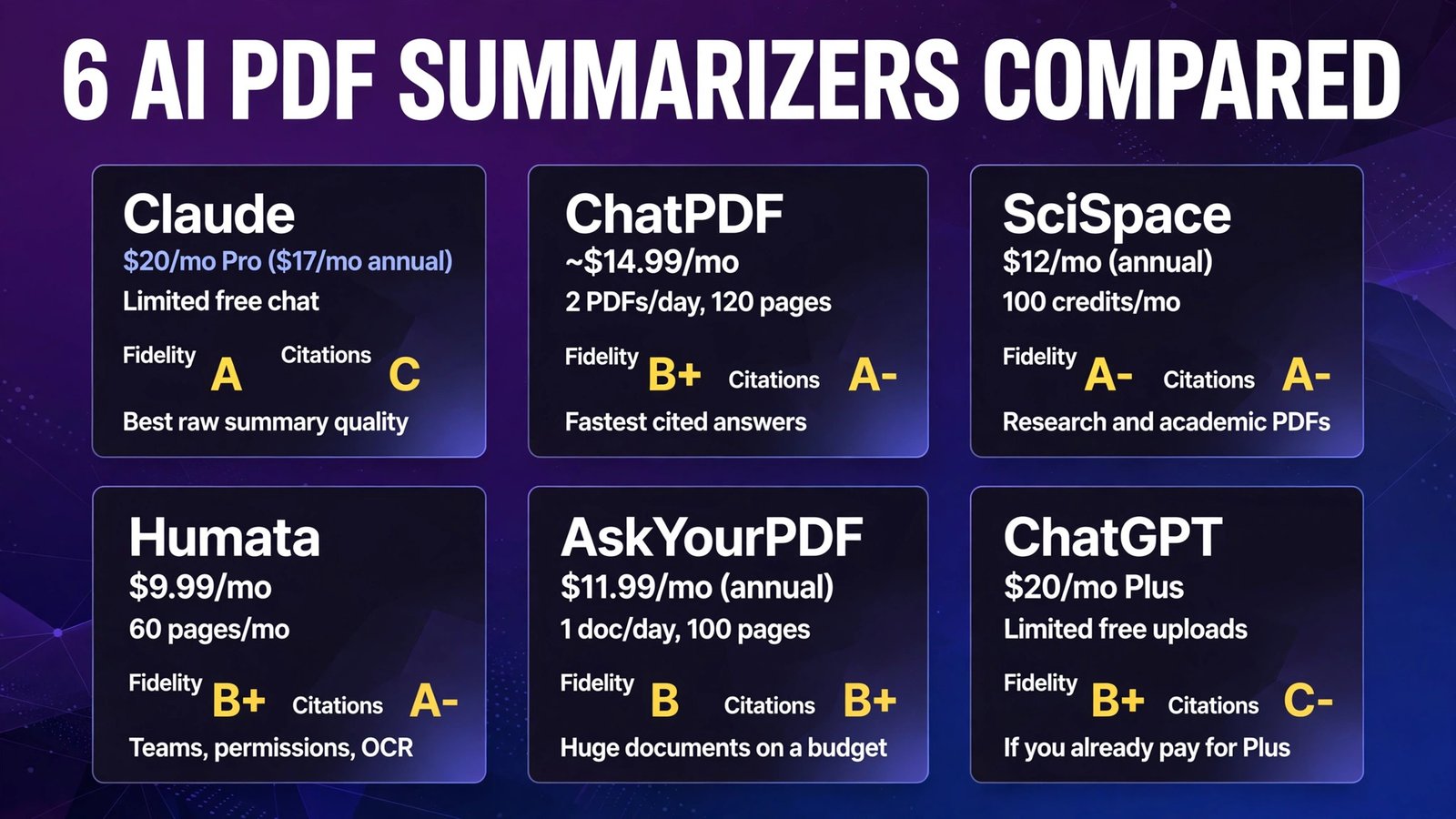
| Tool | Entry price (Oct 2026) | Free tier | Fidelity grade | Citation grade | Best for |
|---|---|---|---|---|---|
| Claude | $20/mo Pro ($17/mo annual) | Limited free chat | A | C (no page links) | Best raw summary quality |
| ChatPDF | ~$14.99/mo | 2 PDFs/day, 120 pages | B+ | A- | Fastest cited answers |
| SciSpace | $12/mo (annual) | 100 credits/mo | A- | A- | Research and academic PDFs |
| Humata | $9.99/mo | 60 pages/mo | B+ | A- | Teams, permissions, OCR |
| AskYourPDF | $11.99/mo (annual) | 1 doc/day, 100 pages | B | B+ | Huge documents on a budget |
| ChatGPT | $20/mo Plus | Limited free uploads | B+ | C- | If you already pay for Plus |
The Test: One Report, Five Questions, Two Grades
Every tool received the same 40-page PDF and the same prompts:
Summary prompt: “Summarize this report in 200 words. Include the three headline findings, the methodology, and any limitations the authors state.”
Follow-up questions: (1) What was the exact sample size? (2) What revenue growth figure is projected for 2027, and in which segment? (3) What limitation do the authors flag about their own data? (4) Which table shows churn by plan tier? (5) What does the report recommend for companies under 50 employees?
Questions 2 and 3 are the trap questions: the 2027 figure appears once, inside a table on page 31, and the stated limitation is a single sentence in the methodology appendix that most summaries skip. We scored fidelity out of 10 (key facts present and correct) and citation quality on whether each answer pointed to a page or passage we could verify in under 30 seconds.

1. Claude — Best Summary Fidelity, Weakest Citations
What it is: Claude isn’t a dedicated PDF tool — it’s a general AI assistant with file upload built in. You attach the PDF to a chat and ask questions in plain language. It earns its place here because its underlying model is, in our test, simply the best reader of long documents in this group.
2026 pricing (verified): Free tier with limited usage; Claude Pro $20/month, or $17/month billed annually ($200/year). Pro raises usage limits substantially, which matters because a 40-page PDF plus follow-ups burns through the free allowance quickly.
Our test: Claude’s 200-word summary was the only one that included all three headline findings and the authors’ stated limitation, unprompted in structure but complete in content. It nailed the sample size (question 1) and the churn table location (question 4). On the trap question, it found the page-31 figure and correctly attributed it to the right segment. Where it stumbled: it paraphrased one percentage a half-point off from the table value — a rounding slip we’d only catch by checking the source, which is exactly the problem, because Claude gives you no page-level citations to check against. You have to search the PDF yourself.
Pros:
- Most faithful summaries in our test — caveats and limitations survive
- Excellent at cross-referencing distant parts of a long document
- Natural follow-up conversation; great at “explain this table like I’m new”
- Handles the PDF as part of a broader chat (draft the email about it, too)
Cons:
- No clickable page citations — verification is manual
- Free tier limits make serious document work impractical
- No document library or team permissions; it’s a chat, not a workspace
Verdict: If the summary itself is the deliverable and you’ll verify the two or three critical numbers yourself, Claude is the strongest reader here. If every claim needs a source link, look below.
2. ChatPDF — Fastest Path to a Verifiable Answer
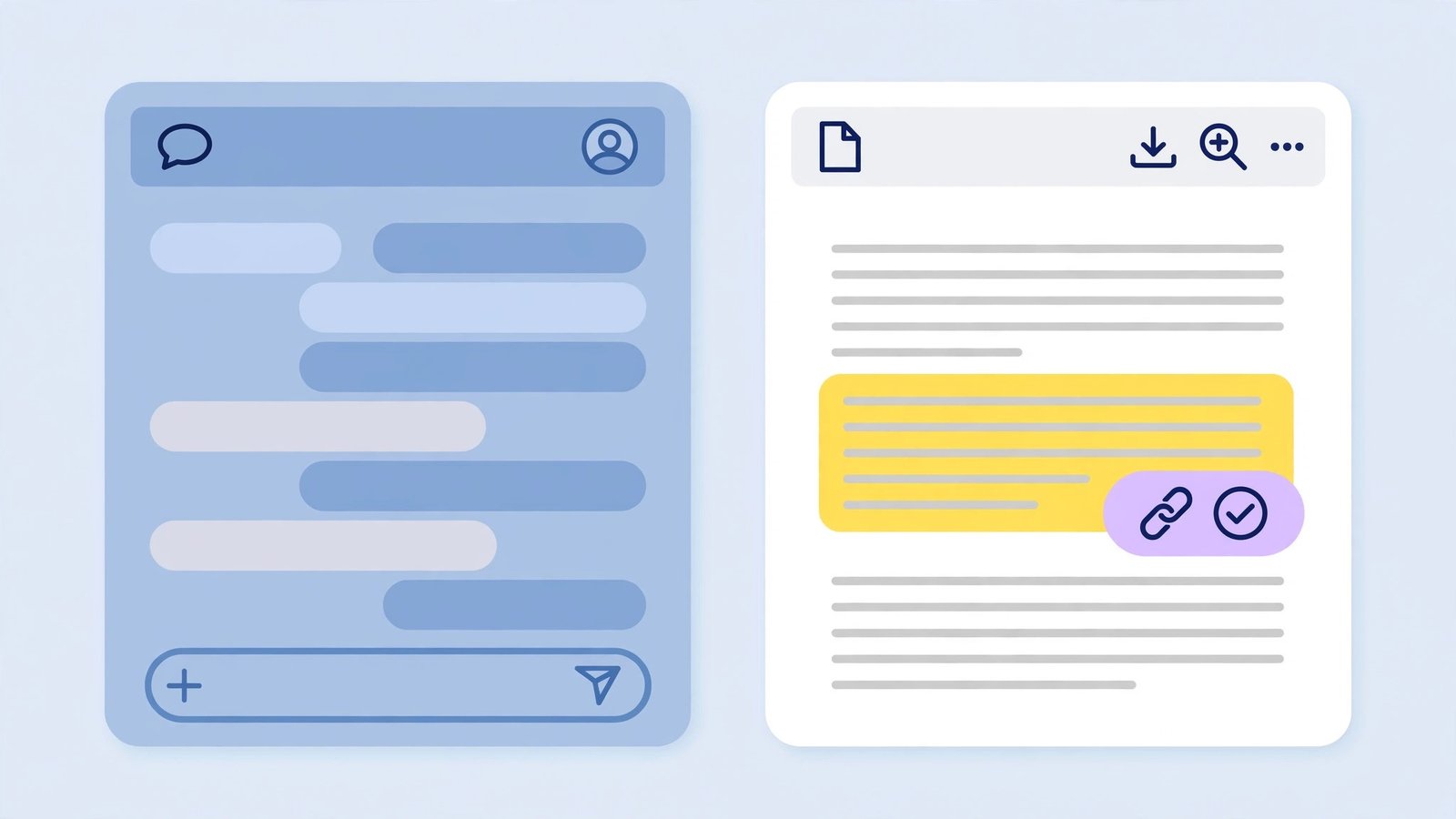
What it is: ChatPDF is the original “chat with your PDF” tool and still the simplest: upload a file (no account needed to start), get an automatic summary, and ask questions with clickable source references beside every answer.
2026 pricing (verified): Free plan: 2 PDFs per day, up to 120 pages and 10 MB per file, ~50 questions per day. Plus is sold through the in-app upgrade window rather than a public pricing page: ~$14.99/month, or roughly $7.58/month billed annually, unlocking unlimited PDFs, up to 2,000 pages per file, larger uploads (32 MB), 1,000 questions per day, and multi-document folders of up to 50 PDFs.
Our test: ChatPDF generated its summary in seconds, before we’d even typed a prompt. Fidelity was strong on headline findings but it dropped the authors’ limitation entirely — the summary read more confident than the report itself. Follow-up answers were where it shone: every claim carried a citation chip, and clicking one jumped the side-by-side viewer to the exact passage. Four of five questions answered correctly with verifiable sources; the page-31 figure took one rephrased question to surface. Independent testing puts ChatPDF’s citation precision around 78% on straightforward queries, and our experience matched that: citations were right often enough to trust the workflow, not often enough to skip clicking them.
Pros:
- Clickable citations on every answer — fastest verification loop in the test
- No account needed to try it; summary appears automatically on upload
- Side-by-side document/chat view is genuinely well designed
- Generous free tier for occasional use (2 docs/day)
Cons:
- Summaries can sound more certain than the source document
- No native OCR — scanned PDFs without a text layer produce poor results
- Answer quality drops on very long documents (hundreds of pages)
Verdict: The best default recommendation for most people. If your workflow is “get an answer, check the source, move on,” ChatPDF’s citation loop is the one to beat.
3. SciSpace — The Researcher’s Summarizer
What it is: SciSpace (formerly Typeset) is built for academic and technical literature. Beyond chat-with-PDF, it searches a database of 280M+ papers, explains selected passages in plain language, extracts data from tables into structured columns, and generates citations in 1,000+ styles.
2026 pricing (verified): Free Basic plan with 100 Agent credits/month and limited chats. Premium is $12/month billed annually ($20 month-to-month) with 1,200 monthly credits and unlimited PDF chats and literature searches; Advanced $70/month (annual) and Max $160/month (annual) raise credit allowances for heavy agent workflows.
Our test: SciSpace matched Claude on the trap questions — it found the page-31 figure and surfaced the methodology limitation, and its “explain” feature turned the densest table in the report into a plain-English paragraph without distorting the numbers. Its summary was slightly more academic in tone than we wanted for a business report, and its credit system is the confusing part: agentic features (deep research, systematic review) burn credits at rates that aren’t obvious until you run them, though plain PDF chat on Premium is effectively unlimited. Citations link back to passages and, for papers in its database, to the wider literature — a feature none of the generalist tools match.
Pros:
- Best-in-class handling of tables, figures, and technical language
- Passage-level explanations on demand; ideal for dense papers
- Built-in literature search across 280M+ papers
- Citation generation in 1,000+ academic styles
Cons:
- Credit system for agent features is opaque and easy to overspend
- Overkill (and slightly academic in tone) for everyday business documents
- Free tier is a taster, not a working plan
Verdict: If your PDFs are journal articles, theses, or technical papers, SciSpace is the clear pick. For contracts and board decks, it’s powerful but more than you need.
4. Humata — The Team and Permissions Pick
What it is: Humata is a document Q&A platform aimed at teams and organizations rather than solo readers. It prices by pages processed, supports multiple file types, and layers on folder and department permissions, OCR, and response personalization on its Team plan.
2026 pricing (verified): Free: 60 pages/month and up to 10 answers, 1 user. Expert $9.99/month — 500 pages/month, up to 3 people, $0.02 per extra page. Team $49/user/month — 5,000 pages/month, up to 10 people, OCR, department and folder permissions, $0.01 per extra page. Enterprise is custom, with SOC 2 and an uptime SLA.
Our test: Humata’s summary was accurate and well-structured, and its answers consistently highlighted the exact passage used, which made verification nearly as fast as ChatPDF’s. It answered the sample-size and churn questions cleanly and flagged — rather than hid — its uncertainty on the page-31 figure until we pointed it at the tables section. The catch showed up before the test even started: our single 40-page report consumed two-thirds of the free tier’s monthly page allowance, and the 10-answer free cap meant we finished the test on the Expert plan. Page-based pricing is predictable once you know your volume, but it punishes experimentation. On paid plans, the permission model is the real differentiator — no other tool here lets you wall off a folder of HR documents from the rest of a team workspace.
Pros:
- Passage highlighting makes citation-checking fast and reliable
- Folder/department permissions and OCR on Team — built for shared workspaces
- Page-based pricing is predictable once you know your monthly volume
- Honest uncertainty instead of confident fabrication when retrieval is thin
Cons:
- Free tier (60 pages, ~10 answers/month) is barely enough to run one real test
- Team plan at $49/user/month gets expensive fast for larger groups
- Interface is more utilitarian than ChatPDF or SciSpace
Verdict: Choose Humata when the documents are shared, sensitive, or numerous — it’s the only tool here designed around a team’s document library rather than one person’s reading list.
5. AskYourPDF — Biggest Documents, Smallest Bill
What it is: AskYourPDF is a chat-with-documents platform that competes on scale and extras: a multi-document Knowledge Base, a Chrome extension, a Zotero plugin for researchers, an AI form filler, and some of the largest per-document page limits in the category.
2026 pricing (verified): Free Basic plan: 1 document per day, up to 100 pages and 15 MB per file, 50 questions and 3 conversations per day. Premium $11.99/month (annual billing) — documents up to 2,500 pages, 1,200 questions/day, Knowledge Base, OCR. Pro $14.99/month (annual billing) — up to 6,000 pages per document and much larger uploads. Enterprise is custom.
Our test: Fidelity was the weakest of the six on the initial summary — it compressed the three headline findings into two and generalized the segment-specific growth figure into a vaguer claim. Follow-ups were better: with the document in a Knowledge Base, answers cited sources and the trap figure was retrievable, though it took the most rephrasing of any tool to get there. What AskYourPDF does offer is headroom: if your “PDF” is a 900-page regulatory filing, its paid page limits (2,500–6,000 pages) dwarf ChatPDF’s free tier and match its paid tier at a lower price. The model choice on paid plans (including stronger GPT and Claude models, partly credit-gated) also noticeably improved answer quality over the free tier’s default.
Pros:
- Largest per-document limits in this roundup (up to 6,000 pages on Pro)
- Knowledge Base lets you chat across many documents at once
- Useful extras: Chrome extension, Zotero plugin, AI form filler
- Paid plans start lower than ChatGPT Plus or Claude Pro
Cons:
- Default summaries are the loosest here — verify anything numeric
- Best models are partly gated behind a credit system on top of the subscription
- Interface and answer formatting feel a generation behind ChatPDF
Verdict: The value pick for very large documents. If your PDFs regularly run past 200 pages, AskYourPDF’s limits-per-dollar beat everything else in this test — just budget the extra minute to double-check its numbers.
6. ChatGPT — Capable, But Citations Are an Afterthought
What it is: ChatGPT’s file upload lets you attach a PDF and question it in the same chat you use for everything else. For the millions already paying for Plus, it’s the zero-extra-cost option — which is precisely why we included it.
2026 pricing (verified): Free tier includes limited file uploads. ChatGPT Plus is $20/month (monthly billing only for individuals), with substantially higher upload and usage limits.
Our test: ChatGPT’s summary was fluent and mostly faithful — it caught two of three headline findings, included the growth figure (correctly!), and skipped the limitation. Its answers to direct questions were strong, benefiting from the same class of underlying model as the dedicated tools. The problem, as with Claude, is verification: ChatGPT will sometimes quote a passage, but there are no page references or clickable sources, and in one answer it merged figures from two different tables into a single confident sentence that neither table supports. That’s the failure mode that matters in document work — not obvious nonsense, but plausible blending. Used carefully, with you checking the two numbers that matter, it’s fine. Used as an oracle, it will eventually burn you.
Pros:
- You may already pay for it — no new subscription or learning curve
- Strong raw comprehension and follow-up reasoning
- One chat can summarize the PDF, then draft the email, slides, or post about it
- Custom GPTs and Projects can organize recurring document workflows
Cons:
- No page-level citations; answers can blend details across sections
- Free-tier upload limits are restrictive for regular document work
- No document-library features (permissions, folders, shared workspaces)
Verdict: Perfectly reasonable if Plus is already in your stack and the stakes are low. The moment a number from that PDF is going into a client deliverable, switch to a tool that cites its pages.
Free-Tier Limits at a Glance
| Tool | Free uploads | Free page limit | Free question limit | Catch |
|---|---|---|---|---|
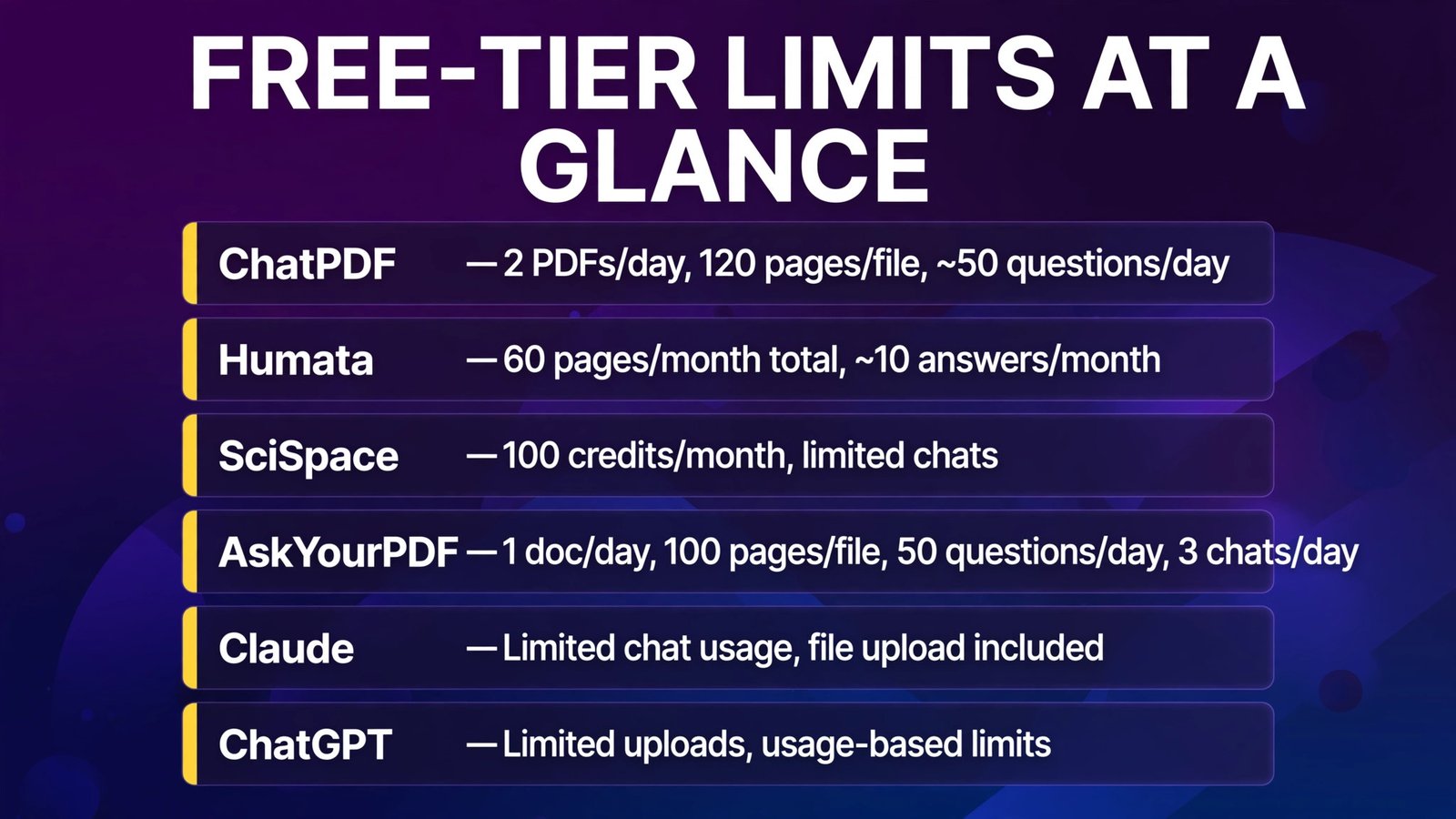
| ChatPDF | 2 PDFs/day | 120 pages/file, 10 MB | ~50 questions/day | No multi-doc chat |
| Humata | 60 pages/month total | — | ~10 answers/month | One 40-page report nearly exhausts it |
| SciSpace | 100 credits/month | — | Limited chats | Agent features burn credits fast |
| AskYourPDF | 1 doc/day | 100 pages/file, 15 MB | 50 questions/day, 3 chats/day | Best models are paid |
| Claude | Limited chat usage | File upload included | Usage-based | Limits hit mid-test on free |
| ChatGPT | Limited uploads | — | Usage-based | Limits vary by demand |

Full Comparison Table
| Claude | ChatPDF | SciSpace | Humata | AskYourPDF | ChatGPT | |
|---|---|---|---|---|---|---|
| Entry paid price | $20/mo ($17 annual) | ~$14.99/mo | $12/mo (annual) | $9.99/mo | $11.99/mo (annual) | $20/mo |
| Fidelity grade | A | B+ | A- | B+ | B | B+ |
| Citation grade | C | A- | A- | A- | B+ | C- |
| Clickable page citations | No | Yes | Yes | Yes (highlighting) | Yes | No |
| Max pages/document (paid) | Chat-limit based | 2,000 | Plan-based | Page-budget based | 6,000 | Chat-limit based |
| Multi-document chat | In one chat | Plus (folders) | Yes | Yes | Yes (Knowledge Base) | In one chat |
| OCR for scans | Limited | No | Limited | Team plan | Premium+ | Limited |
| Best for | Summary quality | Cited answers | Research PDFs | Teams | Huge documents | Existing Plus users |
How to Choose
- Decide whether verification or prose quality matters more. If a human will check the key numbers anyway, Claude’s fidelity wins. If the summary goes straight into a shared doc, pick a tool with clickable citations — ChatPDF or SciSpace.
- Measure your document size before your document count. One 900-page filing eliminates most free tiers instantly. Long-document readers should start with AskYourPDF (paid limits) or SciSpace.
- Count pages per month, not PDFs. Humata-style page pricing looks cheap until a team’s monthly volume is real. Estimate honestly: reports + papers + contracts, in pages.
- Match the tool to the document type. Journal articles and theses → SciSpace. Contracts, reports, handbooks → ChatPDF or Humata. Scanned archives → Humata Team or AskYourPDF Premium for OCR.
- Run the trap-question test yourself. Before committing, ask any tool one question whose answer lives in a single table mid-document, and one about the document’s stated limitations. Tools that fail either will fail you on real work.
Frequently Asked Questions
What is the most accurate AI PDF summarizer in 2026?
In our test, Claude produced the most faithful summary — it was the only tool to include the report’s headline findings and its stated limitation without prompting. SciSpace was a close second and added citations Claude lacks. Accuracy depends heavily on document structure, though: well-formatted text PDFs summarize far better than scans in every tool.
Are free AI PDF summarizers actually usable?
Yes, for occasional documents. ChatPDF’s free tier (2 PDFs/day, 120 pages each, ~50 questions/day) genuinely covers one-off contracts, papers, and reports. The free tiers fail on volume (Humata’s 60 pages/month) and on very long documents — that’s where paid plans earn their money.
Can AI PDF summarizers handle scanned documents?
Only with OCR. Humata (Team plan) and AskYourPDF (Premium and up) include OCR for scanned files. ChatPDF has no native OCR, so image-only scans return little or nothing. If your archive is mostly scans, that’s a deciding factor, not a footnote.
Is it safe to upload confidential PDFs to these tools?
Treat it as “upload to a third-party cloud,” because that’s what it is. Humata’s Team and Enterprise plans add permissions and SOC 2; Claude and ChatGPT offer enterprise tiers with stronger data terms. For genuinely sensitive material — unreleased financials, privileged legal documents — check the vendor’s data-retention policy first, or use your existing enterprise AI agreement rather than a consumer plan.
ChatPDF vs ChatGPT for PDFs: which is better?
For document work specifically, ChatPDF: it cites pages you can click, keeps a document library, and its free tier is more generous for this job. ChatGPT is better when the PDF is just one input to a larger task — summarizing, then drafting, then rewriting — inside a tool you already use.
How long a PDF can these tools handle?
On paid plans: ChatPDF up to 2,000 pages per file, AskYourPDF up to 6,000 pages per document on Pro, Humata limited by your monthly page budget rather than per-file size. In practice, answer quality on all tools degrades on very long documents — for a 1,000-page file, ask section-targeted questions instead of requesting one giant summary.
Conclusion
Six tools read the same 40-page report, and the ranking came down to a trade-off, not a knockout. Claude writes the most faithful summary. ChatPDF makes verification fastest. SciSpace owns academic and technical documents. Humata is the team workspace. AskYourPDF wins on sheer document size per dollar. ChatGPT is the convenient default that needs the most supervision.
Our honest recommendation: if you summarize PDFs weekly, pay for the tool whose failure mode you can live with — and whichever you choose, click the citations on anything numeric before it leaves your desk. The tools are good. They’re not proofreaders.
Next step: take the longest PDF currently sitting in your downloads folder, run it through ChatPDF’s free tier and Claude’s free tier with one trap question of your own, and see which output you’d be comfortable forwarding to your boss. That ten-minute test will tell you more than any review — including this one.