

The best AI tools for podcasting in 2026 don’t just do one trick — between them they record your guests, clean bad audio, delete your “ums,” write your show notes, and cut the clips that actually grow the show. The problem is overlap: all six tools below claim pieces of the same workflow, bill in incompatible units (media hours, recording hours, processing credits), and nobody tells you what a working stack costs.
So we ran one real episode through the whole pipeline: a 47-minute remote interview, recorded with a guest on a mediocre laptop mic, full of filler words, crosstalk, and a dog barking in minute 31. Every tool below handled the stage it’s built for; we timed each step and noted where the AI helped and where it made things worse. Here’s the full-stack verdict, plus a complete podcast stack you can run for about $50 a month.
At a Glance
| Tool | Entry price (Oct 2026) | Free plan | Stage it owns | Best for |
|---|---|---|---|---|
| Descript | Hobbyist $24/mo ($16 annual) | Yes — 1 media hr/mo | Editing + repurposing | Editing audio/video by editing text |
| Riverside | Standard $19/mo ($15 annual) | Yes — 2 hrs multi-track | Recording | Studio-quality remote interviews |
| Podcastle | From ~$11.99/mo | Yes | Record + edit (simple) | Beginners who want one friendly tool |
| Cleanvoice | $11/mo (10 hrs) or PAYG | 30-min trial | Audio cleanup | Filler words, mouth sounds, dead air |
| Opus Clip | Starter $15/mo | Yes — 60 min/mo | Clips | Turning episodes into Shorts/Reels/TikToks |
| Auphonic | S ~$13/mo ($11 annual) | Yes — 2 hrs/mo | Mastering | Consistent loudness and final polish |

Bottom line: If you buy one tool, buy Descript — it covers editing, cleanup, filler removal, and show notes in a single subscription. If your show lives on remote guests, Riverside’s recording quality is worth its own line item. The rest are specialists for when one stage hurts: Cleanvoice (fillers), Opus Clip (clips), Auphonic (mastering), Podcastle (beginners).
The Test Episode: What We Ran
One episode, start to finish, through every stage:
The raw material: A 47-minute remote interview (host + one guest), the guest on a laptop microphone in an untreated room. 312 filler words by our rough count, noticeable room echo on the guest track, two long pauses, one dog incident.
We recorded in Riverside, edited in Descript (plus a Podcastle re-edit), cleaned a copy with Cleanvoice, mastered in Auphonic, generated show notes in Descript and Riverside, and cut clips in Magic Clips and Opus Clip. Timings are hands-on time, not processing time.
1. Descript — Best All-in-One Podcast Editor
What it is: Descript is the text-based editor that defined the category: your recording becomes a transcript, and you edit the audio and video by deleting, moving, and rewriting words in the text. Its AI co-editor (Underlord), Studio Sound cleanup, one-click filler-word removal, voice cloning (Overdub) for fixing flubbed lines, and built-in remote recording (Rooms, plus SquadCast) make it the closest thing to a complete podcast studio in one subscription.
2026 pricing (verified): Free plan with 60 media minutes/month, 100 one-time AI credits, and 720p exports. Hobbyist $24/month billed monthly ($16/month billed annually): 10 media hours and 400 AI credits/month. Creator $35/month ($24 annual): 30 media hours, 800 AI credits, 4K export — the tier most weekly shows land on. Business $65/month ($50 annual) scales to 40 media hours and 1,500 credits.
Our test: This is where the episode came together. Filler-word removal took the 312 fillers down in one pass — set to “remove all,” it was slightly aggressive on the guest’s natural “so” sentence-starters, and the per-word review view fixed that in minutes. Studio Sound made the laptop-mic guest sound like a treated room (the single most impressive before/after in this whole test). Cutting the dog-barking section by deleting the transcript lines took seconds. Total edit time for a publishable episode: ~35 minutes, versus the 2+ hours this episode would have taken in a traditional editor. Generated show notes were usable with light editing — correct summary, sensible chapters, no invented facts.
Pros:
- Text-based editing is dramatically faster for spoken-word content
- Studio Sound rescues bad guest audio better than anything else here
- Filler removal, eye contact, green screen, and Overdub in one tool
- Show notes and clips generated from the same transcript
Cons:
- Two meters (media hours + AI credits) make costs harder to predict than rivals
- Underlord chat consumes AI credits even when it doesn’t edit anything
- AI credits don’t roll over — heavy months subsidize light ones
Best for: Podcasters who edit their own show and want recording, cleanup, editing, and repurposing under one bill.
2. Riverside — Best Remote Recording
What it is: Riverside records each participant locally on their own device — up to 4K video and lossless audio on separate tracks — then uploads progressively, so a guest’s shaky Wi-Fi never degrades the actual recording. Around that recorder it has built a real production suite: a text-based editor, Magic Audio cleanup, AI show notes, and Magic Clips for short-form cuts.

2026 pricing (verified): Free plan with 2 hours of multi-track recording (720p, watermarked exports). Standard $19/month billed monthly ($15/month billed annually): 5 hours of multi-track recording/month, up to 4K, no watermark. Pro $29/month ($24 annual): 15 hours/month plus Magic Audio, AI transcription in 100+ languages, show notes, and AI voice. Business is custom-priced with unlimited multi-track recording and team workspaces. A 14-day trial applies to eligible paid plans.
Our test: Riverside is why our deliberately difficult guest setup was salvageable. The guest’s connection dropped twice during recording; the local tracks didn’t notice. The separate WAV and 4K video tracks dropped straight into Descript for the main edit, and Riverside’s own editor handled a quick solo segment without leaving the platform. Magic Clips found eight genuinely usable moments from the episode — fewer than Opus Clip produced, but with almost no duds, and at no extra subscription. Show notes were a notch below Descript’s, but fine for a record-and-publish workflow.
Pros:
- Local recording makes guest connection quality a non-issue
- Separate tracks per participant — proper raw material for editing
- 4K video and lossless audio on paid plans
- Magic Clips and show notes included — repurposing without a third tool
Cons:
- Browser-based (Chrome/Edge) — no Safari, which trips up some guests
- Editing suite is good, not Descript-deep; power editors will still export
- Free plan’s 2 hours and watermark make it a trial, not a workflow
Best for: Interview shows and any podcast whose guests record from home offices, hotels, and kitchen tables.
3. Podcastle — Best for Beginners
What it is: Podcastle (now also appearing under the Async name) is the all-in-one built for people who find Descript intimidating: browser recording for remote guests, a simple editor, AI voice and audio enhancement tools, text-to-speech voices, and hosting/distribution basics in one friendly dashboard. It trades depth for approachability, deliberately.
2026 pricing (verified): A free tier covers basic recording and editing trials. Paid plans start from about $11.99/month, scaling by recording hours, AI features, and export quality through higher tiers in the low-$20s. Allowances shift between plan refreshes, so confirm current limits before subscribing.
Our test: We re-edited the same episode in Podcastle to simulate a first-time podcaster’s experience. The honest summary: it took about 20 minutes longer than Descript and produced a slightly less polished result — the filler-word handling and audio enhancement are a generation behind — but at no point did the interface require a tutorial. For a new show’s first 50 episodes, “finished and published” beats “theoretically better.”
Pros:
- Gentlest learning curve of any tool here — genuinely beginner-proof
- Recording, editing, enhancement, and voices in one place
- Cheapest paid entry on this list
- Good enough AI cleanup for untreated rooms and basic mics
Cons:
- Editing depth and AI polish trail Descript noticeably
- Plan allowances and naming change often — check before you buy
- Power users will outgrow it and face a migration
Best for: New podcasters who want to record, clean up, and publish this week without learning an editor.
4. Cleanvoice — Best Dedicated Audio Cleanup
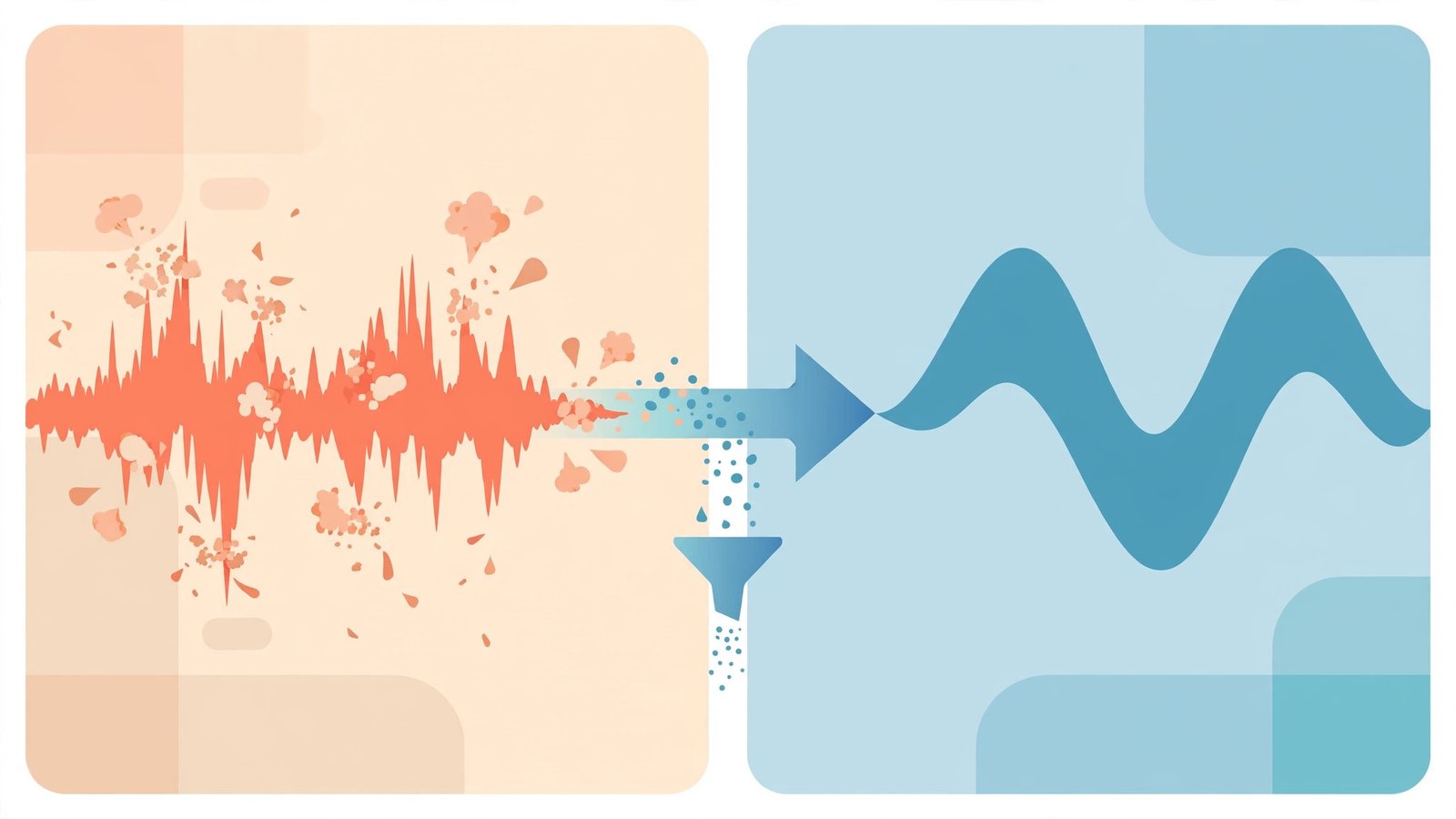
What it is: Cleanvoice does exactly one job and does it obsessively: it removes filler words (“um,” “uh,” “like”), mouth sounds and lip smacks, breaths, stuttering artifacts, long silences, and background noise from spoken audio — including in multiple languages, where it outperforms the filler removal built into general editors. Crucially, its timeline export sends the cuts to your editing software instead of handing back a flattened file, so you can review every deletion.
2026 pricing (verified): A 30-minute free trial, no card required. Subscriptions run $11/month for 10 hours, ~$30/month for 30 hours, and $90/month for 100 hours; unused hours roll over up to three times your monthly allotment. Unusually creator-friendly: pay-as-you-go packs ($11 for 5 hours, $20 for 10, $45 for 30) with credits valid for two years, so occasional shows don’t need a subscription at all.
Our test: We ran the raw guest track — the worst audio in the episode — through Cleanvoice before editing. It removed roughly 95% of the fillers and nearly all the mouth clicks, and the timeline export made its two over-clips easy to restore in the editor. The multilingual modeling is the real differentiator: on our guest’s non-native English, Cleanvoice’s filler detection was visibly more accurate than Descript’s built-in removal, which missed fillers mid-sentence. As a pre-edit pass on interview audio, it saved more time than its price suggests.
Pros:
- Best-in-class filler, mouth-sound, and silence removal — especially multilingual
- Timeline export preserves your ability to review and undo cuts
- Pay-as-you-go packs with 2-year validity — no subscription lock-in
- Rollover on subscription hours (up to 3×) is genuinely fair
Cons:
- One-trick tool — no timeline editor of its own, so it’s an add-on, not a platform
- Audio-first: video podcasters get less from it than audio shows
- Per-hour metering punishes very long raw recordings
Best for: Conversational shows with heavy filler words, non-native speakers, or hosts who record long and edit later.
5. Opus Clip — Best for Turning Episodes into Clips
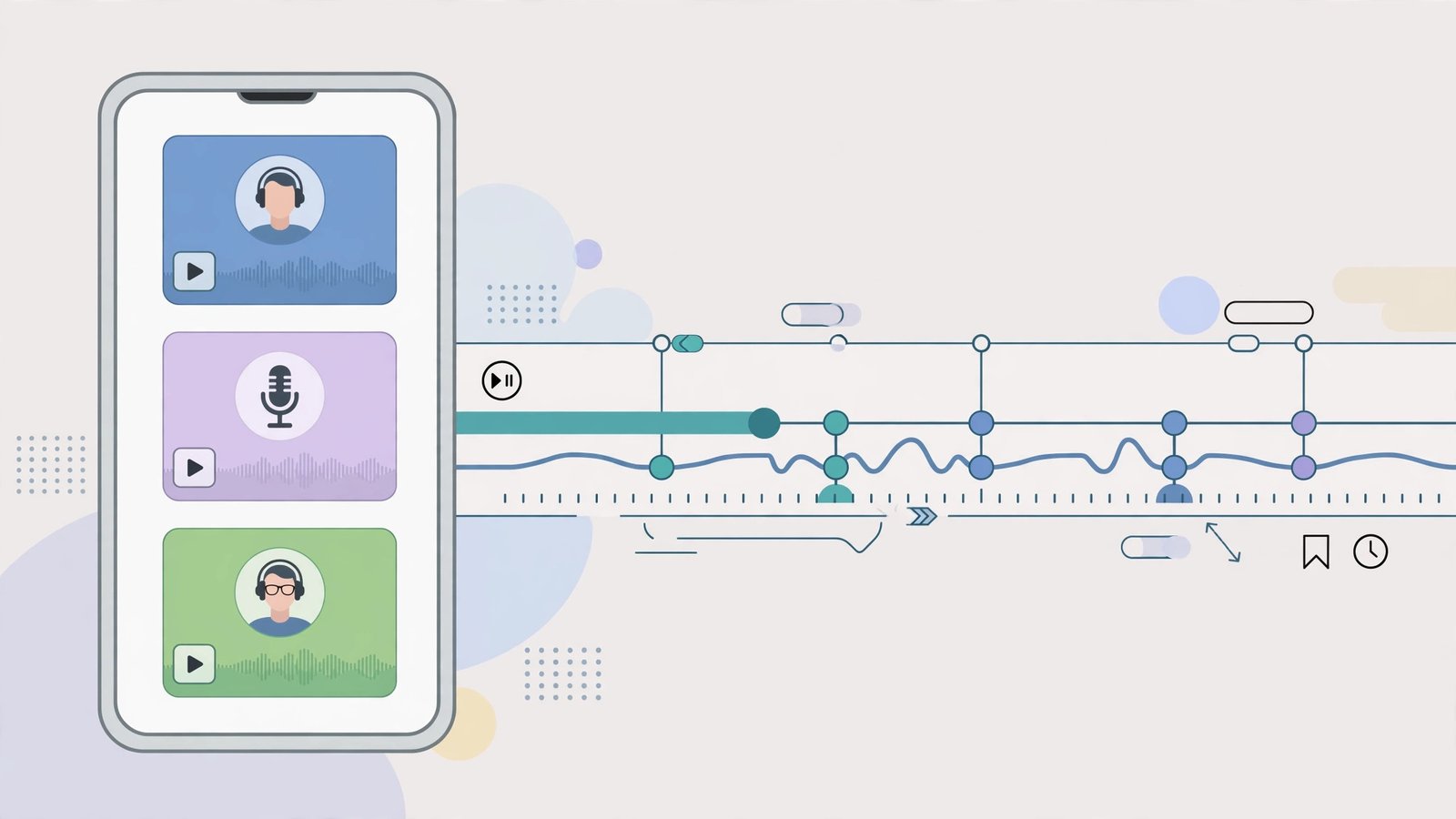
What it is: Opus Clip takes long-form video (a podcast episode, a livestream, a webinar) and returns ranked short vertical clips for Shorts, Reels, and TikTok — auto-captioned, reformatted, scored with a “virality” rating, and on Pro, auto-posted on a schedule. Its ClipAnything feature lets you prompt for moment types (“funny arguments,” “controversial takes”) instead of accepting whatever the algorithm surfaces.
2026 pricing (verified): Free plan with 60 processing minutes/month (watermarked captions, exports expire after ~3 days). Starter $15/month: 150 processing credits. Pro $29/month: 300 credits, AI B-roll, more brand templates, and social scheduling/auto-posting. One critical detail: 1 credit = 1 minute of source video processed, not 1 minute of clips out — a 60-minute episode costs ~60 credits whether you keep 3 clips or 13. Credits expire (about 60 days on monthly billing, 12 months on annual), so size the plan to your source hours.
Our test: Opus Clip processed our 47-minute episode and returned 11 clips; we rated 6 as genuinely postable, 3 as usable with a re-crop or caption fix, and 2 as misses. That’s the best hit rate we’ve seen from an auto-clipper, and the virality scores, while not magic, ranked our two favorite moments in its top three. The captions were the most accurate of any clipper we’ve tested, including on the guest’s accented speech. Compared with Riverside’s included Magic Clips, Opus Clip found more moments and polished them further — worth a second subscription only if clips are central to your growth strategy.
Pros:
- Best moment detection in the category — high postable-clip hit rate
- Excellent auto-captions, including accented speech
- Prompt-based clipping (ClipAnything) finds specific moment types
- Pro tier auto-posts to Shorts, TikTok, and Instagram on a schedule
Cons:
- Credits meter source minutes, so long episodes burn plans fast
- Free exports are watermarked and expire quickly — a sampler, not a workflow
- Billing/support complaints are a recurring theme in public reviews — pay monthly first
- Clips only: no recording, no episode editing
Best for: Video podcasters playing the short-form growth game, and teams repurposing webinars or livestreams.
6. Auphonic — Best Final Mastering and Loudness
What it is: The quiet veteran of the list. Auphonic is an automated audio post-production service: intelligent leveling between speakers, loudness normalization to podcast and streaming standards, noise and hum reduction, filtering, and chapter/metadata handling. You upload a finished edit; it returns a broadcast-consistent master. No editor, no recording — just the polish step most home producers skip and listeners unconsciously notice.
2026 pricing (verified): A free tier with 2 hours of processing per month — enough for a short weekly show. The S plan runs about $13/month billed monthly ($11/month billed annually) for 9 hours of processing, and larger plans scale by hours (a 45-hour tier sits around $59/month). Per-hour processing with one-time credit packs available for irregular publishers.
Our test: Auphonic took our finished mix — host noticeably louder than guest, room tone differences between tracks — and returned a master leveled to podcast loudness standards with the inter-speaker balance fixed and the residual hum under the guest track gone. It’s the least glamorous tool here and the one whose absence listeners feel most: episodes mastered through it simply sound “pro” in a car or on earbuds.
Pros:
- Broadcast-standard loudness and leveling, automatically
- Fixes inter-speaker volume mismatches better than editor normalization
- Generous free tier (2 hrs/month) for small shows
- Pay-per-hour model matches podcasting’s actual rhythm
Cons:
- Purely a finishing step — no editing, recording, or content features
- Per-file workflow (upload, wait, download) feels old-school
- Can’t rescue truly bad source audio — pair it with real cleanup
Best for: Any show that publishes on a schedule and wants every episode to hit the same professional loudness and balance.
The Complete Podcast Stack: What to Actually Buy
You don’t need all six. Here are the three stacks we’d build, priced with the verified tiers above:
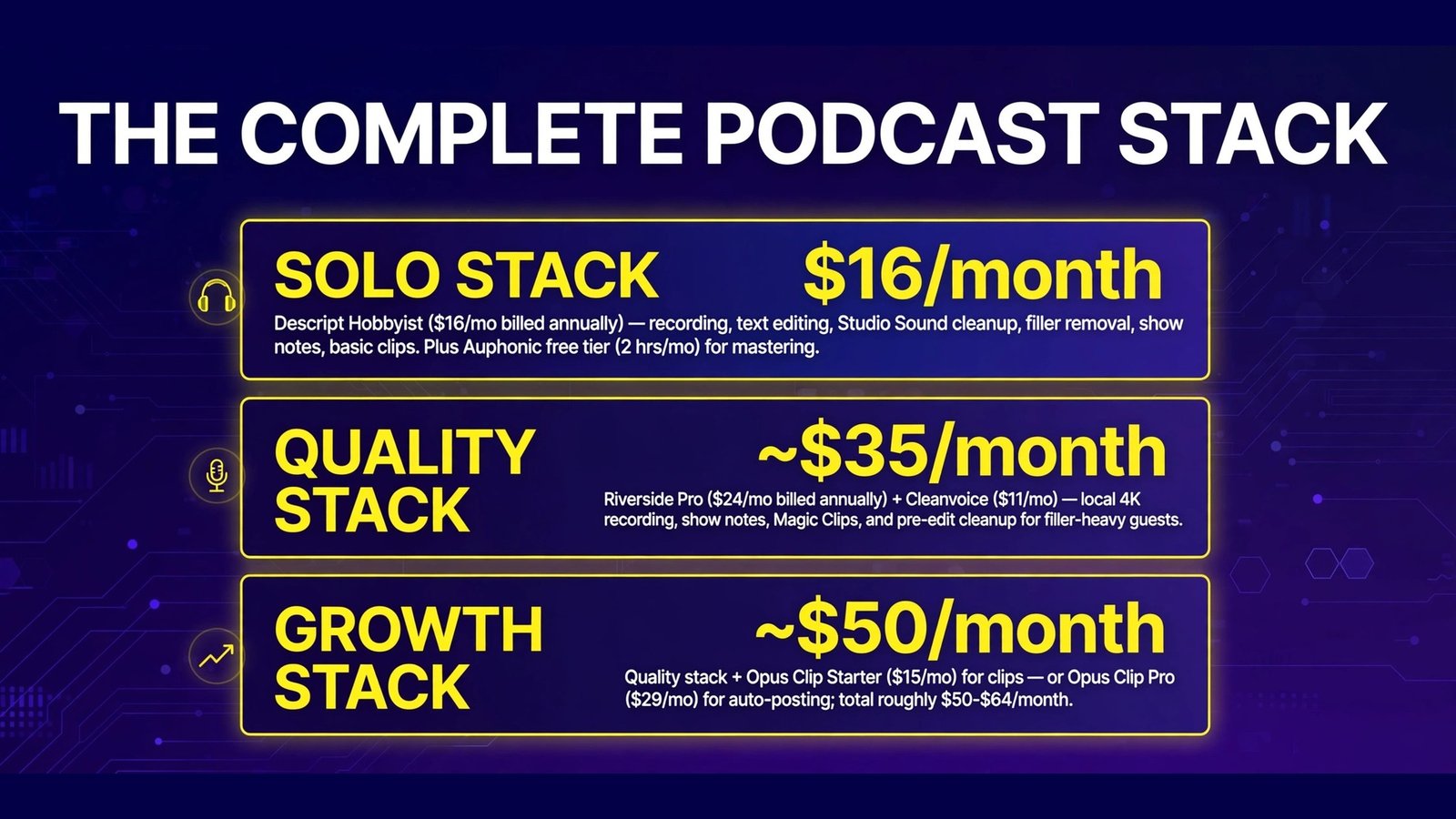
The $16/month solo stack — Descript alone. Descript Hobbyist ($16/month billed annually) covers recording, text editing, Studio Sound cleanup, filler removal, show notes, and basic clips. For a solo or interview show publishing weekly, this is the rational default. Add Auphonic’s free tier (2 hrs/month) for mastering and you’re at $16 total.
The ~$35/month quality stack — Riverside Pro + Cleanvoice. Riverside Pro ($24/month billed annually) for local 4K recording, show notes, and included Magic Clips, plus Cleanvoice ($11/month) as a pre-edit cleanup pass for filler-heavy guests. Edit inside Riverside. Best for interview shows where guest audio quality is the bottleneck.
The ~$50/month growth stack — add Opus Clip. Take the quality stack and add Opus Clip Starter ($15/month) when clips become your main discovery channel — or swap to Pro ($29) once you’re publishing clips daily and want auto-posting. Total: roughly $50–$64/month depending on tiers, still less than one hour of a freelance editor’s time.

Full Comparison Table
| Descript | Riverside | Podcastle | Cleanvoice | Opus Clip | Auphonic | |
|---|---|---|---|---|---|---|
| Entry price | $24/mo ($16 annual) | $19/mo ($15 annual) | ~$11.99/mo | $11/mo | $15/mo | ~$13/mo ($11 annual) |
| Free plan | 1 media hr/mo | 2 hrs multi-track | Yes (basic) | 30-min trial | 60 min/mo | 2 hrs/mo |
| Records remote guests | Yes (Rooms/SquadCast) | Yes — best here | Yes | No | No | No |
| Text-based editing | Best-in-class | Yes | Yes (simple) | No | No | No |
| Filler-word removal | Yes | Yes (Pro) | Yes | Best-in-class | n/a | No |
| Show notes | Yes (Underlord) | Yes (Pro) | Basic | Transcript + summary | No | Chapters/metadata |
| Auto clips | Yes | Magic Clips | Basic | No | Best-in-class | No |
| Mastering/loudness | Basic | Magic Audio | Basic | Enhancement | No | Best-in-class |
| Meter | Media hours + AI credits | Recording hours | Recording hours | Processing hours | Source minutes | Processing hours |
How to Choose
- Buy for your bottleneck, not the feature list. Bad guest audio → Riverside + Cleanvoice. Slow editing → Descript. No audience growth → Opus Clip. Inconsistent sound → Auphonic. Each tool on this list owns exactly one stage.
- Count your hours before your plan. A weekly 45-minute interview show produces ~3 hours of raw audio a month but consumes it differently everywhere: Descript media hours, Riverside multi-track hours, Opus Clip source minutes. Map your real volume onto each meter before comparing prices.
- Start with one subscription. For most shows, Descript or the Riverside-plus-cleanup pair covers 90% of the pipeline. Add specialists only when a stage demonstrably hurts — every tool here has a free tier or trial for exactly that test.
- Keep a human pass on AI deletions. Filler removal and auto-clipping occasionally eat a word or a punchline. Tools with reviewable cuts (Cleanvoice’s timeline export, Descript’s per-word view) are worth a premium for anything public-facing.
- Mind the meters that don’t roll over. Descript’s media hours and AI credits reset monthly; Opus Clip credits expire. If your publishing is bursty, prefer rollover-friendly pricing (Cleanvoice) or pay-as-you-go packs over a big subscription you’ll half-use.
Frequently Asked Questions
What is the best all-in-one AI podcast tool?
Descript. It’s the only tool here that credibly covers recording, text-based editing, audio cleanup, filler removal, show notes, and clips in one subscription — and its Studio Sound cleanup is the best single feature in this comparison. Riverside is a close second if recording quality matters more than editing depth.
Can AI really replace a podcast editor?
For straightforward interview and solo shows, mostly yes: our test episode went from raw to publishable in about 35 minutes of hands-on time using Descript, Cleanvoice, and Auphonic, work that used to take 2–3 hours. Narrative shows with music design or heavy sound design still need a human editor.
Descript vs Riverside: which should I buy first?
Buy for the stage that hurts. If your guests sound bad or recordings get ruined by connections, Riverside first — its local recording fixes the source. If recording is fine but editing eats your week, Descript first. Many interview shows eventually run both.
How much does a complete AI podcast setup cost per month?
About $16/month for a capable solo stack (Descript Hobbyist on annual billing, plus Auphonic’s free tier for mastering), ~$35/month for a quality-focused interview stack (Riverside Pro + Cleanvoice), and ~$50/month once you add dedicated clipping with Opus Clip. Every stack here costs less than outsourcing a single episode’s edit.
Are AI show notes good enough to publish?
With a light human pass, yes. Descript’s and Riverside’s generated notes in our test were accurate, well-structured summaries with sensible chapters and no invented facts — but they read generically and missed the episode’s most quotable moment. Plan on five minutes of editing: add your links, timestamps, and one line of personality.
Do I need separate tools for clips, or do the editors cover it?
The built-in options (Descript’s clips, Riverside’s Magic Clips) are genuinely good and cost nothing extra — start there. Opus Clip earns its separate $15–$29/month when clip volume and hit rate become a growth bottleneck: it found more usable moments from our episode than either built-in tool and auto-posts on Pro.
Conclusion
The best AI tools for podcasting in 2026 form a pipeline, not a cage match. Riverside captures the cleanest raw material, Cleanvoice scrubs it, Descript edits it fastest and writes the notes, Auphonic masters it to a consistent standard, and Opus Clip turns it into the clips that find new listeners — with Podcastle as the friendliest single-tool option for beginners who’d rather not assemble any of that.
If you’re starting today: pick the $16/month Descript stack, publish ten episodes, and let your actual bottleneck — not a feature checklist — tell you which specialist to add next.
Next step: take your most recent raw episode and run it through Descript’s free plan (or Riverside’s, if recording is your pain point). Time the edit against your current workflow — the difference on one real episode is the only comparison that matters.