

A surf photo from the beach shows a small figure on a wave, while a surf shot from the board shows the wave itself, the spray, the speed, and the decisions the surfer makes in real time. That difference is why board mounted cameras changed surf photography, because they put the viewer inside the ride instead of watching it from a distance. When you use GoPro for surfing action shots, you trade the easy, dry viewpoint of the shore for a wet, fast, close viewpoint that captures what surfing actually feels like, and that trade is worth making only if mounts are secure, settings suit the light, and safety stays ahead of footage.
This guide covers a complete surf camera setup. It compares board, body and mouth mounts, gives settings for bright sun, overcast and golden hour, walks through a session routine from beach checks to backup, and lists the safety and etiquette rules that keep a camera from endangering the surfer or other people in the water. It assumes a waterproof action camera and a basic surfboard, and it focuses on stills and short action clips that work for personal albums and social sharing, not on professional film production.
Why Surf Footage Is Different From Other Action Shots
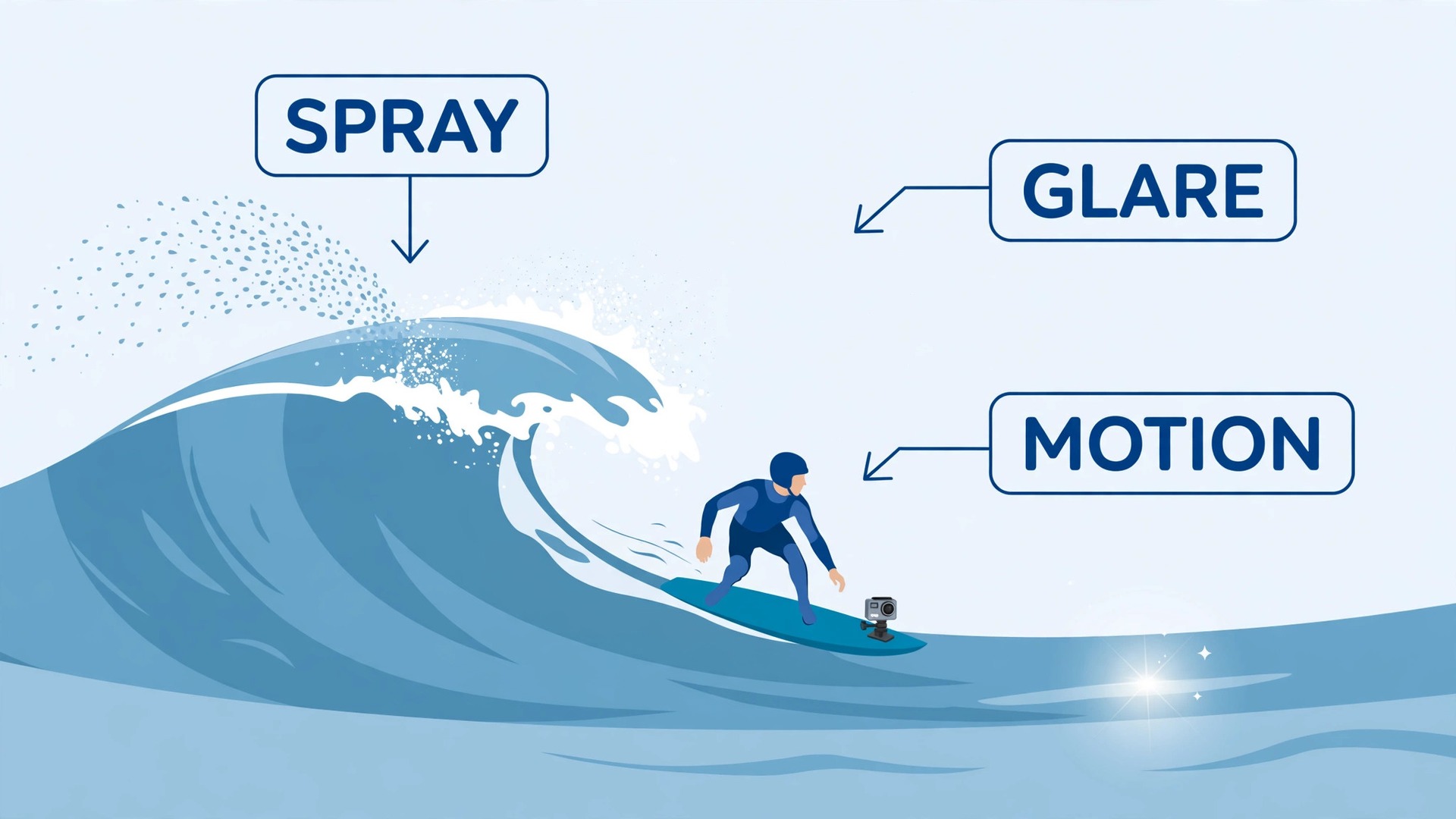
Surf footage is different because the camera, the subject and the environment all move at once, and water adds problems no land sport faces. The board pitches and rolls, the surfer shifts weight constantly, waves break unpredictably, and spray, droplets and glare attack the lens from every angle. A camera that works well on a bike or a helmet for hiking can still fail in surf, because vibration, water and light change far faster in the sea, and a setting that suits a calm morning can fail completely when wind picks up and the sun breaks through cloud mid session. That variability is why surf settings need testing in real conditions, not just copying from a general action camera guide.
Light on water is the second challenge, and it is more extreme than light on land. Bright sun reflecting off waves can blow out highlights and hide detail in spray, while a surfer backlit by low sun becomes a dark shape against a bright sea. Overcast light softens those extremes and can actually help, because it evens out contrast and keeps both surfer and wave readable, though colours become flatter and need gentle correction later. A polarising filter, where the camera supports one, can cut glare and deepen water colour, but it also reduces light, so it suits bright days far better than dull ones.
Learning to read water light, and to adjust exposure for the surfer rather than for the brightest wave, is a skill that improves surf shots more than any new mount.
Safety is the third difference, and it outranks footage in every decision. A camera mount that comes loose in surf becomes a hazard to the surfer and to others, a tether that tangles can trap a swimmer, and a surfer distracted by checking a camera can miss a wave, a board, or another person. Every mount in this guide is judged first on whether it stays attached and out of the way, and only second on the view it gives.
If a mount feels insecure, wobbles, or changes how you paddle or pop up, remove it and surf without it, because no shot is worth an injury, and a lost camera is a small price compared with a damaged board, a cut, or a collision.
How to use GoPro for surfing action shots on a First Surf Session
The best way to use GoPro for surfing action shots for the first time is to start on a small, forgiving day, with one mount and one simple setting, rather than on a big day with several mounts to manage. Choose a board mount or a chest mount, set the camera to 4K at 60 frames per second with stabilisation on and a wide field of view, and surf a short session you already feel comfortable in, without trying new manoeuvres for the camera. That restraint matters, because a first camera session adds distraction, and a familiar break with manageable waves lets you learn how the camera behaves without adding risk.
Review the footage on a large screen afterwards, and note one problem to fix next time, such as a tilted angle, a fogged lens, or a mount that shifted.
Mount security must be checked before every session, not just on the first use, because salt, sand and sun degrade adhesives and straps over time. Check that adhesive mounts are firmly bonded, with no edge lifting, and that straps are tight, undamaged and clear of leashes and fins. Attach a float or a tether where the camera supports one, so a camera knocked loose does not sink, and test the tether length so it cannot wrap around a limb or the leash. Rinse mounts and straps in fresh water after every session, and dry them before storage, because salt crystals left to dry will weaken straps and corrode metal parts faster than most surfers expect.
Start each session with a short checklist spoken aloud or run through mentally, which is to confirm the mount, confirm the battery and card, confirm the lens is clean and dry, confirm the setting, and confirm the surf conditions suit a camera at all. If conditions turn rough, crowded, or beyond your comfort level, leave the camera on the beach, because a camera adds risk precisely when risk is already highest. That discipline, of treating the camera as optional and safety as mandatory, is what lets surfers enjoy camera sessions for years instead of having one bad session that ends the habit.
Mount Positions Compared
Mount choice decides the story of a surf shot, because each position shows a different relationship between surfer, board and wave. The table below compares the mounts most surfers actually use, with the view, the risk, and the best use for each. Test any new mount in calm water or on a small day before trusting it in bigger surf, and never use a mount that interferes with paddling, popping up, or falling safely.
| Mount position | What the viewer sees | Risk and handling | Best for |
|---|---|---|---|
| Nose board mount, facing surfer | Surfer, board and wave behind | Low, fixed to board | Classic ride view, first sessions |
| Nose board mount, facing forward | Wave ahead, board nose, speed | Low, fixed to board | Barrels, drops, wave perspective |
| Tail board mount, facing surfer | Surfer from behind, wave face | Low to medium, near feet | Turns, cutbacks, footwork |
| Chest mount | Arms, board, wave ahead | Medium, body movement | Paddling, take off, immersive feel |
| Helmet or head mount | Where the surfer looks | Medium, adds head weight | Point of view, duck dives |
| Mouth mount | Low, close, hands free view | Medium, jaw fatigue, safety care | Short immersive clips, experienced surfers |
| Wrist mount | Arm, board edge, water | Low, small view | Quick clips, backup angle |
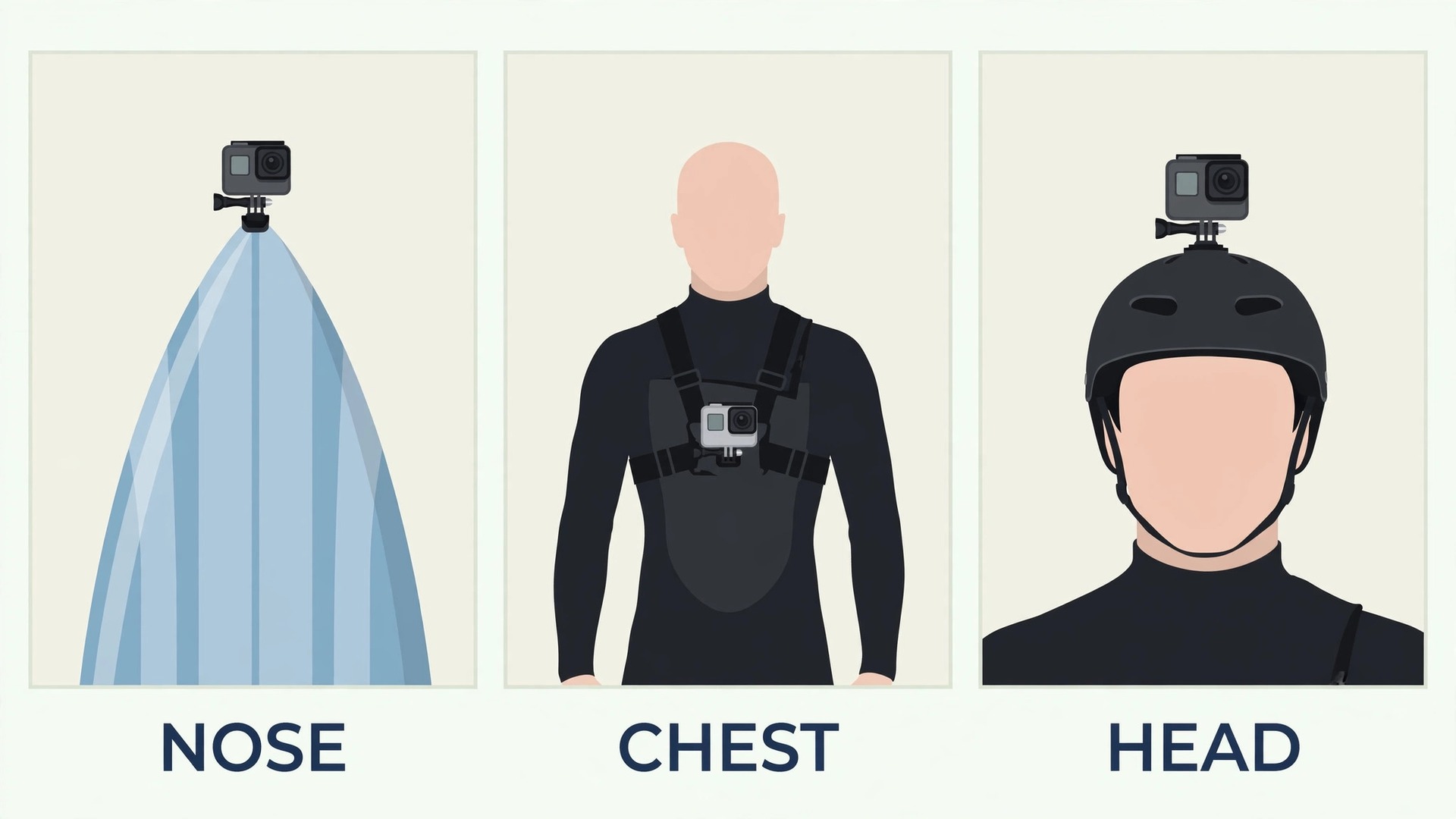
A nose mount facing the surfer is the classic starting point, because it shows the surfer’s stance, the board, and the wave behind, in one stable frame, and it stays clear of feet and hands. A nose mount facing forward shows the wave itself, which suits hollow waves and drops, but it hides the surfer, so it works best as a second angle rather than the only angle. A tail mount shows footwork and turns from behind, which coaches and experienced surfers value, but it sits near the feet and must be checked carefully so it never catches a foot during a pop up or a fall.
Body mounts give a more immersive feel, because they move with the surfer, but they also move more, and they demand more stabilisation. A chest mount shows arms, board and wave together, which conveys effort and speed, while a head mount follows the surfer’s gaze, which feels natural but can swing quickly when the surfer looks around. A mouth mount gives a very low, close view and leaves hands free, but it tires the jaw and needs care, because a camera held in the mouth during a fall carries obvious dental risk, so reserve it for short clips in manageable conditions and never for a first session.
When you use GoPro for surfing action shots, choose one mount per session, learn its view properly, and add a second mount only when the first view feels fully understood.
Settings for Waves, Light and Slow Motion
Settings for surf should follow light and wave speed, not maximum numbers, because a setting that looks superb on a calm day can fail in glare, spray or low light. A good general starting point is 4K at 60 frames per second, wide field of view, stabilisation on, and auto white balance, which gives sharp stills extracted from video, smooth motion, and a forgiving response to changing light. For slow motion highlights, such as a turn, a drop, or a barrel section, 1080p at 120 frames per second gives smoother slow motion and smaller files, though it sacrifices the resolution needed for large prints.
Choose the setting for the final use, because a clip destined for a phone screen does not need the same resolution as a print for a wall.
| Situation | Resolution and frame rate | Field of view | Notes |
|---|---|---|---|
| Bright sun, clean waves | 4K at 60 frames per second | Wide | Protect highlights, check exposure for the surfer |
| Overcast, soft light | 4K at 60 frames per second | Wide | Even light suits colour, lift colour gently later |
| Golden hour, low sun | 4K at 30 frames per second | Wide | Lower frame rate gathers more light, avoid shooting straight into sun |
| Fast turns and barrels | 1080p at 120 frames per second | Wide or SuperView | Smooth slow motion for key moments |
| Small day, learning | 1080p at 60 frames per second | Wide | Smaller files, easier editing, longer battery |
| Stills from video | 4K at 60 frames per second | Wide | Extract sharp frames from the best seconds |
Exposure needs a deliberate choice in surf, because auto exposure often chases the brightest wave and darkens the surfer. If your camera offers exposure compensation, set it slightly darker on bright days to protect highlights, and accept a darker surfer that can be lifted later, rather than a blown out wave that cannot be repaired. If your camera offers a flat colour profile, use it for important sessions, because it preserves more detail in bright spray and dark wetsuits, though it needs gentle colour work later.
Keep ISO low in daylight, and accept some noise in low light rather than a shutter speed so slow that motion blurs, because a slightly noisy sharp shot beats a clean blurred one for action work. Test exposure on the beach when you use GoPro for surfing action shots in bright sun, before the session starts.
Battery and card planning follow from settings, because 4K at a high frame rate fills cards and drains batteries fast, and a surf session rarely offers a charging point. Carry a spare battery and a spare card in a dry bag on the beach, and swap them between sessions rather than mid session, because opening a camera in surf risks water and sand in the seals. Check seals, doors and lens covers before every session, and rinse the camera in fresh water afterwards, drying it fully before opening any door, because salt and sand in a seal cause slow leaks that ruin a camera over time.

A Session Routine From Beach to Backup
A routine removes decisions from the beach, so you can focus on surf instead of fiddling with a camera while waves pass. Follow these steps in order, and adjust only the mount and settings lines for the conditions of the day. The routine takes about ten minutes on the beach and a few minutes after the session, and it prevents the common failures that ruin surf footage.
- Check surf, wind and crowd conditions, and decide whether a camera suits the day at all.
- Choose one mount for the session, check its bond or strap, and attach a float or tether where supported.
- Charge the battery fully, format the card in the camera, and pack a spare battery and card in a dry bag.
- Set resolution, frame rate, field of view and stabilisation for the light and wave size of the day.
- Clean the lens, check seals and doors, and take a short test clip on the beach to check angle and exposure.
- Surf normally, without trying new manoeuvres for the camera, and ignore the camera while riding.
- Between sessions, rinse the camera in fresh water, dry the lens, and check the mount for shifting or loosening.
- At the end of the day, back up footage to a computer or drive the same day, and label folders by date and break.
- Review footage within 48 hours, pick the strongest clips and stills, and note one fix for the next session.
- Rinse mounts and straps in fresh water, dry fully, and store the camera with doors open so seals stay dry.
That routine works because it separates preparation, surfing, and review into distinct phases, so the camera never competes with the surf itself. The beach test clip catches angle and exposure problems before a session is wasted, the rinse and dry habit protects seals and straps across a season, and the same day backup protects footage that cannot be refilmed, because no two surf days are ever the same. Over a season, that routine builds a library of usable sessions instead of a pile of fogged, tilted, or lost clips, and that library is what makes surf photography rewarding rather than frustrating.
Follow the routine in order when you use GoPro for surfing action shots on a new break, until it becomes habit.

Water, Lens and Fog Care
Water care decides whether surf footage stays sharp across a session, because droplets, fog and salt all attack a small lens quickly. Before entering the water, clean the lens with a soft cloth, and consider a water repellent treatment made for camera lenses, applied according to its instructions, because a treated lens sheds droplets faster and keeps more frames clear. During the session, wipe the lens whenever you pause between sets, using a clean finger or a small cloth kept in a pocket, and accept that some clips will still have droplets, because no treatment works perfectly in heavy spray.
After the session, rinse the camera and lens area in fresh water, and dry with a soft cloth, because salt left to dry leaves spots that soften every later frame.
Fog is a separate problem, caused by moisture trapped inside a housing or by temperature differences between air and water, and it ruins footage from the inside. Anti fog inserts, small absorbent pads placed inside a housing where supported, help considerably, and keeping the camera in the shade before a session reduces the temperature gap that causes fog. Avoid opening a housing or camera door in humid air just before entering the water, because that traps moist air inside, and dry the camera fully before storage, with doors open where the design allows, so seals and interiors stay dry.
If fog appears mid session, there is little to do except finish the session and fix the cause before the next one, because opening a camera in surf risks far worse than fog.
Seal care is the long term habit that protects an expensive camera. Inspect seals for sand, hair, or damage before every session, clean them gently with fresh water and a soft cloth, and replace a damaged seal promptly rather than hoping it holds. Never force a door closed over sand or grit, because that single act can cut a seal and cause a slow leak that is discovered only after damage is done. Keep a spare seal or door kit where the camera maker offers one, and store the camera in a cool, dry place away from direct sun, because heat and ultraviolet light age seals and straps faster than normal use.
Check seals every session when you use GoPro for surfing action shots in salt water, without exception.

Safety and Etiquette in the Water
Safety rules for camera surfing start with the surfer, not the camera, because a camera must never change how a surfer handles a wave, a fall, or another person. Never wear a camera in a way that interferes with paddling, popping up, duck diving, or falling safely, and remove it immediately if it shifts, distracts, or changes your balance. Never surf a break beyond your ability simply because a camera is running, because the camera adds distraction at exactly the moment when full attention matters most.
Respect other surfers’ space, and do not paddle for a wave, drop in, or snake a peak in order to get a shot, because surf etiquette exists to prevent collisions, and a camera never justifies breaking it.
Privacy and consent matter in surf photography, because other surfers, swimmers and beach users appear in footage, sometimes clearly identifiable. Avoid publishing clips where another person is the main subject without their permission, especially if they fall, argue, or appear in a vulnerable moment, and crop or avoid those clips when sharing. For group sessions with friends, agree before surfing whether filming is welcome, where footage will be shared, and whether anyone prefers not to appear, because that short conversation prevents awkwardness later. For commercial use, such as a sponsored post or a sale, get proper permission and check local rules, because a personal surf clip and a commercial surf image carry different obligations.
Local rules also apply, because some beaches, marine reserves and competitions restrict cameras, drones, or commercial filming, and a surf camera can fall under those rules even when it feels personal. Check beach signs and local guidance before a session at a new break, respect any camera ban, and leave the camera on the beach if unsure. When you use GoPro for surfing action shots, that respect for rules, people and safety is what keeps camera surfing welcome at a break, while a single careless session can sour a whole lineup against cameras for everyone.

Choosing Stills, Clips and Edits
Editing surf footage should start with selection, not with effects, because a session produces far more material than any viewer wants to watch. Watch the session once, mark the strongest rides, and build a short edit around three to five moments, such as a clean take off, a turn, a barrel section, or a fun wipeout, rather than publishing a whole session uncut. Extract stills from the best video seconds for prints and social posts, choosing frames where the surfer, board and wave all read clearly, and avoid frames with droplets, fog, or a horizon tilted badly enough to distract.
A tight two minute edit with five strong rides beats a loose twenty minute session that nobody finishes, and a handful of sharp stills beats dozens of near duplicates.
Colour and stabilisation should be gentle, because heavy correction makes water look unnatural and heavy stabilisation crops the frame and can introduce a different wobble. Lift shadows on the surfer slightly, protect highlights in spray, and keep water colour believable, rather than pushing saturation until the sea looks artificial. Use stabilisation in editing only as a light touch on top of in camera stabilisation, and accept that some clips will always shake, because surf is a moving environment and a little movement feels honest.
Add music or natural sound at a moderate level, keep titles honest about the break and conditions, and check the finished edit on a phone as well as a computer, because most viewers will watch it small, where a strong opening three seconds decides whether they keep watching. Keep edits short when you use GoPro for surfing action shots for social sharing, because attention is brief.

More Reading on Stratilyze
If this guide helps your surf footage, the wider Stratilyze guides cover the cameras around it. The guide to GoPro underwater photography explains waterproof handling that also helps in surf, the guide to travel vlogging with a GoPro covers story structure for action footage, and the guide to action cameras for YouTube work shows editing routines for regular publishing. Read the underwater guide next if you shoot below the surface as well, because seal care habits transfer directly.
Frequently Asked Questions
What mount is best when you use GoPro for surfing action shots for the first time?
A nose board mount facing the surfer is the best first mount, because it shows the surfer, board and wave behind in one stable frame, stays clear of feet and hands, and is simple to check for security. Surf a familiar break on a manageable day, review the footage on a large screen, and fix one problem, such as angle or fog, before trying a chest, head or mouth mount. A first session should teach the camera’s behaviour, not test a difficult mount in challenging surf.
Should I film surfing in 4K at 60 frames per second?
Yes, for most surf sessions, because 4K at 60 frames per second gives sharp stills extracted from video, smooth motion, and a forgiving response to changing light. For slow motion highlights, such as a turn or a barrel section, 1080p at 120 frames per second gives smoother slow motion and smaller files, though it sacrifices print resolution. Choose the setting for the final use, because a clip for a phone screen does not need the same resolution as a large print.
How do I stop water droplets ruining GoPro surf footage?
Clean the lens before entering the water, consider a water repellent treatment made for camera lenses, and wipe the lens whenever you pause between sets. Accept that some clips will still have droplets in heavy spray, because no treatment works perfectly, and pick the cleanest seconds for stills and edits. After the session, rinse the camera in fresh water and dry it fully, because salt left to dry leaves spots that soften every later frame.
Why does my GoPro fog up during a surf session?
Fog comes from moisture trapped inside a housing or from temperature differences between air and water, and it ruins footage from the inside. Anti fog inserts help where the design supports them, keeping the camera in the shade before a session reduces the temperature gap, and avoiding opening doors in humid air just before entering the water prevents trapping moist air inside. Dry the camera fully before storage, with doors open where allowed, so seals and interiors stay dry for the next session.
Is a mouth mount safe for surfing action shots?
A mouth mount gives a very low, close view and leaves hands free, but it tires the jaw and carries dental risk during a fall, so reserve it for short clips in manageable conditions and never for a first session. Check the mount carefully, keep sessions short, and remove it immediately if it distracts, shifts, or changes how you fall safely. For most surfers, a board or chest mount gives a strong immersive view with far less risk, and should be the default choice.
Do I need a float or tether for a surf GoPro?
Yes, in most cases, because a camera knocked loose in surf sinks quickly and is rarely recovered, while a float keeps it visible and a tether keeps it attached. Test the tether length so it cannot wrap around a limb or the leash, and check floats and tethers for salt and wear after every session. A float adds a little bulk, but it costs far less than a lost camera, and it turns a knocked loose mount from a lost camera into a short retrieval.
The Surf Footage Verdict
Surf camera work succeeds when one secure mount, one setting suited to the light, and one short session routine come together, with safety ahead of footage at every step. Start on a manageable day with a nose mount facing the surfer, set 4K at 60 frames per second with stabilisation on, check mounts, seals and lens before entering the water, and surf normally without chasing shots. Rinse and dry everything afterwards, back up the same day, and edit around three to five strong rides instead of publishing a whole session.
Do that consistently, and your surf footage will feel fast, close and honest, while the camera stays a welcome tool in the water rather than a risk to you or to others.