
InDesign is the best choice for a brochure that must print perfectly, and Canva is the best choice for a brochure that must exist by tomorrow. That verdict-first answer saves most readers the whole comparison, because the decision is really about print precision against speed. The best brochure makers in this guide cover both ends of that trade, plus the digital flipbook middle that many sales teams now prefer.
This guide compares seven tools on templates, print control, digital sharing, brand control, and price. Whether you need a tri-fold for a trade show, a sales leave-behind, or a digital brochure sent by email, you will find the right tier here without paying for layout power you will never use.
What a Brochure Has to Do Before It Looks Good
A brochure has a job before it has a style. It must state the offer, explain the benefit in one short section, and tell the reader what to do next, whether that is calling, visiting, or scanning a code. A beautiful brochure that buries the offer on the last panel fails, because many readers never unfold it fully. The front panel earns attention, the inside panels earn trust, and the back panel earns the action.
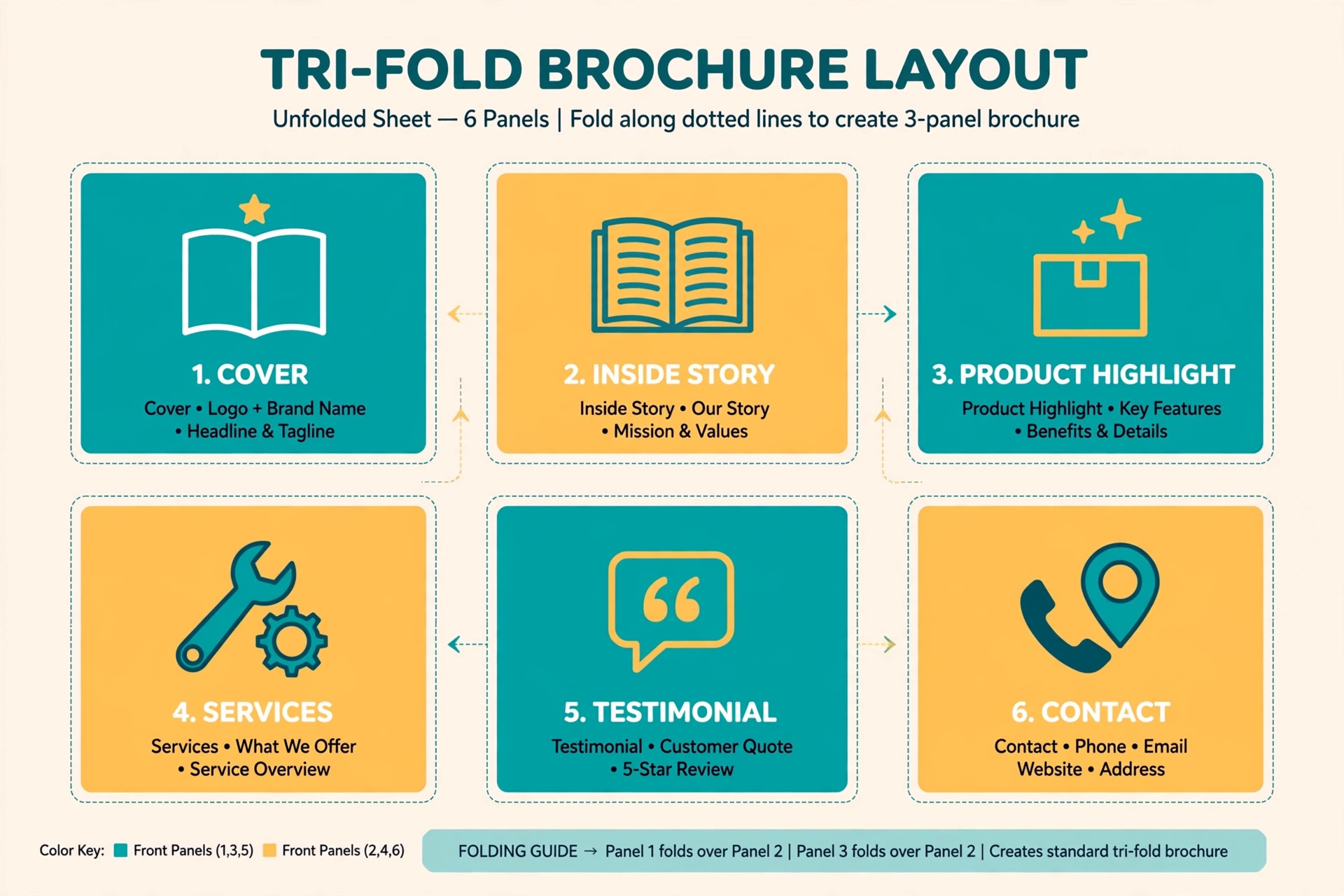
That is why best brochure makers should be judged on structure first. Does the tool offer true tri-fold and bi-fold templates, with panels in the right order for printing? Does it show the fold lines while you design, so text does not land on a crease? Tools that treat a brochure as a flat poster create a nasty surprise at print time, when a headline splits across a fold. The strongest tools in this guide show folds, bleeds, and safe margins during design, and best brochure makers that hide those guides cost more in reprints than they save in subscription price.
Best Pick by Job
The table below gives the short answer for each common job, then the reviews explain the trade-offs behind each pick. Use it to narrow the list to two or three options before you start a free trial.
| Tool | Best for | Free tier |
|---|---|---|
| Canva | fast template brochures for small businesses | Yes |
| Adobe Express | quick branded brochures in the Adobe world | Yes |
| Adobe InDesign | professional print work and long documents | Paid only |
| Visme | fast digital brochures for teams | Yes |
| Flipsnack | flipbook brochures and catalogues | Yes |
| Marq | companies that need locked brand templates | Paid only |
| VistaCreate | quick marketing brochures on a budget | Yes |
How to Choose Among the best brochure makers
Start with the distribution method, because that choice decides the tool. A printed brochure for a trade show needs bleed control, CMYK colour, and a print-ready PDF. A digital brochure sent by email needs links, video, and analytics more than it needs bleed settings. A brochure that must do both needs a tool that exports a strong print PDF and also shares well as a link, which narrows the field quickly.
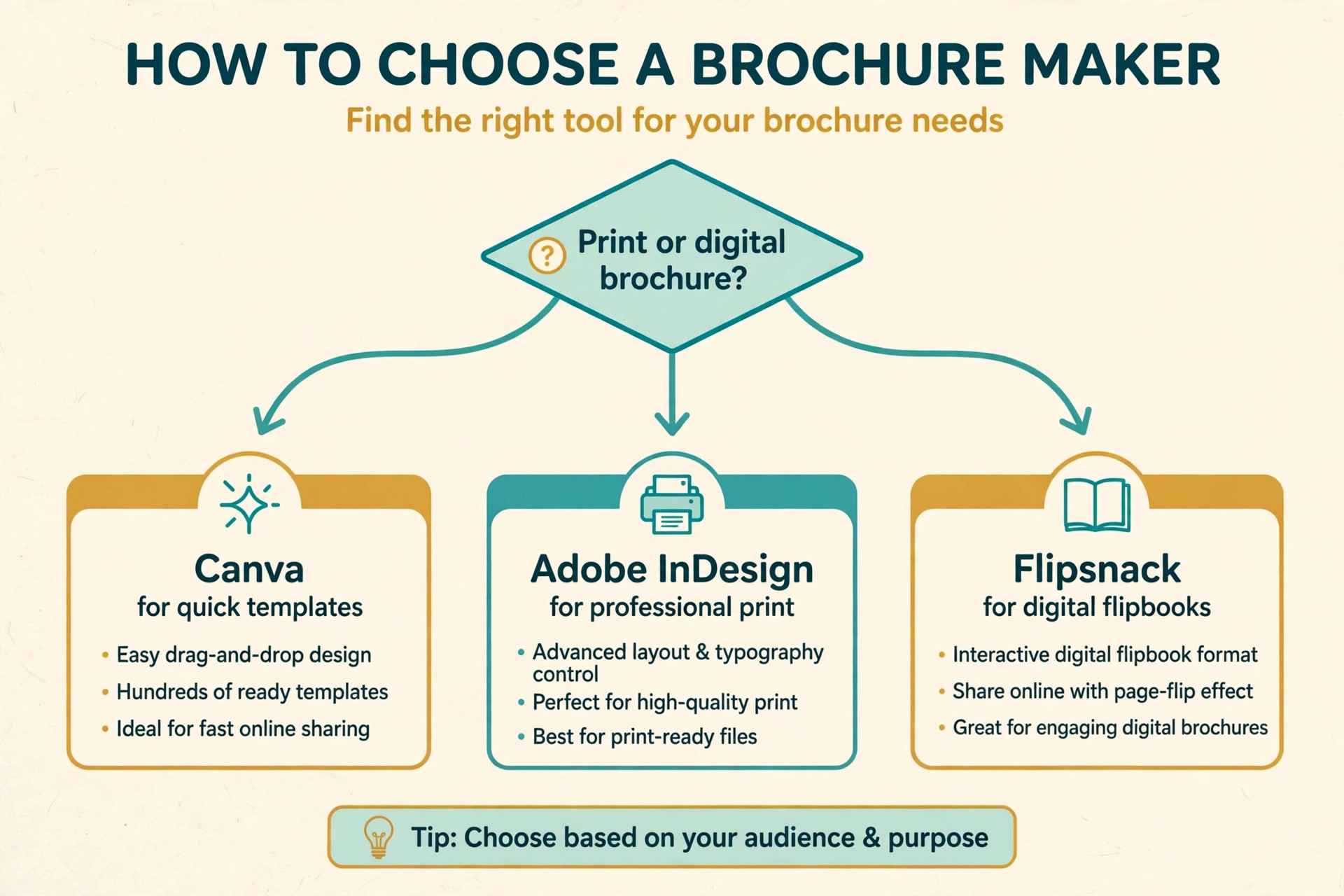
Next, check who will update the brochure. If one designer owns it, a professional layout tool makes sense. If sales staff across branches update prices and photos, a locked template platform protects the brand far better than a freeform editor. Finally, check the print path. Tools with built-in printing remove the print-shop file step, while tools without it require you to understand bleed and crop marks yourself. That last question, about best brochure makers and their print path, is the one most buyers skip, and it is the one that causes the most reprint pain.
The Tools in Detail
The reviews below follow the same order as the table. Each one covers what the tool does, who it suits, pricing, and the honest limits, so you can compare like with like.
1. Canva
Canva is built for fast template brochures for small businesses. It offers bi-fold and tri-fold templates with a browser editor and Canva Print. Most small businesses should start here. Pick a fold, replace text and images, and export a print-ready PDF the same day. Canva Print can then produce finished brochures, which removes the print-shop file step for non-designers. Pricing is Free plan, Pro from 18 dollars per month or 144 dollars per year in recent listings.
In practice, the test that matters is whether a finished file still looks right where it will be used. Check it at real size, on a phone, and in print if print matters, before you commit to the tool for a whole series. A tool that looks good in a demo but fails that real-world check will cost you redesign time later, so run the check early and keep notes on what passed.
Strength to note. The fastest route to a decent brochure, plus optional printing. Limit to weigh. Control over bleed, crop marks, and CMYK colour is lighter than a desktop publishing app.
2. Adobe Express
Adobe Express is built for quick branded brochures in the Adobe world. It offers templates, Adobe Fonts, and stock for marketing documents. Adobe Express suits a team that needs on-brand brochures fast without learning layout software. Saved brand colours and fonts keep every brochure consistent. Pricing is Free plan, Premium from 9.99 dollars per month.
In practice, the test that matters is whether a finished file still looks right where it will be used. Check it at real size, on a phone, and in print if print matters, before you commit to the tool for a whole series. A tool that looks good in a demo but fails that real-world check will cost you redesign time later, so run the check early and keep notes on what passed.
Strength to note. Strong fonts and stock with a generous free tier. Limit to weigh. Print precision and long-document layout controls are limited.
3. Adobe InDesign
Adobe InDesign is built for professional print work and long documents. It offers the industry layout and page design standard. InDesign is the tool for exacting print work. Multicolumn pages, styles, master pages, and preflight checks give a designer full control over folds, bleeds, and colour. For a trade-show brochure that must print perfectly, it is the safe choice. Pricing is From 20.99 dollars per month.
In practice, the test that matters is whether a finished file still looks right where it will be used. Check it at real size, on a phone, and in print if print matters, before you commit to the tool for a whole series. A tool that looks good in a demo but fails that real-world check will cost you redesign time later, so run the check early and keep notes on what passed.
Strength to note. Full print control and professional typography. Limit to weigh. The subscription cost and learning curve are the highest here.
4. Visme
Visme is built for fast digital brochures for teams. It offers interactive brochures with video, audio hotspots, and analytics on higher tiers. Visme goes beyond paper. A digital brochure can carry video, links, and animation, then be shared by link or embedded on a site. That suits sales teams who send brochures by email rather than handing them out. Pricing is Free plan, Starter from 12.25 dollars per month, Pro from 24.75 dollars per month.
In practice, the test that matters is whether a finished file still looks right where it will be used. Check it at real size, on a phone, and in print if print matters, before you commit to the tool for a whole series. A tool that looks good in a demo but fails that real-world check will cost you redesign time later, so run the check early and keep notes on what passed.
Strength to note. Interactive digital brochures with team collaboration. Limit to weigh. Analytics are gated to higher tiers, so the cheapest paid plan lacks tracking.
5. Flipsnack
Flipsnack is built for flipbook brochures and catalogues. It offers page-flip digital publications from PDFs or templates. Flipsnack turns a finished PDF into a flipbook that feels like a printed brochure on screen. It is a good second step after designing in another tool, or a standalone option from its templates. Pricing is Free plan for 1 user and 3 projects, Pro from 10 dollars per month billed yearly.
In practice, the test that matters is whether a finished file still looks right where it will be used. Check it at real size, on a phone, and in print if print matters, before you commit to the tool for a whole series. A tool that looks good in a demo but fails that real-world check will cost you redesign time later, so run the check early and keep notes on what passed.
Strength to note. Attractive flipbook presentation with sharing and embedding. Limit to weigh. Design depth is less than a full layout app, so complex original layouts start elsewhere.
6. Marq
Marq is built for companies that need locked brand templates. It offers brand templating with locked elements and web-to-print. Marq, formerly Lucidpress, is for companies where many staff make brochures. Locked templates protect the brand while letting colleagues change only approved text and photos, and web-to-print ordering closes the loop. Pricing is From 10 dollars per user per month.
In practice, the test that matters is whether a finished file still looks right where it will be used. Check it at real size, on a phone, and in print if print matters, before you commit to the tool for a whole series. A tool that looks good in a demo but fails that real-world check will cost you redesign time later, so run the check early and keep notes on what passed.
Strength to note. Brand protection at scale with print ordering. Limit to weigh. It is priced per user, so a large team pays more than with single-user tools.
7. VistaCreate
VistaCreate is built for quick marketing brochures on a budget. It offers templates and stock for brochures, flyers, and social assets. VistaCreate is the budget shortcut for a simple brochure. The editor is easy, the stock library is large, and the same plan covers the social graphics that promote the brochure. Pricing is Free Starter plan, Pro from 10 dollars per month billed annually.
In practice, the test that matters is whether a finished file still looks right where it will be used. Check it at real size, on a phone, and in print if print matters, before you commit to the tool for a whole series. A tool that looks good in a demo but fails that real-world check will cost you redesign time later, so run the check early and keep notes on what passed.
Strength to note. Low cost with a strong free plan and stock library. Limit to weigh. Print controls and long-document features are lighter than the publishing tools.
Folds, Bleeds, and Colour, Explained Without Jargon
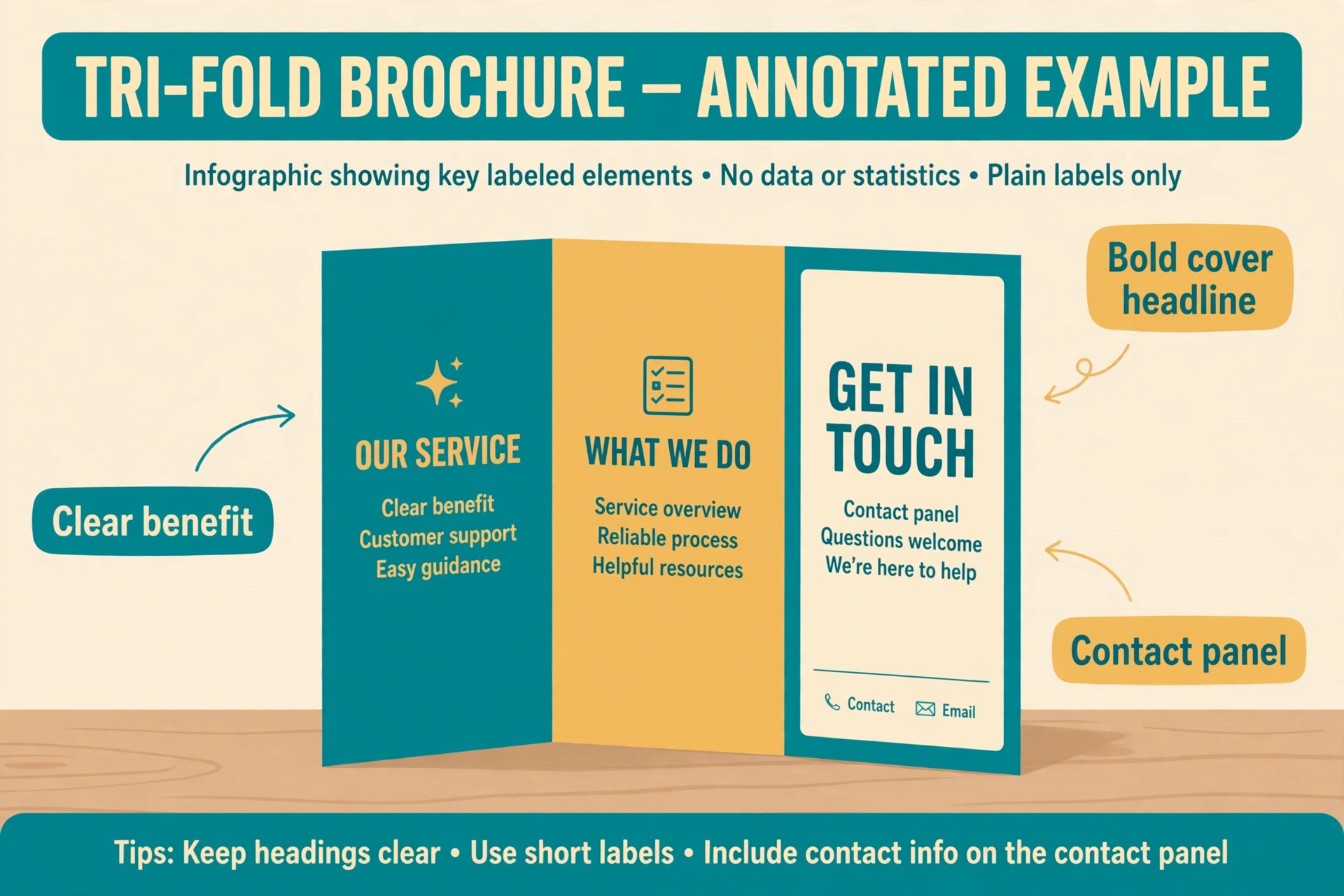
A tri-fold brochure divides one sheet into three panels, and the panel that folds inside must be slightly narrower than the others so the sheet folds flat. A bi-fold divides the sheet into two panels like a greeting card. Template tools handle those widths for you, but you should still check that no headline or logo sits on a fold line, because a crease through text looks like a mistake even when the print is otherwise perfect.

Bleed means colour or images that run to the very edge of the paper. Printers need a small extra margin of artwork beyond the trim edge, usually around 3 millimetres, so the colour reaches the edge after cutting. Without bleed, a white hairline can appear at the edge. Colour mode matters too. Screens use RGB colour, while professional printing uses CMYK, and bright screen colours can shift when converted. If exact brand colour matters, ask the printer for its colour guidance and test a printed proof before ordering hundreds of copies.
The tools in this guide that offer best brochure makers range from simple template editors with limited bleed control to full publishing apps with preflight checks, and best brochure makers at the professional end are the only safe choice when colour accuracy is a contract requirement.
Writing a Brochure People Actually Read
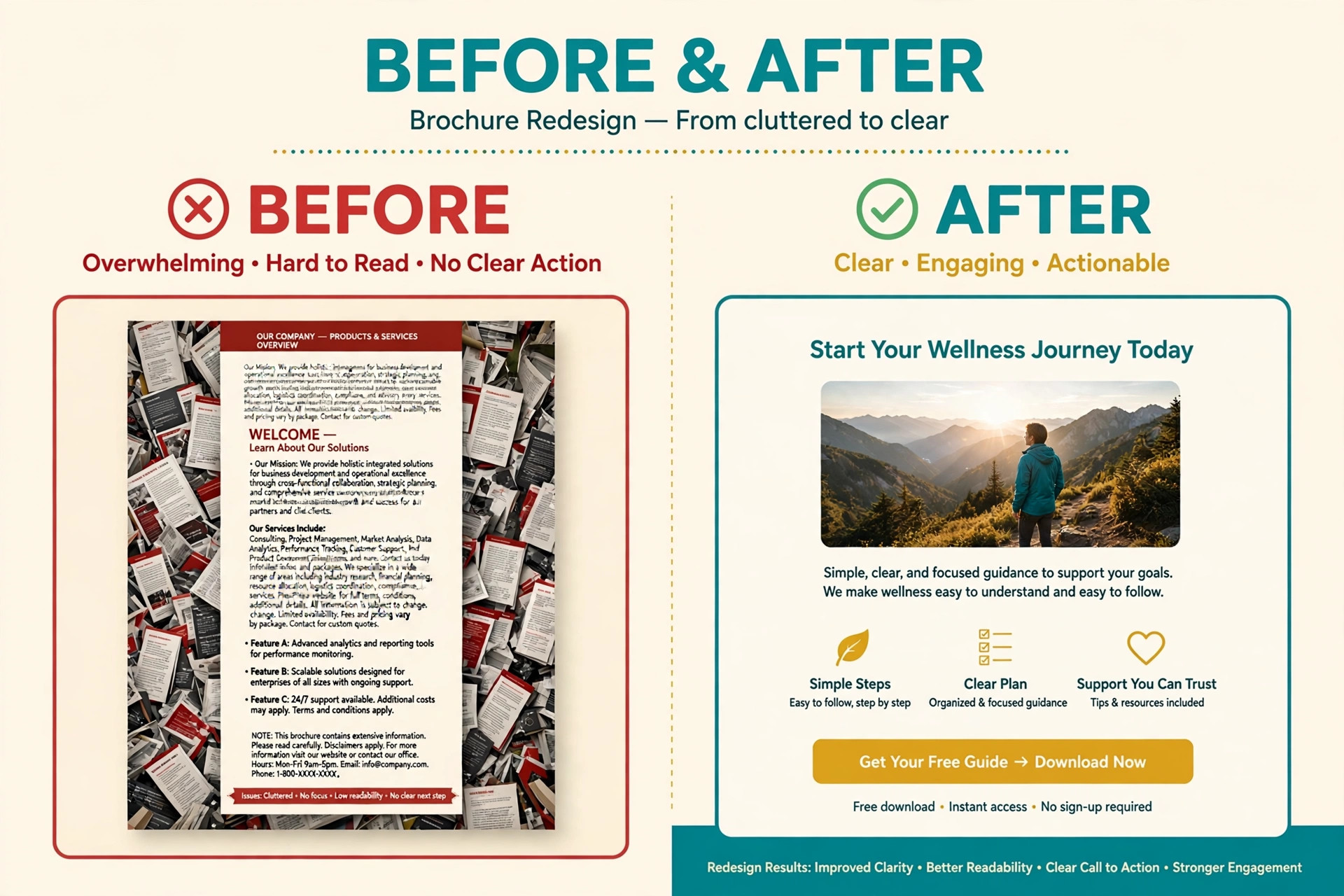
Brochure copy should be short, specific, and benefit-led. Each panel should carry one idea, with a headline that states the benefit and a few lines that support it. Avoid long paragraphs, because a brochure is scanned, not read like an article. Use bullet points for features, but keep them to real benefits rather than a list of everything the business does.

Include proof on the inside panels, such as a short testimonial, a number that matters, or a photo of real work. End with one clear action and the contact details needed to take it, including a website, a phone number, and a QR code if the brochure will be handed out in person. Proofread twice, because a printed error cannot be fixed with an edit button, and a typo on a brochure undermines the professional impression the design worked hard to create. The cost of a careful proofread is minutes, while the cost of reprinting a batch is the full print run.
Print or Digital, and How to Get Both From One Design
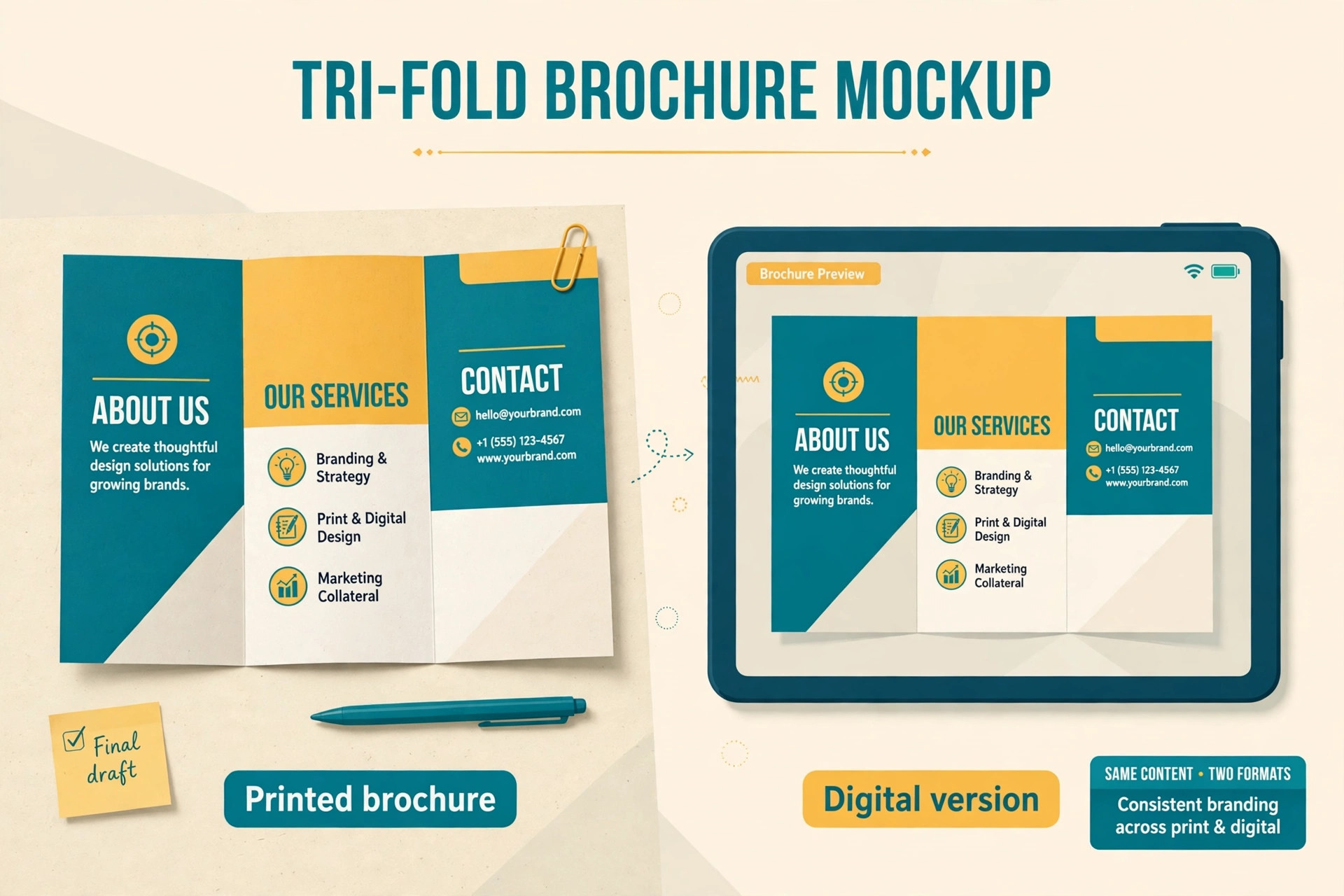
Many businesses now need both versions, and the smart workflow designs once and exports twice. Start with the print version, because its constraints are stricter. Set the fold, the bleed, and the colour correctly, write copy that works on paper, and export a print-ready PDF. Then create the digital version from the same design by adding links, a clickable email address, and a QR code that points to a landing page, rather than starting a second design from scratch.
Digital brochures add features paper cannot offer. Video, animation, and embedded forms can turn a static document into a sales tool, and analytics can show which pages readers actually view. Those features suit email campaigns and website downloads, but they do not replace paper at events, where a physical brochure is still the easiest thing to hand to a stranger. Budget for both when the audience splits across events and email, and keep the message identical across versions so a reader who sees both does not find conflicting prices or offers. A single source design with two exports keeps that consistency without doubling the work.
Choosing Paper, Size, and Finish for a Printed Brochure
Paper choice changes how a brochure feels before anyone reads a word. A heavier stock, around 250 to 350 grams per square metre for a cover or a single sheet, feels substantial in the hand, while a lighter stock suits a brochure meant to be posted or handed out in large numbers. Matte finish reduces glare and suits text-heavy brochures, because readers can read under bright trade-show lights without reflections. Gloss finish makes photos pop, which suits travel, food, and product brochures where the image sells the offer.
Size is the next decision, and the standard tri-fold from an A4 or letter sheet remains the safest choice, because printers stock it and racks and holders fit it. A square or oversized brochure can stand out, but it costs more to print and may not fit standard display racks, which limits where it can be placed. Finish options such as lamination protect a brochure that will be handled often, while uncoated stock suits a natural or premium feel and takes pen notes well. Ask the printer for samples of stock and finish before ordering, because a sample in the hand tells you more than a description on a screen ever will.
Quantity planning matters too. Ordering a small test batch first lets you check colour, folds, and readability in the real world, and the unit price difference on a reprint is often smaller than the cost of throwing away a large batch with an error. For a brochure that changes prices often, a smaller run with a digital version for updates is smarter than a huge run that goes out of date.
Measuring Whether a Brochure Works
A brochure without measurement is a guess, and measurement does not need to be complex. Start with a single goal for the brochure, such as driving website visits, phone calls, or event signups, and give readers one trackable path to that goal. A unique QR code, a dedicated landing page, or a short offer code printed only on the brochure lets you count responses that came from it rather than from other marketing.
At events, track how many brochures leave the stand and how many conversations follow, because a brochure that is taken but never acted on may have a headline problem rather than a distribution problem. Ask new customers how they heard about you, and record brochure mentions alongside other channels, so the brochure gets credit in the same way as an advert or a referral. For digital brochures, analytics show views, time on each page, and link clicks, which reveal whether readers reach the final panel or drop off halfway through.
Review those numbers after a month and revise one element at a time, such as the front headline, the call to action, or the offer itself. A brochure that improves through small measured changes will outperform a brochure redesigned from scratch on taste alone, because the changes follow evidence rather than opinion. Keep the winning version as the template for the next brochure, and the whole series improves with each run.
Working With a Printer Without Surprises
Send the printer a print-ready PDF with bleed, crop marks, and fonts embedded, and ask for a proof before the full run. A proof can be a digital file or a single printed copy, and it is the last chance to catch a fold error, a colour shift, or a typo before the cost multiplies. Check the proof in daylight, not only under office lighting, because colour looks different in each setting, and fold the proof yourself to confirm panels fall in the right order.
Agree the timeline and the delivery details in writing, including the stock, the finish, the quantity, and the delivery date, because verbal agreements cause disputes when a batch arrives late or on the wrong stock. Keep a copy of the final approved file with the printer name and date in the filename, so a reprint a year later uses the approved version rather than a draft. A printer relationship built on clear files and clear briefs gets better service over time, and the printer will often spot a file problem you missed if you give them time to check.
Brochure Ideas by Business Type
A restaurant brochure should lead with the experience, with photos of dishes and the dining room, followed by opening hours, location, and a menu highlight rather than a full menu. A trades business brochure should lead with trust, with services, service areas, guarantees, and a photo of real completed work, because customers choose a tradesperson on reliability first. A clinic or wellness brochure should lead with reassurance, with services explained plainly, practitioner credentials, and clear booking steps, avoiding medical claims that cannot be supported.
A tourism brochure should lead with the destination feeling, with strong photos, a simple itinerary or highlights list, and practical details such as season, access, and booking contacts. A charity brochure should lead with the impact, with a story of what a donation achieves, followed by how to give and how funds are used. In each case, the structure stays the same, with a strong front panel, benefit-led inside panels, and one clear action, while the content changes to match what that buyer needs to decide. Borrowing the structure and changing the content is the fastest way to a brochure that feels made for its audience.
More Reading on Stratilyze
A brochure rarely works alone. It usually supports a sales conversation, a trade-show stand, or a website visit, and the message across those channels should match. Align the brochure headline with the website headline and the sales pitch, so a prospect who meets all three hears one consistent story rather than three different claims. That consistency builds trust faster than any single design choice.
Read our guide to best accounting software for small business for the next step after you finish this design.
Read our guide to automate small business with ai for the next step after you finish this design.
Read our guide to best ai tools for graphic designers for the next step after you finish this design.
Read our guide to best ai presentation makers for the next step after you finish this design.
Read our guide to best ai logo makers for the next step after you finish this design.
Read our guide to use canva for restaurant menu design for the next step after you finish this design.
Frequently Asked Questions
What is the best free brochure maker?
Canva and VistaCreate offer free plans with brochure templates, and Adobe Express offers a generous free tier. Free plans handle a basic brochure well, but brand kits, premium templates, and advanced print controls generally need a paid plan.
Should I use a tri-fold or a bi-fold brochure?
A tri-fold suits a business that needs several short sections, such as services, benefits, and contact details, on one sheet. A bi-fold suits a brochure with larger photos or longer sections, because each panel has more room. Choose by how much content each panel must carry.
What is bleed in brochure printing?
Bleed is extra artwork beyond the trim edge, usually around 3 millimetres, that lets colour or images run to the very edge of the paper after cutting. Without bleed, a thin white line can appear at the edge. Professional layout tools let you set bleed precisely.
Can I print brochures from Canva?
Yes. Canva Print produces finished brochures and ships them, which removes the print-shop file step for non-designers. If you print elsewhere, export a print-ready PDF and check the printer’s bleed and colour requirements first.
Is a digital brochure better than a printed one?
Neither is better in every case. Printed brochures work best at events and in person, while digital brochures work best for email, websites, and tracking reader engagement. Many businesses use both, with one design exported for print and for digital sharing.
How much does brochure design software cost?
Free plans cover basic brochures, paid template tools cost roughly 10 to 18 dollars per month in recent listings, and professional layout software costs around 20.99 dollars per month. Locked template platforms for teams are priced per user, so team size affects the total.
The Bottom Line on Brochure Tools
The verdict that opened this guide stands after the full comparison. Choose InDesign when print precision is non-negotiable, choose Canva when speed and printing convenience matter most, and choose Visme or Flipsnack when the brochure will live mainly as a digital document. Marq is the right pick when many staff must stay on brand, and VistaCreate is the budget shortcut for a simple marketing brochure.
Whatever you choose, order a printed proof before a large run, check every fold and every link, and proofread the copy out loud. A brochure is a physical promise about your business, and the tool that helps you keep that promise, on paper and on screen, is the right one for your next print run and the one after it. Keep the approved file, the printer details, and the stock choice in one folder, because the second print run is always easier than the first when the decisions are recorded.
A brochure that is easy to reprint gets reprinted, and a brochure that is easy to reprint keeps working long after the first event ends, which is the real return on the design time you invested. Before you place the order, share the proof with one colleague who has not seen the brochure, because a fresh pair of eyes catches the headline error or the wrong phone number that familiarity hides, and that single check is cheaper than any reprint.