
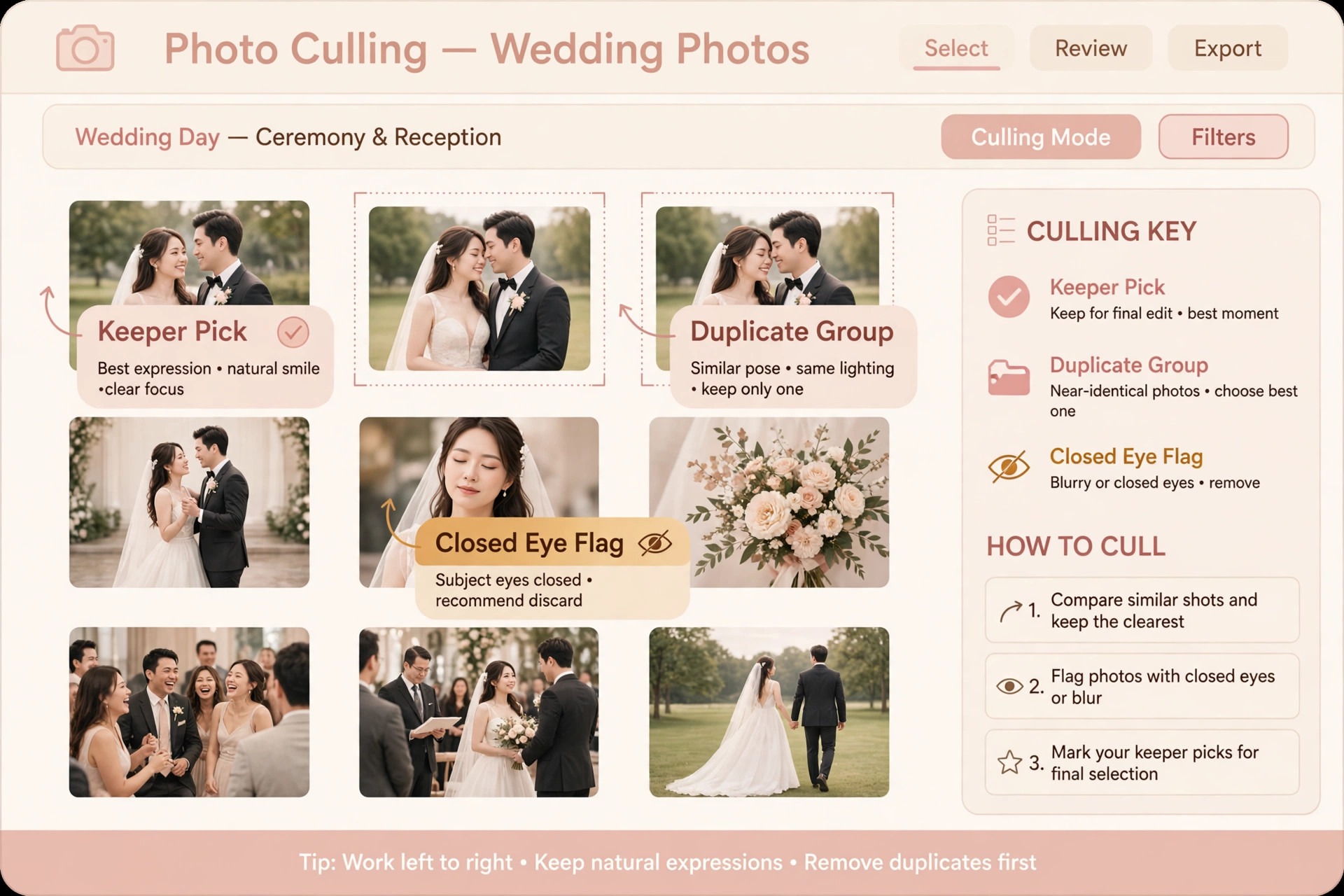
The verdict is simple, and it saves studios the most money. For AI tools for wedding photographers small business owners, the first purchase decision matters more than the full stack, because one good culling tool returns more hours than five creative tools combined. Start with culling, not with creative editing, because culling is where wedding hours actually disappear. A wedding delivers thousands of frames, and choosing the keepers by hand can take longer than the shoot itself. A tool that makes a reliable first pass, groups duplicates, and flags closed eyes and blur gives back a full working day per wedding, while a creative tool that only changes the look of images you already chose gives back minutes.
The twelve tools below are ranked by the job they do after the shoot, from culling to delivery, so a studio can buy the bottleneck first and add the rest only when the first tool has paid for itself.
Choosing AI tools for wedding photographers small business owners can trust
The right stack depends on how the studio already works, because a tool that fights the existing catalog creates more work than it saves. A studio that lives in Lightroom Classic needs tools that return results to that catalog, while a studio that wants one app for the whole post shoot workflow needs a tool that covers culling, editing, and retouching without constant exporting. AI tools for wedding photographers small business owners adopt successfully share three traits. They learn from the studio’s own past edits or apply consistent rules, they keep the photographer in control of final picks, and they handle thousands of RAW files without forcing a change of camera system or file format.

Test any tool on one complete wedding before committing to it, and measure three numbers. Time from card import to gallery ready, number of picks you changed after the AI pass, and number of client complaints or re edits on the delivered gallery. A tool that halves culling time but doubles re edits has not saved time, it has moved it. Also check where files are processed, because some tools work on your own computer while others upload images to vendor servers, and that difference matters for studios with privacy conscious clients or slow upload speeds.
The best pick by job table below matches tools to studio types, so a solo shooter does not buy an associate team system and a luxury studio does not settle for a budget culling app. Reading the table through the lens of AI tools for wedding photographers small business owners actually use keeps the choice practical, because the table is built from studio size and bottleneck, not from vendor claims.

| Studio type | Start with | Add next | Skip for now |
|---|---|---|---|
| Solo photographer | Aftershoot or Imagen | Evoto for retouching | Full gallery platforms until delivery slows you down |
| Associate team | Imagen with shared profiles | Narrative Select for consistent culling | Single seat creative tools that cannot share styles |
| Luxury studio | Imagen plus Retouch4me | Capture One for tethered control | Fully automatic editing with no review step |
For wider context on the photography business, compare gallery options in Client Gallery Software for Photography Studios and client management in CRM for Wedding Vendors.
1. Aftershoot
Aftershoot is a desktop app for Windows and macOS that covers culling, AI editing, and AI retouching in one place, and it works offline on your own computer. Culling groups duplicates and lets you run an automatic first pass or an assisted pass where you make the final picks. Editing learns from your past edits, can turn a Lightroom preset into an AI profile, or uses ready made styles, and the results can go back into a Lightroom Classic catalog.
For a solo wedding photographer, the appeal is simple. One app removes the two slowest jobs after a wedding, and the offline processing means a large wedding can be culled on a laptop in a hotel room without waiting on uploads.
Pricing is sold in separate plans, with culling from 10 dollars a month, editing from 30 dollars a month, and all three including retouching at 45 dollars a month when billed annually, with a 30 day free trial. Check the vendor pricing page before buying, because plan details change. The weakness to test is style match. A studio with a very specific colour style should train a profile from its own edited weddings and compare the AI result against a hand edited set before trusting it on a paid gallery. When the profile matches, Aftershoot is the strongest single purchase for a high volume wedding studio.
2. Imagen
Imagen is an AI photo editor that learns your editing style from your own edited photos, building a Personal AI Profile that applies your look to every photo in a new shoot. It also culls, grouping duplicates and flagging blurry shots and closed eyes, and you make the final calls. Imagen works alongside Lightroom Classic, so AI edits return to the catalog you already know, and its newer Imagen Studio lets you cull, edit, review, and export in one project. For associate teams, the shared profile is the key feature, because every associate gallery can carry the studio look even when different people shot the weddings.
Pricing is either pay as you go, billed per edited photo with a small monthly minimum, or a flat Limitless plan for unlimited AI edits with AI culling included. Check the vendor pricing page for current figures. The trade off is processing location, since Imagen processes in the cloud, which means uploads of full weddings and a dependence on connection speed. Studios with slow internet or strict client privacy terms should weigh that against the style accuracy. For studios already committed to Lightroom Classic, Imagen is usually the most faithful editor, because it was built around that workflow from the start.
3. Narrative Select
Narrative Select takes a different approach to culling. It scores focus and eyes, groups scenes, and shows close up face checks, but it never selects for you. Every pick remains a photographer decision, made faster because the app has already organised the frames and flagged the problems. That approach suits photographers who distrust automatic selection, including luxury studios where a single missed expression matters more than an hour saved. It also suits second shooters and associate teams, because a consistent scoring view helps different editors reach similar picks without imposing one automatic result.
Narrative also offers AI first pass editing that applies presets on the way into Lightroom, which shortens the path from cull to edit. Pricing is subscription based, so check the vendor pricing page before buying. The limitation is scope. Narrative Select does not replace a full editing profile or a retouching tool, so it pairs best with an editor like Imagen or Lightroom rather than standing alone. Buy it when culling control matters more than culling speed, and when your studio would rather review every frame quickly than accept an automatic shortlist.
4. Evoto
Evoto is a portrait retouching tool built for volume, and wedding studios use it for the portraits and couple sessions inside a large gallery rather than for every frame. Its AI retouching handles skin, blemish cleanup, and portrait enhancement in batches, which turns a slow per image retouching job into a fast review pass. For a studio delivering several hundred portraits per wedding season, that batch speed is the difference between retouching every portrait properly and retouching only the hero images while the rest go out lightly touched.
Evoto works as a standalone editor with export back to the main workflow, and it offers a trial so a studio can test it on a real wedding set before paying. Check the vendor pricing page for current plans. The caution is taste. Retouching strength must be set conservatively and checked on prints, not only on a bright screen, because over smoothed skin reads as artificial in an album and clients notice it in print before they notice it on a phone. Used with restraint, Evoto is the best dedicated retouching purchase for a wedding studio that already has culling and editing covered.
5. Luminar Neo
Luminar Neo is a creative AI editor from Skylum that suits photographers who want sky replacement, relighting, atmosphere controls, and generative tools without leaving a single app. For wedding work, its value sits in rescue and enhancement jobs, such as a ceremony shot under harsh midday light, a reception frame with a distracting background, or a portrait that needs a cleaner sky. It is not a culling tool and not a style learning editor, so it should not be the first purchase for a studio whose bottleneck is volume. It earns its place as the second or third tool, for the frames that need creative work rather than consistent batch editing.
Luminar Neo is sold as a subscription or a perpetual licence depending on the offer at the time, so check the vendor pricing page before buying. It runs on your own computer, which keeps wedding files local, and it works as a plugin or standalone editor alongside Lightroom. The risk is overuse. Sky replacement and atmosphere effects can make a wedding gallery look inconsistent if applied heavily to some frames and not to others, so reserve creative edits for hero images and keep the bulk of the gallery in the studio consistent style.
6. Adobe Lightroom
Adobe Lightroom, in both Lightroom Classic and the cloud based Lightroom, remains the hub for most wedding workflows, and its own AI features have grown strong enough that many studios need fewer add on tools than they expect. Assisted Culling, added in late 2025, picks photos by subject and eye sharpness and open eyes, flags misfires and exposure problems, and works inside the catalog photographers already use. AI masking, denoise, and lens blur handle the everyday corrections that used to require round trips to other apps, and the mobile and web apps let a studio review and share selects from anywhere.
Lightroom is subscription based through Adobe Creative Cloud photography plans, so check the vendor pricing page for current plan details. Its strength is also its limit. Lightroom AI assists rather than automates a full wedding edit in your personal style, so studios that want a trained profile still need Imagen or Aftershoot on top. But no wedding AI stack should be chosen without first testing what Lightroom alone already does for that studio, because the cheapest improvement is often the feature already included in a subscription being paid for.
7. Capture One
Capture One is the tethered shooting and colour control choice for studios that shoot with medium format cameras or that need precise colour work, and its AI masking and editing tools suit luxury studios where colour accuracy is part of the brand. For wedding work, its strengths show in studio portraits, detail shots, and album hero images, where fine colour and tonal control matter more than batch speed. It also handles sessions and catalogs in a way that suits a studio with a defined file structure and a second editor.
Capture One is sold by subscription or perpetual licence, so check the vendor pricing page. It is not the best culling tool for a five thousand frame wedding, and it is not the cheapest option for a solo shooter who already works happily in Lightroom. Buy it when colour precision, tethered shooting, or a non Adobe workflow is the priority, and pair it with a dedicated culling app for wedding volume. For a luxury studio that prints large albums, that combination is often the right one.
8. Topaz Photo AI
Topaz Photo AI rescues images that would otherwise be cut, using AI sharpening, noise removal, and upscaling on soft, noisy, or slightly missed frames. Wedding photographers meet these frames constantly, such as a dark church ceremony shot at high ISO, a fast first dance frame with slight motion blur, or a cropped detail that needs to print larger than the original allows. Running the whole gallery through rescue tools would be slow and unnecessary, so the smart use is selective, applying Topaz only to frames that are worth saving and that no other tool can fix.
Topaz Photo AI is sold as a one time purchase with upgrade pricing, so check the vendor pricing page. It runs locally, which keeps files private and avoids upload delays. The caution is honesty. A rescued frame should still look like a photograph, not like a smoothed illustration, and a frame that is badly out of focus will not become sharp no matter what the tool promises. Use Topaz as a rescue tool for a small share of keepers, and let culling cut the frames that are truly unusable rather than trying to save everything.
9. Retouch4me
Retouch4me is a set of AI retouching plugins that work inside Photoshop and Lightroom, aimed at studios that want retouching without leaving their editor. Its plugins handle skin, eyes, fabric, and portrait cleanup as separate tools, so a studio can buy only the retouching jobs it actually needs rather than a full suite. For wedding studios, the value is in high end portrait retouching for album images and wall prints, where hand retouching each frame takes too long but batch retouching looks too generic.
Retouch4me plugins are sold individually, so check the vendor pricing page for the plugin that matches the job. Because the tools live inside the editor, the workflow stays simple, with no extra export step and no new catalog. The limitation is that Retouch4me does not cull or edit colour, so it is a finishing tool, not a workflow foundation. Pair it with a culling app and a style editor, and reserve it for the portraits that will be printed large, where careful retouching is visible and worth the extra step.
10. FilterPixel
FilterPixel is an AI culling tool built for speed, with genre specific AI that scores each pick and gives a reason for it, which suits same night delivery for events and fast wedding turnarounds. Its scoring helps a photographer defend picks to a second editor or an associate, because the reason behind each score is visible rather than hidden inside an automatic selection. For studios that deliver sneak peeks the same night or a full gallery on a tight deadline, that speed and transparency matter more than the deepest style learning.
FilterPixel is subscription based, so check the vendor pricing page. It works best as a culling specialist rather than an all in one workflow, so pair it with the studio editing tool of choice. The trade off is that a speed focused cull can miss a subtle expression that a slower review would catch, so studios should still spot check the rejected frames on important weddings, especially ceremony and speeches, where one frame carries the whole moment.
11. Neurapix
Neurapix is a Lightroom Classic plugin that learns a photographer individual editing style and applies it photo by photo, without forcing a preset look onto every frame. Unlike preset based editing, which applies the same adjustments regardless of content, Neurapix adjusts each image based on what the image contains and what the photographer past edits suggest. That photo by photo approach suits wedding photographers whose style adapts to light, venue, and skin tones across a long day, because a single preset rarely fits a dark church and a bright garden equally well.
Neurapix is subscription based with a trial, so check the vendor pricing page. It stays inside Lightroom Classic, which keeps the workflow familiar and the files local to the catalog. The limitation is that Neurapix edits rather than culls, so it needs a culling step before it, and it needs enough edited examples to learn from, which means new studios should train it on their best past weddings rather than expecting a perfect result from a handful of images. For an established studio with a clear style, it is a strong alternative to Imagen.
12. Photo Mechanic
Photo Mechanic is the manual culling and ingest standard for photographers who want speed without AI decisions. It ingests cards fast, lets photographers tag, rate, and sort thousands of frames with keyboard speed, and hands the selects to any editor. Photojournalists and sports photographers have used it for years for same day delivery, and wedding photographers who distrust automatic picks use it to keep full control while still culling faster than Lightroom alone allows. Its strength is reliability. It does not guess, it does not upload, and it does not change a pick after you made it.
Photo Mechanic is sold as a one time purchase with upgrade pricing, so check the vendor pricing page. It does not edit, retouch, or learn a style, so it is a foundation tool rather than a complete workflow. Pair it with Lightroom or Capture One for editing, and use it when control, speed, and local processing matter more than automation. For a studio that has been burned by an automatic cull that cut a key moment, Photo Mechanic restores confidence, because every keeper in the gallery is a frame the photographer chose.
The culling and delivery checklist
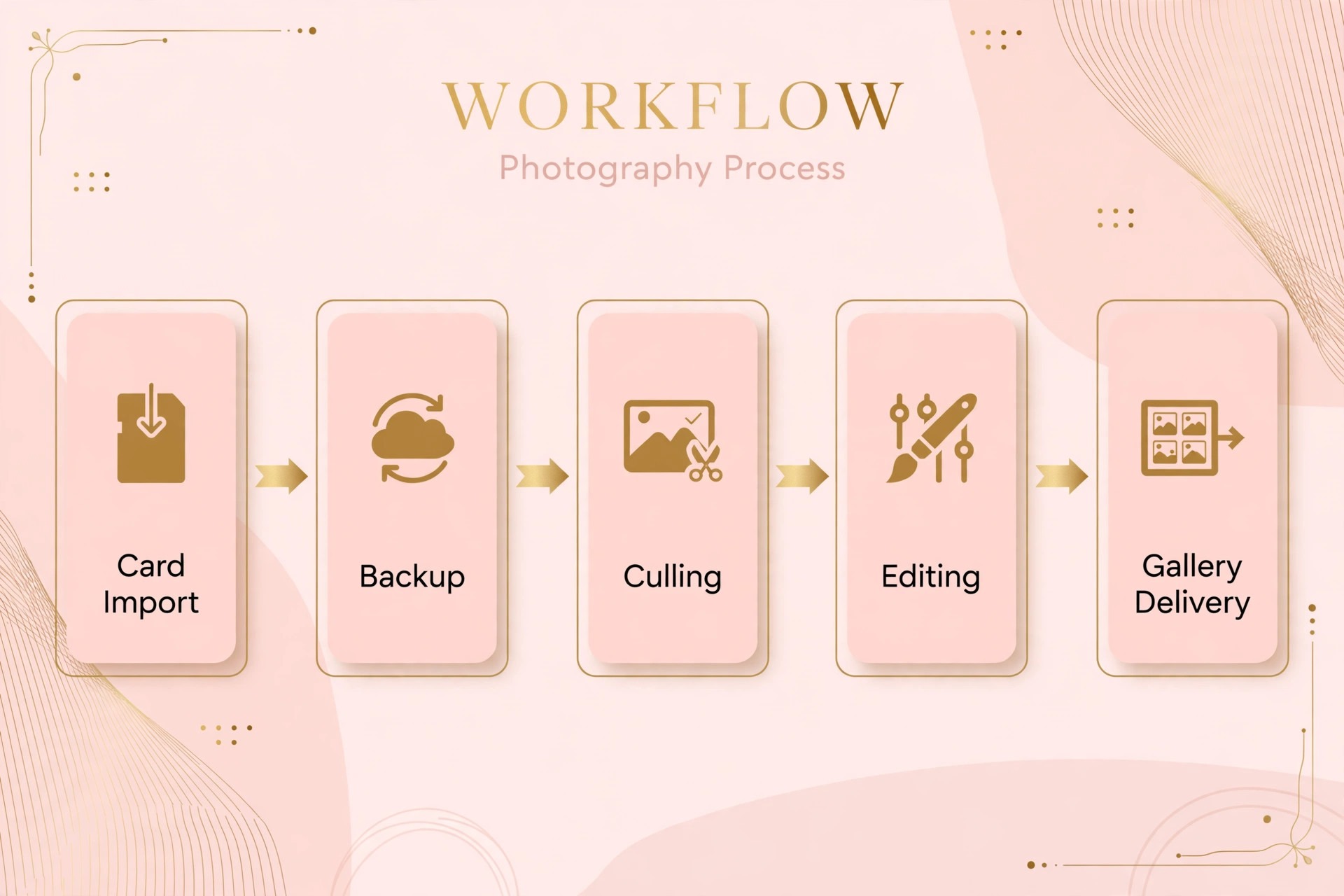
A tool stack only helps if the workflow around it is disciplined, so run every wedding through the same checklist. Import and back up cards to two locations before culling begins, because no AI tool replaces a backup. Run the culling pass and review the rejected frames for ceremony, speeches, and first dance before deleting anything. Apply the editing profile, then review a sample from each part of the day, including the darkest and brightest scenes, before batch applying to the full gallery. Retouch portraits with restraint and check the result on a print sized view, not only on a phone screen.
Then run the delivery checks. Confirm every promised image count, confirm names and spellings in any album text, and confirm the gallery link, download settings, and print store settings before sending the delivery message. Send sneak peeks within the promised window, send one progress note if editing runs past the halfway point, and deliver the full gallery on the schedule stated at booking. AI tools for wedding photographers small business owners rely on should shorten the gap between shoot and delivery, and this checklist is what turns that speed into trust, because a fast gallery with a missing key moment or a wrong name costs more trust than a slow gallery that is complete.
How to test a new tool on one wedding
Testing properly takes one wedding and a notebook, not a month of parallel subscriptions. When testing AI tools for wedding photographers small business owners should keep the test wedding typical, because an easy wedding flatters every tool and hides the weaknesses that appear under pressure. Pick a typical wedding, not the easiest one, and run the new tool alongside the old workflow without telling the client which is which.
Record the time for each stage, from import to cull complete, from cull to edit complete, and from edit to gallery ready. Count how many AI picks you changed, and note whether the changes clustered in one part of the day, such as low light reception frames, because a clustered weakness can be fixed with a setting while a scattered weakness cannot.
Also test the failure cases. Feed the tool a wedding with mixed lighting, a large family formals list, and a fast moving dance floor, and see where it struggles. Check the rejected frames for one missed key moment, because a single missed ceremony kiss outweighs an hour saved on culling. Check the edited result on a calibrated screen and on a phone, because clients view galleries on phones first and prints second. If the tool passes on a hard wedding, it will pass on an easy one. If it only passes on easy weddings, keep the old workflow for hard dates and use the tool only where it proves itself.

Mistakes that waste money on wedding AI tools
The most expensive mistake is buying the whole stack at once. A studio that buys culling, editing, retouching, gallery, and client management tools in one month cannot tell which tool saved time and which one added work, and the subscriptions renew before the studio has measured anything. Buy one tool, measure one wedding, and add the next tool only when the first one has earned its place. The second mistake is training a style profile on a mixed set of images, including experiments and client requests that do not reflect the studio style, because the profile learns the average of everything fed to it, including the work the studio would not repeat.
The third mistake is skipping the rejected frame review. Automatic culling is a first pass, not a final decision, and the frames it rejects include both true rejects and near misses that a human would keep. A five minute review of rejected ceremony and speech frames prevents the most painful client complaint in wedding photography, a missing moment that cannot be reshot. The fourth mistake is over retouching, which reads as artificial in albums and wall prints even when it looks fine on a phone.
Set retouching strength for print, check it on a large view, and keep skin texture. AI tools for wedding photographers small business owners keep for years are the ones used with restraint, because restraint is what keeps a gallery looking like photographs rather than illustrations.

Frequently Asked Questions
What is the best AI tool for wedding photographers starting out?
Start with culling, and choose between Aftershoot and Imagen based on where you edit. Aftershoot suits a photographer who wants culling, editing, and retouching in one offline app, while Imagen suits a photographer committed to Lightroom Classic who wants a profile trained on their own edits. Test both on one wedding, measure culling time and changed picks, and buy the one that saves more time without increasing re edits. Add retouching only after culling is settled.
Can AI editing match a photographer personal style?
Yes, when the tool is trained on enough of that photographer edited work and the result is reviewed before delivery. Imagen and Neurapix learn from past edits, while Aftershoot can turn a Lightroom preset into a profile, and all three need a sample of consistent past weddings to learn from. A new studio with few edited weddings should expect a longer training period and should review every gallery closely in the first months. No tool should deliver a gallery without a photographer review, because style includes judgment calls about moments and expressions that no profile can make alone.
Is cloud processing a problem for wedding photos?
Cloud processing means full wedding galleries are uploaded to vendor servers, which takes time on slow connections and raises privacy questions for some clients. Local processing, as in Aftershoot, Lightroom, and Photo Mechanic, keeps files on your own computer and works offline. Check each vendor data policy, tell clients honestly where their images are processed if they ask, and choose local processing when privacy terms or upload speeds make cloud work impractical. Many studios mix both, using cloud tools for editing and local tools for culling and backup.
How much time can AI culling really save a wedding studio?
The saving depends on wedding size and shooting style, but studios commonly report cutting culling from a full day to a few hours on a large wedding, because the AI groups duplicates and flags technical rejects before the photographer reviews. The saving is largest for high volume shooters who deliver thousands of frames, and smaller for studios that already shoot tightly and deliver fewer images. Measure your own saving on one wedding, counting import to cull complete, rather than trusting a vendor headline figure, because your shooting style determines the result.
Should a luxury studio use fully automatic editing?
A luxury studio should use AI for the first pass and keep a human review for every delivered image, because luxury clients pay for judgment as much as for images. Automatic editing can apply the studio style consistently across a large gallery, but the final selection, the hero image choices, and the album sequence need a photographer eye. The best luxury workflow pairs a trained profile with a careful review, so the studio gains speed without losing the taste that justifies premium prices. Fully automatic delivery without review risks the one error that damages a luxury reputation.
Do AI tools replace the need for a second shooter?
No, AI tools change post production, not coverage. The wider market for AI tools for wedding photographers small business owners keeps growing, but coverage remains a human job, and no editing tool can create a moment that was never photographed. A second shooter captures angles, reactions, and moments one photographer cannot be in two places to capture, and no editing tool can create a moment that was never photographed. AI can reduce the editing cost of a second shooter images, which makes hiring one more affordable, but it cannot replace the coverage itself. Studios should budget for coverage and for editing separately, and use AI savings to afford better coverage rather than to cut it.
The Wedding Photographer Verdict
Buy culling first, editing second, and retouching third, and test each tool on one hard wedding before paying for the next. That order is the safest way to buy AI tools for wedding photographers small business owners can afford, because each purchase must earn its place before the next subscription starts. A solo photographer will likely land on Aftershoot or Imagen plus Evoto for portraits, an associate team will likely land on Imagen with shared profiles, and a luxury studio will likely land on a trained profile plus careful retouching and a rejected frame review.
Whichever stack you choose, keep the photographer in control of final picks, keep backups before culling starts, and measure time saved and re edits caused on every new tool. The studios that gain most from AI are not the ones with the most tools, they are the ones with a disciplined checklist and one tool that reliably removes their biggest bottleneck.
