
A stockout on your best seller costs the sale, the customer and the repeat order. Overstock on a slow line ties up cash that could have bought the next winner. Most small businesses manage that balance on spreadsheets and gut feel, and the result is predictable, too much of the wrong stock and too little of the right stock. The fix is not a bigger spreadsheet. It is a system that watches sales, predicts demand and raises the order before the shelf empties. That is what it means to learn how to use ai for inventory management in a small business in 2026.
The tools have changed faster than the advice. Cin7 ForesightAI runs up to 100 forecasting algorithms per SKU against two years of sales history. Zoho Inventory puts demand forecasting and its Zia AI assistant in a plan that starts at 29 dollars a month. Inventory Planner by Sage does SKU-level machine learning forecasting for ecommerce brands. The gap between those tools and a spreadsheet is no longer a luxury, it is the difference between guessing and knowing.
This guide gives you a six-step workflow you can run this month, with the tools that fit each step, a template for reorder points, a 30-day plan, and the numbers to prove whether it worked. No enterprise budget is needed. A business selling a few hundred orders a month can start on Zoho free tier and grow into Cin7 as volume rises. Check the vendor pricing page before committing, because plan limits and trial terms change often.
Why Inventory Guessing Costs More Than Software
The cost of guessing shows up in three places, and none of them appears on a single report. Stockouts lose the sale in front of you and the customer behind it, because a buyer who finds your best seller out of stock buys from a competitor and often does not come back. Dead stock ties up cash in products that will not sell, and that cash cannot buy the lines that would sell. Manual counting and emergency orders eat staff hours every week, usually at the worst moment.
The second cost is the ordering cycle itself. A business that orders by feel orders too late, too much or too little, and then pays rush shipping to fix the mistake. A system that forecasts demand from real sales history orders earlier, in the right quantity, and the rush fees disappear. Cin7 reports that its ForesightAI averages the output of up to 100 algorithms per SKU, which is the kind of analysis no human can do across a thousand products.
The third cost is the one owners feel last, which is the lost ability to grow. A business that cannot trust its stock numbers cannot promise delivery dates, cannot run a promotion safely, and cannot open a new sales channel without risking overselling. That lost confidence is the quiet cost of guessing, and it grows with every channel you add. The best reason to learn how to use ai for inventory management is not the software, it is the confidence to sell more without breaking the operation behind the sale.
How to Use AI for Inventory Management: The Six Steps
The workflow below runs in order, and each step builds on the last. Do not skip the data cleaning, because every forecast after it depends on clean numbers. Do not buy software before step one is done, because a tool fed with messy data produces confident wrong answers.
Step 1: Clean Your Stock Data
Start with a full count and a clean product list. Merge duplicate SKUs, fix wrong barcodes, close discontinued lines, and make sure every product has one name, one code and one cost price. A business with 500 SKUs usually finds 30 to 50 duplicates or dead lines in the first clean, and every one of them distorts the forecast.
Set the rules before you automate anything. Decide what counts as a sale, how returns are handled, and which channels feed the numbers. A return counted as a sale inflates demand. A marketplace sale missing from the count understates it. Write the rules down, share them with the team, and check them monthly. Clean data is the cheapest AI investment there is, and it costs nothing but a careful week. Skip it and every forecast, alert and order after it will be wrong in ways that take months to notice.
Step 2: Set Reorder Points for Every SKU
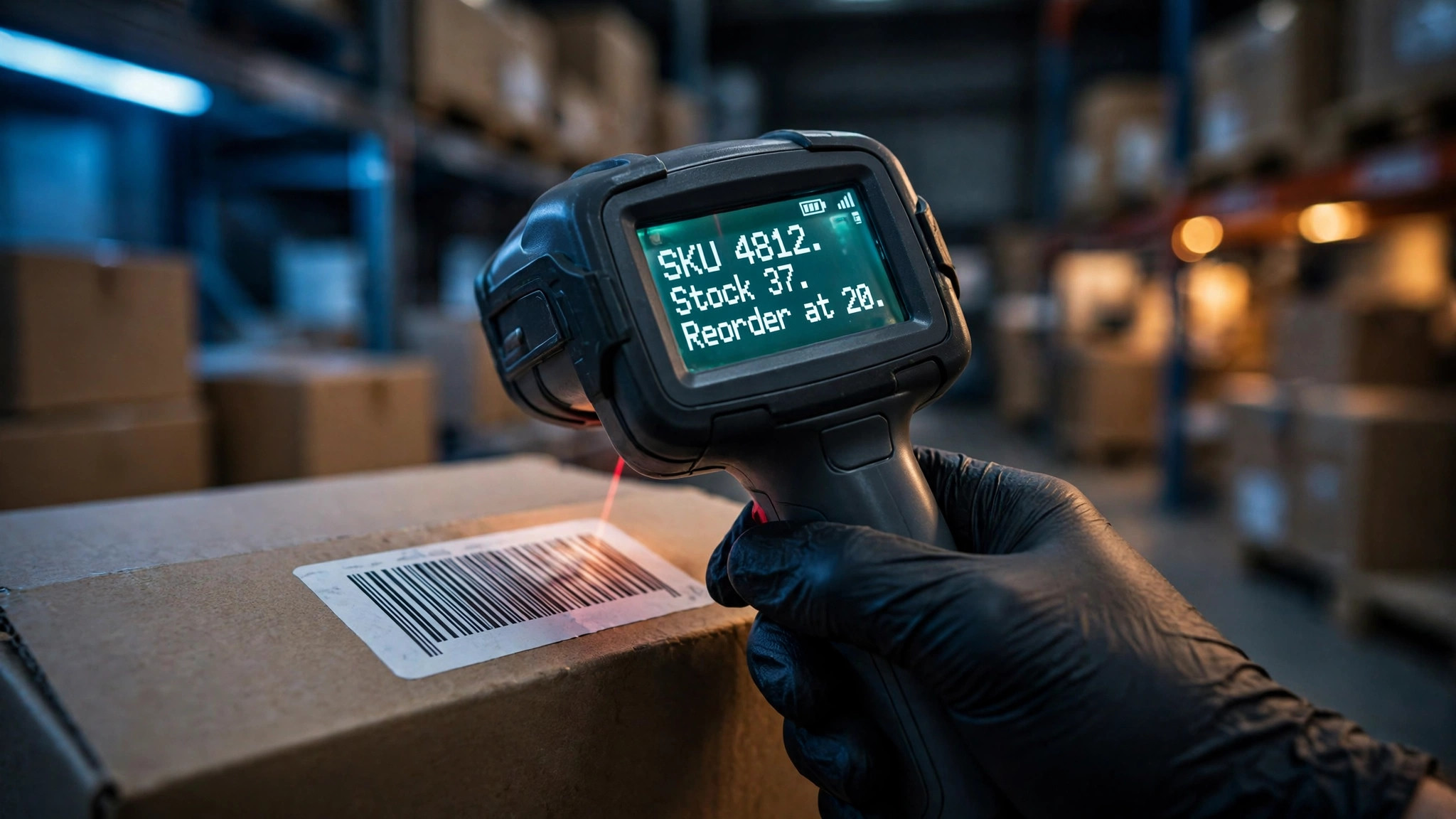
A reorder point is the stock level that triggers a new order, and it has a simple formula. Daily sales multiplied by supplier lead time in days, plus safety stock for the unexpected. A product selling 10 units a day from a supplier who takes 7 days needs 70 units in the pipeline, plus safety stock of, say, 20 units for a late delivery. The reorder point is 90 units.
Set the point per SKU, not per category, because a fast seller and a slow seller in the same category need different numbers. A category average hides the fast seller that stocks out and the slow seller that piles up, and the average is wrong for both of them. Start with your top 20 SKUs by revenue, which usually cover most of your sales, and work down the list over a month. Tools such as Zoho Inventory and inFlow calculate reorder points automatically once the sales history is clean, and they alert you when stock crosses the line.
Step 3: Forecast Demand With AI, Not Gut Feel
Forecasting is where AI earns its keep, and it is also where most tools overpromise. Real forecasting uses sales history, seasonality, promotions and trends to predict demand per SKU. Cin7 ForesightAI runs up to 100 algorithms per SKU and averages the results, producing a forecast up to 24 months out. Inventory Planner by Sage does SKU-level machine learning forecasting for ecommerce brands. Zoho Zia assistant adds demand forecasting to a 29 dollar plan.
The honest test is accuracy on your own history. Take last year sales, hide the last three months, run the forecast, and compare it with what actually sold. A tool that predicts your history well will predict your future well. A tool that cannot explain its forecast, or that only does threshold alerts and calls them AI, should not get your money. Many tools in this category do threshold alerts and call them AI, so ask the vendor exactly which forecasting method the plan includes.
A threshold alert tells you stock is low after it is already low, while a forecast tells you stock will be low next month, and that timing difference is the whole value. If the vendor cannot name the method, or the trial cannot beat your spreadsheet on three months of history, do not pay forecasting prices for the tool.
Step 4: Automate Purchase Orders
Once the forecast is trusted, automate the order. Set the rule, when stock hits the reorder point, generate a draft purchase order for the economic order quantity, and send it to the supplier for approval. Keep a human approval step in the first month, then automate fully for your most predictable SKUs. The time saved is large, because manual ordering is the weekly job that always gets done late.
Choose the supplier rules carefully. A supplier with a 500 dollar minimum order needs a different rule from one with no minimum. A supplier who delivers in 3 days needs less safety stock than one who takes 21 days. Build those rules into the system once, and the orders take care of themselves. Fishbowl and Cin7 both generate purchase orders from forecasts, while Zoho and Katana cover the same job at a lower price for smaller catalogues.
Step 5: Track Stock in Real Time Across Channels
Real-time tracking is the step that stops overselling. A product sold on Shopify, Amazon and in-store must deduct from the same stock pool instantly, or two customers buy the last unit. Cin7 syncs across Shopify, Amazon, EDI and more than 700 integrations. Zoho Inventory sells across Amazon, Shopify, eBay and Etsy from one pool. Katana gives live visibility across raw materials, work in progress and finished goods for makers.
Set the alerts that matter. Low stock, dead stock, and stock that has not moved in 90 days each need a different action, and the system should flag all three without anyone running a report. Sortly, with mobile-first tracking and QR scanning from 24 dollars a month, suits teams that count stock on the shop floor rather than at a desk. The rule is simple, if the number on the screen is not the number on the shelf, the system is not working.
Step 6: Review Weekly and Fix the Forecast
A forecast is a guess that improves with feedback, and the weekly review is where that happens, which is why learning how to use ai for inventory management is a habit, not a purchase. Every Monday, check three numbers, forecast accuracy by SKU, stockout count, and dead stock value. A SKU that stocked out twice needs a higher safety stock. A SKU that never sells needs a lower reorder point or a clearance plan. A forecast that missed by 30 percent needs a look at what changed, a promotion, a season, or a supplier delay.
Keep the review short and regular, every single week. Thirty minutes a week beats a three-hour monthly panic, because small corrections compound quietly and large ones arrive too late. Share the numbers with the team, so the person who picks and packs sees the same stock picture as the person who orders. The best inventory systems fail when the review stops, because a forecast nobody checks is just a number on a screen.
The Tools That Fit Each Step
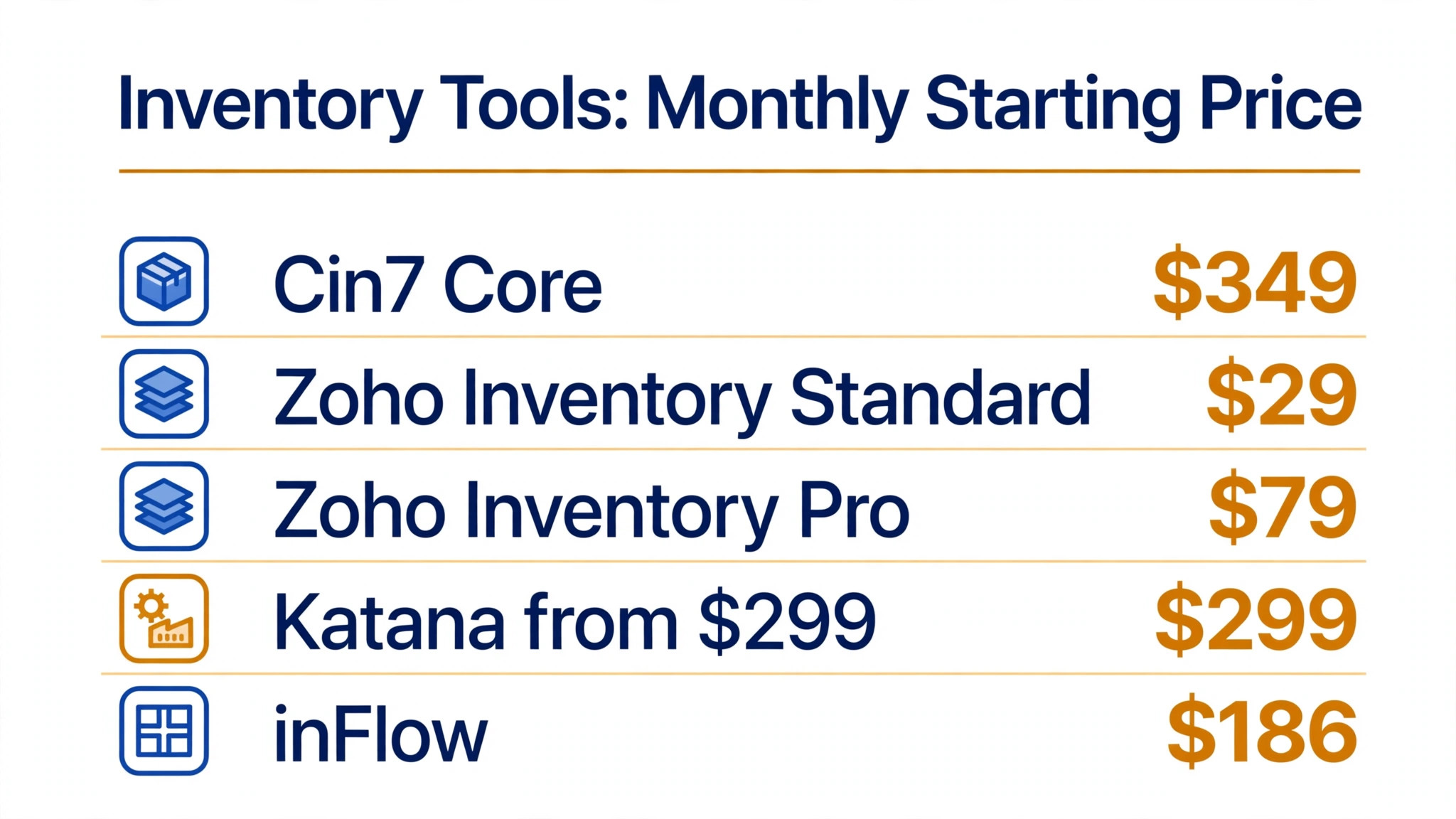
| Tool | Starting price | Best step | Best fit |
|---|---|---|---|
| Cin7 Core | 349 dollars a month | Forecasting and multi-channel | Multi-channel retail and wholesale |
| Zoho Inventory | Free, paid from 29 dollars a month | Starting out | Budget-conscious small business |
| Katana | Free, paid from 299 dollars a month | Making and materials | Small manufacturers and D2C brands |
| inFlow Inventory | 186 dollars a month | Reorder management | B2B wholesale and field sales |
| Inventory Planner by Sage | 299 dollars a month | SKU forecasting | Ecommerce multi-SKU replenishment |
| Sortly | Free, paid from 24 dollars a month | Floor tracking | Teams tracking tools and supplies |
| Fishbowl | From 229 dollars a month | QuickBooks manufacturing | QuickBooks and Xero manufacturers |
| Netstock | Custom, from about 900 dollars a month | ERP forecasting | Enterprises adding forecasting to an ERP |
The table shows the real choice. A business starting out should begin on Zoho free tier, which handles 50 orders a month, and move to the 29 dollar plan when volume grows. A multi-channel retailer should compare Cin7 at 349 dollars a month, with ForesightAI and 700 plus integrations, against Inventory Planner at 299 dollars for pure forecasting. A maker should compare Katana, with live material and production visibility, against Fishbowl for QuickBooks depth. Learning how to use ai for inventory management starts with the step you are on, not with the most expensive tool.
Reorder Point Template
Copy this template for your top 20 SKUs and fill one row per product. It is the single most useful sheet in this guide, and it takes an afternoon to build.
| SKU | Daily sales | Lead time (days) | Safety stock | Reorder point | Order quantity |
|---|---|---|---|---|---|
| Example widget A | 10 | 7 | 20 | 90 | 100 |
| Example widget B | 4 | 14 | 15 | 71 | 60 |
| Example widget C | 25 | 3 | 30 | 105 | 150 |
Work the example through. Widget A sells 10 a day, the supplier takes 7 days, and safety stock is 20 units, so the reorder point is 10 times 7 plus 20, which is 90 units. When stock hits 90, order 100 units. Widget B sells slower but the supplier is slower too, so the lead time dominates the maths. Widget C sells fast from a quick supplier, so safety stock matters more than lead time. Fill your own numbers in, and the template does the thinking for you.
The Real Monthly Cost, Worked Honestly
The honest cost has three parts. The subscription is the first, from zero on Zoho free tier to 349 dollars a month for Cin7 Standard. The implementation time is the second, and it is mostly data cleaning, which costs a week of staff time whatever tool you choose. The stock you no longer hold is the third, and it is a saving, not a cost, because dead stock turned into cash pays for the subscription many times over.
Work an example with real numbers. A business with 500 SKUs and 20,000 dollars in dead stock that clears half of it in the first quarter frees 10,000 dollars, which pays for three years of Cin7 or twenty-eight years of Zoho Standard. A business that stops two stockouts a month on a 50 dollar product saves 1,200 dollars a year in lost sales alone. Work the maths with your own dead stock and stockout numbers, because those two figures decide the budget.
The rule that holds is to start cheap and upgrade on volume, not on hope. Begin on Zoho free or 29 dollar plan, prove the forecast works, and move to Cin7 or Inventory Planner when order volume or channel count demands it. The best way to learn how to use ai for inventory management is to start small, measure the result, and scale the tool with the business.
Which Data to Feed the Forecast
A forecast is only as good as the data it eats, and most small businesses feed it too little. Sales history is the first input, and two years is the right depth where you have it, because one year cannot show seasonality properly and three months cannot show a trend. Cin7 ForesightAI uses up to two years of sales history per SKU, which is the standard to judge other tools against. If your history is shorter, say so in the trial and ask the vendor how the forecast behaves with six months of data.
Seasonality is the second input. A product that sells at Christmas, a product that sells in summer, and a product that sells steadily all year need different forecasts, and a tool that averages them together will overstock the summer line in winter and understock it in June. Check that the tool models seasonality per SKU rather than per category, because category averages hide the pattern that matters.
Promotions and price changes are the third input, and they are the one most businesses forget. A 20 percent off sale doubles demand for a week and then halves it the week after, and a forecast that treats the sale week as normal demand will order too much for months. Mark every promotion in the system, with the dates and the discount, so the forecast learns to separate promotion demand from baseline demand. Supplier lead times are the fourth input, because a forecast without lead time cannot say when to order. Learning how to use ai for inventory management means learning what to feed the model, and the four inputs above are the whole diet.
AI Inventory for Ecommerce, Retail and Manufacturing
The same six steps work for ecommerce, retail and manufacturing, but the emphasis changes, and buying the wrong tool for your type wastes the subscription. An ecommerce business lives or dies on multi-channel sync, because one stock pool feeds Shopify, Amazon, eBay and Etsy at once, and overselling on any channel costs a penalty and a bad review. Inventory Planner by Sage at 299 dollars a month is built for exactly this job, with SKU-level forecasting across channels, while Cin7 at 349 dollars adds EDI and wholesale handling for brands that also sell to retailers.
A retail shop with one or two physical stores needs floor-level tracking more than channel sync. Staff count stock on the shop floor, scan barcodes with a phone, and need low-stock alerts that reach them before the shelf empties. Sortly, mobile-first from 24 dollars a month with QR and barcode scanning, fits that job better than a heavy forecasting platform, and Square inventory at 49 dollars a month per location suits retailers already on Square POS.
A manufacturer needs materials as well as finished goods, because a stockout on a raw material stops production for every product that uses it. Katana gives live visibility across raw materials, work in progress and finished goods, with bill of materials management and shortage alerts, from 299 dollars a month. Fishbowl, from 229 dollars a month for two users, adds the same depth for QuickBooks and Xero teams, with work orders and multi-level bills of materials. A manufacturer that buys an ecommerce forecasting tool will find it cannot see materials at all, and a retailer that buys Katana will pay for production features it never uses. Match the tool to the type, and the six steps will work.
A 30-Day Implementation Plan
A month is enough to go from spreadsheets to a working AI inventory system, if the work is sequenced properly. Week one is data cleaning only. Count the stock, merge duplicate SKUs, fix barcodes, close dead lines, and write the rules for sales, returns and channel feeds. Do not look at software demos in week one, because a demo will distract from the cleaning that makes everything else work.
Week two is reorder points and a tool trial. Set reorder points for the top 20 SKUs using the template in this guide, then start a free trial on Zoho Inventory or a 14-day trial on Cin7, and load the clean data. Test the forecast against three months of real history, and check whether the tool predicts what actually sold. If it does not, try a second tool before committing, because the trial is free and the subscription is not.
Week three is automation and connection. Connect every sales channel to one stock pool, set the low-stock and dead-stock alerts, and automate purchase orders with a human approval step. Test an oversell scenario on purpose, selling the last unit on two channels at once, and check that the system stops the second sale. Week four is the first weekly review. Check forecast accuracy, stockout count and dead stock value, fix the worst SKU, and share the numbers with the team. A business that follows this plan will know by day 30 whether AI inventory works for it, and the answer will be based on its own numbers, not a vendor promise.
Mistakes Small Businesses Make With AI Inventory
The first mistake is automating dirty data. A forecast built on duplicate SKUs, wrong costs and missing marketplace sales produces confident wrong answers, and the team learns to ignore the system. Clean the data first, then automate, and the forecast will be trusted.
The second mistake is trusting a tool that only does threshold alerts and calls it AI. A low-stock alert is useful, but it is not a forecast. Ask the vendor which forecasting method the plan includes, test it against your own history, and do not pay forecasting prices for alert features.
The third mistake is setting the system up and never reviewing it. A forecast that nobody checks drifts, a reorder point set in January is wrong by June, and dead stock creeps back. The weekly thirty-minute review is the whole system. Without it, the software is just another subscription.
Rollout Checklist
Use this checklist when you bring AI into your inventory, and keep a copy where the whole team can see it.
1. Count all stock and merge duplicate SKUs before buying any tool. 2. Write the rules for sales, returns and channel feeds, and share them. 3. Set reorder points for your top 20 SKUs by revenue first. 4. Test the forecast against three months of real history before trusting it. 5. Automate purchase orders with a human approval step for the first month. 6. Connect every sales channel to one stock pool and test an oversell scenario. 7. Review forecast accuracy, stockouts and dead stock every Monday. 8. Clear dead stock quarterly and reinvest the cash in fast sellers.

Related Guides
Keep exploring with these guides on Stratilyze:
- Top 10 Inventory Management Software for Wholesalers (10 Tools)
- Best Inventory Management Software for Hardware Stores (12 Tools)
- Best Gym Management Software for Small Gyms (15 Tools)
Frequently Asked Questions
How do I start using AI for inventory management?
Start by cleaning your stock data, then set reorder points for your top 20 SKUs, then trial a forecasting tool on three months of real history. Zoho Inventory free tier handles 50 orders a month and is a good starting point, while Cin7 offers a 14-day trial for multi-channel businesses. Move to Cin7 or Inventory Planner when volume or channel count demands it, and keep the weekly review going, because a forecast nobody checks drifts within a month.
What is the best AI inventory tool for a small business?
Zoho Inventory is the best starting point, with a free tier and paid plans from 29 dollars a month, plus demand forecasting through its Zia assistant. Cin7 Core at 349 dollars a month is the best pick for multi-channel retail, with ForesightAI running up to 100 algorithms per SKU. Katana is the best pick for makers, from 299 dollars a month, with live visibility across materials, production and finished goods.
How accurate is AI demand forecasting?
Accuracy depends on clean data and enough history. Cin7 ForesightAI uses up to two years of sales history per SKU and averages up to 100 algorithms, which beats a spreadsheet on most catalogues. Test any tool against your own history first, hiding the last three months and comparing the forecast with what actually sold. A tool that predicts your past well is the best bet for your future, and a tool that cannot explain its forecast should not get your money.
Can AI inventory tools prevent stockouts?
They reduce stockouts sharply when the data is clean and the reorder points are set per SKU. Real-time tracking across channels stops overselling, and forecasting orders stock before the shelf empties. No tool prevents every stockout, because supplier delays happen, but safety stock and weekly reviews catch most of them. The businesses that see the biggest drop are the ones that review the numbers every Monday, because a forecast that nobody checks cannot warn anyone in time.
How much does AI inventory software cost?
Zoho Inventory starts free and paid plans run 29 to 249 dollars a month. Sortly starts free with paid plans from 24 dollars a month. Cin7 starts at 349 dollars a month, Inventory Planner at 299 dollars, Katana at 299 dollars and inFlow at 186 dollars. Check the vendor pricing page before committing, because plan limits change.
Do I need to replace my accounting software?
No. Most inventory tools integrate with QuickBooks, Xero or Shopify rather than replacing them, and the integration is usually the first thing to test in a trial, because a tool that cannot read your sales data cannot forecast anything. Fishbowl is built for QuickBooks and Xero teams, Cin7 covers more than 700 integrations, and Zoho Inventory connects to the wider Zoho suite. Choose the tool that plugs into the systems you already run.
A Final Word Before You Start
There is no shortcut past clean data, and no tool that fixes a messy catalogue on its own. Count the stock, merge the duplicates, set reorder points for your top 20 SKUs, and test a forecast against your own history before you pay for anything. Start on Zoho free tier if you are small, move to Cin7 when your channels multiply, and review the numbers every Monday without fail, because the review is what turns a forecast into a habit.
The businesses that win with AI inventory are not the ones that buy the dearest tool. They are the ones that clean the data, trust the forecast, and keep reviewing it. Learn how to use ai for inventory management one step at a time, and the stockouts, the dead stock and the emergency orders will shrink together.