Two tutors teach the same ten students, and their Sundays show what AI tools for online tutors small business owners are really for. One spends Sunday evening writing lesson plans from scratch, marking homework by hand, and typing progress notes for parents one by one. The other spends Sunday evening reviewing AI drafted plans, checking AI suggested marks against a rubric, and sending progress notes built from session records. Both tutors teach well on Monday, but the second tutor reaches Monday rested, with notes already written, and with an extra hour to prepare the student who is struggling most.
That difference is the whole case for AI tools for online tutors small business owners, and it has nothing to do with replacing the tutor. The tutor still teaches, still judges, and still decides. AI removes the paperwork around teaching so the teaching itself gets more attention.
Choosing AI tools for online tutors small business owners can trust
A tutoring business has three kinds of work, and each kind needs a different tool. Planning work means turning a learning goal into a session plan, practice questions, and materials at the right level. Feedback work means marking student work, explaining errors, and tracking progress over weeks. Business work means scheduling, billing, parent communication, and keeping records. A tool that plans brilliantly but cannot track progress will still leave the tutor writing progress notes by hand, and a tool that marks quickly but cannot explain errors will leave students confused about why they lost marks.
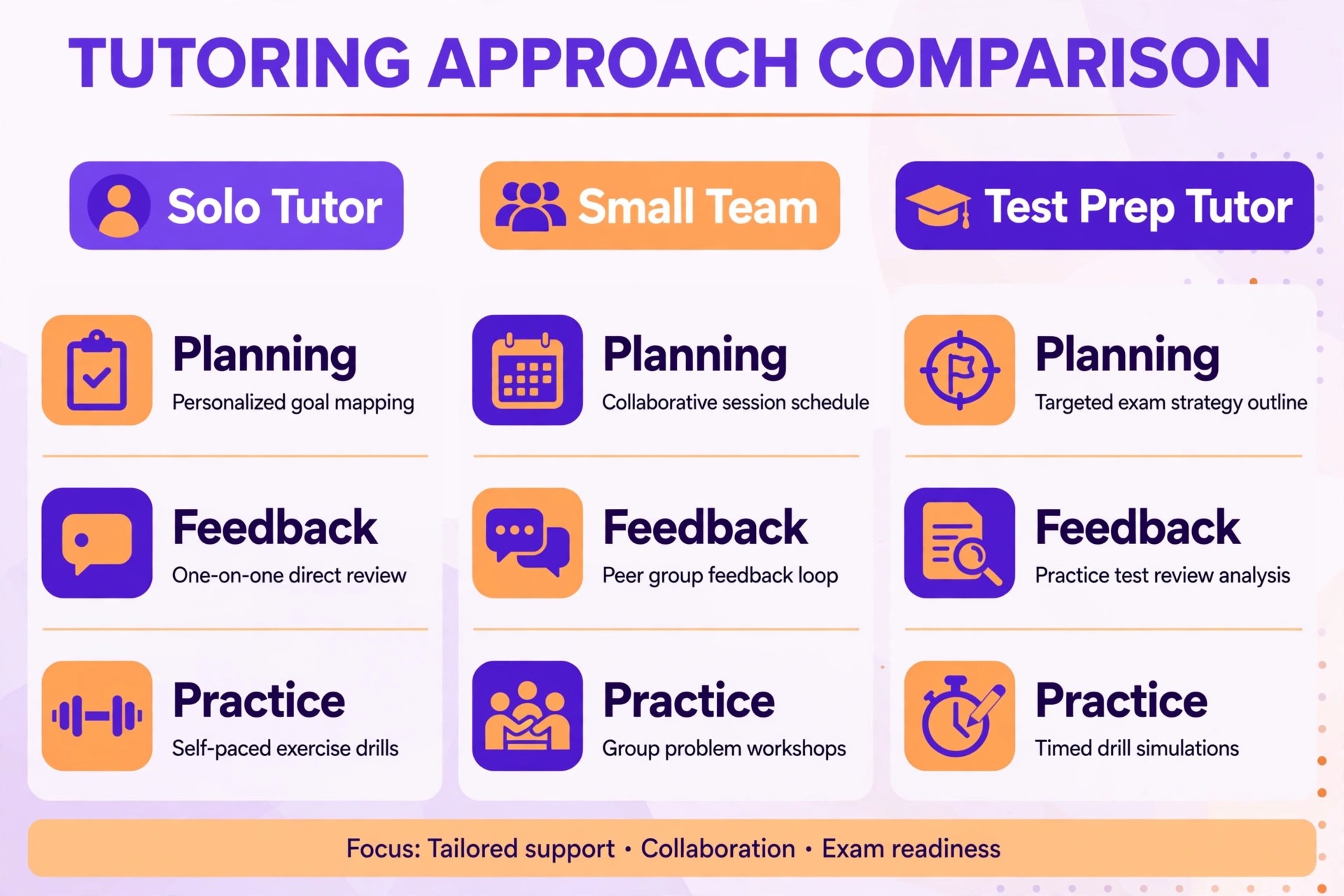
AI tools for online tutors small business owners buy should therefore be judged as a small stack covering planning, feedback, and business, not as a single magic app.
Safety comes before features, and AI tools for online tutors small business owners approve should pass a data check before any feature comparison begins. Never paste identifying student data, such as names, grades, or learning support details, into any AI tool unless the school or the tutoring business has approved that tool and its data agreement. Review every AI output before it reaches a student or a parent, because AI can invent facts, misread a handwritten answer, or set work at the wrong level.
The best pick table below matches tools to tutor types, and the tool sections explain what each tool actually does, so a solo tutor does not buy a team platform and a test prep tutor does not buy a general classroom suite.
| Tutor type | Start with | Add next | Skip for now |
|---|---|---|---|
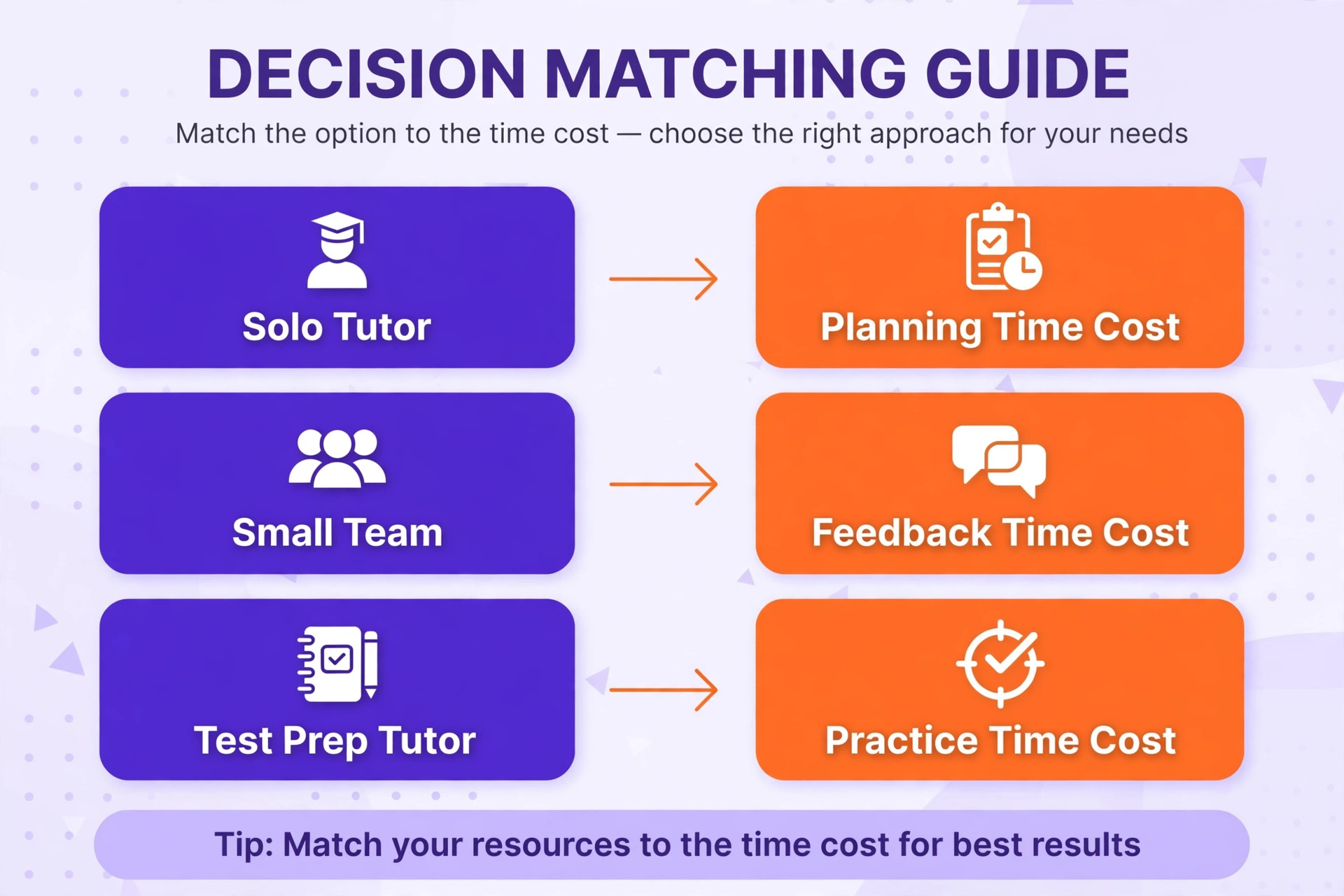
| Solo tutor | MagicSchool AI for planning | Brisk Teaching for feedback | Full learning platforms until student numbers grow |
| Small tutoring team | Khanmigo plus shared planning tools | Gradescope for consistent marking | Tools that cannot share rubrics across tutors |
| Test prep tutor | Quizizz and Khanmigo for practice | Diffit for leveled reading | Creative video tools before practice systems are settled |
For the wider tutoring business picture, read AI Tools for Tutors, check session equipment in Best Webcam for Online Tutoring, and review running costs in Cost of Running a Tutoring Business.
1. Khanmigo
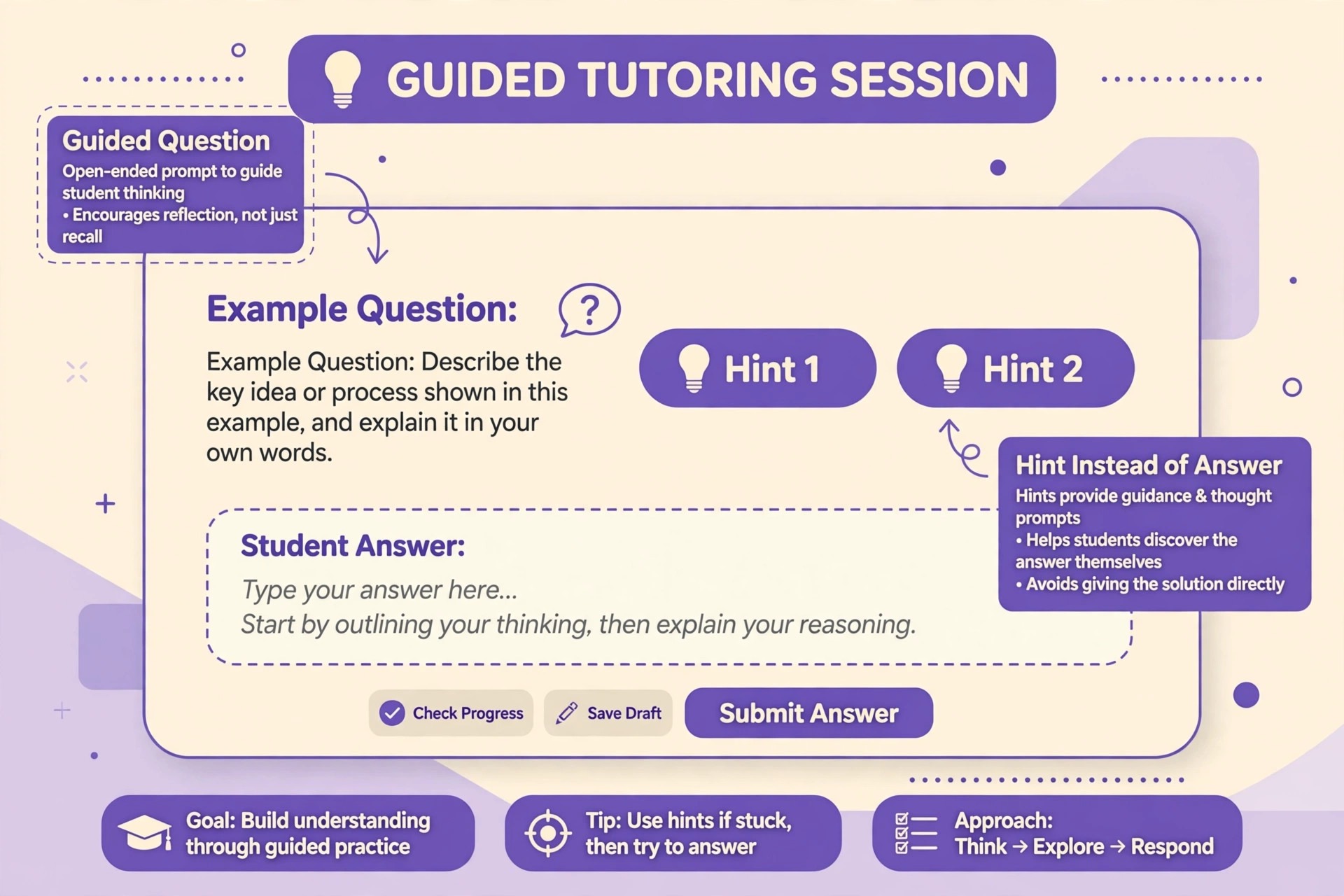
Khanmigo is Khan Academy AI tutor and teacher assistant, built by a nonprofit, and it works in two directions at once. For students, it acts as a guided tutor that asks questions and gives hints rather than handing over direct answers, across maths, science, coding, history, and humanities. For teachers and tutors, it generates standards aligned lesson plans, rubrics, exit tickets, quiz questions, and summaries of recent student work. Because it sits inside Khan Academy, its guidance connects to trusted lessons, exercises, and videos, which keeps its suggestions grounded in real curriculum rather than floating general knowledge.
Khanmigo teacher tools are free for eligible educators, while learner and family plans are paid, so check the vendor pricing page for current details and eligibility. The limitation for a private tutoring business is access. Individual tutors cannot always grant students tutor access, which may come through a school or district partnership, so check access rules before promising Khanmigo tutoring to paying families. Where access works, Khanmigo is the strongest guided tutoring choice, because its Socratic approach protects learning in a way that answer giving chatbots do not.
2. MagicSchool AI
MagicSchool AI is the broadest teacher toolkit in this list, with more than eighty tools covering lesson plans, unit plans, rubrics, worksheets, quiz questions, report card comments, parent emails, and behaviour plans, all from short prompts, plus a chatbot assistant and student tools behind the same login. For a solo tutor, that breadth matters, because one login replaces a folder of separate planning apps, and a session plan, a practice set, and a parent email can all be drafted in one sitting. The free tier covers a great deal of planning work, which makes it a low risk first purchase for a tutor testing AI planning.
MagicSchool offers a free tier and a paid Plus plan, so check the vendor pricing page for current figures. The caution is review. Eighty tools produce output fast, and fast output tempts a tutor to skip checking, which is exactly when errors slip into a lesson. Treat MagicSchool as a drafting assistant, verify facts, check reading levels against the actual student, and rewrite any plan that does not fit the student in front of you. Used that way, it is the best all in one planning purchase for a small tutoring business.
3. Brisk Teaching
Brisk Teaching works inside Google Docs and the web, helping tutors give faster and better feedback on student writing and work. Its tools inspect student writing, suggest targeted comments, adjust reading levels, and create quizzes and materials from web content or documents. For a tutor who marks essays or written homework, the value is in feedback speed and consistency, because inline comments can be drafted, checked, and personalised in far less time than writing every comment from scratch, and students receive feedback while the work is still fresh in their minds.
Brisk offers a free tier with paid options, so check the vendor pricing page. Its strength depends on the workflow, since it shines brightest inside Google Docs, and tutors who work in other formats will get less from it. The rule remains review before sending, because a suggested comment that misreads a student argument will confuse more than it helps. Pair Brisk with a planning tool such as MagicSchool, and the pair covers the two most time consuming tutor jobs, planning the session and feeding back on the work it produced.
4. Diffit
Diffit levels reading passages and creates differentiated materials, turning one text into several versions at different reading levels, with questions and vocabulary support to match. For a tutor working with mixed ability students, or with a student who needs simpler texts on the same topic as their class, Diffit solves a daily problem in minutes. A tutor can take a science article, a history source, or a news text, level it for the student, and generate questions that check understanding rather than reading stamina, so the session tests knowledge instead of decoding speed.
Diffit is sold as an individual subscription, historically around 15 dollars a month, so check the vendor pricing page for current figures. Its limit is scope. Diffit differentiates reading material, it does not plan a full curriculum or mark work, so it pairs with planning and feedback tools rather than replacing them. Buy it when differentiation is a daily job, such as tutoring students across a wide ability range or supporting learners with reading difficulties, and check every levelled text for accuracy, because simplifying a text can accidentally change its meaning.
5. Gradescope
Gradescope is a grading platform built for rubric based marking at scale, used widely in schools and universities, and useful for a tutoring team that needs consistent marks across several tutors. Tutors build a rubric once, mark against it question by question, and reuse feedback comments, which makes marking faster and fairer, especially for maths, science, and structured homework where several tutors mark the same type of work. Analytics show which questions students struggle with most, which helps the team plan the next sessions around real gaps rather than guesses.
Gradescope pricing is institutional or per student depending on the plan, so check the vendor pricing page before committing a small business budget to it. For a solo tutor with a handful of students, Gradescope may be more system than needed, and a simpler rubric in a document may serve just as well. Buy it when a team marks at volume, when parents expect consistent standards across tutors, or when test prep marking needs detailed question analytics. Set rubrics carefully, because a rubric that is too coarse hides real differences, and one that is too fine slows marking to a crawl.
6. Eduaide.AI
Eduaide.AI is a lesson planning and resource generator that creates lesson plans, worksheets, and teaching materials from short prompts, with a free tier that lets tutors test it before paying. Its appeal for a small tutoring business is speed on routine materials, such as a worksheet for a single topic, a set of practice questions, or a structured lesson outline that the tutor then adapts. A tutor who needs a solid draft in ten minutes rather than a perfect resource in an hour will find Eduaide useful, especially for common school topics where the content is well established.
Eduaide offers a free tier with paid plans, so check the vendor pricing page. Like every planning generator, it needs tutor review, because generated questions can contain errors, and a worksheet with one wrong answer key teaches the wrong lesson confidently. Check answers against a trusted source, adjust difficulty to the student, and add at least one question of your own, because a fully generated set without tutor input rarely fits a specific student well. Pair Eduaide with a feedback tool, and routine session preparation becomes a review job rather than a writing job.
7. Curipod
Curipod is an interactive lesson tool that turns a topic prompt into a slide based lesson with polls, questions, and student responses, designed for live engagement rather than static worksheets. For an online tutor, that interactivity matters, because a student staring at a shared document for an hour disengages, while a student answering polls, typing short responses, and seeing results stays involved. Curipod suits group tutoring and revision sessions best, where several students can respond together and the tutor can see understanding forming in real time.
Curipod offers a free tier with paid district and school options, so check the vendor pricing page for tutor access. Its limit is depth. Interactive slides engage students, but they do not replace careful explanation, worked examples, or one to one correction, so use Curipod for engagement segments inside a session, not as the whole session. Prepare the lesson, test the interactive elements before the call, and keep a backup plan for technology failures, because a live tool that fails mid session costs more engagement than it ever created.
8. Quizizz
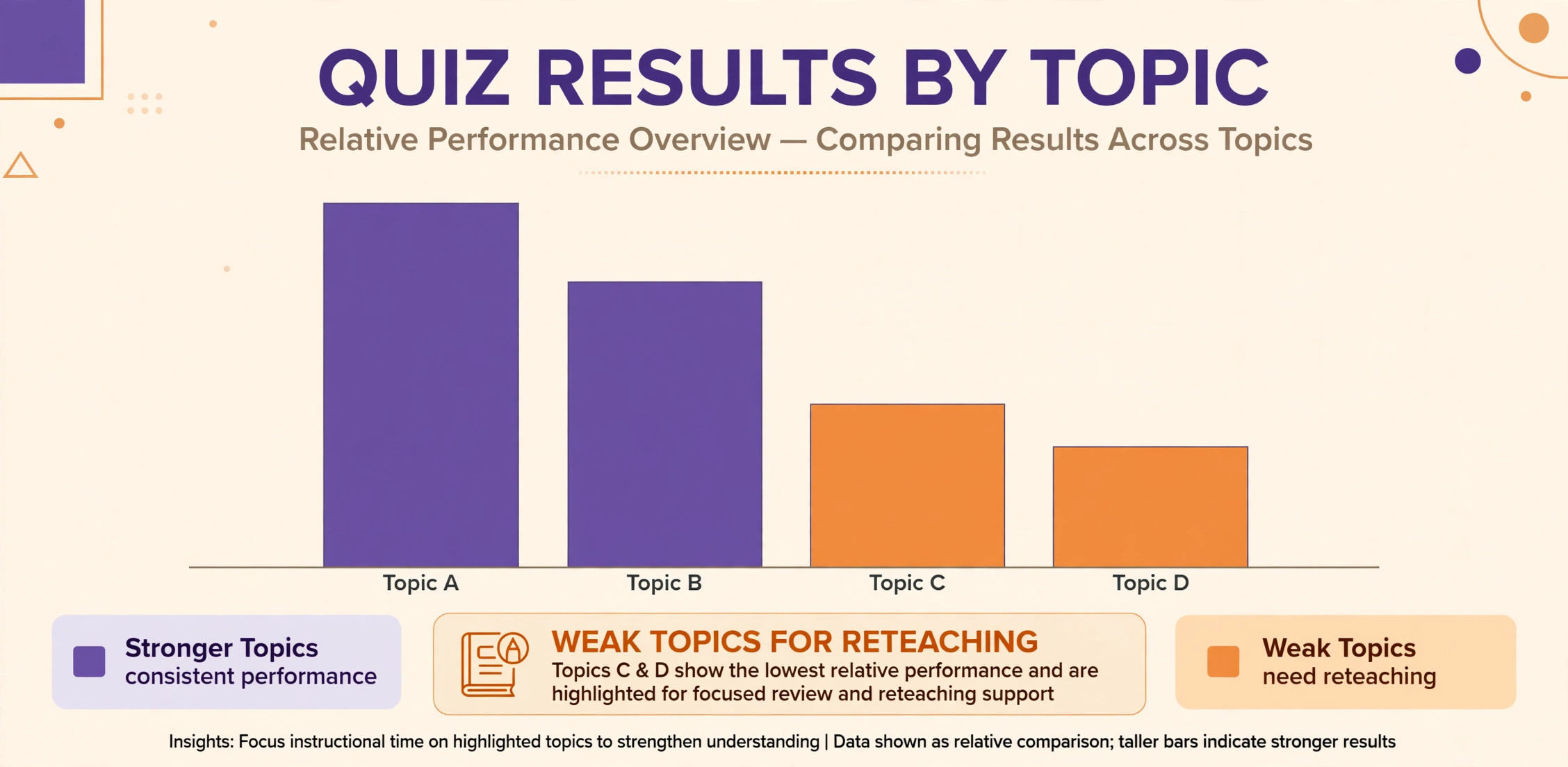
Quizizz is a quiz and practice platform with AI assisted question generation, gamified quizzes, and reports that show which questions each student answered correctly. For test prep tutors, that combination is powerful, because practice needs to be frequent, varied, and tracked, and Quizizz makes all three easy. A tutor can generate a quiz from a topic, assign it as homework or run it live, and review the report to find the exact topics that need reteaching, rather than guessing from a single test score. Gamification, including points and leaderboards, helps younger students stay motivated through repetitive practice.
Quizizz offers a free tier with paid school and individual plans, so check the vendor pricing page. Its caution is question quality. AI generated questions need checking, because a question with a wrong answer key or an ambiguous wording teaches confusion, and a practice system that rewards speed over understanding can hide shallow learning. Review every quiz before assigning it, mix quiz practice with worked examples, and use the reports to plan teaching, not just to record scores. For test prep, Quizizz is one of the strongest practice purchases available.
9. Kahoot
Kahoot is a game based learning platform where tutors create quizzes, polls, and challenges that students answer live or at their own pace, with points, music, and leaderboards that make revision feel like a game. For group tutoring and revision sessions, Kahoot energy is hard to match, because students who would groan at another worksheet will compete happily through a Kahoot round on the same material. AI assisted question creation speeds up quiz building, and the reports show which questions the group found hardest, which guides the reteaching that follows the game.
Kahoot offers free and paid plans, so check the vendor pricing page. Its limit is depth, because a fast paced game rewards quick recall more than deep reasoning, and a session built only on Kahoot will leave complex topics untouched. Use Kahoot for revision, warm ups, and confidence building, then follow it with worked problems and discussion for the topics the game exposed as weak. A tutor who balances game energy with careful teaching gets the motivation without sacrificing the learning.
10. Edpuzzle
Edpuzzle turns videos into interactive lessons by letting tutors add questions, notes, and voice comments at chosen points in a video, then track which students watched and how they answered. For an online tutor, that tracking solves the oldest homework problem, which is not knowing whether a student watched the assigned video or simply left it playing. A tutor can assign a ten minute explanation video with questions embedded, see exactly where each student struggled, and start the next session at the weak point rather than rewatching the whole video together.
Edpuzzle offers a free tier with paid plans, so check the vendor pricing page. Its strength depends on video choice, because a poor video with good questions still teaches poorly, so choose videos from trusted sources and add your own explanations where the video skips steps. Keep assigned videos short, because a forty minute video with questions becomes a chore, while a ten minute video with five well placed questions becomes a useful diagnostic. Pair Edpuzzle with live teaching, and flipped learning becomes practical for a small tutoring business.
11. Nearpod
Nearpod is an interactive lesson platform that combines slides, videos, polls, quizzes, and virtual reality experiences into a single live or self paced lesson, with reports on student responses throughout. For a small tutoring team, Nearpod gives sessions a consistent structure, because every tutor can deliver the same interactive lesson with the same checks for understanding, and the team can compare results across tutors. It suits group sessions, revision courses, and holiday programmes, where engagement and structure both matter and where a single tutor cannot watch every student closely at once.
Nearpod offers free and paid plans, so check the vendor pricing page. Its limit is preparation time, because a rich interactive lesson takes longer to build than a simple worksheet, so reserve Nearpod for lessons that will be reused across several students or sessions. Build a small library of strong Nearpod lessons for the most taught topics, reuse them, and refine them from the response reports, rather than building a new interactive lesson for every single session. That reuse is where the investment pays back.
12. Otter.ai
Otter.ai transcribes speech in real time and produces searchable notes, summaries, and action items from meetings and lessons. For an online tutor, transcription creates two useful records, a session summary for the student and a progress note for the parent, without the tutor typing notes after every call. A tutor can review the transcript, pull out the topics covered, the homework set, and the areas that need work, and send a clear summary within minutes of the session ending. Searchable transcripts also help a team, because a covering tutor can read what the previous tutor covered before the next session.
Otter offers free and paid plans, so check the vendor pricing page. The privacy rule matters most here. Recording a lesson, especially with children, needs consent from parents and, where applicable, from the student, and transcripts containing student details must be stored securely and never pasted into unapproved tools. Tell families honestly that sessions are transcribed, what the transcript is used for, and how long it is kept. With consent and care, Otter is the best note taking purchase for a busy tutor, because it turns spoken teaching into written records automatically.
13. ChatGPT
ChatGPT is a general AI chatbot that tutors use for drafting explanations, generating practice questions, rephrasing difficult concepts, and preparing session materials quickly. Its strength is flexibility, because it can explain the same idea at several levels, produce examples on demand, and help a tutor prepare for an unusual topic at short notice. Its weakness is also flexibility, because it can invent facts, produce confident but wrong answers, and set work at the wrong level if the prompt is vague. A tutor who uses ChatGPT as a drafting assistant and checks every output against a trusted source gains speed without sacrificing accuracy.
ChatGPT offers free and paid plans, so check the vendor pricing page. For tutoring businesses, the key rules are student data safety and answer checking. Never paste identifying student data into ChatGPT unless the business has approved it, never send an AI explanation to a student without reading it, and never let a student use a chatbot as a substitute for working through a problem, because an answer without reasoning teaches nothing. Used as a tutor preparation tool, with the tutor as the expert in the loop, ChatGPT is a useful general purchase. Used as an unsupervised student tutor, it undermines the learning it claims to support.
14. Grammarly
Grammarly is a writing assistant that checks grammar, spelling, clarity, and tone in student writing and in tutor materials, working inside documents, browsers, and email. For tutors who teach essay writing, English, or exam technique, Grammarly speeds up the first pass of feedback, catching surface errors so the tutor can focus comments on argument, structure, and evidence rather than on commas. For the tutoring business itself, it also polishes parent emails, session notes, and marketing materials, which matters for a small business where every written message shapes reputation.
Grammarly offers free and paid plans, so check the vendor pricing page. Its limit is judgment. Grammarly suggestions can be wrong for creative writing, for subject specific language, or for a student voice that should be preserved rather than standardised, so a tutor should accept suggestions selectively and explain rejections to the student. Teach students to use Grammarly as a proofreading aid, not as an author, and keep tutor feedback focused on thinking and structure, because a grammatically perfect essay with a weak argument still earns a weak mark.
The session planning checklist
A tool stack only helps if the session itself is planned, so run every tutoring session through the same checklist. Before the session, confirm the learning goal in one sentence, check what the student covered last time, and prepare materials at the right level, including one stretch question for a student who finishes early. During the session, start with a quick recall check, teach one idea at a time with a worked example, and let the student practise while you watch, because a student who only watches a tutor solve problems learns to watch, not to solve. End with a short check for understanding and a clear homework task with a due date.
After the session, record what was covered, what the student found hard, and what comes next, and send a short progress note to the parent where the business promises one. Review AI generated materials before the session, not during it, because correcting a wrong question live wastes teaching time and undermines confidence. AI tools for online tutors small business owners use well shorten the before and after parts of this checklist, planning and recording, so the during part, the actual teaching, gets the tutor full attention. A checklist that is followed every session also makes a small team consistent, because every tutor plans, teaches, and records in the same way.

Mistakes that waste money on tutor AI tools
The most expensive mistake is buying a platform before defining the tutoring model. A business that tutors one to one needs different tools from a business that runs group revision courses, and a platform built for classrooms will frustrate a solo tutor with features nobody uses. Define the model first, solo, team, or test prep, then buy the tools that fit it. The second mistake is letting students use answer giving chatbots unsupervised, because students who copy answers without reasoning fall behind on the next test, and parents blame the tutor when the gap appears. Set clear rules for student AI use, favour guided tools such as Khanmigo, and check student work for reasoning, not just for correct answers.
The third mistake is skipping the review step, and AI tools for online tutors small business owners trust still need that review, because every generator makes errors. AI plans, quizzes, and feedback all contain errors, and a tutor who sends them unchecked will eventually send a wrong answer key or a misleading explanation to a paying family. Build review into the workflow, checking facts, levels, and answer keys before materials reach students.
The fourth mistake is buying too many overlapping tools, because five planning apps produce five different plans and no time saved. Pick one planning tool, one feedback tool, and one practice tool, and add more only when a clear gap appears. A small stack used well beats a large stack used carelessly, and it costs far less each month.

Frequently Asked Questions

Can AI replace an online tutor?
No, AI can draft plans, generate practice, and speed up feedback, but it cannot judge a student confusion, adapt an explanation in the moment, or build the trust that keeps a struggling student trying. The best tutoring model pairs a human tutor with AI assistance, where the tutor teaches, checks, and decides, and AI handles drafting and routine marking. Families pay for tutor judgment and encouragement, and a business that replaces those with automation will lose the reason families chose tutoring over free online videos.
Which AI tool should a solo tutor buy first?
Start with a planning tool such as MagicSchool AI, because planning is the largest time cost for a solo tutor and the free tier lets you test it without commitment. That first purchase is the safest entry into AI tools for online tutors small business owners, because planning hours are easy to measure. Add a feedback tool such as Brisk Teaching once planning is settled, and add a practice tool such as Quizizz when test preparation becomes a regular service. Buy one tool at a time, measure the hours saved on real sessions, and add the next tool only when the first one has earned its place in the weekly routine.
Is it safe to use AI tools with student data?
Safety depends on the tool, the data, and the consent in place. Never paste identifying student data into any AI tool unless the business or school has approved that tool and reviewed its data agreement, and never record lessons without parent consent. Prefer tools with education focused privacy terms, keep student records in approved systems, and review AI outputs before they reach students or parents. When in doubt, anonymise the material, such as removing names before generating a worksheet, and keep the original student record out of the AI tool entirely.
How do tutors check AI generated questions for errors?
Check every question and answer key against a trusted source before assigning it, solve each question yourself, and watch for ambiguous wording, multiple correct answers, or a wrong key. Run new question sets on a small group first when possible, and review the results for questions that strong students answer wrong, because that pattern often signals a faulty question rather than a weak student. Keep a corrected question bank, so checked questions are reused and unchecked questions never reach students twice.
Should students be allowed to use AI chatbots for homework?
Students should be allowed to use AI as a study aid under clear rules, such as asking for hints, explanations, or practice questions, but not as a source of finished answers to submit as their own work. Tutors should teach students how to prompt for explanations, how to check an AI answer, and how to show their own reasoning, because those skills matter beyond any single homework task. Check homework for reasoning and working, not just for correct final answers, and discuss AI use openly with parents so expectations match.
What is the best AI tool for test prep tutoring?
Test prep needs practice, tracking, and feedback together, so combine a practice platform such as Quizizz with a guided tutor such as Khanmigo and a feedback tool for written work. This combination is the most complete form of AI tools for online tutors small business owners in test prep, because it covers practice, guidance, and marking together. Practice platforms generate varied questions and track weak topics, guided tutoring helps students work through difficult concepts without simply receiving answers, and feedback tools speed up marking of practice essays and structured questions.
The exact mix depends on the exam, so test the combination on one student cohort, review the score improvements and the time saved, and adjust before rolling it out to all students.
The Online Tutor Verdict
Start with planning, add feedback, then add practice, and review every AI output before it reaches a student. That order keeps AI tools for online tutors small business owners affordable, because each tool must earn its place before the next subscription starts. A solo tutor will likely land on MagicSchool AI plus Brisk Teaching, a small team on shared planning plus Gradescope for consistent marking, and a test prep tutor on Quizizz plus Khanmigo for guided practice.
Whichever stack you choose, protect student data, set clear rules for student AI use, and keep the tutor as the expert in the loop. The tutors who gain most from AI are not the ones with the most tools, they are the ones who spend the hours AI saves on the student who needs them most, because that attention is what families actually pay for.