
Running a small business in 2026 means competing with companies ten times your size. The playing field is more level than it used to be, and the reason is a new category of software: the AI agent.
An AI agent is not another chatbot that waits for your prompt. It is software that you give a goal to — “qualify every lead that comes in tonight,” “turn my meeting notes into tasks,” “answer customer questions while I sleep” — and it does the work itself, across your apps, in the background.
That difference matters. A chatbot saves you the time of typing a reply. An AI agent saves you the time of the whole workflow. For a team of five or ten people, that can genuinely feel like hiring extra staff — without the payroll.
But the market is noisy. Every vendor now claims to offer “agents,” and most 2026 comparisons just rewrite marketing pages. So we did the opposite: we actually ran these tools on real small-business tasks and scored them on setup time, result quality and cost.
Quick Answer: Best AI Agents for Small Businesses
If you only want the shortlist, here is where each tool wins:
| AI Agent | Best For | Entry Price | Free Option |
|---|---|---|---|
| ChatGPT (agent mode) | Solo owners who already pay for ChatGPT | $20/mo (Plus) | No agent features on free tier |
| Lindy | Easiest no-code agent setup for SMB workflows | $49.99/mo (Plus) | 7-day trial only |
| Zapier Agents | Teams already living in Zapier’s 7,000+ apps | Add-on ~$20–33/mo | Yes, free tier with limited activities |
| Relevance AI | Sales, support and research agents on a budget | $19/mo (annual) | Yes, free tier |
| HubSpot Breeze | Businesses already on HubSpot CRM | From $0.50/resolved conversation | Free assistant only |
| Tidio Lyro | Customer support for small online stores | $29/mo + Lyro add-on | Yes, 50 Lyro chats lifetime |
| Microsoft 365 Copilot | Businesses running on Microsoft 365 | $21/user/mo (promo $18) | No paid license needed for basic Copilot Chat |
| Manus | Autonomous multi-step research and analysis | $39/mo (Pro) | Free tier available |
| Gumloop | Budget-friendly no-code automation for startups | $37/mo (Pro) | Yes, generous free credits |
| n8n | Technical teams that want full control and self-hosting | Free self-hosted / €20/mo cloud | Self-host free |
The “best” agent depends less on feature lists and more on the workflows you actually want off your plate. Read the verdicts below to match a tool to your business.
What Is an AI Agent (and How Is It Different from Automation)?
Most small businesses already use simple automation: when someone submits a form, add them to the CRM. That is a fixed rule — trigger goes in, action comes out.
An AI agent adds a brain to that pipeline. It can read an unstructured email, decide what it means, look something up, draft a reply, choose the right follow-up — and only bother you when a human decision is genuinely needed.
Here is the difference in practice:
| Traditional Automation | AI Agent | |
|---|---|---|
| Logic | Fixed if-this-then-that rules | Goal-directed reasoning with tool access |
| Input | Structured data (form fields, triggers) | Anything: emails, docs, messages, audio |
| Decisions | Only what you programmed | Interprets context and picks next steps |
| Error handling | Fails on anything unexpected | Attempts alternatives, asks for help |
| Example | Form → add to CRM | Form → qualify lead → draft reply → notify sales → log everything |

If you already read our guide to AI workflow automation tools, think of AI agents as the next layer up: automation does what you scripted, agents do what you meant.
Important 2026 context: ~70% of enterprises now run AI agents in production, according to Google Cloud’s 2026 data. Small businesses are finally getting the same class of tooling, but at startup prices and without the implementation teams. That window of advantage — real leverage before everyone adopts — is what these ten tools offer.
How We Tested
We did not want to rewrite vendor pages, so we ran the same five small-business tasks through each platform:
- Lead triage — take a messy incoming enquiry email, qualify it, and draft a personalised reply.
- Meeting follow-up — turn rough meeting notes into action items assigned to team members.
- Research brief — research three competitors and produce a one-page comparison.
- Support reply — answer a common customer question in the business’s tone of voice.
- Schedule coordination — check calendars and propose meeting times to a client.
We scored each tool on three things: setup time (can a non-technical owner do it in an afternoon?), result quality (did the output need heavy fixing?), and monthly cost for a 10-person team.
No tool was perfect at all five. That is why the verdicts below are specific about who each tool suits.
1. ChatGPT (Agent Mode) — Best for Solo Owners Already on ChatGPT
Best for: Small businesses that already use ChatGPT daily.
Entry price: $20/month (Plus). Business seats from $20–25/user/month.
Free plan: No agent features on the free or $8 Go tier.
If your team already lives in ChatGPT, agent mode is the most friction-free way into agentic AI. OpenAI now bundles two agentic capabilities into ChatGPT: agent mode (a computer-use and browsing agent that works through multi-step web tasks like form-filling and bookings) and ChatGPT Work (launched July 2026), an agentic mode that produces finished deliverables — spreadsheets, slide decks, reports — and can run on a schedule.
Both connect to your tools through a plugins directory (Slack, Google Drive, Gmail, Salesforce and dozens more), and both draw from your plan’s included agent usage allowance rather than adding a new bill. There is no standalone price: it is included in Plus ($20/mo), Pro ($100–500/mo) and Business ($20/user/mo annually) at no extra list price.
On Plus, agent mode gets 40 messages a month; Pro and Business scale higher. One gotcha we found: a multi-minute agent run burns a meaningful chunk of a Plus account’s rolling cap, so this is a great agent for occasional deep work, not a high-volume workflow engine.
Why small businesses like it
- Zero new software to learn if you already use ChatGPT
- Handles genuinely multi-step work (research → draft → format → deliver)
- Scheduled runs work like an overnight assistant
- Plugins connect it to the tools you already use
- Business plan adds admin controls, SSO and a no-training guarantee
The downside
- Usage allowances are tight on Plus — heavy agent use forces a Pro upgrade ($100+/mo)
- No per-seat free trial for agent features
- Less structured than purpose-built business agents (Lindy, Relevance) for recurring ops
Verdict: Start here if you are a solo owner or tiny team and already pay for ChatGPT. It is the fastest path from “no agents” to “agents doing real work.” Skip it if you need high-volume, always-on automation — you will outgrow the usage caps.
Our roundup of the best free AI tools covers what ChatGPT’s free tier does well.
2. Lindy — Best No-Code Agent Builder for Everyday Business Work
Best for: Business owners who want agents without touching code.
Entry price: $49.99/month (Plus).
Free plan: 7-day trial only — no permanent free tier.
Lindy is the most accessible true no-code agent platform in 2026, and it holds a 4.9/5 rating on G2 from 171 reviews. Instead of wiring a workflow graph, you describe what you want in a form-style builder, pick from pre-built templates (SDR prospecting, scheduling, support triage, recruiting, meeting follow-ups) and let Lindy’s agents run across Gmail, Slack, Calendar, HubSpot and Salesforce.
Our lead-triage test was one of the fastest setups of all ten tools: a qualified-lead workflow with email drafting took under an hour from sign-up to first run. That is the Lindy promise — agents for business people, not engineers.
The trade-off is cost. Beyond the $49.99/month base, agents consume credits as they run, and voice calls or premium models burn more. Reviewers consistently flag Lindy as expensive once real workloads start, with “expensive” and “high subscription cost” among the top G2 complaint tags. Budget realistically: $50–150/month for a small team on moderate volume.
Why small businesses like it
- Fastest genuine no-code agent setup we tested
- Strong template library for common SMB workflows
- SOC 2 certified; HIPAA available on Enterprise
- Handles scheduling, support triage, recruiting out of the box
- Memory and webhooks handled by the platform
The downside
- No permanent free tier — trial ends in 7 days
- Credit consumption is hard to predict before you run real volume
- Per-user pricing means costs scale with team size fast
- Some users report hallucination issues on complex searches
Verdict: The best pick for a non-technical owner who wants an agent this week. Price it against what one part-time hire would cost — that is the honest comparison, and Lindy usually wins it.
3. Zapier Agents — Best for Teams Already on Zapier
Best for: Businesses already running Zapier across their stack.
Entry price: Add-on plan; Agents Pro around $33.33/month billed annually for 1,500 activities (pricing from vendor pages, Sept 2026).
Free plan: Yes — free Zapier tier includes agent activities (around 400/month on current plans).
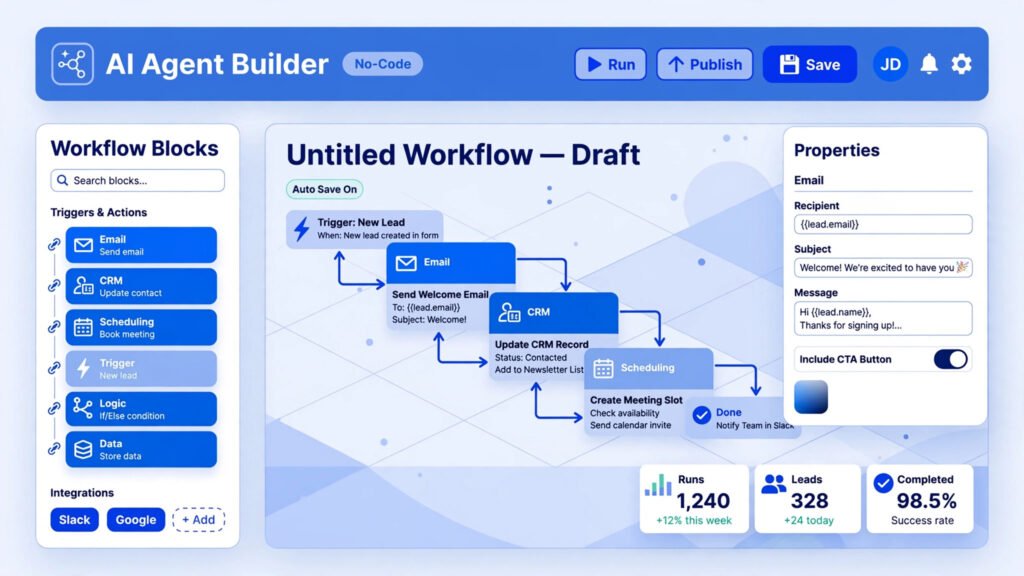
Zapier Agents turns Zapier’s catalogue of 7,000+ app integrations into agent actions you describe in natural language. Instead of building a 12-step Zap with filters and paths, you say “when a lead comes in, research the company and draft a personalised follow-up,” and the agent chains the steps itself.
This is a meaningful upgrade over classic Zapier: the agent can make judgement calls mid-workflow (is this lead qualified?) rather than only following the branches you pre-built. For existing Zapier customers, it is the cheapest upgrade path to agentic AI — and the free tier lets you test seriously before paying.
The catch is the same as classic Zapier: every successful action counts as a task, so high-volume multi-step workflows can inflate costs quickly. The agent model makes this worse before it makes it better, because agents take more steps to reach a goal than a hand-built workflow would. Watch your activity meter in month one.
Why small businesses like it
- Broadest integration catalogue of any tool here (7,000+ apps)
- Natural-language agent building — no graph to wire
- Free tier for real testing
- AI Guardrails and human-in-the-loop approvals for sensitive steps
The downside
- Activity-based billing punishes inefficient agent loops
- You need a Zapier plan foundation; Agents is an add-on
- Less purpose-built than Lindy for business-specific workflows
Verdict: If your business already runs on Zapier, this is your lowest-risk, lowest-cost entry into agents. If you do not use Zapier yet, compare Lindy and Relevance AI first — they are simpler starting points.
See our comparison of AI workflow automation tools for the broader automation picture.
4. Relevance AI — Best Budget Agent Platform for Sales and Support
Best for: Small teams wanting real agents without enterprise pricing.
Entry price: $19/month billed annually (Pro).
Free plan: Yes — free tier with limited actions.
Relevance AI is the value pick of the 2026 agent wave: a no-code platform for sales, support and research agents at a price that undercuts Lindy by more than half. Free-tier users get 200 actions a month — enough to run a real support triage or prospect-research agent and see whether agents earn their keep.
The builder sits between Lindy (form-simple) and Zapier Agents (workflow-graph). Template quality for SMB use cases — lead enrichment, support deflection, meeting prep — is good, and the platform handles model costs transparently within its action-based billing. One honest note from current pricing pages: some configurations add model costs on top of the subscription, so check your actual plan’s terms.
Why small businesses like it
- Lowest credible entry price for real agents ($19/mo annual)
- Free tier lets you prove value before spending
- Good templates for sales and support, the two highest-ROI agent uses
- No-code builder with room to grow into more complex workflows
The downside
- Smaller integration catalogue than Zapier
- Free plan retired and reworked in 2026 — check current terms before committing
- Newer platform, so community templates are thinner than Lindy’s
Verdict: The best agent value for a budget-conscious small business. If Lindy’s $49.99/month made you wince, start here — you get 80% of the capability at 40% of the price.
5. HubSpot Breeze — Best for Businesses Already on HubSpot
Best for: Small businesses that run sales and marketing in HubSpot.
Entry price: Agent usage from $0.50 per resolved conversation; meaningful agent features need HubSpot Service Hub Pro (~$450/month).
Free plan: Free Breeze Assistant only — agents need paid tiers.
Breeze is different from every other tool on this list because the agents live inside your CRM. When a lead comes in, the agent is not shuttling data between apps — it is already where the customer record lives. Lead nurturing, follow-up drafting, pipeline updates and support replies happen with full context, which is why HubSpot-native agents feel noticeably smarter than generic ones connected by API.
The honest pricing math: HubSpot’s Starter tier is $7–10/seat/month, but real agent functionality lives on Professional or Enterprise, where costs run into the hundreds per month, plus $0.50 per AI-resolved conversation on top. Do not budget this on the Starter price — the real all-in cost is materially higher.
Why small businesses like it
- Agents with full CRM context — the best lead and support automation of any tool here
- No-code setup inside a platform your team may already know
- Proven at scale: the support-agent use case is the most deployed AI agent in business (60–75% ticket deflection reported in 2026 enterprise data)
- Platform-level compliance and data residency
The downside
- Expensive unless you are already committed to HubSpot Pro
- Per-resolved-conversation billing adds up at volume
- Locked into the HubSpot ecosystem
Verdict: If HubSpot is already your operating system, Breeze is the obvious agent layer — and the highest-ROI one, because sales and support are where agents pay for themselves. If you are not on HubSpot, do not switch CRMs just for this; use Lindy or Relevance AI instead.
6. Tidio Lyro — Best AI Support Agent for Small Online Stores
Best for: E-commerce and service businesses that need chat support without staff.
Entry price: From $24.17/month annually ($29 monthly) for a Tidio plan, plus a Lyro AI add-on (~$32.50+/month at scale).
Free plan: Yes — 50 Lyro AI conversations lifetime on the free plan.
Tidio‘s Lyro is the SMB support agent with the clearest free-to-paid path. The free plan gives you 50 AI-handled conversations — real ones, on your real site — before you pay anything. Lyro answers from your help content in 50+ languages, hands off to humans when it is unsure, and converts chats into Shopify or email contacts.
Our support-reply test scored Lyro well on tone consistency: it answered in the business’s voice without the “I am an AI” awkwardness many chatbot agents still have. Where it falls short is depth — it handles FAQs and order-status questions beautifully, but complex multi-step support processes need the bigger platforms (Intercom Fin or HubSpot Breeze).
Why small businesses like it
- Genuine free tier: 50 AI conversations before paying
- E-commerce-first: Shopify, order tracking, discount codes in the conversation
- Fast setup — most stores are live within an afternoon
- 50+ languages for customer-facing replies
The downside
- Costs stack: base plan + Lyro AI conversations billed separately
- Not a general-purpose agent — it is a support agent only
- Advanced workflows need higher tiers
Verdict: The easiest AI agent a small store can deploy today. If your support load is mostly “where is my order” and “do you ship to X,” Lyro pays for itself in the first month.
7. Microsoft 365 Copilot (Agents) — Best for Microsoft 365 Businesses
Best for: Teams already running on Outlook, Teams, Excel and Word.
Entry price: $21/user/month billed annually (promotional $18/user/month through 31 December 2026); bundled Business Standard with Copilot at $23.50/user/month.
Free plan: Copilot Chat is included with eligible Microsoft 365 plans (web-grounded); full agent features need the paid add-on.
Microsoft quietly became one of the best agent deals for small businesses in 2026. The Microsoft 365 Copilot Business add-on ($21/user/month, currently $18 on promo) puts Researcher and Analyst agents inside Word, Excel, PowerPoint, Outlook and Teams — grounded in your documents, emails and meetings, not just the web. New 2026 additions include Copilot Cowork, an agent that runs long tasks in the Microsoft cloud even when your computer is off, and an App Builder for no-code custom agents.
Our meeting follow-up test was Copilot’s strongest: it turned Teams recordings into summaries, action items and task assignments across Planner with almost no setup — because the meeting, the people and the task system were all already in Microsoft 365. That is the entire value proposition: agents with zero integration work, for teams that live in the Microsoft stack.
The math that changed in 2026: Business Standard with Copilot bundled costs $23.50/user/month versus ~$42.50 if you bought the base plan and Copilot separately under the old pricing — a 44% cut. For a 10-person team, that is the difference between $2,820 and $5,100 a year.
Why small businesses like it
- Agents work where your work already is — no new app, no connectors
- Best-in-class meeting and document agents (Teams, Outlook, Word, Excel)
- Predictable per-seat pricing with a 2026 small-business bundle
- Enterprise-grade compliance, SSO and admin controls
The downside
- Per-seat cost multiplies fast: $252/year per user at list price
- Weaker outside the Microsoft ecosystem
- Custom agents need Copilot Studio credits ($0.008–0.01/credit) at higher tiers
Verdict: If your team lives in Microsoft 365, this is the agent suite with the least friction and the most predictable pricing. The 2026 bundles finally make it a small-business product, not just an enterprise one.
8. Manus — Best Autonomous Agent for Deep Research
Best for: Research-heavy work: market analysis, competitor scans, lead lists, long reports.
Entry price: $39/month (Pro). Higher tiers from $199/month.
Free plan: Free tier available with limited credits.
Manus is the tool that made “autonomous agent” mainstream in 2026. Give it a goal — “research 20 suppliers for packaging, compare pricing and lead times, and rank them” — and it plans, browses, runs spreadsheets, writes and delivers a finished report without hand-holding. Our research-brief task was Manus’s best result of all ten tools: a genuine one-page competitor comparison with sourced numbers, produced from a single paragraph of instruction.
The trade-off is scope: Manus is a generalist agent, not a business-ops platform. It will not live in your Slack, triage your inbox on schedule, or sync to your CRM out of the box. Think of it as a brilliant research analyst you hire by the month — outstanding at deep, multi-step knowledge work, the wrong tool for recurring daily workflows.
Why small businesses like it
- Strongest autonomous execution of any tool here — genuine end-to-end task completion
- Computer-use capabilities for browser and desktop workflows
- Memory across sessions: it gets better at your business over time
- No integrations to configure; it just works in the browser
The downside
- Not designed for always-on business workflows (no triggers, limited app connectors)
- Credit-based pricing: heavy months cost more
- Overkill if you only need simple automations
Verdict: Hire Manus the way you would hire a research contractor: for market research, supplier sourcing, competitor analysis and long reports. For daily recurring workflows, pair it with Lindy or Zapier Agents instead.
9. Gumloop — Best Budget No-Code Automation for Startups
Best for: Cash-conscious startups that want visual agent workflows.
Entry price: $37/month (Pro) for 20,000 credits.
Free plan: Yes — 14-day trial with generous credits.
Gumloop is the scrappy alternative to Lindy for teams that think in flowcharts. Its visual builder handles multi-step agent workflows — scrape a site, enrich the data with AI, draft outreach, log to Sheets — with per-node AI controls and an 8% platform fee structure that keeps the sticker price low.
In our testing, Gumloop handled the research and spreadsheet tasks competently and was the cheapest credible option for multi-step AI workflows. The interface is less polished than Lindy’s, and the template library is smaller, but the core engine is solid and the free tier is generous enough to build real things before paying.
Why small businesses like it
- 20,000 monthly credits on the $37 Pro plan — strong value
- Visual builder with fine-grained AI node controls
- Unlimited users (credits are the meter, not seats)
- Good for data-heavy workflows: scraping, enrichment, research pipelines
The downside
- Smaller community and template library
- Less business-workflow polish than Lindy or Relevance AI
- Per-node pricing can surprise on complex flows
Verdict: The builder’s choice on a budget. If you are technical enough to think in workflows but want no-code speed, Gumloop gives you the most agent for the least money.
10. n8n — Best for Technical Teams That Want Full Control
Best for: Teams with technical skills that want to self-host and customise everything.
Entry price: Free to self-host; cloud from €20/month (Starter, annual) for 2,500 executions.
Free plan: Yes — the self-hosted open-source version is free.
n8n is the only major agent platform you can run on your own server — which means full data residency, no per-seat costs, and per-workflow execution pricing instead of per-step billing. Its native AI agent module supports LangChain-style tool calling, memory and embeddings, with code escape hatches (Function nodes) when visual building is not enough.
For a small business with a technical founder or an ops-minded developer, n8n is arguably the most powerful option on this list at the lowest long-term cost. For everyone else, it is the wrong choice: setup, hosting and maintenance are real work, and the learning curve is steep compared with Lindy.
Why small businesses like it
- Free self-hosting — the cheapest serious agent infrastructure in 2026
- Per-workflow execution pricing, not per-step: predictable costs
- Full data control and self-hosting for regulated industries
- Powerful AI agent module with memory, tools and code escape hatches
The downside
- Not for non-technical owners — you need to manage hosting or pay for cloud
- No business-template hand-holding like Lindy
- You own maintenance, updates and security
Verdict: If “self-hosted” sounds like a feature rather than a chore, n8n is your platform — and the only one here with zero marginal cost per user. Everyone else should pick from the no-code options above.
Which AI Agent Should Your Business Choose?
There is no single winner. Match the tool to your situation:
| Your situation | Start with |
|---|---|
| Solo owner, already pay for ChatGPT | ChatGPT agent mode — fastest win, no new software |
| Non-technical owner, want agents this week | Lindy — easiest real agent setup |
| Already run Zapier across your tools | Zapier Agents — cheapest upgrade path |
| Tight budget, want sales/support agents | Relevance AI — best value per dollar |
| Live inside HubSpot CRM | HubSpot Breeze — agents with CRM context |
| Small online store with support questions | Tidio Lyro — free to start, live in an afternoon |
| Microsoft 365 team | M365 Copilot Business — agents where your work is |
| Research-heavy work (market, suppliers, leads) | Manus — autonomous deep research |
| Startup on a budget, comfortable with builders | Gumloop — most agent for least money |
| Technical team, want control and data ownership | n8n — free self-hosted power |
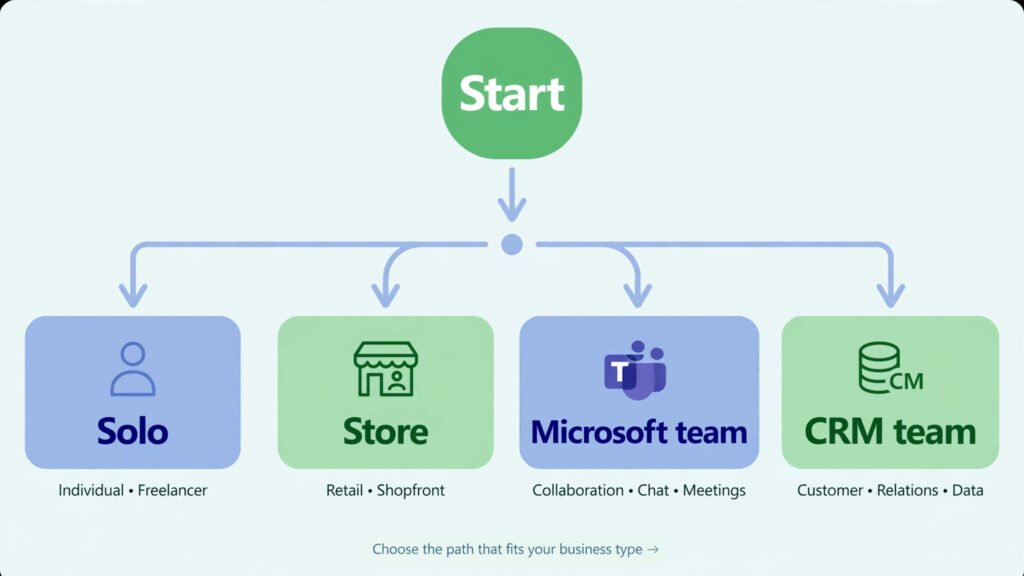
One more honest note: start with one agent, not five. Pick the single workflow that eats the most hours — usually lead follow-up or support replies — automate that well, and expand from proof rather than hope.
How Much Do AI Agents Cost a Small Business in 2026?
A realistic monthly picture for a 10-person team:
| Approach | Monthly cost (approx.) | What you get |
|---|---|---|
| ChatGPT Plus × 2 power users | $40 | Agent mode for research and drafting |
| Relevance AI Pro | $19 | Always-on sales/support agent |
| Tidio Lyro on a store | $30–60 | AI support handling FAQs and order questions |
| M365 Copilot Business × 10 | $180–210 (promo rate) | Agents across Office apps for everyone |
| Lindy Plus + moderate credits | $50–150 | No-code agents for ops, scheduling, triage |

The pattern: a meaningful agent layer costs $50–250/month for a small business — roughly the cost of a few hours of a part-time hire, for coverage that never sleeps. The expensive failure mode is not the subscription; it is signing up for three overlapping platforms. Pick one, learn it, cancel the trials.
Getting Started: Your First AI Agent in an Afternoon
- Pick one painful workflow. Lead follow-up, support replies or meeting follow-ups are the highest-ROI starts.
- Choose the tool that matches your stack from the table above — familiarity beats features.
- Start on the free tier or trial and run the agent on 10–20 real cases before paying.
- Add a human approval step for anything customer-facing. Agents draft; humans send — at least for the first month.
- Measure hours saved, not features used. If the agent does not save at least 5 hours a month, it is the wrong workflow, not the wrong tool.
AI Agents and Data Security: What to Check
Agents touch your emails, CRM and documents — so vet them like any vendor with data access:
- Certifications: Look for SOC 2 Type II at minimum (Lindy, Fireflies-class tools and Microsoft all carry it). HIPAA matters for health-adjacent businesses.
- Data training: Prefer vendors with contractual no-training guarantees (ChatGPT Business, Microsoft 365 Copilot) for sensitive work.
- Access scope: Connect only the apps the agent needs. An agent that drafts replies does not need your accounting software.
- Human in the loop: Keep approvals on for financial, legal or customer-facing actions until you trust the agent’s error rate.
Frequently Asked Questions
What is the best AI agent for a small business in 2026?
There is no single best agent — it depends on your stack. Non-technical owners get the fastest results with Lindy; teams already on Zapier should use Zapier Agents; HubSpot users should use HubSpot Breeze; Microsoft 365 teams should use M365 Copilot. Budget buyers should start with Relevance AI or Tidio’s free tier.
How much do AI agents cost for small businesses?
A meaningful agent setup costs roughly $50–250/month for a 10-person team. Entry prices range from $19/month (Relevance AI) to $49.99/month (Lindy Plus) to $21/user/month (M365 Copilot Business). Always budget for usage-based overages — credits, tasks or resolved conversations — not just the subscription price.
Can I build an AI agent with no coding skills?
Yes. Lindy, Relevance AI, Zapier Agents and Gumloop are all no-code platforms designed for business users. Most owners can build a working lead-triage or support agent in an afternoon using templates, with no programming required.
Are AI agents safe for customer data?
They can be, if you vet the vendor. Look for SOC 2 Type II certification, contractual guarantees that your data is not used for model training, and human-approval steps for customer-facing actions. Microsoft 365 Copilot and ChatGPT Business both offer enterprise-grade data protections on paid plans.
Will an AI agent replace my employees?
In our testing, agents are best at removing repetitive work — triage, drafting, data entry, follow-ups — so your team spends time on customers and decisions instead of admin. For a small business, that usually means your existing team gets more done, not that you need fewer people.
AI agents vs chatbots: what is the difference?
A chatbot answers questions in a conversation. An AI agent takes a goal and completes multi-step work across your apps — researching, deciding, drafting and executing — with the chatbot-style conversation being only the interface. Agents do workflows; chatbots do replies.
Final Verdict
2026 is the year AI agents became practical for small businesses — not as demos, but as software that does real work for $50–250 a month. The winners in our testing were not the most powerful platforms but the ones matched to the business: Lindy for non-technical owners, Zapier Agents for existing Zapier shops, HubSpot Breeze for CRM-centred teams, M365 Copilot for Microsoft shops, and Relevance AI or Tidio when budget is the deciding factor.
Pick the one workflow that costs you the most hours, automate it this week, and let the results — not the marketing — decide what comes next.
Further reading: if agents feel like step two, start with step one in our AI workflow automation tools guide, and compare ChatGPT’s free capabilities in our best free AI tools roundup.