
Verdict first: the best AI lyric generators are excellent for breaking a blank page, testing a hook, and exploring a new angle, and they are poor substitutes for a finished song. If you want a tool that gives you a usable chorus in ten minutes, LyricStudio and Suno lead this list. If you want a tool that helps you write better lyrics over time, MasterWriter and Sudowrite are stronger, because they focus on craft, rhyme and revision rather than instant output. The rest of this guide explains when each tool wins, where each one fails, and how to use AI lyrics without ending up with a song that sounds like everyone else’s AI song.
That distinction matters because lyric writing is not just rhyming words. A good lyric has a point of view, a story that moves, images that feel specific, and a rhythm that fits a melody. AI can generate rhymes and lines quickly, but it often repeats familiar phrases, drifts from the story, and writes a chorus that could belong to any song. The writer’s job has not disappeared, it has shifted: from writing every line from scratch, to directing, editing, cutting and rewriting AI drafts until the lyric sounds like you.
The best AI lyric generators in this guide are therefore judged on control, not just speed. Can you set the theme, tone, rhyme scheme and structure? Can you keep a character, place or story consistent across verses? Can you edit a single line without regenerating the whole song? Can you export lyrics in a form you can use with a melody, a DAW or a collaborator? Tools that give you that control will help you finish songs. Tools that only give you a block of generic text will waste your time, even if the first output looks impressive.

Why the best AI lyric generators reward editors, not passengers
A common pattern in AI lyric work is easy to spot. A writer types a theme, generates a full song, reads it once, and decides it is either amazing or terrible. Both judgements are usually wrong, because the first draft is rarely the song. The useful workflow is slower: generate several hooks, keep one line that surprises you, throw away the rest, write the next line yourself, then ask the tool for alternatives for a single weak line. That edit driven workflow produces songs that still sound human, because the human made the choices that matter.
Originality is the other issue. AI models learn from large amounts of existing lyrics, so they tend toward familiar images: hearts, nights, roads, rain, and leaving. Those images are not wrong, but they are not specific. A lyric becomes memorable when it uses a detail only you would notice: a chipped mug, a bus stop in rain, a voicemail you never deleted. AI rarely invents that detail on its own. Your job is to add it, and to cut generic lines even when they rhyme well. A perfect rhyme on a generic idea is still a generic lyric.
Copyright and ownership also need attention. Lyrics generated with AI should be checked against your distributor, publisher and collaborator agreements, because rules are still evolving and differ by platform and country. Keep records of your prompts and edits, credit collaborators honestly, and do not present a largely AI generated lyric as entirely your own writing if your agreement requires disclosure. When in doubt, ask your publisher or distributor before release, not after.
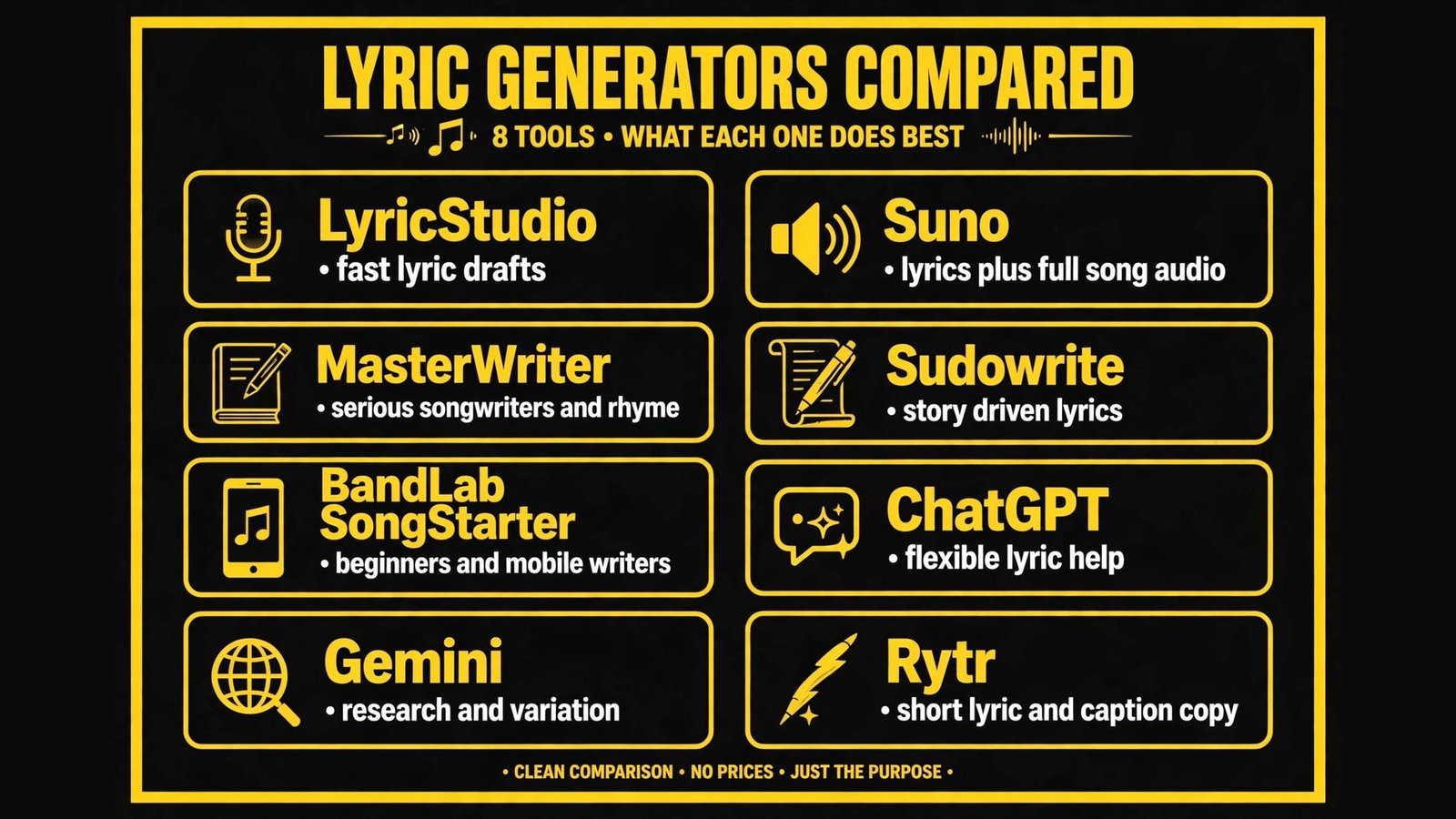
At a glance: the 8 tools compared
| Tool | Best for | Core strength | Pricing note |
|---|---|---|---|
| LyricStudio | Fast lyric drafts | Song structure, hooks and rhyme help | Paid plans, check vendor checkout for current pricing |
| Suno | Lyrics plus full song audio | Generate lyrics with melody and vocals | Paid plans, check vendor checkout for current pricing |
| MasterWriter | Serious songwriters | Rhyme, phrases and song craft tools | Paid plans, check vendor checkout for current pricing |
| Sudowrite | Story driven lyrics | Narrative, imagery and revision help | Paid plans, check vendor checkout for current pricing |
| BandLab SongStarter | Beginners and mobile writers | Quick ideas and loops on mobile | Free tier and paid plans, check vendor checkout for current pricing |
| ChatGPT | Flexible lyric help | Brainstorm, rewrite and structure help | Free tier and paid plans, check vendor checkout for current pricing |
| Gemini | Research and variation | Alternatives, themes and song concepts | Free tier and paid plans, check vendor checkout for current pricing |
| Rytr | Short lyric and caption copy | Fast short form drafts | Free tier and paid plans, check vendor checkout for current pricing |
Best pick by job
| Job | Best pick | Why |
|---|---|---|
| Get a chorus draft fast | LyricStudio | Structure and hook focused workflow |
| Hear lyrics as a full song | Suno | Audio generation shows how lyrics feel with melody |
| Improve craft and rhyme | MasterWriter | Rhyme dictionary and phrase tools built for songwriters |
| Write a story song | Sudowrite | Narrative and imagery support across verses |
| Start on your phone | BandLab SongStarter | Mobile friendly idea generation |
| Fix one weak line | ChatGPT | Fast alternatives for a single line or verse |
| Explore many concepts | Gemini | Quick variations on theme and tone |
| Short hooks and captions | Rytr | Short form drafts for social and promo |
Songwriters who also produce their own tracks will need audio tools beyond lyrics. See our guide to the best AI tools for content agencies for production and content workflows that support music projects, and our guide to the best AI tools for freelance writers for editing and revision workflows.
Lyric first tools
1. LyricStudio
LyricStudio is built specifically for lyric writing, and that focus shows in the workflow. You start with a topic, genre, mood and structure, such as verse, pre chorus and chorus, and the tool generates lyric suggestions that follow that structure. You can generate more lines for a single section, lock a line you like, and regenerate the rest, which is exactly the edit driven workflow that produces better songs.
The strength is speed with structure. A writer who is stuck on a chorus can get five chorus options in minutes, compare them, and keep the one with the strongest hook. The weakness is generic output if the brief is generic. A prompt such as “love song” will produce a love song that sounds like many others. A prompt with a specific story, place, character and conflict will produce a much stronger draft, because the tool has something concrete to work with.
Watch out for: do not accept a full song as finished. LyricStudio is best as a drafting partner. Read every line aloud, check rhythm against your melody, and rewrite at least the most generic lines yourself. Also check rhyme quality: a rhyme that looks good on screen can sound forced when sung.
Best for: songwriters who want fast, structured lyric drafts they can edit into a finished song.

2. MasterWriter
MasterWriter is a long standing songwriting tool that combines a rhyme dictionary, phrase dictionary, thesaurus for songwriters, and lyric organisation. It is less about generating a full song in one click, and more about helping a writer find the right word, the right rhyme and the right phrase for a line that is almost there. For serious songwriters, that is often more valuable than instant generation.
The AI and search features help suggest rhymes by type, such as near rhymes and multi syllable rhymes, and phrases that fit a theme without sounding forced. A writer working on a bridge can search for a rhyme that advances the story, rather than settling for the first rhyme that fits the sound. That discipline is what separates a polished lyric from a draft.
Watch out for: MasterWriter requires more craft from the user. Beginners who want a complete song in minutes may find it slower than LyricStudio or Suno. It rewards writers who already have a concept and a melody, and who want to improve the words, not writers who want the tool to invent the whole song.
Best for: songwriters focused on craft, rhyme quality and revision.
3. Sudowrite
Sudowrite was built for fiction writers, but its strengths transfer well to story driven lyrics. It helps with imagery, description, narrative flow and rewriting a passage in a different tone, which is useful for songs that tell a story across verses. A lyric that moves from a scene, to a conflict, to a resolution needs narrative control, and Sudowrite helps keep that arc clear.
A songwriter can use Sudowrite to expand a short idea into a scene, then compress that scene into lyric lines. For example, a brief about a late night drive home after a breakup can become a set of images: headlights, an empty passenger seat, a song on the radio that used to mean something else. Those images, edited down, make a verse feel lived in rather than generic.
Watch out for: Sudowrite output can be wordy. Lyrics need economy, and a beautiful paragraph is not a good verse. Always cut Sudowrite drafts down to the lines that carry the story, and test them against the melody. If a line cannot be sung comfortably, it does not belong in the lyric, however good it reads.
Best for: narrative songs, story verses and writers who start from a scene or character.
4. BandLab SongStarter
BandLab SongStarter is a mobile friendly tool for generating song ideas, including lyric prompts, chord progressions and loops. It is designed for beginners and for writers who want to start quickly on a phone, without opening a full DAW. A new songwriter can generate an idea, hear a loop, and start writing around it in the same app.
The value is momentum. Many songs fail not because the writer lacks talent, but because starting is hard. SongStarter lowers that barrier, and BandLab’s wider platform lets a writer share ideas, collaborate and build a track from the starting idea. That community and collaboration aspect is a real advantage for emerging writers.
Watch out for: SongStarter ideas are starting points, not finished songs. The lyric prompts can be generic, and the loops can lead many writers toward similar sounding tracks. Use SongStarter to start, then bring your own story, melody and edits to make the song yours.
Best for: beginners, mobile writers and collaborative starters.
Lyrics plus audio, and general AI helpers
5. Suno
Suno generates full songs from a text prompt, including lyrics, melody, vocals and production style. For lyric writers, Suno is useful in a different way from LyricStudio: it shows how lyrics feel when sung. A lyric that reads well can sound awkward when sung, and a lyric that looks simple can sound powerful with the right melody and delivery. Hearing a draft as audio reveals rhythm problems, awkward phrasing and weak hooks faster than reading alone.
Suno also helps writers explore genres and styles. A writer can test the same lyric idea as a folk ballad, a pop song and an R and B track, and hear which treatment fits the story best. That exploration can break a writer out of a familiar pattern and suggest a new direction for a song that was stuck.
Watch out for: Suno lyrics are often generic, and rights and commercial use need careful checking. Read Suno’s current terms for commercial release, covers and ownership before using a Suno generated song commercially, and do not assume that a generated vocal can be released as if it were a human performance without disclosure where required. Also, Suno audio can make a weak lyric sound better than it is, because production hides lyrical flaws. Judge the lyric on its own, without music, before you decide it is finished.
Best for: writers who want to hear lyric drafts as full songs and test genre treatments.
6. ChatGPT
ChatGPT is the most flexible lyric helper in this list, because it can do many small jobs well: brainstorm themes, suggest titles, rewrite a weak line in five different ways, check a verse for story consistency, and help structure a song. It is not built specifically for lyrics, but that flexibility is useful when a writer needs help with one specific problem, not a whole song.
A strong workflow is to give ChatGPT the song concept, the story arc, the tone, the rhyme scheme if you have one, and the lines you already like, then ask for alternatives for a single section. That targeted request produces better results than asking for a whole song from a vague theme. Always edit the output for rhythm, singability and specificity, and read it aloud against your melody.
Watch out for: ChatGPT can invent clichés confidently and can drift from your story. If you do not give it a clear brief, it will fill gaps with generic images. Also, check factual details if your lyric references real places, events or people, because AI can get those details wrong.
Best for: targeted lyric help, rewrites, titles and structure for writers who already have a concept.
7. Gemini
Gemini offers similar flexibility to ChatGPT, with strengths in research, variation and concept exploration. A writer can use Gemini to explore a theme from multiple angles, generate title options, research a historical or cultural reference for a lyric, and create variations on a hook with different tones. That breadth helps in the early stage, when a writer is still deciding what the song is really about.
Gemini is also useful for checking a lyric concept against real world details. If a song references a city, a historical event or a cultural tradition, Gemini can help gather background that makes the lyric more specific and accurate, though every fact still needs checking against a reliable source before release.
Watch out for: like ChatGPT, Gemini output needs editing for rhythm and originality. A list of variations is not a song, it is raw material. Choose one direction, commit to it, and rewrite the rest yourself. Writers who keep generating variations without choosing will never finish a song.
Best for: early concept exploration, research and hook variations.
8. Rytr
Rytr is a short form AI writing tool that can help with lyric hooks, song titles, social captions and promo copy for a release. It is not a full songwriting platform, but it is useful for the short text around a song: a hook line for a chorus, a caption for a teaser video, a description for a streaming release, or a short tagline for a music video.
For independent artists who handle their own marketing, that short form help saves time. A release needs many small pieces of copy, and Rytr can draft them quickly, leaving the artist to focus on the song itself and on performance.
Watch out for: Rytr is not designed for full lyric structure, rhyme schemes or long narrative songs. Do not expect it to write a complete, coherent song. Use it for hooks, titles and promo copy, and use LyricStudio, MasterWriter or Sudowrite for the song itself.
Best for: hooks, titles, captions and promo copy around a release.
How to use AI lyrics without sounding like AI
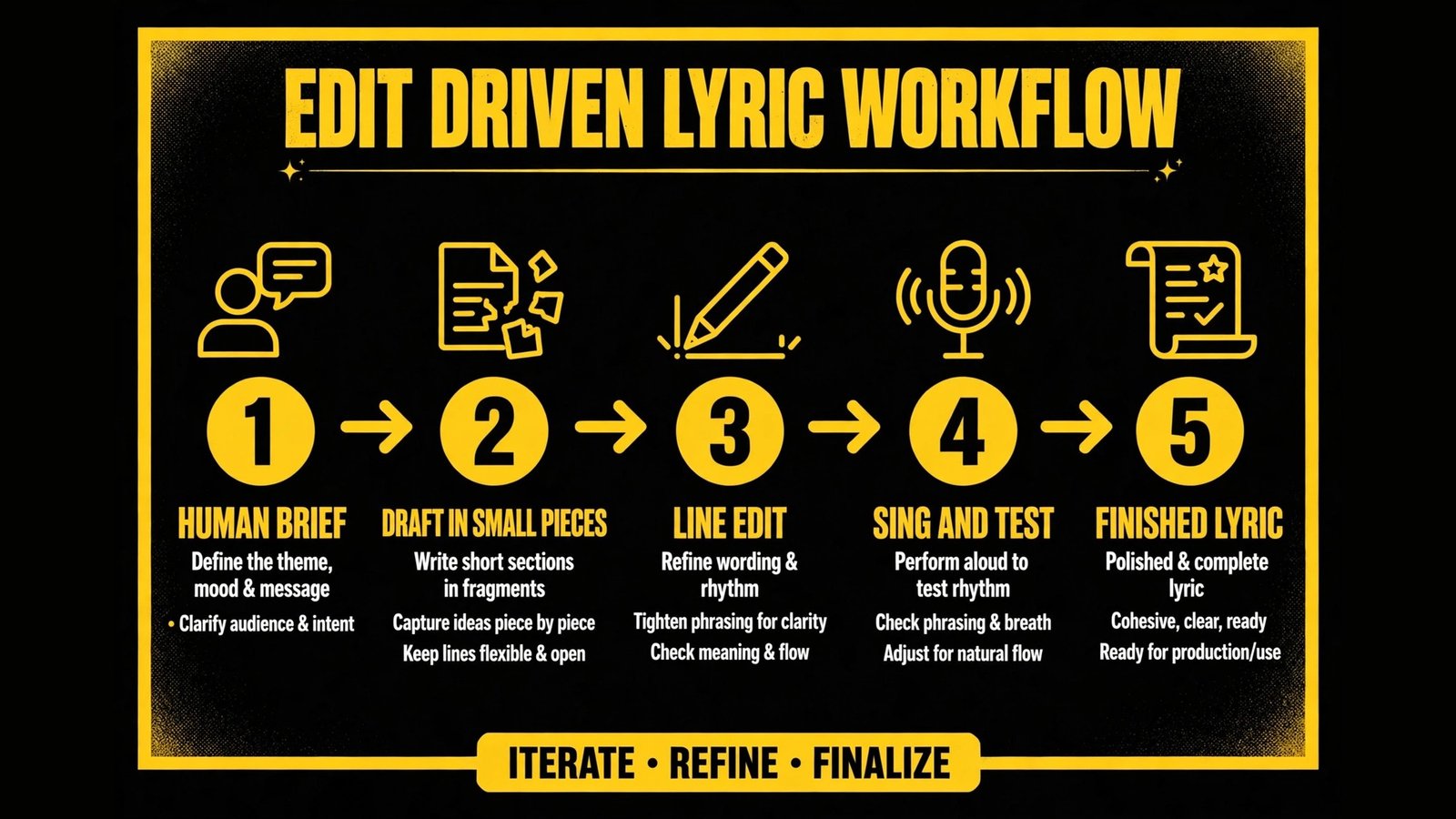
Start with a human brief, not a generic theme. Write one paragraph before you open any tool: who is singing, what happened, what changed, what is at stake, and what image captures it. Give that paragraph to the tool, not just a genre and a mood. A specific brief produces specific lyrics, and a vague brief produces vague lyrics, no matter how good the tool is.
Generate in small pieces. Ask for a chorus, not a whole song. Ask for five alternatives for one line, not five whole songs. Small generation keeps you in control, makes editing faster, and prevents the tool from drifting the story in a direction you did not choose. When you find a line you like, lock it and build around it, rather than regenerating everything.
Read lyrics aloud, and sing them if you can. A lyric that looks good on a screen can fail when sung, because syllable count, stress and breath matter. If a line is hard to sing, rewrite it, even if the rhyme is perfect. Singability beats cleverness in a song, because listeners hear the song, they do not read it.
Cut generic lines ruthlessly. If a line could belong to any song in the genre, it probably should not belong to yours, unless it serves a deliberate purpose, such as a simple, singable chorus. Replace generic images with specific details from your brief. Keep the rhyme, change the image, and the lyric will immediately sound more personal.
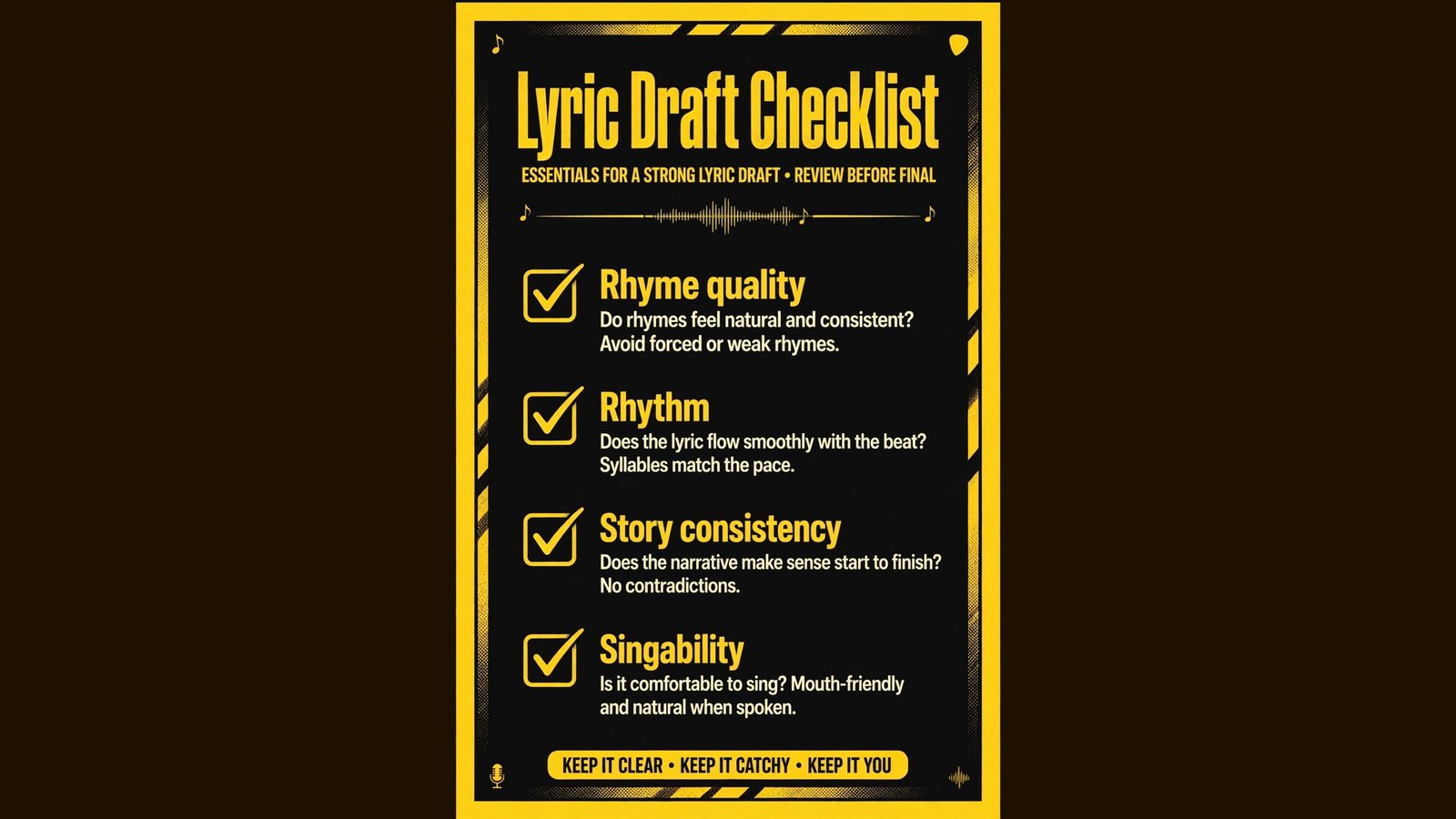
Keep a human edit pass as a rule, not an option. After AI drafting, do a full pass where you check story consistency, rhyme quality, rhythm, singability and originality, line by line. That pass is where the song becomes yours. If you skip it, the song will sound like a draft, because it is a draft.
Mistakes to avoid
The first mistake is releasing a largely AI generated lyric without editing. Listeners, collaborators and publishers can often tell, not because AI is bad, but because the lyric lacks a specific point of view. Edit until the lyric sounds like you, not like a model.
The second mistake is chasing perfect rhyme over meaning. A forced rhyme that twists the story to fit the sound will sound worse than a near rhyme that keeps the story clear. MasterWriter’s near rhyme tools help here, because they let you keep meaning while still sounding musical.
The third mistake is writing a chorus that says nothing. A chorus should carry the central idea, emotion or hook of the song. If your chorus could be swapped into another song without changing its meaning, rewrite it with a specific image or line from your story.
The fourth mistake is ignoring melody while writing lyrics. Lyrics and melody develop together in most good songs. If you write lyrics in isolation, then try to fit them to a melody later, you will face rhythm problems. Test lyrics against a melody early, even a simple one, and adjust both as needed.
The fifth mistake is forgetting rights and disclosure. Check your distributor, publisher and collaborator agreements for AI use, keep records of prompts and edits, and disclose where required. A song that is blocked after release because of an AI rights issue costs far more than the time saved by generating it quickly.
The sixth mistake is generating endlessly instead of finishing. AI makes it easy to generate ten more versions, and that ease can become procrastination. Set a limit: generate, choose, edit, finish. A finished song with flaws is more valuable than ten perfect drafts that never become songs.
How to choose the right tool for your writing style
If you write by starting with a hook, LyricStudio is the fastest fit, because it is built around structure and hooks. If you write by starting with a story, Sudowrite fits better, because it helps you develop scenes and images before compressing them into lines. If you write by starting with a melody, Suno helps you hear how lyric ideas feel with music, while MasterWriter helps you refine rhymes to fit that melody.
If you are a beginner, BandLab SongStarter plus ChatGPT is a low cost way to start, learn structure and get feedback on drafts. If you are an experienced songwriter, MasterWriter plus Sudowrite will improve craft more than a tool that generates full songs for you. If you are a producer or artist who needs a full demo quickly, Suno plus LyricStudio gives you both lyrics and audio to share with collaborators.
Budget is also a factor. Check vendor checkout for current pricing, because many tools price by credits, songs, seats or subscription tiers, and a tool that is affordable for occasional use can become expensive for daily generation. Start with a free tier or trial where available, test with a real song you care about, and only pay for a tool you will use weekly.
Check export and collaboration features before you commit. Can you export lyrics as text, share a draft with a co writer, and keep versions? A tool that locks lyrics inside its own app will frustrate collaboration, especially when a co writer uses a different tool. Choose tools that let you export clean text and keep your lyric library in a place you control.

Frequently asked questions
What are the best AI lyric generators for beginners?
BandLab SongStarter is the easiest start on mobile, while LyricStudio is the easiest structured lyric tool on desktop. ChatGPT can help with individual lines and titles at any level. Beginners should start with one tool, learn song structure, and add a craft tool such as MasterWriter as they improve.
Can AI write a complete song lyric?
AI can generate a complete draft, but that draft usually needs substantial editing for story, rhythm, singability and originality. Treat AI output as a first draft, not a finished lyric. The best results come from generating in small pieces, editing line by line, and adding specific details from your own experience.
Will AI lyrics sound generic?
They will if the brief is generic and the output is accepted without editing. Give the tool a specific story, character, place and conflict, generate in small sections, and cut generic lines. A lyric with specific images and a clear point of view will not sound generic, even if AI helped draft it.
Is it legal to release AI generated lyrics?
Rules are evolving and differ by platform, publisher and country. Check your distributor and publisher agreements, keep records of prompts and edits, and seek advice for commercial releases. Do not assume that AI generated lyrics carry the same rights as fully human written lyrics in every context.
Which tool is best for rhyme?
MasterWriter is the strongest rhyme tool in this list, because it is built for songwriters and offers rhyme types beyond exact rhymes. LyricStudio also helps with rhyme within a structured draft. For a single weak line, ChatGPT can suggest rhyme alternatives quickly, but MasterWriter gives more control over rhyme quality.
Can Suno lyrics be used commercially?
Check Suno’s current terms for your plan and use case before commercial release, because terms for generated songs, vocals and ownership can differ by tier and can change. Keep records of generation, and seek advice from your distributor or publisher if you plan a commercial release of a Suno generated song.
How do I keep AI lyrics original?
Start with your own story and images, generate in small pieces, and edit every line for specificity. Replace familiar phrases with details only you would notice, check for lines that feel borrowed, and avoid publishing a lyric that is mostly unchanged AI output. Originality comes from your choices, not from the tool’s output.
Conclusion: use AI to start and to fix, not to finish for you
The best AI lyric generators in 2026 are drafting partners, not replacements for songwriters. LyricStudio wins for fast structured drafts, Suno wins for hearing lyrics as audio, MasterWriter wins for craft and rhyme, and Sudowrite wins for story songs. The tool you choose matters less than how you use it: start with a specific human brief, generate in small pieces, read and sing every line, cut generic images, and finish with a human edit pass.
Done that way, AI can help you write more songs, break through blocks, and test ideas faster, without losing the voice that makes your songs yours. Done without editing, AI will give you a song that sounds finished and feels empty. The difference is not the tool, it is the writer’s willingness to direct, cut and rewrite until the lyric earns its place in the song.