
A small dev team can test the old way, by writing tests by hand, running them before a release, and fixing the failures one by one while the release slips. That way works, and it is also the reason a three-person team spends a Friday night chasing a broken test that nobody remembers writing. The newer way lets an AI tool generate tests, heal them when the interface changes, and run them in the cloud, so the team ships on Friday and goes home on time. This comparison of the best ai testing tools for small dev teams looks at twelve tools that do that work, judged on how much maintenance they remove.
The constraint is headcount. A small team has no dedicated QA engineer, no test architect and no time to maintain a brittle test suite, so the tool has to do the heavy lifting. A platform built for an enterprise QA department will overwhelm a three-person team with features they will never use, while a tool built for small teams will get them from zero to a green build in days. The tools on this list are therefore judged on setup speed and maintenance first, and on breadth second.
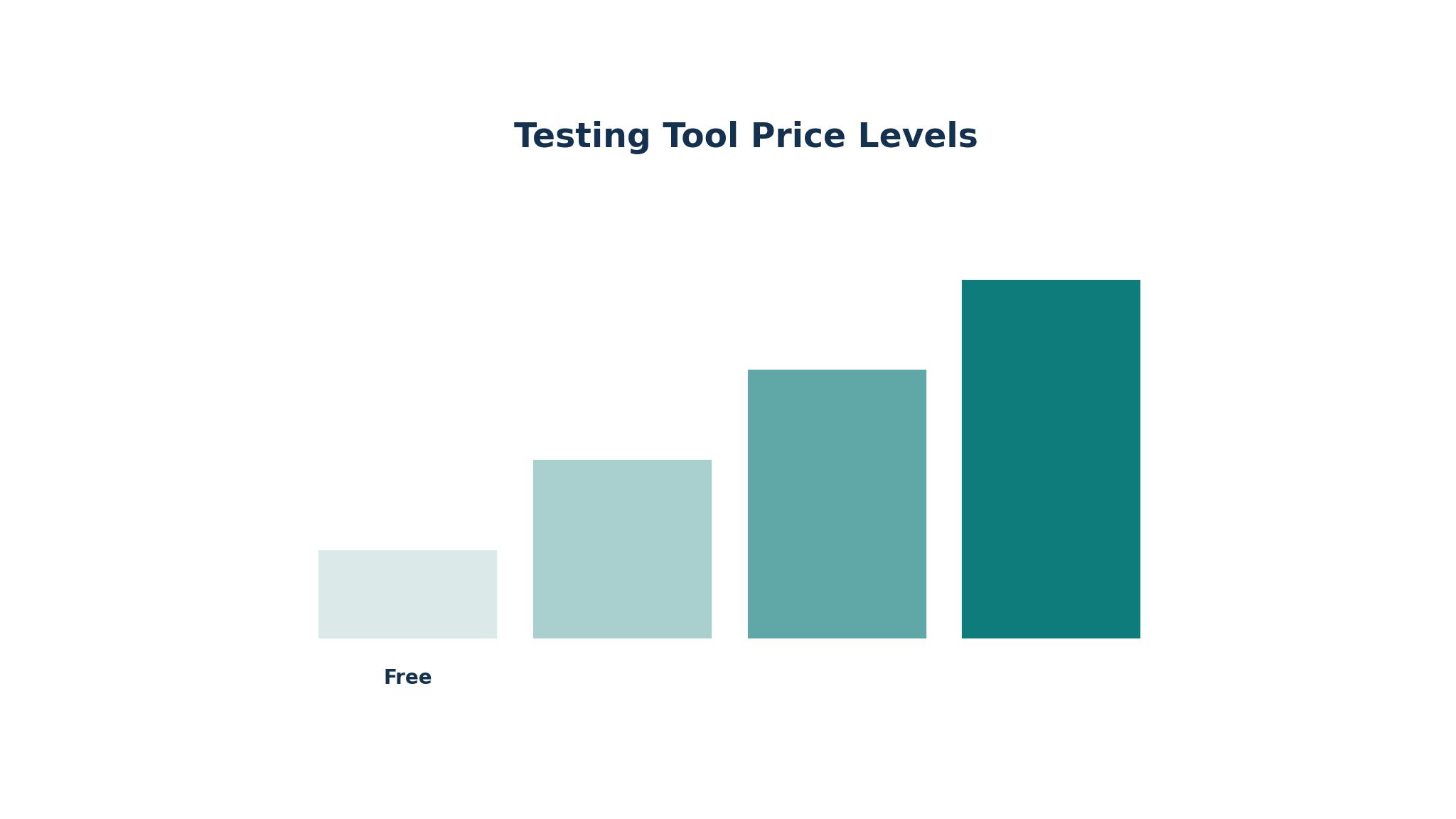
Price is the second filter, and the spread is wide. Some tools are free, some start at 20 dollars a month, and several enterprise platforms quote privately, which usually means thousands a month. The entries below give the starting price each vendor publishes or the honest fact that pricing is quote-based.
Why Small Dev Teams Test Differently
A small team ships fast and breaks things fast, and the test suite has to keep up with a codebase that changes every day. The best ai testing tools for small dev teams handle that churn with self-healing locators, automatic test generation and visual checks that catch what a unit test misses. A tool that needs a test engineer to maintain it will be abandoned by the second sprint, while a tool that heals itself will still be running in six months.
The second difference is the stack. A small team usually runs one web app, one API and one mobile app, and the testing tool has to cover all three without three separate subscriptions. A platform that handles web, API and mobile in one place saves money and training time, while a tool that only covers web will leave the API untested.
The third difference is the pipeline. A small team deploys several times a week, and the tests have to run in the continuous integration pipeline, fail fast and tell the developer exactly what broke. A tool that runs tests in its own cloud and reports back to the pull request fits that flow, while a tool that needs a separate server and a manual run will be skipped when the team is busy.
The 12 Tools at a Glance
| Tool | Main job | Best for | Starting price |
|---|---|---|---|
| mabl | Low-code E2E testing with auto-healing | All-in-one UI, API and mobile testing | Quote-based |
| Testim | AI web testing with smart locators | Enterprise web and Salesforce testing | Quote-based |
| Katalon | Full-stack testing in one studio | Mixed-skill teams testing everything | From 70 dollars a month |
| Functionize | NLP test creation with self-healing | Plain-English test authoring | From 20 dollars a month |
| Applitools | Visual AI testing across browsers | Visual regression at scale | From 667 dollars a month |
| testRigor | Plain-English test authoring | Non-technical testers writing tests | Quote-based |
| Autify | AI test automation with no code | Small teams starting with AI testing | From 99 dollars a month |
| QA Wolf | Managed test coverage plus platform | Coverage by a deadline | From 1 dollar a run |
| Rainforest QA | No-code testing with human testers | Tests that need human judgement | Quote-based |
| LambdaTest | Cross-browser cloud with AI | Testing on many browsers and devices | From 15 dollars a month |
| Playwright | Open-source browser automation | Teams that want to own the stack | Free |
| Cypress | JavaScript E2E testing with cloud | JavaScript teams that test in the browser | From 75 dollars a month |
Best Pick by Job
| Job type | First pick | Second tool | Why this pair works |
|---|---|---|---|
| Three-person web team | mabl | Playwright | mabl covers everything and Playwright is the free backup |
| Mixed-skill QA team | Katalon | Functionize | Katalon covers all platforms and Functionize adds plain English |
| Visual regression priority | Applitools | LambdaTest | Applitools catches visual changes and LambdaTest covers browsers |
| Non-technical testers | testRigor | Autify | testRigor writes in plain English and Autify adds no-code runs |
| Zero budget, own the stack | Playwright | Cypress | Playwright is free and Cypress adds a friendly runner |
The best ai testing tools for small dev teams depend on the team’s skills and the product’s shape. A three-person web team needs an all-in-one platform, while a team with non-technical testers needs plain-English authoring. The pairing above works because the first pick fits the main job and the second covers the gap, so a team can start with one tool and add the other when the product grows.
How to Judge the best ai testing tools for small dev teams
Start with the healing. Change a button label or move a form field, run the tests, and see whether the tool adapts or fails. A good self-healing tool will find the element by its other attributes and pass, while a brittle tool will fail and need a manual fix.
Next, check the authoring. Ask a non-technical team member to write a test, whether in plain English, by recording, or in a low-code editor, and time how long it takes. If the authoring needs a developer, the team will never write enough tests, and the suite will stay thin.
Finally, look at the pricing model with the same care. Some vendors charge per seat, some per test run, some per credit, and the cheapest headline price can become the most expensive once the team runs tests on every pull request. Confirm the number on the vendor page before you pay, and calculate the monthly cost against the team’s actual run volume.
The 12 Tools in Detail
1. mabl
mabl is a low-code, cloud-native platform that brings web, API, mobile and accessibility testing into one place, with auto-healing that claims to cut maintenance by up to 95 percent. It is the default AI-native UI choice for a small team that wants one tool for everything. Pricing is quote-based, with third-party reports putting the Starter plan around 499 dollars a month, and a 14-day trial available.
The breadth is the strength. A team gets web, mobile web, API, accessibility and performance testing under one roof, with tests that heal themselves when the interface changes and cloud runs that draw on a monthly credit pool. Local runs are free, and the platform wires tightly into continuous integration pipelines.
The trade-off is price transparency and the credit meter. mabl publishes no price list, so a small team has to go through sales to get a number, and the credit model means heavy use costs more than the headline suggests. The platform is also more than a tiny team needs at first, with features that only pay off once the suite grows.
mabl fits a small team that wants one all-in-one platform and is willing to pay for it, especially a team that deploys often and hates test maintenance. Among the best ai testing tools for small dev teams, it is the strongest choice for low maintenance, while a team on a tight budget should start with Playwright or Katalon.
2. Testim
Testim, owned by Tricentis, is an AI-based functional and end-to-end web testing tool built around machine learning smart locators and self-healing. It uses metadata-driven locators that identify elements by multiple attributes and hold up better through UI change, with grouped steps, reusable components and a dedicated Salesforce edition. Pricing is quote-based, with a free community tier to trial it.
The locator resilience is the main advantage. Testim’s smart locators survive the kind of interface churn that breaks other tools, and Testim Copilot explains inherited test code, which helps a team adopting a legacy suite. The recorder is fast, and the Salesforce edition handles the Lightning UI that breaks generic tools.
The limits are the price and the lock-in. Pricing is a Tricentis quote, and the lock-in is real at the authoring level, even with export on higher plans. A small team will find the sales process slow, and the platform is built for enterprise web teams rather than a three-person startup. The free tier is useful for a trial but limited for production use.
Testim fits an enterprise web team, or a team testing Salesforce, that wants resilient locators and is willing to pay enterprise prices. A small startup should look at mabl or Katalon first, since Testim’s strengths only pay off at larger scale.
3. Katalon
Katalon is a broad platform covering web, API, mobile and desktop testing in one IDE, built on Selenium and Appium, with AI features layered on top. It offers record and playback for beginners, keyword and script modes for engineers, and AI assistance through StudioAssist. Pricing is per seat, from 70 dollars a month billed annually for the platform tier, with free authoring to start and a 30-day trial.
The breadth is the strength. A mixed-skill team can test everything in one tool, with beginners recording tests and engineers writing scripts, and the AI features are included at no extra cost. The platform tier covers test management, and the per-seat model is transparent compared with the quote-based rivals.
The trade-off is the per-seat cost and the complexity. Per-seat pricing adds up quickly as the team grows, and the IDE has a lot to learn, with features spread across several modes. The AI features are good but less agentic than mabl or Functionize, and the platform feels more like a traditional test tool with AI added than an AI-native one.
Katalon fits a mixed-skill team that tests web, API, mobile and desktop and wants one tool for all of it. Of the best ai testing tools for small dev teams, it is the strongest choice for breadth and transparent pricing, though a team that only tests the web may find mabl simpler.
4. Functionize
Functionize is an AI-native enterprise testing platform that uses natural language processing to let non-technical users write tests in plain English, with machine learning element recognition that claims 99.97 percent accuracy. It is the pricing transparency outlier in this category, with a free plan and paid tiers published from 20 dollars a month. The platform targets fast-changing single-page application interfaces.
The plain-English authoring is the strength. A product manager or a designer can write a test in sentences, and the platform turns it into an automated test that heals itself when the interface changes. The element recognition is aggressive, and the published pricing means a small team can budget without a sales call.
The limits are the fit and the scale. Functionize is built for large organisations with big regression suites, and the enterprise features can overwhelm a small team. The consumption model means cost depends on the number of production test cases created over twelve months, so the price can rise as the suite grows. A team that only needs a few tests may find it more than they need.
Functionize fits a team with non-technical testers and a fast-changing interface, especially a team that wants plain-English authoring with published pricing. A developer-led team may prefer Katalon or Playwright, but for plain-English testing, Functionize is the most honest option here.
5. Applitools
Applitools is the visual AI testing standard, using Visual AI to compare screenshots across browsers and devices and catch the visual changes that functional tests miss. It is the tool a team chooses when the interface has to look right everywhere, not only work correctly. Pricing starts at 667 dollars a month billed annually, with no free plan.
The visual diff is the strength. Applitools catches layout shifts, font changes, colour errors and responsive breakpoints that a functional test will never see, and it does so across many browsers at once. The Eyes SDK integrates with the team’s existing test framework, and the AI reduces false positives by ignoring minor rendering differences.
The trade-off is the price and the scope. At 667 dollars a month, Applitools is too expensive for a small team on its own, and it is a visual tool, not a full test platform, so the team still needs a functional testing tool alongside it. The learning curve is also real, with baselines to manage and a workflow to learn.
Applitools fits a team that ships a visual product and needs to catch UI regressions across browsers, especially a team with a design system. A small team on a budget should start with Playwright’s free screenshot testing, and add Applitools when the visual risk justifies the price.
6. testRigor
testRigor is a plain-English test automation platform that lets anyone write tests in sentences, with AI-assisted creation and self-healing built in. It offers a free public plan and a free trial, with the Pro plan running roughly 900 to 1,000 dollars a month and Enterprise quoted privately. The platform targets teams where the testers are not developers.
The authoring is the main advantage. A tester can write a test like a user story, in plain English, and testRigor turns it into an automated test that runs in the cloud and heals itself when the interface changes. That removes the coding barrier entirely, which is how a small team gets coverage without hiring a QA engineer.
The limits are the price and the scope. The Pro plan at around 900 dollars a month is expensive for a small team, and the platform is narrower than Katalon or mabl, with less API and mobile coverage. A team that needs to test an API or a mobile app will need another tool alongside it.
testRigor fits a team with non-technical testers who need to write tests in plain English and are willing to pay for that simplicity. A developer-led team should look at Playwright or Katalon, but for plain-English authoring, testRigor is one of the easiest tools to adopt.
7. Autify
Autify is an AI test automation tool with a no-code approach, aimed at small teams starting with AI testing. It offers AI-assisted test creation, self-healing and cloud runs, with a Core plan starting at 99 dollars a month billed annually, with credits and limited concurrency. The platform is simpler than the enterprise tools, which is its appeal.
The simplicity is the strength. A small team can record a test, let the AI maintain it, and run it in the cloud without learning a new language or managing infrastructure. The price is low enough for a startup, and the no-code approach means anyone on the team can contribute.
The trade-off is depth and scale. Autify is narrower than mabl or Katalon, with less API and mobile coverage, and the credit model means heavy use costs more than the headline suggests. A growing team will eventually want the breadth of a larger platform, and the migration will take effort.
Autify fits a small team starting with AI testing that wants a simple, low-cost tool. It is the best first step on this list for a team with no QA experience, and a team that outgrows it can move to Katalon or mabl later.
8. QA Wolf
QA Wolf pairs a managed testing service with a platform, offering human-validated test coverage by a fixed date. The platform pricing is new, at 1 dollar per web run and 2 dollars per mobile run, with AI and retries included, and the managed service is quoted privately. The team owns the open-source tests, so there is no lock-in.
The managed coverage is the strength. A small team without QA can hire QA Wolf to build the coverage, with human testers validating the tests and zero flake promised, and the platform lets the team run the tests themselves afterwards. That combination is unique on this list, since every other tool expects the team to write the tests.
The limits are the cost model and the fit. The managed service is quoted, which usually means enterprise pricing, and the per-run platform pricing can add up for a team that runs tests on every pull request. A team that wants to own the authoring from day one may prefer a tool like Katalon.
QA Wolf fits a small team that needs coverage by a deadline and has no QA capacity, especially a team shipping a major release. A team with time to build its own suite should start with Playwright or Autify, but for a deadline, QA Wolf is the fastest option.
9. Rainforest QA
Rainforest QA pairs a no-code test builder and AI-assisted creation with a managed tester network that can run tests requiring human judgement. It is the tool a team chooses when some tests cannot be automated, like a visual check or a usability judgement, and support helps the team design coverage rather than just tooling. Pricing is quote-based.
The human network is the strength. A small team without dedicated QA can hire Rainforest as tooling and capacity in one contract, with testers who run the tests that need a human eye. The no-code builder is easy to learn, and the support team helps design the coverage.
The trade-off is the price and the scope. Pricing is quote-based, which usually means the service is not cheap, and the platform is narrower than the full-stack tools, with less API and mobile coverage. A team that only needs automated tests will find it more than they need.
Rainforest QA fits a small product team without dedicated QA that needs both tooling and human testing capacity. A developer-led team should look at Playwright or Cypress, but for a team that needs a human eye on the product, Rainforest is a strong choice.
10. LambdaTest
LambdaTest is a cross-browser and device cloud with AI features, including Kane AI for test generation, aimed at teams that need to test on many browsers and devices. It covers web, mobile and API testing in the cloud, with pricing from 15 dollars a month per user. The platform is one of the most affordable ways to get broad browser coverage.
The browser coverage is the strength. A team can test on thousands of browser and device combinations without owning any of them, and the AI features help generate tests and analyse failures. The pricing is transparent and low, and the integrations cover the major CI tools.
The limits are the depth and the focus. LambdaTest is a cloud platform first and a test authoring tool second, with less self-healing and AI authoring than mabl or Functionize. A team that needs deep test generation will find it thinner than the AI-native tools, and the per-user pricing adds up as the team grows.
LambdaTest fits a small team that needs to test on many browsers and devices at a low price. Pair it with Playwright for authoring, and the combination covers both the writing and the running of tests at a reasonable cost.
11. Playwright
Playwright, from Microsoft, is a free, open-source browser automation framework that has become the default choice for teams that want to own their test stack. It offers fast, reliable browser automation, screenshot testing, API testing and a growing set of AI features through the Model Context Protocol and Stagehand. It costs nothing, and the team owns everything.
The ownership is the strength. A team can write tests in JavaScript, TypeScript, Python or several other languages, run them in CI, and keep the full suite in version control, with no vendor lock-in and no per-run cost. The screenshot testing covers basic visual regression for free, and the community is large and active.
The trade-off is the effort. Playwright is a framework, not a platform, so the team has to write the tests, maintain them and build the reporting themselves. There is no self-healing, no low-code editor and no managed cloud, although the team can add those with other tools. A team without a developer who enjoys testing will struggle to get coverage.
Playwright fits a developer-led small team that wants to own the stack and pay nothing for the tool. It is the best free choice here, and a team that pairs it with LambdaTest for browser coverage gets a strong combination at a low cost.
12. Cypress
Cypress is a JavaScript end-to-end testing framework with a friendly test runner and a cloud dashboard, aimed at teams that test in the browser. It offers fast, reliable tests, time travel debugging, and a cloud service for parallel runs and recording. Pricing starts at 75 dollars a month per user for the cloud, with the open-source runner free.
The developer experience is the strength. Cypress runs tests in the browser, shows each step visually, and lets a developer debug a failing test by stepping back through time, which is faster than reading a log. The JavaScript API is clean, and the cloud dashboard adds parallelisation and flake detection.
The limits are the scope and the cost. Cypress is web-focused, with less API and mobile coverage than Katalon or mabl, and the cloud pricing is per user, which adds up as the team grows. The AI features are thinner than the AI-native tools, and a team that needs self-healing will find Cypress more manual.
Cypress fits a JavaScript team that tests in the browser and values a friendly runner and fast debugging. A team that needs full-stack coverage should look at Katalon, but for a JavaScript web app, Cypress is a strong and familiar choice.
What AI Testing Costs a Small Team in a Year
The headline price is only the starting point. A team should add the cost of seats, runs or credits, since most tools meter by one of those, and the cheapest plan can become the most expensive once the team runs tests on every pull request. A 99 dollar plan that needs a 499 dollar upgrade after a month is not a 99 dollar plan.
The second cost is maintenance. A brittle test suite that needs an hour of fixing a week costs the team far more than the subscription, while a self-healing suite that runs green costs almost nothing to maintain. Trial each finalist with a real change to the interface and measure how much fixing it needs.
Finally, watch the quote-based trap. Several tools on this list publish no price, which means the sales process will take weeks and the number will depend on negotiation. Confirm the number on the vendor page before you pay, and prefer a tool with published pricing when the team needs to budget quickly.
Getting AI Tests Running in Two Weeks
Week one is for the trial. Pick two finalists from the best ai testing tools for small dev teams, write five tests that cover the most important user journey, and run them in the pipeline. A trial that only the most enthusiastic developer touches tells you nothing about the team, so put the tool in the hands of the person who will maintain the tests.
Week two is for the pipeline and the coverage. Connect the tool to the continuous integration pipeline, set the tests to run on every pull request, and add ten more tests covering the next most important journeys. Fix the flaky tests immediately, since a flaky suite will be ignored within a month.
– Write five tests covering the most important user journey first. – Connect the tool to the pipeline so tests run on every pull request. – Fix flaky tests immediately, before the team stops trusting the suite. – Write a runbook so any developer can see what failed and why. – Add ten more tests in week two, covering the next journeys.

Frequently Asked Questions
Do we still need manual QA with AI testing tools?
Yes, for the things a machine cannot judge, like whether a design looks right, whether a flow feels confusing, or whether a new feature makes sense to a user. AI tools handle the repetitive regression checks, while manual QA handles the exploratory and usability work. A small team should automate the regression suite and keep a human in the loop for the judgement calls.
What is self-healing in test automation?
Self-healing means the test tool adapts when the interface changes, finding an element by its other attributes when the original locator breaks. A button that moves or gets relabelled will still be found, so the test passes instead of failing. That matters for a small team, because the interface changes every sprint and a brittle suite would need constant fixing.
Can AI write tests from scratch?
Yes, to a point. Tools like Functionize, testRigor and mabl can generate tests from plain-English descriptions, recordings or the application’s structure, and the generated tests are a good starting point. A developer should still review them, since the AI cannot know which edge cases matter most.
Which tool is best for visual regression?
Applitools is the best for visual regression at scale, with Visual AI that catches layout, font and colour changes across browsers. A team on a budget can start with Playwright’s free screenshot testing, which covers the basics, and add Applitools when the visual risk justifies the price. LambdaTest also offers visual testing as part of its cloud platform.
How many tests does a small team need?
Fewer than most teams think. Five tests covering the most important user journey, plus ten more covering the next journeys, is a good start for a small team. A suite of fifteen reliable tests that run green is worth more than a suite of two hundred flaky ones that nobody trusts.
Does AI testing work with our CI pipeline?
Yes, every tool on this list integrates with the major CI systems, including GitHub Actions, GitLab CI, Jenkins and CircleCI. The tests run on every pull request, fail fast when something breaks, and report back to the pull request so the developer sees the failure immediately. A tool that cannot run in CI will be skipped when the team is busy, which is exactly when tests matter most.
The Testing Tool That Fits a Small Dev Team
A three-person web team should start with mabl, because it covers web, API, mobile and accessibility in one place and heals itself when the interface changes. A mixed-skill team should choose Katalon, because it covers every platform and lets beginners and engineers work together. A team on a budget should start with Playwright, because it is free and the team owns the stack. The best ai testing tools for small dev teams all do the same job in different ways, and the right one is the one the team will actually maintain.
Pick two finalists, write five tests that cover the most important journey, and run them in the pipeline for two weeks. The first time a test catches a bug before it reaches production, the value of the tool will be obvious.