
The best AI tools for journalists in 2026 are not the ones that write the most words the fastest. They are the ones that save the hours around the writing: the hour spent transcribing an interview, the afternoon spent checking a claim, the evening spent formatting a story for three different platforms. A newsroom survey habit shows the same pattern every year. Reporters do not run out of stories. They run out of time between the interview, the deadline, and the next assignment. The tools in this guide are judged on that test. Does the tool give a reporter back a real hour, and does it do so without creating a new accuracy problem that costs two hours to fix?
That second question matters more in journalism than in almost any other profession on this site. A wrong price in a shopping guide is embarrassing. A wrong quote in a news story is a correction, a complaint, and sometimes a legal letter. So this guide treats every AI output as a draft that needs a human check, and it says plainly where each tool is weak. Transcription tools mishear names. Research tools invent sources. Writing tools flatten voice. Publishing tools lock you into their audience rules.
The thirteen tools below are grouped by the job they actually do in a reporting week. Transcription tools turn audio into searchable text. Research tools help you find documents, people, and prior coverage. Writing tools help you draft, tighten, and check copy. Publishing tools help you get the story out and keep readers coming back. No single tool covers all four jobs well, and the honest answer for most journalists is a small stack of three or four tools, not a single subscription that claims to do everything.
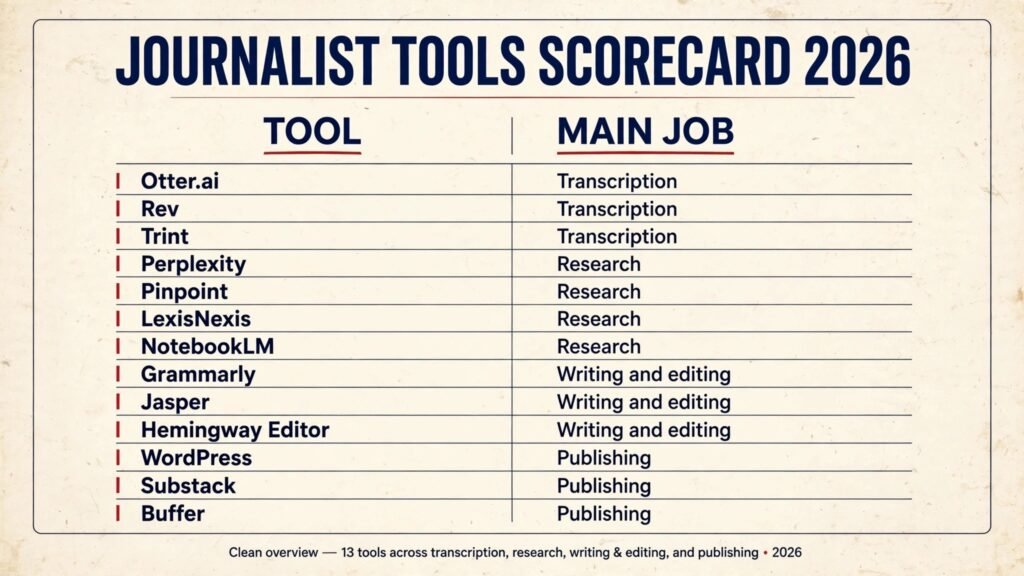
The 13 best AI tools for journalists at a glance
| Tool | Main job | Best for | Free option |
|---|---|---|---|
| Otter.ai | Transcription | Live meeting and interview transcripts | Free tier |
| Rev | Transcription | Human-checked transcripts for sensitive interviews | Pay per minute |
| Trint | Transcription | Searchable transcripts with story editing | Free trial |
| Perplexity | Research | Fast cited answers for background checks | Free tier |
| Pinpoint | Research | Searching large document collections | Free for journalists |
| LexisNexis | Research | Court records, filings, and archive search | Trial, check checkout |
| NotebookLM | Research | Answers grounded in your own document set | Free tier |
| Grammarly | Writing and editing | Grammar, tone, and clarity checks | Free tier |
| Jasper | Writing and editing | Drafts, headlines, and social copy | Free trial |
| Hemingway Editor | Writing and editing | Cutting long sentences and passive voice | Free web version |
| WordPress | Publishing | A news site you fully control | Free software, paid hosting |
| Substack | Publishing | Newsletters with paid subscriptions | Free to publish |
| Buffer | Publishing | Scheduling social posts from one place | Free tier |
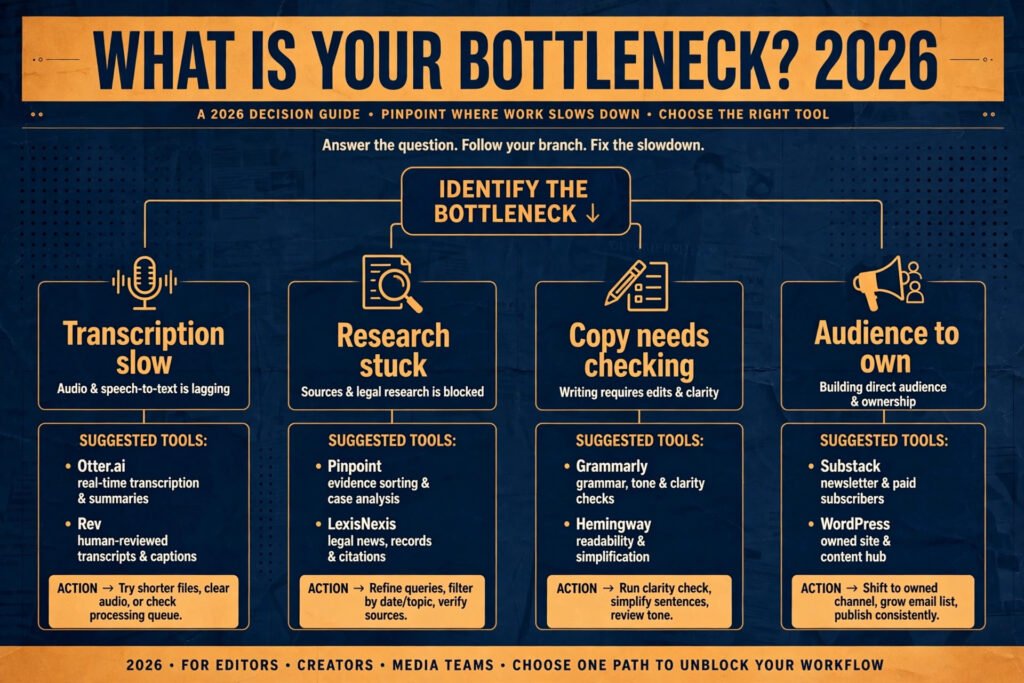
Start here: the right pick for each journalist job
| Your bottleneck | Start with | Add later if needed |
|---|---|---|
| Interviews take too long to transcribe | Otter.ai | Rev for the one interview that must be exact |
| You cannot find the document or the prior story | Pinpoint | LexisNexis for court and company records |
| You need background fast, with sources to check | Perplexity | Pinpoint for your own document set |
| You need answers from your own documents, with citations | NotebookLM | Pinpoint for searching the set first |
| Copy needs a fast second pair of eyes | Grammarly | Hemingway Editor for sentence-level cuts |
| You need headlines and social copy under deadline | Jasper | Buffer to schedule the social versions |
| You want an audience you own | Substack | WordPress when you need a full news site |
Transcription: turning interviews into usable text
1. Otter.ai
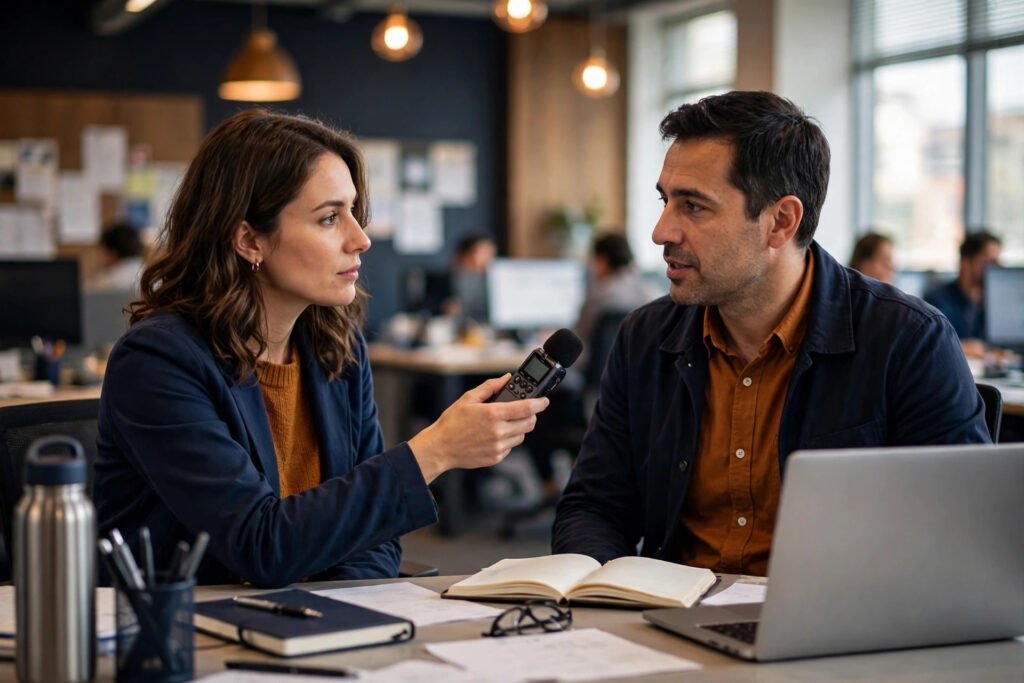
Otter.ai records a conversation and returns a live transcript with speaker labels, so a reporter can search an hour of audio for one quote in seconds. It works in a browser and on mobile, and it can join a video call as a participant to transcribe the meeting. For daily reporting, where the interview is one of several that day, that speed is the whole point.
Pricing: free tier with a monthly transcription limit, paid plans by subscription, check checkout for current prices. Best for: beat reporters, podcast interviews, and press conferences where speed matters more than a word-perfect record. Watch out for: speaker labels get confused when people talk over each other, and proper names, accents, and technical terms are the first things it mishears. Always re-listen to the exact quote you plan to publish. Try it at https://otter.ai
2. Rev
Rev offers both AI transcription and human transcription, and that second option is why it belongs in a journalism stack. An AI transcript is fine for background. A human-checked transcript is what you want when the interview is contested, when the subject may dispute what they said, or when the story rests on two or three sentences.
Pricing: AI transcription is priced per minute, human transcription costs more per minute, check checkout for current rates. Best for: investigations, legal-sensitive interviews, and any story where a disputed quote would damage the piece. Watch out for: human transcription takes longer than AI, so it does not suit a same-hour deadline, and costs add up fast if you send every interview this way. Use it selectively. Try it at https://www.rev.com
3. Trint
Trint turns audio and video into an editable transcript that behaves like a document. You can highlight a passage, search across many transcripts at once, and cut a story together from several interviews without reopening each recording. For reporters working a longer feature with ten or more interviews, that search across the whole set is the feature that earns its place.
Pricing: free trial, then subscription plans, check checkout for current prices. Best for: feature writers, documentary researchers, and anyone building a story from a large interview archive. Watch out for: accuracy still drops on crosstalk and poor phone audio, and the editing interface takes a session or two to learn. Do not treat a Trint transcript as a verified quote without listening back.
Try it at https://trint.com
Research and fact-checking: finding the document before the deadline
4. Perplexity
Perplexity answers a question with a short summary and a list of sources, which makes it useful for background checks at the start of a story. Ask who owns a company, when a law changed, or what a previous report actually said, and you get an answer you can click through to verify. Perplexity sometimes cites a page that does not quite say what the summary claims.
Pricing: free tier with daily limits, paid plan by subscription, check checkout for current prices. Best for: background briefings, quick context before an interview, and checking a claim you already half-remember. Watch out for: never quote a Perplexity answer directly. Open the source, read the original, and cite that. If the source does not support the claim, the claim does not go in the story. Try it at https://www.perplexity.ai
5. Pinpoint
Pinpoint, from Google, lets journalists search across large collections of documents: PDFs, audio transcripts, handwritten notes, and scanned pages. Upload a few hundred pages of filings, emails, or reports, and you can search them all for a name, a date, or a phrase. For investigative work, you can ask the set a question and go straight to the pages that answer it.
Pricing: free for journalists, with an application process, check checkout for eligibility details. Best for: investigations, document-heavy beats like planning, courts, and finance, and any story built on a leaked or released document set. Watch out for: access is not instant, and scanned or handwritten material still needs a careful read before you rely on it. A search hit is a lead, not a verified fact. Try it at https://journaliststudio.google.com/pinpoint
6. LexisNexis
LexisNexis is the archive tool that many newsrooms still pay for because nothing free replaces it. It holds court records, company filings, news archives, and public records in one searchable place, with filters by date, jurisdiction, and source type. When you need to know what a company filed three years ago, what a court actually ruled, or how a story was covered at the time, this is where that answer usually lives.
Pricing: subscription and quote based, check checkout for current pricing. Best for: court reporters, business journalists, and investigations that turn on filings and prior coverage. Watch out for: it is expensive for a freelancer, the interface feels dated, and access often depends on a newsroom subscription. If you cannot afford it, ask your outlet, a library, or a press association about shared access before paying full price yourself. Try it at https://www.lexisnexis.com
7. NotebookLM
NotebookLM, from Google, is a research assistant that answers questions using only the documents you give it. Upload reports, transcripts, filings, or web pages into a notebook, then ask what the set actually says, and it answers with citations back to the exact passage. For a reporter, that constraint is the point. A general chatbot will answer from anywhere and invent a source when it cannot find one. NotebookLM will say the answer is not in your sources, which is a far safer failure mode when a story turns on a document.
Pricing: free tier with a Google account, higher limits on paid Google AI plans, check checkout for current terms. Best for: background research on a document set you already hold, preparing interview questions from a briefing pack, and checking what a long report actually says before you quote it. Watch out for: NotebookLM only knows what you upload, so a thin or one-sided source set produces a confident answer from thin evidence. It is a reading aid for your documents, not a substitute for finding the right documents in the first place. Always open the cited passage before you rely on it. Try it at https://notebooklm.google.com
Writing and editing: drafting faster without losing your voice
8. Grammarly
Grammarly checks grammar, spelling, punctuation, and tone as you type, in a browser, in documents, and in email. For a journalist filing under deadline, its value is narrow and real: it catches the typo, the doubled word, and the sentence that lost its verb somewhere in the third rewrite.
Pricing: free tier with basic checks, paid plan by subscription, check checkout for current prices. Best for: fast copy checks on news stories, newsletters, and pitches, especially when no subeditor is available. Watch out for: it will suggest changes that flatten your voice or alter a quote if you accept suggestions blindly. Never run it over quoted speech, and reject any suggestion that changes meaning, even slightly. Try it at https://www.grammarly.com

9. Jasper
Jasper drafts marketing-style copy from a prompt: headlines, social posts, newsletter intros, and summaries. For journalists, its honest use is not writing the story. It is writing the material around the story. After filing, it produces usable first versions of headlines, social threads, and newsletter blurbs in minutes, which you then edit into your own voice.
Pricing: free trial, then subscription plans, check checkout for current prices. Best for: headlines, social copy, newsletter summaries, and SEO descriptions for published stories. Watch out for: Jasper invents facts with confidence, so it must never draft the factual body of a news story, and every headline it suggests still needs a human check for accuracy and fairness. If a headline overclaims, the tool does not take the blame. You do. Try it at https://www.jasper.ai
10. Hemingway Editor
Hemingway Editor is the simplest tool on this list, and for many reporters it is the most useful. Paste your draft in, and it highlights long sentences, hard-to-read passages, adverbs, and passive voice, with a readability grade for the whole piece.
Pricing: free web version, paid desktop app as a one-time purchase, check checkout for current prices. Best for: tightening features, explainers, and any draft that has grown long in the edit. Watch out for: a low readability grade is not always the goal.
Legal, technical, and court stories sometimes need long sentences to stay accurate, and cutting for brevity can cut meaning too. Use Hemingway as a prompt to reconsider a sentence, not as an order to shorten it. Try it at https://hemingwayapp.com
Publishing and distribution: getting the story read
11. WordPress
WordPress powers a large share of news sites for a simple reason: you own the site, the archive, and the audience relationship. You can publish text, audio, and video, organise stories by beat or topic, add a newsletter signup, and keep a searchable archive that still brings readers in years later.
Pricing: the software itself is free, hosting and some themes and plugins are paid, check checkout for hosting prices. Best for: independent journalists, small newsrooms, and anyone building a lasting archive rather than a single viral post. Watch out for: you are responsible for security updates, backups, and spam, and a badly maintained WordPress site is a liability. Budget time or money for maintenance, or use a managed host that handles it. Try it at https://wordpress.com
12. Substack
Substack lets a journalist publish a newsletter and charge readers for it, without building a website first. The appeal is direct: readers subscribe by email, you write, and the platform handles payments, delivery, and the archive.
Pricing: free to publish, Substack takes a share of paid subscriptions, check checkout for current terms. Best for: newsletter journalists, specialist beats, and reporters testing whether an audience will pay for their work. Watch out for: your audience lives partly on someone else’s platform, discovery depends on Substack’s recommendations, and a free newsletter still needs consistent promotion to grow. Keep a backup of your subscriber list and your archive. Try it at https://substack.com

13. Buffer
Buffer schedules social media posts across several platforms from one dashboard, so a published story can go out on each channel at the right time without a reporter sitting on each app. You write the post variants once, set the times, and Buffer publishes them.
Pricing: free tier with limits, paid plans by subscription, check checkout for current prices. Best for: small newsrooms, solo journalists, and anyone promoting each story across two or more social platforms. Watch out for: scheduled posts still need a human eye on breaking news. A post written in the morning can look wrong by the afternoon if the story has moved, so check scheduled posts before they go out on fast-moving days. Try it at https://buffer.com
Pricing compared: what a journalist actually pays in 2026
| Tool | Free option | Paid model |
|---|---|---|
| Otter.ai | Free tier, limited minutes | Subscription, check checkout |
| Rev | None, pay per minute | Per minute, human costs more |
| Trint | Free trial | Subscription, check checkout |
| Perplexity | Free tier, daily limits | Subscription, check checkout |
| Pinpoint | Free for eligible journalists | Free, application required |
| LexisNexis | Trial in some cases | Subscription or quote based |
| NotebookLM | Free tier | Free, higher limits on paid plans, check checkout |
| Grammarly | Free tier, basic checks | Subscription, check checkout |
| Jasper | Free trial | Subscription, check checkout |
| Hemingway Editor | Free web version | One-time desktop purchase |
| WordPress | Free software | Paid hosting, themes, plugins |
| Substack | Free to publish | Share of paid subscriptions |
| Buffer | Free tier, limited channels | Subscription, check checkout |
The cheapest honest stack for a freelance journalist is Otter.ai on its free tier, Pinpoint for documents, Grammarly free, Hemingway free, and Substack or WordPress for publishing. That stack costs little or nothing to start, and you add paid tools only when a specific job justifies them: Rev for a contested interview, LexisNexis access for a court-heavy story, Jasper when headline and social volume becomes a real weekly burden.

How to Choose without buying twice
Start with the bottleneck, not the tool. Write down the one task that eats the most time in your reporting week. If it is transcription, start with Otter.ai and test it on three real interviews before paying for anything. If it is research, apply for Pinpoint and spend a week searching a document set you already have. If it is editing, run your next three drafts through Grammarly and Hemingway and see which one catches the errors you actually make.
Next, check overlap before you buy. Several tools on this list do parts of the same job. Otter.ai, Rev, and Trint all transcribe, but they suit different accuracy needs. Jasper and Grammarly both touch your copy, but one drafts and the other checks, and using both on the same draft without a clear order creates confusion. Pick one tool per job, use it for a month, and only add a second tool when the first one has a gap you can name.
Then test on a real story, not a demo. Vendor demos use clean audio, simple documents, and friendly copy. Your work uses bad phone lines, scanned PDFs, and drafts written at midnight. Run any paid tool on one real assignment during its trial, and judge it on that assignment alone. If it did not save time or improve accuracy on that story, it will not save time on the next one either.
Finally, set a verification rule and stick to it. For transcription, re-listen to every quote you publish. For research, open every source a tool cites. For writing tools, read every suggested change before accepting it. For publishing tools, check scheduled posts on breaking news days. These rules sound slow, but they are faster than a correction, and they are what separates a journalist using AI from a content farm using AI.
Mistakes to avoid when using AI as a journalist
The first mistake is publishing an AI transcript as if it were a verified quote. Transcription tools are good, and they are wrong often enough to matter, especially on names, numbers, and negations. A missed “not” reverses a quote. Re-listen to the exact passage, every time, before it goes in print.
The second mistake is citing a research tool instead of its source. If Perplexity or any answer tool tells you a fact, that fact still needs an original source you have read yourself. Readers, editors, and lawyers will ask where you got it, and “an AI tool said so” is not an answer that holds up.
The third mistake is letting a writing tool flatten your voice or alter meaning. Grammar and style suggestions are useful until they are not. A suggestion that changes a careful word choice, softens a criticism, or sharpens a neutral sentence can change the fairness of a story. Read each suggestion as an edit from a stranger, because that is what it is.
The fourth mistake is using AI to draft the factual body of a news story. Drafting tools invent details, dates, and quotes with total confidence. That is acceptable for a headline option or a social blurb you will edit. It is not acceptable for reporting, and no editor will accept “the tool wrote it” as a defence when a fact turns out to be false.
The fifth mistake is building your whole audience on one platform you do not control. Substack, social platforms, and even a hosted site can change their rules, their fees, or their reach overnight. Keep your archive and your subscriber list in a form you can move, and keep at least one channel, usually email or your own site, that no platform can switch off.
The sixth mistake is paying for tools you have not used in a month. Journalism tools multiply quietly: a transcription subscription, a writing subscription, a scheduling subscription, and suddenly the monthly total exceeds what the work justifies. Review subscriptions every quarter, cancel what you did not use, and keep the stack small enough that you actually know what each tool does.
Frequently asked questions
Can I trust an AI transcript for a published quote?
No, not on its own. Use the transcript to find the quote quickly, then listen to the original audio for the exact passage before publishing. Check names, numbers, and negations in particular, since those are the errors that change meaning.
Is it ethical to use AI tools in journalism?
Yes, when the use is disclosed where it matters and the reporter still verifies the work. Transcribing, searching documents, checking grammar, and scheduling posts are normal editorial aids. Presenting AI-generated text as reporting, or publishing unverified AI claims, is not. Many newsrooms now have a written AI policy, so check yours before using a new tool on a story.
Which tool should a freelance journalist buy first?
Start free: Otter.ai free tier for transcription, Pinpoint for documents, Grammarly free and Hemingway free for editing, and Substack or WordPress for publishing. The first paid purchase that usually earns its cost is human-checked transcription from Rev for a sensitive interview, or a scheduling tool like Buffer when social promotion becomes a weekly job.
Do AI research tools replace archive and court record searches?
No. Answer tools are useful for background, but court records, filings, and original documents still need to be read in the original source. For legal and business stories, LexisNexis or the primary court and company record remains the standard, and a secondary summary is not a substitute.
How do I keep sources safe when using AI tools?
Do not upload sensitive source material, unpublished interviews, or confidential documents to a tool you have not checked for privacy and retention terms. Use tools with clear data policies for sensitive work, keep source-identifying material out of cloud tools where possible, and ask your outlet about approved tools before uploading anything a source gave you in confidence.
Will AI tools replace journalists?
No, and the tools on this list show why. They speed up transcription, search, and drafting, but they cannot interview a reluctant source, judge whether a claim is fair, or decide what a community needs to know. The reporters who benefit most are the ones who use AI for the routine work and spend the saved time on reporting that only a human can do.
Conclusion: buy the hour back, not the demo
The best AI tools for journalists in 2026 share one quality: they return a specific hour to a specific job, and they are honest about where they stop. Otter.ai returns the transcription hour. Pinpoint returns the document-search afternoon. NotebookLM returns the cited answer from your own document set. Grammarly and Hemingway return the proofreading pass. Substack and WordPress return control over your audience.
Start with the free stack, add one paid tool at a time for a named bottleneck, and keep the verification rules non-negotiable. Re-listen to quotes, open every cited source, and read every suggested edit. Do that, and AI becomes what it should be for a journalist: not a writer, but a faster pair of hands for the work around the writing, leaving more time for the reporting itself.