
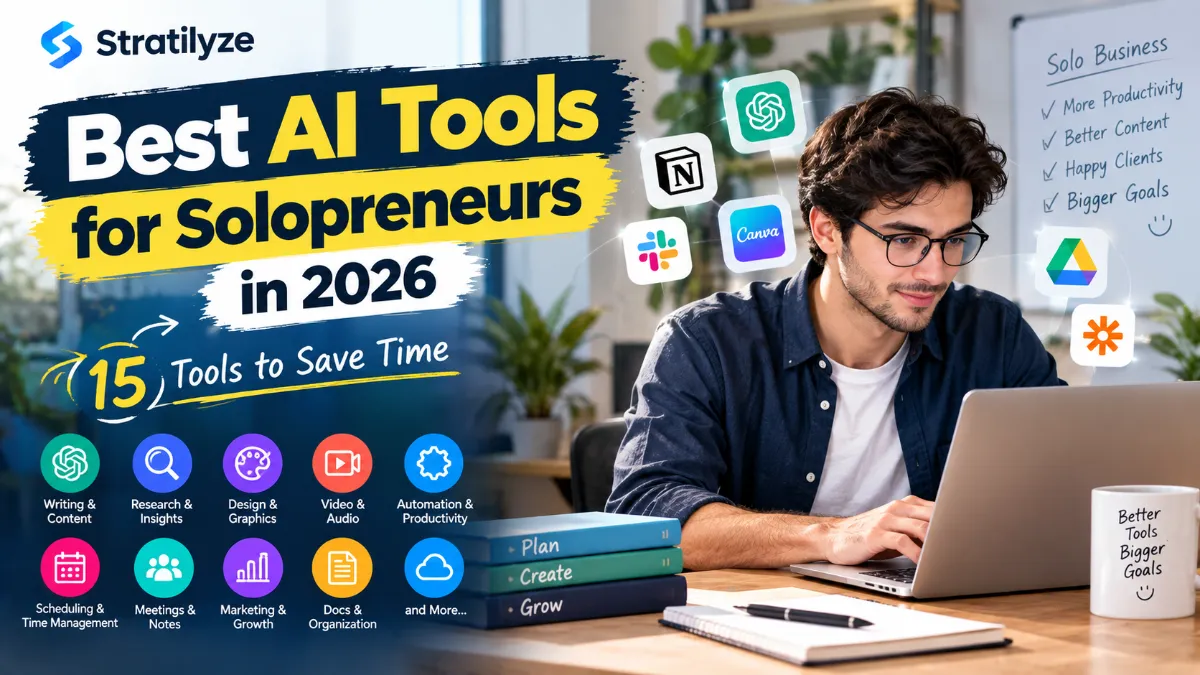
Running a business on your own means switching between a lot of jobs every day. One hour you’re writing a client email, the next you’re researching a competitor, creating a social post, organizing your tasks, preparing a presentation, or trying to keep up with customer requests.
That is where the best AI tools for solopreneurs can make a real difference.
The goal isn’t to automate everything or replace your own judgment. The useful AI tools are the ones that remove repetitive work, help you get from an idea to a usable result faster, and give you more time for work that actually grows the business.
In this guide, we’ve selected 15 AI tools that can help with writing, research, design, meetings, organization, automation, marketing, video, and everyday business tasks.
Some are broad AI assistants, while others solve a very specific problem. You don’t need all 15. In fact, most solopreneurs will get better results by choosing three or four that fit their workflow.
What Makes an AI Tool Useful for a Solopreneur?
A good AI tool should do more than produce an impressive demo.
For a one-person business, the most useful tools usually help with one or more of these areas:
- Reduce repetitive work
- Speed up research
- Improve writing and communication
- Create professional visuals
- Organize information
- Turn meetings into usable notes
- Automate repetitive workflows
- Produce marketing content
- Handle tasks that would otherwise require another software subscription or freelancer
There is also a practical consideration that matters more when you’re working alone: setup time.
A powerful tool that takes several weeks to configure may be less useful than a simpler tool you can start using today.
That’s why the list below focuses on practical use cases rather than simply ranking the most advanced AI models.
The 15 Best AI Tools for Solopreneurs in 2026
| Tool | Best For | Why Solopreneurs May Like It |
|---|---|---|
| ChatGPT | General business work | Writing, research, brainstorming and everyday tasks |
| Claude | Long-form work | Documents, analysis, writing and complex projects |
| Google Gemini | Google ecosystem | Research and work across Google services |
| Perplexity | Web research | Fast research with cited sources |
| Notion AI | Organization | Notes, documents, databases and AI-assisted workflows |
| Canva AI | Design | Social graphics, presentations and marketing visuals |
| Zapier | Automation | Connecting apps and automating repetitive tasks |
| Grammarly | Writing | Editing, rewriting and clearer business communication |
| Otter.ai | Meetings | Transcription, summaries and action items |
| Fireflies.ai | Meeting workflows | Meeting notes and searchable conversation records |
| Descript | Video and audio | Editing content using AI-assisted workflows |
| Gamma | Presentations | Creating presentations and documents faster |
| Adobe Express | Marketing content | Quick graphics, social content and visual assets |
| Motion | Planning | Combining tasks, calendars and scheduling |
| Reclaim | Time management | Protecting time for tasks, habits and meetings |
The best choice depends heavily on what kind of business you run.
1. ChatGPT – Best Overall AI Tool for Solopreneurs
If you want one general-purpose AI assistant that can help across many parts of your business, ChatGPT is one of the easiest places to start.
You can use it for:
- Blog outlines
- Email drafts
- Customer replies
- Brainstorming
- Research planning
- Summarizing documents
- Creating business documents
- Marketing ideas
- Spreadsheet-related tasks
- Content repurposing
- Project planning
It is particularly useful when you have a task but don’t want to start from a blank page.
For example, instead of spending 30 minutes trying to write a professional response to a potential client, you can provide the important details and ask ChatGPT to turn them into a clear email.
OpenAI also supports dedicated Projects that keep chats, files, instructions, and related context together, which can be useful when you’re working continuously on the same business or project.
The important part is how you use it. Treat the output as a starting point, especially for customer-facing, financial, legal, or factual content that needs verification.
Best for: General business assistance
Why solopreneurs should consider it: It can support many different jobs without requiring a separate AI tool for every task.
2. Claude – Best for Long Documents and Detailed Work
Claude is another strong general-purpose AI assistant, particularly useful when your work involves longer documents, analysis, writing, or structured thinking.
A solopreneur might use Claude to:
- Review a business document
- Summarize a long report
- Improve a proposal
- Analyze customer feedback
- Brainstorm product ideas
- Draft long-form content
- Organize research
- Work through complicated instructions
It can be especially useful when you want to give an AI assistant a substantial amount of context rather than asking isolated questions.
For example, you could provide a draft proposal, your service details, and the client’s requirements and ask Claude to identify gaps and suggest improvements.
The biggest advantage isn’t that it magically produces perfect work. It’s that it can help you work through complex material without doing every step manually.
Best for: Long-form writing, analysis and document work
Why solopreneurs should consider it: Useful when the task requires context and more than a quick answer.
3. Google Gemini – Best for Google-Centered Workflows
If your business already relies heavily on Google services, Gemini is worth considering.
A Google-centered workflow can make AI more convenient because many solopreneurs already use products such as Gmail, Google Docs, Google Drive and Google Calendar.
You can use Gemini for tasks such as:
- Drafting and improving text
- Brainstorming
- Summarizing information
- Research
- Planning
- Working with documents
- Generating ideas
- Organizing business information
The biggest reason to consider Gemini isn’t simply the chatbot itself. It’s the potential fit with the broader Google ecosystem.
If most of your business already lives inside Google, reducing the number of times you have to copy information between different apps can save more time than using a slightly different AI model.
Best for: People already using Google services heavily
Why solopreneurs should consider it: Convenience matters when your business workflow already revolves around Google’s ecosystem.
4. Perplexity – Best AI Tool for Business Research
Research can take up a surprisingly large part of a solopreneur’s day.
You might need to research:
- Competitors
- Products
- Industry trends
- Potential customers
- Software
- Market developments
- Content ideas
- Statistics
- New technologies
Perplexity is designed around AI-powered search and research rather than functioning only as a traditional chatbot.
Its Research mode can perform multiple searches, review sources, reason through information, and produce a more detailed report. Perplexity also provides citations and links so you can inspect the underlying sources.
That makes it useful when you don’t simply want an AI-generated answer but want to know where the information came from.
Still, don’t blindly trust any AI research result. Open the important sources and verify claims before using them in business decisions or publishing them.
Best for: Research and source discovery
Why solopreneurs should consider it: It can reduce the time spent jumping between search results and individual web pages.
5. Notion AI – Best for Organizing a One-Person Business
Notion becomes particularly interesting for solopreneurs because it combines documents, notes, databases, tasks and AI features in one workspace.
You could use it to manage:
- Content calendars
- Client information
- Project notes
- Business ideas
- Standard operating procedures
- Task lists
- Research
- Meeting notes
- Product plans
Notion AI can work directly inside your workspace, helping draft, edit, search and work with information stored in your Notion environment.
That can be valuable for a solo business because information tends to end up everywhere when you’re the only person managing everything.
Instead of keeping ideas in one app, customer notes in another and processes in random documents, you can create a central business workspace.
Best for: Business organization and knowledge management
Why solopreneurs should consider it: It can become the central place where your business information lives.
6. Canva AI – Best for Creating Business Visuals
You don’t need to be a professional designer to need professional-looking graphics.
A solopreneur may need:
- Social media posts
- Blog graphics
- Presentations
- Advertisements
- Product visuals
- YouTube thumbnails
- Lead magnets
- Business documents
- Simple website graphics
Canva has expanded its AI capabilities significantly, including conversational design features, AI-powered templates, image generation and other creative workflows.
For a small business, the biggest advantage is convenience. You can create and edit the final design in the same environment instead of generating something with one AI tool and then moving it to another design application.
Canva’s newer AI features also focus on editable output rather than only producing a finished image.
Best for: Business graphics and visual content
Why solopreneurs should consider it: It helps one person handle design tasks without needing to become an expert in professional design software.
7. Zapier – Best for Automating Repetitive Work
Automation is where AI can become especially useful for a one-person business.
Zapier connects different applications so that one event can trigger actions elsewhere.
For example:
New lead form submission → Add lead to CRM → Send notification → Create follow-up task
Instead of performing those steps manually every time, you can build an automated workflow.
Zapier has also expanded its AI capabilities, allowing AI steps and agent-style workflows to work inside automations.
Its current platform connects thousands of apps, making it useful for businesses with a mixed software stack.
Think about the tasks you perform repeatedly every week.
If you’re copying information from one app to another, sending the same type of notification, creating repetitive records, or manually moving data between systems, automation may be a better investment than another writing assistant.
Best for: Workflow automation
Why solopreneurs should consider it: It can remove repetitive administrative work that quietly consumes hours every week.
8. Grammarly – Best for Business Writing
Good communication matters even more when you’re running the business yourself.
You may write:
- Client emails
- Proposals
- Website copy
- Product descriptions
- Social posts
- Job descriptions
- Reports
- Customer support messages
Grammarly provides AI writing assistance that can help with drafting, rewriting, brainstorming and polishing text.
It is particularly useful for people who know what they want to say but want help making the message clearer and more professional.
For example, a quick message written in a hurry can be turned into something more polished without completely changing your intended meaning.
The key is to keep your own voice. AI editing should make your communication clearer, not make every email sound like it came from the same template.
Best for: Editing and business communication
Why solopreneurs should consider it: It can help you communicate professionally when you don’t have an editor reviewing everything you send.
9. Otter.ai – Best for Turning Meetings Into Action Items
Meetings can create a strange problem for solopreneurs.
You spend an hour talking to a client, then another 20 minutes trying to remember what was actually agreed.
AI meeting tools can reduce that problem.
Otter.ai can transcribe conversations, create summaries and identify useful information from meetings. Its 2026 product direction also includes meeting agents and integrations that connect meeting information to other business workflows.
A solopreneur can use it for:
- Client calls
- Interviews
- Sales conversations
- Project meetings
- Research interviews
- Brainstorming sessions
Instead of trying to write everything down while talking, you can focus more on the conversation and review the resulting notes afterward.
Best for: Meeting notes and conversation records
Why solopreneurs should consider it: It reduces the amount of manual note-taking and follow-up work after meetings.
10. Fireflies.ai – Best for Searchable Meeting Knowledge
Fireflies.ai is another option for people who spend significant time in meetings.
The important difference between a simple recording and an AI meeting assistant is what happens after the conversation.
A useful meeting system should help you answer questions such as:
- What did the client ask for?
- What did we agree to?
- What are the next steps?
- Who needs to do what?
- What did we discuss last time?
This becomes increasingly useful when you have multiple clients and many recurring conversations.
For a solopreneur, searchable meeting information can also reduce the mental burden of remembering every detail yourself.
Best for: Meeting summaries and searchable conversation history
Why solopreneurs should consider it: It can turn conversations into information you can find and reuse later.
11. Descript – Best for AI-Assisted Video and Audio Editing
Video has become an important marketing channel for many small businesses, but traditional video editing can take a lot of time.
Descript takes a different approach by allowing creators to work with audio and video through a text-based editing workflow.
That can be useful for:
- YouTube videos
- Podcasts
- Interviews
- Tutorials
- Marketing videos
- Short-form content
- Screen recordings
For a solopreneur who needs to create content regularly, reducing editing friction can be more valuable than having hundreds of advanced editing features.
The real benefit is turning content production into a repeatable process.
You can record something once and then transform it into several pieces of content instead of treating every video as a completely separate project.
Best for: Video and podcast production
Why solopreneurs should consider it: It can make editing and repurposing content less time-consuming.
12. Gamma – Best for Fast Presentations
Creating a professional presentation from scratch can take longer than the actual meeting.
Gamma is designed to speed up the creation of presentations and other visual documents using AI.
A solopreneur could use a presentation tool like Gamma for:
- Client proposals
- Sales presentations
- Business plans
- Project overviews
- Training material
- Pitch decks
- Internal documentation
The useful workflow is not simply “AI creates my presentation.”
Instead, give the tool your key information and use the generated structure as a starting point. Then edit the content, examples, visuals and claims so the final presentation actually reflects your business.
Best for: Presentations and visual documents
Why solopreneurs should consider it: It can reduce the time spent turning raw ideas into a presentable document.
13. Adobe Express – Best for Quick Marketing Assets
Adobe Express is worth considering if you want quick marketing and design capabilities without moving into a full professional design workflow.
A solo business owner might use it for:
- Social media graphics
- Promotional images
- Flyers
- Simple videos
- Brand assets
- Marketing materials
The advantage of a tool like this is speed.
You don’t necessarily need to create every graphic from scratch. Templates, editing tools and AI-assisted features can help you move from an idea to a usable marketing asset faster.
It’s particularly useful if your business requires regular visual content but design isn’t your main job.
Best for: Quick marketing and creative work
Why solopreneurs should consider it: It gives you another way to produce professional-looking marketing assets without outsourcing every small design task.
14. Motion – Best for Managing a Busy Schedule
A common solopreneur problem isn’t a lack of tasks. It’s having too many tasks competing for the same hours.
Motion is built around combining tasks, calendars and scheduling so your workday can be planned around actual available time.
This can be useful if you constantly deal with:
- Client meetings
- Content deadlines
- Administrative work
- Sales calls
- Personal commitments
- Project deadlines
Instead of keeping a separate list of tasks and trying to figure out when you’ll actually complete them, an AI-assisted scheduling system can help turn those tasks into a more practical calendar.
This type of tool is most useful when your schedule changes frequently.
If your workday is already simple and predictable, you may not need it.
Best for: Task planning and calendar management
Why solopreneurs should consider it: It helps connect what you need to do with the time you actually have available.
15. Reclaim – Best for Protecting Time
Reclaim takes another approach to AI scheduling.
Instead of simply giving you another task list, it focuses on protecting time for tasks, habits, meetings and priorities.
This can be useful for solopreneurs who struggle with constantly postponing important work because something urgent appears.
For example, you might want dedicated time every week for:
- Content creation
- Business development
- Client work
- Exercise
- Planning
- Administrative tasks
The value is not just putting those activities on a calendar. It’s making sure important work doesn’t disappear whenever your schedule becomes busy.
Best for: Time blocking and schedule protection
Why solopreneurs should consider it: It can help protect important work from being pushed aside by less important tasks.
Which AI Tools Should a Solopreneur Actually Use?
This is where many AI tool lists go wrong.
You don’t need 15 subscriptions.
If you sign up for every tool on this list, you could easily create another problem: managing your AI tools becomes a job of its own.
A better approach is to build a small AI stack.
If You Run a Service Business
Start with:
ChatGPT + Notion + Zapier + Grammarly
ChatGPT can help with proposals, emails and brainstorming.
Notion can organize client information and processes.
Zapier can automate repetitive administrative work.
Grammarly can polish important customer-facing communication.
If You Are a Content Creator
Try:
ChatGPT + Perplexity + Canva + Descript
Use ChatGPT for planning and writing.
Use Perplexity for research.
Use Canva for graphics.
Use Descript for video and audio editing.
This gives you a basic content production system without needing a separate tool for every small task.
If You Have Lots of Client Meetings
Consider:
ChatGPT + Otter.ai + Notion + Zapier
Meeting notes can be captured automatically, important information can be organized, and repetitive follow-up tasks can be automated.
If You Are a Freelancer
A practical combination could be:
ChatGPT + Grammarly + Notion + Motion
This covers communication, organization and scheduling without requiring a complicated business software stack.
If You Sell Products Online
Consider:
ChatGPT + Canva + Perplexity + Zapier
You can use them for product copy, research, visual content and automation.
The exact combination will depend on your ecommerce platform and how much automation you actually need.
Free vs Paid AI Tools for Solopreneurs
You don’t have to pay for every tool.
Many AI products offer free access, limited usage or free trials, although limits and plan features can change over time.
For someone starting a business, the smartest approach is to test the free version first whenever it provides enough access for your workflow.
Before paying, ask:
Does this tool save me enough time to justify its cost?
For example, suppose a tool costs $20 per month but saves you three hours every month.
That may be useful.
But if you pay for five different AI subscriptions and barely use four of them, you’re simply increasing your software expenses.
A simple rule
Don’t subscribe because an AI tool looks impressive.
Subscribe because you have a recurring problem it solves.
How to Build an AI Stack for a One-Person Business
Instead of collecting tools, build around your workflow.
Start with these five areas.
1. Think
Use a general AI assistant for brainstorming, planning and problem-solving.
ChatGPT or Claude can fit this role.
2. Research
Use an AI search and research tool when you need current information.
Perplexity is particularly useful for this role because its search and research workflows are designed around web sources.
3. Create
Choose one main creative tool.
Canva or Adobe Express may be enough for many businesses.
4. Organize
Choose one central workspace.
Notion can handle documents, databases, notes and tasks while adding AI capabilities on top.
5. Automate
Only automate tasks after you understand the process.
Zapier can then connect the tools and remove repetitive manual steps.
This approach is much easier to manage than buying 15 separate subscriptions.
What AI Should Not Do for Your Business
AI can save time, but that doesn’t mean you should hand over every decision.
Be careful with:
- Financial decisions
- Legal documents
- Tax information
- Sensitive customer data
- Confidential contracts
- Medical information
- Security credentials
- Important business claims
- Customer-specific promises
AI can make confident mistakes.
Always review important information before sending it to a client, publishing it, or using it to make a serious business decision.
The same rule applies to AI-generated marketing content.
A polished sentence isn’t necessarily an accurate sentence.
How to Save More Time With AI
The biggest productivity improvement usually doesn’t come from discovering a better AI model.
It comes from changing how you work.
For example, instead of asking AI to write a different email from scratch every time, create a reusable process.
You could keep:
- A client onboarding template
- A proposal template
- A meeting summary format
- A customer support template
- A content brief
- A product description framework
- A weekly planning prompt
Then use AI to customize those frameworks.
This gives you more consistent results and reduces the amount of thinking required for repetitive work.
Don’t Automate a Broken Process
This is one of the most important lessons for solopreneurs.
If you manually perform a task badly, adding AI automation doesn’t automatically make the process better.
First ask:
Why am I doing this task?
Then:
Can I remove it?
Then:
Can I simplify it?
And finally:
Can AI or automation handle the remaining steps?
For example, don’t automatically build a complicated AI workflow to manage a newsletter if you don’t yet know what type of newsletter your audience wants.
Simplify the business process first.
Automate second.
Are AI Tools Worth It for Solopreneurs in 2026?
Yes, but only when they solve real problems.
The strongest use cases are usually not flashy.
They’re small improvements repeated every day:
- A faster client email
- A better research process
- Automatic meeting notes
- A social graphic created in minutes
- A report summarized quickly
- A repetitive task handled automatically
- A presentation created from existing information
- A calendar that protects focused work
Saving 15 minutes once isn’t a big deal.
Saving 15 minutes every working day adds up.
That’s why solopreneurs should think about AI in terms of workflows rather than individual tools.
The Best AI Tools for Solopreneurs Depend on Your Business
There isn’t one AI tool that is best for every solopreneur.
If you mainly write, ChatGPT, Claude and Grammarly may be more valuable.
If you research, Perplexity can become part of your daily workflow.
If you create visual content, Canva or Adobe Express may save more time.
If meetings consume your schedule, Otter.ai or Fireflies.ai can help.
If repetitive tasks are eating your time, Zapier may have the biggest impact.
If organization is your biggest problem, Notion AI is worth exploring.
And if your biggest issue is simply finding enough hours in the day, an AI scheduling tool such as Motion or Reclaim may be more useful than another chatbot.
Final Verdict
The best AI tools for solopreneurs in 2026 aren’t necessarily the tools with the most impressive features.
They’re the ones that remove work you don’t need to do manually.
For most one-person businesses, a small combination is enough:
One general AI assistant + one research tool + one organization tool + one creative tool + one automation tool.
A practical starting stack could be ChatGPT, Perplexity, Notion, Canva and Zapier.
You can then add a meeting assistant, video editor or scheduling tool only when your workload actually requires it.
The goal isn’t to use more AI.
The goal is to spend less time on repetitive work and more time on the parts of your business that require your experience, judgment and creativity.
Read More – Best AI Video Generators in 2026 | 15+ Tools Compared