
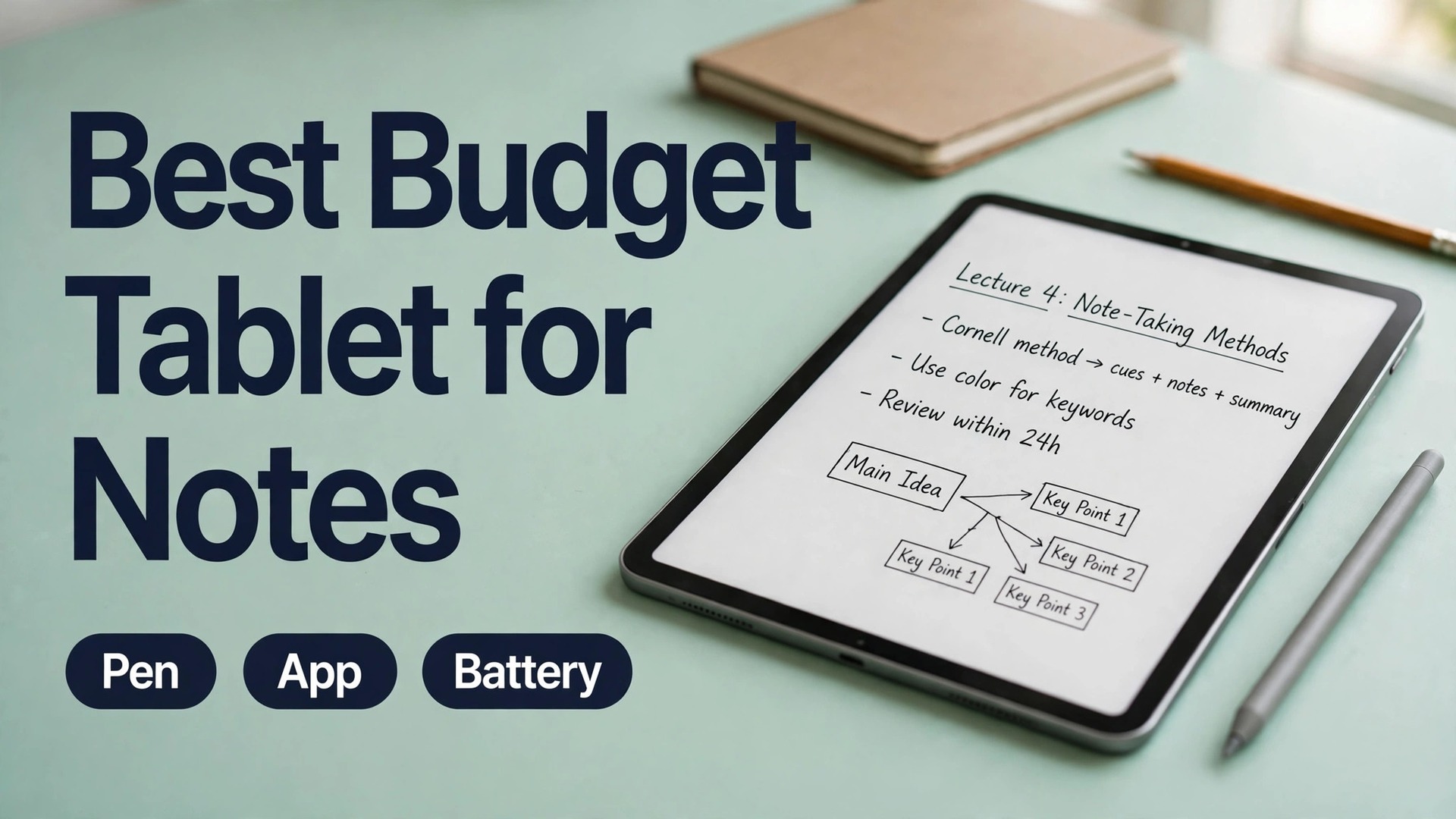
A lecture moves fast. The lecturer changes slides while you are still finishing the last diagram, a classmate asks a question that changes the whole point, and by the time you look up, the example you needed is gone. Paper notes survive that pace only if your handwriting stays readable under pressure and you never lose the notebook. The best budget tablet for note-taking students can do better, but only if three things work together. The pen must keep up with fast handwriting, the app must keep notes searchable and organised, and the battery must last from the first lecture to the last study session.
The best budget tablet for note-taking students is the one that gets all three right without forcing you to buy a flagship device or a pile of expensive accessories.
This guide tests the choice on student terms, not on spec sheets alone. It compares the tablets students actually buy on a tight budget, prices the pen and the case as part of the real cost, and explains which app fits which kind of studying. Prices change with sales and with region, so treat every figure here as a checked range from recent retailer and vendor listings and confirm the final price at checkout before you pay.
The Verdict in Brief
Most students should buy the Samsung Galaxy Tab S10 FE when it is on sale, and the older Galaxy Tab S9 FE when it is not. That pick makes it the best budget tablet for note-taking students for a simple reason that has nothing to do with brand loyalty. Samsung puts a capable pen in the box, Samsung Notes is free and genuinely good, and the tablet lasts a full study day. You pay once and you can start writing in the first lecture. Apple students get a stronger app library, especially GoodNotes and Notability, but they pay for the tablet and then pay again for the pen.
Lenovo students get the lowest price, but they give up speed and long term software support in return.
| Tablet | Tablet price seen recently | Pen in the box | Pen cost if bought separately | Battery claim | Best for |
|---|---|---|---|---|---|
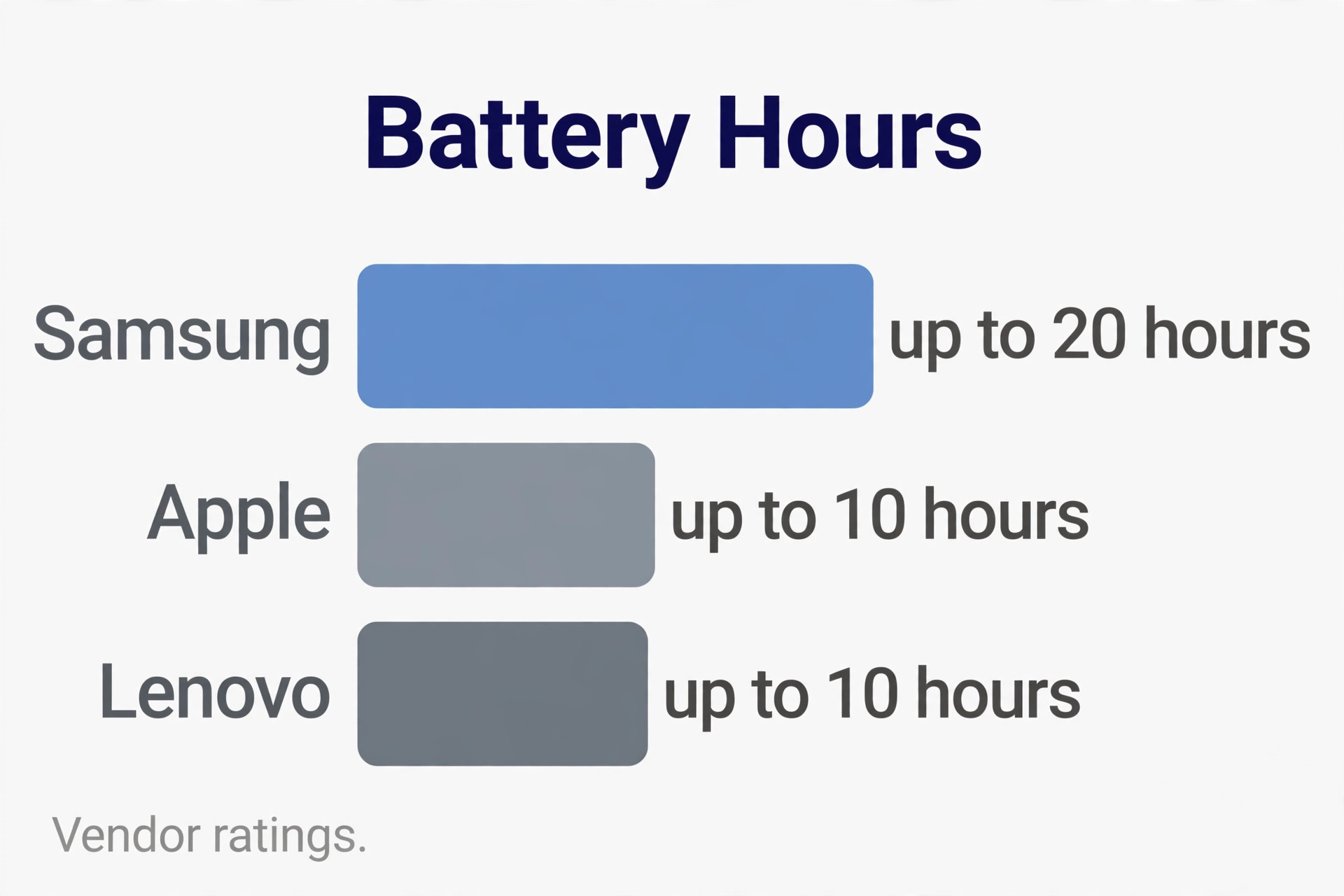
| Samsung Galaxy Tab S10 FE | 549.99 dollars list, 384.99 dollars on sale | Yes | 0 dollars | Up to 20 hours video playback in Samsung ratings | Most students |
| Samsung Galaxy Tab S9 FE | 449.99 dollars list, 314.99 dollars on sale | Yes | 0 dollars | 8,000 mAh, up to 18 hours in Samsung ratings | Best value on a strict budget |
| Apple iPad 11 inch A16 | 349 to 449 dollars in recent retailer listings | No | 79 dollars for Apple Pencil USB-C | Up to 10 hours web use in Apple ratings | Students who want GoodNotes or Notability |
| Lenovo Tab M11 | 199.99 dollars list, 219.99 dollars for the pen and case bundle, 161.99 dollars on sale | In the bundle version | Check the bundle before buying | 7,040 mAh, up to 10 hours video playback | Lowest price that still writes well |
The pen and app verdict is just as clear. Samsung Notes wins on value because it costs nothing, converts handwriting to text, solves handwritten maths, and syncs through a Samsung account. GoodNotes wins on organisation and polish for students who plan to keep years of notes and who already use an iPhone or a Mac. Notability wins for students who record lectures and want audio tied to the exact ink stroke they were writing when a point was made. OneNote wins for students who live in Microsoft Office and who need the same notes on Windows, Android, and the web.
What Makes the best budget tablet for note-taking students Worth Buying
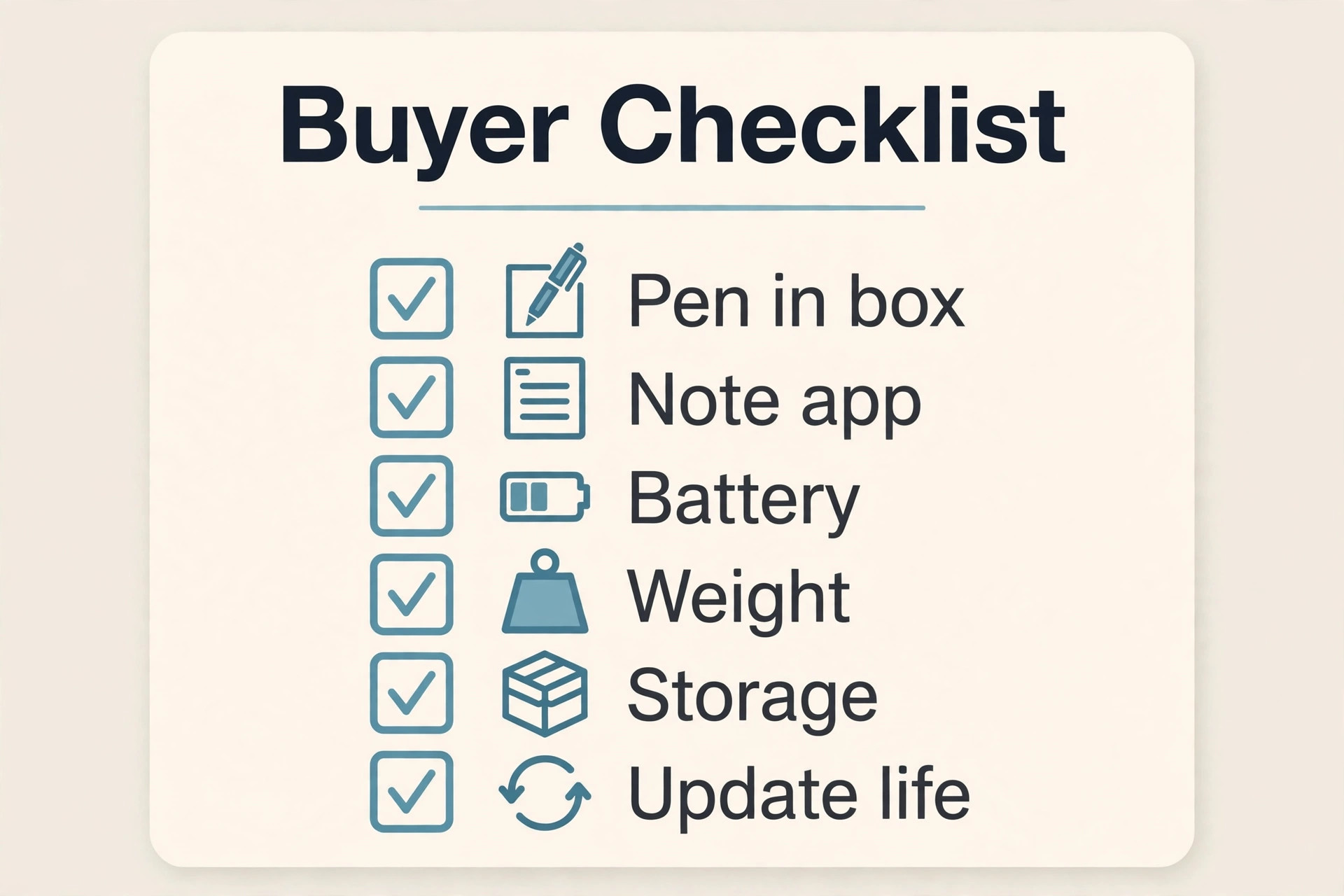
A note-taking tablet is not a small laptop and it is not a television that happens to accept a pen. Judge it on the work it will do between 8 in the morning and 10 at night. Five tests matter more than any benchmark score, and a tablet that fails one of them will annoy you every day even if its processor is fast.
First, the pen must track fast handwriting without a visible gap between the tip and the ink. Look for pressure sensitivity of 4,096 levels, tilt support, and palm rejection that lets you rest your hand on the screen. Second, the app must let you search handwriting, move pages between notebooks, export a clean PDF, and back up notes without a manual ritual every Sunday night. Third, the battery must survive lectures, library time, and a commute without a midday charge, because a dead tablet in a 3 p.m. seminar is a missed set of notes, not a minor inconvenience.
Fourth, the weight and size must suit a bag that already holds books, a water bottle, and a charger. Tablets around 10.9 to 11 inches hit the useful middle ground. Smaller screens cramp diagrams, while larger screens add weight and cost for little gain in a lecture hall. Fifth, the tablet must keep receiving software updates for the length of a degree. A tablet that stops getting updates in year two becomes a security risk and a compatibility problem just when your notes matter most. Samsung now promises long update support on recent FE tablets, Apple supports iPads for many years, and Lenovo support is shorter, so check the promised update window on the vendor page before you buy.
Apple iPad 11 inch A16 and the Best App Library
The iPad 11 inch with the A16 chip is the tablet to buy if apps matter more to you than the lowest total price, and for Apple centred students it is the best budget tablet for note-taking students on app quality alone. It has an 11 inch Liquid Retina display, 128 GB of storage in the base model, Touch ID in the top button, and up to 10 hours of web use in Apple ratings. The A16 chip is far faster than any note app needs, which means pages turn instantly, large PDFs scroll without stutter, and the tablet will still feel quick in three years.
The official page is on Apple and it is worth reading the full specification list before you choose a storage size.
The catch is the pen, and it is a large one. Apple Pencil USB-C costs 79 dollars, it has no pressure sensitivity, and it charges through a USB-C cable rather than magnetically. For handwriting, that missing pressure sensitivity matters less than it sounds. Notes are mostly line weight and shape, not shading, and tilt support is still present. For drawing and art classes, it matters more, and art students should look at a higher tier iPad or at Samsung instead. GoodNotes is the reason many students accept that extra pen cost. It organises notes into folders and notebooks, searches handwriting, and handles imported PDFs with care. Notability suits students who record lectures, because playback follows the ink.
Apple Notes itself is free and better than its reputation, with folders, handwriting search, and maths notes that solve equations written by hand.
Total cost is where the iPad loses the budget argument. A tablet at 349 to 449 dollars in recent retailer listings plus a 79 dollar pen plus a basic case puts the real starting cost near 450 to 550 dollars before any keyboard. Students who already own an iPhone or a Mac gain extra value from shared notes and the same apps on every device.
Samsung Galaxy Tab S10 FE and the Included Pen Advantage
The Galaxy Tab S10 FE is the strongest all round answer for most students, especially when it is discounted, and in total cost terms it is the best budget tablet for note-taking students. It has a 10.9 inch display at 90 Hz, 8 GB of RAM and 128 GB of storage in the base model, an 8,000 mAh battery with 45 W charging, IP68 dust and water resistance, and a microSD slot. The 90 Hz display makes scrolling and handwriting feel smoother than the 60 Hz iPad screen, and the IP68 rating means a spilled bottle in a bag is an annoyance rather than a disaster.
The official listing is on Samsung and it confirms the 549.99 dollar list price for the 128 GB Wi-Fi model, with sale prices near 384.99 dollars seen in recent retail reports.
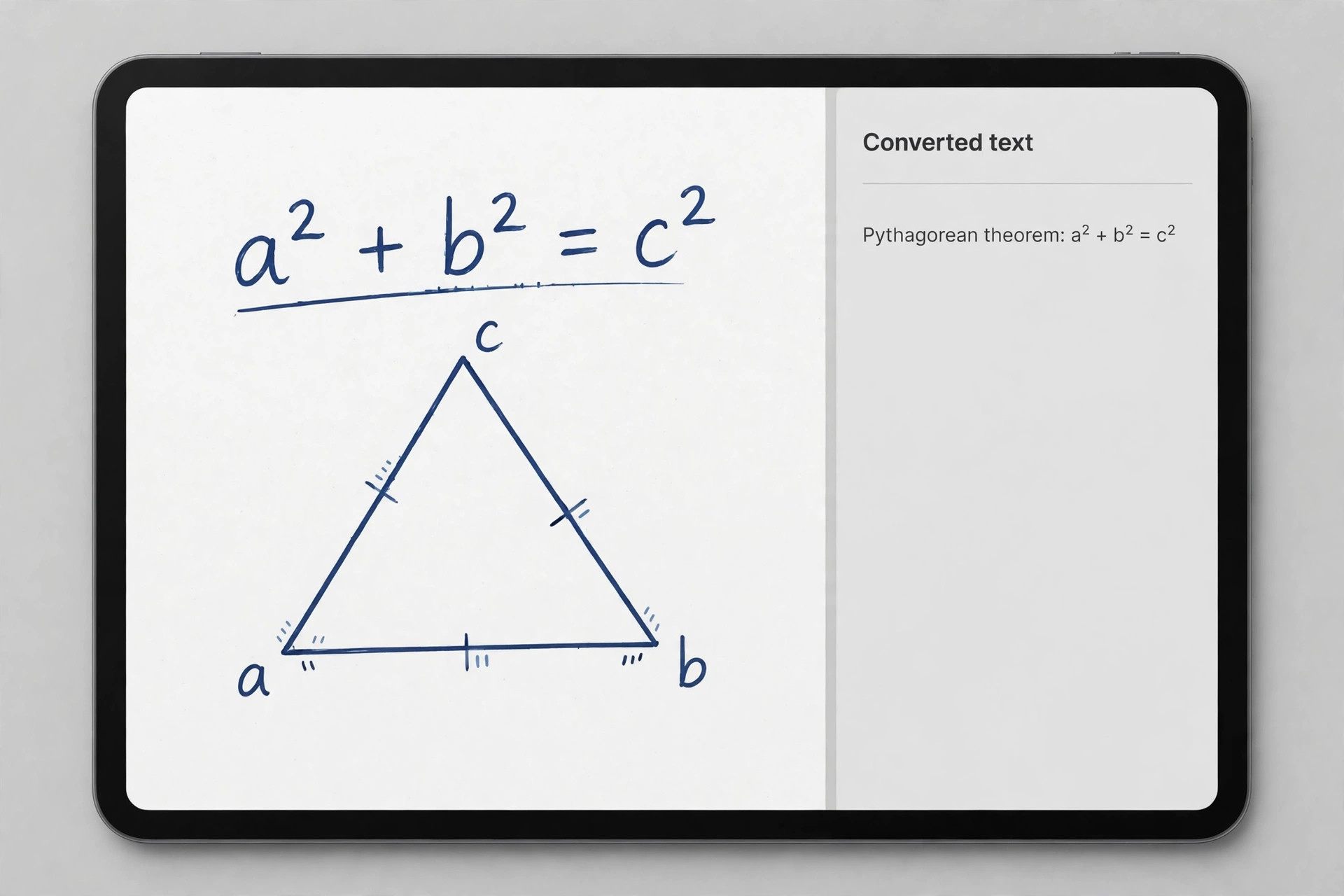
The S Pen in the box changes the maths completely. It needs no charging, it never runs out of battery in a lecture, and it attaches magnetically to the tablet. It supports 4,096 pressure levels and tilt, and Samsung Notes uses it well, with handwriting conversion, shape correction, maths solving, and audio synced notes. For a student, a pen that cannot run flat is a small but real freedom.
The weaknesses are honest ones. The LCD screen is good rather than great, with less contrast than an OLED panel, and the processor is competent rather than fast. Heavy games and large video edits will expose that limit, but note apps, PDFs, browsers, and lecture video will not. The tablet weighs about 500 grams, which is fine in a bag but noticeable if you hold it one handed for a full lecture.
Samsung Galaxy Tab S9 FE and the Cheapest Strong Samsung Option
If the S10 FE at full price stretches your budget too far, the Galaxy Tab S9 FE is the same idea for less money and a strong candidate for the best budget tablet for note-taking students on a strict budget. It has a 10.9 inch 90 Hz display, an 8,000 mAh battery, IP68 resistance, a microSD slot, and an S Pen in the box. The processor is older, and the cameras and charging details differ, but for notes, reading, and lecture video the daily experience is close to the newer model.
Recent listings put the list price near 449.99 dollars and sale prices near 314.99 dollars, which makes the S9 FE the best value Samsung tablet for students who want a pen included and a screen that feels smooth.
The trade off is update life. The S9 FE will stop receiving major updates sooner than the S10 FE, simply because it launched earlier. For a student in the final year of a degree, that hardly matters. For a first year student planning to use the same tablet for four years, the S10 FE is worth the extra money when the price gap is small.
Lenovo Tab M11 and the Lowest Honest Price
The Lenovo Tab M11 is the tablet for students whose budget is genuinely tight and who still want a real pen, and at its bundle price it is the best budget tablet for note-taking students who must stay under 200 dollars. The base tablet lists near 199.99 dollars, and the bundle with the Lenovo Tab Pen and a folio case lists near 219.99 dollars, with sale prices near 161.99 dollars seen in recent reports. It has an 11 inch 90 Hz display, a 7,040 mAh battery rated for up to 10 hours of video playback, a microSD slot, a headphone jack, and quad speakers.
The Tab Pen supports 4,096 pressure levels and tilt, which is the same headline pen specification as the Samsung pen, and for plain handwriting it performs well.
The compromises show up over a semester rather than on day one. The Helio G88 processor handles notes and reading fine but loads apps more slowly than Samsung or Apple chips, and it will feel slower again as apps grow heavier. The screen reaches about 400 nits, which is fine indoors and weak in direct sunlight. Lenovo promises two years of operating system updates to Android 15 and security updates to 2028 on this model, which is shorter than Samsung or Apple support and worth weighing if you plan to keep the tablet beyond two years. Bundle contents vary by retailer, so confirm the pen is included. Set up cloud backup on day one.
The Pen Test That Matters in a Real Lecture
Pen tests in reviews often focus on drawing smooth curves, but students write words, numbers, arrows, and boxes at speed. Test a pen the way you will use it. Write a full paragraph without lifting your hand, draw a quick diagram of boxes and arrows, annotate a dense PDF page, and underline key terms while the lecturer keeps talking. A good pen keeps lines where you put them, ignores your palm, and switches to eraser without a trip through three menus.
Pressure sensitivity matters most for emphasis, not for legibility. A pen with 4,096 levels lets you press lightly for normal text and firmly for headings, and that variation makes notes easier to scan later. Apple Pencil USB-C lacks pressure sensitivity, yet still produces clean, consistent handwriting, because its tracking and tilt are strong. Samsung S Pen and Lenovo Tab Pen both offer full pressure levels, and both feel natural for long writing sessions. Latency and palm rejection matter just as much.
Charging is the hidden pen cost. Samsung S Pen needs no charging at all. Lenovo Tab Pen versions vary, so confirm which pen version your bundle includes. Apple Pencil USB-C needs a cable and a few minutes of charging, and it stores magnetically on the iPad edge without charging there. If you are forgetful about charging small accessories, the Samsung pen is the safest choice by a clear margin. Keep a spare set of nibs in the case.
Apps Compared for Notes, Revision and Search
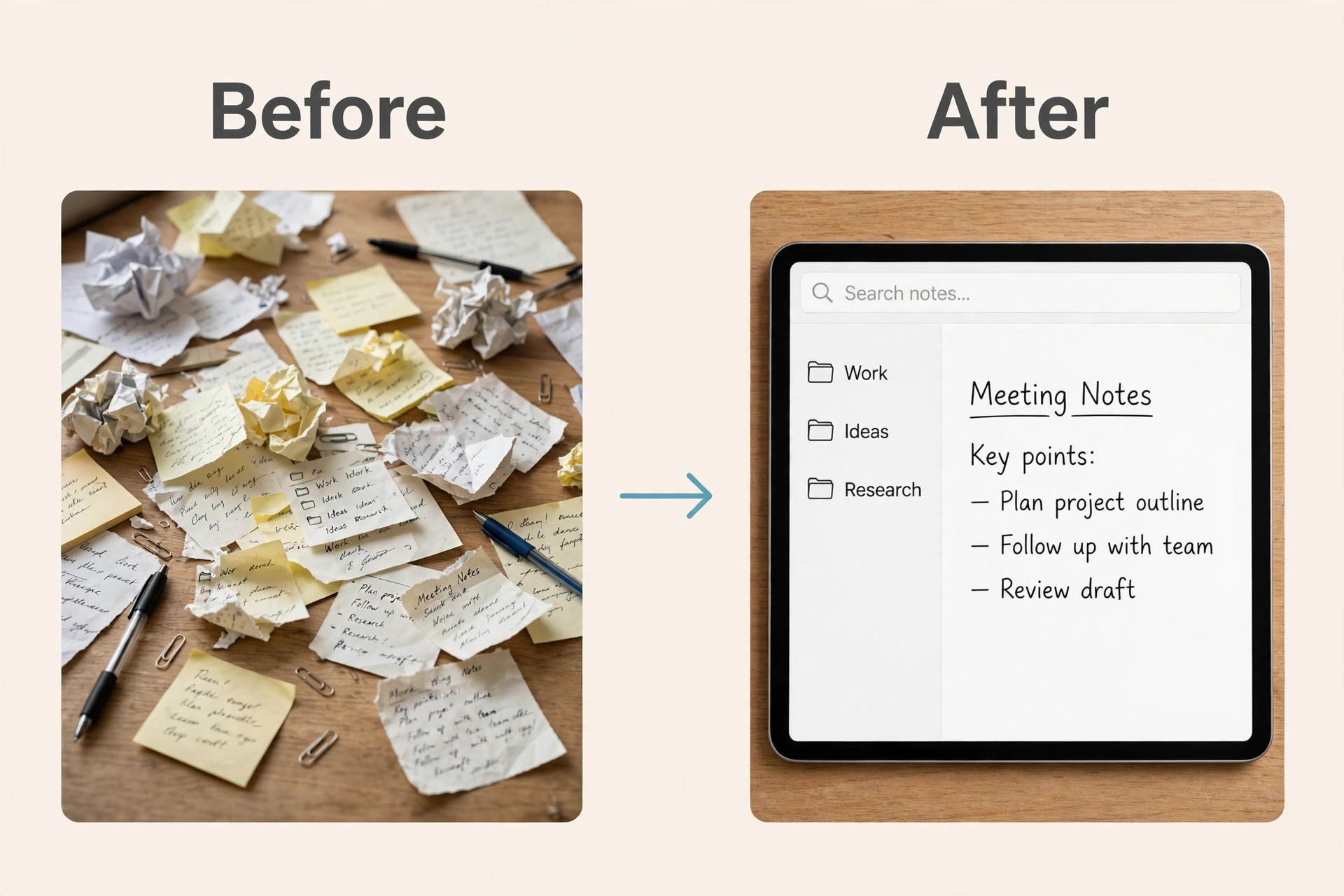
Apps decide whether notes taken in a hurry can be found again in exam week, and choosing well is part of finding the best budget tablet for note-taking students. The best app is not the one with the longest feature list. It is the one whose search, folders, and export fit the way you revise, and the one you will still use when you are tired and behind.
Samsung Notes is the default recommendation for Samsung buyers. It is free, it converts handwriting to text, it straightens shapes, it solves handwritten maths, and it lets you import PDFs and annotate them in place. Export important notebooks as PDF at the end of each term, since notes move less easily to other platforms.
GoodNotes is the default recommendation for iPad buyers who want long term organisation. It handles folders, page templates, and linked planners with polish, and its handwriting search is fast across hundreds of pages. It suits students who build a personal library of notes across years and who revise by searching a term and jumping straight to the page. Check the current App Store price at purchase. Notability suits a different study style. If you learn by listening again, its audio recording synced to ink is hard to beat.
OneNote is the best cross platform choice. It is free with a Microsoft account, it syncs to Windows, Android, iOS, and the web, and it handles typed notes, ink, images, and audio in one page. It suits students who switch between a tablet for lectures and a laptop for essays. The practical rule is to pay for an app only after the free option fails you in a specific way. If Samsung Notes or Apple Notes already search, export, and back up well enough, keep the money for a better case or a spare pen tip set.
Battery Life Across a Full Lecture Day
Vendor battery figures are measured under gentle conditions, usually video playback at modest brightness, and student days are harder than that. Handwriting with the screen on, Wi-Fi active, and a PDF open drains faster than a video test, and bright rooms push brightness up. Treat vendor figures as a ceiling, then subtract a quarter for real use. On that basis, the Samsung tablets with 8,000 mAh batteries comfortably cover a full day of lectures plus evening revision, the iPad with its 10 hour web rating also covers a full day for most students, and the Lenovo with 7,040 mAh covers a normal day but needs a charge on heavy days.
That real world test is what separates the best budget tablet for note-taking students from a tablet that only looks good on a spec sheet.
Charging speed matters as much as total size. Samsung 45 W charging refills a large part of the battery during a lunch break, provided you use a charger that supports that rate, because the charger in the box may be slower. Apple charging is steady rather than fast, and an overnight charge is the realistic routine. Lenovo 15 W charging is slow, so Lenovo owners should charge overnight without exception and carry a small power bank on long days.
How to Choose by Subject and Study Style
Different subjects punish different weaknesses, so the best tablet changes with the course. A single recommendation for every student would be simpler, but it would also be wrong for a large share of readers. Use the subject guide below as a second filter after the verdict table.
| Study style | First choice | Why it fits | Watch out for |
|---|---|---|---|
| STEM with equations and diagrams | Samsung Galaxy Tab S10 FE | Samsung Notes maths solving, S Pen included, 90 Hz screen for fast diagrams | Export maths notes as PDF before sharing with classmates on other platforms |
| Humanities with heavy reading and essays | Apple iPad 11 inch | GoodNotes organisation, strong PDF annotation, long update life | Pen cost on top of the tablet, no microSD expansion |
| Art and design with sketching | Samsung Galaxy Tab S10 FE | Pressure sensitive pen included, tilt support, colour work for coursework | Screen is LCD rather than OLED, so check colour work on a calibrated display before submission |
| Business with documents and presentations | Samsung Galaxy Tab S10 FE | DeX desktop layout, OneNote sync, keyboard case options | DeX is not a full laptop replacement for specialist software |
| Tight budget, any subject | Lenovo Tab M11 bundle or Samsung Galaxy Tab S9 FE on sale | Lowest honest pen bundle, or Samsung quality at a sale price | Shorter update life on Lenovo, older chip on the S9 FE |

Total Cost, Not Just the Tablet Price
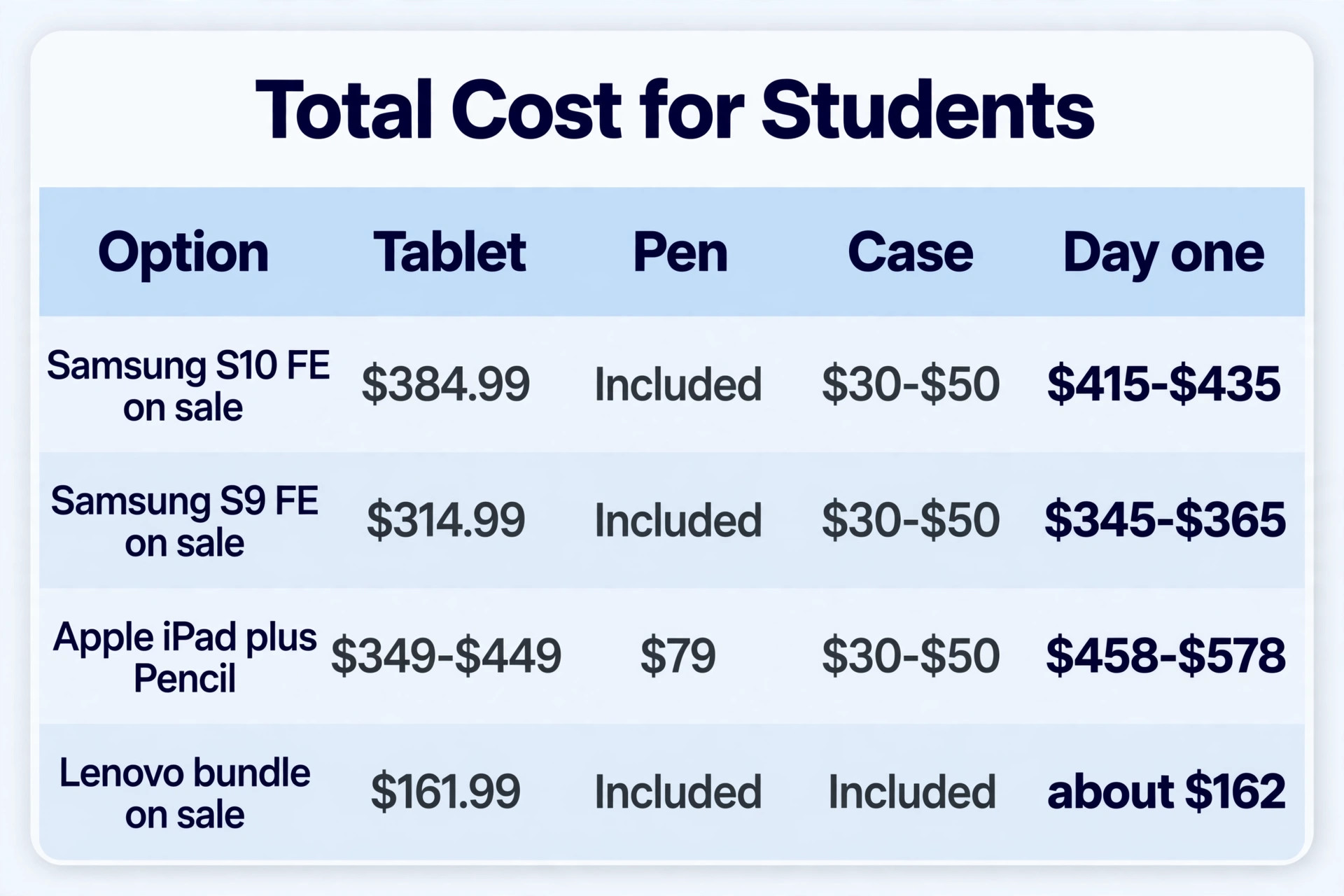
Budget guides that quote only the tablet price mislead students, because the pen, case, screen protector, and app can add a third to the bill. The honest comparison is total cost on day one, and the table below shows it for the main options using recent price ranges.
| Setup | Tablet | Pen | Case and protector estimate | App starting cost | Day one total estimate |
|---|---|---|---|---|---|
| Samsung Galaxy Tab S10 FE on sale | 384.99 dollars | Included | 30 to 50 dollars | Free with Samsung Notes | About 415 to 435 dollars |
| Samsung Galaxy Tab S9 FE on sale | 314.99 dollars | Included | 30 to 50 dollars | Free with Samsung Notes | About 345 to 365 dollars |
| Apple iPad 11 inch plus Pencil USB-C | 349 to 449 dollars | 79 dollars | 30 to 50 dollars | Free with Apple Notes, paid apps extra | About 458 to 578 dollars |
| Lenovo Tab M11 bundle on sale | 161.99 dollars | Included in bundle | Included in bundle | Free with bundled note apps | About 162 dollars plus a protector |
Two lessons follow from those totals. First, the Samsung sale price beats the iPad on total cost even when the tablet prices look close, because the pen is already paid for. Second, the Lenovo bundle is in a different price league, and for students who must stay under 200 dollars it is the only option here that does so without buying a pen that cannot keep up.
Mistakes That Waste Student Money
The first mistake is buying a tablet with no active pen support and then trying to fix it with a cheap capacitive stick. Those sticks draw, but they do not offer pressure sensitivity, tilt, or reliable palm rejection, and notes written with them look and feel worse than paper. Check the vendor pen compatibility list for the exact model, not just the brand, because pen support varies between tablets that look identical.
The third mistake is buying a keyboard case before testing handwriting. A heavy keyboard case makes a tablet awkward to hold for writing, and many students end up removing it in lectures. Buy a light folio case first, add a keyboard only after a month of real use proves you need it.
The fourth mistake is paying for three note apps at once. App hopping scatters notes across systems that do not sync with each other, and revision week becomes a search across apps instead of a search inside one library. Pick one main app, use it for a full term, and export backups as PDF each month. The fifth mistake is ignoring backup. A tablet can be stolen, dropped, or replaced, and notes that exist only on one device are one accident away from gone. Turn on cloud sync on day one, test a restore on another device, and export a PDF copy at the end of each term.
A First Week Setup That Makes Notes Stick
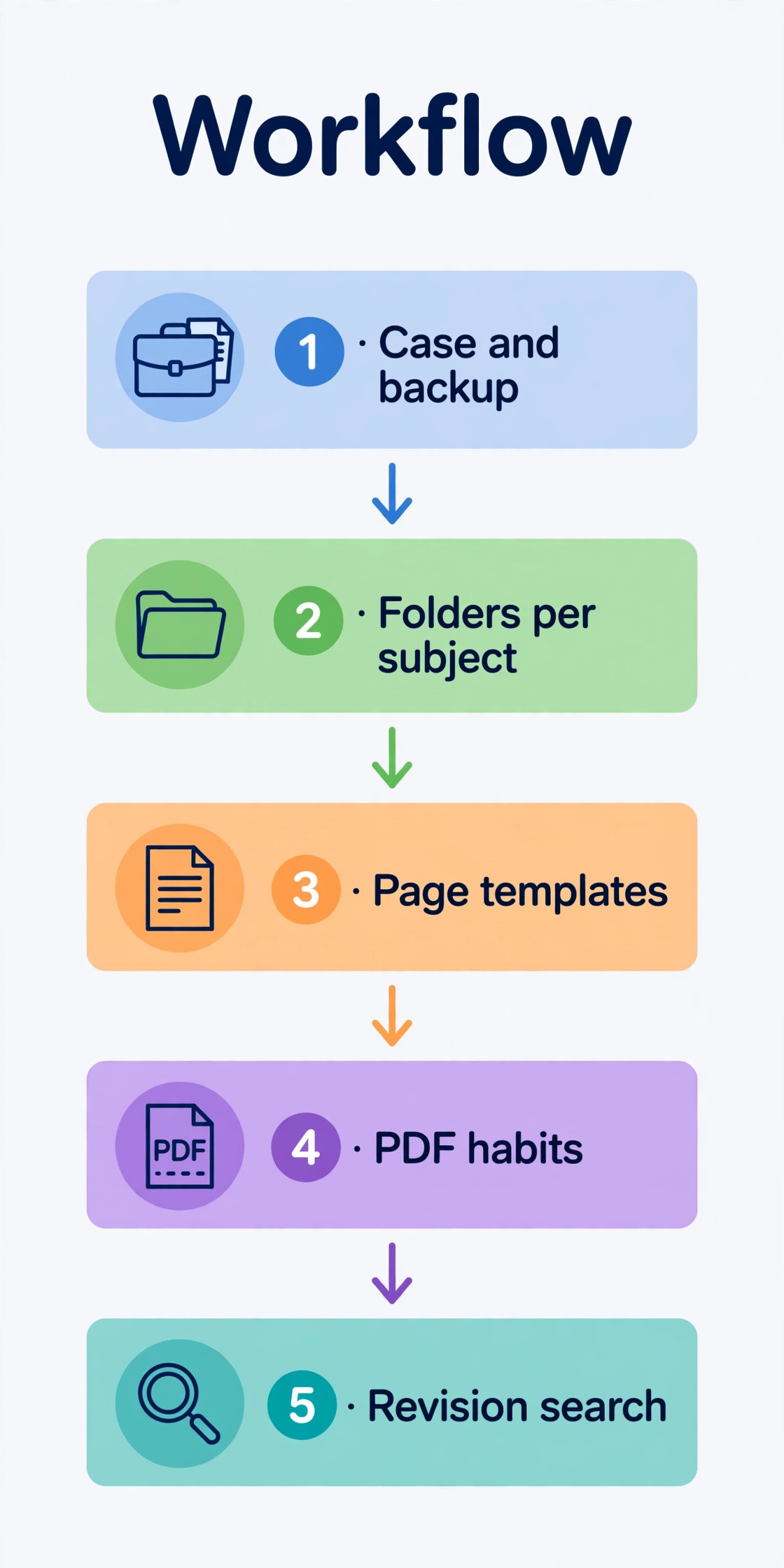
A good tablet becomes a good study system only when the setup is done deliberately. Spend the first week building habits, not collecting apps. Day one is for protection and backup. Fit the case and the matte screen protector, turn on cloud sync, and write a test page that you can search for later. Day two is for structure. Create one folder per subject, one notebook per module, and a simple naming rule based on subject, week, and topic.
Day three is for templates. Build or import a page template for lectures, one for problem sets, and one for reading notes. Day four is for PDF habits. Import the course reader and the first set of slides, annotate one set fully, and export it as PDF to check that annotations survive export. Day five is for revision. Search for a term from week one and turn that page into a summary.
For students building a wider study setup, related reading on this site includes AI tools for students for study apps that pair with tablet notes, best note-taking apps for a deeper app comparison, and how to use AI to prepare for an exam for turning organised notes into revision plans. A planner app comparison in best AI daily planner apps also helps students who want lectures, deadlines, and revision in one view.
Frequently Asked Questions
Is a tablet better than paper for student notes?
A tablet is better when notes must be searched, reorganised, backed up, or shared, and when lectures include slides and PDFs that need annotation. Paper is better for exams that require it, for very fast sketching without any device setup, and for students who remember more when they write without a screen.
Do I need an expensive pen for good handwriting?
No. The Samsung S Pen and the Lenovo Tab Pen both offer 4,096 pressure levels and tilt at no extra cost in the bundle, and both produce clean student handwriting. Apple Pencil USB-C costs 79 dollars and lacks pressure sensitivity, yet still writes cleanly because its tracking and tilt are strong. Avoid cheap capacitive sticks.
Which note app should a student start with?
Start with the free app made for your tablet. Samsung Notes on Samsung tablets and Apple Notes on iPad both search handwriting, organise folders, and back up to the cloud without extra cost. Move to GoodNotes on iPad if you need deep organisation across years of notes, to Notability if lecture audio synced to ink matters most, or to OneNote if you work across Windows, Android, and the web and need one library everywhere.
How much battery do I need for a lecture day?
Look for a tablet rated for at least 10 hours of mixed use, and treat vendor video playback figures as a ceiling rather than a promise. Samsung tablets with 8,000 mAh batteries and the iPad with its 10 hour web rating both cover a full lecture day for most students. Lenovo owners should charge overnight.
Is 128 GB enough storage for student notes?
Yes for notes, PDFs, and textbooks, which take far less space than video. A 128 GB tablet holds years of handwritten notes. Choose a Samsung or Lenovo model with a microSD slot if you also store lecture recordings, films, or games, because expansion is cheap.
Should I buy a keyboard case with a note-taking tablet?
Buy a light folio case first and add a keyboard only after a month of real use proves you need it. A heavy keyboard case makes a tablet awkward to hold for handwriting, and many students remove it in lectures. A keyboard should follow the pen and the note app in priority.
Buy the Pen First, Then the Tablet
The right way to choose is to reverse the usual order. Pick the pen and app experience first, then buy the tablet that delivers it at the lowest total cost. For most students that means a Samsung Galaxy Tab S10 FE on sale, or a Galaxy Tab S9 FE when the sale gap is large, because the pen is in the box, Samsung Notes is free and strong, and the battery covers a full day. For students who want GoodNotes or Notability and who already use Apple devices, the iPad 11 inch is worth its higher total cost, provided the 79 dollar pen is counted honestly in the budget.
For students who must stay under 200 dollars, the Lenovo Tab M11 bundle is the only option here that writes well at that price, with slower speed and shorter support as the accepted trade. That final check is how you confirm the best budget tablet for note-taking students for your own course, not just for the average reader.
Whichever tablet you choose, do the unglamorous work that makes it last. Turn on backup on day one, build one folder per subject, and test search, export, and battery in real lectures during the return window. A tablet chosen on pen, app, and battery, and set up with a simple routine, will carry notes from the first lecture to the final exam without drama. That quiet reliability, not a flagship specification, is what makes a budget tablet a good student buy.