

A three person sales team does not need a smaller version of an enterprise system. It needs one shared place where every lead, conversation and deal stage is visible to all three people, without a week of setup and without a bill that assumes twenty seats. That is why finding the best CRM for 3-person sales team buyers is a sizing problem first and a feature problem second. The wrong tool at this size is usually not missing a feature. It is priced for a larger team, gated behind a higher tier, or built around admin work that no one on a three person team has time to do.
The comparison hook is simple. Put HubSpot, Pipedrive and Zoho side by side on the same test. Three seats, one pipeline, real leads, two weeks of live selling, and a hard look at what the second invoice costs. Free plan seat limits, monthly billing premiums, onboarding fees and the tier that holds the automation you actually need all change the result. This guide prices each option for exactly three seats and ends with a verdict by job, so you can pick by the work your team does every day.
The Decision in One Paragraph
If your team sells mainly by phone and email, lives in its pipeline, and wants the fastest setup, choose Pipedrive Growth. If your team also runs marketing, wants a free start, and expects to grow into a wider platform, choose HubSpot, but start on the free plan or Starter and budget honestly for the jump to Professional. If your budget is tight and you want the most depth per dollar, and you can spare a day for setup, choose Zoho CRM Standard or Professional.
A short warning belongs here too. No CRM fixes a team that does not log calls, update deal stages, or follow up on time. The best tool at this size is the one all three people will open every morning.
Why Three Seats Change the Maths
Team size changes CRM pricing in ways that a single seat price hides. First, free plans often stop at two or three users. HubSpot free tools cover up to two users, so a three person team outgrows the free plan on day one unless one person works with view only access. Zoho CRM free covers up to three users, so a three person team can run on free for a while, within its record and feature limits. Pipedrive has no free plan, only a 14 day trial, so its cost starts from the first paid seat.
Second, admin time is a real cost at this size. A three person team has no CRM administrator, so setup, imports and cleanup fall to a founder or a senior rep between selling calls. When you trial, time the setup. If a pipeline, a contact import and a basic automation take more than a working day, ask whether the extra depth is worth the ongoing load.
Price by Seat for a Team of Three
Prices in this section were checked against vendor pricing pages and current pricing roundups in October 2026. CRM prices change often, and promotional rates come and go, so check the checkout total before you pay. Every figure below states annual billing first, with the monthly billing figure where it differs.
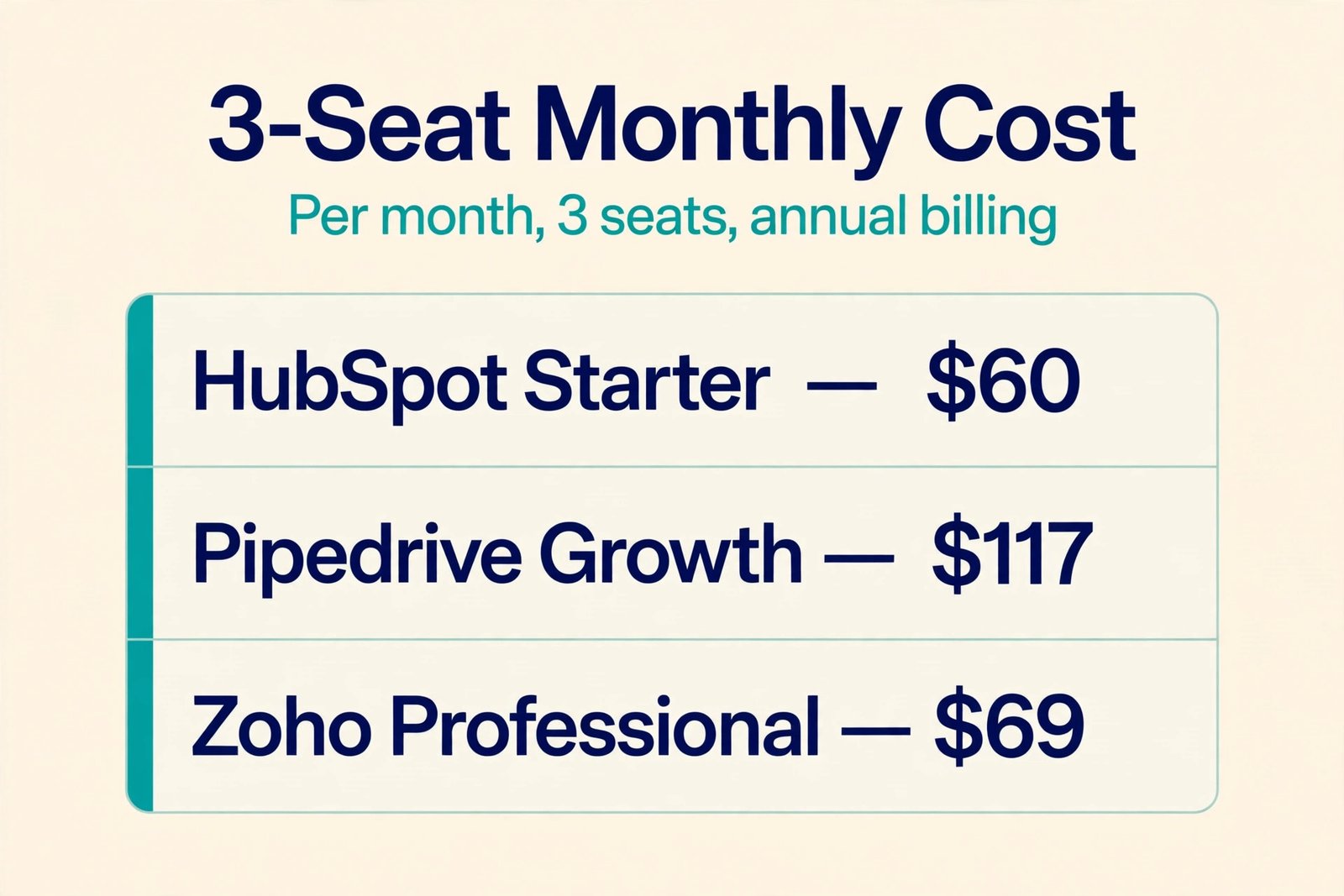
HubSpot Sales Hub free tools cost nothing for up to two users, which suits a solo founder but not a full three person team. Sales Hub Starter lists at 20 dollars per seat per month, with a promotional annual rate for new customers recently shown as low as 7 dollars per seat per month. Treat 20 dollars as the list price and any lower figure as a temporary offer. Sales Hub Professional costs 90 dollars per seat per month on annual billing, or 100 dollars on monthly billing, plus a required one time onboarding fee of 1,500 dollars.
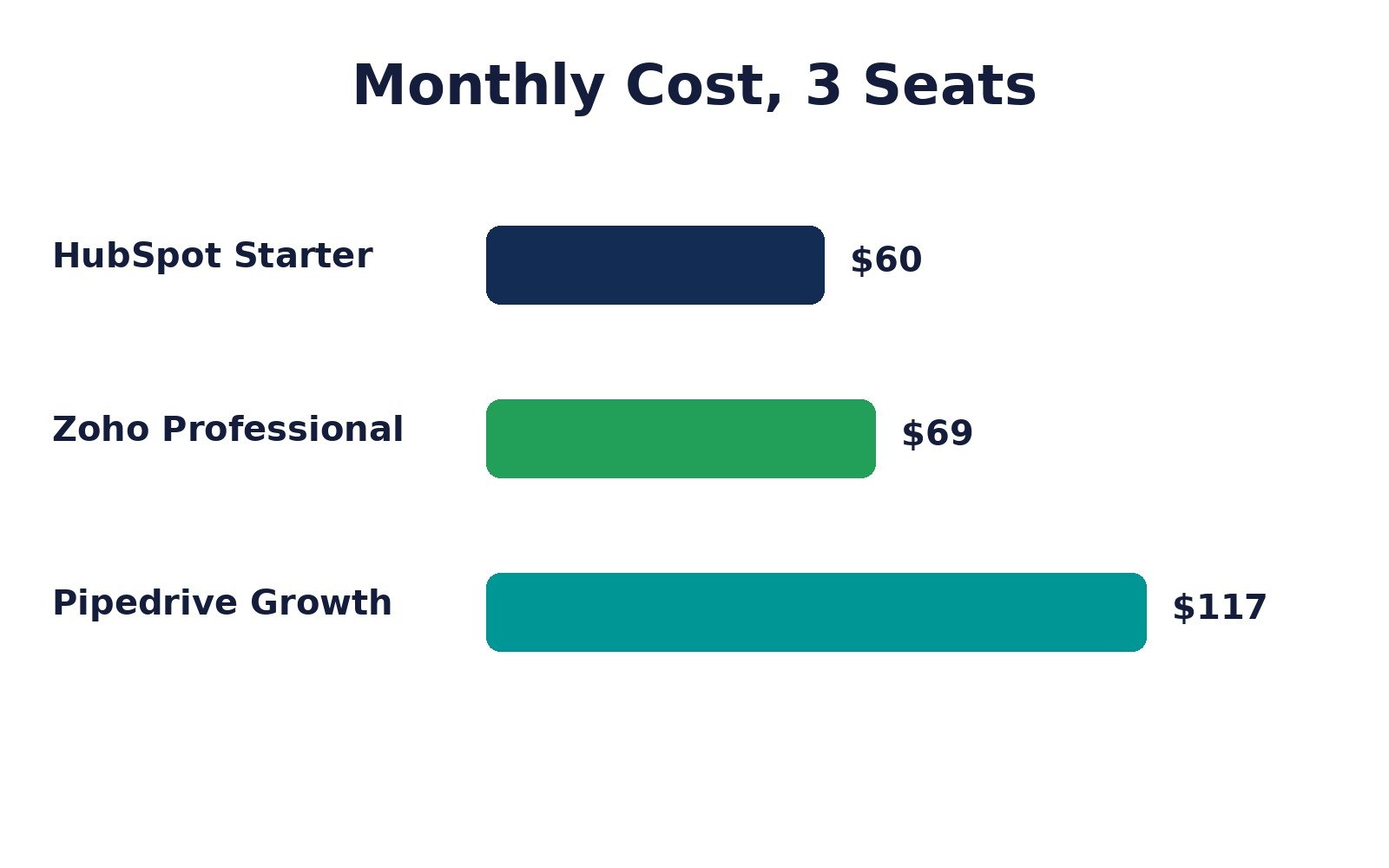
For three seats, Starter at list price costs about 60 dollars per month, while Professional costs about 270 dollars per month on annual billing, plus 1,500 dollars once in year one. That jump is the single most important number in this guide for HubSpot buyers, and it is central to any best CRM for 3-person sales team comparison.
Pipedrive changed its plan names in 2025, so older reviews that mention Essential, Advanced and Professional describe retired tiers. The current plans are Lite, Growth, Premium and Ultimate. Lite costs 14 dollars per seat per month on annual billing, or 24 dollars on monthly billing. Growth costs 39 dollars on annual billing, or 49 dollars on monthly billing. Premium costs 59 dollars on annual billing, or 79 dollars on monthly billing. Ultimate costs 79 dollars on annual billing, or 99 dollars on monthly billing. For three seats, Lite costs 42 dollars per month on annual billing, Growth costs 117 dollars, and Premium costs 177 dollars.
Growth is the realistic starting point for most selling teams, because full email sync, automations and sequences live there rather than on Lite.
Zoho CRM free covers up to three users, with limits on records and features that suit testing more than a full sales operation. Standard costs 14 dollars per user per month on annual billing, or 20 dollars per user per month on monthly billing. Professional costs 23 dollars per user per month on annual billing, or 35 dollars per user per month on monthly billing. Enterprise costs 40 dollars per user per month on annual billing, or 50 dollars per user per month on monthly billing. Ultimate costs 52 dollars per user per month on annual billing, or 65 dollars per user per month on monthly billing.
For three seats, Standard costs 42 dollars per month on annual billing, Professional costs 69 dollars per month, and Enterprise costs 120 dollars per month. That makes Zoho the cheapest route to automation and reporting depth, provided the team accepts a longer setup.
The table below turns those figures into a three seat monthly total on annual billing. Add onboarding fees, add ons and tax separately, since none of those appear in a simple seat multiplication.
| Plan for a team of three | Per seat per month, annual billing | Three seat total per month, annual billing | What the tier is really for |
|---|---|---|---|
| HubSpot Sales Hub Starter, list price | 20 dollars | 60 dollars | Basic pipeline, email tools and simple automation |
| HubSpot Sales Hub Professional | 90 dollars | 270 dollars, plus 1,500 dollars onboarding once | Sequences, forecasting, custom reporting and deeper automation |
| Pipedrive Lite | 14 dollars | 42 dollars | Simple pipeline and contact tracking |
| Pipedrive Growth | 39 dollars | 117 dollars | Full email sync, automations and sequences |
| Pipedrive Premium | 59 dollars | 177 dollars | Lead capture, documents and fuller sales tools |
| Zoho CRM Standard | 14 dollars | 42 dollars | Organised pipeline with basic automation |
| Zoho CRM Professional | 23 dollars | 69 dollars | Stronger automation, scoring and reporting |
| Zoho CRM Enterprise | 40 dollars | 120 dollars | Deeper automation, process control and AI features |
Read that table with two cautions. One, HubSpot Starter promotional pricing can make the first year look cheaper than the renewal year, so ask what the price becomes after any introductory period ends. Two, Pipedrive Lite and Zoho Standard look equal at 42 dollars per month for three seats, but they buy different things. Lite is a clean pipeline with limited automation, while Standard includes more workflow depth but needs more configuration to feel simple.
For a team choosing on price alone, the order is clear. Zoho Professional gives the most automation depth for 69 dollars per month for three seats on annual billing. Pipedrive Growth costs 117 dollars per month for the same seat count, but it usually needs less setup time, which has a value of its own. HubSpot Starter at list price costs 60 dollars per month, which looks competitive until the team needs Professional features, at which point the monthly cost rises to 270 dollars plus onboarding.
What the best CRM for 3-person sales team Must Do in Week One
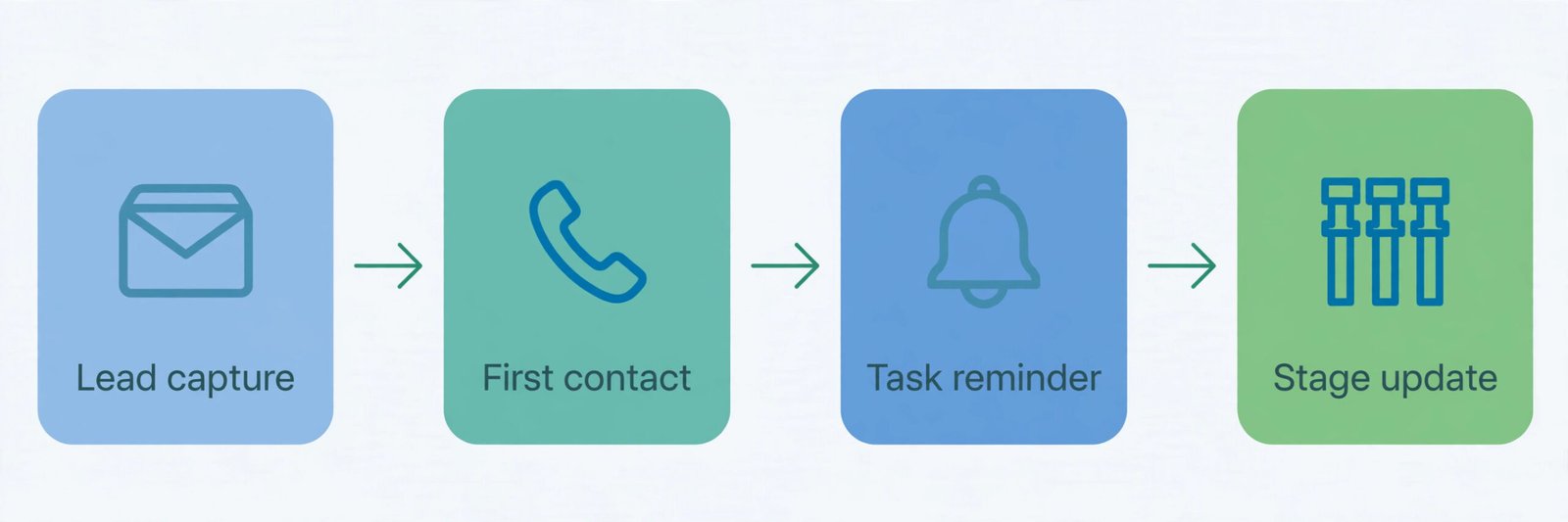
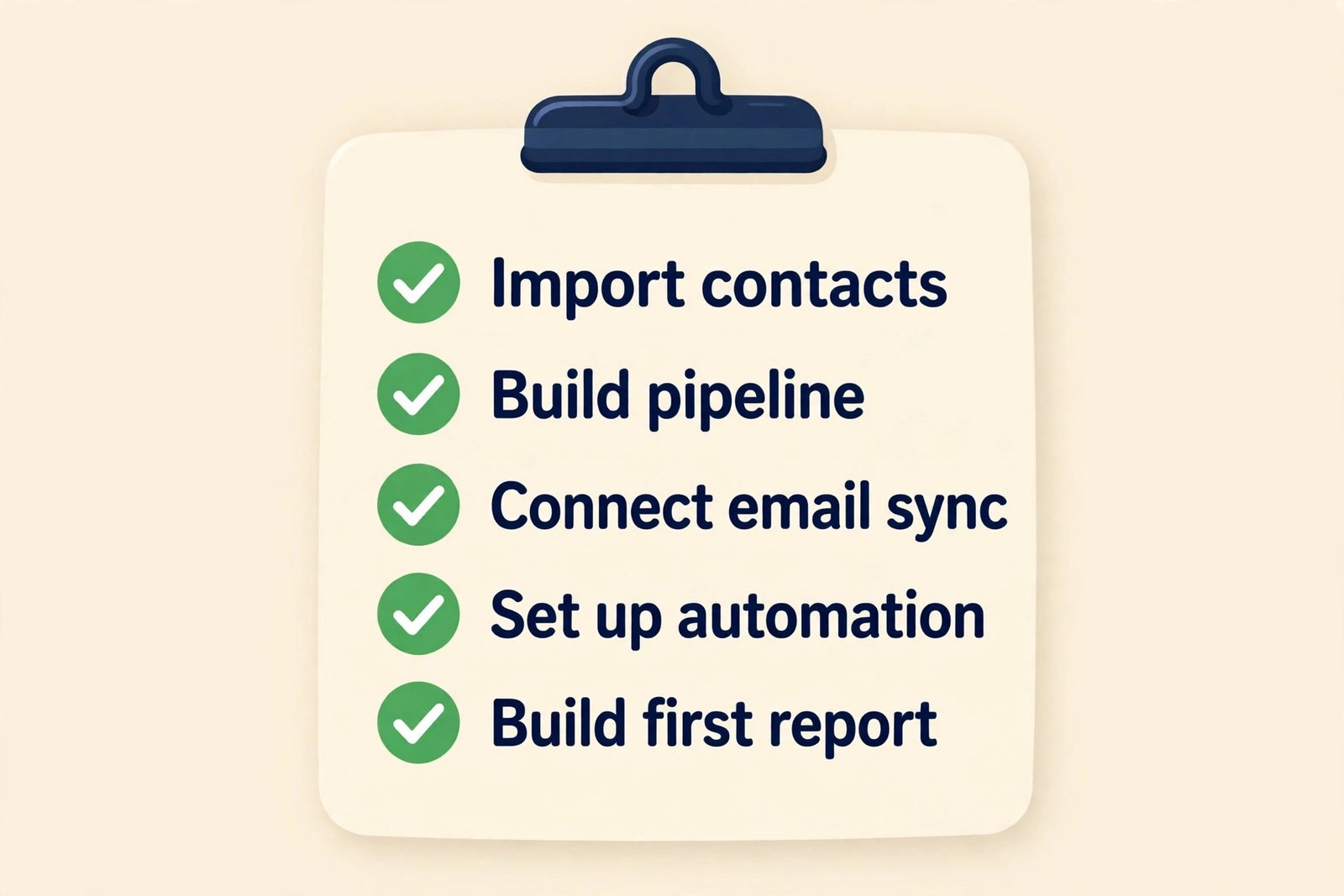
A CRM that cannot prove itself in week one will not survive week six. Judge every tool on five jobs. Import contacts and deals without losing notes, owners and next steps. Build one pipeline that matches how the team actually sells. Connect email and calendar so messages land on the right record. Set up one follow up automation, such as a task when a deal sits untouched for three days. Produce one report the team will actually read, such as deals by stage or a simple forecast by close date.
If any of those five jobs needs a higher tier, a paid add on, or outside help, that fact belongs in the buying decision, not in a surprise after purchase. During a trial, let the person who will live in the CRM every day do the pipeline and automation setup, not just the buyer, because buyer tolerance for friction is often higher than daily user tolerance.
Week one also reveals data habits. Agree on three rules before the trial starts. Every lead gets an owner and a next step before the day ends. Every deal stage change gets a short note about what the buyer said. Every lost deal gets a reason from a short fixed list. Those rules are what make reports trustworthy in month three. A CRM with perfect features and messy data will produce confident looking reports that no one should trust.
HubSpot in Depth
HubSpot is the easiest CRM in this guide to start with, and the most expensive to grow into. The free tools give a new team contacts, deals, email tracking, meeting scheduling and live chat without a card, and the interface is familiar to anyone who has used modern web software. For a team that also wants marketing tools later, HubSpot offers a growth path that Pipedrive and Zoho do not match in one platform. That breadth is the real reason to choose HubSpot, not the free plan alone.
The trade off is the tier structure. Starter adds branding removal, more pipelines and basic automation, but sequences, forecasting, playbooks and custom reporting sit on Professional. A three person team moving from Starter at 60 dollars per month to Professional at 270 dollars per month, plus 1,500 dollars onboarding, faces a year one total of roughly 4,740 dollars for seats and onboarding, compared with roughly 720 dollars for a year of Starter at list price.
HubSpot also charges by seat type in ways that repay attention. View only seats are free, which helps when a founder, manager or finance colleague only needs to look up a deal. Core seats and sales seats carry different access, so not every person who touches the CRM needs the most expensive seat. Marketing contacts, AI credits and add ons can add further cost.
Where HubSpot Fits and Where It Pinches
HubSpot fits a three person team that sells inbound leads, runs marketing alongside sales, and wants one system for contacts, deals, tickets and marketing in future. It fits teams that value a large integration library and an interface new hires already know. When you weigh that breadth against its price cliff, you are weighing the core trade off in any best CRM for 3-person sales team decision.
HubSpot pinches when the team is outbound heavy, price sensitive, and unlikely to use marketing tools. In that case the team pays for breadth it does not use, and still faces the Professional jump for sequences and forecasting. If those pinches describe your team, Pipedrive or Zoho will usually give a better return for the same spend.
Pipedrive in Depth
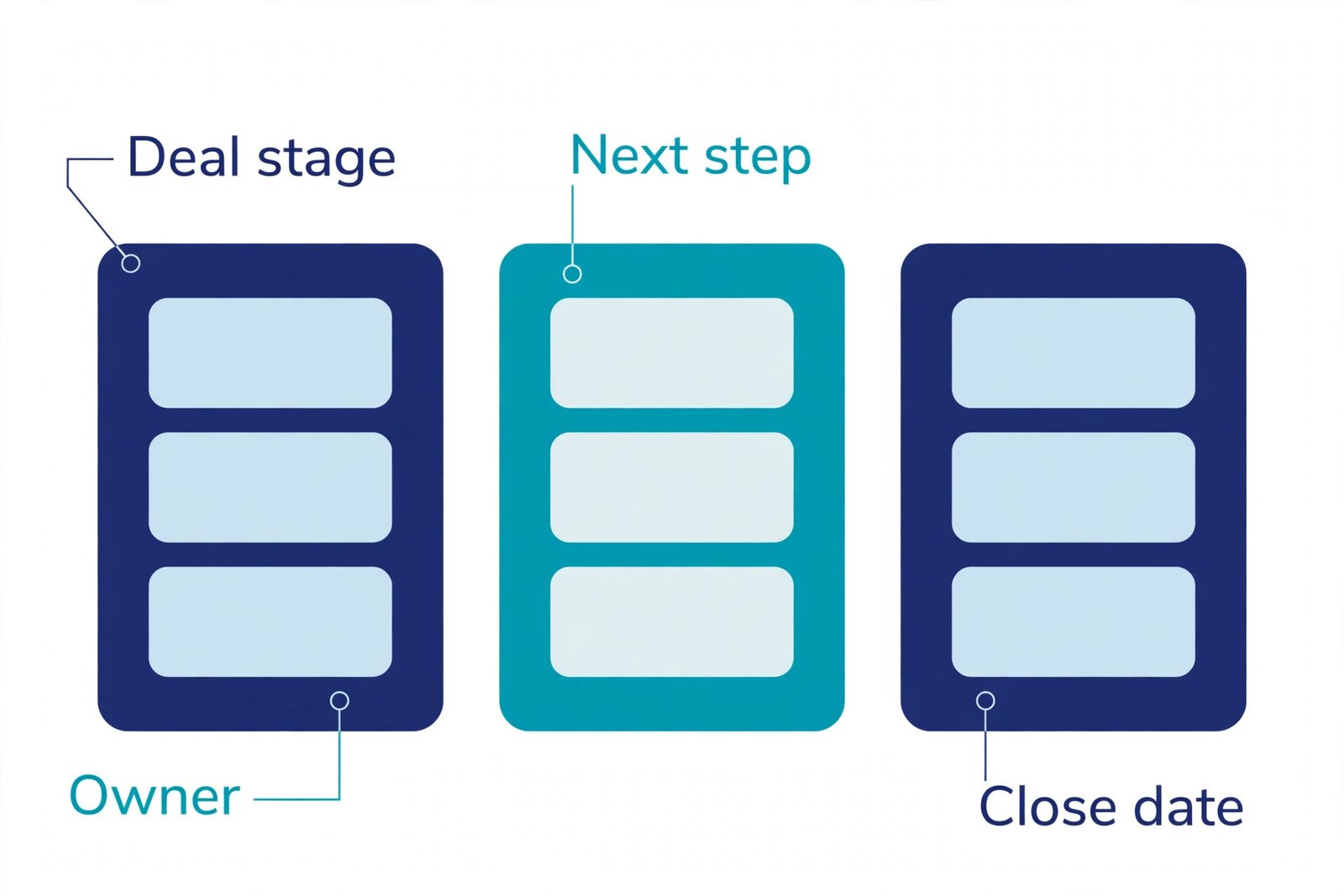
Pipedrive is built around one idea. A salesperson should open the CRM, see the pipeline, know the next action on every deal, and move deals forward with a drag. Pipelines are visual, activities sit next to deals, email sync keeps conversations attached to records, and automations handle routine follow ups. For a three person team that sells by outreach, calls and meetings, that clarity is a genuine advantage, because adoption is the hardest part of any CRM rollout.
Growth is the tier most three person teams should price first. Lite is fine for tracking deals, but it lacks the full email sync, automations and sequences that turn a pipeline from a list into a working system. Premium adds lead capture, documents and fuller sales features for teams with inbound volume or proposal work. Ultimate adds governance that a three person team rarely needs on day one.
Pipedrive limits are worth naming plainly. It is not a marketing platform, so email campaigns, landing pages and deep marketing automation need separate tools or add ons. LeadBooster, Projects, Campaigns, Web Visitors and Smart Docs are included on some higher tiers and sold as add ons on lower tiers, so price them before committing. Reporting is strong for pipeline work, but teams that need complex cross object reporting may find Zoho or HubSpot more flexible.
Where Pipedrive Fits and Where It Pinches
Pipedrive fits outbound teams, agencies, consultancies and any team where the pipeline is the daily workspace. It fits teams with no CRM admin, because setup is fast and the interface needs little training. The 14 day trial is short, so use it with a real pipeline and real leads, not sample data. For a pipeline led trio, Pipedrive Growth is often the best CRM for 3-person sales team buyers who value adoption over breadth.
Pipedrive pinches when the team needs marketing automation, service ticketing or complex custom objects in the same system, or when the team wants a free plan, because there is none.
Zoho CRM in Depth
Zoho CRM is the value pick in this guide, with a warning attached. Standard at 14 dollars per user per month on annual billing and Professional at 23 dollars give a three person team automation, scoring, custom views and reporting depth that cost far more elsewhere. The free edition for up to three users is also usable for testing, within record and storage limits. For a budget conscious team willing to configure, Zoho is hard to beat on features per dollar.
The warning is setup time and option overload. Zoho offers many modules, layouts, workflow rules and settings, and a new team can spend days choosing among them instead of selling. The smart approach is to start narrow. Use leads, contacts, accounts and deals only. Hide modules the team does not need. Build one pipeline, one set of stages, and three workflow rules that cover the most common follow ups. Add complexity only when a real deal shows that a missing feature cost time or money.
Zoho also benefits from a wider business software family. If the team already uses Zoho Books, Zoho Mail or Zoho Desk, shared data and single sign on can save integration work. A team that does not use other Zoho products should judge Zoho CRM on its own merits.
Where Zoho Fits and Where It Pinches
Zoho fits budget led teams, service businesses and teams that want automation depth without a large monthly bill. It fits teams with a patient founder or operations lead who can own setup for a week. On value alone, Zoho Professional is a strong candidate for the best CRM for 3-person sales team budgets.
Zoho pinches when the team wants the fastest possible start with no configuration, because Pipedrive will feel simpler on day one. It also pinches when record limits, storage limits or AI feature tiers catch a team by surprise, since some AI features sit on Enterprise.
Feature Verdict by Job
Price alone does not pick a CRM. The table below gives a verdict by the job the team does most, and it completes the best CRM for 3-person sales team picture that the price table started.
| Job that fills the week | Verdict | Why it wins for three seats |
|---|---|---|
| Outbound calls, emails and pipeline chasing | Pipedrive Growth | Fastest pipeline habit, full email sync and sequences at a mid tier price |
| Inbound leads plus content and email marketing | HubSpot Starter, with a Professional budget plan | One platform for marketing and sales, free start, but plan for the tier jump |
| Tight budget with automation and reporting depth | Zoho CRM Professional | Strongest feature depth at 69 dollars per month for three seats on annual billing |
| Fastest setup with no admin time | Pipedrive Growth | Least configuration before the team can sell from it |
| Lowest cost start before any revenue | Zoho CRM free, then Standard | Three user free edition for testing, then a low paid step |
| Growth into a wider platform without migration | HubSpot | Scales from free to enterprise in one system, at a higher cost |
| Heavy custom fields, layouts and workflows | Zoho CRM Professional or Enterprise | Deep customisation without enterprise pricing |
That verdict table also explains why a single winner would mislead readers. An outbound agency, an inbound software team and a budget led consultancy all have three seats, yet they need different tools. Ask which CRM makes the work your team already does faster, with the least admin, at a price the business can sustain for a year.
A final feature check matters before purchase. Test email sync with your actual mailbox, not a demo account. Test the mobile app on a real call day. Test imports with your messiest spreadsheet, not a clean sample. Test one report that the founder will ask for every Monday, and confirm that it can be built without a higher tier.
How to Choose in Four Steps
Step one is to write down the must have list, and keep it short. Five to seven items is enough, such as pipeline stages, email sync, follow up tasks, sequences, mobile logging, basic forecasting and one integration with email or accounting software. If a tool fails a must have item on the tier you can afford, it fails the test, even if it wins on other features.
Step two is to price the tier that passes the must have list, for three seats, on both annual and monthly billing, including onboarding and likely add ons. Write the year one total, not just the monthly seat price. For HubSpot Professional that total includes 1,500 dollars onboarding. For Pipedrive Premium it includes any add ons the team needs. A year one total makes the tier jump visible before it becomes a renewal surprise, and it is a step every best CRM for 3-person sales team buyer should take.
Step three is to run the two week trial in the section below, with real leads and real selling. A trial with sample data tests the interface. A trial with live deals tests adoption, data habits and reporting. Assign one person to own the trial, but make all three people use the tool daily.
Step four is to decide on a review date before you sign an annual plan. Put a 90 day review in the calendar, with three measures. Are all three people logging activities daily. Is the pipeline report trusted in the Monday meeting. Has follow up speed improved. If two of those three measures fail, switch or downgrade before the annual renewal locks the team in for another year.
The Two Week Trial That Settles It
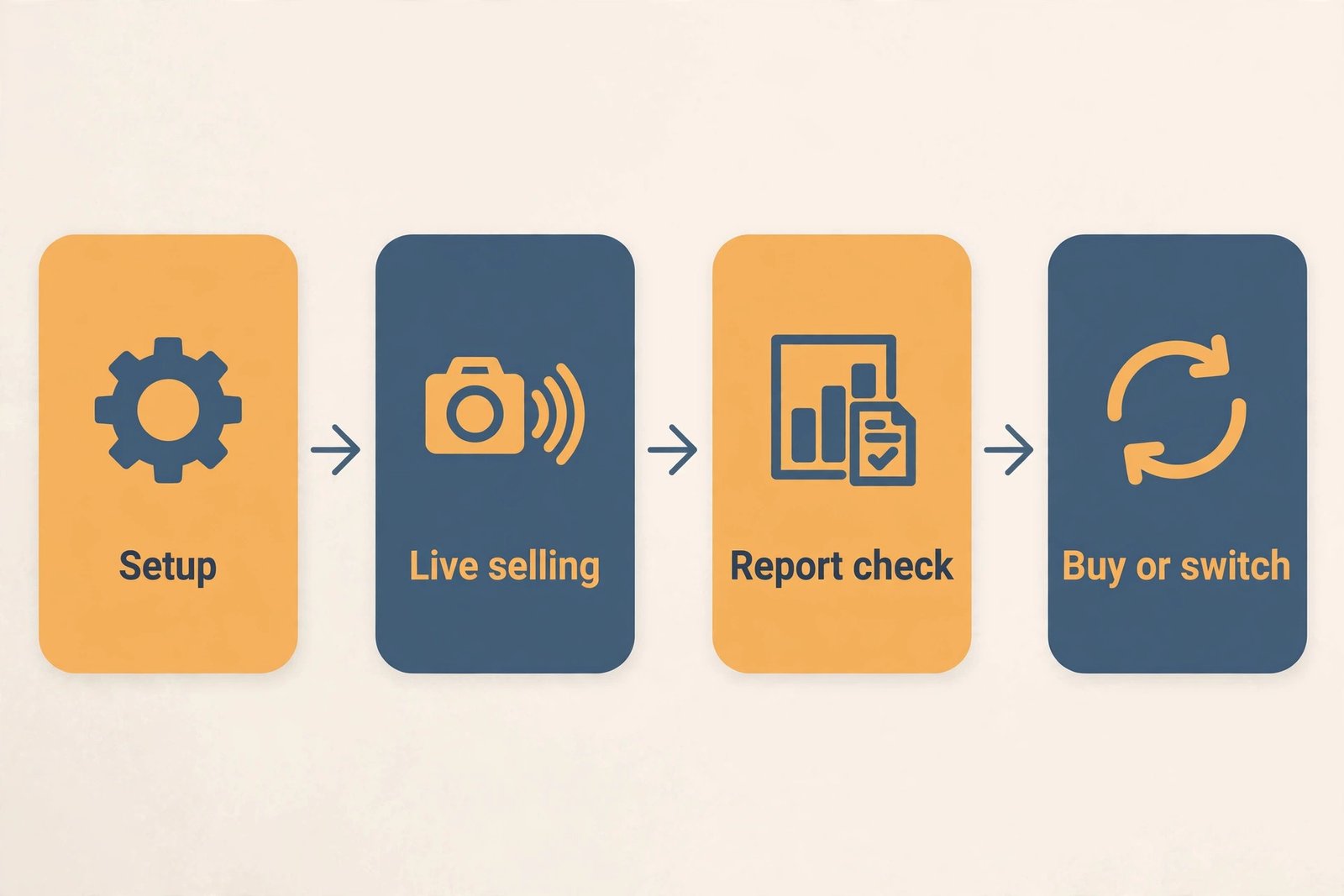
Day one to day three is setup. Import a small set of real contacts and open deals, build one pipeline, connect email and calendar, and set up one follow up automation. Do not import the full database yet, because a messy full import will waste the trial on cleanup. Do not build five pipelines and ten automations yet, because complexity hides adoption problems. The goal for day three is a working pipeline that all three people can use without asking for help.
Day four to day ten is live selling. Log every call, email and meeting in the CRM, update deal stages daily, and use the mobile app for at least one full selling day. Track activities logged per rep per day, deals without a next step for more than three days, and how long it took to answer which deals close this month.
Day eleven to day fourteen is the decision. Build the Monday report, check the checkout total for the tier you actually used, and ask each person whether they would keep using the tool if no one forced them, and what one friction would change their answer. Weight the daily user answer more heavily than the buyer answer. If the trial tool fails, trial the runner up rather than buying the first tool out of trial fatigue.
Mistakes That Waste a Small Team Budget
The first mistake is buying seats for people who only need to view deals. View only seats on HubSpot are free, and lighter team user options exist in parts of Zoho, so check viewer access before paying for full seats for managers or part time helpers. The second mistake is paying annual billing before the trial proves adoption. Monthly billing for the first quarter protects the team from a year of a tool that no one opens.
The third mistake is importing everything on day one. A full import with duplicates, dead leads and missing owners creates a pipeline that looks busy and tells the team nothing. Import open deals and active leads first, clean the rest in batches, and archive dead records rather than deleting history. The fourth mistake is building too many stages, fields and automations in week one. Start with the smallest pipeline that reflects real buyer steps.
The fifth mistake is ignoring the renewal price. Promotional rates and first year discounts all end, so ask what the price will be at renewal for the same seats and tier. The sixth mistake is choosing on integration count rather than integration quality. A CRM that lists hundreds of integrations but syncs poorly with your email, calendar or accounting tool will cost more in manual work than a CRM with fewer integrations that syncs cleanly with the tools you actually use. Test the two or three integrations that matter, and ignore the rest of the list.
For related reading, this site covers AI tools for sales teams, best CRM software for small business and HubSpot alternatives. Teams that want help with lead quality can also read best AI lead scoring tools and best AI sales prospecting tools, while best AI email management tools helps with the inbox side of follow up.
Frequently Asked Questions
Can a three person team use a free CRM?
Yes, for a limited time and with clear limits. Zoho CRM free covers up to three users, so a three person team can test a real pipeline without paying, within record and feature limits. HubSpot free covers up to two users, so a three person team needs a paid seat or a view only arrangement for the third person. A free plan works best as a trial or a bridge, because automation, reporting and storage limits will eventually force an upgrade.
Is HubSpot too expensive for a three person team?
HubSpot is affordable at entry level and expensive at the tier many teams eventually need. Starter at list price costs about 60 dollars per month for three seats. Professional costs about 270 dollars per month for three seats on annual billing, plus a 1,500 dollar onboarding fee. HubSpot is not too expensive if the team uses its marketing tools and plans for Professional. It is too expensive if the team only needs a sales pipeline and will resent the tier jump later.
Is Pipedrive worth it without a free plan?
Yes, if the team sells actively and values pipeline speed. Pipedrive has no free plan, only a 14 day trial, so the cost starts immediately. Growth at 117 dollars per month for three seats on annual billing is the realistic tier for email sync, automations and sequences. That cost is justified when reps follow up faster and lose fewer deals to slow follow up. It is harder to justify if the team only needs a shared contact list.
What is the cheapest good CRM for a three person team?
Zoho CRM Professional is the cheapest route to strong automation and reporting depth, at 69 dollars per month for three seats on annual billing. Zoho Standard is cheaper still at 42 dollars per month, and the free edition costs nothing for up to three users within its limits. Cheapest does not always mean best, because Zoho needs more setup time than Pipedrive. Either way, the cheapest good option still depends on the selling motion, which is why a single price ranking cannot settle the best CRM for 3-person sales team choice on its own.
Should a three person team pay monthly or annually?
Pay monthly for the first quarter, then switch to annual billing after the 90 day review if adoption holds. Monthly billing costs more per seat, with HubSpot Starter at 20 dollars per seat per month, Pipedrive Growth at 49 dollars, and Zoho Professional at 35 dollars as examples. Annual billing saves roughly 30 to 40 percent on the monthly equivalent. The saving is only worth it once the team knows it will still use the tool in month six.
When should a three person team upgrade or switch CRMs?
Upgrade when a must have feature, such as sequences, forecasting or multiple pipelines, is blocked on the current tier and the team loses deals or time because of it. Switch when adoption fails, when reports cannot be trusted, or when the renewal price rises beyond the value the tool delivers. Use the 90 day review measures of daily logging, trusted reporting and faster follow up to make the call with evidence rather than enthusiasm.
The Three Seat Verdict
The best CRM for 3-person sales team buyers is the one that matches the selling motion, not the one with the lowest seat price or the longest feature list. Pipedrive Growth is the default pick for a sales led team that wants to start fast and stay in its pipeline. HubSpot is the pick for a team that also runs marketing and is willing to budget for Professional before it becomes urgent. Zoho CRM Professional is the pick for a team that wants depth on a tight budget and can invest a day in setup.
Start with a two week trial, price the tier you actually used, and review at 90 days. That discipline protects a small team budget better than any single feature, because it turns a CRM purchase from a guess into a test with a clear pass mark. Pick the tool your three people will open every morning, keep the pipeline simple, and let the follow up habit do the work of closing more deals.