
The verdict is short. For most professional and freelance writing in English, Grammarly Pro is the strongest single purchase. It catches the small errors that mark a writer as non-native, it works wherever you type, and its tone tools help a polite draft sound confident instead of stiff. Finding the best AI writing tool for non-native English writers starts with that practical test, not with a feature list. The tool has to fix your real sentences, in your real apps, without slowing you down or rewriting your meaning.
That does not make Grammarly right for everyone. A student who mainly needs to reword awkward sentences will get more value from QuillBot. A writer who thinks first in German, French or Spanish and then writes in English will get more value from DeepL Write. A writer on a tight budget, or one who also writes in another language, will get more value from LanguageTool. This guide compares those tools on the work non-native writers actually do, which is emails, reports, essays, client messages and articles, and it ends with a pick for each situation.
The Verdict at a Glance
Buy Grammarly Pro if you write in English every day for work or clients and you want one tool that checks grammar, clarity and tone in email, documents and browsers. Its free plan is genuinely useful for basic errors, and Pro adds full sentence rewrites, tone adjustment, a plagiarism checker and 2,000 AI prompts a month. At about $12 a month on annual billing, or $30 a month if you pay monthly, it is the most expensive option here, but it is also the one most likely to be open when you need it.
For most readers, the best AI writing tool for non-native English work is the one that is present in email as well as in documents, and that is Grammarly.
Buy QuillBot Premium if your main problem is not spelling but phrasing. You know what you want to say, and the English version comes out stiff, wordy or close to a literal translation from your first language. QuillBot paraphrasing modes, especially Fluency and Formal, rebuild those sentences into natural English. Premium is commonly listed at about $8.33 a month on annual billing, or $19.95 a month if you pay monthly, and its free plan lets you paraphrase 125 words at a time in two modes.
Buy DeepL Write Pro if you move between languages. If you draft in your first language, translate, and then polish in English, DeepL keeps terminology consistent and understands phrasing in a way that a purely English checker cannot. Write Pro is sold as an add-on, commonly listed at about $7.49 a month on annual billing in US dollar snapshots, on top of a DeepL Individual plan at about $8.74 a month on annual billing. That combined cost only makes sense if you already use DeepL for translation.
Buy LanguageTool Premium if budget matters most, or if you write in more than one language. It checks more than 30 languages, its free plan is usable for short texts, and Premium is commonly listed in the range of about $5 to $6 a month on annual billing, with exact figures varying by region and source. Buy Wordtune if you want the best sentence level alternatives for tone, and you are happy to work sentence by sentence. Its Plus plan is listed at $9.99 a month on annual billing, and Unlimited at $14.99 a month on annual billing, while the free plan gives 10 rewrites a day.
Check every price at checkout before paying, because vendors change plans, limits and regional pricing without warning.
How We Tested the best AI writing tool for non-native English Options
We did not test these tools on perfect textbook sentences. Non-native writers rarely struggle with textbook sentences. They struggle with prepositions, articles, word order, verb forms in long sentences, collocations that sound almost right, and tone that lands harder or softer than intended. So we tested each tool on five kinds of real writing. A short client email asking for a deadline change. A paragraph from a report that explains a delay. A cover letter paragraph. An academic style paragraph. A freelance pitch to a new client.
The Comparison Table and the Language Support Verdict
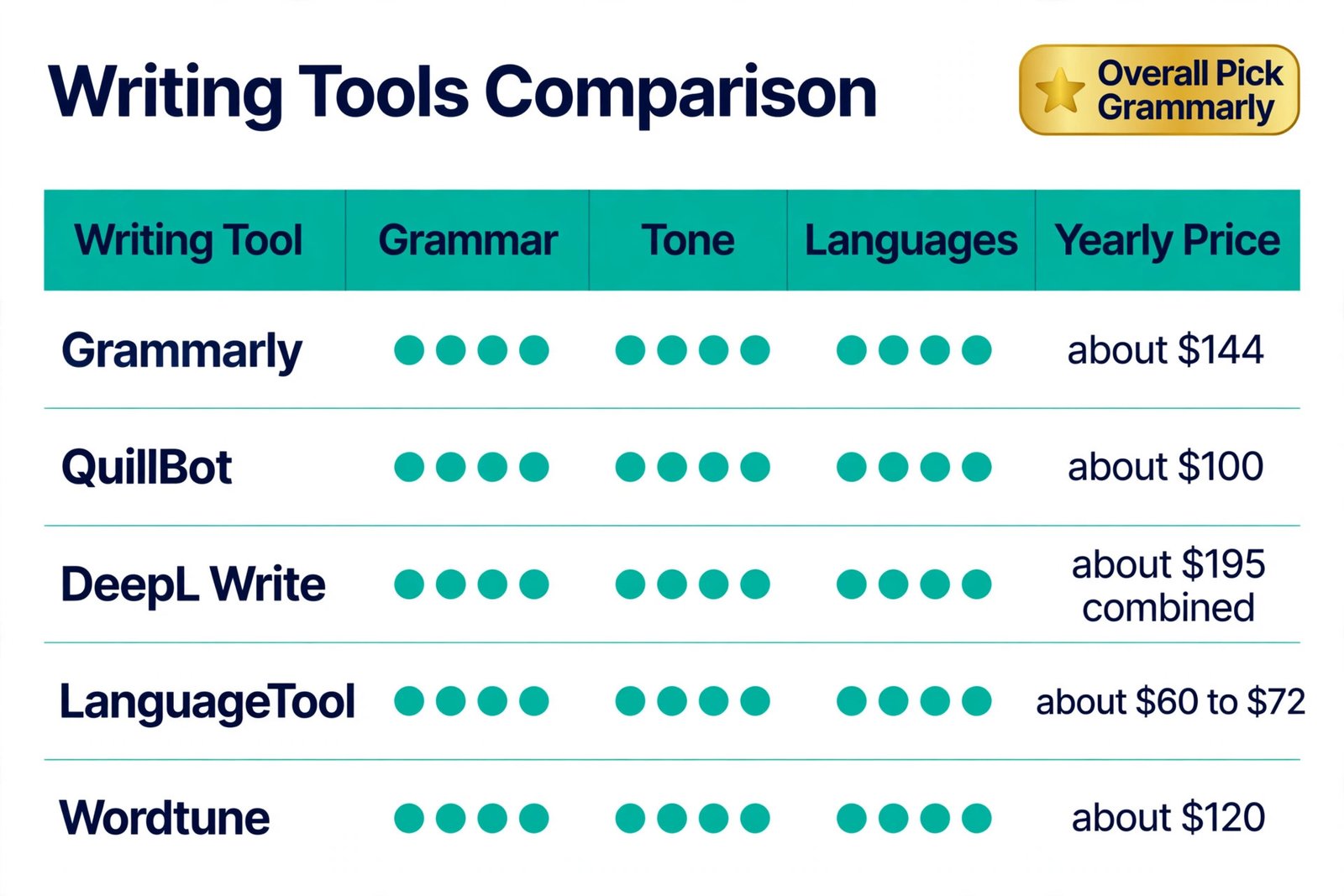
The table below is the fastest way to choose. Read it by your main job first, then by price, then by language. A tool can be excellent at English grammar and still be the wrong buy if it does not support your first language, or if it only works in one app you rarely use. In short, the best AI writing tool for non-native English buyers is the one that matches the job, the language and the app, not the one with the longest feature list.
| Tool | Best for | Free plan | Paid entry, annual billing | English focus | Other languages |
|---|---|---|---|---|---|
| Grammarly Pro | Daily professional writing everywhere | Yes, basic grammar and 100 AI prompts a month | About $12 a month | Grammar, clarity, tone, plagiarism check | English mainly, with added language checks in beta in some accounts |
| QuillBot Premium | Rewording stiff or translated sentences | Yes, 125 words at a time, 2 modes | About $8.33 a month | Paraphrasing, fluency, summarising | Translation support in the wider QuillBot suite |
| DeepL Write Pro | Writers who think in another language first | Limited Write surface | About $7.49 a month as an add-on, plus a DeepL plan | Tone and phrasing in English, German, French and Spanish | Strong translation across 30 plus languages |
| LanguageTool Premium | Budget and multilingual writing | Yes, limited characters at a time | About $5 to $6 a month | Grammar and style | More than 30 languages |
| Wordtune Plus | Sentence tone and natural alternatives | Yes, 10 rewrites a day | $9.99 a month for Plus | Rewrites, tone, shorten and expand | Wider language support is thinner than LanguageTool |
| ProWritingAid Premium | Long reports and books | Limited, 500 words at a time | About $10 a month | Style reports and long form editing | English only |
The language support verdict is clear, and it splits the field in two. If you write only in English, buy on grammar quality, tone tools and where the tool works. Grammarly leads that group, with QuillBot and Wordtune as strong rewriters. If you write in two or more languages, or you regularly translate your own drafts, buy on multilingual coverage first. LanguageTool leads on breadth and price for checking in many languages, and DeepL leads if translation quality and consistent terminology matter more than a low monthly price. Do not pay a premium English only price and then discover you still need a second tool for your other language.
Grammarly in Depth
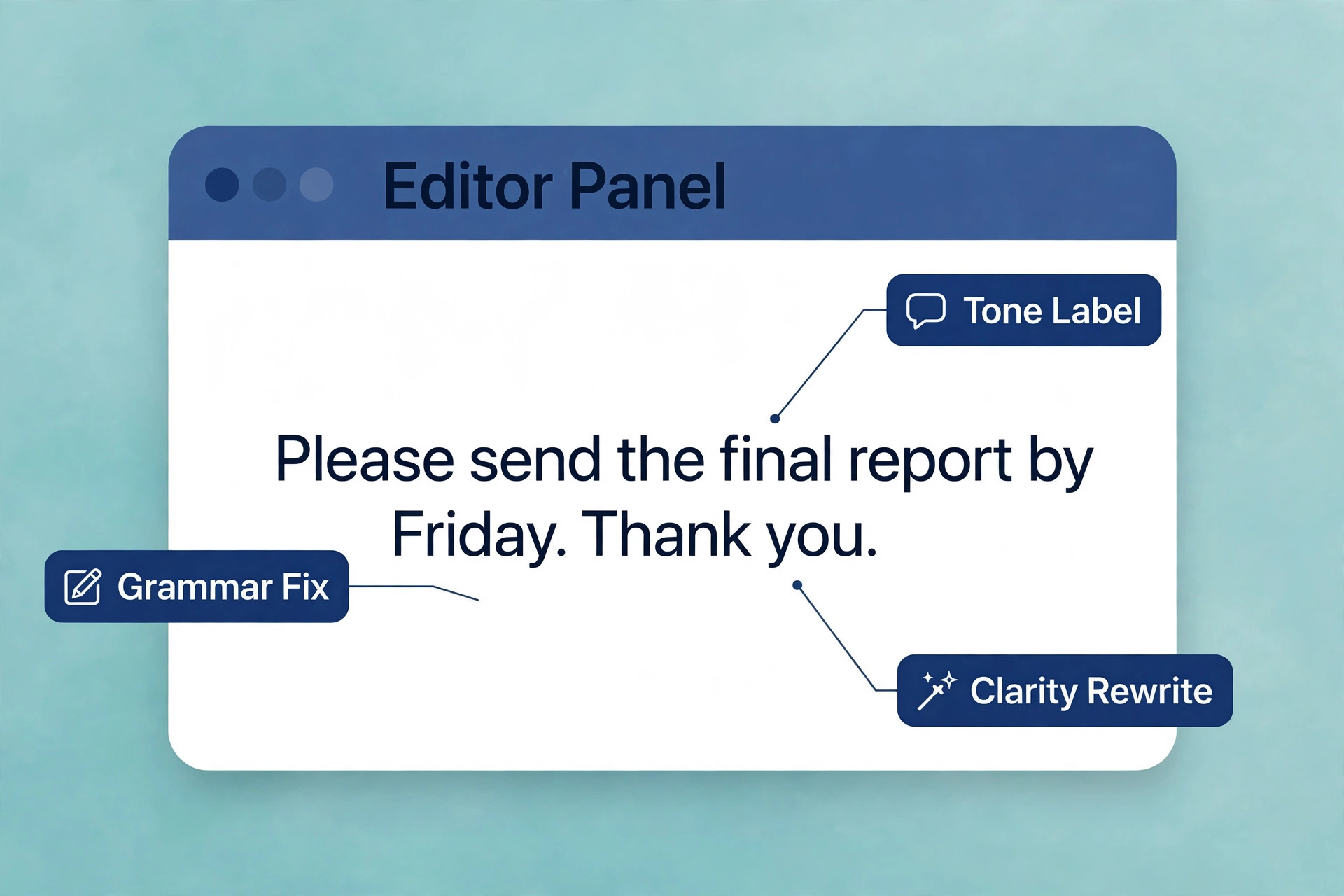
Grammarly is the default recommendation for a reason, and that reason is coverage. It runs as a browser extension, a desktop app, a mobile keyboard and an integration in Google Docs, Word, Gmail, Slack and many other apps. For a non-native writer, that coverage is not a convenience detail. It is the difference between clean client emails and clean documents only. Most embarrassing errors happen in a quick email, a chat message or a form, not in a document you had time to polish.
The limits are real. Grammarly Pro at about $144 a year on annual billing is a serious cost for a student or a new freelancer, and the monthly price of $30 a month is poor value if you only need it for a short project. Its document limit of about 100,000 characters per document also matters for long reports and theses, because a long draft must be split into parts. Its suggestions can also overcorrect. It may push a sentence toward shorter, simpler business English even when a longer, more precise academic sentence was correct.
Grammarly also offers a plagiarism checker and an AI text detector on Pro, which matter for students and freelance writers who publish. They do not replace citation and original writing, but they catch accidental overlap with source phrasing, which is a real risk when a non-native writer leans closely on a source text while learning vocabulary. If your institution or client has rules on AI assistance, read those rules before using generative rewrite features, and keep a version of your own draft. For daily professional use, the best AI writing tool for non-native English work is still Grammarly Pro, because it combines the widest coverage, the strongest everyday grammar engine and the clearest tone help in one subscription.
QuillBot in Depth
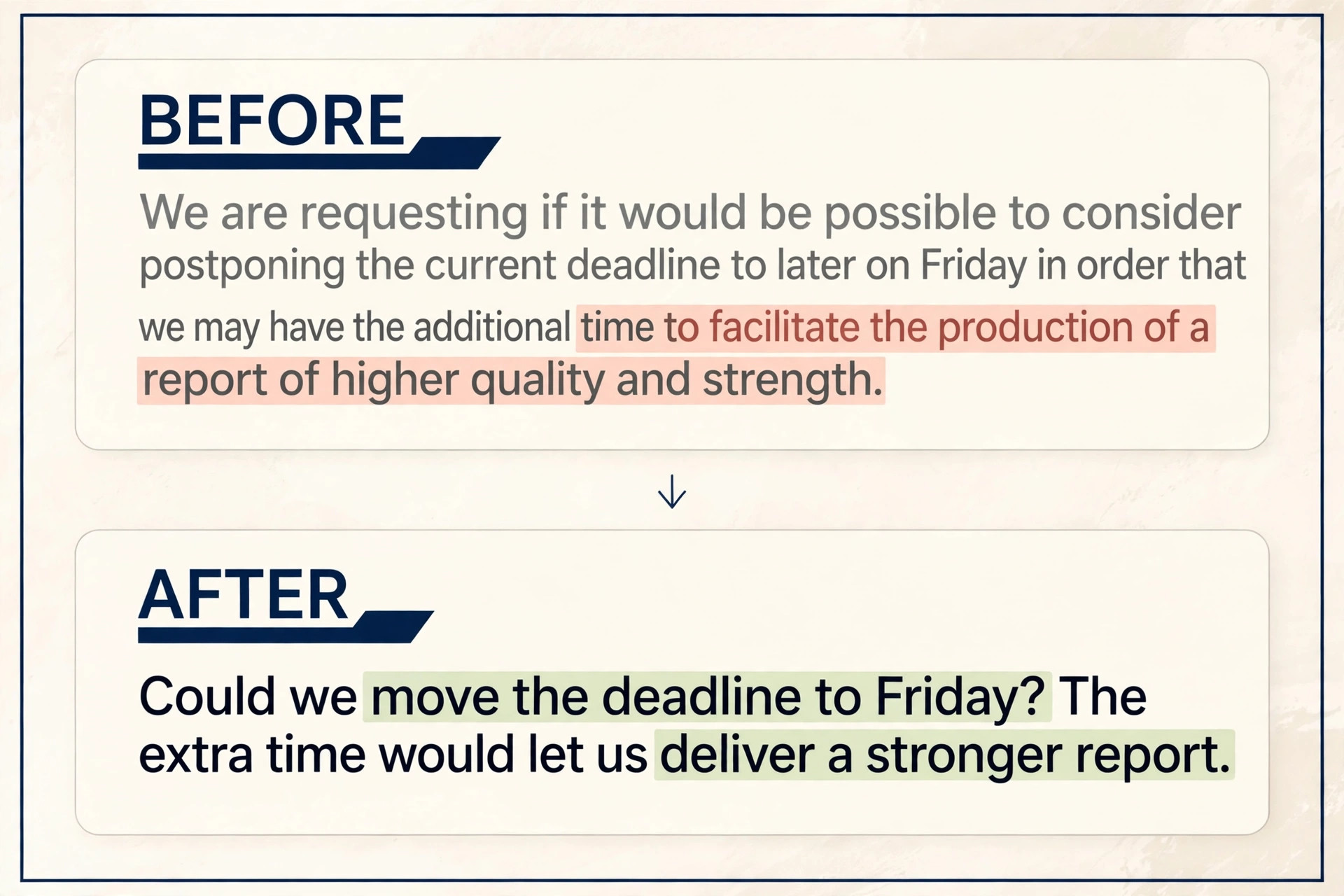
QuillBot solves a different problem from Grammarly, and for many non-native writers it solves the more painful one. Grammarly tells you a sentence is wrong. QuillBot shows you how a native speaker might have written it. Its paraphrasing modes let you choose a direction. Standard swaps words and reorders phrases. Fluency smooths awkward, translated English into natural flow. Formal lifts a casual draft toward professional wording. Academic tightens a paragraph for study and research writing.
The free plan is usable in a limited way. You can paraphrase 125 words at a time, as often as you like, in Standard and Fluency modes. That is enough for single sentences and short paragraphs, which is where most non-native phrasing problems live. It is not enough for a full essay in one pass, and that friction is deliberate. Premium removes the word cap, unlocks all modes, adds a summariser, a grammar checker, a citation generator and a plagiarism checker with a monthly word allowance.
The weakness is that QuillBot is a destination, not an everywhere checker. You paste text in, reword it, and paste it back. That workflow suits focused editing, and it fails for quick email corrections, where Grammarly wins. QuillBot can also change meaning if you use a high synonym setting without reading the result. Keep the synonym level low for technical and academic writing, read every rewritten paragraph aloud, and check names, numbers and technical terms after every paraphrase. Fluency is not accuracy, and a smooth sentence that changes a finding is worse than an awkward sentence that is true.
DeepL Write in Depth
DeepL Write is the best choice for a specific writer, which is someone who already lives between two languages. If you write a report in German and need an English version that keeps the same terms, or you draft an email in Spanish and want a formal English version, DeepL understands the source phrasing in a way that helps. Its Write tool offers tone choices and alternative phrasings for English, German, French and Spanish, and its translation engine covers a much wider set of languages.
The pricing needs care, because Write Pro is not a standalone product in the usual sense. It is an add-on to a DeepL plan. US dollar snapshots commonly list Individual at about $8.74 a month on annual billing, with the Write Pro add-on at about $7.49 a month on annual billing, while European listings show Individual at 7.49 euros a month on annual billing with a similar add-on figure in euros. Currency, tax and region change the checkout total, so treat any combined figure as a guide and confirm the total in your own currency before paying.
LanguageTool in Depth
LanguageTool is the quiet value pick in this comparison, and it deserves more attention from non-native writers than it usually gets. It checks grammar, spelling and style in more than 30 languages, it works as a browser extension and in common editors, and its free plan lets you test it on short texts without a card. Premium raises character limits, adds style and advanced checks, and is commonly listed in the range of about $5 to $6 a month on annual billing.
Its strength is multilingual reality. Many non-native English writers are not monolingual. They write emails in English, messages in their first language, and reports that mix terms from both. LanguageTool lets one tool check both, and its open source core and privacy options appeal to writers who prefer not to send every draft to a large platform. For a writer in Europe, a writer on a student budget, or a writer who also edits in a second language, that combination is hard to beat on price alone.
Its weakness is English depth and polish. LanguageTool catches many errors, but its English suggestions are generally less nuanced than Grammarly on tone, clarity and full sentence rewrites. It will flag a wrong article and a wrong preposition, but it is less likely to rebuild a long, tangled sentence into a clean one. It also has less presence in some apps compared with Grammarly, so a writer who needs correction in every chat window and email client may still miss errors. Treat LanguageTool as an excellent checker, not as a full rewriting coach. Pair it with QuillBot free for rewording passes if budget is tight, and you cover both jobs for very little money.
Wordtune in Depth
Wordtune is the most focused tool here. It does not try to be a grammar checker for every app, a plagiarism checker, a citation tool and a translator. It rewrites sentences. Highlight a sentence, and Wordtune offers formal and casual versions, a shorter version, a longer version, and alternatives that keep the meaning while changing the rhythm. For a non-native writer who can write a correct sentence but cannot make it sound natural, that focus is a strength.
The free plan gives 10 rewrites a day, plus unlimited basic text corrections, which is enough to test the tool and to polish a short email. It is not enough for a full article or a day of client work, and that daily cap is the main reason most regular users upgrade. Plus at $9.99 a month on annual billing raises the allowance to 30 rewrites a day, while Unlimited at $14.99 a month on annual billing removes the rewrite cap.
Wordtune works best as a second tool, not as a sole checker. It can miss a grammar error in a sentence you never highlight, because its strength is rewriting what you select, not scanning everything you type. Pair it with Grammarly free for always on checking, or with LanguageTool for multilingual checking, and use Wordtune for the sentences that matter most, such as an opening line, a pitch, a sensitive apology, or a conclusion. That pairing costs little if you stay on free tiers, and it covers both correctness and natural tone.
ProWritingAid and the Long Document Case
ProWritingAid belongs in this guide for one group only, which is writers of long documents. If you write theses, reports, nonfiction books or long articles, its 25 plus style reports, covering pacing, repeated words, sticky sentences and structure, give feedback that a sentence checker cannot. Premium is commonly listed at about $10 a month on annual billing, or $30 a month if you pay monthly, with a lifetime plan at about $399 for writers who want to stop paying a subscription.
Its limits are also clear. It works in English only, its free plan checks 500 words at a time, and it is heavier than Grammarly for quick email work. A non-native writer who mainly writes emails and short articles will find it slow and over detailed. A non-native writer finishing a thesis or a book will find its chapter level feedback more useful than any other tool here. Do not buy it as a general English helper. Buy it when length is the problem, and when you want to learn style patterns across a whole document, not just fix one sentence.
Choosing by Your Main Writing Job
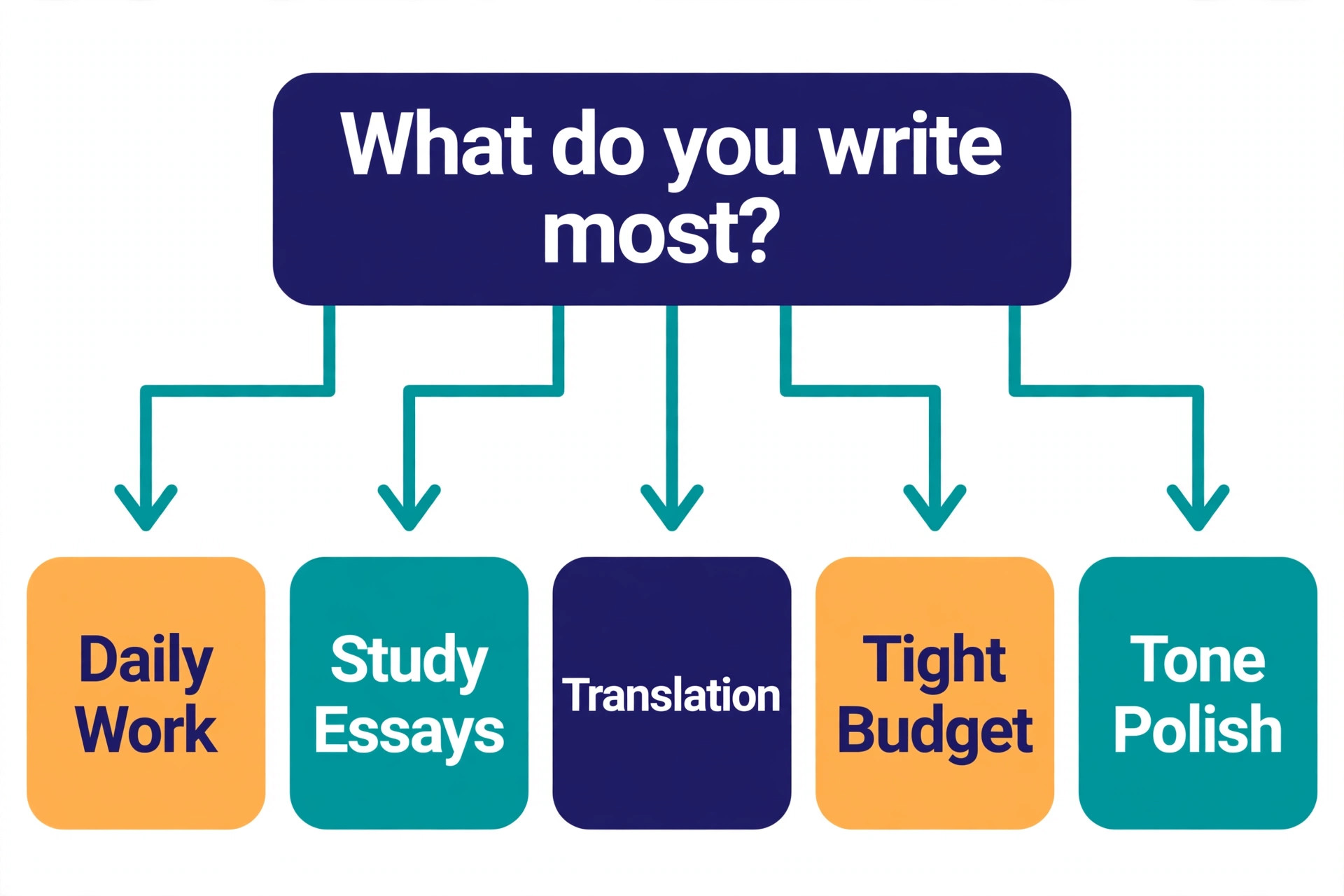
The right tool follows the job, not the brand. Start by naming the writing you do most in a normal week, then match the tool to that job, and only then look at price. A cheap tool that misses errors in client email is expensive in lost trust. An expensive tool that you never open because it lives on a website you forget is also wasted money. When you weigh the choice this way, the best AI writing tool for non-native English work becomes a practical decision, not a brand decision, because it follows your week, your apps and your deadlines.
If you write client emails, proposals and reports every day, choose Grammarly Pro. Its everywhere coverage and tone tools protect the writing that carries your income. If you write essays, assignments and research summaries, choose QuillBot Premium, with Grammarly free running alongside for basic checks. That pairing gives you rewording, summarising and citation help at a student friendly price. If you translate your own work, choose DeepL, and add Write Pro if you already pay for a DeepL plan. If you write in several languages on a budget, choose LanguageTool Premium.
Also consider where you write. A writer who lives in Google Docs and Gmail will benefit most from Grammarly and Wordtune browser tools. A writer who lives in Word and Scrivener will benefit more from ProWritingAid and Grammarly desktop tools. A writer who lives on a phone will benefit most from a mobile keyboard checker, which Grammarly offers, rather than a web only paraphraser that needs copy and paste on a small screen. Test the tool in your actual apps for a week before you pay for a year. A free trial on the vendor website does not prove the tool works in your inbox.
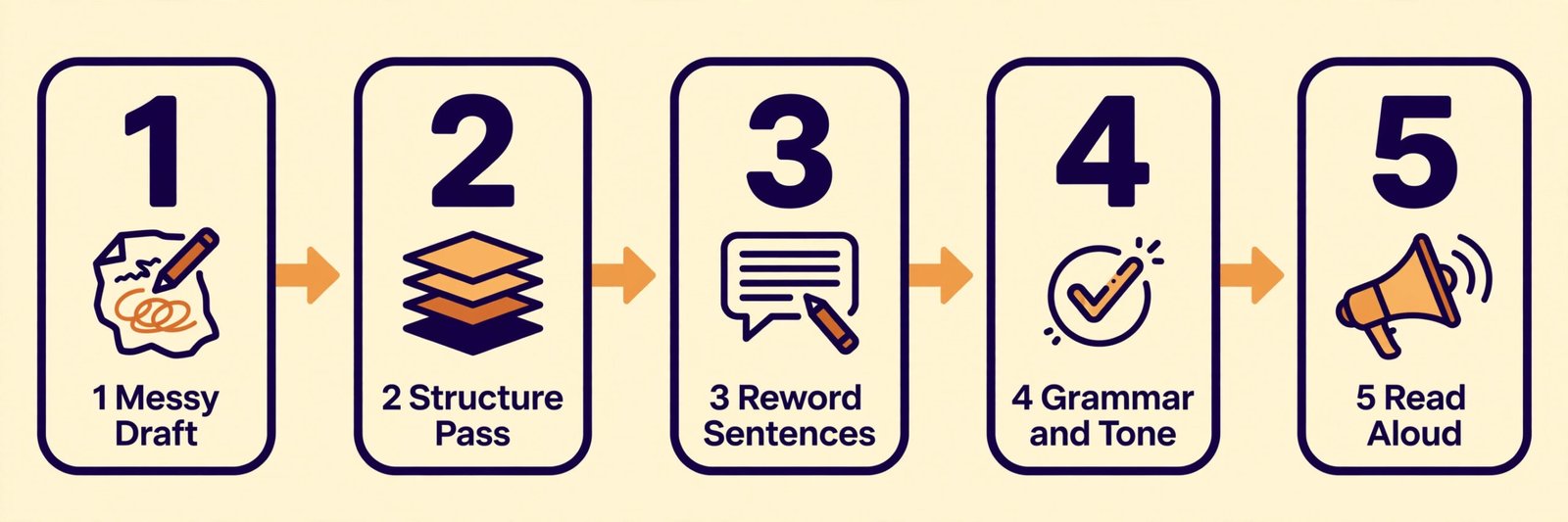
A Five Step Workflow That Protects Your Meaning
Step one is a messy first draft with no checker running, if you can manage it. Write the idea in your own English, even if it is awkward. A first draft written to please a checker becomes cautious and flat, and it hides the point you actually wanted to make. Step two is a structure pass with no tool. Read the draft and fix the order, the main point of each paragraph, and any sentence that does not support that point. No grammar tool can fix a paragraph that argues two things at once.
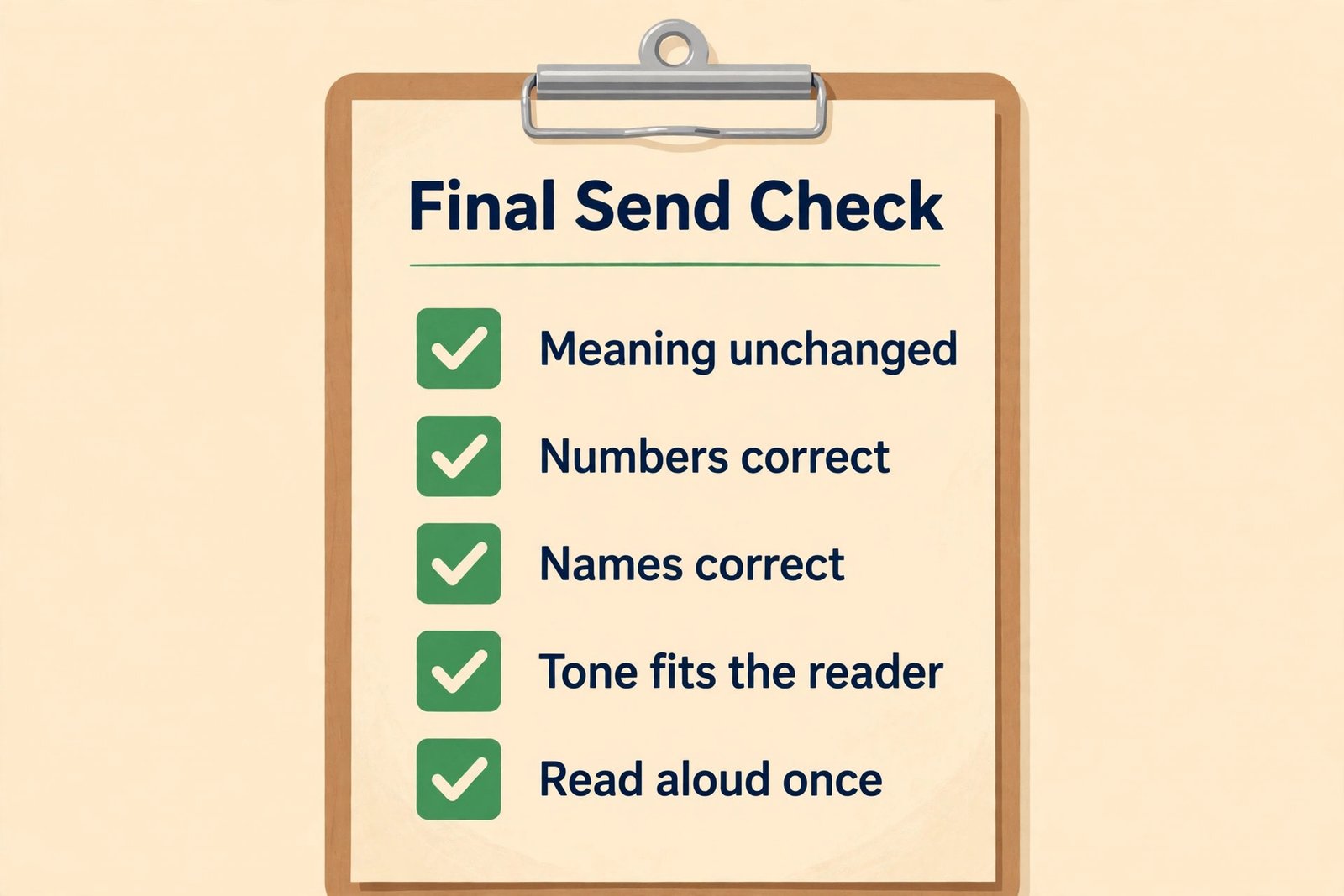
Step three is a rewording pass, and this is where QuillBot or Wordtune earns its place. Take only the sentences that sound stiff, translated or unclear, and generate alternatives. Choose the version that keeps your meaning and sounds like you on a good day, not the version that sounds most impressive. Step four is a grammar and tone pass with Grammarly or LanguageTool. Accept grammar fixes first, then clarity fixes, then tone fixes, and reject anything that changes a technical term, a number or a commitment. Step five is a final read aloud, slowly, without the tool. If a sentence is hard to say, rewrite it in shorter form. If a request sounds blunt when spoken, soften it before sending.
Mistakes That Make Good Tools Produce Weak English
The first mistake is accepting every suggestion. Tools are confident, and confidence is persuasive, especially when English is not your first language. A suggestion can be grammatically correct and still wrong for your audience, your field or your intent. Read each suggestion as a question, not as a correction, and ask whether it keeps your meaning. If you are unsure, keep your original sentence and ask a colleague for that one sentence, rather than letting a tool decide a sensitive message.
The second mistake is polishing before thinking. A fluent paragraph with a weak argument still fails, and a polished email that asks for the wrong thing still creates work. Spend your first pass on the point, the evidence and the request, and only then spend time on wording. Tools reward this order, because they work better on a clear draft than on a confused one.
The third mistake is using a paraphraser to hide weak understanding. If you cannot explain an idea in simple English, a paraphrased version will sound fluent while hiding the gap. That gap appears later, in a meeting, a revision request or an exam question. Use paraphrasing to improve sentences you understand, not to dress up passages you do not.
The fourth mistake is buying overlapping subscriptions. Grammarly Pro plus QuillBot Premium plus Wordtune Unlimited plus DeepL can cost more than $400 a year, and most writers use only one of them daily. Start with free plans, add one paid tool for your main job, and add a second only if a specific weekly task still fails. Cancel the tool you have not opened in two weeks. A subscription you forget is not a safety net.
For related reading, ai tools for students covers wider study tools, best free AI writing tools is useful if you want to stay on free plans for now, and how to use AI to write better emails goes deeper on email tone and structure. If you also need translation help, best AI translation tools compares the wider translation field, and best AI paraphrasing tools covers rewording in more depth. External vendor pages to check are Grammarly, QuillBot, DeepL, LanguageTool, Wordtune and ProWritingAid.
Pricing and Limits at a Glance
Price alone should not decide this purchase, but price plus limits should. A low monthly figure means little if the free or cheap plan caps the exact feature you need, such as paraphrasing length, rewrites per day, document length or plagiarism word allowance. Check the limit that matches your heaviest week, not your average week, because a tool that fails during a deadline week is worse than a tool that costs a little more all year. That is why the best AI writing tool for non-native English budgets is often the cheapest plan that survives a deadline week, not the cheapest plan on an average week.
Grammarly free gives basic grammar checks and 100 AI prompts a month. Pro raises AI prompts to 2,000 a month and adds full sentence rewrites, tone rewrites, plagiarism checking and AI detection. QuillBot free gives 125 words per paraphrase and two modes. Premium removes the word cap and adds all modes, summarising, citation help and a plagiarism checker with a monthly allowance. LanguageTool free limits characters per check. Premium raises that limit substantially and adds advanced style checks. Wordtune free gives 10 rewrites a day. Plus gives 30 rewrites a day, and Unlimited removes the cap. DeepL free gives 50,000 translation characters a month.
Yearly totals, using annual billing where available, are about $144 for Grammarly Pro, about $100 for QuillBot Premium, about $60 to $72 for LanguageTool Premium, about $120 for Wordtune Plus, and about $195 combined for DeepL Individual plus Write Pro in US dollar snapshots, before tax. ProWritingAid Premium at about $120 a year, or $399 lifetime, sits in the middle for long form writers. If your budget allows only one paid tool, spend it on the checker that runs where you write most. If your budget allows two, add the rewriter that fixes your stiffest sentences.
Frequently Asked Questions
Is Grammarly enough for a non-native English writer?
For many writers, yes, especially on Pro. Grammarly free catches basic grammar and spelling errors everywhere you type, and Pro adds clarity rewrites, tone help and plagiarism checking. It is not the best paraphraser, so writers who struggle mainly with stiff phrasing should add QuillBot or Wordtune for rewording passes.
Can a non-native writer rely only on free tools?
Yes, for light to moderate writing. Grammarly free for always on grammar checks, QuillBot free for short rewording passes, and LanguageTool free for multilingual checks cover most everyday needs. Free limits hurt during heavy weeks, such as a thesis deadline or a product launch, when paraphrase caps, rewrite caps and character limits slow you down.
Will using an AI writing tool make my English worse over time?
It can, if you accept every suggestion without reading it. It can also make your English better, if you use corrections as lessons. Read each fix, note repeated errors, and keep a short personal list of rules you keep breaking. Writers who review their repeated mistakes improve steadily.
Is QuillBot better than Grammarly for non-native writers?
It depends on the problem. QuillBot is better for rewording, because its Fluency and Formal modes rebuild awkward sentences into natural English. Grammarly is better for everyday correctness, because it checks writing in every app and catches grammar, clarity and tone issues as you type.
Does DeepL Write work for English only writers?
It can polish English, but it is not the best value for English only writers. DeepL Write shines when you move between languages, keep terminology consistent, or translate your own drafts. If you write only in English, Grammarly gives wider app coverage and stronger everyday checking for a similar or lower combined cost, and QuillBot gives stronger paraphrasing.
Should I use AI writing tools for academic work?
Use them as editing aids, and follow your institution rules. Grammar checking and polishing your own draft are widely accepted. Paraphrasing source text to hide copying is not, and some institutions require disclosure of AI assistance or restrict certain tools. Cite sources properly, keep your own drafts and notes, and ask your tutor or supervisor if a rule is unclear.
Send It Without Re-reading It Ten Times
The goal of the best AI writing tool for non-native English work is not a perfect document. It is a document you can send without re-reading it ten times, worrying about one preposition, one tone misstep, or one sentence that sounds translated. Grammarly Pro gets most writers to that point fastest, because it is present in email and documents, it explains common errors, and its tone tools catch the messages most likely to be misread. QuillBot gets students and rewording heavy writers there more cheaply. DeepL gets bilingual writers there with less terminology drift. LanguageTool gets budget and multilingual writers there for the lowest yearly cost.
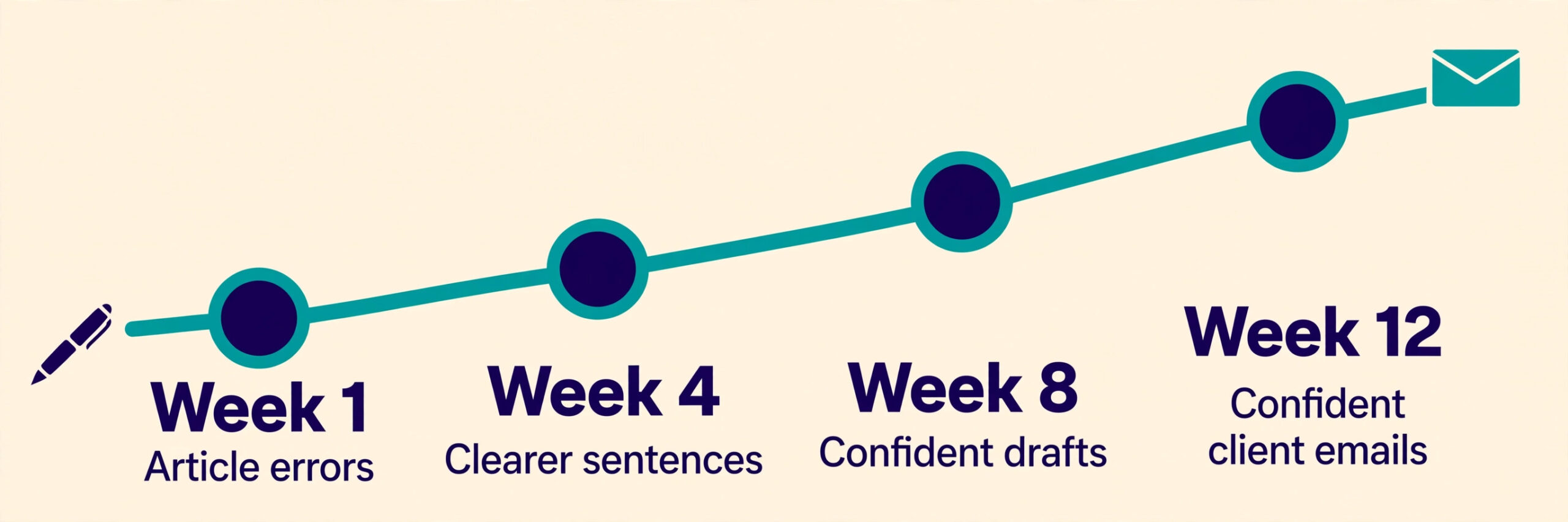
Pick one checker this week. Install it where you actually write, not only on its website. Run it on your next three real emails or paragraphs, and count what it catches in email as well as in documents. Then add a rewriter only if stiff sentences, not spelling errors, are still your main problem. That two step test beats any feature table, because it measures the tool against your writing, your apps and your deadlines. Good English is not about sounding native on every sentence. It is about being clear, correct and confident enough that readers focus on your point, not on your grammar. The right tool helps you reach that point faster, and then gets out of your way.