
A roofing company that runs 40 jobs a month and loses track of two of them loses roughly 20,000 dollars of work it already sold, and the best crm software for roofers exists to keep every lead, inspection, estimate, contract and payment in one place from the first call to the final invoice. JobNimbus leads this guide because it is the most widely used roofing CRM, covering the whole job lifecycle without making the crew feel like they are doing data entry homework. The remaining 11 tools cover insurance restoration, measurement-led sales, field service and generic CRM depth, and each one fits a different kind of roofing shop.
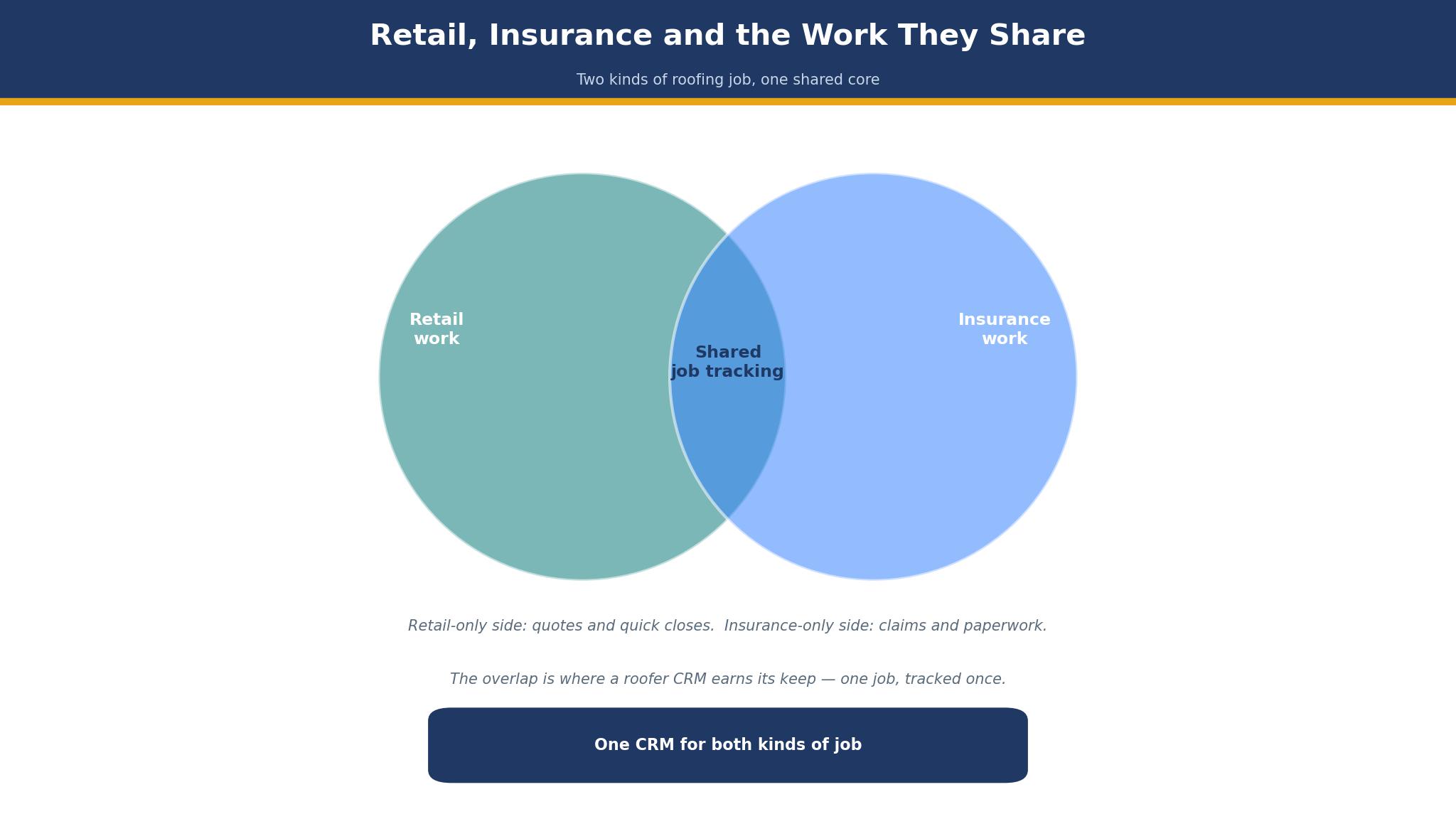
The first split is retail or insurance. A retail roofer sells on price and speed, while an insurance roofer sells on supplements, adjuster communication and documentation, and the CRM that fits one will frustrate the other. AccuLynx owns the insurance lane, Roofr owns the measurement-led retail lane, and the detail sections below state which lane each tool serves. The twelve tools below were all live in November 2026, and the prices come from vendor list prices or third-party reports noted in the text, so get a fresh quote before you commit.
Roofing shops differ in size, crew count and job mix, and this guide weights those differences heavily. A two-crew shop needs different software than a ten-crew operation running storm restoration across three states, and the recommendations below reflect that split, with the year-one cost math counting base fees, per-user charges, texting add-ons and measurement reports.
What a Roofing Job Really Costs to Manage
The sticker price of a roofing CRM is the smallest part of its cost. A 79 dollar plan looks cheap until the shop adds five users, a texting add-on and 40 measurement reports a month, and the bill passes 600 dollars without any new roof being sold. Shops should price a tool by the full stack, not by the headline plan, and the detail sections below call out the add-ons that change the bill.
Per-user math is the bigger cost. A per-user tool that charges 70 dollars a seat costs 700 dollars a month for a ten-person crew, while a flat-rate tool like Roofr costs 249 dollars no matter how many users log in. At five users the two models cross, and past ten the flat rate wins by a wide margin. The best crm software for roofers is priced on the crew size the shop actually runs, not on the plan the vendor prefers to sell.
The third cost is the job that slips. A lead that sits uncalled for a day goes to the next roofer, and an estimate that takes a week to send loses to one sent in an hour. Speed from lead to signed contract is the metric that matters most, and the tools below were judged partly on how fast a rep can measure, estimate and send from the driveway.
Why Insurance Work Needs a Different CRM
Insurance work needs a different CRM in a specific way. The first difference is documentation, because a supplement claim needs photos, measurements, adjuster notes and a paper trail that a retail job never requires. A CRM without photo markup, supplement tracking and Xactimate integration will force the office to keep a second system, and the double entry will cost more than the software saves.
The second difference is the sales cycle. An insurance job can take 90 days from inspection to payment, with adjuster visits, supplement approvals and mortgage company cheques in between, while a retail job closes in a week. The CRM must track a long pipeline with many stages, and a tool built for short retail cycles will lose the job in the middle.
The third difference is the crew. Insurance crews work storm zones far from the office, and the mobile app must work offline, sync photos and update the job without a signal. A CRM whose mobile app only works on wifi will lose the field team’s data, and the office will chase paperwork instead of selling roofs.
The 12 Tools at a Glance
| Tool | Main job | Best for | Starting price |
|---|---|---|---|
| JobNimbus | Roofing CRM, full lifecycle | Mixed retail and insurance | Pricing on the vendor site, reported from 225 dollars a month |
| AccuLynx | Roofing-only production suite | Insurance restoration | Pricing on the vendor site, Essential reported at 250 dollars a month |
| Roofr | Measurement plus CRM | Retail roofers, flat pricing | Free, Essentials from 249 dollars a month |
| Leap | In-home sales CRM | Sales-team-driven shops | From 79 dollars a month |
| JobProgress | Job management plus portal | Customer portal, mid-size shops | Pricing on the vendor site |
| Jobber | Field service CRM | Small crews, other trades | From 49 dollars a month |
| HubSpot | Free CRM plus sales tools | Shops starting free | Free, paid from 20 dollars a seat a month |
| Salesforce | Enterprise CRM | Large multi-branch shops | From 25 dollars a user a month |
| Zoho CRM | Budget CRM | Small shops watching cost | From 14 dollars a user a month |
| Pipedrive | Pipeline-first CRM | Sales-led small shops | From 14 dollars a seat a month |
| CompanyCam | Photo documentation | Photo-heavy crews | From 19 dollars a user a month |
| Buildertrend | Construction management | Commercial and large jobs | Pricing on the vendor site |
Best Pick by Job
| Job type | First pick | Second tool | Why this pair works |
|---|---|---|---|
| Mixed retail and insurance | JobNimbus | AccuLynx | JobNimbus covers both and AccuLynx adds insurance depth |
| Insurance restoration | AccuLynx | JobNimbus | AccuLynx owns supplements and JobNimbus adds flexibility |
| Retail under 2 million | Roofr | Leap | Roofr measures and prices flat and Leap adds in-home sales |
| Sales-team-driven | Leap | Pipedrive | Leap closes at the kitchen table and Pipedrive adds pipeline clarity |
| Small crew, tight budget | Jobber | Zoho CRM | Jobber runs the field and Zoho adds CRM depth cheap |
The right CRM depends on the jobs on the books, so two roofing shops can buy the same product and reach opposite verdicts. A storm restoration shop needs supplement tracking, while a retail shop needs fast measurement and a flat price. A tool that manages the secondary need well enough still lets the shop down when it fumbles the work that fills the schedule. Choose the first tool for the job mix that pays, and keep the second on standby for the jobs the first cannot cover.
The bill follows the same logic. A five-crew shop can justify 550 dollars a month for JobNimbus Established plus texting, since the cost is a small share of one roof and a single saved job pays for the year. A two-person crew should start free on Roofr or HubSpot instead, then weigh Jobber and Zoho CRM once the volume grows. The best crm software for roofers is the one that fits the shop’s current crew without blocking the next hire.
How to Judge the best crm software for roofers
Start with the one-roof test, because that is where a roofing CRM either earns its fee or wastes it. Take one real job, run it through the tool from lead to final payment, and watch what breaks. Count the minutes to build the estimate, check whether the measurement report lands in the file, and see whether the crew can update the job from a phone on the roof. A tool that needs the office to finish what the field started will cost more time than it saves.
Next, test the pricing on real crew size. Take your user count, add the base fee, the per-user charges and the texting add-on, and compare the total against the flat-rate alternative. Look for the user cap that forces an upgrade, because a tier that covers three users will force a jump the moment the fourth rep joins. The best crm software for roofers is priced on the crew the shop runs today, not the crew it hopes to run next year.
Then check the mobile app on a real phone. Open the CRM from the driveway, find a job, update its stage and log a photo, all while standing on the roof. A rep who lives on the road needs a mobile app that works offline, and a CRM that only works on a desktop will lose the field team’s data.
The 12 Tools in Detail
Roofing fit sets the order below, so the most widely used roofing CRM leads.
1. JobNimbus
JobNimbus is the default pick for most roofing companies, and its coverage is the reason. It runs the whole job lifecycle from lead to final payment, with boards, scheduling, invoicing and integrations with EagleView, Hover, CompanyCam and QuickBooks, and it owns SumoQuote for proposals. Pricing is not published, and third-party reports put the Growing plan around 225 dollars a month base and Established around 550 dollars, with per-user fees of roughly 20 to 75 dollars a month by role and texting from 49 to 249 dollars a month.
The drawback is the quote-only pricing and the per-user stack. A shop cannot compare JobNimbus on price without a sales conversation, and the base plus per-user plus texting model can pass 800 dollars a month for a mid-size crew. The mobile app was rebuilt in 2024 and 2025, so an older review of it is out of date.
JobNimbus suits mixed retail and insurance shops with two to five crews. It fits a shop coming off paper or spreadsheets, a multi-branch operator that needs flexible roles, and anyone who wants the most widely used roofing CRM. Run one real job through JobNimbus from lead to final payment, and if the crew updates it from the field without calling the office, JobNimbus is the default for a reason.
2. AccuLynx
AccuLynx is the roofing-only production suite, and its insurance depth is the reason. It has been all-in on roofing since 2008, with supplement tracking, Xactimate integration, aerial measurement ordering, photo documentation with markup and production boards built for how roofing projects actually flow. Pricing is not published, and third-party reports put the Essential plan around 250 dollars a month with per-user fees of roughly 55 to 85 dollars depending on tier.
The drawback is the price and the ownership question. A mid-size crew commonly runs 1,000 dollars or more a month once texting, SmartDocs and the customer portal stack on top, and a court ordered Verisk to proceed with its 2.35 billion dollar purchase of the company, with an appeal pending, so the roadmap carries some uncertainty. A small retail shop will pay for insurance depth it never uses.
AccuLynx suits insurance restoration shops with five crews and up. It fits a storm shop, a company whose revenue runs through supplements, and anyone whose adjuster communication needs a paper trail. Run one insurance job through AccuLynx from inspection to supplement approval, and if the documentation holds together without a second system, AccuLynx owns the insurance lane.
3. Roofr
Roofr is the value play in this guide, and its published pricing is the reason. Starter is free, Essentials is 249 dollars a month or 209 dollars billed annually, and Scale is 349 dollars a month or 299 dollars billed annually, with unlimited users on every tier and measurement reports at 13 to 19 dollars each. The tool started as a measurement service and grew into a CRM, so the estimate is the strong suit.
The drawback is the depth. Roofr’s CRM and job management are basic next to JobNimbus or AccuLynx, and a shop that lives on insurance supplements will find it thin. The measurement reports are billed separately, so a shop ordering 40 reports a month adds 520 to 760 dollars on top of the subscription.
Roofr suits retail roofers under 2 million dollars in revenue. It fits a shop whose revenue leads with measurement and proposals, a sales team that needs unlimited users, and anyone who wants published pricing without a demo. Run one retail job through Roofr from measurement to proposal, and if the estimate goes out in an hour and the price is flat, Roofr is the budget pick.
4. Leap
Leap is the CRM for sales-team-driven companies, and its in-home selling is the reason. Reps who close deals at the kitchen table get estimating, financing and contract tools shaped around a consultative sale. Pricing is reported at 79 dollars a month for Essential for a single user and 298 dollars a month for Team plus roughly 99 dollars per user, on a one-year contract.
The drawback is the contract and the per-user cost. Both plans require a one-year commitment, and the Team plan plus per-user fees can pass 800 dollars a month for a five-rep team. A shop without a dedicated sales team will pay for selling tools it never uses.
Leap suits shops whose business runs on in-home sales reps. It fits a company with a door-to-door or appointment-based sales force, a shop selling financing-heavy jobs, and anyone who closes at the kitchen table. Run one in-home sale through Leap from estimate to signed contract, and if the rep closes without calling the office, Leap fits the sales model.
5. JobProgress
JobProgress is the job management tool with a strong customer portal, and that portal is the reason. Customers can track their job, see photos and communicate with the crew, which cuts the status calls that eat the office’s day. Pricing is on the vendor site and quoted per shop, so ask for a written quote before budgeting.
The drawback is the quote-only pricing and the narrower roofing focus. A shop cannot compare JobProgress on price without a sales conversation, and the CRM depth is thinner than JobNimbus or AccuLynx. The value depends on the portal, and a shop whose customers never log in will get little from it.
JobProgress suits mid-size shops that want a customer portal. It fits a company whose office drowns in status calls, a shop that wants customers to see progress online, and anyone who values the portal over the pipeline. Run one job through JobProgress and ask the customer to check the portal, and if the status calls stop, the portal has paid for itself.
6. Jobber
Jobber is the field-service CRM, and its simplicity is the reason. It covers quoting, scheduling, invoicing and payments for small crews, with a clean mobile app the field team will actually use. Pricing starts at 49 dollars a month, with higher tiers adding users and features, which makes it one of the cheaper options in this guide.
The drawback is the roofing depth. Jobber is built for many trades, so the roofing-specific features like supplement tracking and aerial measurement are missing, and a shop that grows into insurance work will outgrow it. The tool fits repair-only crews better than full replacement shops.
Jobber suits small roofing crews doing repairs and other trades. It fits a two-person crew, a roofer who also does gutters and siding, and anyone who wants a simple field tool without roofing complexity. Run one repair job through Jobber from quote to invoice, and if the crew updates it from the field without training, Jobber fits the small shop.
7. HubSpot
HubSpot is the free starting point, and its free tier is the reason. The free CRM covers unlimited users with contact management, deal tracking and basic email, and Starter begins at 20 dollars a seat a month billed monthly or 7 dollars billed annually. The platform scales from two users to two hundred without a migration, and the ecosystem covers marketing, sales and service in one place.
The drawback is the roofing gap and the price climb. HubSpot knows nothing about roofs, measurements or supplements, so the shop will need integrations or a second tool for the roofing work, and the features a growing shop needs sit behind the paid tiers. A shop that outgrows Starter will pay significantly more than the headline suggests.
HubSpot suits shops starting free that need a real CRM. It fits a new roofing company tracking its first hundred leads, a shop that wants to start free and scale without switching, and anyone who values the ecosystem over roofing-specific features. Move ten real leads into HubSpot and work them for two weeks, and if the pipeline stays current and the forecast is honest, HubSpot will carry the sales side.
8. Salesforce
Salesforce is the enterprise CRM, and its depth is the reason. Sales Cloud covers five tiers from Starter Suite at 25 dollars a user a month to Agentforce 1 Sales at 550 dollars, with custom objects, workflow automation and forecasting that no other tool in this guide matches. The platform handles the complexity of a multi-branch operation.
The drawback is the complexity and the cost. Starter Suite excludes API access, workflow automation and forecasting, so it is effectively a contact database, and Pro Suite at 100 dollars a user a month is the first tier most teams need. The platform needs an admin, and a shop without one will struggle.
Salesforce suits large multi-branch roofing companies. It fits an enterprise with hundreds of reps, a company with custom objects and workflows, and anyone whose sales process needs the deepest customisation available. Pilot Salesforce with one branch and one pipeline before committing, and if the forecast is accurate and the team uses it daily, Salesforce is the right enterprise tool.
9. Zoho CRM
Zoho CRM is the best value overall, and its price is the reason. Standard costs 14 dollars a user a month billed annually, with Professional at 23 dollars and Enterprise at 40 dollars, and the free tier covers three users. Zia handles scoring, forecasting and anomaly detection, and the platform covers the full suite from sales to support.
The drawback is the roofing gap and the interface. Zoho knows nothing about roofs, and the interface carries the weight of a large suite, with more menus than a small shop needs. The AI is strong but less polished than the bigger platforms, and the ecosystem lock-in means the CRM works best alongside other Zoho products.
Zoho CRM suits budget shops under ten people. It fits a small roofing company that wants the most CRM per dollar, a shop already using Zoho products, and anyone who wants a functional Standard tier without paying for Enterprise. Build a pipeline with your real leads and test Zia on them, and if the scoring is honest and the price holds, Zoho CRM will carry the small shop.
10. Pipedrive
Pipedrive is the cleanest pipeline view in this guide, and its simplicity is the reason. The deal board shows every job in its stage, with drag-and-drop movement and a clear view of what needs attention today. Lite costs 14 dollars a seat a month billed annually, with Growth at 39 dollars, Premium at 59 dollars and Ultimate at 79 dollars, and the AI Sales Assistant helps prioritise deals.
The drawback is the tier jump. Lite is too limited for an active team, so the practical entry point is Growth at 39 dollars a seat a month, which is nearly three times the headline price. The platform has no free tier, only a 14-day trial, and it knows nothing about roofing, so the shop will need integrations for measurements and supplements.
Pipedrive suits sales-led small roofing shops. It fits a team that lives in the pipeline, an owner who wants to see every job at a glance, and anyone who values a clean board over a complex suite. Move ten real jobs into the pipeline and use it for a week, and if the board stays current and the forecast is honest, Pipedrive is the right tool for the sales-led shop.
11. CompanyCam
CompanyCam is the photo documentation tool, and its camera is the reason. Crews take photos that are stamped with time, location and project, organised by job, and shared with the office and the customer without a separate app. Pricing starts at 19 dollars a user a month, with higher tiers adding features and users.
The drawback is the scope. CompanyCam is a documentation tool first and a CRM second, so a shop that buys it expecting a full CRM will be disappointed. The value depends on photo volume, and a shop that takes few photos will pay for a camera it rarely uses.
CompanyCam suits photo-heavy crews. It fits a shop whose insurance work lives or dies on documentation, a crew that needs photos organised by job, and anyone who wants the office to see the roof without driving there. Run one job through CompanyCam from first photo to final invoice, and if the documentation holds together without a second app, CompanyCam earns its place alongside the CRM.
12. Buildertrend
Buildertrend is the construction management platform, and its project depth is the reason. It handles scheduling, budgets, change orders and client communication for large and commercial jobs, which suits a roofing company that also does commercial work. Pricing is on the vendor site and quoted per shop, so ask for a written quote before budgeting.
The drawback is the quote-only pricing and the weight. Buildertrend is built for builders, so a residential roofing shop will find it heavy, and the CRM features are thinner than the dedicated roofing tools. A shop that buys it for residential re-roofs will overpay for commercial depth it never uses.
Buildertrend suits roofing companies with commercial work. It fits a shop doing bonded commercial jobs, a company with multi-phase projects, and anyone who needs change orders and budgets alongside the CRM. Run one commercial job through Buildertrend from estimate to completion, and if the budget and the schedule stay in one place, Buildertrend fits the commercial lane.
The Measurement Mistakes That Eat Roofing Margin
The most expensive mistake is pricing the CRM on the headline plan instead of the year-one stack. A 79 dollar plan with five users, a texting add-on and 40 measurement reports a month can cost 900 dollars, and a shop that budgets 79 dollars will be surprised by the first invoice. Ask for the full-stack quote before committing, and include the reports the shop actually orders. The cheapest headline plan is often the most expensive stack, and the best crm software for roofers is judged here on the full cost, not the entry price.
A second mistake is ordering measurements without a CRM to hold them. A measurement report that sits in an email inbox instead of the job file will be re-ordered, re-paid and re-entered, and the shop will pay twice for the same roof. Keep the report in the job record from the first order, and let the CRM be the single source of truth.
Making the Final Call on Roofing CRM
Start by listing the non-negotiables, because the list is shorter than most shops expect. Job mix fit, mobile access, measurement handling and price per user are the four that eliminate most tools quickly. Write them down and check each tool against them, because the best crm software for roofers all pass the same four tests.
Next, run a trial on the top two choices with real jobs. Measure three things, the minutes from lead to estimate, whether the crew updates the job from the field, and the total monthly bill at your real crew size. The tool that wins those three tests is usually the right buy, even when it costs more.
Then check the human factor. Call support during the trial, ask a hard question about a data import, and judge the answer. A shop that cannot reach a knowledgeable person when the pipeline looks wrong will pay for that gap later, usually at storm season. The trial is the time to test that claim.
Frequently Asked Questions
How much does a roofing CRM cost per month?
A small shop should expect 200 to 600 dollars a month for a roofing-specific CRM, with Roofr Essentials at 249 dollars a month and JobNimbus reported around 225 dollars base plus per-user fees. Generic CRMs are cheaper, with Zoho CRM at 14 dollars a user a month, but they need integrations for the roofing work. Price the full stack before signing.
Is JobNimbus or AccuLynx better for roofers?
JobNimbus is better for mixed retail and insurance shops, because it covers the whole lifecycle and is easier to configure. AccuLynx is better for insurance restoration at five crews and up, because its supplement tracking and Xactimate integration go deeper. A shop under 2 million dollars should test JobNimbus first, while a storm shop should test AccuLynx first.
Do roofers need a roofing-specific CRM?
Yes, once the shop passes two crews. A generic CRM can track leads, but it cannot handle measurements, supplements, production boards or photo documentation without add-ons. A roofing-specific tool holds the whole job in one place, and the double entry a generic CRM forces costs more than the specialist subscription.
What is the cheapest good CRM for roofers?
Roofr is the cheapest good roofing CRM, with a free Starter plan and Essentials at 249 dollars a month with unlimited users. Jobber at 49 dollars a month is cheaper still for small crews, but it is a field-service tool rather than a roofing CRM. A shop on a tight budget should start free on Roofr and compare Jobber when the volume grows.
Can a roofing CRM handle insurance supplements?
Yes, on the roofing-specific tools. AccuLynx is built for supplement tracking with Xactimate integration, and JobNimbus handles supplements through its workflow and integrations. Generic CRMs like HubSpot and Salesforce need custom work or a second tool for supplements, so check the supplement flow before buying.
How do I move my jobs from spreadsheets to a CRM?
Import the open jobs first, then the active leads, and leave the closed history for later. Most tools in this guide offer a free trial and import help, and JobNimbus and AccuLynx both run onboarding for new shops. Run one real job through the new tool before migrating the whole pipeline, and keep the spreadsheet as a backup for the first month.
The Verdict on CRM Software for Roofers
JobNimbus takes the top spot because it is the tool a roofing shop is least likely to regret. It covers the whole job lifecycle, it is the most widely used roofing CRM, and it scales from one crew to ten without a migration. The quote-only pricing is a hassle, but the coverage justifies the sales call.
AccuLynx is the pick for insurance restoration, Roofr is the pick for retail value, and Leap is the pick for sales-team shops. The best crm software for roofers is not the one with the longest feature list, it is the one that keeps the job in one place, lets the crew update it from the roof, and costs less than the jobs it saves.
Choose by the job mix first, the crew size second and the price third. Run a real job through the top two, measure the three things that matter, and set a review date. A shop that picks this way will spend less time chasing paperwork and more time putting roofs on houses.