
An electrician can finish a job perfectly, drive home tired and still lose money on it, because the invoice never went out. The work is done, the customer is happy, and the paperwork sits in the van until Friday, when half the details are forgotten and the price is guessed. The best invoicing software for electricians exists because the gap between a finished job and a paid invoice is where a trade business leaks its profit, quietly and every week.
The cost is easy to underestimate, because each late invoice looks small on its own. A panel upgrade invoiced two weeks late, a service call billed from memory with the wrong parts, a deposit never collected because the quote was verbal. Together they add up to thousands a year in late payments, forgotten charges and write-offs, and the electrician blames the customers when the system is the problem.
This guide compares twelve invoicing tools that fit electrical work, judged on estimates, pricebooks, payments and fit for a one-truck shop or a multi-crew company. Each entry names what the tool does well, where it falls short and who should buy it, so an electrician can shortlist two or three and trial them on real jobs before committing.
Why an Electrician’s Invoice Is Harder Than It Looks
An electrical invoice is not a single line, because the job mixes labour, materials, permits and sometimes a second visit, and each part needs its own line with the right price. A flat invoice that hides the parts looks vague to the customer, and a detailed invoice built by hand takes twenty minutes the electrician does not have after a long day. The tool must turn the job into a clear, itemised invoice in minutes, or the invoice waits until the weekend.
The second challenge is the site, since the invoice starts on the job, not at the desk. The electrician needs to build the estimate on a phone, convert it to an invoice with two taps and take payment before leaving the driveway, because the customer who pays on the spot is the customer who never becomes a chase. The best invoicing software for electricians works from the van, offline when the signal drops, and syncs when the connection returns.
The third challenge is the pricebook, because electrical work repeats the same jobs with the same parts, and the price should be consistent every time. A tool with a proper pricebook lets the electrician pick the panel, the breaker and the labour once, and reuse them on the next hundred jobs. A tool without one forces the same typing every time, and the typing is where the errors creep in.
The 12 Tools at a Glance
| Tool | Main job | Best for | Starting price |
|---|---|---|---|
| Jobber | Quotes, scheduling and invoicing | Multi-crew service companies | 29 dollars a month |
| Housecall Pro | Field service with pricebook | One-truck and small crews | 59 dollars a month |
| ServiceTitan | Enterprise field service platform | Large shops with many techs | 398 dollars a tech a month |
| FreshBooks | Invoicing with bookkeeping | Solo electricians billing time | 23 dollars a month |
| QuickBooks Online | Full accounting with invoicing | Invoicing inside accounting | 38 dollars a month |
| Xero | Cloud accounting with invoicing | Small firms wanting clean books | 15 dollars a month |
| Wave | Free invoicing and accounting | Free start for solo electricians | Free Starter plan |
| Square Invoices | Free invoices with payments | Taking card payments on site | Free plan |
| Zoho Invoice | Free invoicing up to 500 a year | Free invoicing with no catch | Free plan |
| Invoice2go | Simple invoices on mobile | Fast mobile invoicing | 9.99 dollars a month |
| Workiz | Field service with dispatch | Crews needing dispatch | 59 dollars a month |
| Joist | Estimates and invoices for contractors | Solo contractors on estimates | 10 dollars a month |
Best Pick by Job
| Job type | First pick | Second tool | Why this pair works |
|---|---|---|---|
| Solo electrician | FreshBooks | Wave | FreshBooks handles books, Wave covers free invoicing |
| One-truck operator | Housecall Pro | Joist | Housecall Pro runs the pricebook, Joist builds fast estimates |
| Multi-crew company | Jobber | Workiz | Jobber runs quotes and scheduling, Workiz adds dispatch |
| Large residential shop | ServiceTitan | QuickBooks Online | ServiceTitan runs the operation, QuickBooks holds the books |
Pick by crew size and job type, because a solo electrician needs simple invoicing and a ten-tech shop needs dispatch, pricebooks and financing. Trial the first pick among the best invoicing software for electricians on ten real jobs, add the second when the first leaves a gap, and let the techs who will use it on site judge the result. A tool the techs avoid is a tool the office will fight.
How to Judge the Best Invoicing Software for Electricians
Judge a tool by the estimate-to-invoice path, because the quote is where the job starts and the invoice is where it ends. Build an estimate on site, turn it into an invoice in two taps and take payment before leaving, and count the steps and the retyping. The best invoicing software for electricians makes that path short, and the ones that need the office to finish the paperwork are not built for the trade.
Payments decide the cash flow, since the tool must take cards on site, handle deposits and progress billing, and chase late invoices automatically. Check the processing rates, since card payments run near 2.9 percent plus 30 cents and bank transfers near 1 percent, and the difference matters across a year of jobs. A tool that cannot take payment at the door leaves the money in the customer’s pocket.
Price needs care, because field-service platforms charge per user and per month, while pure invoicing tools are free or cheap. Jobber Core lists at 29 dollars a month billed yearly, or 49 dollars month to month, and Housecall Pro Basic lists at 59 dollars billed yearly, or 79 dollars month to month. Confirm the figure on the vendor page before you pay, since the annual and monthly rates differ widely.
The 12 Tools in Detail
Twelve tools made this list because each one is live, invoices real electrical work, and fits a distinct shop shape. Entries below run in the table order, with the price, the strength and the catch for each tool.
1. Jobber
Jobber is a full field-service platform, covering quoting, invoicing, scheduling, dispatch and client communication for home-service companies. The quote builder turns an on-site estimate into an invoice with deposits and progress billing, and Jobber Payments takes cards at 2.9 percent plus 30 cents. Core lists at 29 dollars a month billed yearly for one user, with Connect at 99 dollars and Grow at 149 dollars.
The quote-to-invoice flow is the strength, because the estimate becomes the invoice without retyping, and the scheduling keeps the crew organised. The two-way QuickBooks sync starts on Connect, and the client hub lets customers approve quotes and pay online. For a multi-crew company, the platform covers the whole job from first call to final payment.
The price climbs with users and tiers, and the QuickBooks sync needs the Connect plan. The Core plan covers one user, so a growing shop pays per tech, and the platform is heavier than a solo electrician needs. Jobber suits a company with office staff, not a one-truck operator working alone.
Choose Jobber when the shop has several techs and needs quoting, scheduling and invoicing in one system. It fits residential electrical companies with office support.
2. Housecall Pro
Housecall Pro is a field-service platform for trade businesses, with a pricebook, pipeline estimates, dispatch and payments in one app. The Basic plan covers one user, the pricebook holds the standard jobs and parts, and the Good Better Best estimates help customers choose. Basic lists at 59 dollars a month billed yearly, or 79 dollars month to month, with Essentials at 149 dollars.
The pricebook is the reason electricians buy, because the standard jobs are priced once and reused on every call. The on-site estimate becomes the invoice, the payment is taken at the door, and the dispatch shows who is where. For a one-truck operator, the workflow from call to cash is the smoothest here.
The price is higher than Jobber Core, and the Essentials tier is where the multi-user value sits. Card processing starts at 2.59 percent, and the platform is residential-focused, so commercial project billing is thinner. A solo electrician may find the monthly cost heavy in a slow month.
Pick Housecall Pro when the shop needs a pricebook and on-site payment. It fits one-truck operators and small residential crews.
3. ServiceTitan
ServiceTitan is the enterprise field-service platform, with pricebook Pro, dynamic pricing, dispatch, project tracking and financing for large residential shops. The platform handles the whole operation, from the first call to the final payment, with reporting that shows the business by tech, job and margin. Pricing runs near 398 dollars a tech a month, with onboarding on top.
Scale is the draw, because ServiceTitan runs a ten-tech shop the way a spreadsheet never could. The dynamic pricing adjusts the quote by job, the project module tracks large work, and the consumer financing closes bigger jobs. For a shop doing three million dollars or more, the platform pays for itself in margin control.
The price is the highest here by far, and the platform is overkill for a small shop. The onboarding is long, the per-tech cost punishes a growing team, and the system needs office staff to run it. A one-truck electrician should not look twice at ServiceTitan.
Choose ServiceTitan when the shop is large, residential and ready for enterprise operations. It fits ten-plus tech companies with serious revenue.
4. FreshBooks
FreshBooks is invoicing and accounting software built for small service businesses, with estimates, deposits, late fees and automatic payment reminders. The Lite plan covers five billable clients, and the Plus plan covers fifty, with time tracking and expense capture beside the invoicing. Lite lists at 23 dollars a month, with Plus at 43 dollars and Premium at 70 dollars.
The invoicing is the strength, because every plan includes unlimited estimates, and an estimate becomes an invoice in two clicks, with deposits, late fees and reminders carried over. The interface is clean, the bookkeeping is simple, and the time billing suits service work charged by the hour. For a solo electrician, the combination is the easiest here.
FreshBooks is not a field-service platform, with no dispatch, no pricebook and no scheduling. The Lite client limit of five is tight, and the team member charge of 11 dollars a month adds up. A growing crew will outgrow it, and the accounting is lighter than QuickBooks.
Pick FreshBooks when the electrician works solo and wants invoicing with bookkeeping in one account. It fits owner-operators billing time and materials.
5. QuickBooks Online
QuickBooks Online is full accounting with invoicing inside it, covering estimates, invoices, expenses, payroll and reporting for a trade business. The invoicing is solid, with recurring invoices, payment links and late fee automation, and the books stay clean for the accountant. Simple Start lists at 38 dollars a month, with higher tiers for payroll and projects.
The accounting depth is the reason to buy, because the invoice, the expense and the tax return all live in one system. The reporting shows the business by job, customer and margin, and the accountant works in the same file. For a shop that wants real books, QuickBooks is the standard.
QuickBooks is accounting first and field service second, with no dispatch, no pricebook and no on-site estimate flow. The interface is busier than FreshBooks, and the learning curve is real for a tradesperson. A shop that needs field operations will pair it with Jobber or Housecall Pro.
Choose QuickBooks Online when the shop wants invoicing inside full accounting. It fits electricians who value clean books and an accountant-friendly system.
6. Xero
Xero is cloud accounting with invoicing, covering estimates, invoices, bank reconciliation and reporting in a clean interface. The invoicing is straightforward, with recurring billing, payment links and automatic reminders, and the bank feeds keep the books current. Early lists at 15 dollars a month, with Growing at 47 dollars.
The interface is the draw, because Xero is the friendliest full accounting tool here, and the bank reconciliation saves hours a month. The invoicing covers the basics well, and the app ecosystem adds field-service connections. For a small firm that wants clean books without QuickBooks complexity, the fit is good.
Xero is accounting, not field service, with no dispatch, no pricebook and no on-site quoting flow. The Early plan limits invoices and bills, and the Growing tier is where a busy shop lands. An electrician who invoices from the van will need a field tool beside it.
Pick Xero when the firm wants clean cloud accounting with solid invoicing. It fits small electrical firms that value a friendly ledger.
7. Wave
Wave offers free invoicing and accounting on its Starter plan, with unlimited invoices, estimates and expense tracking at no cost. The paid tiers add payroll and faster payments, but the core invoicing is genuinely free, and the interface is simple enough for a tradesperson. Payment processing runs at standard card rates.
The free price is the argument, because a solo electrician can invoice, track expenses and run the books for nothing. The invoices look professional, the estimates convert cleanly, and the receipt capture keeps the paperwork tidy. For a new electrician starting out, the cost is zero and the quality is high.
Wave is not a field-service tool, with no dispatch, no pricebook and no scheduling, and the support is thinner than the paid tools. The free plan suits a solo operator, and a growing shop will need more. Wave covers the money, and the job management lives elsewhere.
Choose Wave when the electrician wants free invoicing and accounting to start. It fits new solo operators building the business on a budget.
8. Square Invoices
Square Invoices lets an electrician send invoices and take card payments on site, with no monthly fee and payment processing at standard rates. The app runs on the phone, the invoice goes out by text or email, and the customer pays by card or bank transfer. The free plan covers invoicing, with paid add-ons for teams.
The on-site payment is the strength, because the electrician can invoice and take the card before leaving the driveway. The app is fast, the setup takes minutes, and the Square ecosystem adds a card reader and point-of-sale when the shop grows. For a tradesperson who wants to get paid today, the flow is the simplest here.
Square Invoices is invoicing, not job management, with no pricebook, no dispatch and no project tracking. The free plan covers the basics, and the features a growing shop needs sit in paid Square products. A multi-crew company will find it too thin.
Pick Square Invoices when the priority is taking payment on site with no monthly fee. It fits solo electricians who want to get paid at the door.
9. Zoho Invoice
Zoho Invoice is free invoicing for up to 500 invoices a year, with estimates, recurring billing, payment links and expense tracking at no cost. The interface is clean, the templates are professional, and the Zoho ecosystem adds CRM and books when the shop grows. The free plan has no time limit.
The free allowance is the draw, because 500 invoices a year covers a busy solo electrician without paying a cent. The recurring billing handles maintenance contracts, and the payment reminders chase late payers automatically. For a small shop that invoices steadily, the value is remarkable.
Zoho Invoice is invoicing only, with no field service, no pricebook and no dispatch, and the support is lighter than the paid tools. The free tier suits a solo operator, and a growing crew will need the wider Zoho suite or a field platform. It invoices brilliantly and manages nothing else.
Choose Zoho Invoice when the shop wants free, capable invoicing with no catch. It fits solo electricians and small firms invoicing under 500 a year.
10. Invoice2go
Invoice2go is a simple mobile invoicing app, built for contractors who want to invoice from the phone in under a minute. The app creates professional invoices, estimates and receipts, tracks payments and sends reminders, with a clean mobile interface. The plan lists at 9.99 dollars a month, with a free trial.
Mobile speed is the product, because the electrician builds the invoice on site, sends it by text and moves to the next job. The interface is the simplest here, and the learning curve is near zero. For a contractor who hates paperwork, the app removes the friction that delays invoicing.
Invoice2go is a simple invoicing app, with no pricebook, no dispatch and no accounting depth. The feature set is thin beside Jobber or Housecall Pro, and the subscription buys simplicity rather than power. A growing shop will outgrow it quickly.
Pick Invoice2go when the electrician wants the fastest mobile invoicing available. It fits solo contractors who invoice from the van daily.
11. Workiz
Workiz is a field-service platform with dispatch, scheduling, invoicing and payments, aimed at crews that need to know who is where and which job is next. The platform covers the job from booking to payment, with online booking, GPS tracking and customer notifications. Essentials lists at 59 dollars a month, with higher tiers for larger teams.
Dispatch is the strength, because Workiz shows the crew, the route and the job status in one view. The invoicing follows the job, the payments are taken on site, and the customer gets notifications without a phone call. For a crew that lives on the road, the coordination is the point.
Workiz is a general field-service tool, and the electrical pricebook is less deep than Housecall Pro. The price climbs with users, and the platform needs office support to run well. A solo electrician will find the dispatch features unnecessary.
Choose Workiz when the crew needs dispatch and scheduling beside the invoicing. It fits multi-tech electrical companies with crews on the road.
12. Joist
Joist is built for contractors who live on estimates, letting a solo electrician build a Good Better Best estimate on site, turn it into an invoice and take payment without retyping. The app covers estimates, invoices, payments and client management in a simple mobile flow. Basics lists at 10 dollars a month for up to five documents, with Pro at 17 dollars and Elite at 32 dollars.
The estimate flow is the draw, because the Good Better Best format helps customers choose, and the estimate becomes the invoice in one tap. The price is the lowest for a contractor-focused tool, and the mobile experience is fast. For a solo contractor who sells on estimates, the fit is exact.
Joist is a small-shop tool, with no dispatch, no pricebook and no accounting depth, and the Basics plan caps documents at five a month. The feature set is narrow, and a growing company will need a full field-service platform. It estimates and invoices beautifully and does little else.
Pick Joist when the contractor sells on estimates and wants them fast. It fits solo electricians who win jobs with a clear, professional quote.
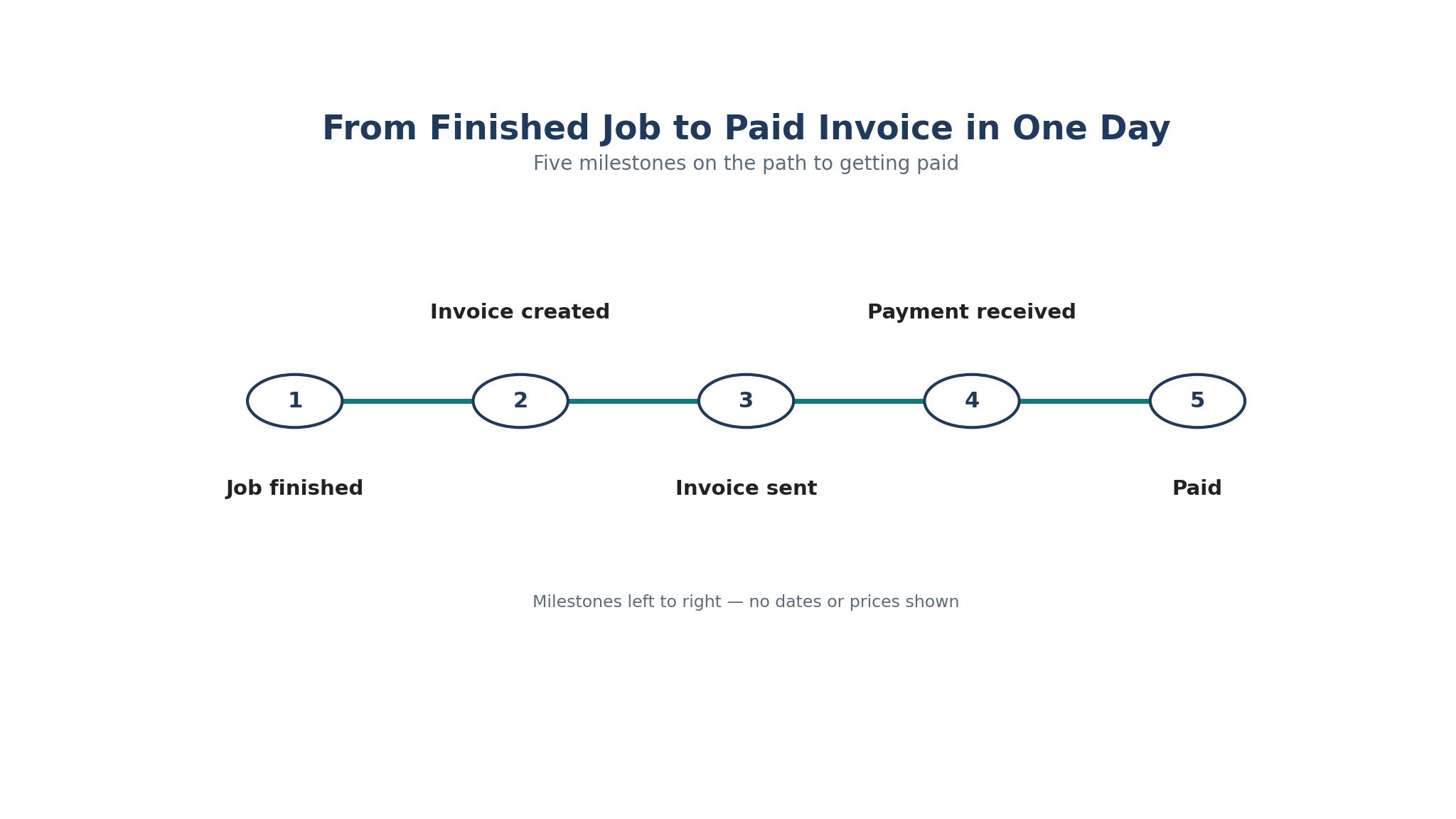
From Finished Job to Paid Invoice in One Day
An invoice that waits until Friday is an invoice the customer has forgotten by the time it arrives, and the payment follows the memory. Give the job a same-day routine, one tool and a fixed habit, and the best invoicing software for electricians turns a finished job into a paid invoice before the van leaves the street.
1. Build the estimate on site from the pricebook, and get the customer to approve it before work starts. 2. Record the parts and labour as the job runs, so the invoice writes itself from the estimate. 3. Walk the customer through the finished work, and convert the estimate to an invoice on the spot. 4. Take the card payment at the door, or send the payment link by text before you leave. 5. Set the reminder for any unpaid invoice to fire automatically after seven days. 6. Check the unpaid list every Friday, and call the two oldest invoices before the weekend.
The payment at the door in step four is the step most electricians skip, and it is the step that ends the chasing. A customer who pays on the spot never becomes a reminder, and the cash flow stays ahead of the bills.
Six Invoicing Errors That Leave Electricians Unpaid
The first error is invoicing from memory, because the parts and the hours blur by Friday and the invoice comes out short. Record the job as it happens, and the invoice writes itself from the record. A memory invoice is a discount the electrician never meant to give.
The second error is skipping the deposit, which leaves the electrician funding the materials out of pocket. Take a deposit on every job over a set threshold, and the customer commits while the electrician buys the parts. A deposit protects the cash flow, and the tool that collects it at the estimate stage earns its price.
The third error is sending a vague invoice, because a single line that reads electrical work tells the customer nothing and invites a dispute. Itemise the labour, the parts and the permit, and the customer pays without questioning the total. A clear invoice is paid faster than a vague one, every time.
The fourth error is never chasing late invoices, since the customer who is not reminded assumes the electrician forgot. Set automatic reminders at seven and fourteen days, and call the oldest invoice every Friday. The best invoicing software for electricians chases politely and automatically, and the electrician only calls the ones the system could not collect.
The fifth error is charging the same price for every job, because a panel upgrade in a tight attic costs more than the same panel in an open garage. Use the pricebook, adjust for the conditions, and let the estimate reflect the real work. Flat pricing feels fair and loses money on the hard jobs.
The sixth error is mixing the business money with the personal money, which turns tax time into a reconstruction project. Run every payment through the invoicing tool, keep the expenses in the same system, and the books stay clean. A clean book is worth more than the hour it takes to keep it that way.
Frequently Asked Questions
What is the best invoicing software for a solo electrician?
Among the best invoicing software for electricians, FreshBooks suits most solo electricians, because Lite at 23 dollars a month covers invoicing, estimates and bookkeeping in one account. Wave and Zoho Invoice are free alternatives that cover invoicing well, and Square Invoices suits an electrician who wants to take card payments on site. Trial two on real jobs and keep the one the techs actually use.
Should an electrician use Jobber or Housecall Pro?
Jobber suits a multi-crew company that needs quoting, scheduling and invoicing together, with Core at 29 dollars a month billed yearly. Housecall Pro suits a one-truck operator who needs a pricebook and on-site payment, with Basic at 59 dollars a month billed yearly. Trial both on ten real jobs, and let the pricebook and the dispatch decide.
Can I take card payments on site with invoicing software?
Yes, most tools here take cards on site, with Jobber Payments, Housecall Pro Payments and Square all processing cards at rates near 2.9 percent plus 30 cents. Square Invoices is the simplest route, with no monthly fee and the card reader beside the app. Check the processing rate before you commit, since the difference adds up across a year of jobs.
How much does invoicing software cost an electrician?
A solo electrician can start free with Wave, Square Invoices or Zoho Invoice, and paid invoicing runs from 10 dollars a month for Joist to 23 dollars for FreshBooks Lite. Field-service platforms cost more, from 29 dollars a month for Jobber Core to 59 dollars for Housecall Pro Basic, and ServiceTitan runs near 398 dollars a tech a month. Confirm the figure on the vendor page before you pay.
Do I need accounting software as well as invoicing software?
Yes, eventually, since invoicing tracks what customers owe while accounting tracks the whole business, including expenses, tax and profit. FreshBooks and QuickBooks Online combine both, while Jobber and Housecall Pro pair with QuickBooks through a sync. Start with invoicing, and add the accounting when the books get complicated.
Get Paid for Every Job, On Time, Every Time
The electrician who invoices on site, takes payment at the door and chases the late ones automatically gets paid for every job, and the one who invoices on Friday from memory does not. Trial Housecall Pro for the pricebook, Jobber for the multi-crew operation or FreshBooks for solo invoicing with books, run ten real jobs through the trial, and measure how fast the money lands. The best invoicing software for electricians earns its keep by turning finished work into paid work, and the paid work is what keeps the van running.
Start with the next job, build the estimate from the pricebook, and take the payment before you leave the driveway. A month from now the unpaid list will be shorter, the cash flow will be steadier, and the Friday paperwork session will be a memory instead of a ritual.