
Buy Jobber first if you run a single-truck junk removal firm, and use this guide to check whether a route-priced or flat-priced rival fits a multi-crew operation better. That verdict opens this guide to best job management software for junk removal companies, because the winner depends on truck count, crew shape, and how much of the job is booked online before a truck ever moves.
Junk removal looks simple from the outside, but the job hides several decisions. A customer describes a pile by phone, the crew must price it by volume on site, the truck must still have room for the next job, and disposal fees vary by load type. Software that handles booking, volume pricing, dispatch, and disposal records in one flow will keep trucks full and profitable. Software that handles only scheduling will leave the hardest parts, pricing and disposal, to guesswork.
Why the Best Job Management Software for Junk Removal Companies Must Handle Volume
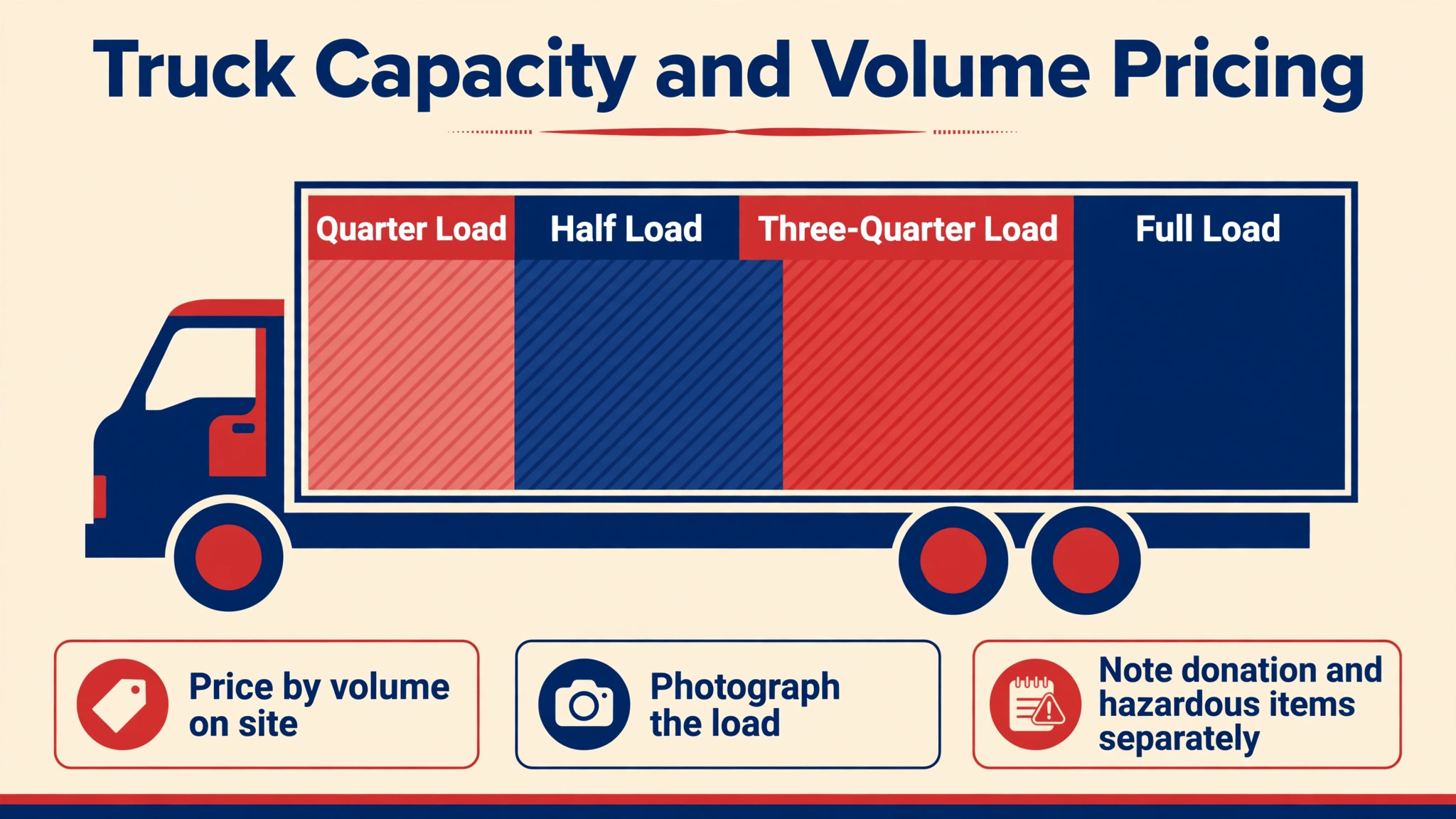
Volume pricing is the first test. Junk jobs are rarely priced by the hour, they are priced by how much of the truck fills, plus labour and disposal. A good tool lets the crew record volume on site, adjust the quote transparently, and send an invoice before leaving, so the customer sees exactly what changed and why. A tool that forces a fixed quote from a phone description will either overcharge and lose the job, or undercharge and lose margin.
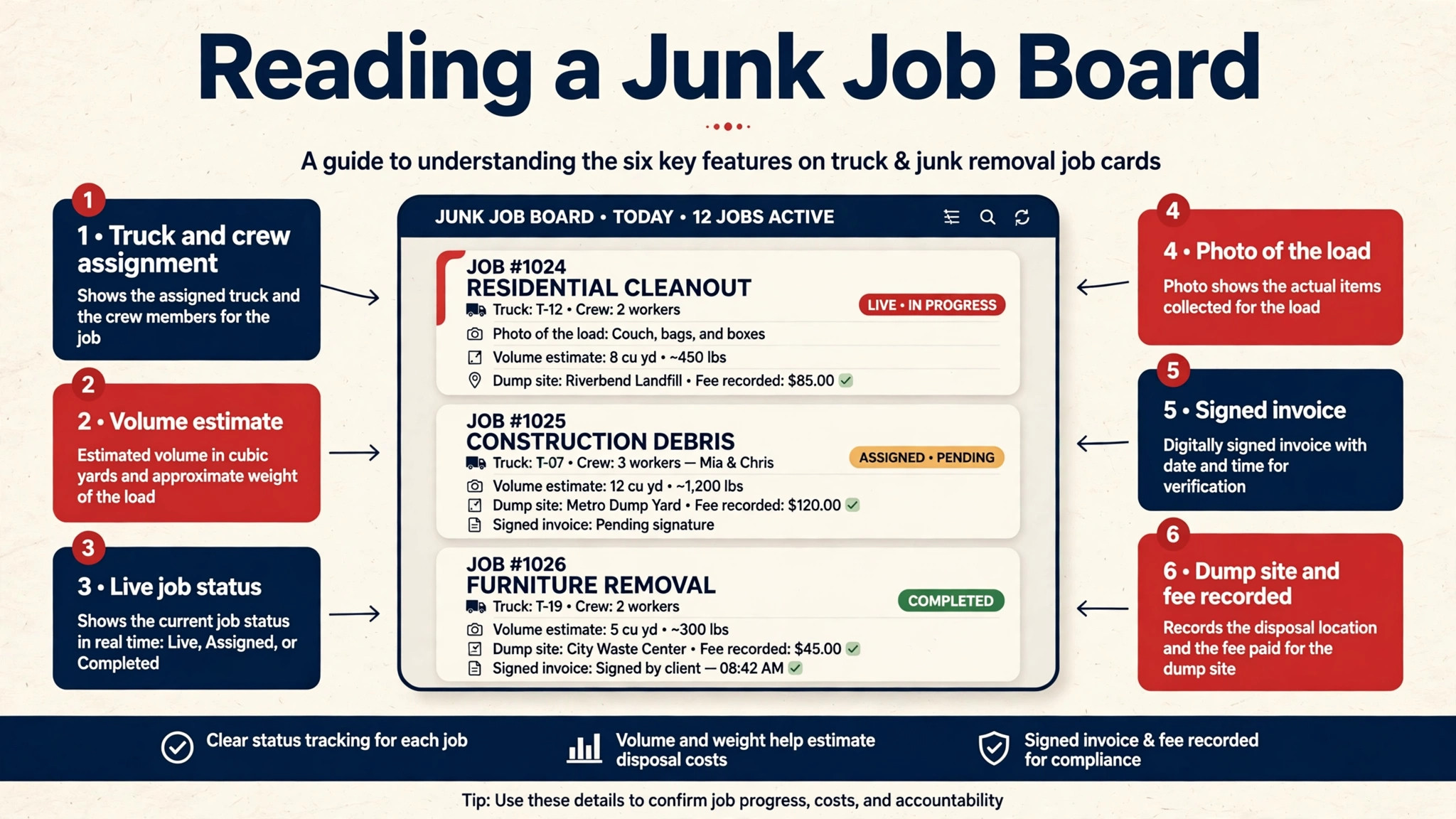
Truck capacity is the second test. A dispatcher who cannot see how full each truck is will book a large job onto a nearly full truck, which forces a dump run mid-day and delays every later job. A good board shows truck fill, job sequence, and dump stops together, so the day is planned around capacity, not just around time. Capacity planning is what separates a firm that completes eight jobs a day from a firm that completes five and blames traffic.
Disposal is the third test. Different loads go to different places, with different fees, and donation or recycling may divert part of a load. A tool that records load type, disposal site, and fees per job will show true profit per job, while a tool that ignores disposal will make every job look more profitable than it really is. Clean disposal records also protect the firm when a customer or a regulator asks where a load went.
Booking, Dispatch and Disposal Questions for the Trial
Run the trial on real junk jobs, not on demo jobs. Book a single-item pickup, a full garage cleanout, and a job that grows on site when the customer adds more items, and watch how each case flows. If the volume change needs retyping in three places, it will need retyping in real life too, and retyping on a driveway creates errors that customers dispute.
Price the tool at your real truck and crew shape, not at one user. Per-user pricing multiplies with every hire, per-route pricing follows trucks, and flat pricing stays still while both grow. A single-truck firm and a three-truck firm can reach opposite answers from the same pricing page, so model the bill at your current size and at one truck larger, including disposal recording and payment fees.
Check online booking carefully. Many junk customers book from a phone, often with photos, and they expect a fast estimate range before committing. A tool with photo upload, volume guidance, and a clear booking flow will convert more of those visitors than a tool that only takes a phone number and promises a callback. Test the booking flow yourself, from a phone, with photos, before you trust it with real demand.
Jobs, Prices and Truck Logic Compared
| Tool | Starting price | Best for |
|---|---|---|
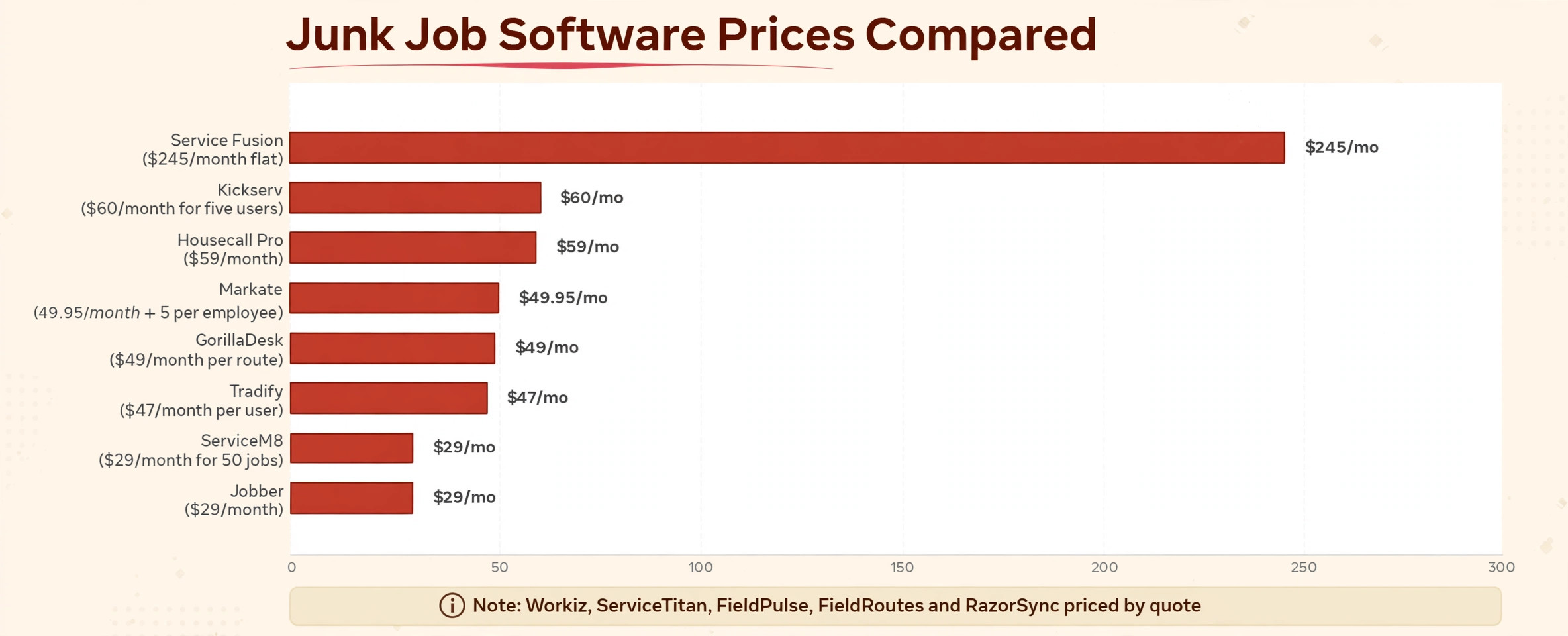
| Jobber | about $29 a month billed annually for Core | single-truck firms that want a clean start |
| Housecall Pro | about $59 a month billed annually for Basic | firms that want a price book and reviews |
| GorillaDesk | about $49 a month per route | firms priced by truck, not by headcount |
| ServiceM8 | about $29 a month for 50 jobs | high-volume solo operators |
| Workiz | pricing by quote | firms that want a built-in phone system |
| Service Fusion | about $245 a month flat | firms that hate per-seat billing |
| FieldPulse | pricing by quote | small firms that want simple dispatch |
| Kickserv | about $60 a month for five users | growing firms that want flat tiers |
| Tradify | about $47 a month per user | firms that want simple job tracking |
| ServiceTitan | pricing by quote | large firms with a call centre |
| FieldRoutes | pricing by quote | firms with route-based field work |
| RazorSync | pricing by quote | firms that want a simple mobile app |
| Markate | about $49.95 a month plus about $5 per employee | budget firms that want a low entry cost |
Read the table as a shortlist, not as a ranking. The cheapest tool may suit a single-truck firm perfectly, while a dearer tool may be the only one that handles multi-crew dispatch cleanly. Use the table to pick three finalists, then read their full sections below before deciding.
Thirteen Job Tools in Detail
Jobber
Jobber is the pick for a single-truck firm that wants the cheapest clean job system. It covers scheduling, quotes, invoices, online booking, and payments, with route optimisation that cuts drive time between pickups. The mobile app is easy for crews to learn, which matters when a new hire must take live jobs in the first week without a long training course.
At about $29 a month billed annually for Core, or about $49 a month with no commitment, with extra users at about $29 a month each, it undercuts most rivals at one user. The limit is volume-specific depth, because junk volume pricing and disposal tracking need manual handling rather than dedicated fields. If the firm mainly needs tidy booking, dispatch, and invoicing, Jobber is a strong start.
Housecall Pro
Housecall Pro is the pick for a firm that wants a price book, customer texts, and review requests built in from the start. It covers scheduling, dispatch, estimates, invoices, and online booking, with on-my-way texts that keep customers informed while a truck is en route. The price book helps crews quote standard items consistently, which protects margins on common pickups.
At about $59 a month billed annually for Basic, or about $79 a month with no commitment, it costs more than Jobber at one user, while five users on Essentials cost about $149 a month billed annually. The limit is route optimisation, which sits on the top tier, so a multi-truck firm should check which plan actually includes the routing it needs before deciding.
GorillaDesk
GorillaDesk is the pick for a firm that wants to pay by truck rather than by person. It charges about $49 a month per route on Basic, about $99 on Pro, and about $149 on Growth, with unlimited office and crew users included. A truck carrying two crew members therefore costs one route, not two seats, which changes the maths for crew-based junk work in a helpful way.
The limit is that online booking, the customer portal, and QuickBooks sync sit on Pro and above, so a firm should not judge GorillaDesk on Basic alone. If crews ride together and the firm wants route-based billing, GorillaDesk is the most honest pricing model in this guide for that shape, and it deserves a trial place for any multi-crew firm.
ServiceM8
ServiceM8 is the pick for a solo operator who does many small jobs and wants unlimited users. It charges by job volume, not by headcount, at about $29 a month for 50 jobs, about $79 for 150, and about $149 for 500, with a free plan for very low volume. That meter suits a busy single-truck firm far better than per-seat pricing, because office help costs nothing extra.
The limit is the mobile experience, which is strongest on Apple devices, with a lighter Android app. A firm whose crews carry mixed phones should test the Android flow on a real pickup before committing. If the team is Apple-based and job volume is high, ServiceM8 is hard to beat on price for a single-truck operation.
Workiz
Workiz is the pick for a firm that wants dispatch plus a built-in phone system in one place. It covers scheduling, invoicing, and customer communication, with a phone system that ties calls directly to jobs. For a firm losing booking calls after hours, that phone link is the feature that matters most, because a missed junk call usually goes to the next firm on the list.
Pricing is by quote, so no number can be budgeted from this guide alone, and the firm should ask for the full monthly total including phone and payment costs. The limit is budget transparency, because a firm cannot compare Workiz against a published rival price without a sales conversation. Book the demo, get the written quote, and compare totals, not headlines.
Service Fusion
Service Fusion is the pick for a firm that is tired of counting seats. It charges a flat monthly rate, at about $245 a month for Starter, with unlimited users on every plan, so adding office staff or crew never raises the subscription. That simplicity helps a firm that grows and shrinks with seasons, because the bill stays still while headcount moves.
The limit is that several useful features, such as job costing, inventory, and the customer portal, are add-ons on Starter rather than included. A firm should price the plan plus the add-ons it actually needs, not the headline rate alone. If the firm has eight or more users, the flat bill usually wins anyway, and the add-on check becomes a formality.
FieldPulse
FieldPulse is the pick for a small firm that wants simple dispatch without enterprise weight. It covers scheduling, job management, invoicing, and customer records, with separate full-access and field-only seats so crew members do not need the same price as office staff. That seat split can keep a growing firm affordable, because most crew need field tools only.
Pricing is by quote, built around seat count, so the firm should ask the vendor to separate each seat type in the quote. The limit is that published pricing is absent, which makes early budgeting guesswork. If simple dispatch and a clean mobile job flow matter more than a published price, FieldPulse earns a trial place.
Kickserv
Kickserv is the pick for a growing firm that wants flat user tiers instead of per-seat creep. It charges about $60 a month for five users, about $119 for ten, and about $199 for twenty, with annual billing saving about a fifth. That tier shape suits a firm moving from one truck to three, because the bill steps up in predictable jumps rather than with every single hire.
The limit is that some integrations cost extra on higher tiers, so the firm should check integration pricing during the trial. If the firm uses a common accounting tool and needs a simple, flat bill, Kickserv is a strong middle option between solo tools and enterprise platforms, and it scales cleanly with crew growth.
Tradify
Tradify is the pick for a firm that wants simple job tracking at a modest per-user price. It covers scheduling, quotes, invoices, and job management for trades, at about $47 to about $61 a month per user depending on plan. The interface is straightforward, which helps a firm whose crews dislike complex software and just want the next job, the address, and the invoice.
The limit is dispatch depth, because Tradify is a general trade tool rather than a junk-specific system. Volume pricing, truck capacity, and disposal tracking will need manual steps. If most work is planned pickups with simple pricing, Tradify is a calm, affordable choice, but a volume-heavy firm should trial a specialist flow alongside it.
ServiceTitan
ServiceTitan is the pick for a large firm with a call centre, marketing spend, and complex reporting needs. It covers dispatch, scheduling, estimates, invoicing, marketing, and detailed reporting, with capacity planning that suits a multi-truck operation. A firm running many trucks will use reporting and call tracking that smaller tools simply do not offer.
Pricing is by quote and per technician, which puts it out of reach for most small junk firms, and implementation takes real staff time. The limit is cost and complexity, not capability. A small firm buying ServiceTitan early will pay for reporting nobody runs, so it should only enter the shortlist once truck count and call volume justify it.
FieldRoutes
FieldRoutes is the pick for a firm that also runs route-based field work alongside junk jobs. It covers routing, scheduling, customer management, and billing for field service businesses, with route optimisation that suits a day of many small stops. A firm combining junk removal with related route services will value one route plan for the whole day.
Pricing is by quote, so the firm should get a written total for its truck count before comparing. The limit is junk specificity, because FieldRoutes is built for route businesses generally, not for volume-priced removal work specifically. Test volume pricing and dump stops in the trial, not just the daily route plan, before deciding.
RazorSync
RazorSync is the pick for a firm that wants a simple mobile app and fast setup. It covers scheduling, dispatch, invoicing, and customer management, with a field app that crews can learn quickly. A firm switching from paper or spreadsheets will find the jump manageable, because the workflow mirrors a paper job sheet more closely than enterprise tools do.
Pricing is by quote, so budget only after a conversation, and ask what the bill becomes at your real crew count. The limit is advanced automation, which is thinner than in larger rivals. If the firm wants a clean, simple system and does not need complex marketing or reporting, RazorSync is a sensible trial.
Markate
Markate is the pick for a budget firm that wants a low entry cost and simple scheduling. It charges about $49.95 a month plus about $5 per employee, which keeps a tiny firm affordable while still covering jobs, customers, and invoices. A single-truck firm testing software for the first time can start here without a large monthly commitment.
The limit is depth, because Markate is a general small-business tool rather than a dispatch specialist. Live truck tracking, volume pricing, and disposal records may need manual steps. If the firm mainly needs tidy jobs and invoices at a low price, Markate works, but a volume-heavy firm should trial a dispatch-first rival alongside it.
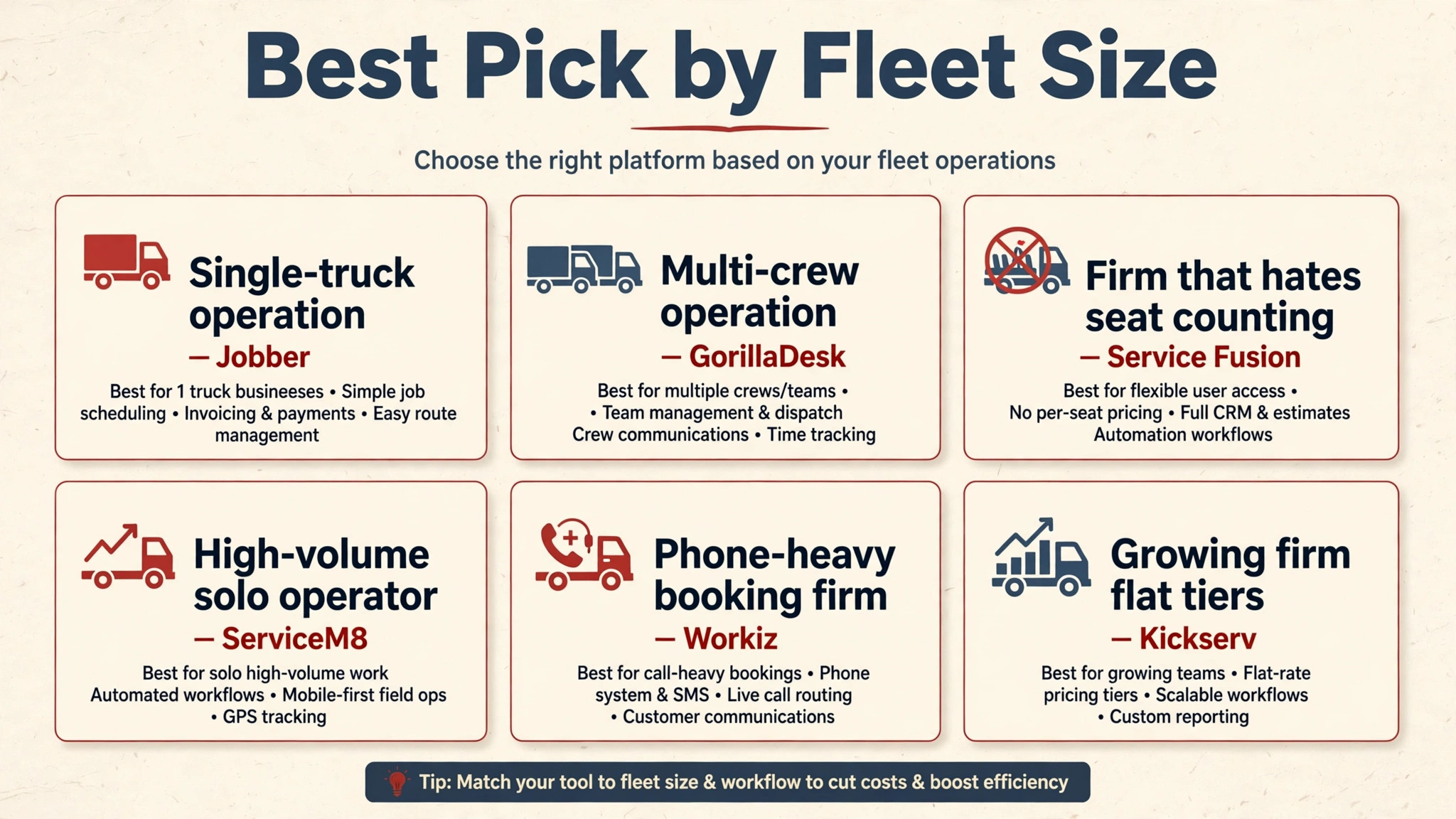
Best Pick by Fleet Size
| Firm shape | Best pick | Why it wins for that shape |
|---|---|---|
| Single-truck operation | Jobber | Lowest clean entry price with a strong mobile app |
| Multi-crew operation | GorillaDesk | One route price covers a whole crew |
| Firm that hates seat counting | Service Fusion | Flat bill that never rises with headcount |
| High-volume solo operator | ServiceM8 | Job-based pricing with unlimited users |
| Phone-heavy booking firm | Workiz | Phone system tied directly to jobs |
| Growing firm, flat tiers | Kickserv | Predictable steps from five to twenty users |
Use this table as the decision shortcut. If your firm matches one row closely, start the trial there, and use the second-best row as your comparison. A tool that matches your shape will forgive small feature gaps, while a tool built for a different shape will fight you on daily tasks no matter how good its reviews look.
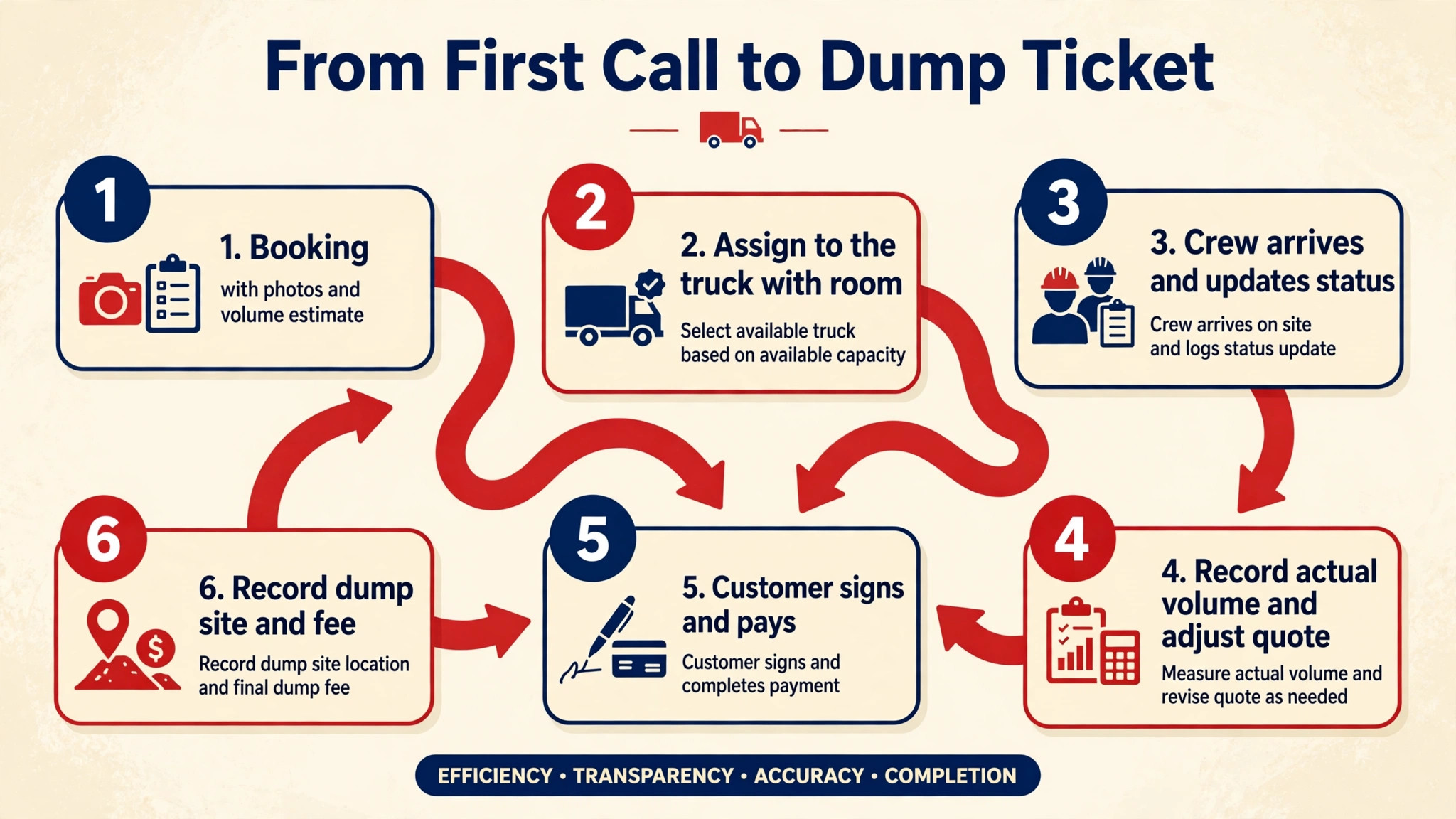
From First Call to Dump Ticket, Without Gaps
A junk job leaks money at handoffs, so the workflow must be rehearsed, not improvised. When a booking arrives, the dispatcher creates the job with photos, access notes, and a volume estimate range, then assigns it to the truck with room for that volume. The crew accepts on the phone, navigates to the address, and updates status on arrival, so the office never needs to call for a progress check.
On site, the crew records actual volume, photographs the load, notes any hazardous or donation items separately, and adjusts the quote transparently before loading. The customer signs, pays from the invoice link, and receives a receipt before the truck leaves. At the dump, the crew records the site, the load type, and the fee, so profit per job can be calculated honestly at week end. For best job management software for junk removal companies, the test is whether that whole chain runs inside one app, without the crew switching to messages, maps, and a separate invoicing tool mid-job.
Build the workflow into the trial. Time a booking from first call to dispatched truck, from arrival to signed invoice, and from dump to recorded fee. A tool that cuts each step by a minute will complete more jobs per truck per day than a tool with a longer feature list but a slower board. Speed and capacity are measurable, so measure them, and pick the tool with the best honest numbers, not the prettiest demo.
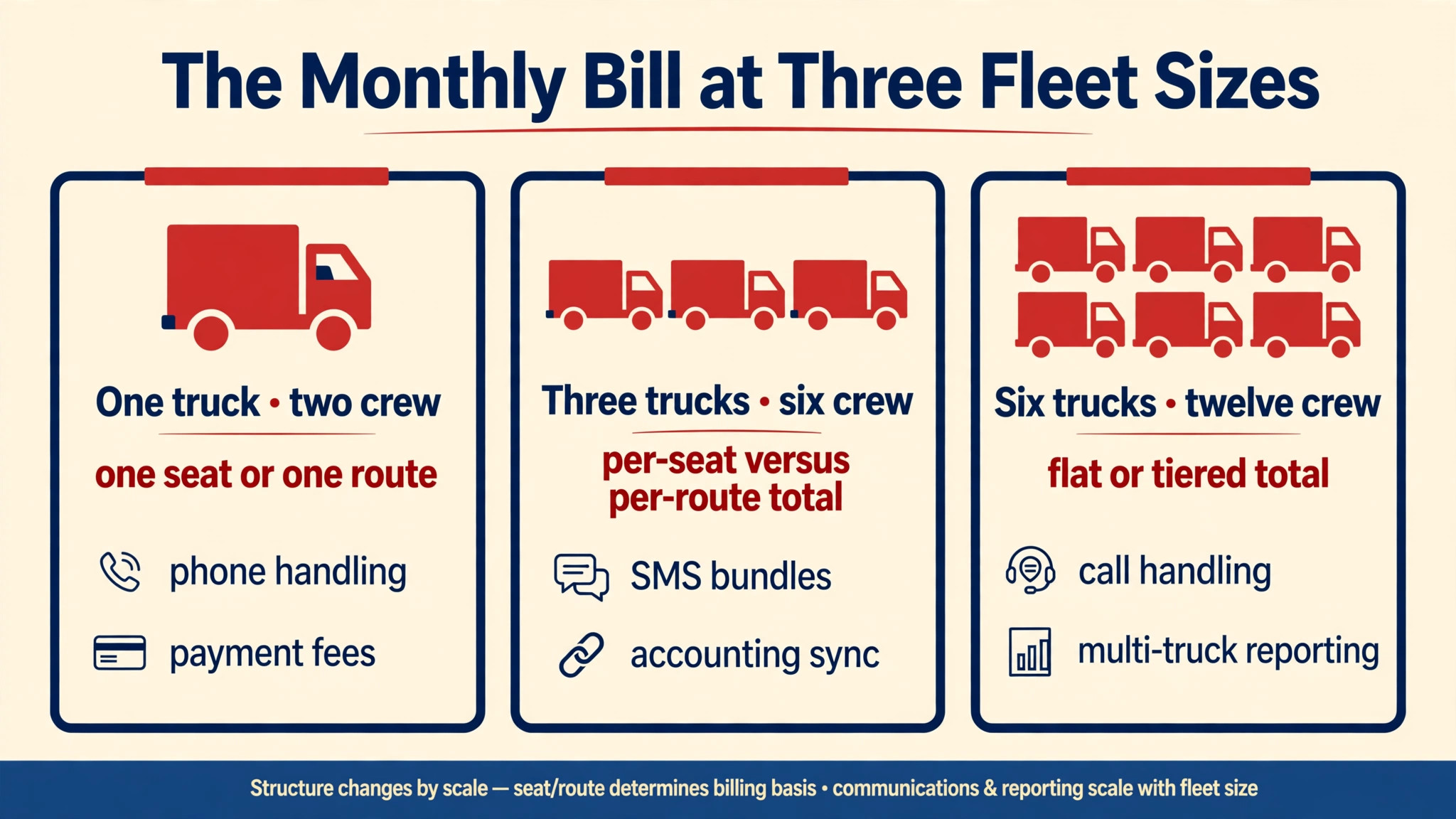
The Monthly Bill at Three Fleet Sizes
The headline price hides the real bill. Seats, route charges, job-volume limits, phone costs, SMS bundles, payment fees, and add-ons all sit on top of the subscription. For best job management software for junk removal companies, the honest comparison is the total at your truck count and crew count together, not either number alone.
| Firm size | What to count |
|---|---|
| One truck, two crew | One seat or one route, phone handling, payment fees |
| Three trucks, six crew | Per-seat versus per-route total, SMS bundles, accounting sync |
| Six trucks, twelve crew | Flat or tiered total, call handling, multi-truck reporting |
Model the bill at the size you expect in twelve months, not at the size you are today. A per-seat tool that looks cheap for one truck may cost more than a route-priced tool once the firm reaches three trucks, while a flat tool that looks dear for one truck may become the cheapest option once the firm grows. Growth is the point, so price for it, and get phone and SMS costs in writing.
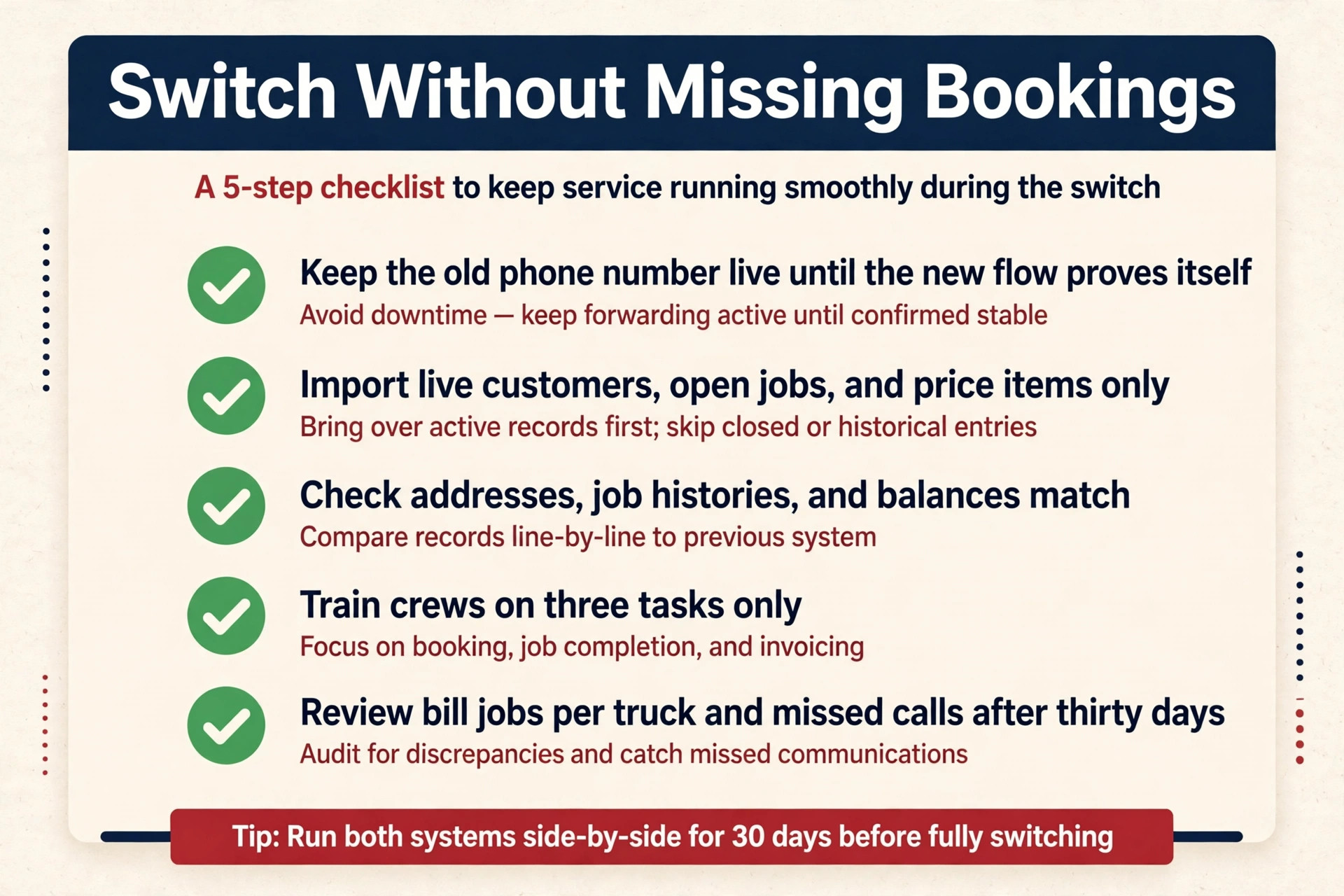
Switching Without Missing Bookings
Switching job tools fails most often from rushing, not from choosing badly. Keep the old phone number and booking flow live until the new system proves it can take real bookings, because a missed week of calls costs more than a month of double subscription. Move numbers and online booking only after the new flow has handled a busy day without a lost booking.
Import only live customers, open jobs, and current price items for the pilot, and check that addresses, job histories, and balances match the old system. A careful import is part of choosing best job management software for junk removal companies well, because a board built on wrong addresses will send trucks to the wrong streets from day one. Train crews on three tasks only at first, namely accepting a job, recording volume, and sending an invoice, then expand training once those habits feel automatic. Review the bill, the jobs per truck per day, and missed-call counts after thirty days, and fix the setup before blaming the tool.
Cost Traps Between Quote and Dump
The most common mistake is buying for the firm you wish you had, instead of the firm you actually run. A single-truck firm does not need enterprise reporting, and a small firm does not need a call-centre dashboard. Buy for the next twelve months, not for a future that may never arrive, and upgrade when truck count demands it.
The second mistake is ignoring disposal costs. A firm that prices by volume but never records dump fees will think every job is profitable, while disposal quietly eats margin on heavy loads. When judging best job management software for junk removal companies, disposal recording should be a core requirement, not an optional extra, because it decides whether profit figures can be trusted. Record disposal per job from day one, and review profit per job type monthly, because the job type that looks best on revenue often looks worst once disposal is counted. The third mistake is letting seats pile up, because staff leave and seasonal crew move on, yet their paid seats often stay active for months.
Getting Crews to Use the New System
Start with one dispatcher and one truck before you roll a new tool out everywhere. A small pilot shows whether the board matches real work, whether crews actually record volume from the field, and whether customers receive the texts they were promised. Fix the pilot first, then copy the working setup to the rest of the firm, because a clean pilot beats a rushed firm-wide launch that nobody trusts.
Write down who owns the tool on day one. That person approves new users, checks the billing page each month, answers basic questions from the team, and talks to support when something breaks. That owner also reviews best job management software for junk removal companies results monthly, namely jobs per truck per day, profit per job, and missed-call counts, so the firm knows whether the tool still earns its keep. Without a named owner, old staff keep access after they leave, and small problems sit unanswered until they become urgent. Ownership takes ten minutes to assign and saves hours later, especially on a busy cleanout weekend.
The Verdict for Junk Firms
Start with the truck, then the meter, then the trial. For most single-truck firms, Jobber is the safest first trial, because it balances price, job quality, and ease of use better than the extremes. A firm with a very specific shape, a multi-crew fleet, or a phone-heavy diary should start instead with the best pick by job table above, because that table points to the tool built for that exact situation.
The best job management software for junk removal companies decision does not need to be perfect, it needs to be tested. Run a real trial week with real pickups, price the tool at next year’s truck count, and judge it on jobs per truck per day and profit per job. A tool that passes that test is worth keeping, even if a rival looks better on a pricing page, because daily work is the test that actually matters.
More Reading on Stratilyze
Readers comparing junk software usually check the neighbouring guides next. The guide to junk booking and quote ideas covers the booking workflow behind this choice, the guide to moving quote ideas explains a related volume-pricing decision, and the guide to freelancer invoicing software helps with the wider billing setup around it.
Frequently Asked Questions
Do junk firms need job software or just a calendar
A calendar is enough when work is one truck, planned days ahead, and priced simply. Job software becomes necessary when bookings arrive online with photos, crews must price by volume on site, and truck capacity decides the day’s plan. If missed calls, wrong-truck bookings, and unpaid invoices are already a problem, a calendar is no longer enough.
How should a junk job be priced on site
By volume, with labour and disposal shown as part of the total, so the customer sees what changed when the pile grows. A crew that records volume, photographs the load, and adjusts the quote before loading will win trust and protect margin at once. A crew that guesses a flat price from the kerb will either lose the job or lose money on it.
Is Jobber worth it for a single-truck junk firm
It can be, when the firm wants a clean booking, dispatch, and invoicing system at a low entry price. It is harder to justify on higher tiers for a firm whose work is simple pickups, because a cheaper route-priced or job-based tool may cover that work for less. Price the tier the firm actually needs, not the tier with the longest feature list.
Should a firm pay per user, per route, or flat
Per-user pricing suits a firm that will grow and shrink, because the bill follows headcount. Per-route pricing suits crew-based firms, because a truck carrying two crew costs one route. Flat pricing suits a firm with many users that wants a predictable bill regardless of hiring. The right meter depends on which number grows fastest, namely crew, trucks, or both.
What happens to customer records if the firm switches tools later
That depends on export options, so check them before you buy. A good tool exports customers, job histories, and balances in a usable format, while a weak one exports only names and phone numbers. Ask for a sample export during the trial, and keep a monthly export outside the system as insurance against any future move.
Does the best job management software for junk removal companies need disposal tracking
Yes, when disposal fees vary by load type and heavy loads are common. Disposal tracking shows true profit per job, protects the firm when a load destination is questioned, and reveals which job types actually make money. A firm that skips disposal tracking will overvalue heavy jobs and undervalue light, fast jobs, and its pricing will drift in the wrong direction.