

The best no-code AI app builder in 2026 is no longer a drag-and-drop form designer. This year, you can type a plain-language description — “a client portal where customers log in, see their projects, and upload files” — and get a working web app with login screens and a real database. What varies wildly between builders is how long that takes, whether the result is real code you own or a rental you can never move, and what it costs when the meter is running.
So we timed the same build in five builders — Lovable, Bolt, Replit, Softr, and Glide — using one spec: a client portal with user login and a small database. We wrote this from a non-developer’s point of view: no code written by us, only prompts and clicking. If you’re looking to build agents (automated AI workers) rather than apps, that’s a different category — covered in our guide to no-code AI agent builders.
The Scoreboard
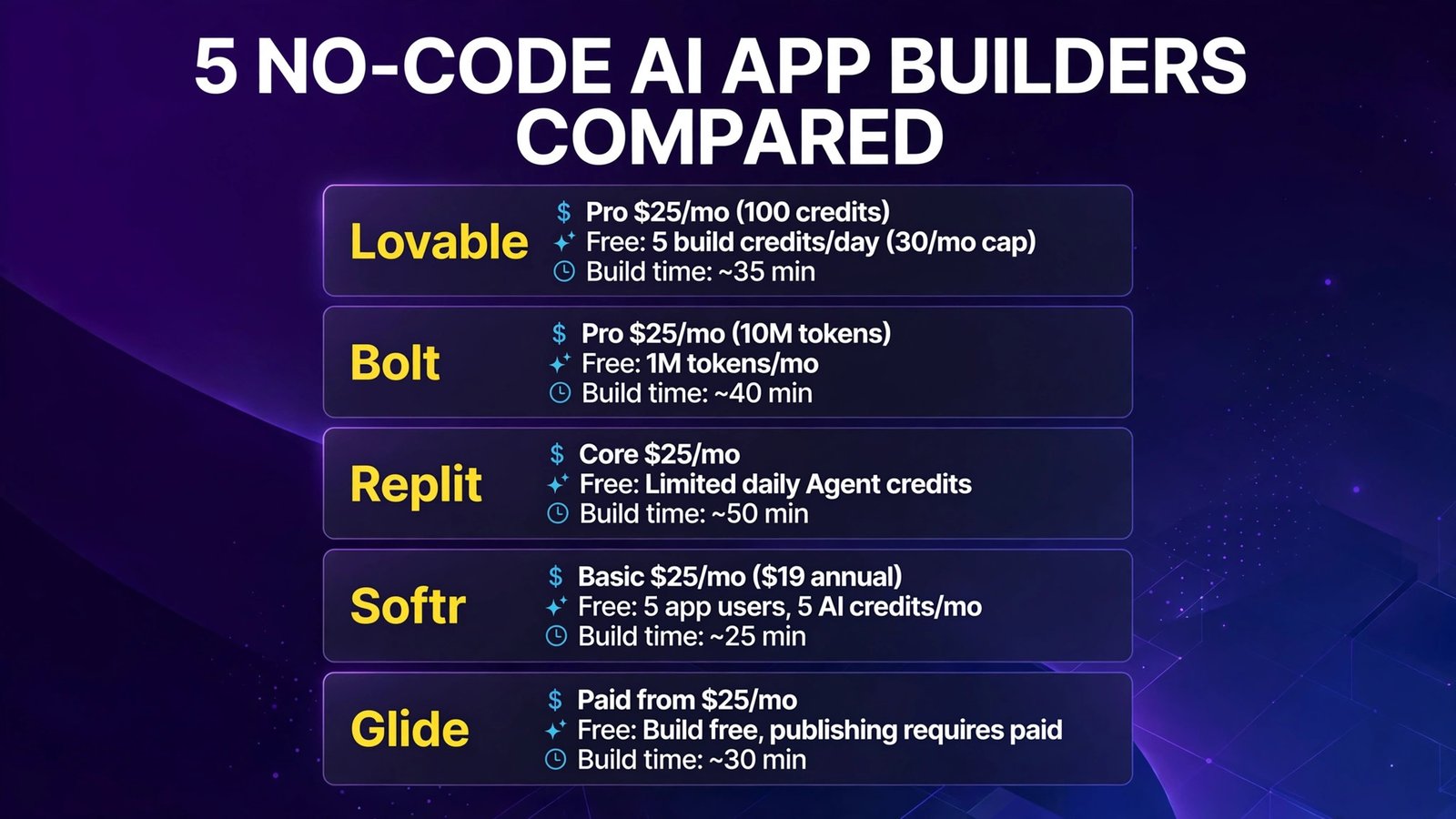
| Builder | Entry price (Oct 2026) | Free plan | Build time (our test) | Best for |
|---|---|---|---|---|
| Lovable | Pro $25/mo (100 credits) | 5 build credits/day (30/mo cap) | ~35 min | Best first app for non-developers |
| Bolt | Pro $25/mo (10M tokens) | 1M tokens/mo | ~40 min | Fast full-stack generation with code export |
| Replit | Core $25/mo | Limited daily Agent credits | ~50 min | Apps that may grow into real software |
| Softr | Basic $25/mo ($19 annual) | 5 app users, 5 AI credits/mo | ~25 min | Client portals on data you already have |
| Glide | Paid from $25/mo | Build free, publishing requires paid | ~30 min | Mobile-first apps from spreadsheets |
Bottom line: For a first app with zero coding, Lovable is the friendliest path that still gives you real code. Softr is fastest for the portal use case specifically, because portals are what it’s built for. Bolt and Replit generate more raw capability (and demand more from you when things break). Glide owns the spreadsheet-to-mobile-app niche.
The Test App: A Client Portal, Same Spec Everywhere
Every builder got the identical brief:
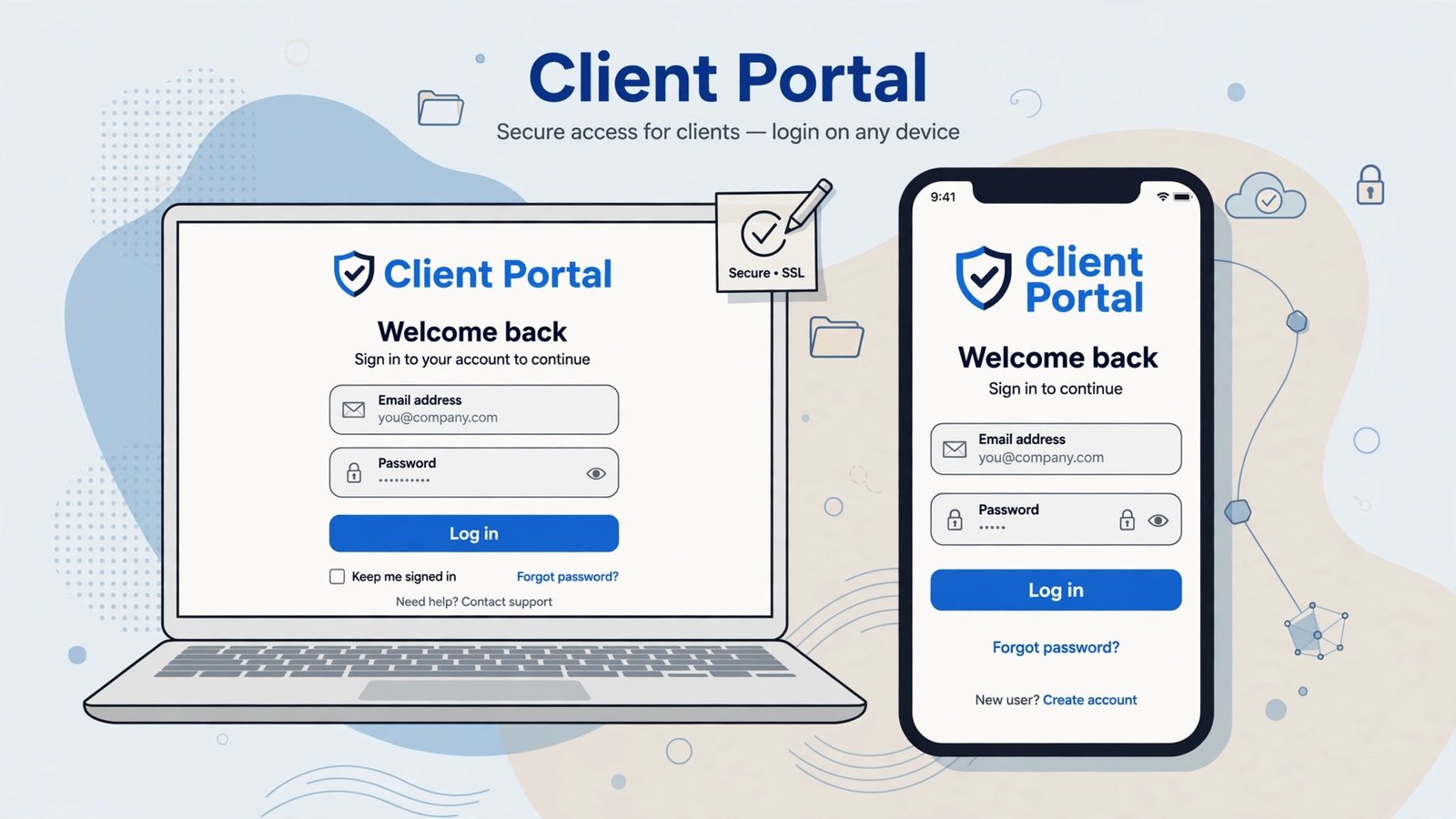
Client Portal: Users sign up and log in. Each client sees a dashboard listing their projects only (name, status, due date) from a database. Clients can upload a file to a project and leave a comment. An admin view lists all clients and projects.
We started the timer at signup and stopped when a test client could log in and see only their own projects. No code written by us. We noted where the AI asked sensible questions, where it invented features we didn’t request, and what happened when something broke.
1. Lovable — The Friendliest Path to a Real App
What it is: Lovable turns a chat-style description into a full-stack web app — React front end, a managed backend (Lovable Cloud) for database, auth, and file storage, and hosting included. You iterate by typing what to change. Of the five, it’s the one most clearly designed for people who will never open the code editor.
2026 pricing (verified): Free: 5 build credits/day (30/month cap) plus small monthly Cloud and AI grants — enough to build and test a simple app; custom domains require a paid plan. Pro: $25/month for 100 credits/month ($21/month billed annually), with larger credit tiers up to 10,000. Business: $50/month — same 100 credits, plus SSO and team governance. Note the 2026 change that matters: since mid-2026, one credit balance pays for building, hosting, and the AI features your live app uses, so a busy app consumes the same pool your prompts do.
Our build: ~35 minutes. The portal came out in a single generation pass: login, per-client project filtering, and file upload all worked on the first try — the per-client data isolation (the part most likely to be botched) was correct out of the box. Two follow-up prompts fixed a clumsy dashboard layout and added due-date sorting. Credit spend for the whole build was modest; the debugging loops that eat credits on other platforms barely appeared.
Pros:
- Best first-try correctness in our test, including auth and per-user data
- Chat-based iteration a non-developer can genuinely drive
- Real code underneath: GitHub sync and export on paid plans
- Hosting, database, and auth are one managed package — nothing to configure
Cons:
- Credits now pay for your live app’s usage too — busy apps raise the monthly bill
- Business tier doubles the price for governance, not more capacity
- Debugging deep issues still eventually means reading code you didn’t write
- Free plan’s 30 credits/month is for evaluation, not production
Verdict: The best default recommendation for a non-developer building a real app in 2026. Start free, expect Pro ($25/month) once you connect a domain.
2. Bolt — Fastest Raw Generation, Token Meter Running
What it is: Bolt (bolt.new) generates full-stack apps in the browser from prompts — front end, back end, and a live preview — with popular integrations (Supabase for database/auth, Stripe, Netlify-style deploys) wired in conversationally. It’s a “vibe coding” tool like Lovable, but tuned a little more toward people comfortable poking at settings.
2026 pricing (verified): Free: 1M tokens/month (with a daily cap). Pro: $25/month including 10M tokens/month, with annual billing lowering the effective monthly cost; higher Pro tiers (50, 100) add larger token pools. Teams: ~$30/user/month. Tokens are the thing to understand: every prompt, fix, and regeneration spends them, and big projects spend them faster than small ones.
Our build: ~40 minutes. The initial generation was the fastest-looking of the five — a complete portal skeleton in minutes. We then spent real time on auth edge cases: the first pass let a logged-in test client see all projects (a data-isolation bug), and it took three prompted fix rounds to lock records to their owners. The final result was good, arguably more flexible than Lovable’s, but the fix loop burned tokens, which is Bolt’s structural tax: you pay for the AI’s mistakes as well as its successes.
Pros:
- Very fast first generation; great for exploring an idea in an afternoon
- Project export and custom domains on Pro — you’re not locked in
- Generous free tier (1M tokens) for honest evaluation
- Broad integration menu (Supabase, Stripe, hosting) in plain language
Cons:
- Token metering punishes iteration — debugging a broken app costs real money
- Auth/data-isolation needed manual prompting to get right in our test
- Token costs scale with project size, making big apps unpredictable
- Support and docs assume more technical comfort than Lovable’s
Verdict: Pick Bolt when you want maximum generation speed and code ownership and you’re comfortable steering fixes. Budget tokens like money — because they are.
3. Replit — The One That Grows Into Real Software
What it is: Replit started as a browser-based coding environment and added an AI Agent that builds, debugs, and deploys full apps from prompts. Unlike the pure no-code tools, the code is front and center — the Agent writes it in front of you, and a real IDE waits if you (or a developer you hire later) want to take over.
2026 pricing (verified): Starter: free, with limited daily Agent credits and 1 published app. Core: $25/month ($20/month billed annually) — includes $25 of monthly usage credits covering Agent work, compute, and deployments; private apps, custom domains, and a managed PostgreSQL database. Pro: $100/month — $100 of credits, up to 10 parallel agents, most powerful models. Be clear-eyed about the model: usage beyond the included credits is billed pay-as-you-go, and heavy Agent users commonly spend several times the sticker price. Set a spending limit on day one.
Our build: ~50 minutes. The slowest of the five — not because the Agent is slow, but because Replit shows you more, asks more, and occasionally needs a nudge phrased more precisely than a non-developer would naturally write. The payoff was the most complete portal: proper database schema, sensible auth, and a deployment step that produced a genuinely shareable URL. When the Agent hit an error, it diagnosed and fixed it itself — while billing us for the effort.
Pros:
- The app is real, portable code — GitHub export, standard languages (50+)
- Agent self-debugs: it reads errors and fixes them without you touching code
- Built-in database, auth, hosting, and deployments in one workspace
- Scales from prototype to a codebase a hired developer can continue
Cons:
- Effort-based billing makes the true monthly cost the least predictable here
- Failed attempts still consume credits — debugging loops are billed
- Interface and concepts (deployments, environments) assume technical literacy
- Slowest time-to-working-app for a true beginner
Verdict: Choose Replit if there’s any chance the app outgrows “side project” — it’s the only pick here where the ceiling is essentially “real software,” and the price of that ceiling is cost unpredictability.
4. Softr — Fastest Client Portal, Because Portals Are Its Job
What it is: Softr builds web apps — client portals, directories, internal tools — from pre-built blocks on top of data sources like Airtable, Google Sheets, or its own built-in database. In 2026 its AI Co-Builder can scaffold an app from a prompt, but the soul of the product is structured building: user groups, per-record permissions, and membership logic are first-class citizens rather than things an AI improvises.
2026 pricing (verified): Free: up to 3 builders, 5 app users, 5,000 database records, 5 AI credits/month. Basic: $25/month ($19/month billed annually) — custom domain, 50,000 records, 10 AI credits. Pro: $119/month ($99 annual) — granular permissions, 500,000 records, up to 50 client users included. Business: $395/month ($329 annual). Pricing is flat per workspace rather than metered per AI action, which makes Softr the most predictable bill in this comparison once your app exists.
Our build: ~25 minutes — the fastest of the five. The reason is mundane and decisive: our test app is Softr’s home turf. Choosing the client-portal template, connecting a table of projects, and setting “clients see only their records” as a permission rule took minutes, and the login flow is a standard block, not an AI invention. The AI Co-Builder helped with copy and layout, but we barely needed it — which is the point. The trade-off showed in flexibility: anything outside Softr’s block vocabulary (our custom “client comments on a project” got approximated with a form) requires workarounds.
Pros:
- Fastest time-to-working-portal in our test by a clear margin
- Permissions and per-user data filtering are built-in blocks, not prompts
- Flat pricing — no credit/token anxiety after launch
- Works on data you already have (Airtable, Sheets, HubSpot, SQL, and more)
Cons:
- Design flexibility is bounded by the block library — portals look like Softr
- Anything unusual becomes a workaround (embedded forms, custom code on Pro+)
- Pro tier ($99–119/month) is a real jump from Basic
- Not built for consumer-scale or highly custom apps
Verdict: If your app is a client portal or member area — the most common small-business use case — Softr gets you live fastest with the least risk. For a general-purpose app idea, start with Lovable instead.
5. Glide — Spreadsheet In, Mobile App Out
What it is: Glide turns spreadsheets (Google Sheets, Excel, Airtable, or its own Glide Tables) into polished, mobile-first apps. Its AI (GlideOS) can now generate much of an app from a prompt or from your data structure, and the resulting apps feel like native mobile apps, installable and fast.
2026 pricing (verified): A free plan lets you build and test apps (publishing is a paid feature). Paid plans start at $25/month, scaling by users, data sources, and update volumes through Maker and Business tiers, with SSO and advanced data sources on higher plans. As with Softr, pricing is subscription-based rather than AI-metered — you pay for scale (users, records, syncs), not for prompts.
Our build: ~30 minutes. We started from a Google Sheet of clients and projects (the honest way most Glide apps begin) and the structure basically built itself: list screens, detail screens, per-user filtering via row owners. The portal worked, and it was the best mobile experience of the five by far. Where it strained was our “portal” framing: Glide thinks in apps, not websites — file upload and comment threads exist but feel like mobile patterns squeezed onto a desktop screen, and custom domains/branding behave per Glide’s rules, not yours.
Pros:
- Unmatched spreadsheet-to-app speed when your data already lives in Sheets
- Best mobile experience of the five; apps are installable (PWA)
- Row-owner security makes per-client data isolation simple and safe
- Predictable subscription pricing; AI isn’t metered per prompt
Cons:
- Free plan can’t publish — it’s an evaluation sandbox only
- Desktop/web portal experience is secondary to mobile
- Deep customization hits low-code walls quickly
- Costs scale with users and data updates — a popular app’s bill grows
Verdict: The right pick when the “app” is really your team’s spreadsheet wearing a better interface, especially on phones. For a public-facing client portal on desktop, Softr or Lovable fit better.
Build Results: The Same Client Portal in All Five Builders
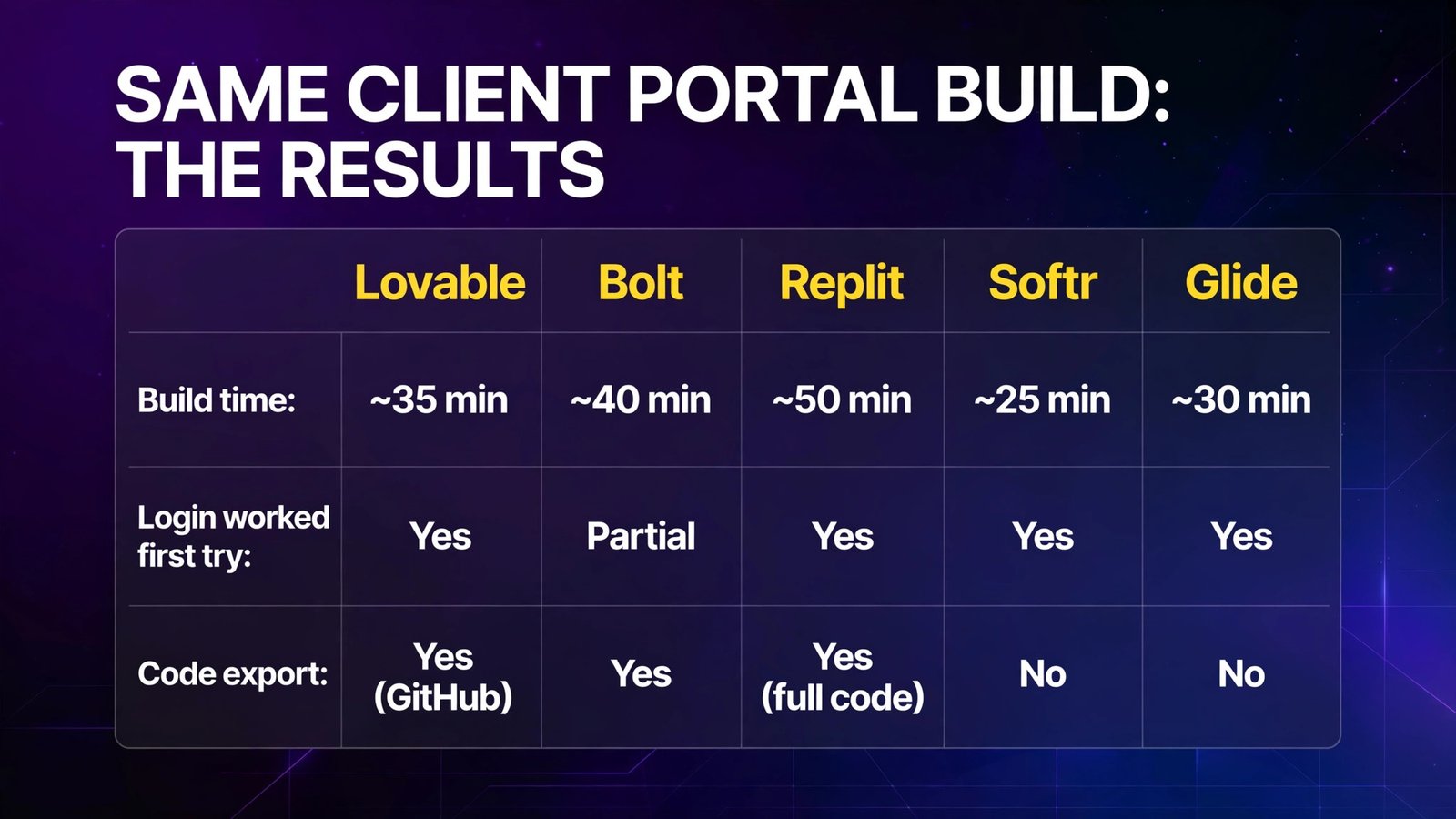
| Criterion | Lovable | Bolt | Replit | Softr | Glide |
|---|---|---|---|---|---|
| Build time (our test) | ~35 min | ~40 min | ~50 min | ~25 min | ~30 min |
| Login/auth worked first try | Yes | Partial (fix rounds needed) | Yes | Yes (standard block) | Yes |
| Client sees only own projects | Yes | After 3 fix prompts | Yes | Yes (built-in rule) | Yes (row owners) |
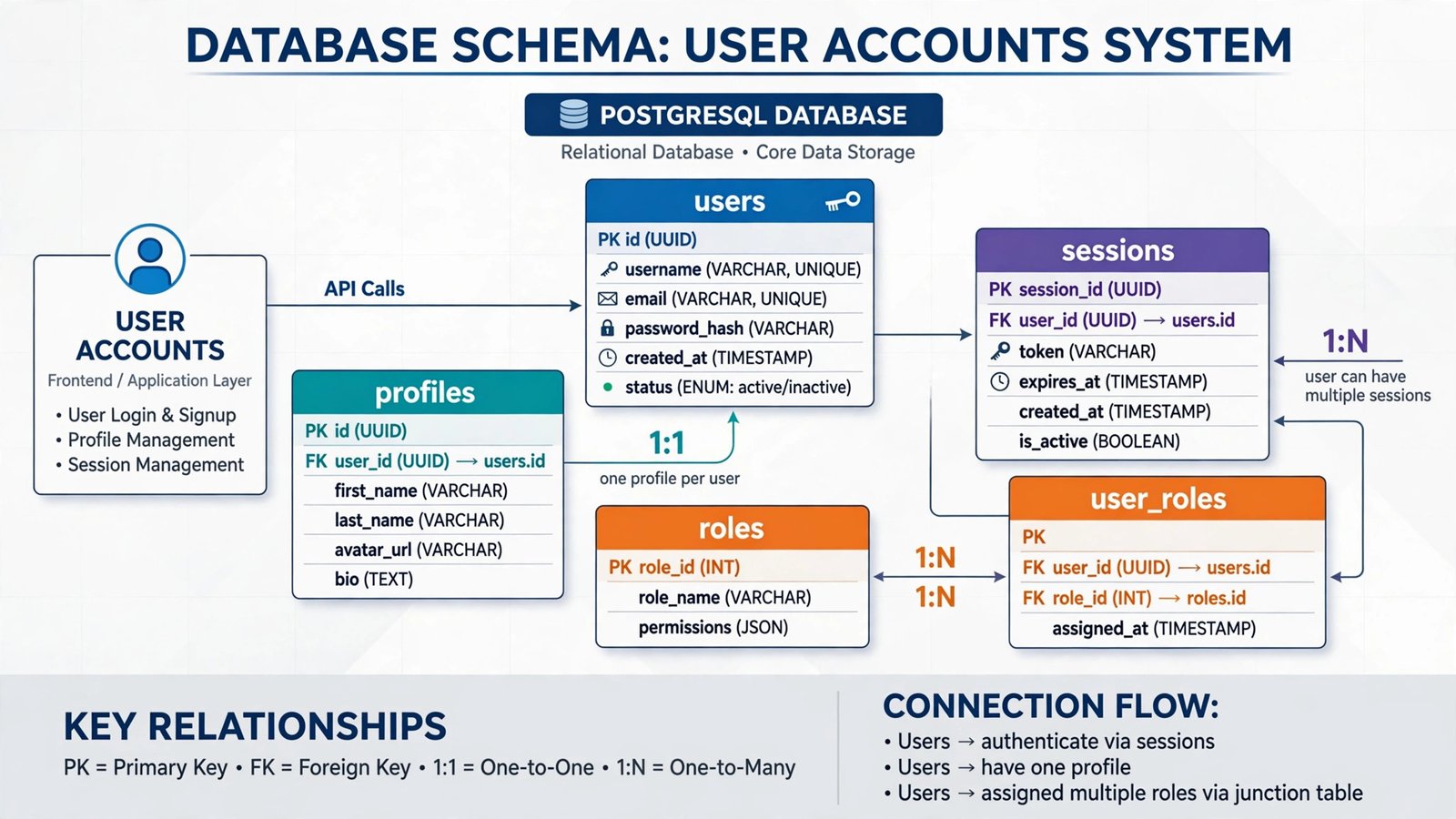
| Database | Managed (Cloud) | Via Supabase | PostgreSQL included | Built-in or external (Airtable, Sheets…) | Glide Tables / your sheet |
| File uploads | Yes | Yes | Yes | Yes | Yes |
| Code export / ownership | GitHub sync, export on paid | Project export | Full code, GitHub | No — hosted platform | No — hosted platform |
| Biggest friction | Credit pool shared with live app | Paying tokens for AI’s mistakes | Cost unpredictability | Block-library limits | Desktop experience secondary |

Full Comparison Table
| Lovable | Bolt | Replit | Softr | Glide | |
|---|---|---|---|---|---|
| Entry price | $25/mo (100 credits) | $25/mo (10M tokens) | $25/mo ($20 annual) | $25/mo ($19 annual) | $25/mo |
| Pricing model | Credits (build + run) | Tokens per AI action | Usage credits (effort-based) | Flat subscription | Flat subscription by users/updates |
| AI generation quality | Excellent | Excellent, needs steering | Very good, most capable | Good (template-led) | Good (data-led) |
| Auth & database | Built-in, correct in test | Via Supabase, needed fixes | Built-in PostgreSQL | Built-in permissions model | Built-in row owners |
| Scalability ceiling | Growing apps; cost rises with traffic | Similar; token costs grow | Highest — real software | Business portals/tools | Team/business apps |
| Leave the platform? | Export code | Export code | Export code | No | No |
| Beginner-friendliness | Highest | Medium | Lowest of the five | High for portals | High for sheet users |
How to Choose
- Decide if you need to own the code. If this app might become a real product, choose Lovable, Bolt, or Replit — exportable code means you can hire a developer later and keep everything. Softr and Glide apps live on their platforms forever; leaving means rebuilding.
- Match the tool to the actual app. A client portal or member area is Softr’s exact use case — don’t prompt-engineer what a permission block does natively. A spreadsheet your team already maintains is Glide’s case. A new idea with custom behavior is Lovable/Bolt/Replit territory.
- Understand your meter before you build. Lovable bills credits, Bolt bills tokens, Replit bills effort — in all three, heavy iteration costs money and failed AI attempts are not free. Softr and Glide charge flat subscriptions instead. For a fixed-budget pilot, flat wins; for a one-off build, metered is often cheaper.
- Test the auth rule, not the homepage. The critical feature of any portal is “users see only their own data.” In your free-tier trial, create two test users and verify isolation before you build anything pretty. Bolt needed prompting to get this right; the others had it structurally.
- Price month six, not day one. Add your expected users, records, and (on Lovable) live-app usage. A $25 plan whose credits also run your production traffic, or a per-user plan with 200 clients, is a different number than the signup page suggests.
Frequently Asked Questions
What is the best no-code AI app builder for a complete beginner?
Lovable. Its chat-based building produced a correct client portal in our test — login, per-client data, file uploads — with the least steering, and the free plan (5 credits/day) is enough to learn on. Softr is equally beginner-friendly if your app is specifically a portal.
Can I really build an app with login and a database without code?
Yes — all five tools in this comparison did it in our test, in 25–50 minutes. Authentication and databases are built-in (Lovable Cloud, Replit’s PostgreSQL, Softr/Glide data layers) or one prompt away (Bolt via Supabase). The honest caveat: “no code to build” doesn’t mean “no understanding needed” — you still need to check that permissions and data rules are right.
How much does a no-code AI app cost per month?
Entry paid plans cluster at $25/month across all five builders. Real month-six costs diverge: metered platforms (Lovable, Bolt, Replit) rise with iteration and usage — Replit users doing heavy Agent work often report bills several times the base plan — while Softr and Glide rise mainly with users and scale tiers. Budget $25–100/month for a small production app.
Lovable vs Bolt: what’s the difference?
Both generate real code from prompts. Lovable is more guided and got auth/data isolation right first try in our test, with a credit system that’s easier to predict. Bolt generates fast and exports cleanly, but token metering charges you for fix loops — and our portal needed three fix prompts to secure client data. Non-developers: Lovable. Tinkerers: Bolt.
What’s the difference between an app builder and an AI agent builder?
An app builder creates software people use — screens, logins, databases (this guide). An agent builder creates AI workers that perform tasks for you — reading email, qualifying leads, updating CRMs. They’re complementary, not substitutes; our guide to no-code AI agent builders covers the second category.
Can I move my app off these platforms later?
With Lovable, Bolt, and Replit, yes — the code is exportable and can be hosted elsewhere or handed to a developer. With Softr and Glide, no — you’re renting the runtime, and migrating means rebuilding on a new platform. That’s the single most important long-term question to answer before you commit.
Conclusion
The best no-code AI app builder in 2026 depends on what you’re actually making. A client portal? Softr had ours live in ~25 minutes with permissions done right. A brand-new app idea as a non-developer? Lovable (~35 minutes, correct auth on the first pass). Maximum raw capability and code ownership? Bolt for speed, Replit for a ceiling that reaches real software. A spreadsheet that needs to become a phone app? Glide.
The pattern across all five: the build is now the easy part. Your real decisions are economic and structural — metered vs flat pricing, rented platform vs owned code, and whether per-user data rules are structural or prompted. Answer those three and the tool picks itself.
Next step: write your app as a one-paragraph spec (like our client-portal brief), then build it free in Lovable and in the runner-up for your use case. Time both. The one that gets login and per-user data right with less prompting is the one to pay for.