

A general task board can track a to do list, but it cannot tell you whether a housing scheme is still profitable after the third drawing revision, and that gap is where architecture practices lose money. The best project management software for architecture firms connects fees, hours, consultants and drawing versions in one place, so a principal can see trouble before it reaches an invoice dispute. This guide compares nine tools on that test, not on how pretty their boards look.
Most firms in this review share the same pattern. Design work moves fast, consultant information arrives late, and fee tracking lives in a separate spreadsheet that nobody updates. The result is familiar. Staff work extra hours that never get billed, scope changes slip through without a fee note, and the practice discovers a loss only at project close. A tool built for this work closes those gaps by tying time to phases and phases to fees.
We judged each option on phase budgeting, time capture, consultant coordination, drawing and revision control, invoicing and reporting. Prices below are starting points taken from vendor and comparison pages in late 2026, and you should check the vendor page before you buy, because plans and per user rates change often. Where a vendor prices by quote, we say so plainly rather than guessing a number.
A Quick Comparison At A Glance
Use this table to narrow the field fast, then read the tool sections for the trade offs that matter on a live project. Starting prices are entry points, not the full cost of a team plan, and quote based tools need a direct conversation with the vendor.
| Tool | Starting price | Best for |
|---|---|---|
| Monograph | Check the vendor page | Small and mid size architecture studios that bill by phase |
| Asana | $10.99 per user per month billed annually | Teams that need clear task ownership across consultants |
| ClickUp | $7 per user per month billed annually | Budget conscious teams that want many features in one place |
| monday.com | $9 per user per month billed annually | Visual planners that think in boards and stages |
| BQE Core | Check the vendor page | Firms with detailed billing and accounting needs |
| Deltek Vantagepoint | Check the vendor page | Mid size and larger firms that need deep project financials |
| Newforma | Check the vendor page | Practices where drawing and email control drive risk |
| Autodesk Construction Cloud | Check the vendor page | Firms deep in Autodesk design and construction workflows |
| Wrike | $10 per user per month billed annually | Larger teams that need structured workflows and approvals |

Why the best project management software for architecture firms beats a general task app
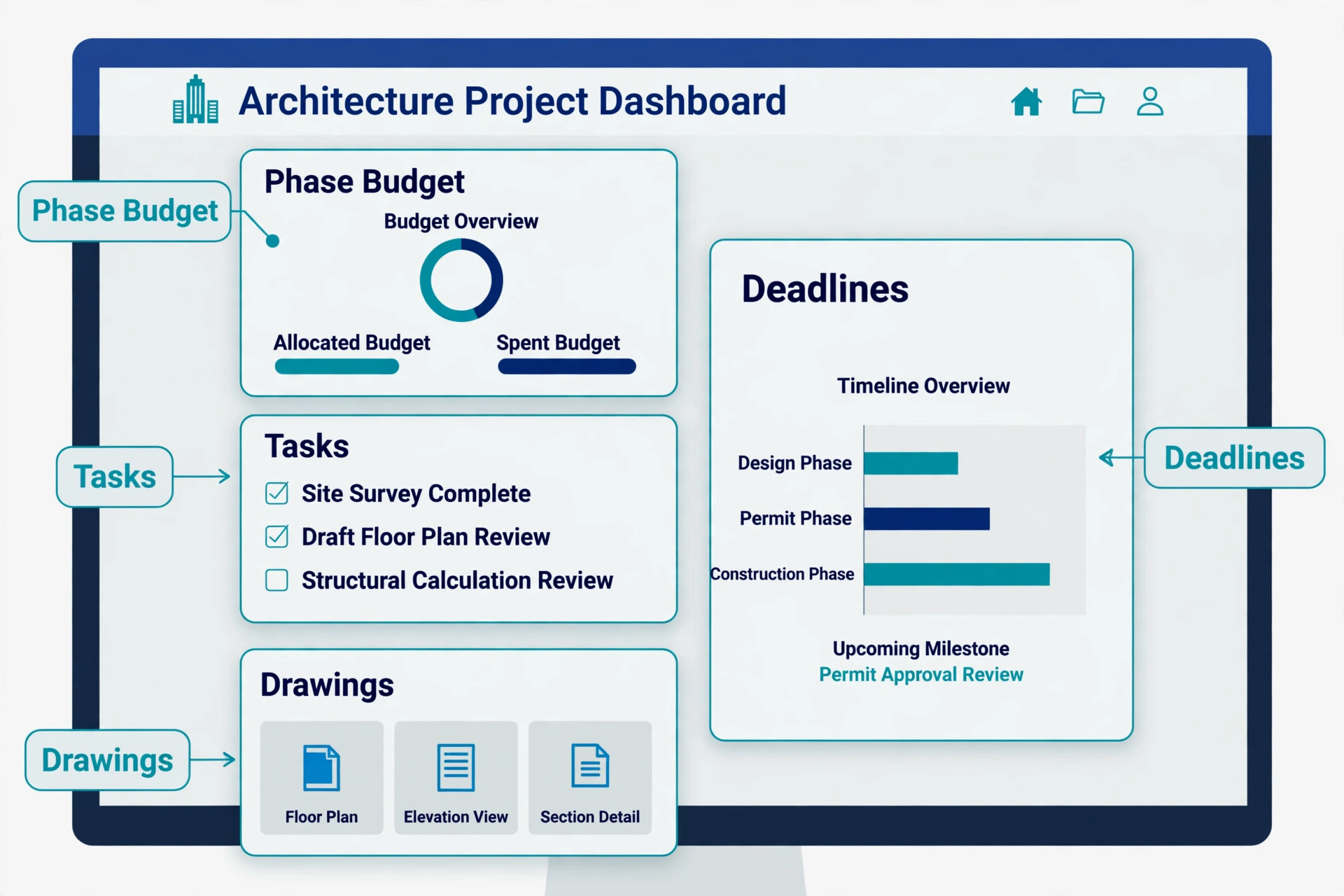
The best project management software for architecture firms treats a project as a fee, a programme and a set of deliverables at the same time. A general app treats it as a list of tasks, which means fee health, consultant deadlines and drawing issues sit in different places. When those pieces connect, a practice leader can answer three questions in minutes. How much fee is left, how many hours are already spent, and which consultant is holding up the next issue.
Drawing control is the clearest difference. Architecture work runs on versions, and a wrong version on site costs far more than a missed internal task. Tools built for this sector keep revision history, consultant comments and approval status close to the work itself. General tools can store files, but they rarely show which revision was issued, who approved it and what changed since the last issue without manual work.
Billing is the second difference. Many practices bill by phase, by percentage of construction cost or by fixed fee with staged payments. A sector tool maps time and expenses to those phases and produces invoices that match the appointment. A general tool usually needs a separate accounting step, and that extra step is where unbilled hours and disputed extras hide.
Consultant coordination deserves a named owner on every project, because drawings from structural, mechanical and electrical consultants arrive on different schedules and a single missed return can stall a whole issue. The chosen tool should show each consultant package, its due date and its current status on one screen, so the project architect does not need to search email threads. Agree response times at appointment stage, record them in the tool, and review overdue packages in a short weekly meeting rather than waiting for a deadline to pass.
Fee notes are where small practices lose the most money, because extra work is often agreed in a meeting and never written down. A good habit is to log every scope change in the tool on the day it is agreed, with a short description, an estimated fee effect and a client confirmation step. That record protects both sides, because the client sees the change before an invoice arrives and the practice can prove the work was requested. Over a year, that discipline recovers more profit than any discount negotiation.
Resourcing is a weekly decision, not a monthly guess, and a practice with ten people cannot afford to discover overload when a deadline is already close. Use the staffing view to check each person load across live projects, including leave and part time patterns, before accepting a new commission. When one architect carries three deadlines in the same week, move work early or renegotiate a date, because late moves cost goodwill and overtime in equal measure.
Client reporting should be short, regular and tied to the fee picture, because clients worry most when they hear nothing and then receive a large invoice. A monthly one page summary showing phase progress, hours used, fee remaining and next decisions gives a client confidence without revealing internal rates. Build that summary from the tool, not from a separate document, so the numbers always match the project record and no one has to rebuild them by hand.
Mobile access matters on site visits, where a project architect needs the latest drawing set, the open issues list and the consultant comments without returning to the office. Test the mobile app on a real site visit, including a poor signal area, and confirm that markups and photos sync cleanly when the connection returns. A tool that only works well at a desk will be bypassed on site, and bypassed tools create the version confusion they were bought to remove.
The Nine Tools In Detail
1. Monograph
Monograph is built around the way architecture studios actually run, with projects, phases, budgets, staffing and invoices in one view. Time entered against a phase updates the fee picture at once, so a project architect can see whether concept design is eating the budget before the next client meeting. The staffing view also helps a principal balance people across live jobs instead of guessing who is free. Starting price is not published, so check the vendor page.
The trade off is price transparency and setup time. Pricing is not published as a simple per user list, so a small studio must go through a sales conversation to get a firm number. Implementation also takes more care than a simple task board, because phases, rates and fee structures need to be set up well from the start or the reports will mislead.
2. Asana
Asana is the easiest tool here for a team to learn, with tasks, timelines, calendars and portfolios that most staff already understand. It suits coordination work well, because every deliverable gets an owner and a due date, and a project lead can spot a slipping consultant package without chasing emails. For a practice that mainly needs coordination, it removes a lot of daily friction. Starting price is $10.99 per user per month billed annually.
The weakness is financial depth. Asana does not give a practice the phase budgeting, fee tracking and invoicing view that Monograph or BQE Core provide without extra tools. A firm that buys Asana for cost control alone will be disappointed. Choose it when coordination is the main problem and finance already has a good home elsewhere.
3. ClickUp
ClickUp packs an unusually wide set of views, docs, goals and automations into a low starting price, which makes it attractive to a growing practice. A team can run tasks, timelines, docs and time tracking without buying several separate apps, and custom fields let a practice tag work by phase, building type or consultant. For a cost sensitive studio, that breadth is hard to ignore. Starting price is $7 per user per month billed annually.
Breadth is also the risk. ClickUp has so many settings that a team can spend weeks shaping it and still use it in different ways across projects. Without a firm template and a named owner for the setup, adoption fades and old spreadsheets return. Choose it only if someone in the practice will own the structure and train new joiners.
4. monday.com
monday.com suits teams that plan by sight, with colourful boards, status columns and automations that move work forward as stages change. A practice can build a board per project stage, track consultant returns by status and automate reminders when a package is late. The visual style also helps in team meetings, because progress is clear without opening five reports. Starting price is $9 per user per month billed annually.
The limit is the same as Asana in finance. monday.com tracks work and status well, but it is not a project accounting system for architecture fees. Practices that need phase profit, billing schedules and consultant fee tracking will still need a finance tool beside it. Pick it for visibility and coordination, not as a replacement for proper project accounting.
5. BQE Core
BQE Core brings time, expenses, budgeting, billing and accounting into one professional services system, which is a strong fit for firms with complex fee arrangements. A practice can track billable time by phase, handle retainers and staged invoices, and produce reports that a finance lead can actually use. For firms where billing accuracy matters more than board design, that depth is valuable. Starting price is not published, so check the vendor page.
The cost is complexity and a less modern feel than newer rivals. Setup needs care around rates, billing rules and chart structure, and smaller studios may find the full system heavier than they need. Skip it if the practice only needs task coordination, but shortlist it when invoicing disputes or unbilled time are already a real problem.
6. Deltek Vantagepoint
Deltek Vantagepoint is built for larger professional services firms that need resourcing, project planning and financial control at scale. It handles complex project structures, resource planning and detailed financial reporting in a way that small tools cannot match. A growing firm with many concurrent projects and strict reporting needs will find its depth reassuring. Starting price is not published, so check the vendor page.
That depth comes with enterprise cost and implementation effort. Pricing is by quote, onboarding takes time, and a small studio will pay for power it never uses. It is also a poor fit for a team that wants to start this week with a simple setup. Reserve it for firms that have outgrown studio tools and can support a proper rollout.
7. Newforma
Newforma focuses on the information side of project delivery, with strong handling of project email, documents, submittals and action items. For a practice drowning in consultant correspondence, that focus matters, because decisions and drawing issues are easier to find months later. It helps a team prove what was sent, what was approved and what is still open. Starting price is not published, so check the vendor page.
Newforma is not a full task and finance platform on its own, so many firms pair it with another system for scheduling and billing. That pairing adds cost and needs clear rules about which system holds the truth. Choose it when document and correspondence risk is the top pain, and plan the pairing deliberately rather than letting two tools drift apart.
8. Autodesk Construction Cloud
Autodesk Construction Cloud connects design, coordination and field information for teams already working in Autodesk tools. Drawing sets, markups, issues and coordination models sit closer to the design work, which reduces retyping and version confusion. For a practice that already lives in Revit and related tools, that closeness is a practical advantage. Starting price is not published, so check the vendor page.
The drawback is scope and price for a small practice. It is a construction platform first, so a small architecture studio may find parts of it heavier than needed, and pricing is by quote. A firm that does not use Autodesk design tools gains less from it. Shortlist it when Autodesk workflows are already central, not as a general task replacement.
9. Wrike
Wrike gives a practice structured workflows, approvals, dashboards and reporting that suit larger teams with formal review steps. A project lead can route a drawing package through review, track approvals and report progress across many projects from one dashboard. That structure helps when several offices or large consultant teams are involved. Starting price is $10 per user per month billed annually.
Wrike can feel heavy for a small studio, and its best reporting and workflow features sit on higher tiers. A team that wants a light board will find the setup work frustrating. Choose it when formal approvals and cross project reporting are genuine needs, and skip it when a simpler tool would get used more consistently.
Best Picks By Type Of Practice
The best project management software for architecture firms depends on practice type more than on feature count, so start from the job below and work backwards. A residential studio and a commercial practice face different fee, consultant and approval pressures, and the tool that suits one can slow the other down.
| Job | Best pick | Why it fits |
|---|---|---|
| Residential practice | Monograph | Phase fees and drawing revisions stay tied to profit on small, fast jobs. |
| Commercial practice | Deltek Vantagepoint | Complex resourcing and financial reporting suit larger commercial programmes. |
| Mixed practice | Asana or BQE Core | Asana covers coordination, while BQE Core adds billing depth when finance matters most. |
If only one tool can be bought this year, a small studio should favour Monograph for fee clarity, while a coordination led team should favour Asana and keep finance in its current system. Mixed practices should trial the pairing that matches their biggest pain, not the tool with the longest feature list.
Drawing Revision Checklist Before You Sign
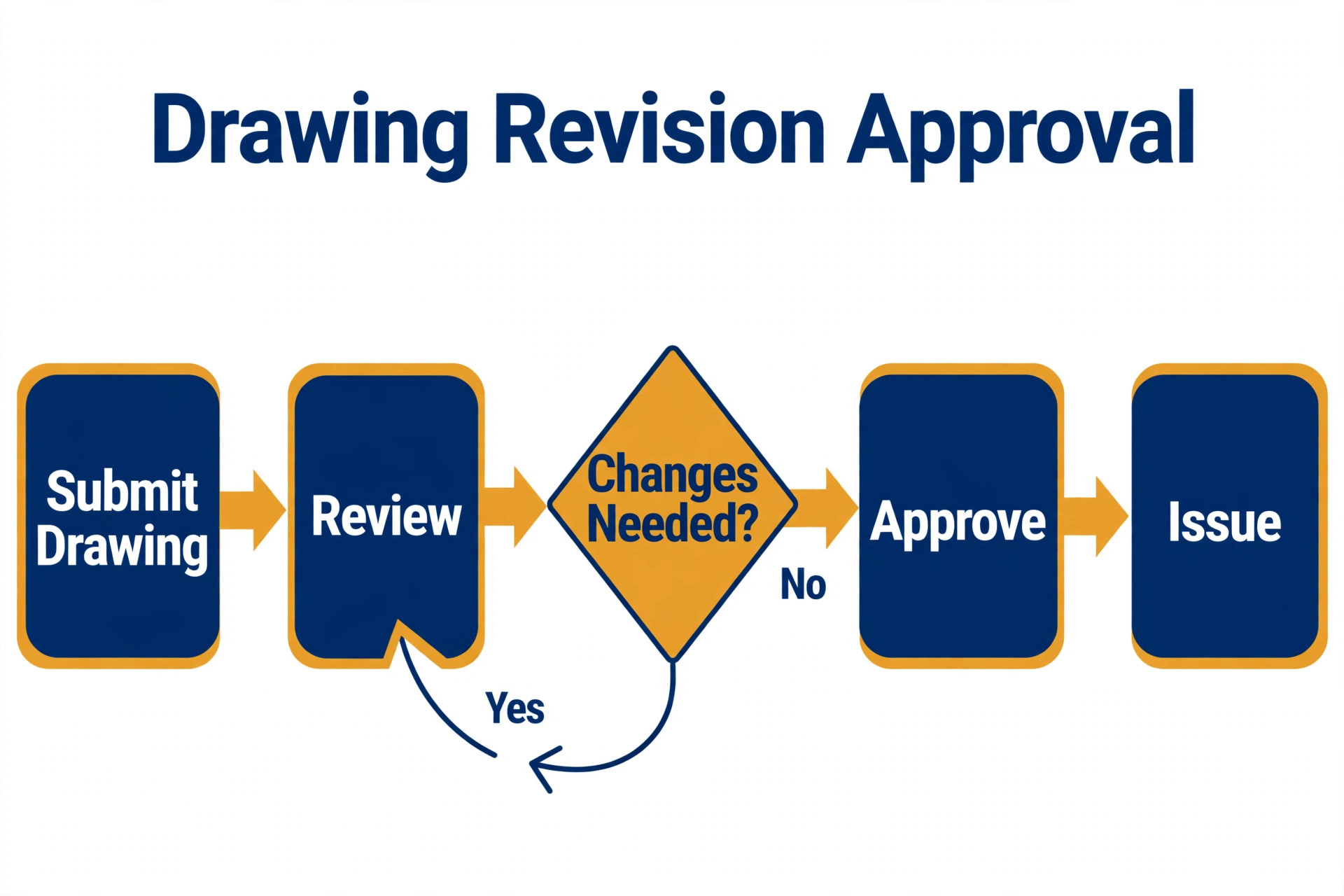
The best project management software for architecture firms should pass this drawing revision checklist during a trial, using a real past project rather than a vendor demo file. If a step fails on real work, it will fail again on a live deadline.
– Confirm that each drawing revision shows who issued it, when it was issued and what changed since the last issue. – Check that consultant comments stay attached to the correct revision and do not vanish when a new file is uploaded. – Test approval routing with a real reviewer, including what happens when approval is refused or delayed. – Verify that superseded revisions are clearly marked so site teams cannot mistake an old set for the current set. – Confirm that time and costs can be traced back to the phase that produced each revision. – Check that a full revision history can be exported for a dispute or a handover without vendor help.
Run this checklist with a project architect, not only with the practice manager, because the person who issues drawings will feel the friction first. A tool that passes on paper but slows issuing will be bypassed, and bypassed tools create the version risk they were bought to remove.

What a Real Month Costs an Architecture Firm
Headline prices hide the real monthly bill. A per user plan multiplied by staff, plus extra users for consultants or part time staff, plus add ons for reporting, time tracking or storage, can double the entry figure. A practice should price the tool for its full team, including the people who only need to view work, before comparing options.
Quote based tools need a different calculation. Ask for the full first year cost in writing, including onboarding, training, data migration and any minimum user count. A tool that looks affordable in a demo can become expensive once implementation days and annual commitments are added, and that surprise usually arrives after the old system is gone.
The cheapest honest comparison is cost per active project, not cost per user. A $10 per user tool used by 20 people costs $200 a month before add ons, while a quote based studio tool may cost more per user but replace a separate time and billing system. Add the tools it replaces, and the time it saves in invoicing, to get a fair monthly picture.
Mistakes That Waste The First Year
The best project management software for architecture firms fails most often through rollout mistakes, not through missing features, and the errors below repeat across practices of every size.
Buying for the principal instead of the project team. A tool that looks good in a board meeting but slows drawing issue will be avoided by the people who do the work, so trial it with project architects and technicians before signing.
Skipping phase setup. If phases, rates and fee structures are left vague, every report will be vague too, and the practice will blame the tool for a setup it never finished. Spend the first week on structure, even when the team wants to start entering tasks at once.
Letting consultants work outside the system. When consultant updates arrive by email alone, the central record goes stale and the tool becomes a second job. Agree at project start how consultants will submit, comment and confirm, and hold that rule on the first live job.
Keeping the old spreadsheet alive. Parallel systems split the truth, so staff trust neither one and double entry creeps back. Set a cutover date for each project type and retire the spreadsheet project by project, rather than running both for a year.

How To Test Two Finalists In Two Weeks
Pick two finalists and run the same past project through both, with real phases, real hours and real drawing revisions. A vendor demo with clean data hides the messy parts, while a real project shows whether fee reports, revision history and consultant tracking hold up under pressure.
Give each tool to a small mixed group, including a project architect, a technician and whoever handles invoicing. Ask each person to complete a normal week of work, from logging time to issuing a revision and raising an invoice line. Their friction notes matter more than a feature checklist completed by one manager.
Score the trial on five points only, namely fee clarity, revision control, consultant coordination, invoicing ease and daily use. A tool that wins three of the five by a clear margin is usually the right buy, while a tool that wins on features but loses on daily use will struggle after month three.

Rolling Out The Tool Without Pausing Live Projects
Start the rollout on one live project type, not on every project at once, because a single project gives the team a clear template and a quick win. Choose a medium complexity job with a cooperative client and a project architect who will champion the new way of working. Run that project fully in the new tool, fix the template problems it reveals, and only then roll the template out to the next project type. Migrate data in small, checked batches, starting with active projects and leaving closed projects in the old system as an archive. For each active project, carry over fee, phase, hours to date and open drawing issues, then reconcile the totals against the old record before the team starts using the new one. A clean migration for five projects beats a rushed migration for fifty projects that no one trusts. Train by role, not by feature list, because a technician, a project architect and a finance lead use the same tool in different ways. Give each role a short session built around their daily tasks, from issuing a drawing to raising an invoice line, and follow it with a week of supported live use. Role based training sticks, while a general demo fades within days and old habits return. Set a review date six weeks after launch and judge the rollout on fee clarity, drawing control and daily use, not on how many features were switched on. Ask each project architect which report they trust, which step still feels slow and which template needs fixing, then fix the top three frictions before adding new features. A tool that improves after launch earns trust, while a tool that stays awkward after launch loses users steadily. Protect the rollout with a named owner who keeps templates, rates and phase structures consistent across projects. Without that owner, each team invents its own structure and reporting collapses within a year. The owner does not need to be senior, but they do need time each week to review new projects, fix template drift and answer questions before workarounds become permanent.
A template library saves more time than any single feature, because a new project should start from a proven phase, fee and reporting structure rather than a blank screen. Build templates for the three most common project types, test them on live work, and refine them after the first month. When every project starts the same way, reports become comparable and new staff learn the system in days instead of weeks.
Security and permissions deserve attention before external users are invited, because fee data, client details and consultant correspondence should not be visible to everyone on a project. Set roles so consultants see drawings and comments but not fees, and clients see progress summaries but not internal costs. A clear permission model prevents awkward conversations later and protects commercially sensitive information from the start.
More Reading on Stratilyze
– Best project management software for small teams, a plain text guide on Stratilyze to read next. – Best architecture software for small firms, a plain text guide on Stratilyze to read next. – Best time tracking software for architects, a plain text guide on Stratilyze to read next.
Frequently Asked Questions
Do small architecture studios need sector specific software
Not always. A studio with few projects, simple fixed fees and no consultant heavy work can run well on Asana or ClickUp. Sector tools earn their cost when phase fees, drawing revisions and consultant coordination start to create unbilled time or version risk.
How much should a small practice budget per month
Budget from the full team count, not the entry price. A ten person practice on a $10 per user plan starts near $100 a month before add ons, while quote based studio tools need a written first year quote that includes onboarding and training.
Can a general tool handle drawing revisions
It can store files and track tasks, but revision history, approval status and superseded set control usually need manual discipline. If drawing risk is high, a sector tool or a document focused pairing like Newforma deserves a closer look.
Is Monograph worth it for a solo architect
For a solo architect with simple billing, it may be more than needed, and a simpler tool plus good invoicing could suffice. It becomes valuable when phases, staff and multiple concurrent projects make fee tracking hard to hold in a spreadsheet.
Should consultants get logins to the chosen tool
Yes, where the tool supports limited or guest access, because consultant updates inside the system keep the record current. Agree submission and comment rules at project start, and keep sensitive fee data hidden from external users.
When should a firm move from a general tool to a sector tool
Move when fee reports take manual work, drawing versions cause disputes, or invoicing regularly misses hours. Those three signals mean coordination alone is no longer enough, and project accounting needs to sit beside the work.
The Final Verdict for Architecture Firms
The best project management software for architecture firms for most small and mid size studios is Monograph, because it ties phases, time and fees together in the way architecture work is actually billed. Asana is the better pick when coordination is the main problem and finance already works well, while BQE Core suits firms where billing complexity is the top pain.
Do not buy on feature count. Trial two finalists on a real past project, run the drawing revision checklist, and price the full first year for the whole team. The tool your project architects will actually use on a busy week is the tool that will protect fees and drawing control for years.