

Wix gives you speed, Squarespace gives you polish and WordPress gives you control, and the right answer for an accountant depends on which of those three the practice needs most, because the best website builder for accountants is judged by trust before design flair. Clients hand an accountant their financial life, so the site must look calm, credible and easy to contact, with services, fees guidance, credentials and a clear next step on the first screen.
Accountants also need pages other businesses do not. A services page that explains tax, bookkeeping and advisory without jargon, a client onboarding page that collects documents safely, a secure contact route and a seasonal page for tax deadlines all matter more than a flashy homepage animation. A builder that makes those pages easy will earn its fee. A builder that makes them awkward will leave the practice with a pretty site that never converts a visitor.
This guide compares six tools on the same questions. What does the entry plan actually include, how does the bill grow with pages and features, how well does it handle client onboarding and trust content, and where does it fall short. Prices below are starting points reported in recent comparisons, so confirm the current price on the vendor page before you buy.
Best Website Builder For Accountants Tools at a Glance
Read the table as a shortlist, not as a ranking. The cheapest tool suits a solo practice perfectly, while the design led platform suits a firm that sells on polish. Pick three finalists, then read their full sections before committing to an annual plan.
| Tool | Starting price | Best for |
|---|---|---|
| Wix | From 17 dollars a month on annual billing for Light in recent comparisons | accountants who want speed and the widest app choice |
| Squarespace | From 19 dollars a month on annual billing for Basic in recent comparisons | firms that sell on polish and calm design |
| WordPress.com | From 4 dollars a month on annual billing for Personal in recent comparisons | practices that want content, SEO control and room to grow |
| Webflow | From 15 dollars a month on annual billing for Basic in recent comparisons | firms with a designer or a taste for precise control |
| Duda | From 19 dollars a month in recent comparisons | firms and agencies managing several client sites |
| GoDaddy | From 9.99 dollars a month on annual billing in recent comparisons | practices that want the fastest launch with marketing tools bundled |
A social profile shows a name. An accountant website answers the questions a prospect asks before calling. What services do you offer, who do you serve, what does it cost in broad terms, how do I start, and can I trust you with my numbers. A builder that supports clear service pages, testimonials, credentials and a simple contact form will convert better than a builder that only supports beautiful images.
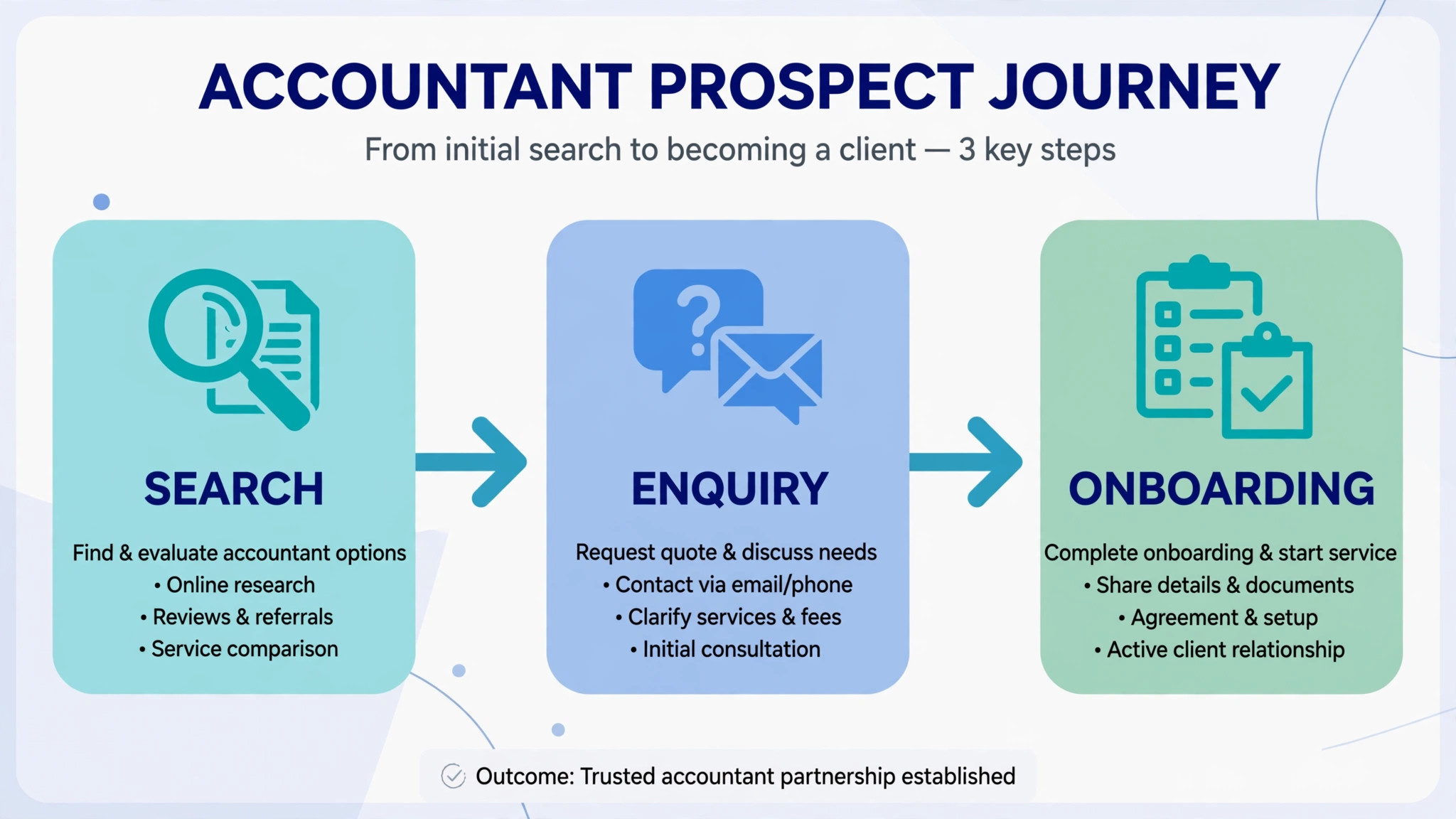
Client onboarding is the second difference. A prospect who must email documents, wait for a reply and chase a checklist will drift to a rival with a smoother first step. A site with a clear onboarding page, a secure upload link or form, a document checklist and a booking step turns enquiries into clients faster. The builder does not need to store sensitive files itself, but it must link cleanly to the secure tool the practice already uses.
The third difference is search and upkeep. Accountants win local and niche searches with service pages, location pages and useful tax season content, so blogging, SEO controls and easy editing matter more than template variety. A builder that makes publishing a new guide take ten minutes will get updated. A builder that makes it take an hour will go stale, and a stale site quietly loses trust.
Start the trial with a real practice site, not with a demo account filled with perfect test data. Load your actual services, your real team bios and your true contact routes, then ask a colleague to act as a prospect and try to enquire exactly as a client would. A trial that mirrors real work exposes slow pages, missing fields and confusing steps before any money changes hands.
Six Tools, Reviewed One by One

Wix
Wix is the pick for accountants who want speed and the widest app choice. It covers drag and drop editing, templates, forms, bookings, blogging and a large app marketplace, with a free plan for testing. At From 17 dollars a month on annual billing for Light in recent comparisons, it sits in a price band a small business can judge against the hours it saves or the revenue it protects.
The limit is template switching, because changing templates later can mean rebuilding pages, so choose the starting template carefully. Choose Wix if you want the fastest route to a complete practice site. Skip it if you plan to redesign often, because template rigidity will frustrate you, because a tool bought for one job rarely excels at a different one.
Budget it as From 17 dollars a month on annual billing for Light in recent comparisons at entry, and reprice it at your real size before signing, because the entry tier rarely matches a growing team. If accountants who want speed and the widest app choice describes your daily work, shortlist Wix for the trial round and test the exact job it will do first.
Squarespace
Squarespace is the pick for firms that sell on polish and calm design. It covers design led templates, blogging, forms, scheduling and commerce on higher tiers, with strong visual consistency. At From 19 dollars a month on annual billing for Basic in recent comparisons, it sits in a price band a small business can judge against the hours it saves or the revenue it protects.
The trade-off is price and flexibility, because there is no free tier and deeper customisation needs more effort than on open platforms. Choose Squarespace if trust and polish matter most to your clients. Skip it if you need deep plugin choice, because the curated ecosystem is narrower, because a tool bought for one job rarely excels at a different one.
Budget it as From 19 dollars a month on annual billing for Basic in recent comparisons at entry, and reprice it at your real size before signing, because the entry tier rarely matches a growing team. If firms that sell on polish and calm design describes your daily work, shortlist Squarespace for the trial round and test the exact job it will do first.
WordPress.com
WordPress.com is the pick for practices that want content, SEO control and room to grow. It covers blogging, pages, SEO tools, plugins on higher tiers and a huge theme ecosystem, with a free plan for testing. At From 4 dollars a month on annual billing for Personal in recent comparisons, it sits in a price band a small business can judge against the hours it saves or the revenue it protects.
The watch-out is maintenance, because plugins, updates and security need more owner attention than a closed builder. Choose WordPress.com if content and search growth are central to your plan. Skip it if you want a site you never touch, because WordPress rewards owners who maintain it, because a tool bought for one job rarely excels at a different one.
Budget it as From 4 dollars a month on annual billing for Personal in recent comparisons at entry, and reprice it at your real size before signing, because the entry tier rarely matches a growing team. If practices that want content, SEO control and room to grow describes your daily work, shortlist WordPress.com for the trial round and test the exact job it will do first.
Webflow
Webflow is the pick for firms with a designer or a taste for precise control. It covers precise design control, CMS collections for services and team pages, clean hosting and strong SEO controls. At From 15 dollars a month on annual billing for Basic in recent comparisons, it sits in a price band a small business can judge against the hours it saves or the revenue it protects.
The limit is learning curve, because design freedom needs design skill, and a non designer may move slower than on a template builder. Choose Webflow if you have design help and want a distinctive site. Skip it if you want the fastest DIY build, because a template builder will launch sooner, because a tool bought for one job rarely excels at a different one.
Budget it as From 15 dollars a month on annual billing for Basic in recent comparisons at entry, and reprice it at your real size before signing, because the entry tier rarely matches a growing team. If firms with a designer or a taste for precise control describes your daily work, shortlist Webflow for the trial round and test the exact job it will do first.
Duda
Duda is the pick for firms and agencies managing several client sites. It covers client workspaces, white label options, templates and widgets built for managing many sites efficiently. At From 19 dollars a month in recent comparisons, it sits in a price band a small business can judge against the hours it saves or the revenue it protects.
The trade-off is DIY fit, because it is built for professionals managing client work rather than a single owner building one site. Choose Duda if you manage sites for several clients or practices. Skip it if you are a solo accountant building one site, because a simpler builder fits better, because a tool bought for one job rarely excels at a different one.
Budget it as From 19 dollars a month in recent comparisons at entry, and reprice it at your real size before signing, because the entry tier rarely matches a growing team. If firms and agencies managing several client sites describes your daily work, shortlist Duda for the trial round and test the exact job it will do first.
GoDaddy
GoDaddy is the pick for practices that want the fastest launch with marketing tools bundled. It covers AI assisted building, templates, marketing tools and domain bundling for a quick launch. At From 9.99 dollars a month on annual billing in recent comparisons, it sits in a price band a small business can judge against the hours it saves or the revenue it protects.
The watch-out is design depth, because speed comes ahead of distinctive design and advanced content control. Choose GoDaddy if you want to be online this week with minimal fuss. Skip it if distinctive design or deep content growth matters most, because richer builders go further, because a tool bought for one job rarely excels at a different one.
Budget it as From 9.99 dollars a month on annual billing in recent comparisons at entry, and reprice it at your real size before signing, because the entry tier rarely matches a growing team. If practices that want the fastest launch with marketing tools bundled describes your daily work, shortlist GoDaddy for the trial round and test the exact job it will do first.
Best Pick by Job for Accountants
The right tool changes with the job. Use this table to match the pick to the job, then confirm the fit by testing that exact job in a trial. That matching step turns a general search for best website builder for accountants into a shortlist that fits real work.
| Job | Best pick | Why it wins |
|---|---|---|
| Solo practice | WordPress.com | Lowest cost and strong content tools for a one person practice |
| Small firm | Squarespace | Polished trust led design for a team that sells on credibility |
| Seasonal practice | Wix | Fast seasonal pages and bookings for tax season surges |

The Client Onboarding Page Checklist Before You Pay
Run through this checklist on every finalist before signing. A platform that fails two or more items will cost more in lost enquiries than it saves in subscription fees, because client onboarding is where accountant sites earn or lose trust. Run the same checks when comparing best website builder for accountants, because a policy that looks fair on paper must also work in daily use.
– Check that the onboarding page explains the first step, the documents needed and the secure way to send them, without asking clients to email sensitive files. – Check that services, fees guidance, credentials and contact routes appear clearly on mobile, where most prospects first visit. – Check that contact forms, booking links and document upload links work end to end, with a confirmation the prospect can see. – Check that service pages, location pages and tax season guides can be published quickly, with SEO titles and descriptions you control. – Check that testimonials, team bios and trust signals can be placed prominently, without forcing a template that hides them. – Check that your pages, posts and enquiry data can be exported, so the practice is never locked into a tool it cannot leave.

What an Accountant Really Pays Each Year
The headline plan price hides the real decision, because domain renewal, email, apps and design help move the total by a wide margin. A practice on a 4 dollar plan plus a domain and email may pay under 150 dollars a year all in, while a practice on a 19 dollar plan with paid apps may pay over 400 dollars a year. Compare the full yearly total at real needs, not the headline plan price, and ask what renews at a higher rate after year one.
At a small size, the maths favours a low cost start. A solo practice on a 4 or 9.99 dollar plan keeps almost all margin, while the same practice on a 19 dollar plan needs extra enquiries to justify the gap. At a larger size, the maths flips, because a site that converts one extra monthly client can pay for the dearer builder many times over.
Count design time honestly. A builder that saves ten hours of setup is worth more than a 10 dollar monthly saving, because an accountant hour billed to clients dwarfs software costs. Price the build time, not only the subscription, and choose the builder the practice will actually keep updated.
That total is the real price to compare when choosing best website builder for accountants.

Mistakes That Lose Client Trust
The most common mistake is choosing on template looks alone. A beautiful homepage with no clear services, fees guidance or next step will not convert, while a plain site with a clear onboarding page will. Judge finalists as a prospect would, by trying to enquire, not by admiring the demo.
The second mistake is publishing once and never updating. Tax rules, deadlines and services change, and a site that still shows last year deadlines quietly loses trust. Pick a builder the practice will update monthly, and assign one person to own updates.
The third mistake is asking clients to email sensitive documents through an ordinary contact form. That habit creates security and compliance risk the practice does not need. Link the site to a secure portal or upload tool, and say so clearly on the onboarding page.
That student and owner test matters more than any feature list for best website builder for accountants.

How to Choose Between Three Accountant Finalists
Give each finalist the same real practice content. Load the true services, the real team bios, the actual contact routes and a draft onboarding page, then run an enquiry, a booking and a document upload link through each system. Score each tool on the same sheet, so the decision rests on evidence rather than on the smoothest sales demo.
Test the prospect journey on a phone, not on a desktop, because most prospects visit on phones first. Check how fast a new visitor can find services, understand fees guidance and start onboarding, and how clear the confirmation feels. A system that feels fast in week one usually stays fast.
Test the owner journey too, because the owner publishes guides and updates deadlines. A builder that feels fast for a designer but slow for the accountant will go stale, and a stale site loses trust faster than a plain one.
A fair trial is the only honest way to compare best website builder for accountants.
The First Thirty Days After You Choose
In the first week, publish services, team, contact and onboarding pages with true content and a clear next step on every page. A site launched with placeholder text teaches prospects nothing about the practice.
In the second week, add testimonials, credentials, seasonal guides and local pages, then run one live enquiry end to end. Fix every friction point before promoting the site, because early enquiries decide whether the site earns trust.
By day thirty, review enquiries, page visits and onboarding completions weekly. The tool earns its keep when the practice can see, in one report, which pages bring enquiries and which steps lose prospects.

Seasonal Pages That Win Tax Season Clients
Tax season is the one time of year when prospects search with urgency, and a practice site that publishes a dedicated tax season page will capture that demand. The page should state deadlines, documents needed, turnaround times and the first step to start, in plain words a non accountant can follow. A builder that publishes a new page in minutes will win that window. A builder that needs a developer will miss it.
A document checklist page earns its place beside the seasonal page, because clients arrive with half the papers they need and the practice spends weeks chasing the rest. List documents by client type, employee, freelancer, landlord and company director, so each visitor finds their own list fast. That single page can cut chasing time more than any other content the practice publishes.
Seasonal guides also build search visibility that lasts beyond one tax season. A guide on a common deadline, allowance or filing mistake will attract readers who later need a full service, provided the guide ends with a clear next step. A builder with strong blogging and SEO controls will turn one guide into a steady enquiry source. A builder without them will leave guides invisible.
Update discipline matters as much as publishing. Tax rules and deadlines change, and a page that still shows last year dates will lose trust faster than a page that was never written. Assign one person to review seasonal pages each quarter, and choose a builder that makes editing a date or a paragraph take minutes rather than a support ticket.
Finally, seasonal pages should link to onboarding, not only to a contact form. A prospect who reads the checklist should be able to start onboarding in one click, with the secure upload route explained. That short path from reading to starting is what turns seasonal traffic into signed clients.
Fees Guidance Without Publishing a Price List
Accountants often resist publishing fees, yet prospects still need a sense of cost before they call. A fees guidance page can give ranges by service and client type, explain what moves a fee up or down, and state what is included, without fixing a price for every situation. That honesty builds trust and filters out prospects whose budget cannot fit the practice.
Ranges work best when tied to client situations rather than to hours. A sole trader with simple records, a landlord with several properties and a company with payroll each face different work, and a page that shows those situations helps visitors place themselves. A builder that supports clear tables and comparison blocks will present ranges well. A builder that only supports long paragraphs will bury them.
What is included matters as much as the number. State whether filings, software, meetings and support are included, and what counts as extra, because fee disputes usually come from unclear scope rather than from price alone. A page that states scope plainly will reduce awkward conversations later and attract clients who value clarity.
Fees pages also need a next step that fits the practice. Some firms invite a short call, others offer a fixed fee quote form, and either works provided the step is obvious and easy. A builder with a simple form and a confirmation message will capture those enquiries. A builder that hides the form will lose them to a rival with a clearer path.
Review the fees page yearly, because costs, software and service scope all move. A page updated each year signals a practice that is current, while a page with old figures signals one that is not. Choose a builder the practice will actually update, because an honest page left stale does more harm than no page at all.
More Reading on Stratilyze
– Best Website Builder for Coaches – Best Website Builder for Photographers – Best Website Builder for Tradespeople
Frequently Asked Questions
Do accountants need a website, or is a directory listing enough?
A directory listing helps prospects find a name, but a website answers services, fees guidance, trust and onboarding questions that a listing cannot. If the practice grows only by referral, a listing remains honest. If it wants new clients from search, a website converts better.
What is the cheapest honest way to start?
A free tier or a low cost personal plan is the cheapest honest start for a solo practice, followed by a business plan once content and forms grow. Check whether plugins, forms or booking sit on higher tiers, because a cheap entry price can hide the features that make the site useful.
How should an accountant collect client documents safely?
Use a secure portal or encrypted upload tool linked from the onboarding page, never an ordinary email attachment habit. The website should explain the secure route clearly and list the documents needed, so clients arrive prepared and protected.
Can I move my site content if I switch later?
Usually yes for pages and posts, if you check before signing. Ask how exports work during the trial and test a sample export of pages and posts. A builder that blocks content exports should be treated as a risk, whatever its price.
Should an accountant use a general builder or a niche practice platform?
A general builder suits most practices, because it offers templates, blogging and forms at low cost. A niche practice platform suits firms that want built in client portals and compliance workflows, at a higher price. A general builder fits a practice that already uses a separate portal well.
How long does setup usually take?
A solo practice can launch in a few days, while a small firm with team pages, services and guides should allow two to three weeks. The slow part is rarely the builder itself. It is writing clear service content and testing the prospect journey before the first live enquiry.
Should an accountant publish prices on the website?
Most practices do better with fee ranges and scope guidance than with a fixed price list, because client situations vary too much for one number. Ranges by client type, with what is included stated plainly, build trust and filter unsuitable enquiries. A fixed list suits only very standardised services with identical scope.
How often should an accountant update the website?
Service pages and fees guidance deserve a yearly review, seasonal pages deserve a quarterly check, and tax deadline content deserves an update whenever rules change. A site updated regularly signals a current practice, while a stale site quietly loses trust even when the practice itself is excellent.
The Verdict
For most accountants, Squarespace is the sensible first trial when polish and trust matter most, while WordPress.com is the sensible first trial when content and low cost matter most. Solo practices on a tight budget should start with WordPress.com, and practices that need speed above all should trial Wix for the fastest launch.
Whichever tool you shortlist, test it as a prospect, with real services and a real onboarding step, before you pay for a year. The best system is the one prospects trust at first glance, clients onboard through without confusion, and owners can update without a designer. That test, run properly, will choose the tool for you.
That shortlist is a practical way to choose best website builder for accountants without paying for features you will not use.