

Calendly vs Cal.com starts with a number that surprises most buyers. Calendly free plan allows one event type and one calendar connection, while Cal.com free plan allows unlimited event types and team features that Calendly reserves for paid seats. That single difference explains why a solo consultant can run a whole booking practice on Cal.com for free, while the same consultant on Calendly will need a paid plan as soon as they offer a second meeting type. It does not mean Cal.com wins for everyone, because Calendly brings brand recognition, a larger integration ecosystem and a smoother path for large sales teams. It does mean the cheapest useful setup and the most recognised setup are not the same tool in 2026, and buyers should choose by that reality, not by habit.
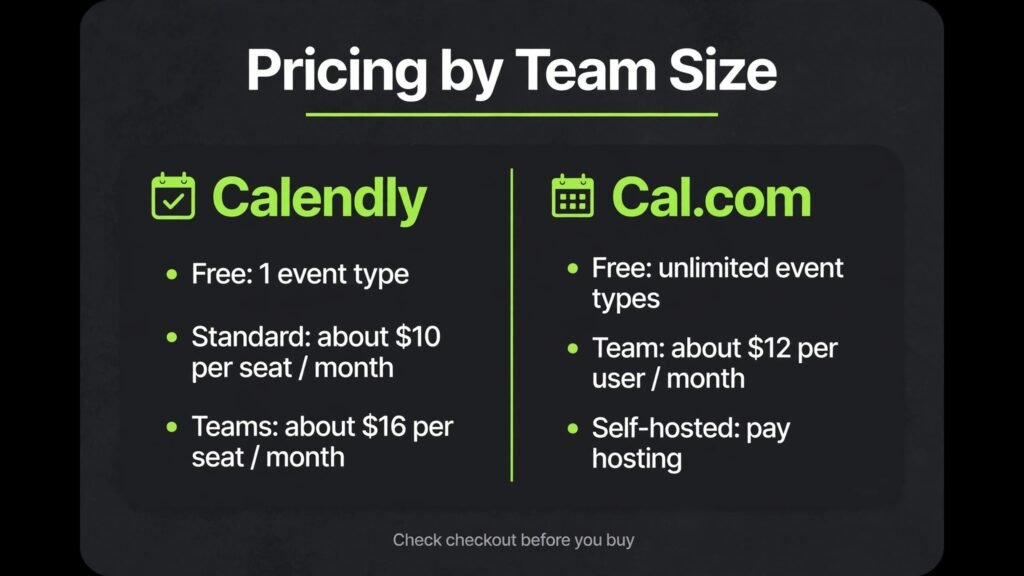
Prices quoted here reflect publicly listed October 2026 figures, and you should check checkout before you commit, because both vendors adjust plans and seat rules. Calendly Standard is commonly listed at about $10 per seat a month on annual billing, Teams at about $16, with newer Plus tiers higher and Enterprise starting around $15,000 a year. Cal.com is commonly listed with a generous free plan and paid team plans around $12 per user a month, plus a self hosted open source option where you pay hosting rather than a per user licence. The pricing story is therefore not just about dollars per seat. It is about what the free plan allows, what a team plan unlocks, and how much control you want over your own scheduling data and branding.
Quick Take: Who Should Pick Which
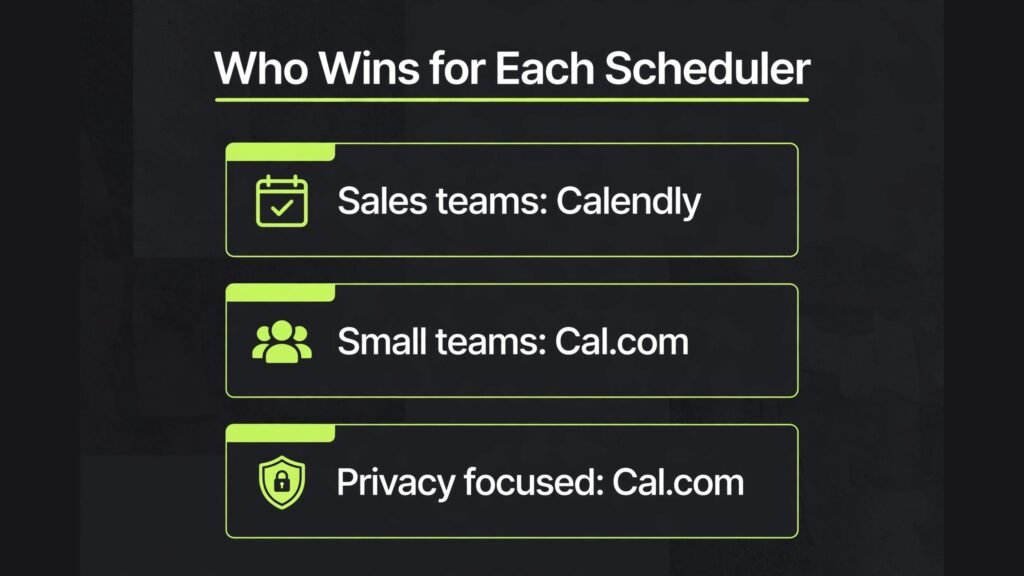
Pick Calendly if your prospects already know and trust the name, if your sales team needs lead routing and Salesforce integration at scale, or if your organisation needs a polished, low friction booking experience with minimal admin. Pick Cal.com if you want the most generous free plan, if you want to self host for privacy and data control, if you are a small team that resents per seat costs for basic team features, or if you want an open source tool you can customise. Pick Calendly for recognition and enterprise sales workflows. Pick Cal.com for value, control and flexibility. Many small businesses will be happy on Cal.com free for years, while many sales organisations will justify Calendly Teams because routing and CRM integration earn more than the seat cost.
How the Comparison Was Run
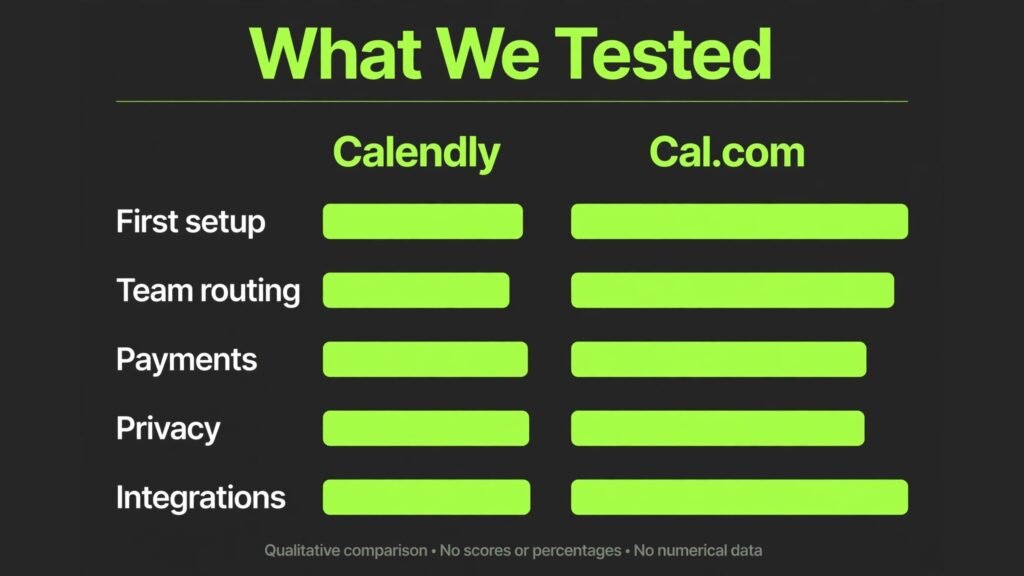
We tested both tools on the scheduling jobs that actually happen: create a booking page, offer several meeting types, handle group and round robin bookings, connect calendars without double booking, collect payments, send reminders, route leads to the right person, brand the page, and manage a team as it grows. Each test below ends with a verdict, and we weighted free plan value heavily, because scheduling is a utility and a tool that charges for basic team features should prove why that charge is worth it. We also looked at privacy and data control, because a booking tool holds names, emails, meeting topics and calendar availability, which is sensitive data for many professionals, especially in health, legal and consulting work.
We also considered the guest experience, because the person booking is often a prospect, a client or a hiring manager, and a confusing booking page costs meetings. A tool that is powerful for the host but awkward for the guest is a poor purchase, even if its admin panel looks impressive. The best scheduling tool is the one guests complete without thinking, and hosts can manage without a weekly admin session.
Calendly in Depth: The Recognised Standard
Calendly earned its position by making booking boring in the best sense. Share a link, the guest picks a time, the meeting appears on both calendars, reminders go out, and the back and forth email thread disappears. That simplicity is why so many professionals recognise a Calendly link at sight and trust it immediately. For a sales team, a recruiter, a consultant or a coach, that trust matters, because a prospect who hesitates on an unfamiliar booking page may never book at all. Calendly booking pages are clean, mobile friendly and fast, and the guest rarely needs instructions.
For teams, Calendly adds the features that turn simple booking into a sales system. Round robin scheduling spreads meetings across a team, lead routing sends high value prospects to the right rep, managed event types keep branding and rules consistent, and integrations with Salesforce, HubSpot, Zoom, Google Meet, Stripe and PayPal connect booking to the rest of the revenue workflow. Calendly also offers AI features on newer Plus tiers, including meeting recaps and AI scheduling help, which appeal to teams that want notes and follow ups handled automatically. Those features are genuinely useful, but they also sit on higher tiers, so a team must price the tier that includes them, not just the entry tier.
Calendly weakness is the free plan and the enterprise cliff. One event type and one calendar connection is enough for a person with a single meeting type, but most professionals soon need a discovery call, a follow up, a demo and a team meeting, and that means a paid seat. At the top end, features such as single sign on, advanced security controls and HIPAA compliance sit on Enterprise, which starts around $15,000 a year with a seat minimum, so a mid sized team that needs one enterprise feature faces a large jump. That cliff is the single biggest reason teams evaluate Cal.com, because Cal.com offers more control without that jump.
Calendly Pricing, Best For and Watch Outs
Calendly free plan costs nothing and includes one event type, one calendar connection and unlimited one to one bookings, which is a fair trial for a solo user with one meeting type. Standard at about $10 per seat a month on annual billing, or about $12 month to month, adds unlimited event types, multiple calendar connections, automations and integrations with tools such as HubSpot and Stripe. Teams at about $16 per seat a month on annual billing, or about $20 month to month, adds round robin, lead routing, managed event types and Salesforce integration. Newer Standard Plus and Teams Plus tiers, commonly listed around $18 and $24 per seat a month on annual billing, add AI meeting features. Enterprise is custom priced from around $15,000 a year. Check checkout for monthly rates, volume tiers at larger seat counts, and add on costs, because some security features have separate pricing on lower tiers in some listings.
Calendly is best for sales teams, recruiters, consultants, coaches, agencies and professionals whose guests value a familiar booking link. It is also strong for organisations that need Salesforce routing, team scheduling and a large integration ecosystem. Watch out for seat costs as a team grows, because every host needs a seat, and you pay for seats whether they are filled or not in many plans. Watch out also for the enterprise cliff if you need single sign on, audit logs or HIPAA compliance, because those features can force a large upgrade. Finally, watch out for free plan limits: if you offer more than one meeting type, budget for Standard from the start rather than building a workflow on a free plan you will outgrow in a week.
Cal.com in Depth: Open, Generous and Customisable
Cal.com takes a different philosophy. It is open source, it can be self hosted, and its free plan is far more generous than Calendly. Unlimited event types, team features and a booking page that you can brand are available without paying, which makes Cal.com the best value scheduling tool for solo professionals, small teams, nonprofits, educators and startups that watch every subscription. For a consultant who offers discovery calls, paid sessions, follow ups and group workshops, Cal.com free can run the whole practice, while Calendly free would cover only one of those meeting types.
Customisation and control are the other Cal.com strengths. You can use a custom domain, adjust branding, connect multiple calendars, add apps and workflows, and, if you self host, keep booking data on your own infrastructure in your own region. That control matters for privacy conscious professionals, for European teams with data residency concerns, and for organisations that want to audit exactly where meeting data lives. Cal.com also supports team scheduling, round robin and collective events on paid and free tiers in ways that Calendly reserves for Teams, which is why small teams often switch and stay.
Cal.com weakness is recognition and polish at scale. Prospects are less likely to recognise a Cal.com link instantly, and while the booking experience is clean, it does not yet carry the same instant trust as Calendly for a cold prospect. Self hosting also adds work: you need to set up, update, secure and back up the instance, and that admin cost can outweigh the licence saving for a team without technical help. The hosted Cal.com service removes most of that work, but then the control advantage narrows, and the decision becomes a normal paid versus free comparison rather than an open source versus closed platform choice.
Cal.com Pricing, Best For and Watch Outs
Cal.com free plan includes unlimited event types and core booking features for individuals and teams, which is unusually generous and should be tested first by any small team. Paid plans are commonly listed around $12 per user a month for team features, custom domains, advanced workflows and priority support, with organisation and enterprise options quoted for larger deployments. Self hosting is free in licence terms, because the code is open source, but you pay for hosting, domain, email delivery and maintenance time, so the true cost is not zero. Check checkout and the Cal.com pricing page for current team plan details, because Cal.com has adjusted its paid tiers over time and the exact feature split between free, team and enterprise can change.
Cal.com is best for freelancers, consultants, coaches, small teams, startups, educators, nonprofits and privacy conscious professionals who want generous free booking or self hosted control. It is also strong for developers and technical teams that want to customise workflows and integrate scheduling into their own products. Watch out for self hosting effort if you choose that route, because updates and security become your job. Watch out also for guest recognition: if your prospects are cold leads who need instant trust, test a Cal.com page with real prospects before switching a whole sales team. Finally, watch out for integration depth: Cal.com covers common calendars, video and payment tools well, but Calendly ecosystem is larger for niche CRM and sales workflows.
Test 1: First Booking Page in Ten Minutes
The task was to create an account, connect a calendar, create three meeting types, and share a link that a guest could book without help. Cal.com won for a multi type setup, because unlimited event types on free meant all three meeting types were live in ten minutes with no payment step. Calendly also completed the task quickly for one meeting type, but the second and third types required a paid plan, which added a checkout step and a decision that slows a first time user. For a guest, both booking pages were clean and easy to complete. Verdict: Cal.com wins for first setup value, Calendly wins for instant guest recognition on a single meeting type.

Test 2: Team Scheduling and Round Robin
The task was to set up a team of four, offer a group meeting that needs all four, and a round robin meeting that rotates among them, with fair distribution and no double booking. Both tools handled the task, but the cost and admin differed. Calendly round robin and team features are polished and well documented, and sales teams will find routing rules, availability logic and CRM integration easier to configure at scale. Cal.com round robin and collective events also worked well, and they were available without the same tier jump, which made the small team test cheaper and faster. Verdict: Calendly wins for large sales team routing and CRM depth, Cal.com wins for small team round robin value. Choose by team size and CRM needs, not by the feature name alone.

Test 3: Payments, Reminders and No Shows
The task was to offer a paid consultation, collect payment at booking, send reminders, and handle a cancellation with a clear policy. Both tools support Stripe and PayPal payments on paid plans, and both send automated reminders that reduce no shows. Calendly payment setup felt slightly smoother for a non technical user, because its integration screens are mature and its help content is extensive. Cal.com payment setup also worked, and its free tier generosity meant a small coach could test paid booking without a higher tier, but the setup required a little more care with app connections. Verdict: a close win for Calendly on polish for paid booking, with Cal.com close behind on value. Either tool will reduce no shows if reminders and cancellation policies are set clearly.

Test 4: Privacy, Branding and Data Control
The task was to brand a booking page with a custom domain and colours, control where data is stored, and explain that control to a privacy conscious client. Cal.com won clearly. Self hosting gives full data control, custom domain and branding are accessible without an enterprise contract, and a team can document exactly where data lives. Calendly branding and custom domain options exist on paid plans, but data residency and advanced security controls are limited compared with self hosting, and enterprise features that a privacy conscious organisation may need sit behind a large contract. Verdict: Cal.com wins for privacy and control, and this test alone settles the choice for health, legal, consulting and European teams with strict data rules.

Test 5: Integrations and the Wider Sales Stack
The task was to connect booking to a CRM, a video tool, an email tool and a payment tool, and check that meetings, contacts and payments flowed without manual entry. Calendly won this test on breadth. Its integration ecosystem is larger, its Salesforce and HubSpot connections are deeper, and its marketplace covers more niche sales and marketing tools. Cal.com covered the core stack well, including Google Calendar, Outlook, Zoom, Google Meet, Stripe and common CRM connections, but a team with a complex sales stack or a niche CRM may find a missing integration or a shallower sync. Verdict: Calendly wins for integration breadth, Cal.com wins for core stack value. Audit your must have integrations during the trial, because a missing CRM sync can erase a price saving in manual work.
Pricing for One Person, Five People and Twenty People
For one person with one meeting type, both tools are free, and Calendly recognition may tip the choice. For one person with four meeting types, Cal.com free wins outright, because Calendly Standard at about $10 a month on annual billing is needed for unlimited event types, so the annual difference is about $120 for the same basic setup. For five people, Calendly Standard costs about $50 a month on annual billing, Teams about $80, while Cal.com paid team pricing around $12 a user a month would be about $60, and Cal.com free could be $0 for many small team needs, so the saving is real but depends on which features the team actually needs.
For twenty people, Calendly Teams at about $16 a seat a month on annual billing costs about $320 a month before volume discounts, which can lower the per seat rate at larger counts, while Cal.com team pricing would be around $240 a month at $12 a user, and self hosting could be lower in licence cost but higher in admin time. Enterprise needs change the maths again: a team that needs single sign on, audit logs or HIPAA compliance may face Calendly Enterprise from around $15,000 a year, while Cal.com self hosting or organisation plans can offer control at a lower licence cost, with admin effort as the trade off. Always price your real seat count, your must have integrations, and your admin time together, and check checkout for volume tiers and seat minimums.
| Area | Calendly | Cal.com |
|---|---|---|
| Best for | Sales teams, recognised booking, CRM routing | Small teams, value, privacy, self hosting |
| Free plan | One event type, one calendar | Unlimited event types, team features |
| Entry paid price | Standard about $10 per seat a month annual | Team plans around $12 per user a month |
| Team routing price | Teams about $16 per seat a month annual | Available at lower cost tiers |
| Enterprise floor | Around $15,000 a year | Self host or organisation pricing, admin effort |
| Self hosting | No, SaaS only | Yes, open source |
| Guest recognition | Highest, widely recognised | Growing, less instant trust |
| Integration breadth | Larger ecosystem, deeper CRM | Strong core stack, smaller ecosystem |
| Data control | SaaS, US routing in common listings | Self host in chosen region, full control |
| Learning curve | Lowest | Low to medium, more setup for self host |
What a Year of Booking Looks Like on Each Tool
In the first month, Calendly feels effortless. Links go out, meetings book, reminders work, and the team rarely thinks about scheduling at all. That invisibility is the product, and for a busy sales team it is worth paying for. Cal.com first month also feels good for a small team, especially when the free plan covers all meeting types, but the team may spend a little more time on branding, app connections and workflow settings, because the tool offers more choices up front.
By month six, the difference is usually about growth and control. A Calendly team that grows from five to twenty hosts will see seat costs rise predictably, and a team that needs enterprise security will face a contract conversation. A Cal.com team that grows the same way will see lower licence costs, but may need to appoint someone to manage self hosting, updates and integrations if it chose that route. A hosted Cal.com team avoids most of that admin, and its main month six question is whether guest recognition and CRM depth are sufficient for the sales volume it now handles.
By month twelve, the winning tool is the one whose trade off still feels acceptable. A sales organisation that books hundreds of meetings a month will usually accept Calendly seat costs, because a single extra booked meeting can pay for a seat. A consulting practice that books twenty meetings a month will usually prefer Cal.com, because seat costs would eat a visible share of revenue for a utility that should be cheap. The year test is therefore simple: divide your annual scheduling cost by the number of booked meetings, and ask whether the recognition, routing or control you bought was worth that cost per meeting. That number, not the headline price, is the honest comparison.
Mistakes to Avoid When Choosing a Scheduler
The first mistake is building a whole booking workflow on a free plan that allows only one event type, then discovering you need a paid plan after clients have shared the link. Map all meeting types before you choose, including discovery, follow up, demo, group and paid sessions. The second mistake is ignoring calendar connections: connect all calendars a host actually uses, including personal and work calendars, or double bookings will happen and trust will drop fast. The third mistake is skipping reminders and cancellation policies, because no shows cost more than any subscription, and a clear policy plus two reminders can cut them sharply.
The fourth mistake is choosing on price alone for a sales team, where a missing CRM routing feature or a weak integration can cost meetings that dwarf the seat saving. The fifth mistake is self hosting without a maintenance plan, because an unpatched scheduling instance that holds client data is a risk, not a saving. The sixth mistake is branding a booking page with a generic link and no context, because guests book more confidently when the page shows the host name, meeting purpose, duration and what to prepare. A small amount of page copy can lift booking completion more than any feature upgrade.
Who Wins for Each Scheduler
Solo consultants, coaches, freelancers and small teams should start with Cal.com, because the free plan covers real multi type booking and the paid plan is good value if they need more. Sales teams, recruiters and agencies that need routing, Salesforce integration and instant guest trust should start with Calendly Teams, because those features earn their seat cost in booked meetings. Privacy conscious professionals, European teams and technical teams that want self hosting should choose Cal.com, because control without an enterprise contract is its decisive advantage. Large organisations that need single sign on, audit logs and dedicated support should price Calendly Enterprise carefully and compare it with Cal.com organisation options, including admin effort, before signing.
For related reading, calendly alternatives covers other scheduling tools if you want a wider field, and best AI tools for virtual assistants may help if support staff manage bookings for you. If scheduling supports client work, best AI tools for consultants places booking in a wider client workflow.
Frequently Asked Questions
Is Cal.com really free?
Cal.com free plan includes unlimited event types and core booking features, which is far more generous than most rivals. Paid team plans add custom domains, advanced workflows and support, and self hosting is free in licence terms but requires hosting and maintenance, so the true cost depends on your setup.
Is Calendly worth paying for when Cal.com is free?
Yes, for many sales teams and professionals, because Calendly offers instant guest recognition, a larger integration ecosystem, deeper CRM routing and a smoother enterprise path. If those advantages book extra meetings or save admin time, they can outweigh the seat cost. For a small team with simple needs, Cal.com free is often the better value.
Which is better for a sales team?
Calendly Teams is better for most sales teams, because round robin, lead routing and Salesforce integration are mature and well supported. Cal.com can also handle team scheduling well, but Calendly depth for large sales workflows is stronger.
Which is better for privacy?
Cal.com is better for privacy and data control, because you can self host and choose where data lives, without an enterprise contract. Calendly is a SaaS tool with US routing in common listings, so organisations with strict data residency needs should check current options carefully.
Can I use both tools?
Yes, some teams use Calendly for external sales booking, where recognition matters, and Cal.com for internal or consulting bookings, where value and control matter. That split works, but it adds admin, so most small teams should pick one primary tool and use it consistently.
Do both tools support payments?
Yes, both support Stripe and PayPal payments on paid plans, with some differences in setup and plan requirements. Test paid booking during a trial, including refunds and cancellations, before offering paid sessions to clients.
What happens if I cancel?
Your booking pages stop working after cancellation, so export your booking history and notify regular clients before you switch. Keep your calendar connections clean, remove old booking links from your website and email signatures, and test the new booking page with a real guest before announcing the change.
Bottom Line: Calendly vs Cal.com
For value and control, Cal.com wins. For recognition, sales routing and integration breadth, Calendly wins. If you book a few meetings a week and want the most for the least, start with Cal.com free and only pay when a specific feature earns it. If you book meetings that drive revenue and your guests need to trust the link at first sight, pay for Calendly and let recognition and routing do their work. The right scheduler is not the one with the longest feature list. It is the one guests complete without friction, hosts manage without weekly admin, and your business can afford at the team size you will be in a year, not just the team size you are today.