
Wix vs WordPress looks like a simple choice until you try to change one thing: a checkout flow, a booking form, a multilingual page, or a site that suddenly gets ten times more traffic. Wix makes the first week easy. WordPress makes year three easier, if you are willing to learn it or pay someone who already knows it. The best builder is not the one with the prettiest demo. It is the one that still fits when your site grows, your needs change, and your time becomes more valuable than your budget.
That tension runs through every part of this comparison. Wix is an all in one builder with hosting, security updates, templates, and support in one place. WordPress is an open source platform that powers a huge share of the web, with thousands of themes and plugins, but it requires separate hosting, updates, and maintenance decisions. Wix limits what you can change in exchange for simplicity. WordPress gives you control in exchange for responsibility. Neither trade off is wrong. The mistake is choosing without knowing which side of that trade off you prefer.
In this guide, we compare Wix and WordPress on setup speed, design flexibility, content and blogging, SEO, ecommerce, cost over three years, security and maintenance, and support. We use head to head tests that mirror real site owner tasks, not abstract feature counts. Pricing changes often, so treat plan names and price notes as a structure guide and verify current prices at checkout. By the end, you should know not only which tool wins overall for your type of site, but also when to switch, and when to stay put.
Wix vs WordPress at a Glance: Simplicity Against Control
Wix is built for speed. You pick a template, drag blocks into place, add text and images, connect a domain, and publish. Hosting, SSL, backups, and core updates are handled by Wix. If something breaks, you contact Wix support. That closed system is comforting for a restaurant owner, a coach, a photographer, or a small shop owner who wants a professional site without hiring a developer.
WordPress, in this comparison, means self hosted WordPress.org, not the hosted WordPress.com plans, unless noted. You choose a host, install WordPress, pick a theme, add plugins for forms, SEO, backups, and security, and keep everything updated. That open system is powerful for bloggers, publishers, agencies, membership sites, and stores that need custom features. It also means you own your data, your code, and your migration options in a way that a closed builder cannot match.
A useful mental model is renting a furnished apartment versus building on land you own. Wix is the furnished apartment: move in fast, everything works, but you cannot knock down walls. WordPress is the land: you can build almost anything, but you must arrange utilities, maintenance, and repairs. Many site owners start in the apartment and later want land. Some land owners later wish they had stayed in the apartment. Your current time, skill, and growth plans should decide which model fits now.
Test 1: Launching a Professional Site in a Weekend
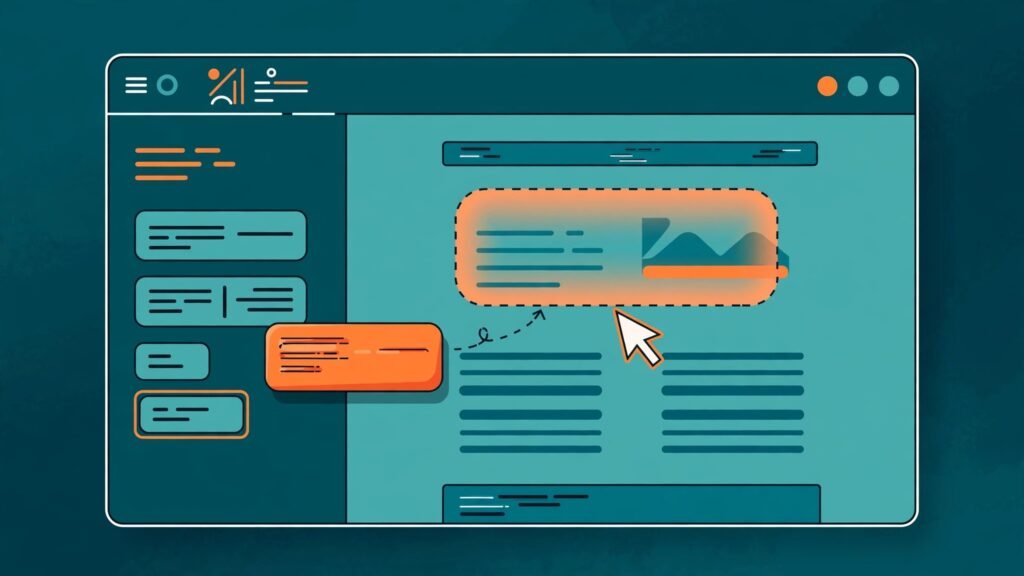
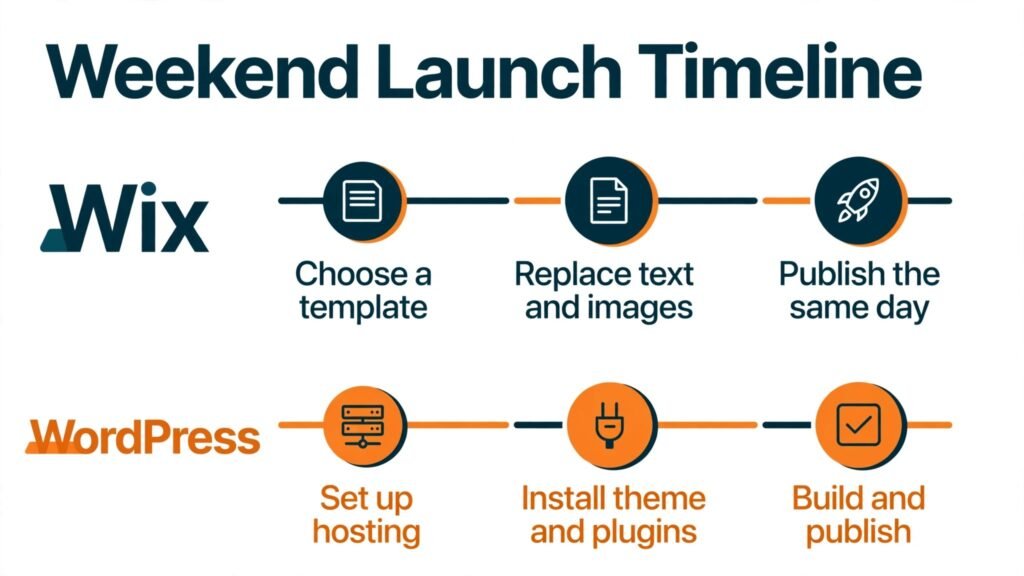
Wix wins the weekend launch test. A new user can create an account, answer a few setup questions, choose a template for a restaurant, salon, portfolio, or shop, replace demo text and images, add a contact form and a map, and publish the same day. The editor shows the site as visitors will see it, and mobile layout tools help you adjust without coding. For a simple five page site, Wix is hard to beat on speed.
WordPress can also launch in a weekend, but the path is longer. You must choose hosting, install WordPress, select a theme, learn the block editor or a page builder, add essential plugins, and configure settings for permalinks, comments, and security. A user who has done it before can move fast. A first time user will spend the weekend learning, not only designing. That learning pays off later, but it is a real cost at launch.
The key question is how much customization you need on day one. If you need a standard business site with services, testimonials, a gallery, and a booking form, Wix delivers it faster. If you need a custom layout, a specific booking workflow, or a content structure that a template cannot express, WordPress gives you the room to build it, even if it takes longer.
Verdict for this test: Wix, for speed and simplicity on standard sites. WordPress, for custom structures that justify a slower start.
Test 2: Design Freedom and Long Term Flexibility
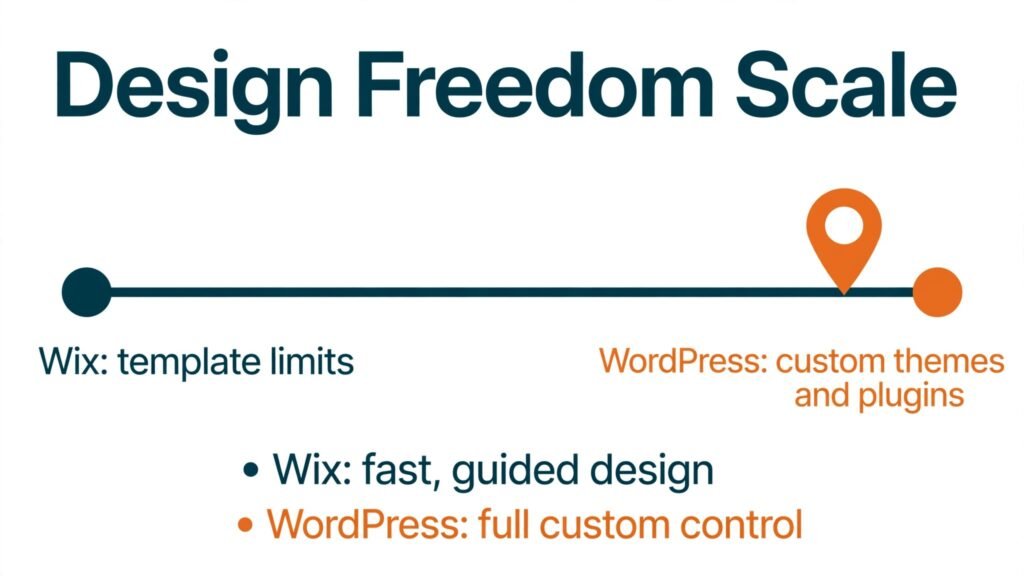
WordPress wins design freedom by a large margin. Thousands of themes, page builders, and custom code options let you change almost any part of a site: header behavior, archive layouts, search results, custom post types for portfolios or listings, and checkout flows. A developer can build a fully custom theme. A non developer can still combine a good theme with a page builder and plugins to get a distinctive look that does not feel like a template.
Wix design is strong within its system. Templates look modern, animations and sections are polished, and the drag and drop editor gives visual control. But Wix sites can start to look similar, and deep structural changes are limited. You cannot easily export a Wix site and rebuild it elsewhere with the same design and content structure. Switching templates after launch can also require rebuilding content in some cases, so choose a template carefully and test it on mobile before you invest heavily in content.
Flexibility also matters for content types. WordPress handles blogs, portfolios, directories, job boards, membership areas, forums, and learning platforms through plugins and custom post types. Wix handles many of these through apps and built in tools, but complex cases often hit limits sooner. If your site idea is unusual, WordPress is the safer long term bet.
Verdict for this test: WordPress, clearly, for design freedom and future flexibility.
Test 3: Blogging, Content, and SEO Control
WordPress wins blogging and SEO control, and this is why many publishers stay with it for years. The WordPress editor supports categories, tags, featured images, excerpts, scheduled posts, revisions, and author profiles out of the box. Plugins add advanced SEO controls, schema, redirects, sitemaps, internal link suggestions, and performance tools. Content ownership is also clear: you can export posts, media, and comments, and move hosts without losing your content library.
Wix blogging has improved a lot. You can publish posts, use categories and tags, add SEO titles and descriptions, and use built in SEO tools and checklists. For a small business blog with one post a week, Wix is enough. For a publisher planning hundreds of posts, content hubs, programmatic pages, or advanced technical SEO, WordPress offers more control over URL structure, redirects, site speed optimization, caching, and structured data.
SEO success still depends more on content quality, site speed, and links than on platform choice alone. A fast Wix site with excellent content can outrank a slow WordPress site with thin content. But when two sites have equal content quality, WordPress gives an SEO specialist more levers to pull, especially for large sites, multilingual sites, and sites with complex internal linking. If search traffic is your main growth channel, that control advantage matters.
Verdict for this test: WordPress, for serious publishing and advanced SEO. Wix, sufficient for small business blogs with modest publishing volume.
Test 4: Selling Online and Growing a Store
This test splits by store type. Wix wins for a simple store with a small catalog, straightforward shipping, and a need to launch fast. Wix Stores includes product pages, variants, discounts, abandoned cart recovery on higher plans, and payment options, all inside one dashboard. A seller with 20 products, local pickup, and a few shipping zones can run a clean store without extra plugins.
WordPress with WooCommerce wins for larger, more complex stores. WooCommerce supports large catalogs, subscriptions, bookings, memberships, wholesale pricing, custom checkout fields, and many payment gateways through extensions. It also integrates with accounting, inventory, and fulfillment tools that larger sellers need. That power comes with plugin management, update testing, and performance work, which small sellers may not want.
Cost also splits here. Wix ecommerce plans bundle hosting and store tools in one subscription, which is predictable. WooCommerce itself is free, but hosting, premium extensions, theme costs, and maintenance can exceed a Wix plan for a large store. Price the full store, not only the base plan, and include payment processing fees, which apply on both platforms and vary by gateway and plan. Verify current ecommerce plan limits at checkout, because product limits, transaction fees, and included features change.
Verdict for this test: Wix for simple stores and fast launches. WooCommerce on WordPress for complex, large, or subscription based stores.

Wix in Depth: Pricing, Best Fit, and Watch Outs
Wix pricing is subscription based, with plans for websites, business, and ecommerce, plus add ons for apps, domains, and email. The appeal is predictability: one bill covers hosting, security updates, and the builder. Higher plans add more storage, bandwidth, ecommerce features, and support options. Check current plan details at checkout, because storage limits, transaction fees, and included marketing tools vary.
Wix is best for small business owners, freelancers, restaurants, salons, photographers, coaches, and event sites that need a polished site quickly without technical maintenance. It is also best for users who want support from one vendor, and who do not plan to build highly custom features. If you value your time more than deep control, and your site fits standard templates, Wix is a strong choice.
Watch out for three limits. First, migration. Exporting a Wix site to another platform is limited, so treat Wix as a long term home, not a temporary test, unless you accept rebuilding later. Second, template switching. Test templates thoroughly before adding lots of content. Third, advanced features. If you later need a custom directory, a complex membership system, or a unique checkout flow, you may hit Wix limits and need workarounds or a rebuild.
WordPress in Depth: Pricing, Best Fit, and Watch Outs
WordPress software itself is free, but a real WordPress site has costs: hosting, domain, premium theme or page builder, essential plugins, backups, security, and possibly developer help. Shared hosting is cheapest, managed WordPress hosting costs more but handles updates, caching, and support. Total cost can be lower than Wix for a simple blog on cheap hosting, or higher than Wix for a managed, high traffic store with premium plugins. Budget for the full stack, not only hosting.
WordPress is best for bloggers, publishers, content sites, agencies, membership and course creators, and stores that need custom features. It is also best for site owners who want full data ownership, a huge plugin ecosystem, and the ability to move hosts or hire any WordPress developer. If search traffic, content volume, or custom functionality drives your business, WordPress usually pays back its learning curve.
Watch out for maintenance. Updates for WordPress core, themes, and plugins must be tested, backups must be verified, and security plugins must be configured. A neglected WordPress site can become slow or vulnerable. Use managed hosting or a maintenance plan if you do not want to handle updates yourself. Also watch out for plugin sprawl. Too many plugins slow a site and create conflicts. Choose well supported plugins, remove unused ones, and test updates on a staging site for important sites.
Side by Side Comparison Table
| Area | Wix | WordPress |
|---|---|---|
| Setup speed | Very fast, guided templates | Slower first time, faster with experience |
| Ease of use | Drag and drop, one vendor | Block editor plus plugins, learning curve |
| Design freedom | Strong within templates | Very high, custom themes and code |
| Blogging | Good for small blogs | Excellent for large publishing |
| SEO control | Good built in tools | Advanced control, many SEO plugins |
| Ecommerce | Good for simple stores | WooCommerce for complex stores |
| Cost model | Subscription bundles hosting | Free software plus hosting and plugins |
| Maintenance | Handled by Wix | Owner or host handles updates |
| Migration | Limited export options | Full export and host portability |
| Best for | Standard business sites, fast launch | Publishers, custom sites, large stores |
Use this table to shortlist, then test the top two tasks your site must do well. If Wix handles both tasks cleanly, its simplicity is worth a lot. If WordPress handles a critical task that Wix cannot, that single task can justify the extra setup.
Three Year Cost and Ownership Check
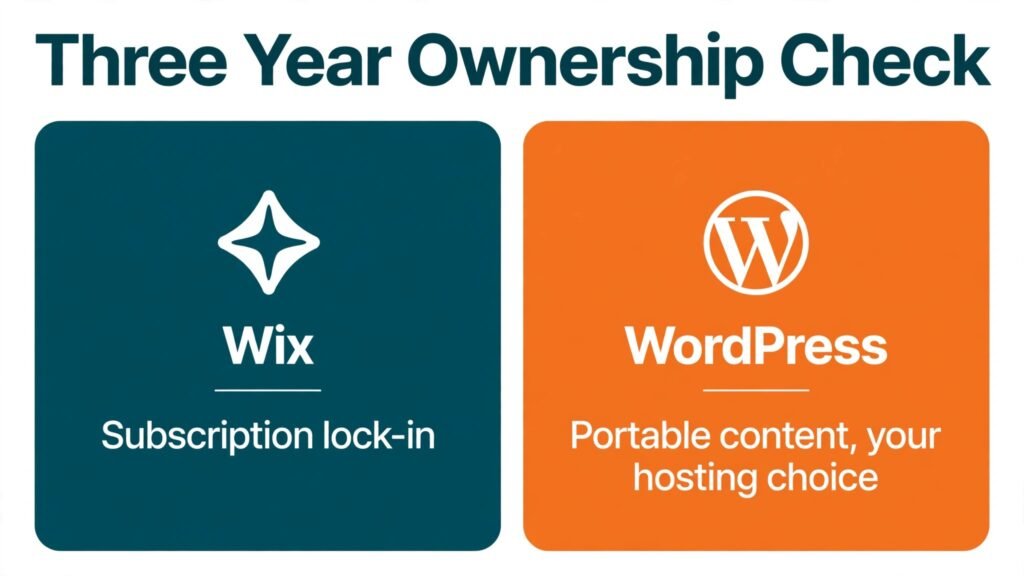
Year one cost often favors Wix for simplicity, because one subscription covers most needs. WordPress year one cost can be low on shared hosting, but premium themes, plugins, and developer help can raise it. Year three cost often favors WordPress for content heavy sites, because you are not locked into a single vendor pricing ladder, and you can choose cheaper hosting or scale hosting as traffic grows. For a simple business site that never changes much, Wix three year cost may stay predictable and reasonable.
Ownership is the deeper cost. With WordPress, you own your content, database, and theme files, and you can move hosts. With Wix, you own your content in the sense that you can copy text and download media, but rebuilding the site elsewhere takes work. That difference matters if you plan to sell your business, hire an agency, or rebuild your brand in three years. A site is a business asset, and portability is part of its value.
Do a simple ownership test before you commit. Ask: If this vendor doubled prices next year, could I move without losing search rankings, content, and customer data? With WordPress, the answer is usually yes, with effort. With Wix, the answer is more limited, and that risk should be priced into your decision, especially for a site you expect to run for five years or more.
Security, Backups, and Support
Wix handles core security, SSL, and infrastructure updates, which reduces owner workload. You still control passwords, user permissions, and app choices, and you should use strong authentication for your Wix account. Backups and version history help you recover from editing mistakes, but you should still keep copies of important content and media outside the platform.
WordPress security depends on hosting quality, update discipline, and plugin choices. Use a reputable host, keep core and plugins updated, use a security plugin, limit login attempts, and verify backups by restoring them at least once. That sounds like work, and it is, but it also gives you control over data, access, and compliance. Managed WordPress hosts reduce much of this burden, and they are worth the extra cost for business sites that cannot afford downtime.
Support also differs. Wix support covers the whole platform, which makes troubleshooting simpler. WordPress support is split between host, theme developer, and plugin developers, which can mean more places to ask, but also a larger community, tutorials, and freelance experts. If you want one phone number to call, Wix wins. If you want a large community and many experts to choose from, WordPress wins.
Mistakes to Avoid
First, choosing on template beauty alone. Test the editor, mobile layout, form, booking, and checkout flows before you commit to a template or theme.
Second, ignoring mobile performance. Most visitors arrive on phones. Test load time, tap targets, and form usability on a real phone, not only in a desktop preview.
Third, adding too many plugins or apps at launch. Start with essentials for SEO, forms, backups, and analytics, then add features only when a real need appears.
Fourth, skipping backups and update plans on WordPress. A site without a tested backup is a site waiting for a bad day.
Fifth, building a large content library on a platform you may outgrow. If you plan to publish hundreds of posts or build a complex store, weigh WordPress flexibility early, before migration becomes painful.
Sixth, neglecting SEO basics on either platform. Write clear titles, use descriptive headings, add alt text to images, improve page speed, and create content that answers real visitor questions. Platform tools help, but they do not replace good content.

Frequently Asked Questions
Is Wix or WordPress better for beginners?
Wix is easier for a complete beginner who wants a site fast. WordPress is better for a beginner who is willing to learn and wants long term control, especially for blogging or a growing business.
Can I move from Wix to WordPress later?
You can move content with effort, using export tools, manual copying, and redirects, but design and some features will need rebuilding. Plan for a rebuild cost and a redirect plan to protect search rankings.
Is WordPress really free?
WordPress software is free. Hosting, domain, premium themes, plugins, and maintenance are paid, so total cost depends on your setup. A basic blog can be cheap, while a managed store can cost more than a Wix plan.
Which is better for SEO?
WordPress offers more advanced SEO control for large and technical sites. Wix offers solid built in SEO tools for small sites. Content quality, speed, and links matter more than platform alone for most small businesses.
Which is better for a small online store?
Wix is better for a simple store with a small catalog and a fast launch. WooCommerce on WordPress is better for a large catalog, subscriptions, wholesale, or custom checkout needs.
Do I need coding skills for WordPress?
No, for a standard site using a good theme and page builder. Coding helps for custom features, but many WordPress sites run without code. For highly custom sites, hiring a developer is normal.
Which platform is safer?
Wix handles infrastructure security for you, which is simpler. WordPress can be very secure with good hosting, updates, and security practices, but it requires owner attention. Neither platform is safe if passwords are weak and updates are ignored.
Final Verdict: Which Builder Wins for Which Site
Wix wins for standard business sites, portfolios, restaurants, salons, and simple stores where speed, support, and low maintenance matter most. It wins when the site owner wants to design, publish, and move on to running the business, not managing a website platform.
WordPress wins for publishers, bloggers, agencies, membership sites, course creators, and complex stores where content volume, SEO control, design freedom, and data ownership matter most. It wins when the site is a core business asset that will grow, change, and need custom features over several years.
If you need a professional site this weekend and your needs are standard, choose Wix and invest the time you save into content and customers. If you plan to publish often, build search traffic, or create a custom site that must scale, choose WordPress and invest in good hosting and a maintenance routine. If you are unsure, build a one page test on each platform with your real content, test it on a phone, and pick the editor you enjoy using, because the tool you will actually maintain is the tool that will win for you.
For related builder comparisons, see our guide to Wix vs Squarespace for another all in one option, our guide to WordPress alternatives if you want other open platforms, and our comparison of Shopify vs WooCommerce if ecommerce is your main goal. For sellers, our guide to best AI tools for ecommerce product photos can help product pages on either builder.
Migration, Redesign, and Future Proofing
Every site owner should plan for a redesign, even if the current site works well. Brands change, products change, and search behavior changes. The question is how painful that redesign will be on each platform, and how much control you will have over the process.
On Wix, a redesign usually means working inside the same editor and template system. You can change sections, images, copy, and layout without moving hosts or rebuilding your database. That is convenient for a visual refresh, a new service page, or a seasonal campaign. A full rebrand that requires a different template can be more work, because content may need to be rebuilt or rearranged, and you should test the new template on mobile and desktop before you replace the live site. Keep a copy of your old copy, images, and SEO titles during any redesign, so you can restore a page quickly if a change hurts conversions.
On WordPress, a redesign can range from a simple theme change to a full custom build. Changing themes is often faster than rebuilding on a closed builder, but it still requires testing: menus, widgets, custom fields, forms, and plugin compatibility can all shift with a new theme. A staging site is essential for a serious redesign, because you can test the new design, check page speed, fix broken links, and set redirects before visitors see the change. That staging workflow is one of WordPress strongest advantages for growing sites, because it lets you experiment without risking live traffic.
Future proofing also includes content portability, team changes, and agency handoffs. If you hire a new designer or agency in two years, WordPress gives them a familiar system with many available experts. If you stay with Wix, you will need a designer who works in Wix, which narrows the pool but simplifies support, because the platform is consistent. Neither path is wrong, but the hiring question is worth asking now. Who will maintain this site when you are busy, on holiday, or focused on sales? The answer should shape your platform choice as much as any feature list.
Another future proofing factor is integration. As a business grows, it often adds email marketing, booking, CRM, accounting, and analytics tools. Wix apps cover many common integrations in one dashboard, which is convenient for a small team. WordPress plugins cover a wider range, including niche industry tools and custom APIs, which matters for businesses with unusual workflows. List the five tools you expect to use in the next two years, and check that each one integrates cleanly with your chosen builder before you commit. A platform that cannot connect to your booking system or CRM will create manual work every week.
Finally, think about performance as traffic grows. A site with 500 visits a month can run well on almost any setup. A site with 50,000 visits a month needs caching, image optimization, and a host or plan that can handle spikes. Wix handles infrastructure scaling for you, which removes a technical burden. WordPress lets you choose hosting, caching, and a content delivery setup that matches your traffic, which gives control but requires decisions. If traffic spikes are part of your plan, for example after a product launch or a press feature, test performance under load before the spike arrives, not during it.
Check current plans on the official Wix site and the official WordPress site before you choose, because plan features, hosting options, and ecommerce limits change over time.
A Final Check Before You Commit
Before you pay for a yearly plan, answer five questions in writing. What are the three pages visitors must find in under ten seconds? What is the one action you want visitors to take, such as booking, buying, or contacting you? How often will you publish new content, and who will do it? What tools must connect to your site in the next year? How will you handle support if the site goes down on a weekend? If Wix answers all five cleanly, its simplicity is a genuine advantage. If WordPress answers a critical question that Wix cannot, such as a custom booking flow or a large content library, that answer should outweigh a faster setup. Write your answers down, test both editors with your real content, and choose the platform that still fits when your business is twice its current size, not only the platform that looks easiest today.