
If you are looking for Adobe Firefly alternatives, the decision is rarely about whether an image generator can make a pretty picture. Most of the tools in this guide can do that. The real question for a working designer is different: can you use the output in client work without a licensing worry, can you keep a consistent brand style across dozens of assets, and can you move the result into Photoshop, Illustrator, Express or InDesign without rebuilding it from scratch? Firefly is strong on those practical points because it was trained on licensed Adobe Stock and public domain content, and because it sits inside Adobe apps. That strength is also its limit. Firefly is tuned for safe, usable, on brand imagery, not for every style, every photorealistic look, or every experimental idea a designer might want to test.
This guide compares 12 tools for designers who already work in Adobe workflows, or who need to hand work to clients who do. It covers commercial use terms in plain terms, style control, editing and upscaling, file handling, and price.
The 12 Adobe Firefly alternatives at a glance
| Tool | Best job | Free option | Paid from |
|---|---|---|---|
| Recraft | Vector style brand assets and mockups | Free tier | Check checkout |
| Canva AI | Fast social, deck and client ready templates | Free tier | Check checkout |
| Freepik AI | Stock style images and quick variations | Free tier | Check checkout |
| Midjourney | High end photorealistic and editorial imagery | No free tier | $10 per month |
| Flux | Photorealistic people, products and scenes | Depends on host | Check checkout |
| Imagen | Clean, realistic images inside Google workflows | Depends on access | Check checkout |
| Leonardo AI | Illustration, game art and stylised work | Free tier | $12 per month |
| Ideogram | Images with readable text, logos and posters | Free tier | Check checkout |
| Krea AI | Fast iteration, video stills and style tests | Free tier | Check checkout |
| Stable Diffusion | Full control, local use and custom models | Free open weights | Hosting costs vary |
| Playground AI | Free daily images and easy editing | Free tier | Check checkout |
| DALL-E | Simple prompts inside ChatGPT workflows | No standalone free tier | $20 per month via ChatGPT Plus |
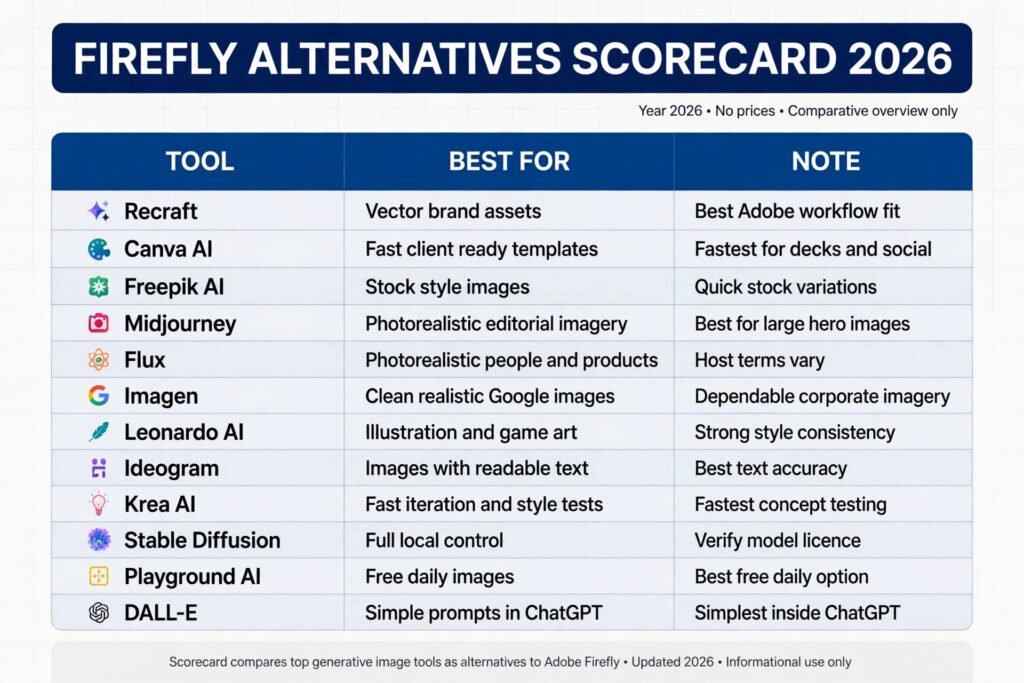
Best pick by job
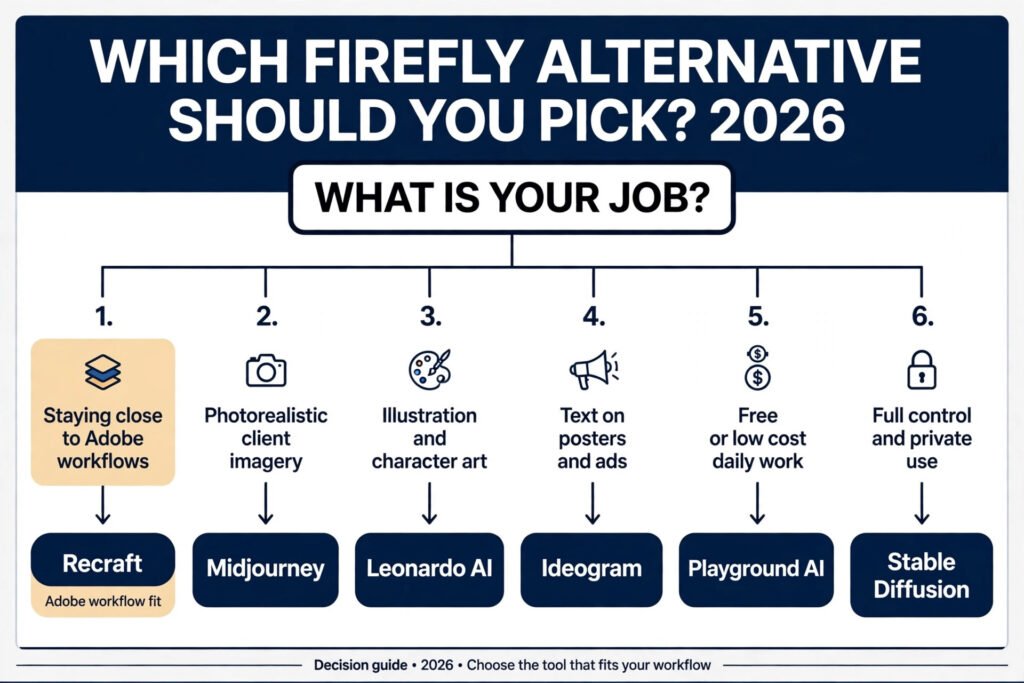
| Job | Best pick | Why it wins | Runner up |
|---|---|---|---|
| Staying close to Adobe workflows | Recraft | Vector output and style control suit brand systems | Canva AI |
| Photorealistic client imagery | Midjourney | Detail, light and texture hold up at large sizes | Flux |
| Illustration and character art | Leonardo AI | Style models and consistent characters are built in | Ideogram |
| Text on posters and ads | Ideogram | Text spelling is more reliable than most rivals | Recraft |
| Free or low cost daily work | Playground AI | A usable free tier covers many small jobs | Stable Diffusion |
| Full control and private use | Stable Diffusion | You can run it locally and train your own style | Flux |
For designers working in Adobe workflows
These three tools fit best when the output has to live inside a brand system, a template, or a client file that someone else will edit later. They are less about one striking image and more about repeatable assets.

1. Recraft
Recraft is built for designers who need clean, editable results rather than a single flat picture. It can produce vector style illustrations, icons, product mockups and brand imagery, and it gives more control over style, colour and composition than a general prompt box.
Pricing: Recraft offers a free tier with daily credits. Paid plans are listed on its pricing page, so check checkout for the current monthly figure and credit allowance before you commit to a volume job.
Best for: brand illustrations, icons, mockups and style consistent sets.
Watch out for: very photorealistic faces and complex hands still need careful checking at full size. Treat Recraft as a design tool, not as a photo replacement.
Try it at: https://www.recraft.ai
2. Canva AI
Canva AI is the fastest option in this list for client ready work. Its image tools sit inside templates for social posts, decks, ads, documents and presentations, so a designer can generate an image, drop it into a layout, add type, and export in minutes.
Pricing: Canva offers a free tier with limited AI credits. Canva Pro unlocks more AI use and brand tools. Check checkout for the current Pro price, because Canva sells monthly and annual billing at different rates.
Best for: social graphics, decks, ads and templates a client can edit.
Watch out for: Canva images can look generic if you use short prompts and default styles. Add a style reference, a colour note and a composition note to keep results on brand. If you need a distinctive illustration style, pair Canva with a dedicated illustration tool from this list. See also our guide to Canva alternatives for a wider comparison.
Try it at: https://www.canva.com/ai/
3. Freepik AI
Freepik AI suits designers who already use stock imagery and need a fast variation on a stock look. You can generate an image in a photographic, 3D, illustration or vector style, then edit, upscale or expand it.
Pricing: Freepik offers a free tier with limited daily generations. Paid plans unlock more generations and higher resolution. Check checkout for the current plan prices and credit limits.
Best for: stock style concepts, quick variations and presentation imagery.
Watch out for: licence terms depend on the plan and on whether the image is used in a product for resale. Read the Freepik licence for your plan before you use an image on packaging, merchandise or a paid template.
Try it at: https://www.freepik.com/ai
For photorealistic images
Photorealism is where Firefly is safe but sometimes cautious. These tools push further on texture, light, skin, fabric and product detail. They also demand more care on licensing, model releases and disclosure, especially for advertising and editorial work.
4. Midjourney
Midjourney remains the benchmark for high end imagery that looks photographed or carefully art directed. Skin texture, fabric, reflections, food, interiors and editorial portraits hold up better at large sizes than most rivals, and its style controls let a designer steer mood, lens feel and colour grade with short, precise prompts.
Pricing: Midjourney has no free tier. Paid plans start at $10 per month for the Basic plan, with higher plans for more fast generation time and private work. Check checkout for the current plan list, because generation allowances change with demand.
Best for: hero images, editorial work, product scenes and high end campaign visuals.
Watch out for: Midjourney output is a raster image, not an editable vector or layered file. Keep the prompt, seed and version details if a client may ask for a close variation later. For a full comparison, see our guide to Midjourney alternatives.
Try it at: https://www.midjourney.com
5. Flux
Flux, from Black Forest Labs, is a strong choice for photorealistic people, products and scenes, and for designers who want an open model option alongside hosted services. Hosted versions differ by provider, so speed, price and licence terms depend on where you run it.
Pricing: Some hosts offer free credits or trials, while others charge per image or per month. Open weights can be run locally if you have suitable hardware, but hosting and compute costs then apply. Check checkout on the host you choose, because there is no single Flux consumer price.
Best for: photorealistic people, products, interiors and controlled test pipelines.
Watch out for: because Flux is offered by many hosts, licence and content rules are not identical everywhere. Confirm commercial use terms with the host you actually use, not with a general Flux description.
Try it at: https://blackforestlabs.ai
6. Imagen
Imagen, from Google, produces clean, realistic images with good prompt understanding and fewer odd artefacts in everyday scenes. It is most useful for designers who already work in Google tools, or who need a dependable image for a deck, document, website hero or internal presentation.
Pricing: Access and pricing depend on the route you use, including Google Cloud, Vertex AI, Gemini products and partner tools. Some routes include trial credits, while others charge per image or per project. Check checkout for the access route you plan to use.
Best for: credible corporate imagery, product scenes and presentation visuals.
Watch out for: Imagen access is less direct than a standalone consumer app, so set up time can be longer for a solo designer. If you need instant, template based delivery, a tool like Canva AI may be faster for the same job.
Try it at: https://deepmind.google/models/imagen/
For illustration, art and type
These tools suit designers who need a distinctive illustration style, a character that stays consistent, or text that actually spells correctly on a poster. Firefly can do illustration, but these rivals offer deeper style controls for this kind of work.
7. Leonardo AI
Leonardo AI is built for illustration, game art, character design and stylised brand work. It offers style models, character references and canvas tools that help a designer keep a character, palette or rendering style consistent across a set.
Pricing: Leonardo offers a free tier with daily tokens. Paid plans start at $12 per month for the Apprentice plan, with higher plans for more tokens and private work. Check checkout for current token allowances, because they are the real limit on volume work.
Best for: illustration, game art, character sets and stylised brand series.
Watch out for: token costs add up on large sets, especially when you generate many variations to find one keeper. Budget tokens per asset, not per project, and keep your best prompts saved.
Try it at: https://leonardo.ai
8. Ideogram
Ideogram stands out for one practical reason: text. Most image generators still misspell words on posters, packaging, logos and ads.
Pricing: Ideogram offers a free tier with a limited number of generations. Paid plans unlock more generations, faster processing and higher resolution. Check checkout for the current plan prices.
Best for: posters, ads, packaging concepts and any image where type must be readable.
Watch out for: long paragraphs of text still fail more often than short headlines. Keep on image copy short, check every word at full size, and replace final brand type in your design app rather than trusting generated letterforms for a logo.
Try it at: https://ideogram.ai
9. Krea AI
Krea AI is built for fast iteration. Its real time generation and style training tools let a designer test a look, change a prompt, and see a new direction in seconds rather than waiting through a long queue.
Pricing: Krea offers a free tier with limited generations. Paid plans unlock more generations and faster processing. Check checkout for the current plan prices and limits.
Best for: fast concept testing, mood boards, style exploration and social series.
Watch out for: speed can hide quality problems. Krea results still need a full size check for faces, hands, text and background artefacts before they go to a client. Do not send a first pass result without that check.
Try it at: https://www.krea.ai
For flexible, low cost and open control
These tools suit designers who want low cost daily generation, or full control over models, training and privacy. They require more setup or more careful licence reading, but they give freedom that closed consumer tools do not.

10. Stable Diffusion
Stable Diffusion is the open option in this list. Its weights can be run locally, fine tuned on a style, or hosted on a service of your choice.
Pricing: The core open weights are free to download and use under their licence. Costs come from hardware, hosting, or a paid service that runs the model for you. Those costs vary widely, so check checkout on the host you choose.
Best for: private work, custom style models, local generation and high volume testing.
Watch out for: open models vary in quality and in training data, so commercial use terms and content safety depend on the exact model and host. Do not assume every Stable Diffusion model carries the same licence as Adobe Stock trained Firefly. Verify the model licence for client work.
Try it at: https://stability.ai
11. Playground AI
Playground AI is a practical free option for daily design work. It offers a free tier with a set number of daily images, plus editing, expansion and style filters that suit social graphics, blog images and concept work.
Pricing: Playground AI offers a free tier with daily generations. Paid plans unlock more generations and commercial features. Check checkout for the current plan prices and daily limits.
Best for: free daily images, social graphics, blog visuals and concept tests.
Watch out for: free tier images may carry usage limits or lower resolution than paid plans. Check the licence for your plan before using a free tier image in paid client work or on a product.
Try it at: https://playground.com
12. DALL-E
DALL-E, inside ChatGPT, is the simplest option for designers who already use ChatGPT for copy, research or planning. You can describe an image in plain language, iterate in conversation, and get a usable result without learning a new app.
Pricing: DALL-E is available through ChatGPT Plus at $20 per month, and through API and enterprise routes at different rates. There is no standalone free DALL-E app with the same full access. Check checkout for API pricing if you plan to generate at volume.
Best for: quick concepts inside ChatGPT, simple illustrations, blog images and prompt driven layouts.
Watch out for: DALL-E images can look clean but generic, especially with short prompts. Add style, lighting and composition detail, and avoid using DALL-E as the only source for a distinctive brand illustration. For writers and solo creators, our guide to best AI tools for freelance writers covers a similar low friction workflow.
Try it at: https://openai.com/dall-e-3
Pricing compared
| Tool | Free option | Paid from | Commercial use note |
|---|---|---|---|
| Recraft | Free tier | Check checkout | Check plan licence for resale and templates |
| Canva AI | Free tier | Check checkout | Pro unlocks more commercial features |
| Freepik AI | Free tier | Check checkout | Licence varies by plan |
| Midjourney | None | $10 per month | Commercial use on paid plans, check terms |
| Flux | Depends on host | Check checkout | Confirm terms with your host |
| Imagen | Depends on access | Check checkout | Confirm terms for your Google route |
| Leonardo AI | Free tier | $12 per month | Check token plan terms |
| Ideogram | Free tier | Check checkout | Check plan licence for client work |
| Krea AI | Free tier | Check checkout | Check plan licence for client work |
| Stable Diffusion | Free open weights | Hosting varies | Model licence varies, verify before client use |
| Playground AI | Free tier | Check checkout | Check free tier limits for paid work |
| DALL-E | None standalone | $20 per month via ChatGPT Plus | Check OpenAI terms for your plan |

Price alone is a poor guide here. A $10 plan with tight generation limits can cost more per keeper image than a higher plan with generous credits, and a free tier with a restrictive licence can cost more in rework than a paid plan. Compare price per usable asset, not price per month, and include retouch time in Photoshop or Illustrator in your cost.
How to Choose
Start with the job, not the tool. If the deliverable is a brand illustration set, choose a tool with style control and vector friendly output, such as Recraft or Leonardo AI. If the deliverable is a hero photograph for a campaign, choose Midjourney or Flux and budget retouch time.
Next, check commercial use in writing. Firefly’s main selling point is training on licensed content. No rival in this list offers the exact same claim in the exact same way, so read the licence for the plan you buy.
Then test style consistency. Generate the same prompt five times, then generate five related assets for one campaign. If the style drifts, the tool will cost you time in retouching or regeneration.
Finally, match cost to volume. A solo designer making ten images a month needs a different plan from a studio making ten images a day. Free tiers suit testing and small jobs.
Mistakes to avoid
Many Firefly replacements fail not because the tool is weak, but because the workflow around it is weak. These mistakes come up again and again in client work.
First, trusting a small preview. An image can look perfect at phone size and fall apart at print size, with warped hands, blurred text or noisy backgrounds. Always check at 100 percent, and check faces, hands, type and product details separately. If a hero image will print large, upscale and inspect it before layout, not after.
Second, using generated type as final type. Generated letterforms can look right and still contain a wrong letter, uneven spacing or a non brand font. Use generated type for concepts only. Reset headlines, logos and packaging copy in Illustrator or Photoshop with the correct brand font.
Third, ignoring the licence. A free tier image, an API image and an enterprise image can carry different rights. Do not copy a licence claim from a blog post or a social post. Read the vendor terms for your plan, and keep a record with the project.
Fourth, sending a client a single unedited output. Clients notice artefacts that a designer misses after looking at an image for an hour. Retouch, crop, colour correct and check the background before delivery. A short retouch pass is what turns a generated image into a professional asset.
Fifth, letting style drift across a series. If each image in a campaign uses a different prompt style, the set will look disjointed. Save a style note with palette, lighting, lens feel and rendering style, and reuse it for every asset in the set. Use a reference image or style model where the tool supports it.
Sixth, building a whole brand on one generator. Models change, prices change and features are retired. Keep source prompts, original files and layered design files, so you can rebuild a set in another tool if needed. A brand system should live in your design files, not only in a generator account.
FAQs
Is there a free Adobe Firefly alternative that is safe for commercial use?
Playground AI and Leonardo AI offer free tiers that can cover small jobs, and Stable Diffusion offers free open weights, but free does not always mean unrestricted commercial use. Check the licence for the exact plan and model you use, especially for products for sale or templates for resale.
Which Adobe Firefly alternative is best for Photoshop users?
Midjourney and Flux produce strong raster images for retouching in Photoshop, while Recraft suits vector style work that moves into Illustrator. The best choice depends on the job: use Midjourney or Flux for photographic heroes, and Recraft for illustrations, icons and brand sets that need editing as shapes and paths.
Can I use these tools for client work without Adobe?
Yes. None of these tools require an Adobe subscription to generate images, though all of them produce files you can edit in Adobe apps.
Do Adobe Firefly alternatives train on licensed content like Firefly?
Not in the same way. Firefly was presented as trained on licensed Adobe Stock and public domain content.
Which tool is best for images with text?
Ideogram is the strongest in this list for readable on image text, especially short headlines and poster copy. Recraft and DALL-E can also handle short text well.
Should I replace Firefly completely, or use a rival alongside it?
Most designers get better results by using a rival alongside Firefly, not by replacing it outright. Keep Firefly for safe, on brand, Adobe native work, and add Midjourney for photographic heroes, Leonardo AI for illustration series, or Ideogram for posters with type.
Conclusion
The best Adobe Firefly alternative depends on the work in front of you. Recraft and Canva AI suit fast, editable, brand friendly delivery. Midjourney and Flux suit photographic work that must hold up at large sizes.
Start with one tool for your most common job, test it on a real client brief, and check licence, style consistency and export quality before you commit to a paid plan. Keep Firefly in the workflow for work where licensing clarity matters most, and use a rival where Firefly feels limited. That combination gives a designer the widest range without giving up the professional standards a client expects.