
A suppressed listing is not the same as a suspended account, and it is not the same as a listing that simply ran out of stock. That comparison matters, because each state needs a different fix, and it is the first step to fix Amazon listing suppressed small business visibility. A suppressed listing usually still exists, with an active product identifier, but Amazon removed it from search and browse pages.
A suspended account blocks selling across the account. An out of stock listing returns when stock returns. When you need to fix Amazon listing suppressed small business visibility, start by naming which state you actually have. Treating a suppression like a suspension will send you to an appeal you do not need. Treating it like a stock problem will leave the real fault untouched.
Small sellers discover suppression late, because Amazon does not always send an email when a listing is suppressed. A seller checks sales, sees a drop, and only then finds the listing missing from search. That delay costs days of sales, and it can distort decisions. A seller may cut price, change ads, or rewrite a title for a listing that is not in search at all, so none of those changes can work until visibility returns. The first job, therefore, is not to optimise. It is to find the listing, read the reason, and fix the specific fault Amazon flagged.
Keep a record from the first minute. Note the product identifier, the date you first noticed the drop, the last change you made to the listing, and any notification you received. Note whether the detail page opens by direct link, whether search finds it, and whether the offer shows as active. That record separates a search suppression from a removed listing, and it gives you evidence if you later need to open a case. Without that record, you will repeat checks and lose track of what changed when.
Suppressed, Suspended, or Simply Out of Stock
Suppression covers several visibility failures, and the recovery path changes with the state. A search suppressed listing exists and may still show by direct link, but it is hidden from search. That state usually follows missing fields, a non compliant image, a title that breaks formatting rules, or a missing or invalid description. An offer suppressed listing may follow a closed offer, zero inventory without fulfilment stock, or a pricing problem. A removed or deactivated listing follows a policy, authenticity, safety, or intellectual property issue, and it usually needs a formal appeal with a plan of action.
Check Seller Central in a fixed order. Open Inventory, then Manage Inventory, and look at the listing status. Open Performance, then Account Health, and look for any violation or notification. Open Performance Notifications and read every recent message, even when the subject looks unrelated. A notification about a related product can affect your listing, and a notification about a category rule can explain a suppression that looks random. Do not rely on email alone. Seller Central is the record, and email can miss a suppression notice entirely.
Test the listing from the shopper side as well. Open the detail page by direct link in a private window. Search for the exact title and for the product identifier. Check whether the buy box, price, and stock status appear as expected. If the detail page opens but search does not find it, you have a search suppression. If the detail page shows an error or a removal message, you have a stronger enforcement state. If the page opens and shows out of stock, restock is the first fix, not a listing edit. Each test narrows the state, and each state has its own next step.
Also check whether the problem affects one listing or many. One suppressed listing points to that listing content, image, or category. Many suppressed listings at once point to a category rule, a brand issue, an account health issue, or a bulk upload error. A bulk error often follows a flat file upload that overwrote fields or changed a product type. If many listings changed at once, check the last upload or bulk edit before you edit listings one by one. Fixing the bulk cause first prevents you from repairing listings that the next upload will break again.

Reading the Suppression Reason Without Guessing
Amazon usually gives a reason somewhere, even when it does not send an email. Look in the Fix Your Products area, in Account Health, and in Performance Notifications. Read the exact wording. A reason that says missing attribute means a field is empty or invalid. A reason that says image non compliance means the main image or another image breaks the image rules. A reason that says title formatting means the title breaks length, character, or style rules. A reason that says policy violation means a word, claim, or category rule is at issue. Each wording points to a different edit, and guessing the wrong edit wastes a review cycle when you fix Amazon listing suppressed small business listings.
Copy the reason word for word into your record. Do not paraphrase it from memory, because a paraphrase can lose the detail that decides the fix. If the reason names a field, open that field and check its current value. If the reason names an image, open that image at full size and check it against the rules. If the reason names a claim, search the title, bullets, and description for that claim and for similar claims. A fix that addresses the exact wording is more likely to clear on the first review than a broad rewrite that changes many things at once.
Watch for contribution conflicts. Amazon catalog data can come from multiple sellers for the same product, and your contribution may not control the field you need to change. If you edit a field and the change does not stick, or if the field shows a value you did not enter, you may face a contribution conflict. In that case, document the field, the value you entered, and the value that appears after saving. That evidence helps support understand why a normal edit did not work. Do not keep re-entering the same value hoping it will stick. A conflict needs a case, not repetition.
Check category and product type carefully. Each browse node carries its own required fields. A product placed in the wrong category will show missing fields for that category, even when the listing looks complete for the category you intended. Confirm the product type, the browse node, and the required attributes for that node. If the category is wrong, reassign the product to the correct node and fill the fields that node requires. A listing stays suppressed until the correct category fields are complete, so a title fix alone cannot clear a category fault.
Fix Amazon Listing Suppressed Small Business Images and Details
Image rules are strict, and they are a common suppression cause. The main image should show the product clearly on a plain background, without text, logos, watermarks, borders, or extra props that obscure the product. Additional images can show use, detail, and scale, but they must still represent the actual product accurately. Poor quality, blurry, or misleading images can also trigger suppression, because they hurt the shopper experience. Replace any image that breaks those rules, and keep the original file, because image evidence helps you fix Amazon listing suppressed small business cases on review.
Check title rules next. Titles should be clear, accurate, and within the length and style rules for the category. Avoid promotional phrases, excessive punctuation, and claims that the product cannot support. Avoid restricted words and category sensitive wording. A title that promises a result, a certification, or a safety benefit without proof can trigger a policy flag, even when the seller believes the claim is true. Rewrite the title to describe what the product is, what it does in plain terms, and which variant it is, without extra claims.
Fill every required detail field, and check optional fields that affect completeness for your category. Size, colour, material, quantity, and model fields can be required for one category and optional for another. A missing field that looks minor can still suppress a listing when it is required for that browse node. Work through the listing editor field by field, rather than scanning only the fields you remember. Save, then reopen the listing and confirm the values stuck. A field that reverts after saving points to a contribution conflict or a validation error, not to a successful edit.
Check pricing as a separate fault. Amazon can flag a price that sits far outside the expected range as uncompetitive or unreasonable. That does not mean you must match the lowest price. It means a price that looks like an error, such as a missing decimal or an extra zero, can suppress the listing. Review the price, the sale price if any, and the shipping price. Correct any error, and keep the price in a credible range for the product type. If your price is genuinely higher because of quality, materials, or bundle contents, make sure the listing explains that difference clearly, so the price does not look like an error to an automated check.

When a Simple Fix Is Not Enough, and an Appeal Is
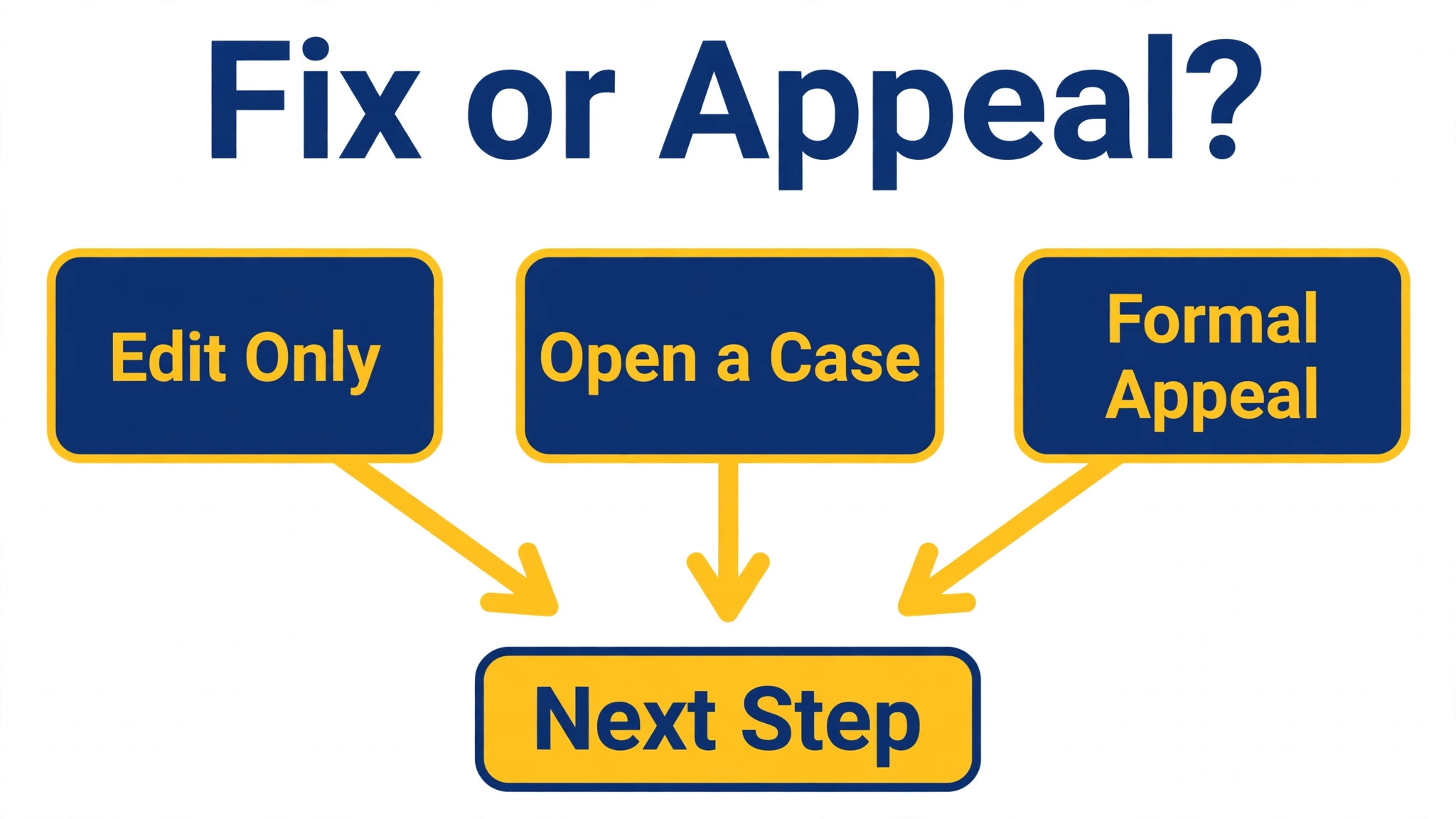
Some suppressions clear after an edit, often within a short period for simple field or image fixes. Catalog level changes or contribution conflicts can take longer, commonly a day or two, while policy reviews can take several business days depending on complexity. Do not judge a fix after ten minutes if the fault involved a catalog change. Wait, recheck the listing status, and test search again after the expected window. If the listing remains suppressed after that window, and the flagged reason still appears, open a case rather than repeating the same edit.
For a policy, authenticity, safety, or intellectual property flag, prepare a plan of action. Amazon expects three parts, namely root cause, corrective actions, and preventative actions. Root cause states what actually happened, in factual terms, without blame or emotion. Corrective actions list what you already fixed, with dates and evidence. Preventative actions list the controls that stop a repeat, with an owner and a cadence. A plan that only apologises, or only promises to do better, will not pass. A plan that shows a fixed listing, a new check, and a named owner gives a reviewer something to approve.
Gather evidence before you submit. Keep invoices that show legitimate sourcing, brand authorisation letters where relevant, test reports or certifications for regulated products, updated standard operating procedures, training confirmations, and timestamped screenshots from Seller Central. Evidence must match the violation. An invoice for one product does not prove sourcing for another. A generic procedure does not prove a check for the specific field that failed. Attach only evidence that directly supports the root cause and the fix, and label each file clearly so the reviewer can find it.
Submit through the correct channel. For Account Health notifications, use the appeal route shown on the notification detail. For a suppressed listing without a notification, use Help, then Get Support, then Selling on Amazon, and select the suppressed listing issue type. Include the product identifier, the reason as written, the fixes you made, and the evidence. Do not submit multiple appeals at once for the same listing when you fix Amazon listing suppressed small business appeals, because duplicates slow the review. Duplicate submissions can confuse the review and slow the outcome. Submit once, clearly, and wait for the response before you revise.
The Appeal Draft That Reviewers Can Approve
Write the appeal in short, factual paragraphs. Start with the product identifier, the violation type, and the date you found the suppression. State the root cause in two to four lines. State what you fixed, with dates, in a bullet list. State the preventative controls, with an owner and a frequency, in a second list. End with a clear request for reinstatement and a note that you will provide further evidence if asked. That structure is easy to review, and easy review matters when a reviewer handles many cases.
Avoid common appeal mistakes. Do not blame Amazon, a competitor, or a customer. Do not claim a violation never happened when the evidence shows it did. Do not promise a fix you have not made yet as if it were already done. Do not include irrelevant history about your business, your sales, or your hardship, because hardship does not prove compliance. A reviewer needs to see understanding, correction, and control, and that standard decides whether you fix Amazon listing suppressed small business listings on the first appeal. Every sentence should serve one of those three aims, or it should be cut.
If the appeal is denied, read the denial in full before you resubmit. Amazon usually states what was missing. Add that missing detail, with evidence, rather than resubmitting the same appeal with stronger language. If the denial asks for a specific document, provide that document, not a similar document. If the denial says the root cause was unclear, rewrite the root cause with the exact field, image, or claim that failed, and the exact step that introduced it. A revised appeal that answers the denial directly has a better chance than a new appeal that ignores it.
Keep the appeal timeline realistic. Simple listing suppressions can clear quickly after a correct edit. Deactivated listings with a policy flag commonly take several days to a few weeks, depending on complexity and on the quality of the first appeal. Account level suspensions can take longer still. Do not change the listing while an appeal is under review, unless the reviewer asks for a change, because a new edit can reset the review or create a mismatch between the appeal and the live listing. Wait for the decision, then act on it.

Reinstatement Checks After the Fix
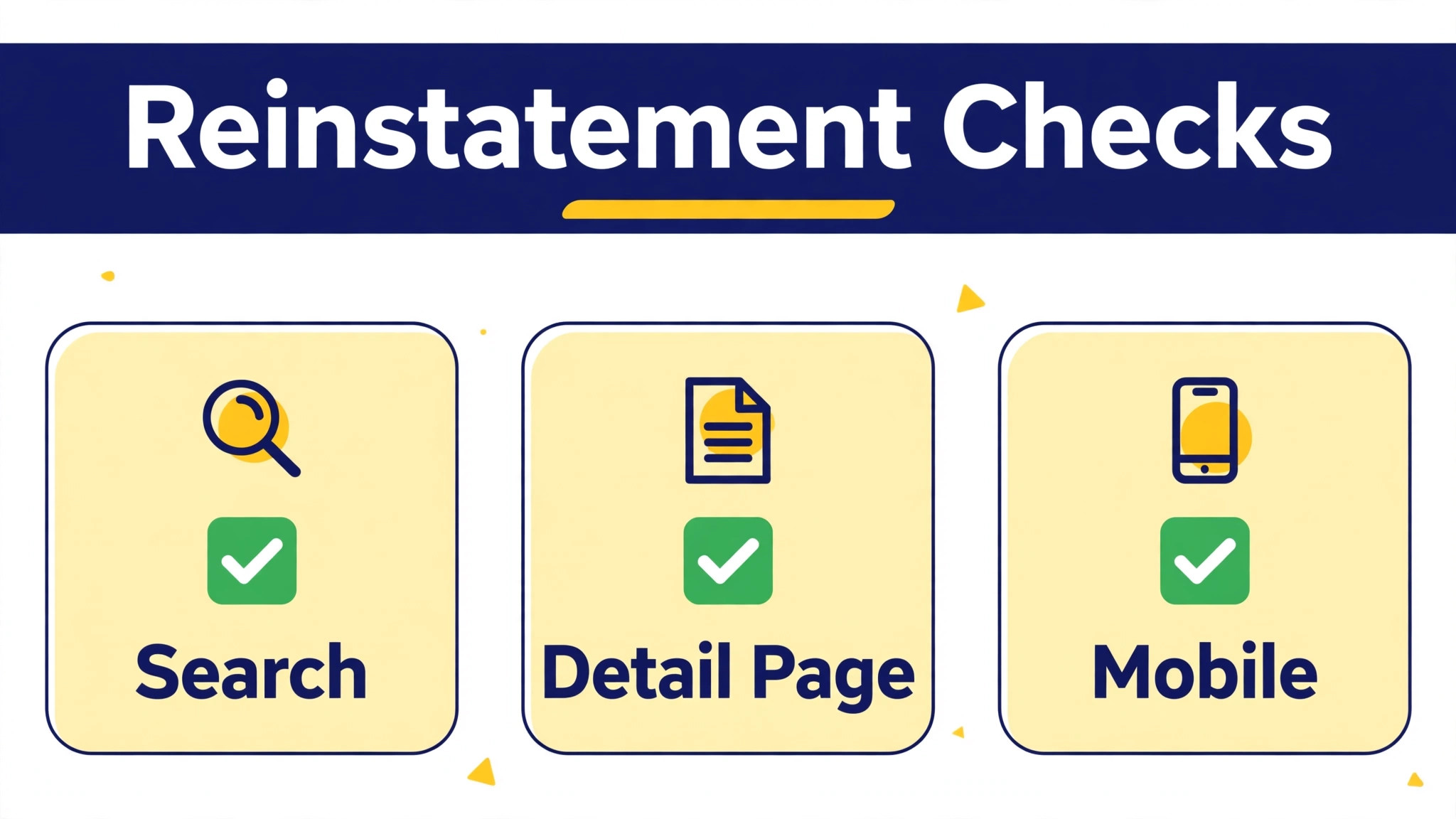
Do not call a listing fixed because Seller Central no longer shows the flag. Test from the shopper side. Search for the exact title and for the product identifier in a private window. Open the detail page and confirm price, stock, images, and buy box appear correctly. Check the listing on mobile as well as desktop, because mobile layout can hide a problem that desktop does not show. If search still does not find the listing after the flag clears, wait a day and test again, because search indexing can lag behind a status change.
Check related listings after reinstatement, because a shared pattern can cause a second case when you fix Amazon listing suppressed small business listings. A fix that clears one listing may leave a sibling variation suppressed for the same reason. Check variations, bundles, and listings that share the same image, title pattern, or category. Fix the same fault across the family before it triggers a second suppression. That family check is especially important after a title or image fix, because a pattern that broke one listing often breaks others that used the same pattern.
Check sales and traffic for a week after reinstatement, and compare with the period before suppression. A listing that returns to search may need time to regain rank, because it lost sales history during the suppression period. Do not judge recovery after one day. Track impressions, clicks, and orders for seven days, and compare with a normal week before the fault. If traffic returns but orders lag, review price, reviews, and listing quality, because the suppression may have exposed a conversion weakness that rank alone will not fix.
Record the whole case. Note the reason, the fix, the appeal if any, the dates, and the reinstatement test result. That record becomes the first check for the next suppression, and it becomes evidence that your controls work if a future reviewer asks about history. A small seller with a clear case log looks more credible than a seller who cannot explain a previous suppression. Credibility matters in appeals, because reviewers look for a pattern of control, not only a single fix.
Prevention Controls for a Small Seller Team
Prevention starts with a pre publish check. Before a new listing goes live, check category, required fields, title rules, image rules, and claims. Use a written checklist, not memory, because memory fails under deadline pressure. Assign one person to run the checklist for each new listing, and a second person to spot check listings weekly. That second check catches a bulk upload error or a category change before it suppresses many listings at once.
Control image and copy changes. Keep a master folder of approved main images and approved title patterns for each product family. When a team member wants to change an image or a title, they should use the approved version or get approval for a new version against the image and title rules. Uncontrolled changes are a common source of suppression, because a well meaning edit can add text to a main image or a promotional phrase to a title without anyone realising the rule it breaks.
Control pricing and inventory data. For fee context while you review a suppressed listing, see Cost of Amazon Seller Fees for a Small Business, which helps you judge whether a price change is worth its margin effect. Check price entries for decimal errors before a bulk upload. Check inventory quantities so a listing does not hit zero without a plan. Check variation structures so a child variation does not carry a wrong size, colour, or price. A small data error can suppress a listing, and a bulk data error can suppress many. A second pair of eyes on a flat file, even for five minutes, prevents most bulk faults.
Review Account Health weekly, even when sales look fine, so you fix Amazon listing suppressed small business flags before they grow. Open Account Health, Performance Notifications, and Fix Your Products, and clear any flag promptly. A flag left for weeks can grow into a larger enforcement action, while a flag fixed promptly shows control. Keep a weekly log of the review, with the date, the reviewer, and any action taken. That log also helps if a future appeal asks how you monitor compliance, because you can show a routine, not just a reaction.
What to Do When the First Appeal Fails
A denial is not a final judgment on your business. It is a message that the first submission did not prove understanding, correction, or control clearly enough. Read the denial slowly, line by line, and highlight every specific request. A denial that asks for invoices needs invoices, not a longer explanation. A denial that says root cause was vague needs a sharper root cause, with the exact field, image, or claim that failed. A denial that says preventative actions were missing needs a named control, an owner, and a frequency. Answer the denial as written, not as you wish it had been written.
Before you resubmit, check whether the live listing still matches the appeal. If you changed the listing after the first submission, update the appeal to match the new state, with new screenshots and new dates. If a reviewer compares an old screenshot with a new listing and finds a mismatch, credibility drops. Consistency between appeal and listing matters more than speed. Take the time to align them, even when waiting feels costly, because a second denial costs more time than a careful revision.
Consider whether the violation needs outside help. A safety or certification issue may need a test lab report. An authenticity issue may need a brand letter that you do not yet hold. A category issue may need a supplier document that clarifies materials or origin. If you lack the document, do not invent a substitute. Contact the supplier or brand, explain the exact document Amazon requested, and wait for a real document. A weak substitute can turn a fixable case into a trust case, and trust cases are harder to reverse than content cases.
Set a limit for resubmissions. Two careful, evidence backed revisions are reasonable. Repeated resubmissions with the same text are not. If two revisions fail, pause and seek expert review of the case, or open a support case to clarify what evidence is still missing, rather than submitting a third version of the same appeal. A pause for clarity beats a third denial, because each denial adds history that the next reviewer will read. Protect that history by making each submission better than the last, not merely longer.
While a listing remains down, protect cash flow. Shift promotion to listings that are live, and tell customers honestly if a popular product is temporarily unavailable. Do not create a duplicate listing for the same product to work around a suppression, because a duplicate can trigger a second enforcement action and complicate the original appeal. A short, honest gap in availability is better than a second violation that suggests evasion. Customers understand a temporary gap when it is explained plainly, and reviewers understand a seller who waits for a decision rather than working around it.
Frequently Asked Questions
What is the difference between a suppressed listing and a suspended account?
A suppressed listing is hidden from search and browse, while the account may still sell other products. A suspended account blocks selling across the account. A suppressed listing usually follows a content, image, category, or pricing fault, while a suspension usually follows a policy, authenticity, or account health enforcement. Check Seller Central status and Account Health to tell which state you have.
How long does it take for a suppressed listing to return after a fix?
Simple field or image fixes can clear quickly, often within a short period after the edit is accepted. Catalog level changes or contribution conflicts can take a day or two. Policy reviews can take several business days, depending on complexity and on the quality of the appeal. Wait for the expected window, then test search from the shopper side before you conclude the fix failed.
Do I always need an appeal to fix a suppressed listing?
No. Many search suppressions clear after you fix the flagged field, image, or title, without a formal appeal. An appeal with a plan of action is needed when the listing was deactivated for a policy, authenticity, safety, or intellectual property reason, or when a normal edit cannot clear the flag. Check the reason first, because the reason decides whether an edit alone is enough.
What should a plan of action include?
A plan of action should include root cause, corrective actions, and preventative actions. Root cause states what happened in factual terms. Corrective actions list what you already fixed, with dates and evidence. Preventative actions list the controls, owner, and frequency that stop a repeat. Keep it short, specific, and evidence backed, and avoid blame, apologies without fixes, or promises without action.
Can price alone suppress an Amazon listing?
Yes, when the price looks like an error or sits far outside the expected range for the product. Check for decimal errors, extra zeros, and mismatched sale prices. Keep the price in a credible range, and make sure the listing explains any genuine premium for quality, materials, or bundle contents. A price that looks like a mistake can trigger suppression even when the seller intended that price.
What evidence should I attach to an appeal?
Attach evidence that directly matches the violation, such as invoices for sourcing, brand authorisation letters, test reports or certifications for regulated products, updated procedures, training confirmations, and timestamped Seller Central screenshots. Label each file clearly. An invoice for a different product, or a generic procedure, does not prove the specific fix for the specific violation.
Should I edit a listing while an appeal is under review?
No, unless the reviewer asks for a change. A new edit can reset the review or create a mismatch between the appeal and the live listing. Wait for the decision, then act on it. If you discover a new fault while waiting, note it for after the decision, rather than changing the listing mid review and confusing the case.
How do I prevent the same suppression from happening again?
Use a pre publish checklist for category, fields, title, images, and claims. Keep approved images and title patterns in a master folder. Check flat files for price and variation errors before upload. Review Account Health weekly and clear flags promptly. Record each case with reason, fix, and dates, so the next suppression starts from evidence, not from guessing.