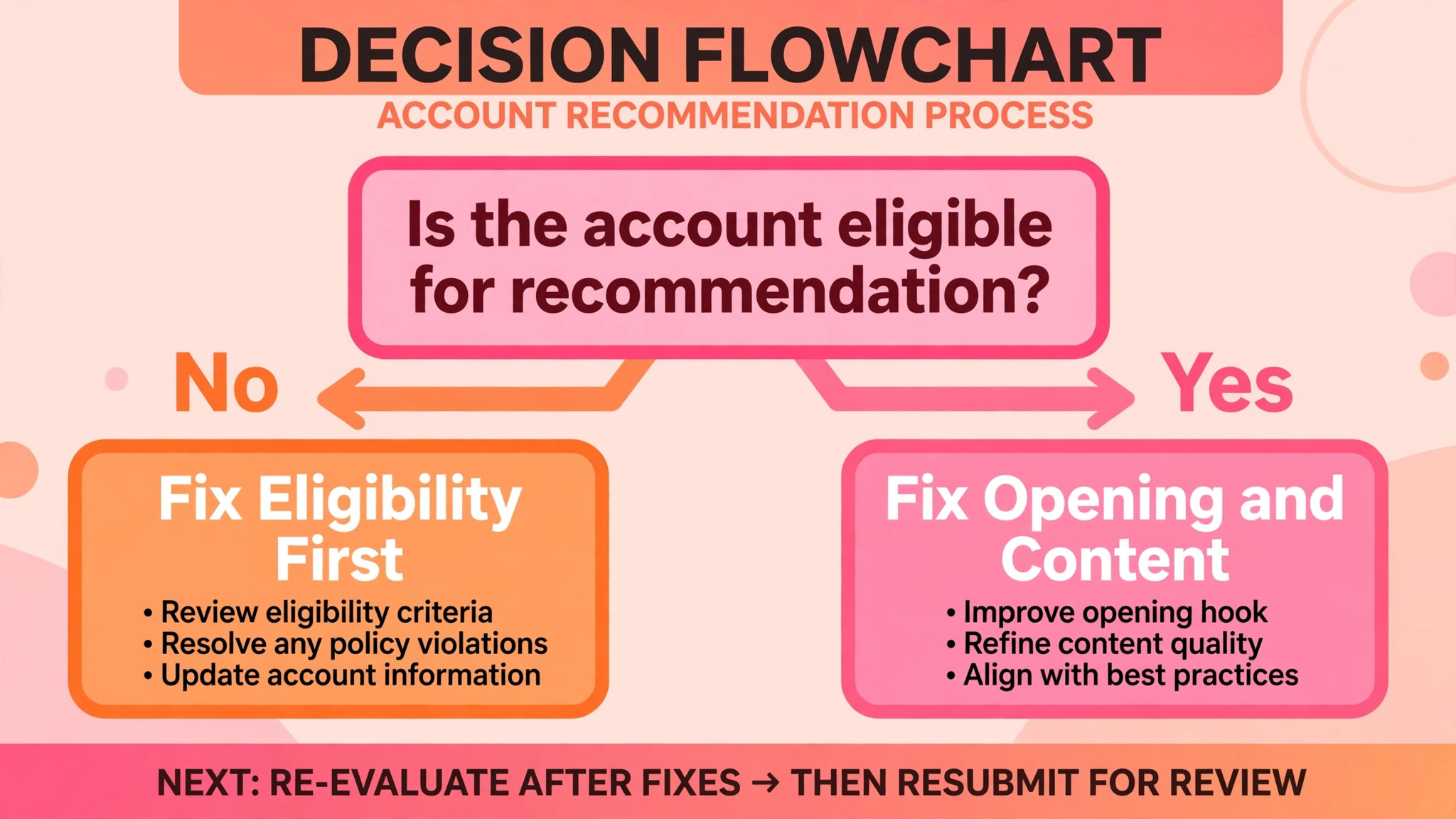
The verdict first. Most small business Reels do not fail because Instagram dislikes the business. They fail because the Reel is not eligible for recommendation, or because the first three seconds do not earn a second look, or because the account keeps posting the same format to the same tired audience and calling that consistency. Fix eligibility first, fix the opening second, and fix the format third, and most reach problems improve without any new equipment, any paid boost, or any change of niche. To fix Instagram Reels not reaching followers small business owners report, work in that order, and measure each step, instead of changing everything at once and learning nothing.
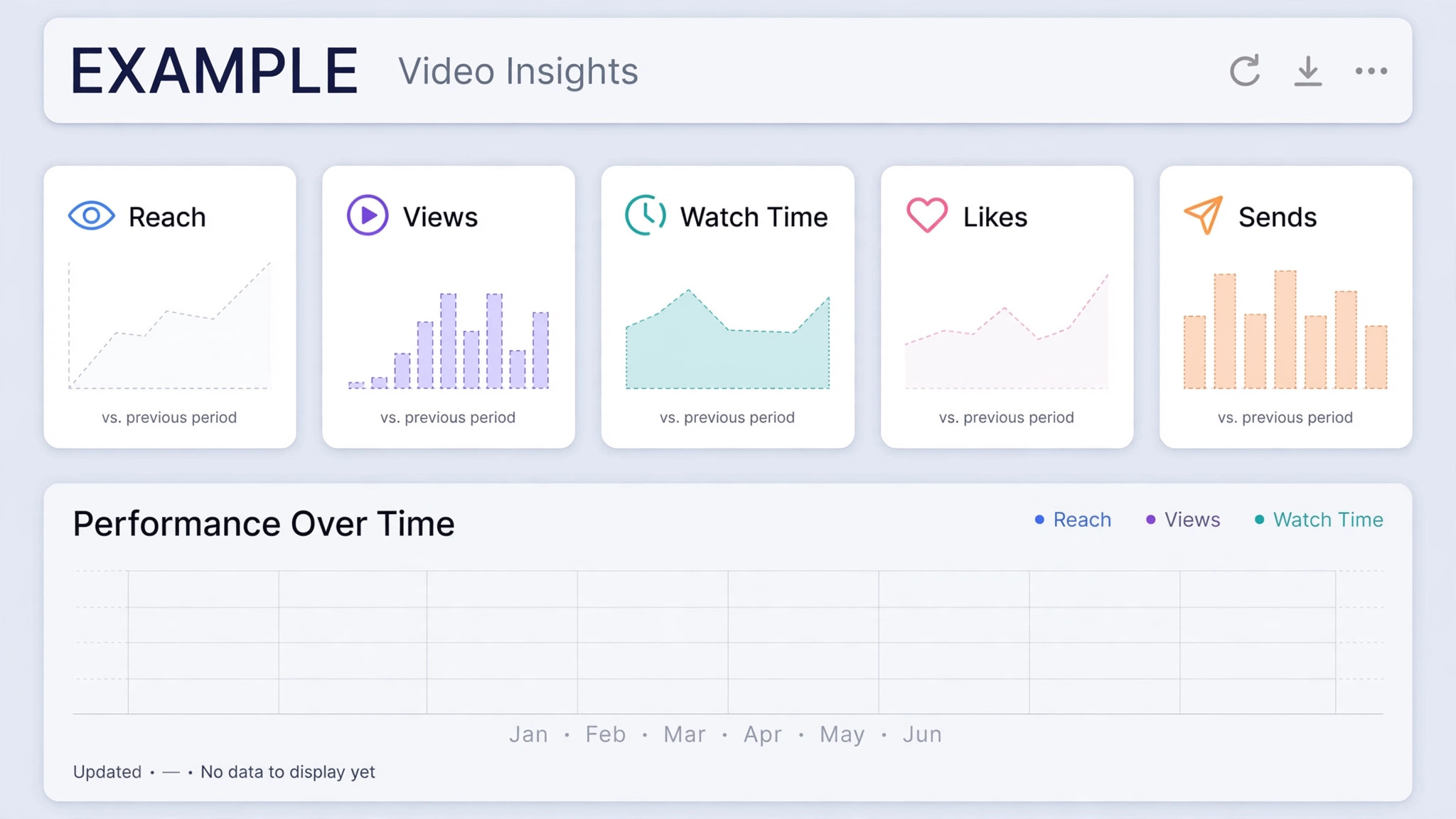
That verdict matters because reach has two different meanings, and owners confuse them. Reach is the number of unique accounts that saw a Reel at least once. Views can be higher than reach, because some people watch twice. If reach is falling, the problem is distribution, and eligibility or audience fit is the likely cause. If reach holds while views per person shrink, the problem is content, and people are not watching to the end or sending the Reel on.
Instagram made Views the main metric in Insights in 2025, replacing plays and impressions in the main display, but reach still exists in Insights, and it still answers the distribution question. Start every diagnosis by separating those two numbers for your last ten Reels.
Instagram’s own guidance, as summarised by its head Adam Mosseri in January 2025, names watch time, likes, and sends as the three signals that matter most for ranking. Later summaries report a useful nuance, which is that likes matter slightly more for reaching followers, while sends matter slightly more for reaching people who do not follow you yet. That distinction shapes the whole fix. A Reel that followers like but never send will struggle to find new audiences. A Reel that strangers send on but followers ignore will struggle to hold its home audience. A small business needs both, which is why this guide treats follower reach and new audience reach as separate jobs with separate fixes.
Read Your Last Ten Reels Before You Change Anything
Pull up Insights for your last ten Reels and write down five numbers for each, which are reach, views, average watch time, likes per reach, and sends per reach, where Insights shows them. Note also whether each Reel was original, whether it carried another app’s watermark, whether it ran longer than three minutes, and whether it used licensed audio or original audio.
That ten Reel table is your diagnosis. Patterns jump out of it that no single Reel can show. A Reel with high reach and low watch time was shown widely but did not hold attention. A Reel with low reach and high watch time among those who saw it may have an eligibility or audience fit problem, not a quality problem.
Compare followers and non-followers in Insights for the same Reels. If non-follower reach is near zero across the board, eligibility is the first suspect, and account status is the first check. If follower reach is low but non-follower reach is healthy, your followers may have stopped engaging, or your posting time, format, or topic may have drifted away from what they followed you for.
If both are low, but one Reel stands out with better sends per reach, study that Reel’s topic, opening line, and length, because it shows what your audience actually shares. Do not copy its topic. Copy its structure, which is the opening, the promise, the proof, and the ending, and apply that structure to a new subject.
Also note your posting pattern. How many Reels did you post in the last thirty days, and how many were original. Instagram guidance reported in creator summaries says accounts that primarily post unoriginal content may lose recommendation eligibility, and that eligibility returns when most posts over a rolling thirty day period are original. That rule alone explains many sudden drops. A month of reposted clips, supplier videos, and stock footage with a logo added does not look original to Instagram, even if a human editor spent time on it. Count originality honestly before you blame the algorithm.
Diagnosis in Order, Most Likely Cause First
When you fix Instagram Reels not reaching followers small business owners report, work through these checks in order. Do not jump to content tips until eligibility is clear, because no hook can rescue a Reel Instagram will not recommend.
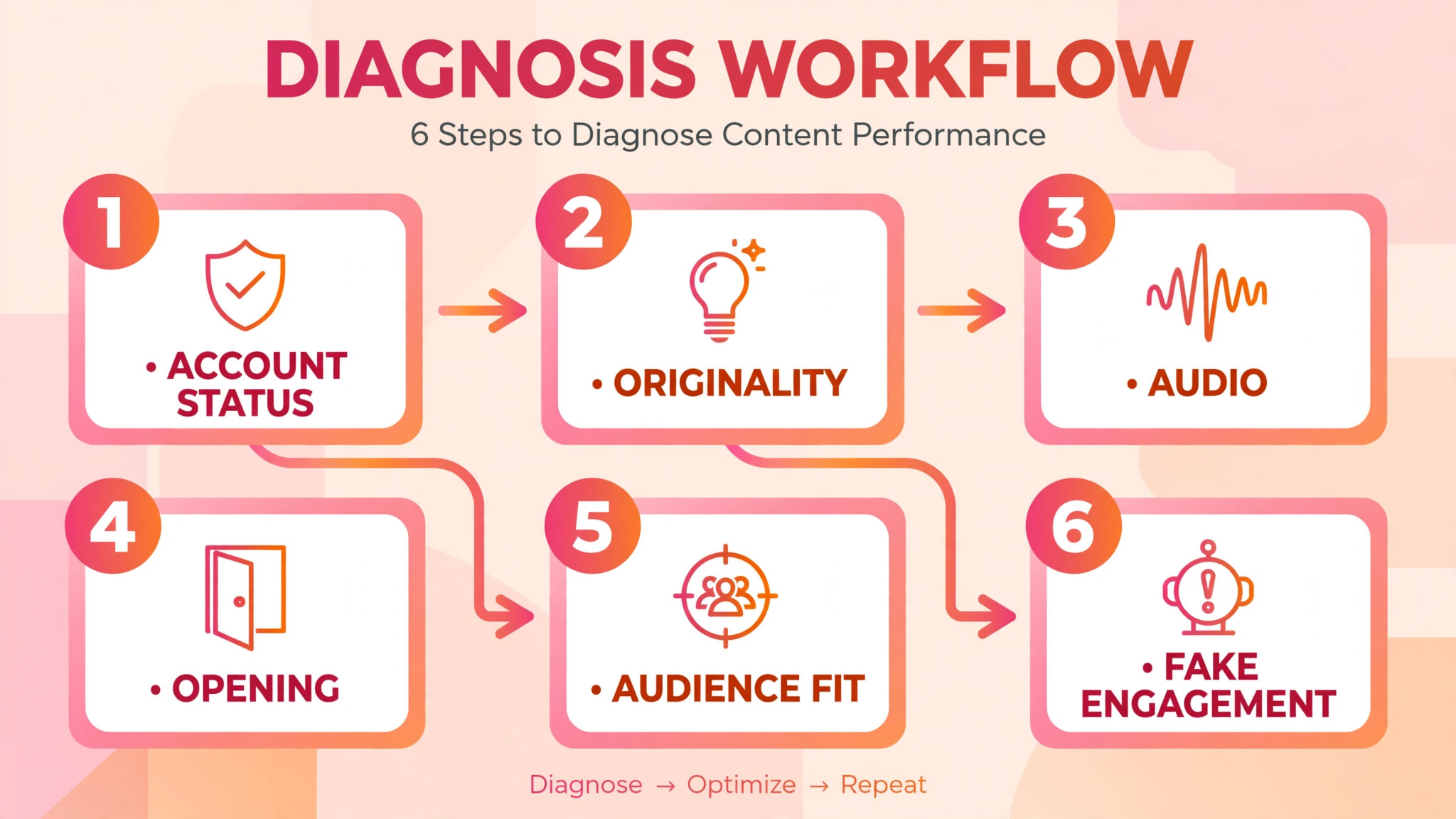
Step 1, check account status and recommendation eligibility
To fix Instagram Reels not reaching followers small business accounts show, on a professional account, open Settings, then Account, then Account Status, and read whether your account and content can be recommended. This screen lists flagged posts and whether each can be recommended to non-followers. Followers can still see content that is ineligible for recommendation, which is why a Reel can reach some followers while reaching almost no new people, and why owners often say reach collapsed when only recommendation stopped. If a post is flagged, edit it, remove it, or use the disagree option to request a review, depending on what the screen offers for that post.
If you run a personal account, you will not see this screen, so switch to a creator or business account before diagnosing further. That switch also gives you fuller Insights, which you need for the rest of this guide. Check Account Status again after any fix, and note the date, because eligibility changes are not always instant, and you need a dated record to tell whether a later improvement came from the fix or from a new Reel. If Account Status is clean, move on. If it is not clean, fix it before you spend time on hooks, because hooks do not override eligibility.
Step 2, check originality, watermarks, length, and format
When you fix Instagram Reels not reaching followers small business accounts show, next, audit the last thirty days for the four eligibility blockers that appear most often. Reposted content, meaning clips already posted on Instagram by someone else, or aggregated clips with only a border, watermark, subtitle, or caption credit added, does not count as original.
Watermarks from other apps, low resolution video, muted video, heavy borders, and Reels that are mostly text are all reported as less visible in recommendations. Reels longer than three minutes can still be watched by followers, but Instagram’s creator guidance says Reels recommended to unconnected audiences are three minutes or less, so a long Reel will struggle to find new audiences no matter how good it is.
Fix these by rule, not by feeling. Post only footage you filmed or designed, or footage you have a clear right to use, edited into an original piece. Remove watermarks by exporting clean video from your editor, not by cropping a watermarked clip. Keep recommendation aimed Reels to three minutes or less, and save longer videos for a format where length is expected. Check that your account is public, because Instagram only recommends content from public accounts. A private account that posts excellent Reels will still reach only followers, and no content tip can change that.
Step 3, check audio rights and reused music
Audio is a quieter eligibility and distribution problem. Music that is not licensed for business use, or audio taken from another creator’s Reel without a proper remix or original audio route, can limit a Reel or lead to muting and removal. Business accounts have a different music library from personal accounts, and a track that was available to a personal account may not be available to a business account. If a Reel’s audio was muted, or if a Reel underperformed after a music change, check the audio status in the Reel and in Account Status, and repost with original audio, a licensed track from the business library, or a voiceover you recorded yourself.
Original audio has a second benefit for small businesses. A voiceover that explains a product, a process, or a local story is original by definition, and it gives the Reel a reason to be shared by people who care about that subject. A trending song over stock footage gives Instagram no reason to prefer your Reel over a hundred similar Reels using the same song. When you choose audio, ask whether the audio helps a stranger understand what your business does in the first five seconds. If it does not, the audio is decoration, and decoration does not earn reach.
Step 4, check the opening, watch time, and sends
Only now, with eligibility clear, should you judge content when you fix Instagram Reels not reaching followers small business owners report. For each of your last ten Reels, look at where viewers drop off, and at likes per reach and sends per reach. If most viewers leave in the first three seconds, the opening is the problem, not the whole Reel. A weak opening is usually a slow greeting, a logo animation, a long establishing shot, or a promise that arrives twenty seconds in. A strong opening shows the result, the problem, or the question in the first frame and the first line, and it does so in a way a stranger can understand without knowing your business.
If viewers watch most of the Reel but do not send it, the Reel may be informative but not shareable. Sends happen when a viewer thinks of a specific person who needs the Reel, such as a friend planning a wedding, a neighbour fixing a fence, or a colleague choosing a tool.
A Reel that ends with a generic call to follow rarely earns sends. A Reel that ends with a specific, useful next step, such as a checklist, a price breakdown, or a before and after result, gives viewers a reason to send it to that person. Study your best sends per reach Reel and note its ending, because the ending is often the difference between a Reel that is watched and a Reel that travels.
Step 5, check audience fit, posting time, and frequency
If eligibility is clean and openings are strong, but follower reach is still low, check whether your content still fits the audience that followed you. A bakery that followed for cake videos, then posts supplier ads, staff jokes, and unrelated trends for a month, should not be surprised when followers skip the new posts. Audience fit does not mean repeating one format forever. It means every Reel should be recognisable as yours, and useful to the people who chose to follow you, even when the topic changes.
Ask a simple test for each Reel. Would a follower who has never seen your shop understand what you do and why it matters, from this Reel alone. If not, the Reel may be too inside, too generic, or too far from your core offer.
Posting time and frequency are supporting factors, not magic fixes. Posting when your audience is actually on Instagram helps a Reel get its first test audience, and Insights shows when your followers are most active. Frequency matters because Instagram tests new Reels with a small group first, and a business that posts once a month gives the system little to test, while a business that posts several times a week gives it more chances to find an audience.
Creator summaries report that Instagram describes its fastest growing creators as posting ten or more Reels a month, which is a useful benchmark, not a rule. Post often enough to learn, but not so often that quality and originality collapse, because a month of rushed, unoriginal Reels can cost more reach than a quieter month of original work.
Step 6, check for bought engagement, engagement pods, and comment tricks
Bought likes, bought followers, and comment networks built to fake engagement are reported as reasons Instagram may stop recommending an account, and they poison your own data even when they do not trigger a flag. Bought followers who never watch your Reels drag down likes per reach and watch time, which makes good Reels look weak. Engagement pods, where a group agrees to like and comment on each other’s posts, create engagement that does not predict real sharing, so Instagram’s test audience signals become noisy. If you have ever bought engagement, stop, remove obvious fake followers where you can identify them, and accept that reach may look worse before it improves, because your real audience rate will finally be visible.
The same caution applies to captions and comments that try to game the system. Long captions unrelated to the Reel, comment bait that asks for a word with no connection to the content, and repeated identical comments can all make a Reel look less trustworthy to recommendation systems. Write captions that describe what the Reel shows, who it helps, and what to do next, in plain language. Answer real comments with real replies, because genuine conversation is a signal that real people care, while a flood of generic comments is a signal that someone is trying to manufacture care.
Rebuilding Reach, One Test at a Time
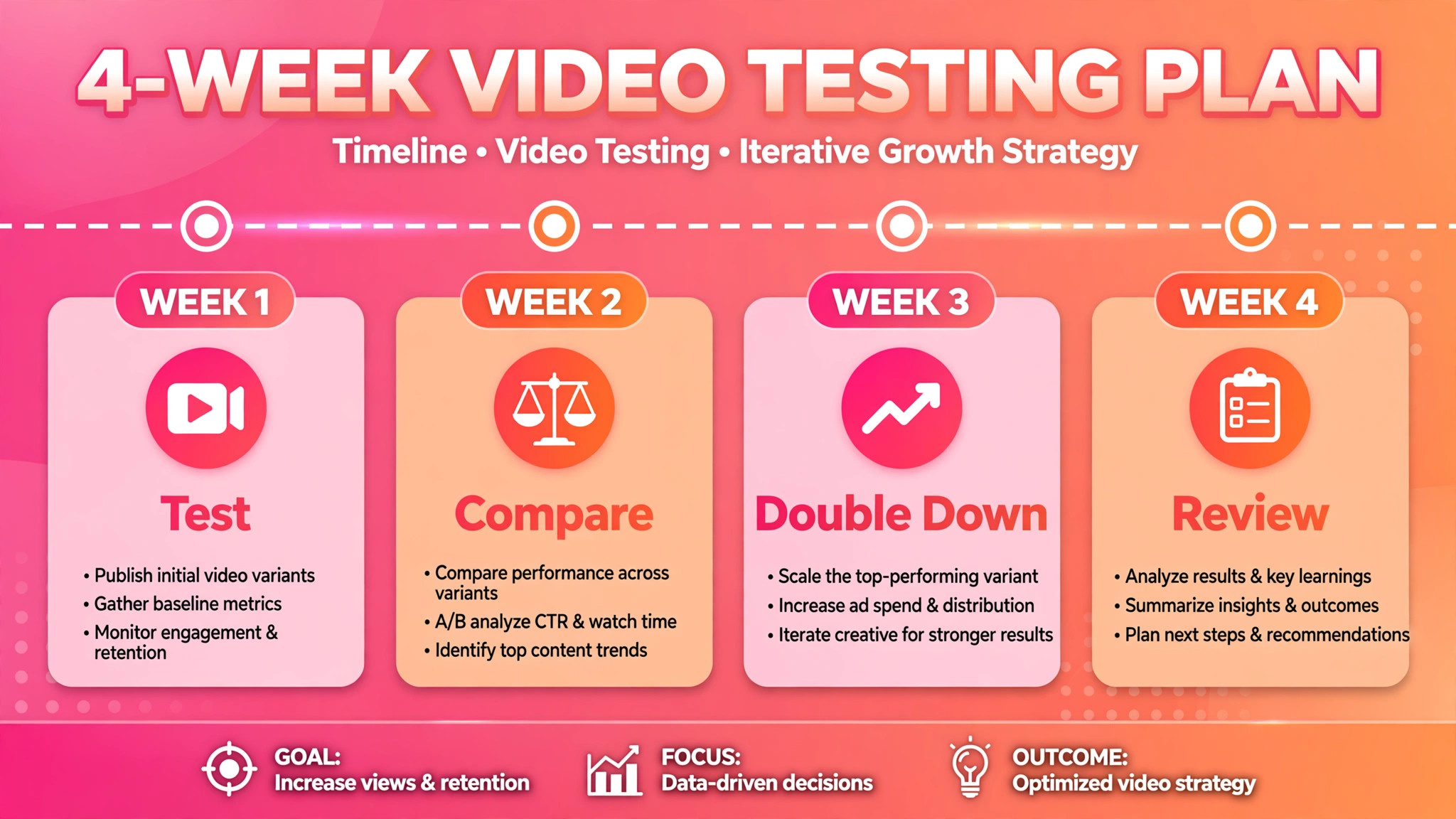
Rebuilding reach, when you fix Instagram Reels not reaching followers small business owners report, is a testing job, not a relaunch. Pick the two Reels from your last ten with the best sends per reach, and write down what they share, which is the topic, the opening line, the length, and the ending.
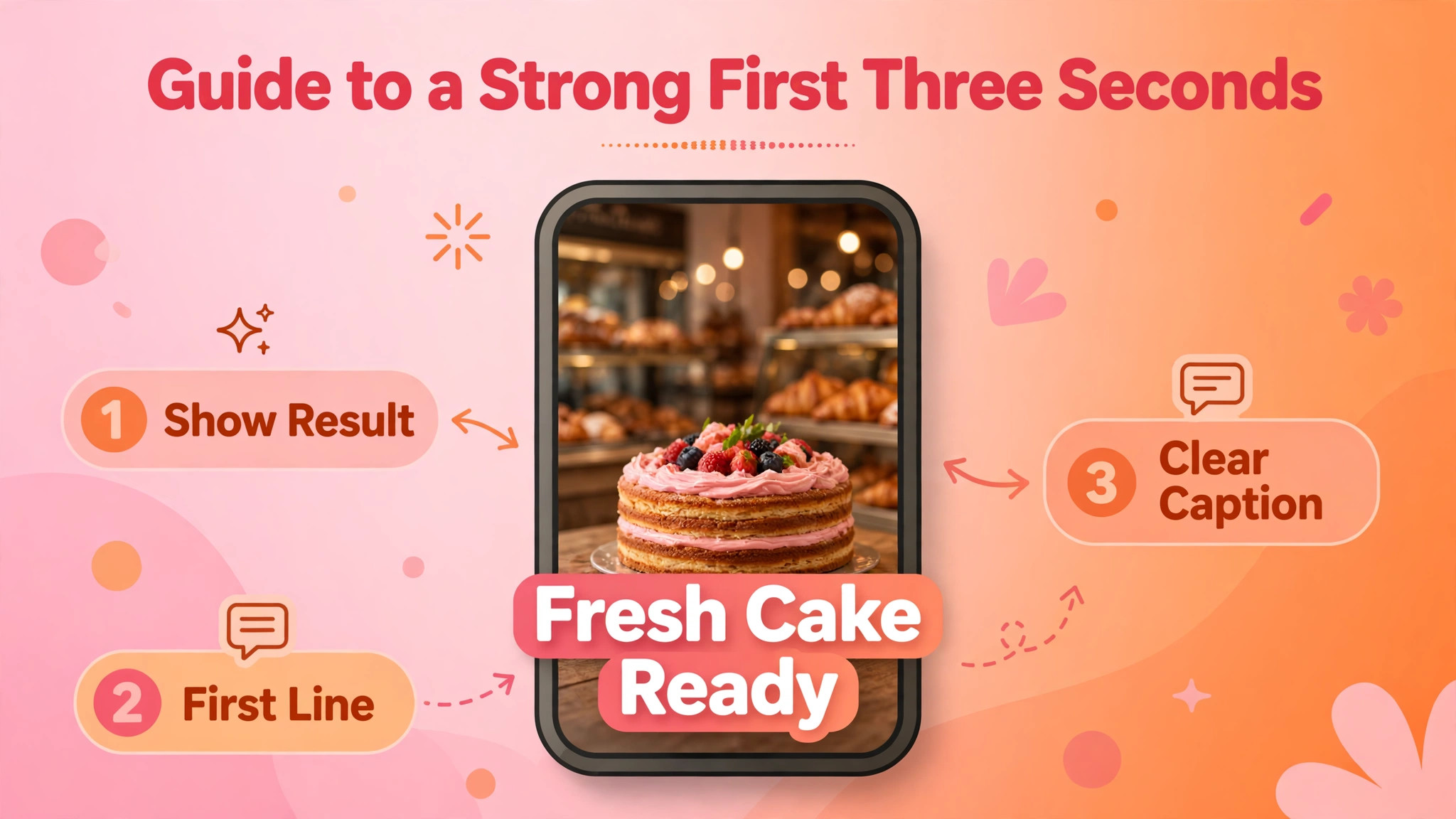
Film three new Reels that reuse that pattern with different subjects, each with a fresh first frame hook, and post them as trial Reels where that feature is available to you. Trial Reels, launched in December 2024, are shown to non-followers first, and do not normally appear on your main profile grid or in followers’ feeds, which makes them a low risk way to test a new idea. After about twenty four hours, check views, likes, comments, and shares for each trial, and share the strongest one with everyone.
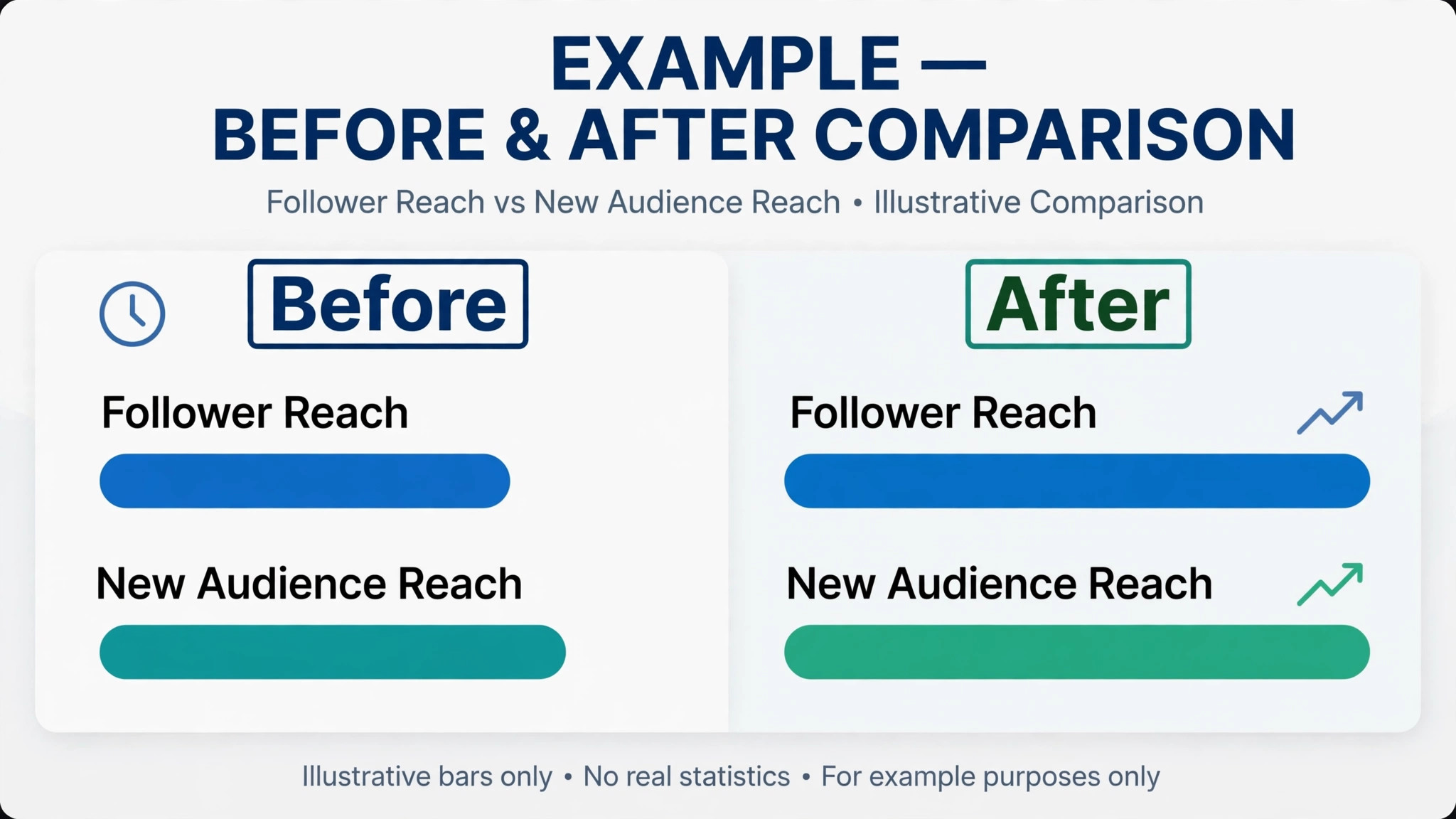
Run that test for four weeks, and keep a simple log. Date, topic, opening line, length, original or reused, audio type, reach, watch time, likes per reach, and sends per reach. After four weeks, the log will show which openings work, which topics travel, and which lengths hold attention for your audience. That log is more valuable than any generic best time or best length advice, because it is built from your audience, not from a creator in another niche. If a pattern works three times, keep it and vary the subject. If a pattern fails three times, drop it, even if you liked making it, because reach is measured by audience response, not by production effort.
A small business does not need to post every day to rebuild reach. It needs to post original Reels that a stranger can understand in three seconds, that a follower can recognise as useful, and that a viewer can send to a specific person. That standard is higher than posting often, and lower than posting perfectly. Film on a phone, in good light, with clear sound, and spend your editing time on the first three seconds and the ending, because those are the moments that decide whether a Reel is watched, sent, and recommended.
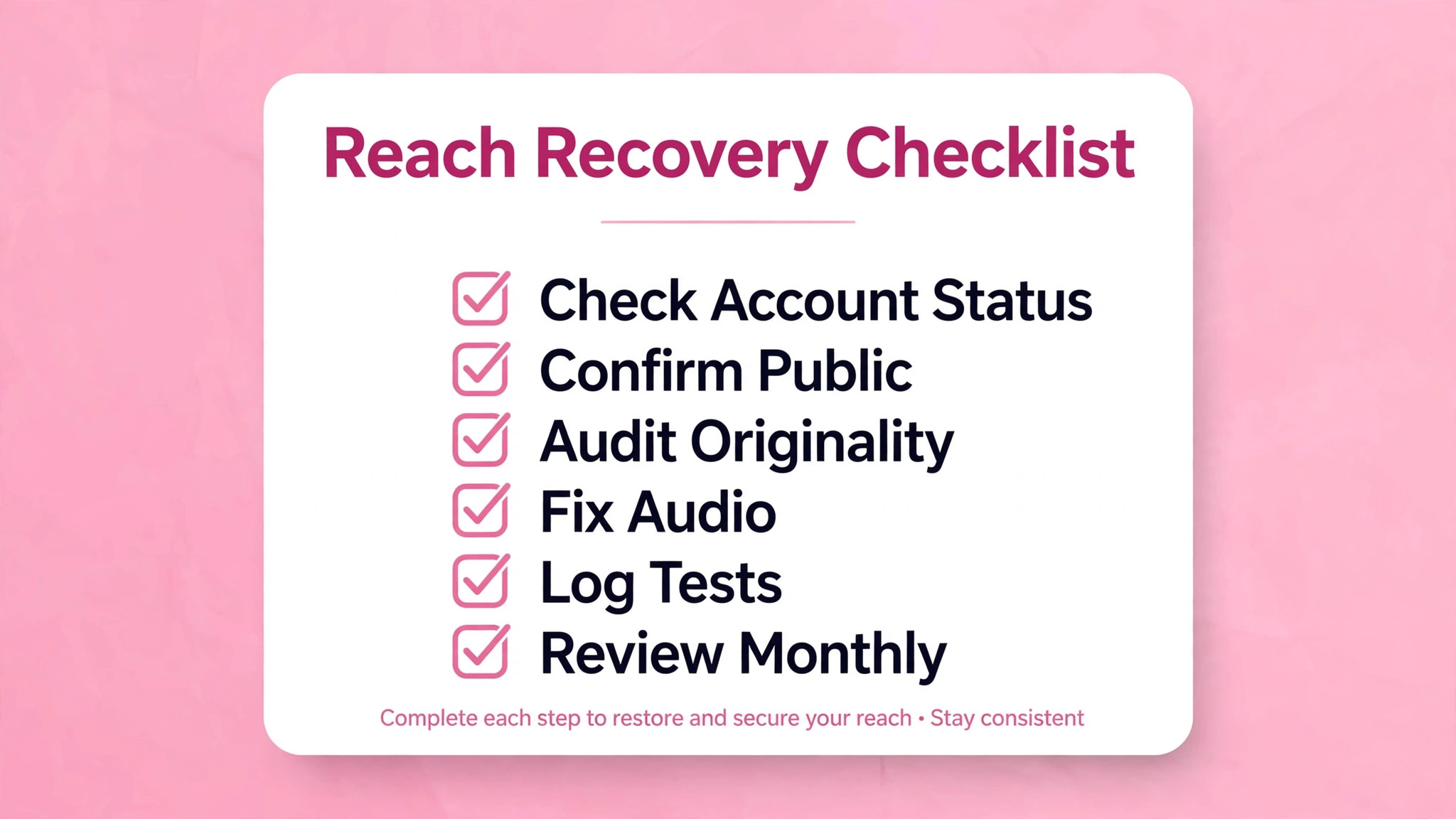
The Reach Recovery Checklist
Use this checklist after any sudden drop, and monthly as a routine. It is the overview-proof core of this guide, because it turns a vague complaint about reach into a dated, checkable routine.
– Open Settings, then Account, then Account Status, and clear or appeal any flagged post before changing content. – Confirm the account is public and professional, so recommendations and full Insights are available. – Audit the last thirty days for reposts, watermarks, low resolution clips, muted video, and Reels over three minutes. – Check audio on underperforming Reels, and replace unlicensed or muted audio with original audio or a business library track. – Pull Insights for the last ten Reels, and separate reach from views, follower reach from non-follower reach. – Identify the best sends per reach Reel, and note its topic, opening line, length, and ending. – Film three new Reels on that pattern, test them as trial Reels, and share only the strongest with everyone. – Check posting times against follower activity in Insights, and set a sustainable monthly Reel count. – Stop bought engagement and comment tricks, and answer real comments with real replies. – Log every test Reel with reach, watch time, likes per reach, and sends per reach, and review the log monthly. – Keep a dated record of Account Status checks, so a later change can be traced to a fix or to a new Reel.
Mistakes That Keep Reels Small
The first mistake when you fix Instagram Reels not reaching followers small business owners report is changing the hook, the topic, the posting time, and the format all at once, then concluding that nothing works. Change one variable at a time, log the result, and let the log decide. The second mistake is reposting a Reel that failed, with a new caption, and expecting a different result. Instagram may treat a repost as unoriginal, and the audience that skipped it the first time is likely to skip it again. Film a new version with a new opening, even if the core idea is the same, because a new opening is a new test.
The third mistake is chasing trends that have nothing to do with the business. A trending dance or meme may get views, but if those viewers do not care about your product, they will not follow, send, or buy, and they will drag down future engagement rates.
Use a trend only when it can carry a real message about your work, such as a before and after, a process, or a customer question answered well. The fourth mistake is judging a Reel after a few hours. Trial and test audiences take time, and a Reel that looks weak on day one may still find its audience, while a Reel that spikes on day one may fade fast. Judge test Reels after about twenty four hours, and judge a pattern after four weeks, not after one post.
When Reach Stays Low Despite a Clean Audit
If Account Status is clean, content is original, openings are strong, and sends are still low after four weeks of testing, the problem may be audience fit or offer clarity, not distribution. Ask whether a stranger can tell what you sell, who it is for, and why it is different, from your last five Reels alone. If not, the fix is not more Reels. It is clearer positioning, which means one core offer, one core audience, and one core promise, repeated in different stories. A business that tries to sell everything to everyone in every Reel will confuse the test audience, and confused viewers swipe away.
Also check whether your followers are still the right audience. A business that pivoted, moved, or changed its offer may have an old follower base that no longer matches its current work. In that case, trial Reels to non-followers are especially valuable, because they test the new offer with strangers, without depending on an old audience. Build a new audience deliberately, with Reels aimed at the new customer, and accept that follower reach may stay low while non-follower reach grows. That is not failure. It is a transition, and it should be measured by new follower quality and enquiries, not by old follower reach alone.
For related reading, see fix Meta Business Suite not loading for a small business, content marketing strategy for a small service business, how to set up a client feedback loop for a small business, local SEO strategy for a small service business and how to set up a waitlist for a small service business. Those posts cover nearby platform, content, and feedback problems, and the same lesson applies when you fix Instagram Reels not reaching followers small business owners report. Check eligibility, test one change at a time, and let audience response decide.
How to Fix Instagram Reels Not Reaching Followers Small Business Accounts After a Clean Audit
A clean Account Status screen does not always mean a clean account history, because recommendation eligibility also depends on recent posting patterns. If your last thirty days included many reposts, even if no single post is flagged now, the rolling pattern may still be holding recommendations back. The remedy is patience plus originality, which means a full month of original Reels, with no reposts, no watermarked clips, and no borrowed footage, while you log reach weekly. That month is not wasted time. It is the period in which Instagram can see a consistent original pattern and restore recommendation, and it is also the period in which you learn which original topics your audience actually shares.
During that month, protect the test. Do not boost a Reel to compensate for low organic reach, because a boost changes the audience and the data, and it can hide whether organic reach is actually recovering.
Do not delete old Reels in bulk, because bulk deletion removes the history you need to compare, and it can look like an attempt to hide a pattern. Do post trial Reels for new ideas, because trial Reels test strangers without disturbing followers, and they give you clean data on whether a new topic travels. At the end of the month, compare the last ten Reels with the ten before the originality reset, using the same measures, and judge the reset by sends per reach and non-follower reach, not by total views alone.
If reach has not recovered after a full original month, revisit positioning and offer clarity before assuming a hidden penalty. Show your last five Reels to someone who does not know your business, and ask them what you sell, who it is for, and what to do next. If they cannot answer, your Reels need clearer positioning, not more posting. Rewrite the offer in one sentence, build the next month of Reels around that sentence, and test again. A clear offer, delivered in original Reels with strong openings, is the most reliable recovery path, because it gives both followers and strangers a reason to watch, send, and follow.
Frequently Asked Questions
Why are my Reels reaching followers but not new people?
That pattern usually points to recommendation eligibility, because followers can still see content that Instagram will not recommend to non-followers. Check Settings, then Account, then Account Status, and audit the last thirty days for reposts, watermarks, and Reels over three minutes. Fix any flagged post, keep new Reels original and three minutes or less, and test the next idea as a trial Reel to non-followers first.
How long should a Reel be to reach new audiences?
Instagram’s creator guidance says Reels recommended to unconnected audiences are three minutes or less, so keep recommendation aimed Reels within that limit. Shorter is often better for retention, because a Reel that is watched to the end and sent on will travel further than a longer Reel that loses viewers halfway. Judge length by watch time and sends per reach for your own audience, not by a universal ideal length.
Does posting more Reels fix a reach drop?
Posting more helps only if the new Reels are original, eligible, and well opened. Creator summaries report that Instagram describes its fastest growing creators as posting ten or more Reels a month, but a month of rushed reposts can cost more reach than a quieter month of original work. Post often enough to test patterns, log the results, and keep quality and originality high, rather than posting daily for its own sake.
What is a trial Reel, and when should I use one?
Trial Reels, launched in December 2024, are shown to non-followers first, and do not normally appear on your main profile grid or in followers’ feeds. Use them to test a new topic, opening, or format without risking your existing audience, check results after about twenty four hours, and share the strongest trial with everyone. Trial Reels are especially useful after a reach drop, when you need to learn what strangers respond to without disturbing followers.
Can bought followers hurt my Reel reach?
Yes, because bought followers who never watch your Reels drag down likes per reach and watch time, which makes good Reels look weak in testing. Bought engagement is also reported as a reason Instagram may stop recommending an account. Stop buying engagement, remove obvious fake followers where you can identify them, and accept that your real rates may look lower at first, because they will finally be honest.
Should I delete Reels that underperformed?
Not automatically. A single underperforming Reel does not damage an account in the way a flagged or unoriginal pattern does, and deleting it removes the data you need to learn from it. Keep underperforming Reels in your log, study their openings and endings, and delete or edit only Reels that Account Status flags, or Reels with wrong audio, wrong information, or content you no longer stand behind.
A Straight Verdict
Reach returns when a business stops guessing and starts testing, and that is the heart of how you fix Instagram Reels not reaching followers small business accounts face. Check Account Status, remove eligibility blockers, fix the first three seconds, and build Reels that a stranger can understand and a viewer can send to a specific person. Log every test, keep originality high, and judge patterns over four weeks, not single posts. Small businesses that do that work will not reach everyone, and they do not need to. They will reach the followers who care, and the strangers who are ready to care, and that audience is the one that books, buys, and returns.