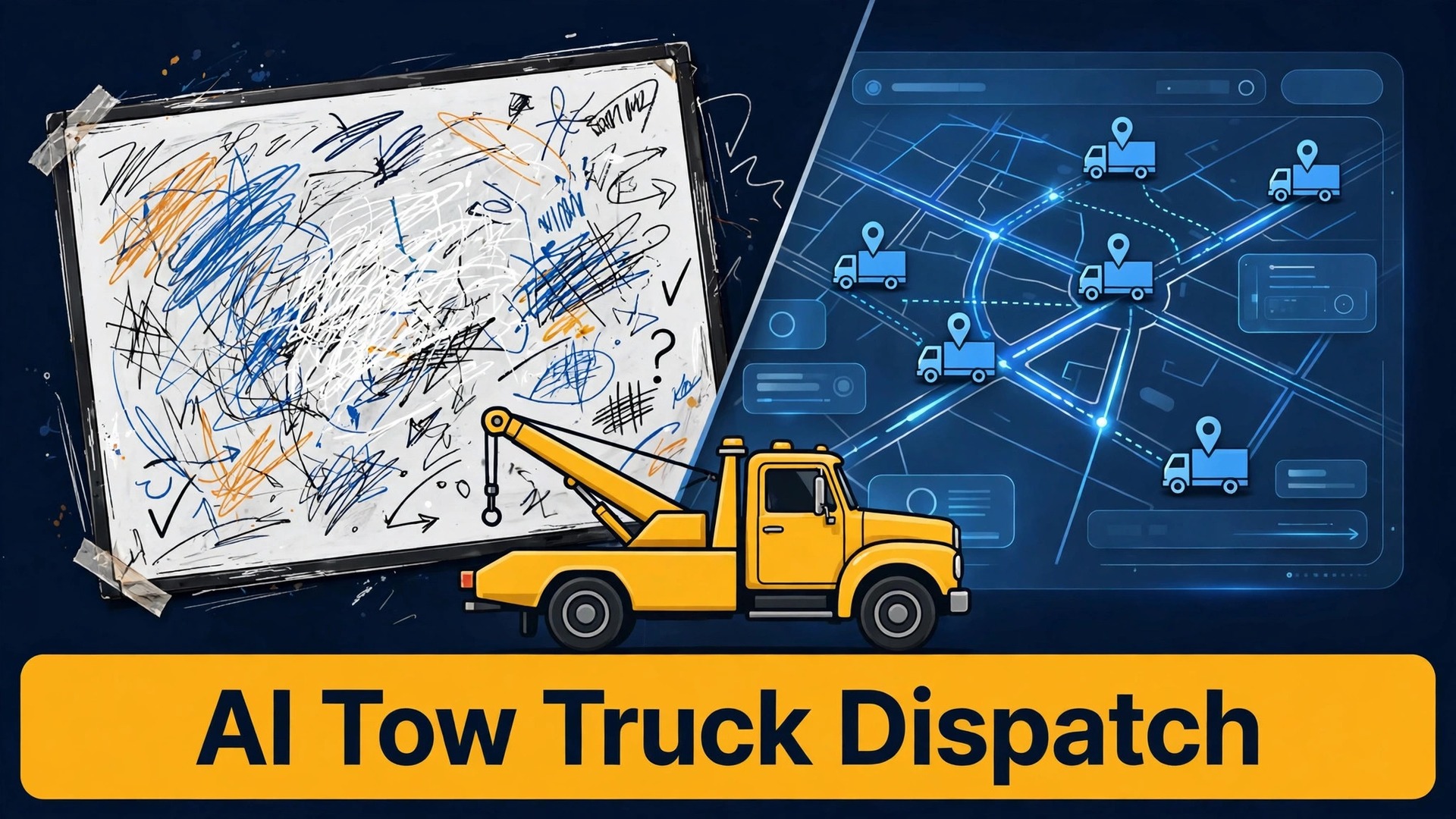
The verdict is straightforward. If your dispatch board still runs on phone calls, memory, and a whiteboard, you are losing jobs to slower response times, and AI-assisted dispatch will pay for itself in fewer wrong-truck sends and fewer callback storms. That does not mean a machine should run your board. It means the routine work of triage, assignment, and ETA updates should be handled by a system that sees every truck, every job, and every constraint at once, while your dispatcher keeps the judgement calls that decide who goes where when two emergencies land at the same minute. When you use AI for tow truck dispatch coordination well, the dispatcher gets faster, calmer, and better informed, not replaced.
Tow dispatch is unforgiving work. Calls arrive at 2 am, in storms, after collisions, and from drivers who are stressed, short on detail, or standing on a hard shoulder. A dispatcher must decide, in minutes, which truck can do the job, which driver is closest and actually available, and what the customer should be told.
A wrong choice costs fuel, time, and reputation, and in the worst case it sends a light-duty truck to a job that needed a flatbed or a heavy unit. The system in this guide is built around that pressure, with a step workflow for job triage, nearest-truck assignment, and ETA updates, plus a dispatch-run sheet template you can copy for every shift.
Artificial intelligence fits this job in a specific way. It can rank trucks by distance, capability, and current load, draft ETA messages, flag jobs that need a different truck class, and spot patterns in response times by zone and by hour. It cannot see a flooded underpass, judge a driver’s fatigue, or talk a frightened motorist to a safe waiting place. Those calls stay human. The rest of this guide keeps that boundary clear, and it qualifies every figure that is an illustration rather than a measured result, so you can test the system against your own response data instead of trusting a vendor claim.
Why Dispatch Goes Wrong Before the Truck Moves
Most dispatch failures happen before a wheel turns, and they follow a small set of patterns. The first is stale status. A truck shows as available on the board, but the driver is still finishing paperwork at a yard, waiting for a gate, or out of service for a repair that nobody logged. The dispatcher assigns it, the customer waits, and the real delay only surfaces when the driver finally calls in. The second failure is capability mismatch. A dispatcher sends the nearest truck without checking whether it can carry the vehicle, handle the weight, or reach the location, such as a parking garage level with a height limit or a ditch that needs a winch.
The third failure is ETA drift. A dispatcher quotes a time based on distance alone, ignoring traffic, weather, loading time, and the job the driver is finishing. The customer waits past the ETA, calls back, and every callback pulls the dispatcher away from the next assignment. The fourth failure is lost context. A job changes, a vehicle turns out to be all-wheel drive, a road closes, or a police rotation rule changes the priority, and the update never reaches the driver because it lived in a phone call that nobody logged. Each failure is preventable with a board that updates itself and a rule that every change is written down once, in one place.
Measure your own failures before you automate. Track, for one month, the share of jobs where the first assigned truck was changed, the share where arrival missed the quoted ETA by more than 15 minutes, the share where a callback arrived before the truck did, and the share where the truck class had to be corrected after assignment. Those four numbers tell you whether your problem is status accuracy, capability matching, ETA honesty, or communication. Automate the worst number first, because a system that fixes your biggest failure earns trust fast, while a system that adds features nobody asked for gets ignored.
What Dispatch Software Already Does, and Where AI Adds Value
Modern dispatch tools already tie scheduling, GPS, pricing, and storage into one workflow, and vendor guides for towing software describe the same core features again and again. GPS location for trucks and customers, job tickets with photos and signatures, navigation with truck-safe routing, texted ETAs from the board, and storage timers for impounded vehicles. Guides also list the same operating standards, such as routing by proximity, truck class, and current load, locking photo sets for scene, VIN, hookup, and drop, and auditing arrival-to-hook times weekly by zone. Check the vendor’s current page for the exact feature set before you buy, because tiers differ and a feature in a review may not be in the plan you priced.
AI adds a ranking and drafting layer on top of that board. Given clean status data, it can suggest the best truck for a job by weighing distance, capability, driver hours, and current load together, rather than sorting by distance alone. It can draft the ETA message in plain language, update it when traffic or a delay changes the picture, and flag the moment an ETA slips past a threshold that should trigger a call instead of a text. It can also learn from your history, such as which zones run slow at rush hour or which job types routinely take longer than quoted, and fold that into the next quote.
The condition for all of that is clean data. If drivers do not update status reliably, if truck capabilities are not recorded, or if job types are free text that nobody standardises, AI will rank confidently on bad inputs and dispatchers will learn to ignore it. Standardise job types, rates, and add-on rules first. Record truck class, equipment, and restrictions for every unit. Make status updates a one-tap action in the driver app, not a phone call. A board that drivers can update in seconds will be trusted, and a board that requires a call will always be stale.
Job Triage, or Deciding What Matters First
Triage is the dispatcher’s first decision, and it should happen before any truck is assigned. Every incoming job gets a priority, a capability requirement, and a location confidence rating. Priority is not simply first come, first served. A vehicle blocking a live lane, a driver in an unsafe location, or a police rotation call with a deadline outranks a scheduled yard move or a non-urgent private tow, even if the private job called first. Your triage rules should be written down, agreed by the team, and visible on the board, so a night dispatcher and a day dispatcher make the same call.
Capability requirement is the second triage field. Vehicle type, weight, drive type, damage, and access all change the truck needed. A low-clearance car, an all-wheel drive vehicle, a locked wheel, a ditch recovery, or a parking garage job each point to a different unit or a different method, and getting this wrong is the most expensive common error. Location confidence is the third field. A GPS pin, a mile marker, or a nearest cross street gives a routable location. A vague description such as “near the bridge” does not, and it should trigger a clarifying question before assignment, not after the driver is already rolling toward the wrong exit.
AI can help triage by drafting the intake questions, extracting vehicle and location details from the call notes or the booking form, and flagging jobs where the details point to a different truck class than the one requested. It should never override a dispatcher’s safety judgement. If the notes mention a person at risk, a fuel leak, a vehicle in a dangerous position, or a medical concern, the job goes to a human immediately, and the system should make that escalation obvious, not bury it in a queue. Triage is a safety process first and an efficiency process second.
A Step Workflow for Triage, Assignment, and ETA Updates
This workflow assumes a small to mid-size towing operation with a dispatch board, GPS on every truck, a driver app, and an AI-assisted tool that ranks and drafts, with the dispatcher approving every assignment. Adapt the tools, keep the order, and run it on every job, not only on busy nights.
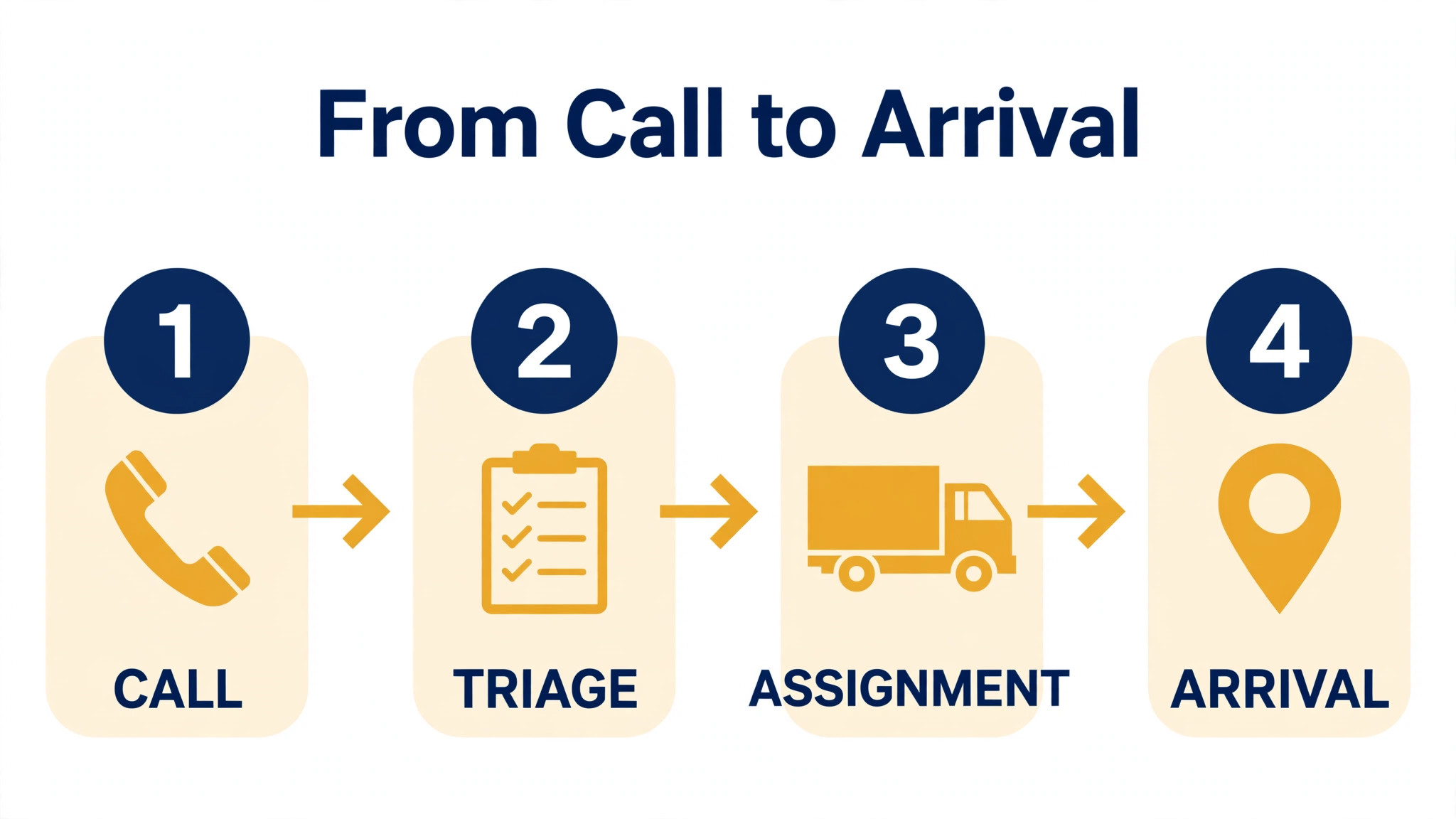
Step 1, capture the job in a standard form
For every call, record location with a pin or a mile marker, vehicle type and drive type, damage and access details, customer contact, destination, and any safety concern. Use AI to draft the intake summary from call notes or voice transcription, and have the dispatcher correct it before it reaches the board. A job with missing capability fields should not be assigned until those fields are filled or explicitly marked as unknown, because an unknown is a decision, not an oversight.
Step 2, triage and set the priority
Assign priority by safety, deadline, and contractual obligation, in that order. Flag police rotation and motor club jobs with their required response windows, and flag scheduled jobs separately so they never silently outrank an emergency. AI can suggest a priority from the job details and your written rules, but the dispatcher confirms it. Record the reason for any priority change, so the next dispatcher understands why a job jumped the queue.
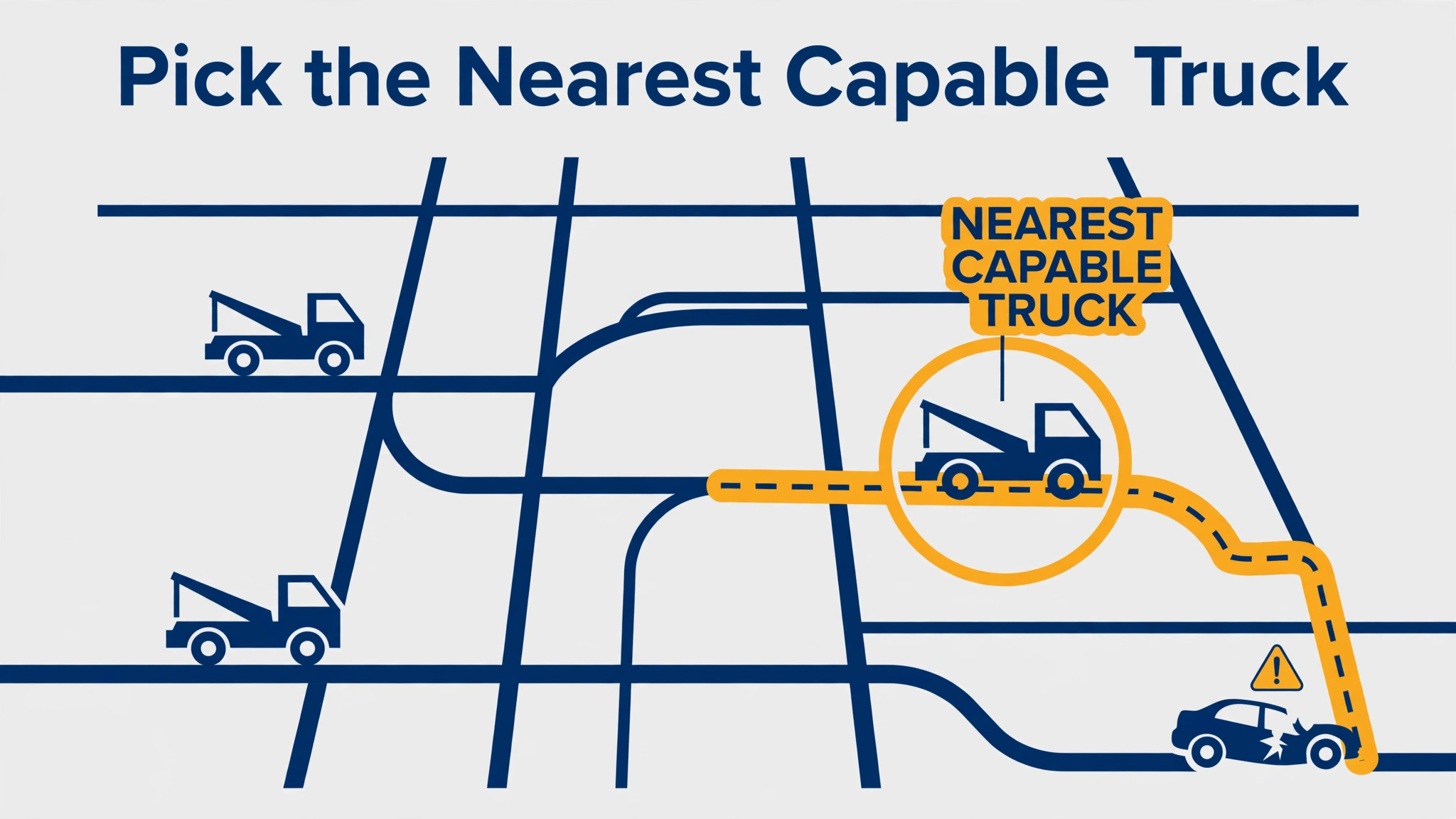
Step 3, rank trucks by fit, not only by distance
Rank available trucks by capability first, then by travel time, then by current load and driver hours. A truck that is geographically closest but already committed, out of service, missing the right equipment, or near the end of a shift is not the best truck. AI can build that ranking from GPS, truck records, and job history, and it should show its reasoning in plain language, such as “closest capable unit, 14 minutes, flatbed, driver 2 hours into shift”. A ranking nobody can explain will be ignored, and rightly so.
Step 4, assign, confirm, and send the first ETA
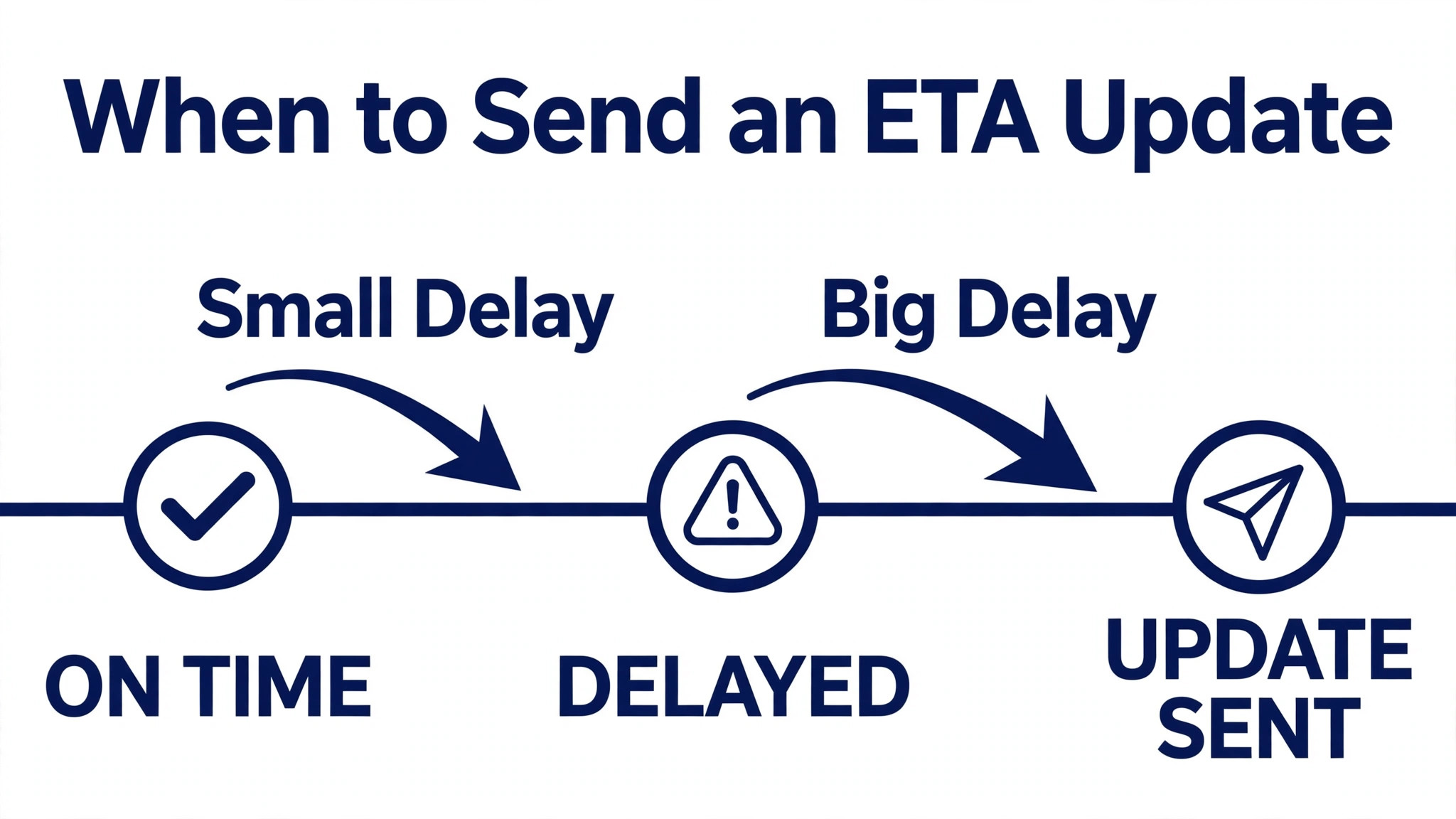
The dispatcher approves the assignment, the driver confirms acceptance in the app, and the customer receives a first ETA message with the truck description and a link or number for updates. That first ETA should include loading and access time, not only drive time, and it should be expressed as a range where uncertainty is high, such as “between 25 and 40 minutes”, rather than a false precise minute. Customers forgive a range that proves honest. They do not forgive a precise time that proves wrong.
Step 5, update ETAs before the customer has to ask
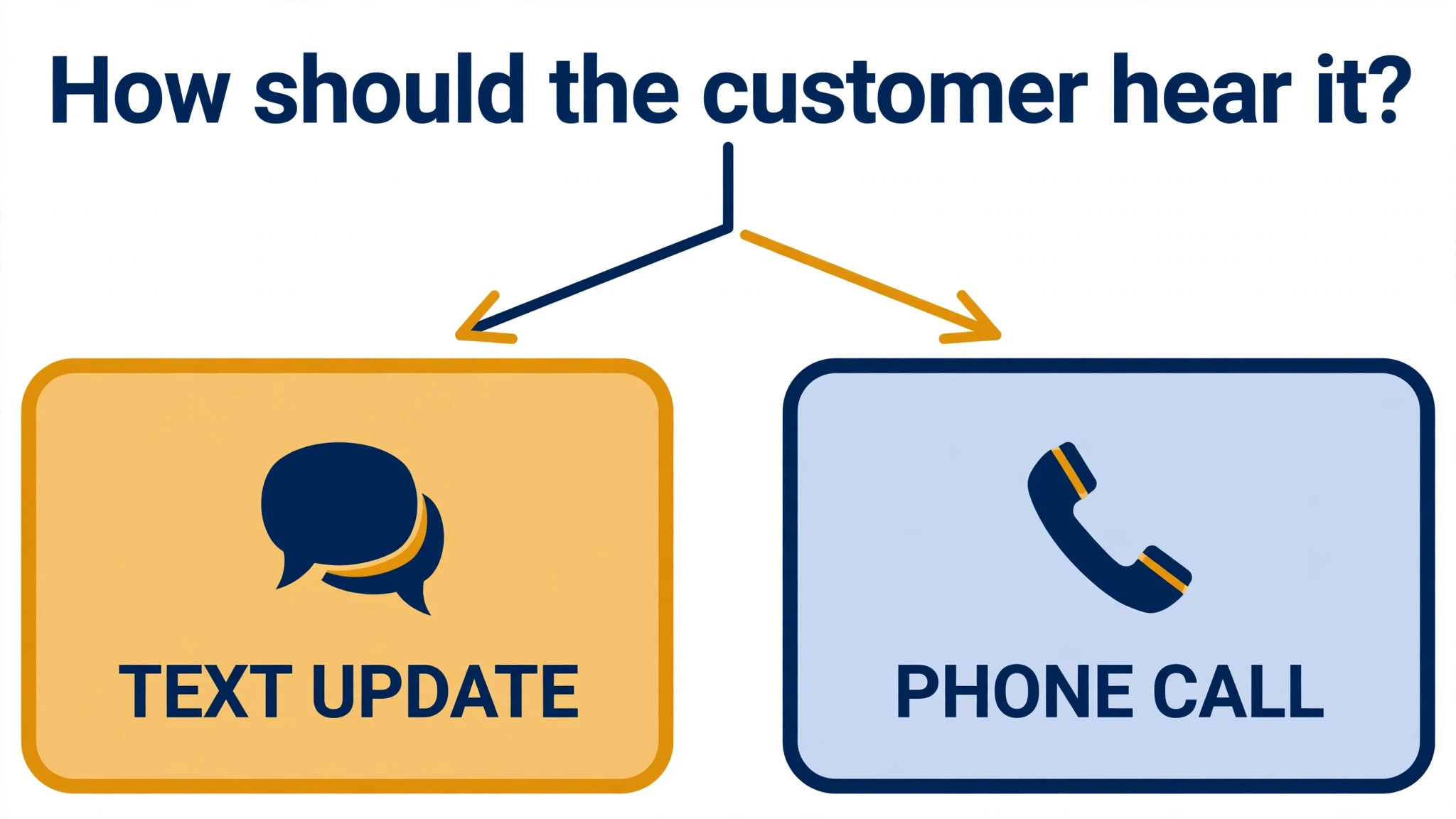
When traffic, a delay at the previous job, or a route change moves the ETA by more than your threshold, update the customer before they call you. AI can draft the update and flag the threshold breach, but the dispatcher decides whether the update goes by text or by call. A short delay suits a text. A long delay, a truck change, or a distressed customer suits a call. Never let a customer learn about a delay from silence, because silence is what generates the callback storm that then slows the whole board.
Step 6, close the job with photos, notes, and a clean status
At pickup and at drop, the driver captures the standard photo set, records damage notes, and marks the job complete in the app, which returns the truck to available status automatically. AI can check the photo set for completeness and flag missing images before the driver leaves the scene, when they can still be retaken. The dispatcher reviews exceptions the same shift, not at month end, because billing, storage timers, and customer disputes all depend on a clean close.
The Dispatch-Run Sheet Template
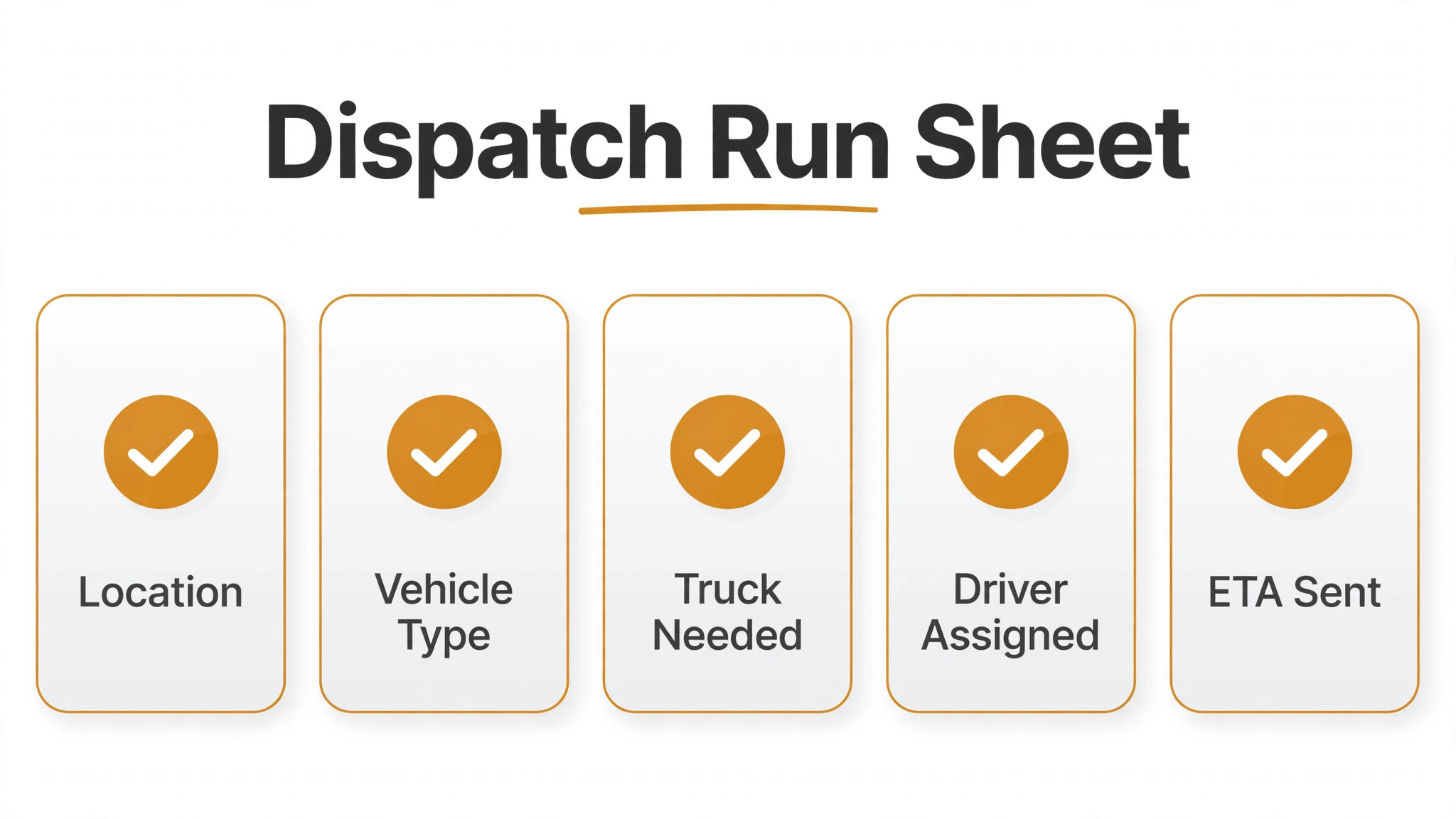
Copy this template for every shift, and keep one sheet per dispatcher per shift, so handover is a read, not a retelling. It works on paper or on the board, and it gives AI a clean structure to read from.
Shift header. Date, dispatcher name, shift hours, weather and road notes, trucks out of service, drivers on break or near hours limits, and rotation or contract obligations for the shift.
Board snapshot at handover. Active jobs with priority, assigned truck, current ETA, and status. Queued jobs with triage priority and capability requirement. Trucks available, with class and location. Trucks unavailable, with reason and expected return.
Per job lines. Job number, caller and contact, location pin or marker, vehicle and drive type, damage and access notes, truck class required, assigned truck and driver, first ETA given, current ETA, customer update sent, and exceptions. One line per job, updated at every change, not rewritten from memory at handover.
Handover notes. Jobs that changed priority and why, customers who need a call rather than a text, trucks due for maintenance, storage timers approaching a notice milestone, and any safety concern still open. The incoming dispatcher reads the sheet, asks questions, and signs it, so accountability is clear.
End of shift review. Jobs completed, jobs carried over, first-assignment changes, ETA misses over 15 minutes, callbacks before arrival, and photo sets incomplete. One action chosen for the next shift, not a list of complaints. That review is where AI earns its keep, by turning the sheet into a weekly pattern report by zone, by job type, and by hour.
Routing, Driver Hours, and the Constraints AI Must Respect
Routing for tow trucks is not car routing. Height limits, weight limits, tight turns, garage access, and one-way systems all change the viable route, and a route that looks fastest on a car map may be impossible for a flatbed. Use truck-safe routing in the driver app, and let AI suggest routes only within those constraints. When a driver reports a route problem, log it, because the next driver heading to the same location will hit the same problem unless the system learns it.
Driver hours and fatigue are hard constraints, not soft preferences. A driver near the end of a long shift should not be assigned a distant heavy job simply because they are closest, and AI ranking must include hours worked, rest breaks, and consecutive night shifts. The same applies to equipment. A winch, a dolly set, or a specific strap may be the difference between a clean pickup and a second trip, and the ranking should check equipment on the truck, not only truck class. Record equipment per unit, and update it when gear moves between trucks.
Offline behaviour matters too. Drivers work under overpasses, in canyons, in garages, and in rural areas with weak signal, and a dispatch app that fails without signal will fail exactly when it is needed most. Test offline capture for photos, notes, and signatures, and confirm that data syncs cleanly once signal returns. A system that loses a photo set or a signature to a dead zone creates a billing and evidence problem that no ETA improvement can offset. Pilot any new tool for two to four weeks on real jobs, and measure update consistency and ETA accuracy before you roll it out fully.
How to Use AI for Tow Truck Dispatch Coordination on a Storm Night
A storm night is the real test of any dispatch system, because call volume spikes, roads close, and every customer is already stressed before they dial. The plan for a storm night should be written before the storm, not improvised during it, and AI helps most when it enforces that plan instead of letting the board dissolve into shouted phone calls. Start by setting surge rules in advance. Which jobs get priority when ten calls arrive in twenty minutes, how long an ETA range should be during severe weather, and at what point you stop promising times and switch to “next available truck” messaging with regular updates.
During the surge, the ranking must account for conditions that do not appear on a normal day. A truck that is closest on the map may be on the wrong side of a flooded road or a closed bridge, and a driver who knows the local back roads may be worth more than a driver who is two minutes closer but unfamiliar with the area. AI can fold road closure reports and driver notes into the ranking, but the dispatcher should confirm any assignment that crosses a known closure or a hazard, because local knowledge still beats a map layer. Record every closure a driver reports, so the next assignment to that zone benefits from it immediately.
Communication discipline matters more on a storm night than on a quiet one. Customers waiting in bad weather need updates even when there is no good news, and a short message that says the truck is delayed by road conditions, with a revised range, will prevent most callbacks. AI can draft those updates and queue them by priority, so the dispatcher is not writing the same message ten times while new calls queue. The dispatcher should still call customers whose wait passes a threshold you set in advance, such as double the original ETA, because a call carries reassurance that a text cannot.
Staffing is part of the system too. A storm plan should name a second dispatcher or an on-call backup, set break rotations, and define when the owner gets called. AI can show the queue building in real time and flag the moment the queue passes the point where one dispatcher can keep up, but it cannot staff the desk. When you use AI for tow truck dispatch coordination during a surge, the goal is a calmer board, not a board that pretends the surge is not happening. Honest ETAs, visible queues, and early backup calls protect both customers and staff.
After the storm, review the night as a team. Which zones ran slowest, which job types caused the most reassignments, and which ETA ranges proved honest. Feed those answers into the surge rules for the next storm, and update the ranking weights if the data supports it. A storm review that changes one rule is worth more than a storm review that only praises effort. When you use AI for tow truck dispatch coordination this way, each bad night makes the next one easier, because the system remembers what the team learned while they were too busy to write it down.
One more storm-night habit deserves a place in the plan. Protect the driver. A driver who has worked through a storm, handled difficult recoveries, and driven in poor conditions should not be sent straight to another distant job without a break, even if the ranking says they are closest. Build rest and refuelling into the ranking as hard constraints, and let the dispatcher override the ranking openly when safety demands it. A system that respects drivers keeps them, and keeping experienced drivers is worth more than any single night’s response time.
Measuring Whether Dispatch Is Improving
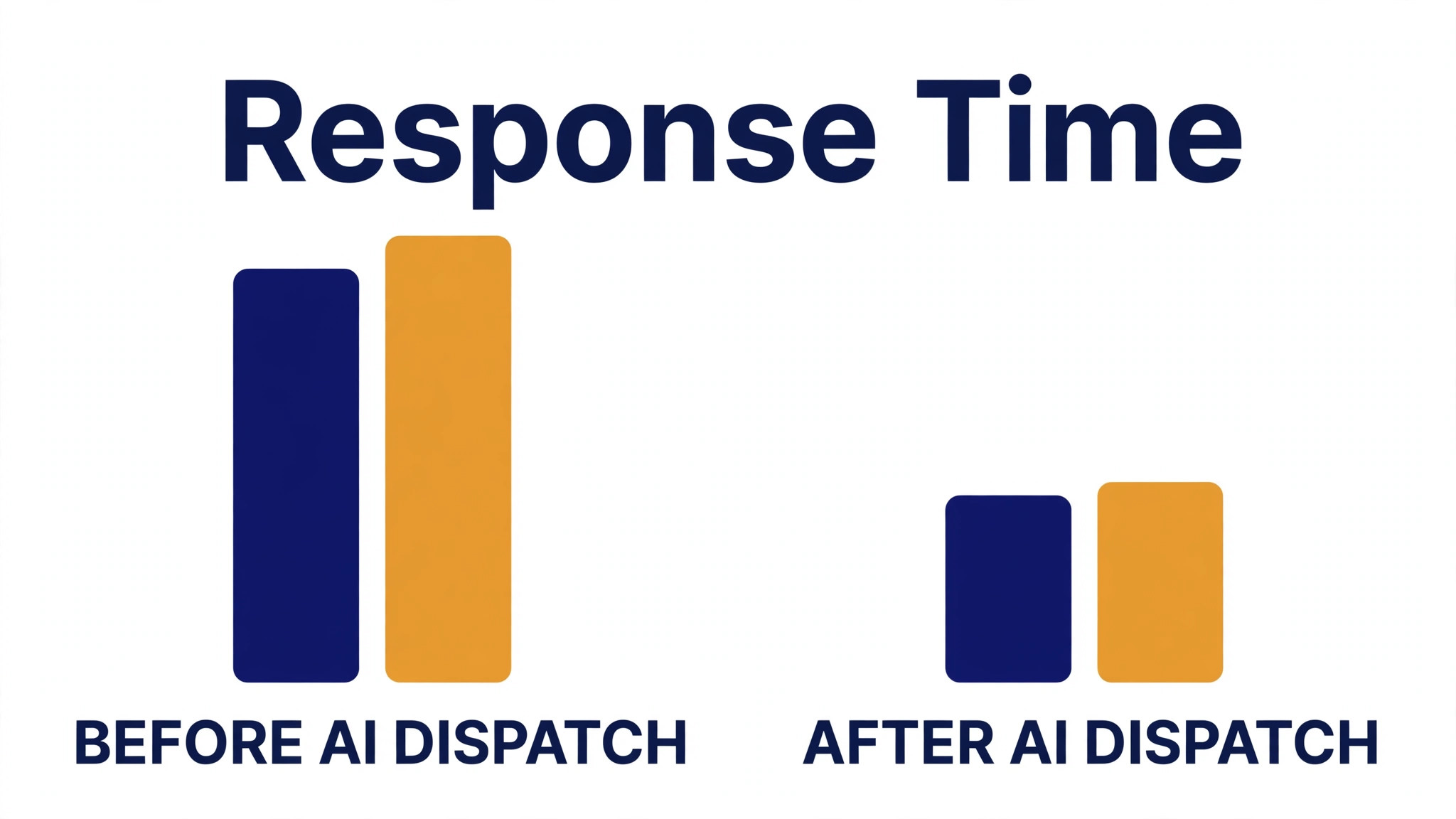
After one month using AI for tow truck dispatch coordination, compare your four baseline numbers with the new month, using the same definitions. First-assignment changes, ETA misses over 15 minutes, callbacks before arrival, and truck class corrections after assignment. Look at the breakdown by zone, by job type, and by hour, because an overall improvement can hide a worsening pattern in one area. If city jobs improved but rural jobs worsened, your routing or your status data for rural units needs work, not your ranking logic.
After three months, add business measures. Average response time by priority, jobs completed per truck per shift, fuel and deadhead distance where your system records it, storage timer compliance, and customer complaints about communication. Also track dispatcher experience, because a system that improves numbers but burns out dispatchers with alerts will not last. If alert volume rises, tune the thresholds so only meaningful changes interrupt a dispatcher, and let routine ETA updates go out without a human touch.
Keep a log of ranking rule changes, threshold changes, and template changes, with dates. When a number moves suddenly, that log helps you tell whether the cause was a rule change, a storm week, a staffing change, or a system error. Without a log, every change becomes a debate about memory. With a log, it becomes a testable question, and that discipline is what turns a dispatch tool into a dispatch system.
One more measure is worth tracking, because it captures the customer experience that response times alone miss. Count how many customers received at least one proactive update before they called you, and set a target for that share. When you use AI for tow truck dispatch coordination to push updates early, that share should rise month by month, and callbacks should fall with it.
For related reading, see content marketing strategy, setting up a waitlist, cancellation policy, nutritionist meal plan follow-up and therapist session note summaries. Those posts cover adjacent scheduling and follow-up problems, and the same lesson applies when you use AI for tow truck dispatch coordination. Automate the ranking and the updates, keep a human for the safety call, and measure the board, not just the headline.
Frequently Asked Questions
Can AI assign tow trucks without a dispatcher?
No, and it should not. AI can rank trucks and draft ETAs, but assignment involves safety, fatigue, contractual priority, and local knowledge that a ranking cannot fully capture. The best model is AI ranking with dispatcher approval, plus an override that is logged with a reason, so the system learns from the overrides instead of hiding them.
What data does AI dispatch need to work?
Clean truck records, reliable GPS, one-tap driver status updates, standard job types, and recorded ETAs with actual arrival times. Without those inputs, ranking will be confident and wrong. Start by fixing status accuracy and truck capability records, and only then judge whether the ranking helps, because bad data will make any tool look useless.
How should ETAs be quoted to stressed customers?
Give a range where uncertainty is high, include loading and access time, and update before the customer has to ask. A range that proves honest builds more trust than a precise minute that proves wrong. For long delays, truck changes, or distressed customers, call rather than text, and give the customer a direct number or link for the next update.
What happens when the first assigned truck cannot do the job?
Reassign immediately from the ranking, tell the customer with a revised ETA before they call you, and record the reason for the change. Common reasons are capability mismatch, access problems, and stale status. Review those reasons weekly, because a pattern in reassignments usually points to a data or triage fix, not to bad luck.
How do police rotation and motor club jobs fit AI dispatch?
They fit as hard priority and deadline rules, not as suggestions. Record rotation obligations and motor club response windows in the system, and let AI rank within those rules, never across them. A dispatcher should be able to see, at a glance, which jobs carry a contractual deadline and what happens if it slips, so nothing gets quietly deprioritised.
Should small towing operations use AI dispatch at all?
A small operation benefits most from the basics, which are standard job forms, reliable status updates, and ETA texts, with AI ranking added once those basics are solid. You do not need an enterprise system to get value. A board that shows true status, a ranking that respects capability, and updates that go out before callbacks arrive will improve a two-truck operation as surely as a twenty-truck one.
A Practical Verdict
Dispatch improves when triage is written down, trucks are ranked by capability and not only by distance, ETAs are honest ranges updated before customers ask, and every job closes with photos, notes, and a clean status. AI helps with ranking, drafting, and pattern spotting, but it does not replace the dispatcher who knows when a job is unsafe, when a driver is spent, or when a customer needs a call instead of a text. Operations that use AI for tow truck dispatch coordination as a board that thinks alongside the dispatcher tend to respond faster, send the right truck first, and keep customers informed. That is the honest claim, and it is enough.