
Payday arrived and the money did not. One employee checks a bank app and sees nothing. Another asks when the deposit will land. The owner checks the payroll software, sees a run marked as processed, and has no clear answer for either of them. That gap between processed and paid is where trust is lost, and it closes only when someone traces the payment step by step. If you need to fix payroll direct deposit failed small business staff are waiting on, start with the failure notice, not with a guess about the bank.
A direct deposit fails when the payroll system sends a payment instruction that the receiving bank cannot complete, or when the instruction never reaches the bank in a usable form. Common causes are a wrong routing or account number, a closed account, an account that cannot receive this type of transfer, a pay date that falls on a weekend or holiday, or a payroll run submitted after the provider cutoff time.
QuickBooks community guidance lists exactly those causes, including incorrect bank information, a problem with the employee bank, a weekend or holiday pay date, and a submission after the 5 PM Pacific cutoff. Each cause has a different fix, so the first job is to find which one applies to your run.
This guide gives you that trace. It covers how to read the failure notice, how to check bank details without mishandling sensitive data, how to handle cutoff times and pay date calendars, how to pay staff safely while a deposit is being recovered, and how to prevent the next failure with verification and payday contingency checks. The steps draw on QuickBooks and Patriot Software support guidance checked at writing time, and they apply in general form to most payroll providers, even where screen names differ.
How to Fix Payroll Direct Deposit Failed Small Business Pay Runs
The workflow below is the spine of this guide. Work through it in order, keep a dated note at each step, and tell affected staff what you have found at each stage rather than waiting until the money lands. If you need to fix payroll direct deposit failed small business pay runs, this sequence separates a one employee typo from a whole run problem in under an hour.
1. Confirm who was affected and who was paid. Check whether the failure hit one employee, several employees, or the whole run. 2. Read the failure notice in the payroll software. Write down the employee, the amount, the pay date, and the reason given. 3. Check the pay date and the submission time. Confirm the pay date was a banking day and the run met the provider cutoff. 4. Check the company bank account. Confirm funds, account status, and that the payroll service is active and verified. 5. Check the employee bank details. Compare routing and account numbers with a fresh source, without copying them into email or chat. 6. Contact the receiving bank where the notice is unclear. Ask whether the account exists, is closed, or cannot receive the transfer. 7. Pay affected staff by a safe backup method. Use a paper check or another approved method, and record it as a payroll payment. 8. Correct the record and re run only the failed payments. Do not re run the whole payroll unless the provider tells you to. 9. Prevent the next failure. Add verification, cutoff, and pay date calendar checks to your payroll routine.
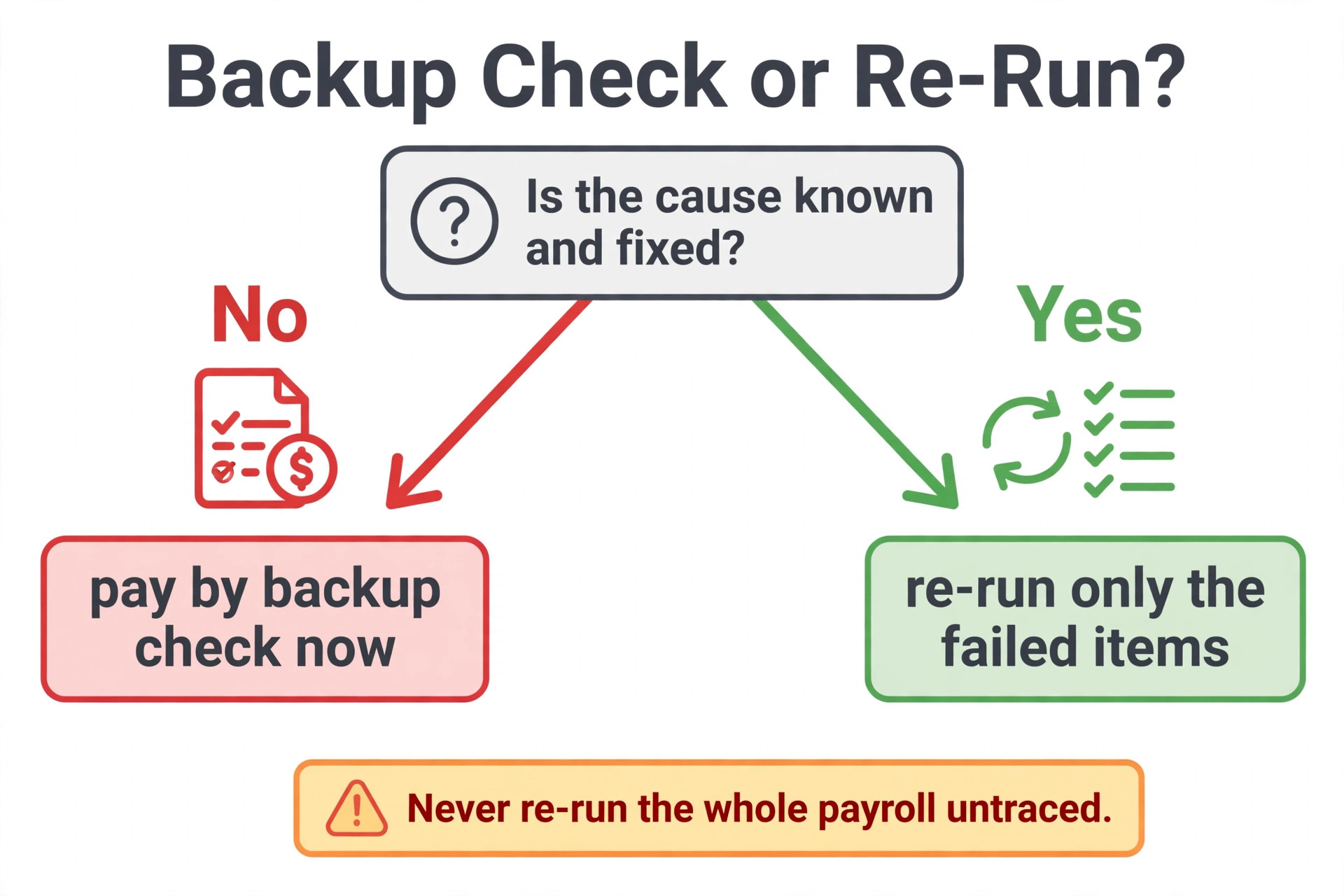
Do not re run a payroll run on the first sign of trouble. A second run can double pay staff who were already paid, create duplicate tax filings, or send a second deposit to an account that already rejected the first one. Trace first, pay by backup second, and re run only the failed items once the cause is known. That order protects both the staff who were missed and the staff who were paid correctly.

Read the Failure Notice Before You Change Anything
Open the payroll software and find the direct deposit status for the affected pay run. Look for a deposit activity report, a payment status list, or a notification banner, depending on your provider. Patriot Software guidance notes that employers receive email notifications alongside in account banners when a deposit fails, with instructions to resolve the issue, and that a failure notice from the bank can take up to three business days to arrive. That timing matters. A deposit that looks missing on payday morning may still be in the return window, and a deposit that shows as failed on day three needs a different conversation with staff than one that failed immediately.
Write down four facts before you act. First, the employee or employees affected. Second, the amount for each affected payment. Third, the pay date and the date the failure notice appeared. Fourth, the reason the software or bank gave, in its own words. Keep that note with the pay run record, because you will need it for the bank, for the payroll provider, and for any correction to tax or accounting records. If the software gives only a code, search the provider help pages for that code rather than guessing its meaning, and note the explanation you found.
Separate three situations that look similar on payday. A deposit that has not arrived yet may simply be delayed by a weekend, a holiday, or a cutoff miss, and it may still land on the next banking day.
A deposit that was rejected by the bank will return to the employer account, a process QuickBooks guidance describes as taking two to three business days after the pay date. A deposit that landed in the wrong account is a different problem again, because the money left your account successfully and must be recovered from the receiving bank. Each situation needs a different message to staff, so do not tell everyone the same thing until you know which one applies to them. That separation is the first skill when you fix payroll direct deposit failed small business paydays produce.
Diagnose the Failure With This Table
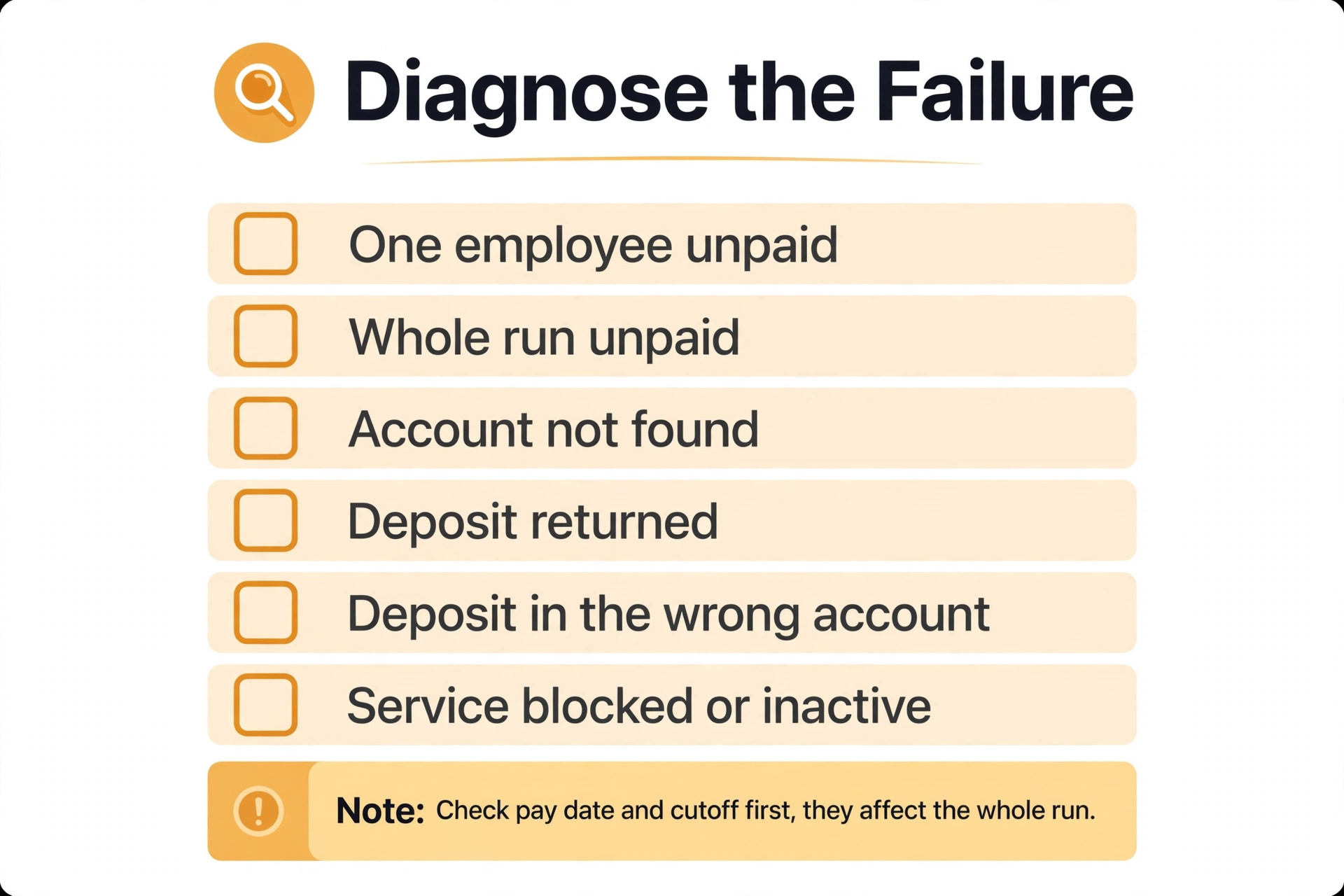
Use the table below to match the symptom you see with the likely cause and the first fix. If more than one row fits, work the pay date and cutoff rows first, because they affect the whole run, then work the bank detail rows for the employees still affected.
| Symptom you can see | Most likely cause | First fix to try |
|---|---|---|
| One employee unpaid, others paid | Wrong or changed employee bank details | Verify that employee routing and account numbers from a fresh source |
| Whole run unpaid or delayed | Missed cutoff, weekend or holiday pay date, or company funds issue | Check submission time, pay date calendar, and company balance |
| Failure notice names account not found | Account closed or number entered incorrectly | Confirm account status with the employee and their bank |
| Deposit returned after first showing as sent | Bank rejected the transfer after receipt | Wait for the return to the company account, then pay by backup |
| Deposit landed in the wrong account | Account number belongs to another person | Contact the receiving bank about recovery and pay the employee by backup |
| Payroll service blocked or inactive | Subscription lapsed or company account unverified | Renew the service and complete company bank verification |
Two rows need extra care. A wrong account number that happens to match a real account at the same bank can deposit successfully into the wrong account, and QuickBooks guidance describes recovery options for that case, including a reversal request after a waiting period, with no guarantee of recovery. Do not promise the employee a recovery date in that case. A company funds failure needs care too, because re running the same run without fixing the balance will fail again. Confirm the company balance covers the full net pay, taxes, and fees before any re run, and keep a buffer for the next run while you sort the current one.
Check Pay Dates, Cutoffs, and the Company Account
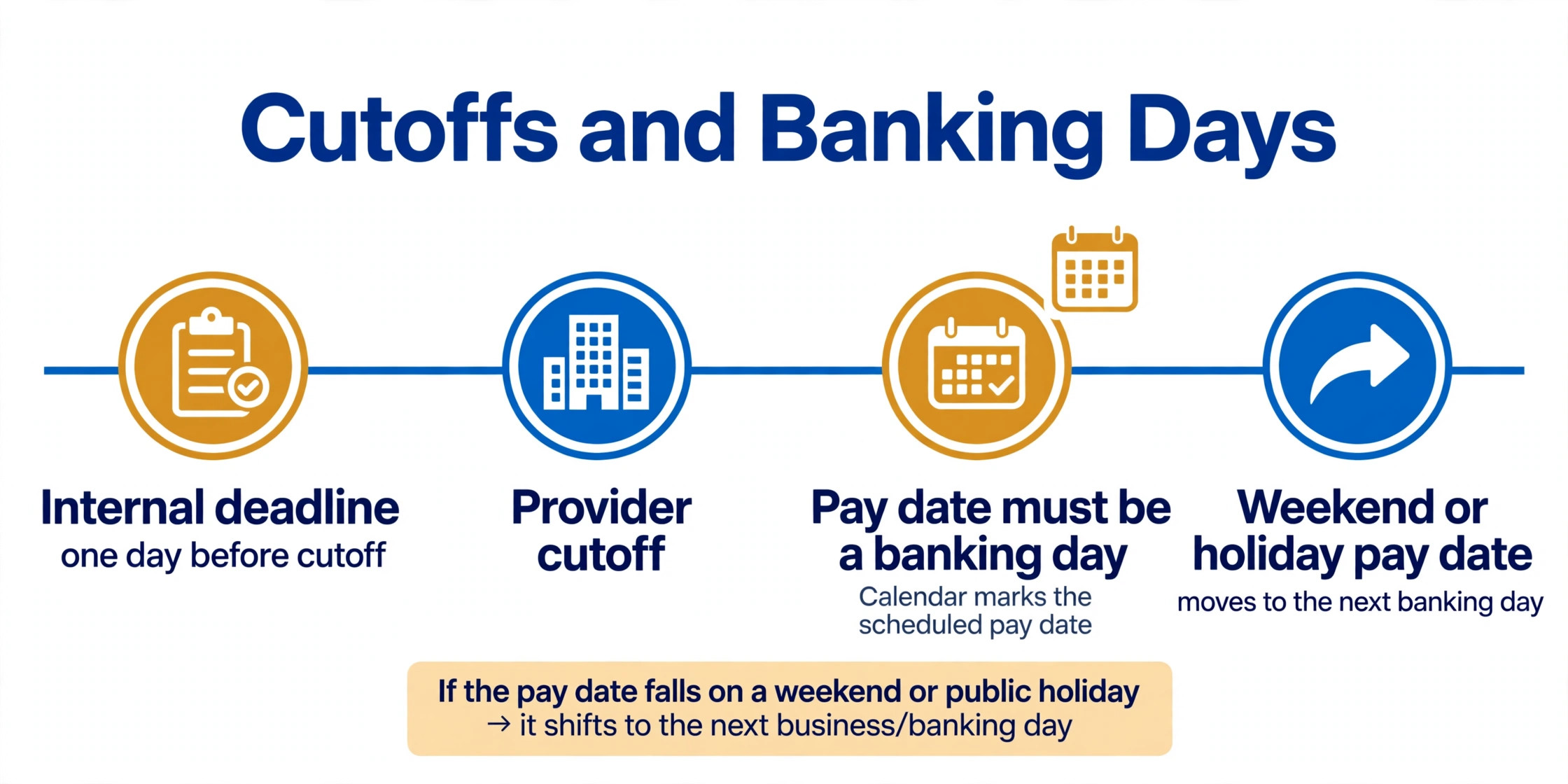
Pay date and cutoff problems affect the whole run, so check them before you chase individual bank details. Confirm the pay date was a banking day. QuickBooks guidance lists a pay date falling on a weekend or holiday as a common reason deposits do not arrive, because the transfer is not drawn until the following banking day.
If payday fell on a holiday Monday, for example, staff should expect the deposit on the next banking day, and the fix is communication rather than a re run. Build a pay date calendar at the start of each year that moves any payday falling on a weekend or federal holiday to the prior or next banking day, and share it with staff in advance.
Check the submission time against your provider cutoff. QuickBooks guidance names a 5 PM Pacific cutoff for direct deposit payroll, after which the run processes on the next banking day. Other providers use their own cutoff times, often in their own time zone, so confirm your provider cutoff in its help pages and write it into your payroll routine. A run submitted after cutoff is not failed, it is late, and telling staff it failed creates a second problem when the deposit then arrives a day later. Record the submission time for every run, and set an internal deadline at least a day before the provider cutoff to leave room for corrections.
Check the company side next. Confirm the company bank account has enough funds for net pay, employer taxes, and provider fees. Confirm the payroll subscription or service is active, because an expired or inactive service can block payroll processing, a cause named in QuickBooks troubleshooting guides. Confirm the company bank account is verified with the provider, because an unverified company account can block direct deposit even when employee details are correct. If any company side item fails, fix it before you touch employee records, because a company side fix often clears several employee failures at once. Checking the company side first is a fast way to fix payroll direct deposit failed small business runs that look like many separate errors.
Check Employee Bank Details Safely
Employee bank detail errors are the most common single employee cause, and they are also the easiest to mishandle. Never ask an employee to send a routing and account number by ordinary email, chat message, or photo of a check posted in a group channel. Use the payroll provider employee portal where possible, because Patriot guidance specifically recommends having employees add or update their own direct deposit information in their portal, which reduces typos and keeps sensitive banking details out of the employer hands. If your provider lacks a portal, use a secure form or an in person check against a voided check or a bank letter, and store the result only in the payroll system.
Compare the details in the payroll system with a fresh source, character by character. Check the routing number first, because a single digit error sends the payment to the wrong bank. Check the account number second, including leading zeros, because payroll systems and bank apps sometimes drop or hide them. Check the account type, checking or savings, because some accounts cannot receive payroll transfers or have different routing numbers for different transfer types. Check whether the employee recently changed banks, closed an account, or switched to a new account after a fraud replacement, because a bank detail that was correct last month can be wrong today without any typing error.
When you find an error, correct it in the payroll system and note the date and source of the correction, without writing the full account number into the note. Tell the employee what changed in general terms, such as that the routing number was corrected, and confirm the next pay date on which the corrected details will apply. Do not backdate a correction to a run that already failed, because the failed run needs its own recovery path. The correction protects the next run, while the backup payment protects the current one, and keeping those two jobs separate prevents double payment.

What QuickBooks Payroll, Patriot Software, and Gusto Show Differently
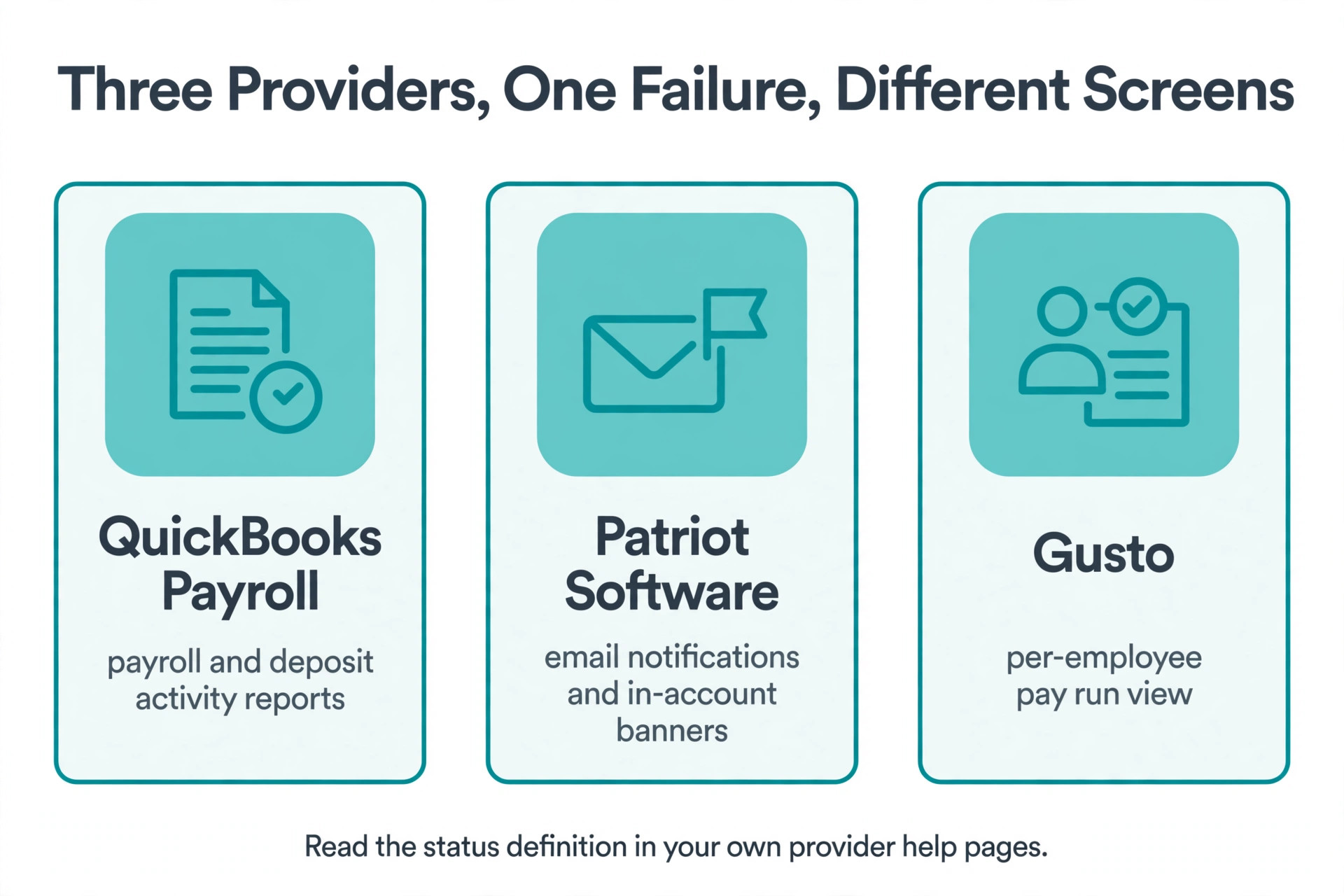
Payroll providers present the same failure in different places, so knowing where to look in your provider saves time. QuickBooks Payroll shows direct deposit status in payroll and deposit activity reports, with community guidance pointing to rejected and returned funds taking two to three business days to come back to the employer account. Patriot Software shows failure notices as email notifications and in account banners, with guidance that each transaction processes independently, so one employee failure does not block the rest of the run. Gusto, like other modern providers, shows payment status per employee in the pay run view, with a separate status for payments still processing, sent, or failed, though screen names vary by plan and update.
Do not assume a status word means the same thing in every provider. In one provider, a status of sent may mean the instruction left the provider, while in another it may mean the bank accepted it. Read the provider help definition for the exact status you see, and note it in your failure record. That definition decides whether you should wait, contact the bank, or pay by backup. If the status is unclear after reading the help page, contact provider support with the pay run date, the employee, the amount, and the status word, and ask for the next step in writing.
Pay Staff Safely While the Deposit Is Recovered
Staff must be paid, even when a deposit fails, and the backup payment needs the same care as the original run. The safest backup for most small businesses is a paper check for the exact net pay amount, issued on or close to the original pay date, with the check recorded in the payroll system as the payment for that pay period. Patriot guidance describes exactly this option, which is to handwrite a paycheck for the current payroll, or to void the payroll and re run it with direct deposit once the bank information has been entered. Choose the option that matches your provider, and do not do both for the same employee, because that double pays.
Tell affected staff promptly, in plain words, what happened and what you are doing. State the original pay date, the fact that the direct deposit failed or is delayed, the backup payment method, and the date they will receive it. Do not blame the employee for a bank detail error in the first message, even if the error turns out to be theirs, because the immediate need is a paid employee who trusts the next run.
If the failure affects the whole team, tell the whole team at once, rather than letting rumours spread from one employee to another, and give a single contact person for questions. Clear team communication is part of how you fix payroll direct deposit failed small business paydays without losing trust.
Record the backup payment carefully. Mark the original direct deposit as failed or voided according to provider instructions, record the check number and date, and confirm that tax filings and accounting still reflect one payment per employee for the period, not two. If a rejected deposit later returns to the company account, reconcile it against the backup payment so the books show the return and the check as linked to the same pay period. If a deposit to the wrong account is later recovered, apply the recovery to the company account and confirm with the employee that the backup payment stands. Clean records here prevent a tax and accounting tangle at quarter end.
Handle the Wrong Account Case With Care
A deposit that landed in the wrong account needs a different approach, because the money is no longer with you or with the intended employee. Contact the receiving bank first, through the employee or through your provider, and ask whether the account exists and whether a reversal is possible. QuickBooks guidance describes a reversal request for a live account case, with a waiting period counted from the pay date, and notes that a reversal does not guarantee recovery. Do not contact the account holder directly to demand the money back, because that person may be a stranger, a former employee, or another current employee, and a direct demand can create a dispute the business does not need.
If the wrong account belongs to another employee, the provider guidance describes an internal arrangement as one option, where the employee who received the funds returns them by cash, check, or another agreed method. Handle that conversation privately, with a written record, and do not deduct the amount from the receiving employee pay without proper authorisation and legal advice, because wage deduction rules vary by location. Pay the intended employee by backup immediately, regardless of the recovery outcome, because the intended employee should not wait for a recovery dispute to resolve before being paid for work already done.
If the wrong account belongs to a stranger and the bank cannot recover the funds, seek advice from your accountant and, where the amount justifies it, from a legal adviser, before writing the amount off. Document every step, including the original error, the bank contacts, the reversal request, and the backup payment. That record protects the business if the intended employee queries the payment later, and it shows the steps taken to recover funds if the matter is reviewed. The lesson for the next run is verification, not blame, because a single character check before submission would have prevented the case.
Prevent the Next Failure With Payday Contingency Checks
Prevention is a short routine run before every payroll, not a large project, and it is the routine that lets you fix payroll direct deposit failed small business patterns before they become payday crises. Build it into the payroll calendar so it happens even on busy weeks. The routine below covers the checks that catch most failures before money moves, and it takes minutes once the sources are in place.
| Check | What to verify | When to run it |
|---|---|---|
| Pay date calendar | Pay date is a banking day, not a weekend or holiday | At the start of each year and before each run |
| Provider cutoff | Internal submission deadline sits a day before provider cutoff | Before each run |
| Company funds | Balance covers net pay, taxes, and fees | The day before submission |
| Company account status | Payroll service active and company bank verified | Monthly and after any bank change |
| New or changed bank details | Employee portal update confirmed for every change | Before the run that first uses the change |
| Pre note or micro verification | Provider verification completed for new accounts where offered | When a new account is added |
| Staff list | Leavers removed, joiners added, hours approved | Before each run |
| Backup payment stock | Paper checks and authorisation available for payday | Monthly |
Add a new starter verification step to onboarding. When a new employee joins, ask them to enter bank details through the provider portal, confirm the entry in the next payroll preview, and consider a small verification step where the provider offers one, before the first full pay run uses the account. For existing staff, ask for a fresh confirmation whenever they report a bank change, a card replacement, or a fraud incident, because those events often mean a new account number even when the employee does not mention it. A payroll preview review, where a second person checks names, amounts, and bank detail changes before submission, catches errors that a single tired operator misses.
Keep a payday contingency plan in writing. Name the person who handles a failure, the backup payment method, the provider support contact route, and the staff message template. Store paper checks securely, keep authorisation for emergency payments current, and test the plan once with a tabletop walkthrough rather than discovering gaps on a real payday. A plan that exists only in one person head fails the week that person is on holiday, and payroll failures have a habit of arriving in that week.

Mistakes That Make a Payroll Failure Worse
The first mistake is re running the whole payroll without tracing the failure. A full re run can double pay staff who were paid correctly, duplicate tax records, and send a second deposit to an account that already rejected the first. Re run only failed items, and only after the cause is known and the provider route for re running is confirmed. The second mistake is waiting silently for a return that may take days. Staff who hear nothing assume the worst, and a short message on payday morning with a backup date preserves trust while the bank process runs.
The third mistake is handling bank details insecurely. Emailing full account numbers, storing them in spreadsheets, or photographing checks into shared folders creates a data risk that outlasts the payroll failure. Use the provider portal, store details only in the payroll system, and delete any temporary copies once the correction is confirmed. The fourth mistake is deducting a recovery from another employee pay without authorisation. Wage rules are strict, and an unauthorised deduction can create a legal problem larger than the original deposit error.
The fifth mistake is treating a failure as a one off and changing nothing. A failure caused by a missed cutoff will repeat next month if the internal deadline stays the same. A failure caused by an unverified company account will repeat until verification completes. A failure caused by a bank change process with no confirmation step will repeat with the next bank change. After every failure, add one preventive check to the routine that would have caught that cause, and note the change in the payroll file. That habit is how a business moves from repeated payday crises to a routine that rarely fails.
Verdict for a Small Business With a Failed Deposit
The fix that works is trace, communicate, pay by backup, and correct, in that order. Read the failure notice, separate a delay from a rejection and from a wrong account payment, check pay dates and cutoffs before bank details, and pay affected staff promptly by check while recovery runs its course. That sequence protects staff trust, keeps tax and accounting records clean, and prevents the double payment errors that rushed re runs cause. Owners who fix payroll direct deposit failed small business pay runs this way usually resolve the immediate crisis in days and prevent the next one with a short pre run routine.
Keep the routine small and consistent. A pay date calendar, a cutoff deadline a day early, a company funds check, a portal based bank detail process, and a written contingency plan cover the vast majority of failures. Review the routine after every incident, add the check that would have caught that incident, and train a backup payroll person to run it. Payroll is the one business process where reliability matters more than speed, and a routine that rarely fails is worth more than a fast fix on a bad payday.
Start with the failure notice for the current run, not with a new payroll. Write down who was affected, what the notice says, and whether the case is a delay, a rejection, or a wrong account payment. That note is the first step to paid staff and a clean next run.
More Reading on Stratilyze
For related money systems, read cost of FreshBooks for small business monthly and cost of Xero for small business monthly. For a different operations workflow, see best invoicing software for mobile mechanics.
Frequently Asked Questions
How long does a failed direct deposit take to return to my business account
Payroll provider guidance commonly describes a return taking two to three business days after the pay date, while Patriot guidance notes it can take up to three business days for the provider to receive the failure notice and reason. Do not promise staff a return date inside that window. Pay by backup on or close to payday, and reconcile the return when it arrives.
Should I re run the whole payroll when one deposit fails
No, in most cases. Re run only the failed payments once the cause is known, using the provider route for voiding or re running a failed item. A full re run risks double paying staff who were paid correctly and duplicating tax records. If the provider tells you a full re run is required, follow its instructions exactly and check the preview before submitting.
What if an employee gave me the wrong bank account number
Correct the details from a fresh source, ideally through the employee portal, and note the correction date without writing the full account number into the note. Pay the current period by backup, and confirm the next pay date on which the corrected details will apply. Ask the employee to confirm any future bank change through the portal before the run that first uses it.
What happens if payroll was submitted after the cutoff time
The run processes on the next banking day, so deposits arrive later than the planned pay date rather than failing outright. Tell staff the revised expected date promptly, and set an internal submission deadline a day before the provider cutoff to leave room for corrections. Record the submission time for every run so cutoff misses are visible.
Can a direct deposit fail because payday falls on a holiday
Yes. A pay date on a weekend or federal holiday means the transfer is not drawn until the following banking day, so staff see no deposit on the planned date. Build a pay date calendar that moves affected paydays to a banking day, share it with staff in advance, and communicate the revised date as soon as a holiday payday is identified.
How do I handle a deposit that went to the wrong employee account
Pay the intended employee by backup immediately, contact the receiving bank about a reversal, and handle any internal arrangement privately with a written record. Do not deduct the amount from the receiving employee pay without proper authorisation and advice. Document the error, the bank contacts, and the backup payment for accounting and any later review.