
Other music apps fail in different ways, and that difference is useful. When a local music file will not play, the file itself is usually damaged. When a radio stream drops, the station feed is usually at fault. Spotify sits between those two cases, because it mixes streaming, downloaded files, account checks, device output, and background permissions in one app. That mix is why a single restart sometimes works and sometimes does nothing, and it is also why guessing at fixes wastes time. To fix Spotify not playing songs phone problems properly, you need to work out which layer has failed before you change settings at random. This guide gives you that order.
It starts with the fastest checks, moves through settings that commonly block playback, and ends with the deeper resets that cost you downloads or sign-in time. Follow the steps in sequence, test playback after each group of fixes, and stop as soon as songs play normally again.
What Your Symptoms Reveal Before You Change Anything
Playback failure is not one problem. A song that shows a spinning loader is different from a song that skips instantly, and both differ from a song that appears to play while no sound comes out. The first case usually points to the network or to Spotify servers. The second often points to unavailable tracks, a broken download, or an account problem. The third almost always points to the audio output, because the app is playing to the wrong speaker, a connected Bluetooth device, or a muted media channel. Taking two minutes to match your symptom to a cause will save you from reinstalling an app that was never broken, or from clearing downloads that were never corrupt.
Start by answering four questions. Does the progress bar move. Does the same song play on another device or in the web player. Does streaming work while downloads do not, or the other way round. Does sound work in other apps on the same phone. Those four answers narrow the fault to one of five areas, and the table below turns each answer pattern into a likely cause and a first action. Keep the table beside you as you work through the fix order, because it tells you which steps matter most for your case and which you can safely skip.
| Symptom pattern | Likely cause | First action to try |
|---|---|---|
| Progress bar stuck and every song loads forever | Weak connection or Spotify outage | Test another app and switch networks |
| Songs skip instantly one after another | Unavailable tracks or broken downloads | Test a popular playlist and turn off Offline mode |
| Progress bar moves but no sound comes out | Wrong audio output or muted media volume | Check Bluetooth output and media volume |
| Streaming works but downloads will not play | Expired Premium check or corrupt download | Go online briefly and redownload one playlist |
| Downloads play but streaming will not start | Network restriction or data saver blocking | Turn off data saver and test on Wi-Fi |
| Spotify works on Wi-Fi but not on mobile data | Carrier or app data permission problem | Check mobile data permission for Spotify |
| Only one playlist or album fails | Corrupt download or removed tracks | Delete that download and stream it instead |
| App closes or freezes when you press play | Corrupt cache or outdated app version | Force stop the app and clear its cache |
Notice how many of these causes live outside Spotify itself. A phone that limits background activity can pause playback when the screen locks. A Bluetooth speaker that stayed connected from another room can steal the audio without any visible warning. A data saver setting can block streaming while leaving the interface fully responsive, which makes the app look healthy when it is starved of data. That is why the fix order below begins with output and connection checks, even though they feel too simple to matter. In practice, they resolve a large share of phone playback failures, and they cost almost nothing to test.
How to Fix Spotify Not Playing Songs Phone Problems Step by Step
Work through this checklist from top to bottom. Test one song after each numbered group, and do not jump ahead to a reinstall until the earlier steps have failed. A reinstall deletes every download on the phone, so it belongs at the end of the list, not at the start.

1. Spotify Output and Volume Checks That Take Two Minutes
First, look at where the sound is supposed to go. Open your phone control panel and check the audio output. If Spotify is sending sound to a Bluetooth speaker, a car system, earbuds in a case, or a television in another room, the phone speaker will stay silent even though the song is playing. Disconnect Bluetooth temporarily and play a song through the phone speaker. If sound returns, reconnect your usual device and test again. Also check the media volume separately from the ringtone volume. On both Android and iPhone, media volume can sit at zero while calls and alerts sound normal, which makes the fault look like an app failure when it is only a volume channel.
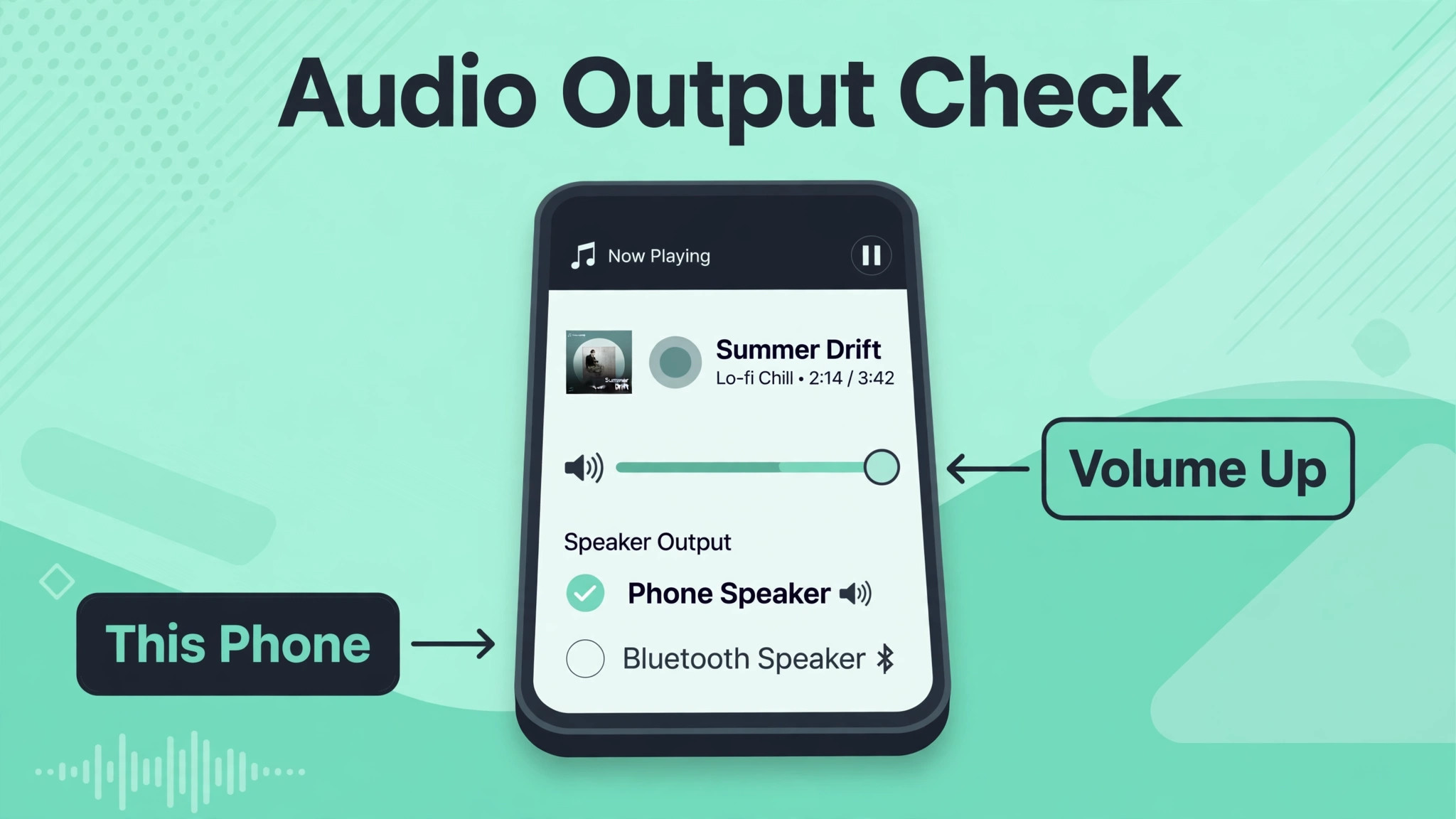
Next, check that Spotify is not muted inside its own playback screen and that no other app has taken control of audio. A navigation app, a voice call, or a video left paused in a browser tab can hold the audio channel. Close other media apps, end any active call, and try again. If you use Spotify Connect, look at the device list in the app and confirm the phone itself is selected, not a speaker or computer that is switched off. A surprising number of playback complaints end at this step, because the app was working correctly and was simply playing to a device the user had forgotten about.
2. Spotify Connection Tests That Separate Network Faults From App Faults
Now test the connection itself. Open a browser or another streaming app and play a short video. If nothing loads there either, the problem is your network, not Spotify. Switch between Wi-Fi and mobile data and test Spotify again on each. If Spotify plays on one network and not the other, you have found a network restriction, a weak signal, or a router problem rather than an app problem. Restarting the router, moving closer to it, or forgetting and rejoining the Wi-Fi network often restores playback without touching Spotify at all.
Also check for a wider Spotify outage before you change anything else. A quick search for outage reports, or a test on another device on the same account, tells you whether the fault is yours. If songs play on a computer or in the web player but not on the phone, the phone app or its permissions are the fault. If nothing plays anywhere, waiting and retrying later is more sensible than reinstalling. Note whether you are using a VPN or a proxy, because both can route Spotify traffic through a region where a track is unavailable, and both can slow the connection enough that songs time out before they start.
3. Spotify Restart, Update, and Sign-in Refreshes
Close Spotify fully, not just by returning to the home screen. On Android, open the recent apps view and swipe Spotify away, or use Force stop in the app settings. On iPhone, swipe up from the bottom and swipe the Spotify card away. Reopen the app and test one song. If playback still fails, check the app store for an update, because playback bugs are frequently fixed in new releases and an outdated app can lose compatibility after a phone system update. Update the phone operating system as well if an update is waiting, since audio and network changes in a system update can break older app versions.
If the app is current and still fails, sign out and sign back in. This refreshes the account session and clears stale authentication that can block both streaming and downloads. On the Spotify account page in a browser, you can also use the sign out everywhere option if playback seems to be controlled by another device or if the app behaves as if someone else is playing. Change your password as well if you see unfamiliar devices in the Spotify Connect list, because an unknown session can pause or hijack your playback. These steps take a few minutes and they resolve account-related playback blocks that no amount of cache clearing will fix.
4. Spotify Offline Mode, Data Saver, and Quality Settings
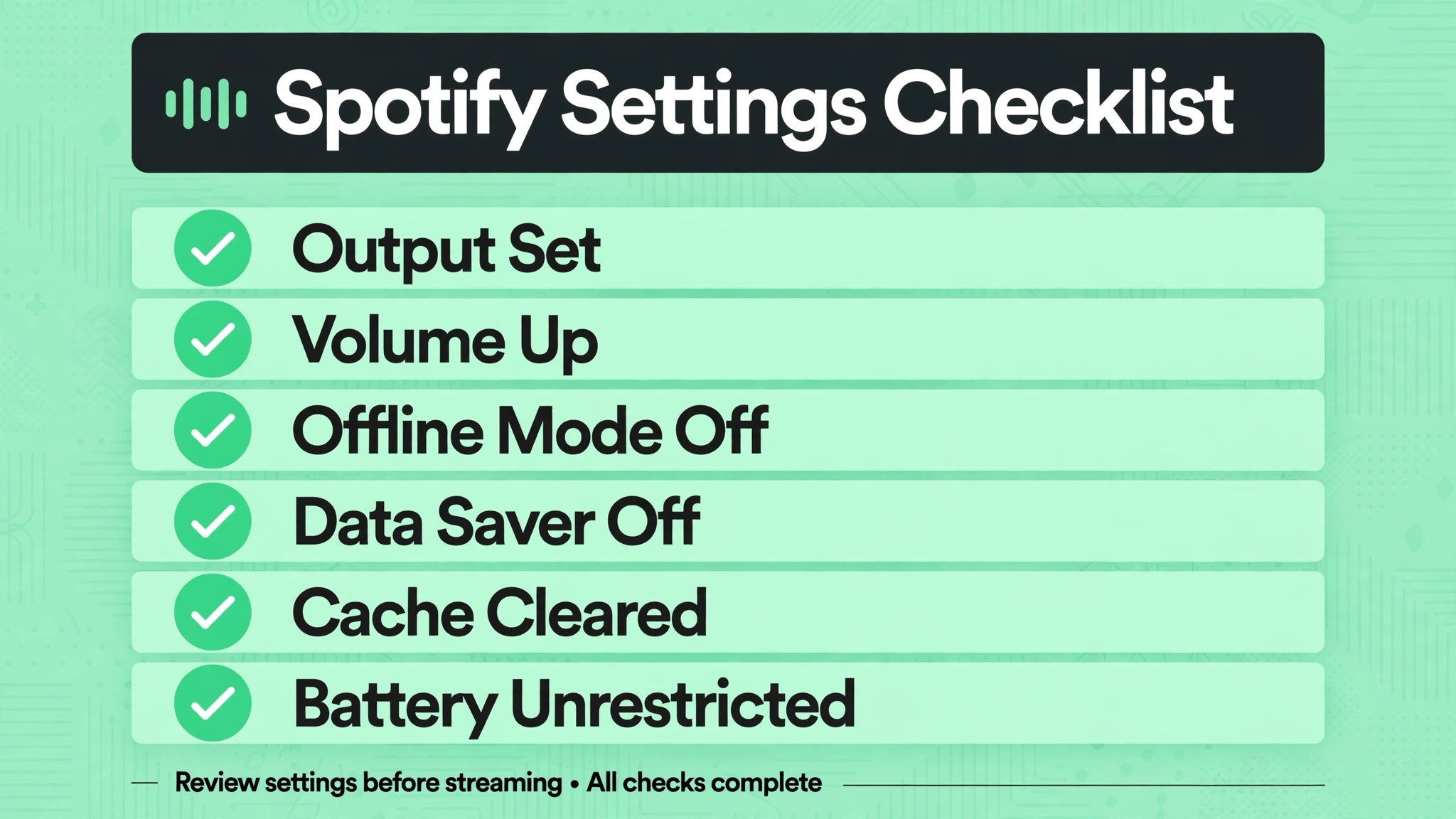
Open Spotify settings and check Offline mode first. When Offline mode is on, Spotify plays only downloaded songs, so any song you have not downloaded will refuse to start even on a strong connection. Turn Offline mode off and test streaming again. Next, look at data saver and audio quality settings. Data saver can reduce streaming quality to save mobile data, and on a weak connection it can also delay or block playback. Turning it off temporarily tells you whether the restriction is the problem.
Similarly, setting audio quality to Automatic or Normal during testing removes a variable, because very high quality streaming needs a faster and steadier connection than normal quality, and on a marginal signal that difference decides whether a song starts at all.
Crossfade is another setting worth testing. Crossfade blends the end of one song into the start of the next, and when it misbehaves it can stall the transition between tracks. Turning crossfade off in the playback settings and restarting the app is a quick test that costs nothing. If songs start playing normally with crossfade off, you have found a playback engine quirk rather than a network fault, and you can leave the setting off or re-enable it after a future app update. Also check whether explicit content filtering or a restricted account setting is blocking specific tracks, because a filtered track can appear playable and then skip without a clear error message.
5. Spotify Cache Clearing Without Losing Your Library
Cached data speeds up Spotify by storing images, recently played audio, and interface files on the phone, but a damaged cache can stop playback entirely. Clearing the cache is different from clearing all app data. On Android, go to the Spotify app settings, open Storage, and choose Clear cache. Your playlists, liked songs, and account settings remain, because they are stored in your account rather than on the phone. On iPhone, there is no system cache button for individual apps, so use the storage option inside Spotify settings if it is available, or delete and reinstall the app as a later step.
After clearing the cache, reopen Spotify, let it reload your library on Wi-Fi, and test a streamed song before you redownload anything.
Storage pressure causes a related failure. If the phone is almost full, Spotify cannot cache streamed audio properly and downloads may fail partway through, leaving files that look complete but will not play. Check the phone storage settings and free space if needed by removing unused apps, old videos, or downloads you no longer need. A phone with only a few hundred megabytes free will behave unpredictably across many apps, and Spotify is often the first app where users notice it because streaming needs temporary space for every song. After freeing space, restart the phone and test playback again before moving on to deeper fixes.
6. Spotify Download Repair for Songs That Will Not Play Offline
Downloaded songs fail for reasons that streamed songs do not. A download tied to a lapsed Premium subscription stops working offline, a download interrupted by a lost connection can sit half finished, and a download stored on a failing or removed memory card can vanish while its entry remains in the library. If streaming works but downloads do not, focus here and ignore the network steps. First, connect to Wi-Fi, open Spotify, and leave it open for a few minutes so it can verify the subscription and refresh download status. A Premium account needs to go online periodically for this check, and a phone that has been offline for a long time can lose offline playback until that check completes.
Next, test one playlist at a time. Open a downloaded playlist, turn its download switch off, wait for Spotify to remove the files, then turn the switch back on and let the download finish on stable Wi-Fi before testing. A green download arrow means the item is ready, while a grey or spinning arrow means the download is incomplete and the song may fail. If only one album or playlist fails after a clean redownload, the problem may be licensing, because some tracks become unavailable in a region and downloaded copies are removed or blocked.
Streaming that album will show greyed out tracks if that is the case, and no amount of redownloading will restore a track that Spotify no longer has the right to offer in your country.
7. Spotify Background, Battery, and Permission Limits
Modern phones aggressively limit apps running in the background to save battery, and Spotify is a frequent victim. On Android, open the Spotify app settings, open Battery, and set it to Unrestricted during testing. On iPhone, open the phone settings, open Spotify, and make sure Background App Refresh is on. Also check that Spotify has permission to use mobile data, and that no data saver or low data mode is blocking it. If Spotify plays while the app is open but stops when the screen locks or when you switch apps, a background restriction is almost certainly the cause, because the phone is pausing the app rather than the app failing on its own.
Check the phone focus and do not disturb settings as well, because some modes restrict background media or silence notifications in ways that interact with playback. Test with focus modes off and with the phone plugged into power, which removes battery saving behaviour from the equation. If playback becomes reliable while charging but fails on battery, the battery optimisation setting is the variable to adjust permanently. Keep the unrestricted setting only for Spotify if you are concerned about battery life.
8. Spotify Reinstall as the Final App-Level Fix
Only reinstall when every earlier step has failed, because a reinstall removes all downloads from the phone and forces a fresh sign-in. Uninstall Spotify, restart the phone, then install the latest version from the official app store and sign in. Test streaming first with a small playlist before you download anything large, so you can confirm the fresh install works before spending time and data on downloads. If streaming works on the fresh install but downloads still fail, the fault is more likely storage, account status, or network quality than the app itself, and you should return to those sections rather than reinstalling again.
After a reinstall, rebuild downloads gradually on Wi-Fi and watch for the point of failure. If downloads fail only after a certain size, storage or memory card problems are likely. If downloads fail only on mobile data, a carrier or data permission problem is likely. If the fresh install fails exactly as the old one did, including on a different network, consider whether the phone operating system needs an update, whether another app is interfering with audio, or whether the phone itself has an audio hardware fault. Testing Spotify on a second phone with the same account at this stage is the cleanest way to separate a phone fault from an account fault.
Spotify on Android Compared With Spotify on iPhone
The steps above work on both platforms, but the settings live in different places and the common traps differ. On Android, battery optimisation and data permissions cause more failures than on iPhone, because manufacturers add their own power saving layers on top of the standard Android settings. A Samsung, Xiaomi, or OnePlus phone can restrict Spotify even when the standard battery setting looks permissive, so check the manufacturer battery or device care settings as well if playback stops when the screen locks. Android also lets you clear cache without reinstalling, which makes cache problems faster to test.
Use that advantage before you reinstall, and remember that clearing storage instead of cache will sign you out and remove downloads, so tap the correct button.

On iPhone, the common traps are different. Background App Refresh, Low Data Mode, and Low Power Mode interact with streaming in ways that are easy to miss, because they change behaviour without showing an error. Low Power Mode in particular can reduce background activity and network performance, so test playback with Low Power Mode off if songs fail when the battery is low. iPhone users also face the storage problem more often, because there is no memory card to move downloads to, and a full phone leaves Spotify no room to cache audio. Freeing space on an iPhone therefore matters more than it does on an Android phone with expandable storage.
When you need to fix Spotify not playing songs phone faults on an iPhone, check Low Power Mode and storage early, because both are frequent causes that the standard app settings do not reveal.
Bluetooth behaviour also differs by platform. Android phones often stay connected to a previously paired device even when that device is out of range or switched off, and the phone may keep routing audio to it silently. iPhones tend to switch output more visibly, but they can still route to an Apple Watch, a HomePod, or a car system without an obvious warning. In both cases, the fix is the same. Disconnect Bluetooth entirely for one test, confirm sound through the phone speaker, and then reconnect devices one at a time.
That single test separates an output fault from an app fault in under a minute, and it should be repeated whenever a new speaker, car, or pair of earbuds enters the setup, because each new output device adds a new place for audio to disappear.
When the Fault Is the Track, the Account, or the Service
Not every playback failure can be fixed on the phone, and recognising the unfixable cases saves a lot of wasted effort. Greyed out tracks, songs that skip instantly across every device, and albums that vanished from a playlist usually mean licensing changes. Spotify cannot play a track it no longer has the right to offer in your region, and no setting on your phone changes that. The same applies to tracks removed by the artist or label. If a song plays in the web player on a computer but not on the phone, the phone is at fault.
If it fails everywhere, including the web player, the track or the account is the more likely explanation, and searching for the track name alongside availability reports will confirm it faster than another reinstall.
Account problems show a different pattern. A payment failure, a lapsed Premium subscription, or a family plan change can remove offline playback while leaving streaming intact, or can change what the app allows on a given device. Check the account page in a browser and confirm the plan status, the payment method, and the list of devices. A plan that lapsed yesterday explains downloads that worked last week and fail today, and renewing the plan restores them without any phone changes. Similarly, a student plan that needs reverification or a family plan that lost a member can change playback rights quietly.
These account checks take two minutes and they prevent the mistake of treating a billing event as a technical fault. To fix Spotify not playing songs phone issues that began right after a payment or plan change, start with the account page, not with the app settings.
Service outages deserve the same respect. Spotify occasionally suffers regional outages that block playback, logins, or downloads for many users at once, and during an outage every attempt to fix Spotify not playing songs phone trouble locally will appear to fail. Checking outage reports and testing another device before reinstalling protects your downloads from an unnecessary wipe. If an outage is confirmed, the correct action is simply to wait, keep the app updated, and retry after the service recovers. Users who reinstall during an outage often blame the reinstall for a problem that was never theirs, and they then spend an evening redownloading a library that was never damaged.
A Prevention Routine That Keeps Spotify Playing
Once playback works again, a short routine keeps it working. Keep Spotify and the phone operating system updated, and avoid letting phone storage drop below a comfortable margin, because full storage causes the widest range of strange playback symptoms. Leave Background App Refresh on for Spotify on iPhone, and leave battery optimisation unrestricted for Spotify on Android, since those two permissions are the ones most often blamed when playback stops after a system update resets them. Review Bluetooth devices occasionally and remove old speakers and cars you no longer use, because a phone that remembers ten outputs has ten places to send audio by mistake.
Finally, download on Wi-Fi rather than mobile data when possible, and let large downloads finish before you go offline, because interrupted downloads are the most common source of songs that look ready and then refuse to play. This routine takes a few minutes a month and prevents most repeat failures. If you ever need to fix Spotify not playing songs phone trouble again, start with this routine in reverse and check which part slipped, because the cause is usually a setting that changed during an update or a new device that joined the output list.
More Reading on Stratilyze
Music faults usually share a cause with another phone fault, so readers check the neighbouring guides next. The guide to a crashing Spotify app covers the install checks behind broken playback, the guide to Spotify offline mode that will not work explains the download side, and the guide to Bluetooth headphones that will not pair walks through the output checks.
Frequently Asked Questions
Why does Spotify play on my computer but not on my phone
That pattern points to the phone app, its permissions, or its output, rather than to your account or to Spotify servers. Test the web player on the phone browser, disconnect Bluetooth, check media volume, and confirm Spotify has mobile data and background permissions. If the web player works on the phone but the app does not, clear the app cache on Android or reinstall the app on iPhone. If neither works on the phone but both work on a computer, check the phone network by switching between Wi-Fi and mobile data, because a network restriction on the phone can block the app while leaving the computer untouched.
Will clearing the Spotify cache delete my playlists
No, clearing cache does not delete playlists, liked songs, or followed artists, because those live in your Spotify account. Cache clearing removes temporary files such as images and recently played audio, which Spotify rebuilds as you use the app. Clearing storage or app data is different, and on Android it can sign you out and remove downloads, so use the cache option specifically. On iPhone, use the storage option inside Spotify settings when available, and treat a full delete and reinstall as a separate step that will remove downloads from that phone.
Why do my downloaded songs suddenly stop playing
Downloaded songs stop when the Premium check cannot complete, when a download was interrupted, or when storage pressure damages the files. Connect to Wi-Fi, open Spotify, and leave it open for a few minutes so it can verify the subscription. Then check the download arrow on the playlist, because a grey or spinning arrow means the download is incomplete. Remove and redownload the affected playlist on stable Wi-Fi. If the subscription lapsed, renewing it restores offline playback without any phone repair, so check the account page before you delete downloads that may be perfectly healthy.
Why does Spotify stop when my phone screen locks
Playback that stops at screen lock almost always means a battery or background restriction. On Android, set Spotify battery use to Unrestricted and check any manufacturer device care setting that limits background apps. On iPhone, turn on Background App Refresh for Spotify and test with Low Power Mode off. Also check focus modes that restrict background activity. If playback works while the app is open and fails only when the screen locks, the phone is pausing Spotify to save power, and adjusting that one permission usually restores normal playback without any other change.
Why does Spotify skip every song without playing any of them
Songs that skip one after another usually mean the tracks are unavailable, Offline mode is blocking streaming, or downloads are broken. Turn Offline mode off and test a well known playlist that you have never downloaded. If that playlist plays, the problem is confined to your downloads or to specific unavailable tracks. If every song still skips, sign out and back in, update the app, and test on another network, because an account session or network restriction can produce the same skipping pattern across the whole library.
Should I reinstall Spotify or contact support first
Reinstall only after the earlier steps have failed, because it deletes all downloads on the phone. Work through output, network, update, sign-in, settings, cache, and download repair first, and test after each group. Contact support if a fresh install fails on two networks and on a second device with the same account, or if the account page shows a plan or payment problem you cannot resolve yourself. That evidence helps support staff identify an account fault quickly, instead of asking you to repeat steps you have already completed.
When you need to fix Spotify not playing songs phone faults that survive a clean reinstall, the fault is usually account, network, or hardware related, and support can check the account side that you cannot see.
Your Final Decision Before You Change Anything Else
If songs play after the early checks, stop there and enjoy the fix, because extra changes only add new variables. If songs play on Wi-Fi but not on mobile data, keep the focus on data permissions and carrier restrictions rather than reinstalling. If downloads fail while streaming works, keep the focus on subscription verification and clean redownloads. If nothing works after a fresh install on two networks, treat the phone or the account as the suspect and test a second device before spending more time on settings. That decision tree is the whole guide in miniature. Fix the output first, prove the network second, refresh the account third, and only then rebuild the app.
Readers who return to fix Spotify not playing songs phone trouble a second time usually find the cause faster, because they already know whether their phone fails at the output, the network, or the download stage, and that knowledge turns a frustrating silence into a short and targeted repair.